Mobile phone checkout cart screen

WooCommerce Checkout Optimisation In 2026: Cut Abandonment And Lift Revenue

WooCommerce Checkout Optimisation In 2026: Cut Abandonment And Lift Revenue

Why checkout optimisation matters more than another traffic campaign

If you run an online shop, your checkout is where all the cost of marketing either pays off or leaks away. For Bradford and West Yorkshire retailers, a smoother WooCommerce checkout can turn the same traffic into more orders without increasing ad spend. In 2026, customers expect fast, secure, mobile-first checkout with familiar payment options and zero surprises. Small friction points—an extra field, a jumpy layout, a confusing error—cause people to abandon baskets. Tightening the last steps of the journey is the quickest route to measurable revenue growth.

Find the real blockers before you start changing things

Guesswork leads to redesigns that do not move the needle. Start by mapping the funnel in GA4: product views to add-to-basket, basket to checkout start, and each checkout step to purchase. Compare desktop and mobile. Then review session replays or form analytics (configured with consent) to see where people hesitate, scroll back, or rage-click. Export the most common error messages, identify slow assets on the checkout page, and note which fields cause the most drop-offs. This evidence gives you a precise list of problems to fix, not a wishlist.

Make mobile the default, not the afterthought

Most buyers will complete orders on their phones. Keep the layout single-column, push non-essential content below the fold, and ensure the keyboard type matches the field (number pad for phone and postcode). Increase tap targets and spacing so thumbs do not mis-tap. Use a visible progress header that explains where the customer is and what comes next. Keep the “Pay now” or “Place order” button fixed at the bottom on small screens to reduce scrolling.

Mobile-first checkout illustration showing a smartphone checkout interface with secure payment fields, responsive web layout, touch interaction icons, performance indicators and mobile optimisation elements in a clean flat vector style.

Remove everything that is not essential to fulfilment

Every extra field is a reason to leave. Ask only for information you need to deliver the order, confirm payment and contact the customer if something goes wrong. Combine first and last name if your fulfilment allows it, auto-detect country from IP if you only ship to the UK, and let billing match shipping by default. Make company name and address line 2 optional. If you want marketing opt-ins, keep them unticked and clear; forcing consent irritates customers and can breach UK privacy expectations.

Offer payment options people actually use

Local familiarity increases trust. For UK audiences, provide major cards and at least one fast wallet such as Apple Pay or Google Pay so mobile buyers can complete in seconds. If you offer pay-later options, present them discreetly with real end costs and eligibility; over-selling financing can feel pushy and distract from a simple purchase. Keep the number of logos modest and place them where they help, not as a banner that slows the page.

Speed and stability decide whether buyers finish the form

Core Web Vitals still apply on checkout. Keep Largest Contentful Paint under 2.5 seconds by preloading the main stylesheet and any brand fonts, and serving only the assets needed on this page. Reduce Interaction to Next Paint by trimming heavy scripts, delaying non-essential tags until after purchase, and avoiding pop-ups. Prevent Cumulative Layout Shift by reserving space for trust badges, error messages and shipping selectors so nothing jumps as the buyer types. A checkout that feels calm is more trustworthy and converts better.

Speed and performance optimisation illustration showing a fast-loading online checkout, stable user experience, checkout completion progress, performance metrics, secure ordering process and mobile customer satisfaction in a clean flat vector style.

Error handling that helps rather than shames

People make mistakes on phones. Make errors specific and placed next to the field in question. Show examples inside placeholders (for example, “BD1 1AA”) and validate postcodes and phone numbers on blur, not only on submit. Keep input after a failed submission and highlight only the fields that need attention. If an item goes out of stock during checkout, explain clearly and offer one-click removal or a save-for-later option.

Shipping and returns clarity before the payment wall

Hidden costs cause last-second drop-offs. Show delivery options, prices and realistic timeframes before payment details. If you offer free UK shipping above a threshold, make it visible on the basket and show a subtle progress indicator like “£6.00 away from free delivery”. Link to a short, honest returns summary with the essentials—window, condition, refund timing—so customers do not leave the page to hunt for policies.

Trust indicators that feel credible, not gimmicky

A few well-placed signals go a long way: concise security copy (“Secure checkout, encrypted payment”), a recognisable padlock icon near the card input, and a small line about customer support with a local phone number or chat hours. Add two short review snippets related to delivery and product quality, ideally recent and UK-based. Avoid cluttering the page with large badges; they slow the experience and can reduce perceived trust if overdone.

Trust-focused checkout illustration showing secure online payment, verified customer reviews, encrypted checkout, trusted payment methods, local customer support and credible e-commerce trust signals in a clean flat vector style.

Nudge gently; never bully the buyer

Subtle assistance outperforms aggressive tactics. Use address auto-complete to reduce typing. Save basket contents for returning visitors and offer a reminder email if they opted in previously. If someone tries to close the page, a light exit prompt that offers a wishlist save or a back-in-stock alert is more respectful than a discount that trains people to abandon on purpose. For high-value items, offering live chat or a quick call-back option can rescue uncertain buyers without discounting.

WooCommerce settings and extensions that help rather than hinder

Keep your stack lean. Use a single, well-supported checkout plugin if you need to customise layout and validations, rather than stacking multiple add-ons that fight each other. Disable unnecessary scripts from marketing tools on the checkout page. Configure caching so basket, checkout and account pages bypass the cache, but ensure static assets still benefit from the CDN. For VAT and tax, validate rules carefully and display totals clearly to avoid surprise changes on the last step.

Accessibility is good business

Accessible checkouts convert more customers. Ensure labels are explicit, focus states are clearly visible, and error summaries are announced for screen readers. Do not rely on colour alone to indicate required fields. Keep contrast high on buttons and text. Accessibility fixes also tend to improve mobile usability, which is where most of your buyers are.

Accessibility-focused checkout illustration showing inclusive e-commerce design with wheelchair access, visual and hearing accessibility icons, mobile-friendly checkout forms, secure payment elements and user-friendly website features in a clean flat vector style.

Measure what matters after each change

Track the key events in GA4: begin_checkout, add_shipping_info, add_payment_info and purchase. Segment by device, channel and location to see where gains come from. Pair this with order data to calculate completion rate and average order value improvements. Annotate changes so you can attribute wins and roll back losing experiments quickly. A/B test one variable at a time: button text, wallet placement, field order, or delivery copy. Small, measured tweaks compound into meaningful revenue.

A 30-day plan for Bradford e-commerce teams

Week 1: Audit the funnel and gather evidence. Benchmark mobile Core Web Vitals on the checkout page, list error messages, and review the top five abandoned sessions.
Week 2: Remove non-essential fields, clarify delivery options above payment, and tidy error handling. Enable one fast wallet for mobile.
Week 3: Optimise performance. Preload key assets, defer non-essential scripts, and stabilise layout shifts. Test keyboard types and tap targets on common UK phones.
Week 4: Launch two controlled A/B tests—field order and button wording—and review GA4 completion rates. Document outcomes and plan the next two experiments.

Why choose a Bradford-based partner for checkout optimisation

Conversion problems are easier to solve when your team can sit down together and look at real sessions. Because we are based in Bradford, near Leeds Bradford Airport, we can meet quickly, audit your WooCommerce setup, and prioritise fixes that deliver revenue fast. We combine UX, technical SEO and performance tuning so buyers experience a checkout that feels simple, safe and fast—exactly what turns browsers into customers.
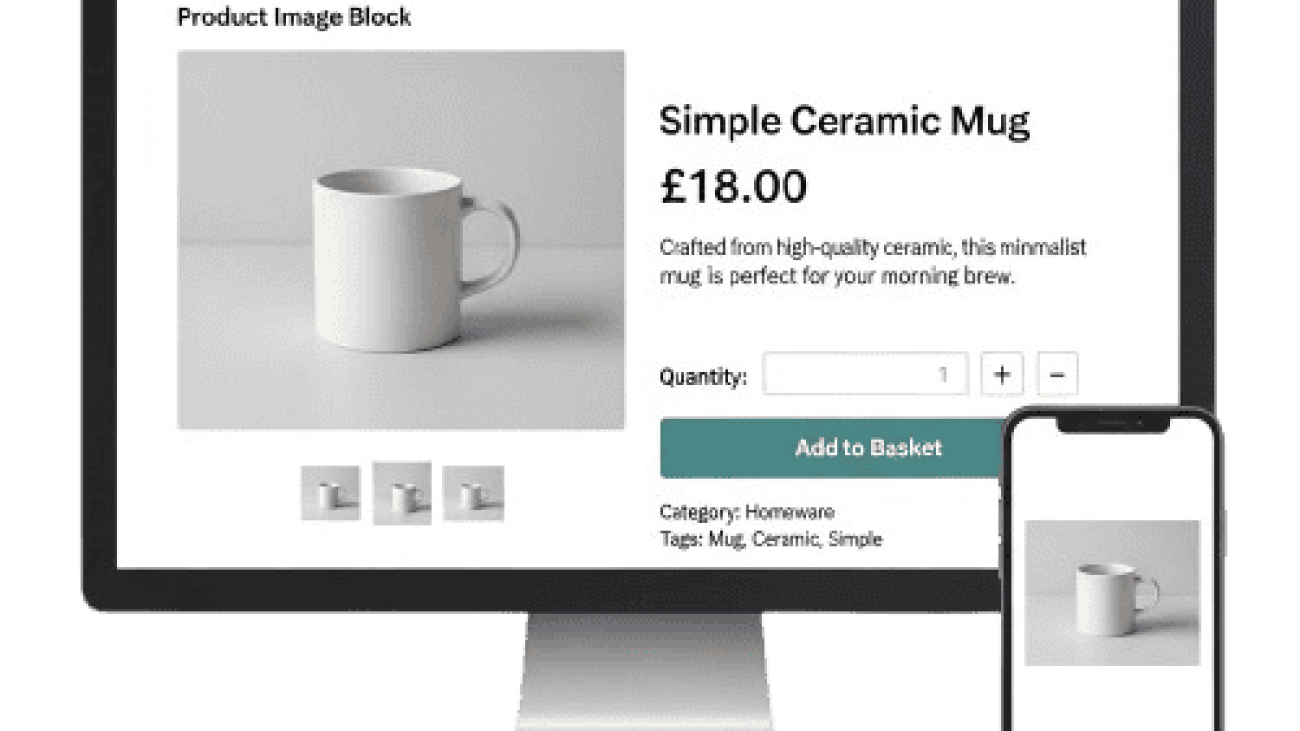
A mobile phone and a computer screen showing a product

WooCommerce Product Pages That Rank And Sell In 2026

WooCommerce Product Pages That Rank And Sell In 2026

Why product page optimisation matters more this year

E-commerce keeps getting noisier. Competitors can copy your prices and even your products, but they cannot easily copy the way your website presents value. In 2026, WooCommerce product pages that load fast, explain clearly and answer objections will win both rankings and revenue. For Bradford retailers and West Yorkshire brands, the prize is simple: appear for the right searches, convert more first-time visitors and give customers a reason to return.

Start with intent, not just keywords

Keyword tools tell you what people type. Your job is to work out what they actually want. Someone searching “handmade candles Bradford” expects local credibility, clear scents, sizes and delivery times. A search for “men’s waterproof jacket UK” expects sizing help, materials, returns and a model height for fit. Write your above-the-fold copy to solve the intent in two or three sentences. Then reinforce with structured details, images and FAQs lower down the page.

Make the first screen do the heavy lifting

Above the fold, show a crisp product image, price, key benefits in plain English, stock status, primary call to action and one trust element (rating count or “Free UK returns”). Keep the layout calm so the eye moves naturally from title to price to button. Where colour or size matters, put the selector close to the price and ensure the chosen variant is obvious. A messy first impression kills conversions and increases pogo-sticking, which hurts SEO signals.

Images and video that sell the outcome

Use a clean hero image, then show close-ups that answer questions customers usually ask on live chat. Add one lifestyle shot that shows scale or real-world use, ideally created in Yorkshire settings if your brand is Bradford-based. Short video clips help with products that move or fold. Keep file sizes lean: export to WebP, set width/height attributes to prevent layout shifts, and lazy-load non-critical media. Caption the main image or video with a concise benefit, not just a filename.

Product page media illustration showing product photography, video content, customer engagement, product benefits, performance results and conversion-focused visual content in a clean flat vector style.

Copy that is scannable and persuasive

Forget flowery paragraphs. Use a short intro that explains who the product is for and why it is better, then move into structured specifics:
• Materials and build quality
• Sizing or dimensions in metric
• Compatibility or usage scenarios
• Care instructions and warranty
• What’s included in the box
Write like a person from Bradford would speak—clear, practical and friendly. Where relevant, add a two-row comparison table against your own similar products to guide choice without cluttering the page.

Pricing, offers and honest delivery info

If you run promotions, present the saving simply with the original price visible and the offer end date if truly time-bound. Delivery details make or break trust: show UK delivery times, cut-off times, click-and-collect (if available) and returns at a glance. Link to a full policy page but keep a plain-English summary on the product page so customers do not abandon their basket to look for answers.

Reviews and UGC that customers can believe

Star ratings are not enough. Aim for review text that mentions the use case, fit or durability, and display recent reviews by default. If you serve the local area, highlight a few reviews from Bradford and West Yorkshire to build regional trust. Invite photo reviews so buyers can see your product in normal lighting. Mark up reviews correctly for eligibility in search, and never gate or filter out all negative feedback—measured criticism makes positive reviews more credible.

Customer reviews and user-generated content illustration showing verified customer feedback, product ratings, authentic customer photos, video testimonials, social proof elements and real buyer experiences in a clean flat vector style.

FAQs that reduce hesitation

Add five to eight FAQs answering the questions your support team hears most. Keep them short and specific: care, compatibility, returns, delivery, sizing and warranty. This doubles as pre-sales enablement and can earn extra visibility in search when implemented properly and aligned with on-page content.

WooCommerce settings that improve conversion

Keep variations tidy with clear attribute names. Auto-selecting a default variation can speed up checkout, but only if it is the most popular choice; otherwise leave unselected to force a deliberate pick. Use back-in-stock notifications to capture demand ethically, and make sure the “add to basket” button gives instant, accessible feedback. For cross-sells, limit suggestions to two or three genuinely complementary items. Algorithmic carousels that show everything slow the page and distract buyers.

Technical SEO for product pages that last

Use short, human URLs and keep one canonical version for each product. Avoid creating multiple near-identical URLs for variants unless there is unique search demand. Add structured data for Product, Offer, AggregateRating and BreadcrumbList so search engines can present rich results. Generate lean, accurate XML sitemaps and remove discontinued products or redirect them to the closest in-stock alternative with a helpful message.

Core Web Vitals without a rebuild

You do not need a redesign to get faster. Focus on three practical wins:
Largest Contentful Paint
Preload the hero image and serve it in modern formats; keep the header minimal so content appears fast on mobile.

Interaction to Next Paint
Trim heavy sliders, delay non-essential scripts and streamline tracking. Shoppers abandon slow filters and bloated pop-ups.

Cumulative Layout Shift
Reserve space for badges, trust icons and notification bars so nothing jumps while customers tap size options or add to basket.

Pair WooCommerce with quality UK hosting, server-level caching and a CDN. Object caching helps with large catalogues; image optimisation at upload prevents slow creep as new products are added.

Content hubs that lift your whole category

Product pages do not live alone. Build a simple content hub around priority categories: buying guides, size or fit explainers, care instructions and comparison posts. Internally link from these guides to your best-selling products using natural anchor text, then link back from the products to the guides. This improves topical authority and gives customers the context they need to purchase with confidence.

Content hub illustration showing a central category page connected to multiple guides, articles, resources and supporting content, with internal linking, topic clusters, authority building, organic traffic growth and category-wide SEO improvement in a clean flat vector style.

Measurement that focuses on decisions, not vanity

Configure GA4 events that reflect real intent: view_item, add_to_cart, begin_checkout, purchase, and form interactions for back-in-stock or size-guide opens. Track on-site search queries to spot missing content or product gaps. Use cohorts to compare performance after speed improvements or copy changes. If Bradford traffic converts better than national traffic, create local content and offers that double down on that advantage.

A 30-day plan for Bradford WooCommerce stores

Week 1: Audit five top products. Fix hero images, tighten intros, add delivery summaries and reorder the first screen to prioritise title, price, options and CTA.
Week 2: Optimise speed: compress and preload hero images, defer non-essential scripts and cut one heavyweight plugin.
Week 3: Add or refine FAQs, enable back-in-stock alerts and curate cross-sells that make sense. Mark up Product and Offer schema accurately.
Week 4: Publish one comparison or buying guide for your best category, link it to key products, and ask recent customers for photo reviews.

Why work with a Bradford-based team

Local insight changes the tone and the proof you show. Because we are based in Bradford, near Leeds Bradford Airport, we can visit, understand your fulfilment realities and shape product pages that answer the questions your customers actually ask. We combine conversion copy, technical SEO and WooCommerce tuning so you get faster pages, clearer messaging and more sales from the traffic you already have.

Facebook Launches Shops with WooCommerce

Facebook Launches Shops with WooCommerce

Facebook Launches Shops with WooCommerce

HIGHLIGHTS

  • Using Facebook Shops allows businesses to list their products on their Facebook Page, Instagram Stories, or profile.
  • In the future, Facebook Shops will create a platform for businesses to sell their products to customers via WhatsApp chat features and Instagram Direct, and tag products during live streams.

With the COVID-19 pandemic, several small businesses are struggling. And while some stores are closing down, more are looking for ways to bring their businesses online.

Facebook CEO, Mark Zuckerberg, on Tuesday announced Facebook Shops – a free platform created to make shopping seamless and help e-commerce stores scale their business. Moreover, it’s believed that it will reduce the pressure small businesses are facing during this time.

Small businesses take the larger percentage of the more than 8 million advertisers community on the company’s apps.

And Long-term, Shops, and other e-commerce products could help Facebook drive more ad sales, Zuckerberg said.

“Our business model here is ads, so rather than charge businesses for Shops, we know that if Shops are valuable for businesses they’re going to in general want to bid more for ads,” Zuckerberg said. “We’ll eventually make money that way.”

As explained by Facebook:

“Facebook Shops make it easy for businesses to set up a single online store for customers to access on both Facebook and Instagram. Creating a Facebook Shop is free and simple. Businesses can choose the products they want to feature from their catalog and then customize the look and feel of their shop with a cover image and accent colors that showcase their brand. This means any seller, no matter their size or budget, can bring their business online and connect with customers wherever and whenever it’s convenient for them.”

Facebook already lets business owners list products on the platform, Facebook Shops, on the other hand, will let them upload their catalogs so they can be accessible to users across other Facebook-linked apps.

And while it is true that Facebook Shops will make it easy for businesses to list their items on Facebook and Instagram, in most cases, consumers will be redirected to a company’s website to complete the purchase.

Facebook Launches Shops with WooCommerce

Introducing Facebook Shops

According to Zuckerberg, Facebook Shops will help small businesses build an online store that lets them sell their items directly across Facebook ‘s family apps, including Facebook and Instagram.

Also, Facebook noted that it’s working with partners like Shopify, WooCommerce, BigCommerce, Cafe24, and ChannelAdvisor to aide this process.

Only businesses eligible – those who are participating in Facebook’s Checkout – will be provided a link to a new ‘Shop Builder’ platform. With this Facebook tool, business owners can create “shop” and upload their products and items, or connect with their existing e-Commerce provider.

“Small businesses need a way to find new buyers,” said Shopify CEO Tobias Lutke on the live stream with Zuckerberg. “This is going to be an incredibly powerful new reality for everyone in the retail space to have these powerful tools natively on the Facebook platform.”

Facebook Shops will start to roll out on Tuesday and become more widely available over the coming months, the company said.

“We hope these tools can relieve some of the pressure small businesses are facing right now and help businesses of all sizes prepare for the future,” said the statement.

As per Facebook:

“Starting today, we will begin a phased rollout of shops to all businesses globally on Facebook and Instagram Shopping. We will start with eligible businesses that use Instagram Profile Shops and will expand access over the next few months. Eligible businesses will receive an email when their shop is ready to start customizing.”

Facebook and Inѕtаgrаm аrе already bіg ѕhорріng destinations, but Facebook Shорѕ іѕ bound tо open a floodgate of nеw орроrtunіtіеѕ fоr ѕmаll businesses!

If you would like to use the text or infographic feel free to as long as you place a link back to this page to give credit 

Woocommerce Vs. Shopify: Which Is Better For E-Commerce

Woocommerce Vs. Shopify: Which Is Better For E-Commerce

Woocommerce Vs. Shopify: Which Is Better For E-Commerce

Are you thinking of launching an online store? During this phase, you are faced with some e-commerce platforms to choose from, and after you have filtered and made some selection, you are still left with the two big e-commerce giants which are Shopify and WooCommerce.

Building an online store has its ups and downs. You will have to make a good number of decisions that will affect the set-up of your online store. But it is far easier when you know the right steps to take. And more so when you know the right e-commerce platform to choose.

These two platforms have their merits, and this makes it an even tough decision. To enable you to make the best decision, you need to critically evaluate, compare and contrast both platforms so you can draw your conclusion based on your findings.

HOW EACH PLATFORM APPROACHES E-COMMERCE

WooCommerce and Shopify approach your store creation and management in different ways.

WooCommerce is a self-hosted platform that implies that you will have your store’s files on your server which gives you the opportunity to modify any feature as you want.

Shopify is hosted which means that the Shopify platform will be responsible for the hosting and management of the software. Although you are entitled to other flexible options, you can only make the changes permitted by Shopify.

Although WooCommerce is flexible, it’s not a beginner-friendly platform but Shopify is the direct opposite as it I an excellent choice for beginners who are new to e-commerce and the tech world. As you read along, this would become clearer to you.Woocommerce Vs. Shopify: Which Is Better For E-Commerce

THE EASE OF LAUNCHING A STORE ON BOTH PLATFORMS

WooCommerce

When you create a WooCommerce store, you have to take two definite steps.

  • Install WordPress and study the interface (that is if you are not familiar with it).
  • Then install and configure WooCommerce and learn the WooCommerce interface.

And before you get to the stage of being able to accept orders, you must have taken the following steps:

  • Installed WordPress
  • Find a good hosting service
  • Select a WooCommerce theme
  • Installed and configured WooCommerce
  • Set up other vital aspects such as payment gateways.

Shopify

With the Shopify platform, everything is done for you, from setting up your store and selling your products. It is a hassle-free experience even without any knowledge of tech-related stuff. All you will be required to do is the following:

  • Create your Shopify account
  • Sync an existing domain or create a new one.
  • Select your theme.

Hence, concerning how easy it is to set up a functional store that can accept orders and process payment properly. Shopify is the definite answer.

HOW MUCH CONTROL DO YOU HAVE OVER YOUR STORE’S FUNCTIONALITY

WooCommerce

wooCommerce provides you with a few unique ways to modify your store’s functionality.

  • Your Theme
  • Custom code
  • A lot of plugins (about 50,000) + WordPress plugins are designed specifically for WooCommerce.

Concerning product variations, WooCommerce offers the user with some flexibility options. There is no maximum limit on the total number of product variations that you can use.

Shopify

Still, on product variations, Shopify places a hard cap of 3 total options per product and 100 variants per product as well and irrespective of the Shopify plan that you choose.

You can customize your Shopify store with the following:

  • Apps – they are collected at the Shopify website and play a similar role kile the WordPress plugins.
  • Themes – The Shopify theme store as a myriad of both Shopify and third party themes.

Another limiting factor of the Shopify platform is that it allows you to add custom email to your store’s homepage only. The tools provided by both platforms are great but they are not without limitations, and Shopify has more of it.

Woocommerce Vs. Shopify: Which Is Better For E-Commerce

THE PAYMENT METHODS PROVIDED BY EACH PLATFORM

Both platforms boast of several payment gateways. Unless you are looking for a particular payment gateway, you may not notice the difference.

WooCommerce

Due to the large plugins available on WooCommerce, there are tons of payment gateways on this platform such as:

  • PayPal
  • Strip
  • net
  • Square

WooCommerce also has the ‘big names’ of payment gateways on their lists such as Postgiro and Prezelewy24.

Shopify

Shopify has a payment gateway that requires no configuration on the part of the user. But if you would like a third party gateway, then you may choose from its list of the following:

  • net
  • PayPal
  • Stripe

However, Shopify charges a fee if you choose a third-party gateway and this is entirely different from the regular charges of the payment gateway itself. And this is worth giving a thought to.

HOW IS DATA CONTROLLED ON EACH PLATFORM?

WooCommerce allows you to have considerable control over your data on their platform because it is self-hosted. This means in WooCommerce, you own and control everything. And this includes complete access to your database and all the information therein.

Shopify

Shopify may give you some level of control over your data, but its actual manipulation and full control take place on Shopify servers. Although still restricted, Shopify gives you average access to your data better than other platforms.

WHAT ABOUT SITE MAINTENANCE?

WooCommerce

The high level of control it gives you over your data comes with a price which means that you are in total control of maintaining and securing your store. WooCommerce will not handle that for you.

Shopify

Shopify is responsible for maintaining and securing your store. So there is less for you to worry about.Woocommerce Vs. Shopify: Which Is Better For E-Commerce

HOW MUCH DOES EACH PLATFORM COSTS?

WooCommerce

The cost of setting up an e-commerce store on this platform varies and cannot be determined with certainty. However, the fixed costs are as follows:

  • Domain
  • Hosting
  • The fee your payment gateway charges you.

Other variable costs may include:

  • Premium plugins
  • Premium Theme

Shopify

The platform uses a transparent pricing system that is far easier to include on your budget. Shopify offers three different plans for users of the platform, and it starts at $29 per month billing alongside a free myshopify.com domain for those who would not mind using a subdomain at a start. Aside from the fee, it charges when you choose your payment gateway other than the Shopify gateway, there are no other hidden costs for you to be wary of. Generally, this excludes variable costs such as:

  • Premium theme (which is sometimes a one-off payment).
  • Apps (which is usually paid monthly excluding the free apps).

Note that you will incur more charges if you opt for an external gateway other than the Shopify gateway.

With WooCommerce, all you have to pay are one-off payments while Shopify requires a monthly payment or subscription.

WHICH ONE IS BETTER FOR E-COMMERCE?

There is no definite answer to this question. And the scenario below may help you draw your conclusion.

Three ways WooCommerce is better than Shopify

Perhaps, the most significant reason to choose WooCommerce over Shopify is the high degree of flexibility and control. If your kind of products has minimal variations, then you might not need the flexibility feature so much. But if your products are complex in variations, pricing structure or checkout, the WooCommerce flexible system will work wonders for you.

Since Shopify is a hosted platform, some products may not do well with its configuration. And such products might be perfect for WooCommerce.

However, if you cherish the plugins and support that WooCommerce provides, then that might be a good reason to choose the platform.

Three ways Shopify is better than WooCommerce

If you are a beginner and you love the friendly interface of Shopify, that might be a good reason to go for it. Provided your products are not complicated in terms of variations, Shopify should be great for you.

If you hate to spend a lot of time maintaining your store that could be a valid reason to choose Shopify over WooCommerce. Shopify promotes simplicity and if you are a fan of that, then go for it.

Shopify provides an all in one solution that allows you to create your store, accepts orders and process them without ay hassle on your part. In summary, it is simplicity in all aspects.

WHAT DO YOU THINK?

 From the above comparison, you can see that each e-commerce platform has its unique advantages for specific situations. If ownership and flexibility mean a lot to you, then WooCmmerce is your go-to platform. But if you value simplicity more, Shopify is probably your best bet. In the end, it is your decision to make.

If you would like to use the text or infographic feel free to as long as you place a link back to this page to give credit

Why WordPress is the best for your e-commerce website

Why WordPress is the best for your e-commerce website

Why WordPress is the best for your e-commerce website

If you have a business that sells products, it’s likely that you are wanting an e-commerce website. Nowadays people don’t just view products online, they want to purchase them online too as it is much easier and more convenient.

You can set up an e-commerce website in a few different ways, but WordPress is definitely the best alternative out there. WordPress is the most modern and best platform available to build from, as it is very flexible and versatile, even though it was originally built for blogging. The plugins available and the customizability of this platform are what set it above the rest, and the popularity of it just means it keeps growing and never falls short of new plugins with never-ending possibilities. The support for WordPress plugins is second to none and finding the right tools and support for building your e-commerce website won’t be so much of a challenge.

Here are some great features and tools available for customizing your e-commerce website and other resources that can help you.

Why WordPress is the best for your e-commerce website

The WordPress List Of Plugins Is Almost Endless.

WordPress in its basic form is a great platform to build a great website as it has many features built-in. For the times when you need a feature that the basic package doesn’t have, this is where the vast number of plugins come into play. You install these plugins to your website for additional features and functions.

For an e-commerce website, it is essential to use plugins. Some plugins will enable you to communicate with customers or manage your stock whilst others are fundamental for enabling you to construct and run an online store, it is also imperative to keep security in mind. The good news is the majority of popular e-commerce related plugins can provide a lot of these elements, so you don’t have to install multiple plugins for the functionality that you require.

There are plenty of e-commerce plugins so here are a few of the best ones to choose from.

  • WooCommerce is the most popular e-commerce plugin available. This software can sell anything from subscriptions and appointments to digital downloads and physical products, there is no limit to what it can do, it is also audited by Sucuri which is an industry-leading security company. It is powered by the trust of its many many customers and built specifically for WordPress which runs almost 27% of the web with desktop and mobile responsiveness.
  • Easy Digital Downloads is a WordPress plugin that is the best way to sell solely digital products, there are a lot of extensions that can increase functionality and customisation to mould it into your perfect digital store.
  • Shopify is a cloud-hosted platform that enables you to easily set up and start selling your products online. You can sell Shopify products on any website whether its WordPress based or not as it is externally hosted from your website. If your business grew you wouldn’t have to worry about changing to a more capable hosting server, as it is dealt with on their side. All technical aspects like security and speed are taken care of for you, all you have to do is sign up and log in to add your products.
  • WP eCommerce is the oldest e-commerce plugin for WordPress, it comes with a lot of features straight off of the bat but is known for bugs. It is regularly updated though which is great, and it integrates well with lots of payment systems, but people have been known to update to WooCommerce further down the line as it is less buggy and offers more features and extensions.
  • MemberPress is the best digital subscription plugin enabling you to sell pay per view content, memberships and much more. You can also integrate it with WooCommerce stores and many other extensions. A couple of downsides are that it only supports limited payment options, and yearly pricing plans are the only available options when buying this plugin. It is definitely the best option if you have a subscription-based store and can be easily extended with addons.

Why WordPress is the best for your e-commerce website

Why WordPress is the best for your e-commerce website

  1. E-commerce Supported Themes For You To Consider.

Choosing a theme will be the biggest initial definitive factor for how your website will look and how the sidebars and menus will work. It is imperative that you choose a theme that is either designed for use with an e-commerce store or is at least designed with features in mind that you want to use for your store.

There are some great options for themes nowadays, you will want a theme with a responsive design for desktop and mobile devices that is user friendly and a lot of options to customize it to your needs.

I would suggest doing a lot of research on which theme to choose from, but for now here are a few to have a look at.

  • Flatsome is a great theme as it can offer users a very pleasant and easy shopping experience with its design capabilities and it is boasting over 76,500 sales. If your store is easily navigated, you are more likely to sell your product/service and grow your customer base. This theme is based on the WooCommerce plugin and it has a lot of options for customization and includes some optional plugins, one that adds a wish list for your users and another that infuses a live search across your site.
  • Shopkeeper is another fantastic choice of theme for your e-commerce store, with over 23,500 sales this theme is a great place to start building from. It has options for turning off the e-commerce function so you can just use it as a catalogue and enable it again when you are ready to sell again so it goes beyond the basic needs of your e-commerce store. This theme is updated and supported regularly and is fully responsive, it has many design features and customizability options to explore and it has a quick and easy set up enabling you to get things done.
  • The Retailer is a theme with many great extras, it comes with visual composer which is the most popular page builder plugin and it is free with this theme saving you some extra cash. It also has great mobile and desktop responsiveness, and the support is second to none. It is a great theme for setting up online products with variables like different shirt sizes for example or even digital downloads. The built-in payment methods are PayPal, credit/debit card, check and cash on delivery but you are not limited to only these and you can manage your store performance, track orders and stock with the built-in reports system.
  1. WordPress support is everywhere.

WordPress powers nearly 27% of all websites online and absolutely dominates the CMS market (content management system) with a 76.4% market share, it is also older than Facebook and Twitter too as the original release date was May 27th, 2003, (Facebook Feb 4th, 2004, Twitter March 21st, 2006).

It took an estimated 112 person-years to build it based on almost half a million lines of code, and the support is still continuously growing.

If you are in need of support for some troubleshooting or just some advice on how to go about something there are plenty of options around for you to choose from.

The first option would be to visit the wordpress.org support page where they have different pages and forums with plenty of community and professional support.

There are also dedicated forums for reporting bugs and queries on particular plugins and themes.

A great option is to seek help from WordPress blogs like ours, get in touch on our phone number in our header and see what we can do to help you. We offer training services and bits of handy advice.

  1. Existing WordPress Sites That Will Provide Inspiration.

So many websites are using WordPress as a platform for their e-commerce store, in-fact 39% of all online stores are WordPress based. Everyone wants their own unique store to stand out from the rest, but a great way to start is by looking at your competition and also other e-commerce stores to look at the different features and take some ideas.

A great website to take ideas from is The Craft Can Directory, they have a great online store and offer coupons and discount codes and the ability to subscribe for offers.

The New Zealand All Blacks rugby team have a great online store built with WooCommerce, they offer a lot of features that are worth checking out.

Another great e-commerce store is Ghostbed, they have a lot of cool payment options including Amazon Pay and Apple Pay.

  1. Security

Security is the most important feature of any website and even more so with an e-commerce website where people’s personal information and financial details are used.

Why WordPress is the best for your e-commerce website

The good news is WordPress has so many people working on it to perfect it that the core software is incredibly secure, and it is in continuous development to keep it safe for the future.

It’s a good idea to keep your WordPress version up-to-date in order for these security improvements to reach your website, and to take other measures like using an SSL certificate that encrypts data between the web browser and web server.

It is imperative to keep all security measurements up to date to protect you and your customers.

Final word on Why WordPress is the best for your e-commerce website

Don’t just take my word for it, research WordPress and how it has helped many people with building their e-commerce store.

An e-commerce website is a vital step into putting your product and brand out there and if you want it done you might as well do it right with WordPress.

You can see from this information above that it is the best choice out of all the platforms out there but if you can think of another reason why WordPress is the best solution then we would love to hear about it!

If you would like to use the text or infographic feel free to as long as you place a link back to this page to give credit