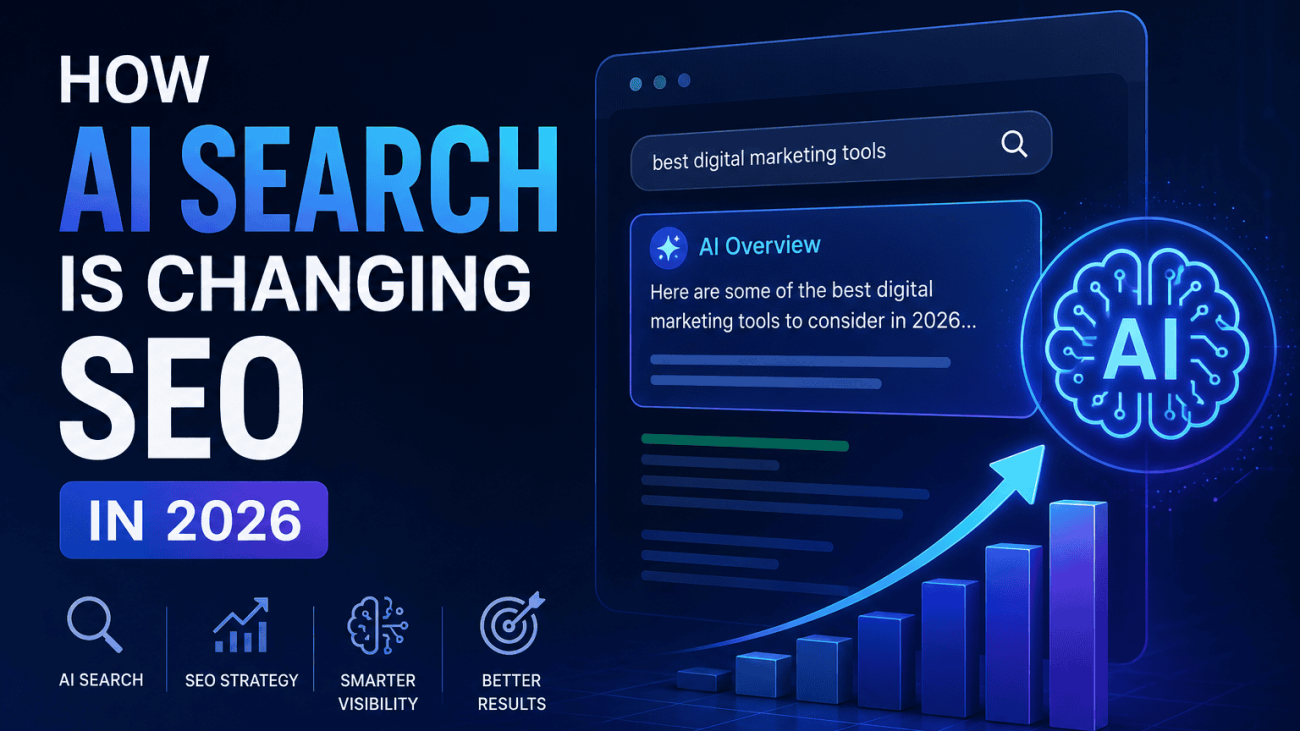
A futuristic digital illustration showing an AI-powered search interface with an AI Overview panel, search results, analytics charts and a glowing AI brain icon. The image represents how artificial intelligence is transforming SEO, search visibility and digital marketing strategies in 2026.

How AI Search Is Changing SEO in 2026 | Techomatic

How AI Search Is Changing SEO in 2026

Table of Contents

For more than two decades, SEO has largely been about helping search engines discover, understand and rank webpages. While Google’s algorithms have evolved through countless updates, the underlying principle remained the same: users searched, search engines returned a list of results, and websites competed for clicks.

In 2026, that model is changing.

AI-powered search experiences are becoming a standard part of how people discover information. Rather than presenting only a list of webpages, search engines can now generate summaries, answer complex questions, compare products and provide recommendations before a user visits a website. Features such as AI Overviews, conversational search and follow-up prompts are changing the journey from query to answer.

This doesn’t mean SEO is disappearing. It means the role of SEO is evolving.

Instead of optimising purely for rankings, businesses increasingly need to optimise for understanding. Search engines and AI systems are looking beyond keywords to identify trustworthy sources, connect related topics and extract information that can be confidently included in generated answers. A page that ranks well but lacks clarity, originality or structured information may be less valuable than one that clearly demonstrates expertise and provides machine-readable context.

For SEO professionals, agencies and business owners, the challenge is no longer simply asking, “How do I rank number one?” It’s also asking, “How do I become a source that AI systems choose to reference?”

This article explores how AI search is reshaping SEO in 2026, what principles still matter, what has genuinely changed, and the practical steps you can take to ensure your website remains visible as search continues to evolve.

A modern digital illustration showing an AI-powered search interface on a laptop displaying an AI-generated answer alongside traditional search results. The image symbolises the shift from conventional search rankings to AI-driven search experiences, highlighting how SEO strategies are evolving in 2026 to focus on structured information, topical authority and trustworthy content.

Search Has Become Answer First

One of the biggest changes to search in 2026 isn’t necessarily how people search—it’s what they receive in response.

For years, search engines primarily acted as directories. A user entered a query, received a list of webpages and decided which result was most likely to contain the answer. Success for SEO was measured largely by earning a prominent position within those results.

Today’s AI-powered search experiences increasingly skip that intermediate step.

Instead of presenting ten blue links and expecting users to do the research themselves, AI systems can analyse multiple sources, extract the most relevant information and generate a single, conversational response. Whether someone is comparing software, researching a service or asking a technical question, the search engine can often provide a complete answer before a single website is visited.

This shift also changes the nature of search itself. Rather than refining keywords through multiple searches, users are asking longer, more natural questions and continuing the conversation with follow-up prompts. Someone who begins by searching for “How does AI search affect SEO?” may immediately ask “How should a local business adapt?” or “Does schema markup make a difference?” without starting a new search. Search is becoming an ongoing dialogue instead of a series of isolated queries.

For website owners, this means competing for visibility within AI-generated answers as well as traditional rankings. Pages that clearly explain concepts, answer related questions and provide well-structured information are more likely to contribute to these responses than pages designed solely around exact-match keywords.

The result is that many informational searches now end without a click. Users can often find definitions, summaries, comparisons and basic explanations directly within the search experience. While this may reduce traffic for some types of content, it also raises the value of publishing information that goes beyond what AI can easily summarise. Original research, expert analysis, practical experience and unique insights remain strong reasons for users—and AI systems—to reference your content.

SEO has therefore become less about simply attracting clicks and more about becoming a trusted source of information. The websites that consistently demonstrate expertise, structure their content logically and provide genuinely useful knowledge are increasingly the ones AI systems rely on when generating answers.

Traditional Rankings Still Matter

Despite the rapid rise of AI-powered search, traditional rankings remain a fundamental part of SEO. AI hasn’t replaced search engines—it has changed how they use the information they discover.

Before an AI system can summarise, compare or recommend content, it first needs reliable sources to retrieve. That process still depends on the foundations of SEO: crawling, indexing and ranking webpages. If your content isn’t discoverable through traditional search, it’s unlikely to become part of an AI-generated answer.

Authority continues to play a significant role. Search engines have spent years refining their ability to identify trustworthy websites, recognise subject matter expertise and evaluate the quality of information. These signals don’t disappear simply because an answer is generated by AI. Instead, they help determine which sources the AI is most likely to trust and reference.

This is why established SEO practices remain as important as ever. A technically sound website with fast loading pages, clean site architecture, logical internal linking and strong indexability provides search engines with the confidence to crawl and understand its content efficiently. AI systems benefit from this same clarity because they rely on structured, accessible information when retrieving knowledge.

It’s also important to remember that AI-generated answers rarely exist in isolation. Users can still click through to cited sources, explore related webpages and continue their research using traditional search results. For commercial, transactional and highly specialised queries, standard rankings continue to drive a significant proportion of website traffic.

Rather than replacing rankings, AI adds another layer to the search ecosystem. The websites most likely to earn visibility in AI-generated responses are often those that already demonstrate strong technical SEO, topical authority and high-quality content. Businesses that neglect these fundamentals risk becoming less visible across both traditional search results and AI experiences.

The takeaway is clear: AI changes how users discover information, but it doesn’t remove the need for well-optimised websites. Technical SEO, authoritative content and strong search visibility remain the foundations upon which AI search is built.

A modern digital illustration showing a laptop displaying traditional search results alongside an AI-generated overview. Visual elements such as a magnifying glass, ranking chart and technical SEO icons represent how crawling, indexing, authority and website optimisation continue to underpin visibility in both traditional search results and AI-powered search experiences.

Why Original Information Matters More Than Ever

As AI search becomes better at understanding and summarising information, simply publishing content that repeats what already exists offers diminishing value. If dozens of websites say the same thing using slightly different wording, AI systems have little incentive to reference any one of them.

Original information has become a competitive advantage.

This doesn’t necessarily mean conducting large-scale academic research or publishing industry reports. Originality can come from practical experience, proprietary data or insights that only your business can provide. For example, an SEO agency might publish findings from analysing hundreds of client websites, while an e-commerce retailer could share sales trends or customer behaviour data collected over several years. This type of information cannot be copied directly from another source because it originates from real-world experience.

First-hand expertise also carries increasing weight. Articles written by people who actively work in a field often contain practical observations, examples and lessons that generic content cannot replicate. Explaining how a technical issue was solved, documenting the results of a website migration or sharing the outcome of an SEO experiment adds depth that AI-generated summaries alone cannot create.

Original research and unique statistics can further strengthen a website’s authority. Even small datasets, when collected responsibly and presented transparently, provide new information for search engines, journalists and AI systems to reference. Businesses that regularly publish surveys, benchmarking reports or case studies are creating assets that other websites are far more likely to cite than another general guide.

Expert commentary is equally valuable. AI can summarise facts, but it cannot replace informed opinions based on years of experience. Analysing industry changes, explaining why certain strategies succeeded or failed, or offering evidence-based predictions gives readers something they cannot obtain from a simple AI-generated answer.

Proprietary tools also help create information that is difficult to replicate. Free calculators, schema generators, auditing tools and interactive resources often produce unique outputs based on a user’s input, encouraging engagement while generating data and insights that generic articles cannot provide. These tools establish a website as a practical resource rather than simply another publisher of content.

This is where businesses have an opportunity. Every organisation has knowledge that competitors don’t possess, whether it’s customer insights, operational experience, product expertise or industry observations. Turning that knowledge into useful content creates genuine value for readers and gives AI systems a stronger reason to reference your website.

The future of SEO is becoming less about publishing more content and more about publishing content that only you can create. As AI becomes increasingly capable of summarising existing information, originality, expertise and first-hand experience are likely to become some of the strongest signals separating authoritative websites from those that simply repeat what’s already available.

A modern digital illustration comparing generic content with original information, highlighting why first-hand expertise, proprietary data, expert commentary and unique insights are becoming increasingly valuable in AI-powered search. The image demonstrates how authentic, experience-led content helps businesses build authority and improve visibility in SEO during 2026.

How to Write Good Alt Text

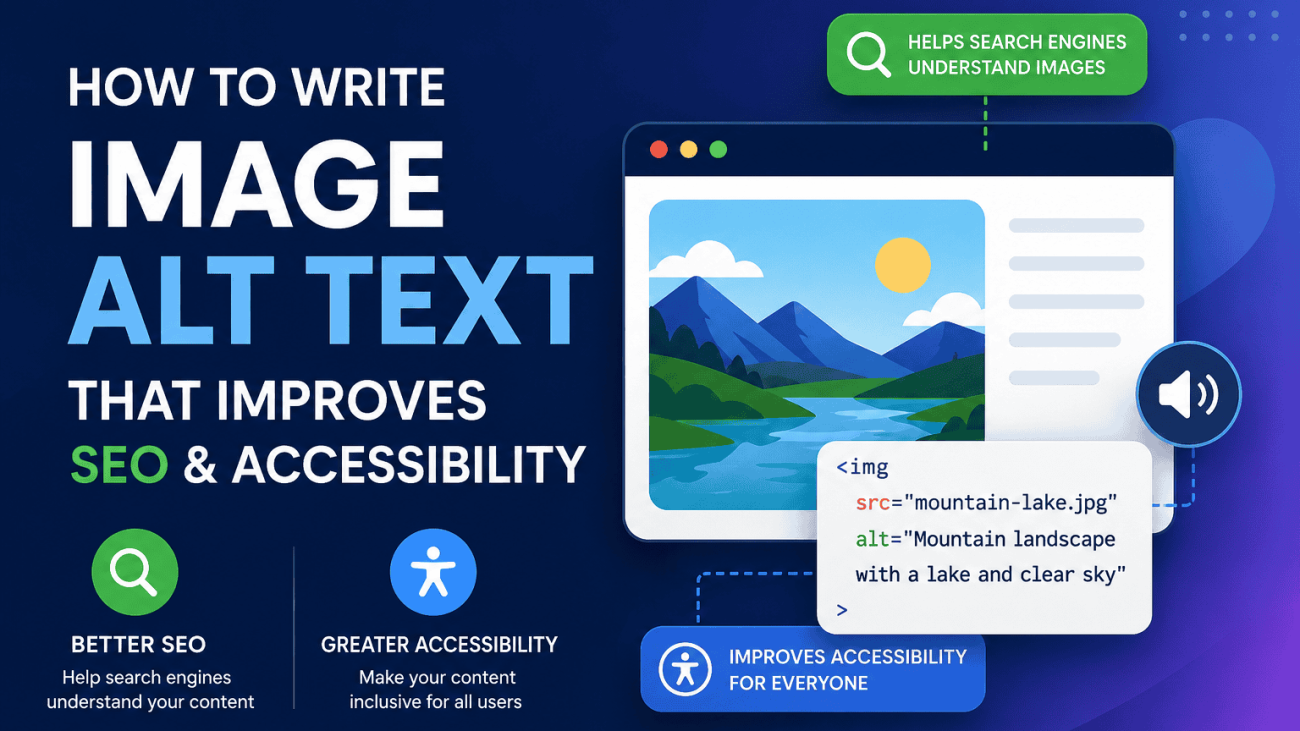
Writing effective alt text isn’t about finding the perfect formula or squeezing in as many keywords as possible. It’s about providing enough information for someone who can’t see the image to understand its purpose while also giving search engines useful context.

The best alt text feels natural because it describes what actually matters in the image and how that image relates to the surrounding content.

Describe What Matters

Not every detail in an image is equally important. Focus on the information that supports the page’s purpose rather than trying to describe every visible element.

For example, if you’re writing a blog about electric vehicles, an image of a charging point doesn’t need to describe the weather, nearby buildings or the colour of the pavement.

Poor

alt=”Car parked outside on a sunny day”

Better

alt=”Electric vehicle charging at a public rapid charging station”

The second example describes the subject that is relevant to the article rather than unnecessary background details.

Write Naturally

Alt text should read like a short sentence written for a person. Avoid awkward keyword repetition or unnatural phrasing simply because you’re trying to optimise for SEO.

Poor

alt=”SEO agency SEO services SEO company digital marketing”

Better

alt=”Digital marketing team reviewing SEO performance in Google Analytics”

The improved version is easier for users to understand while still providing relevant context for search engines.

Keep It Concise

Most images can be described clearly in one short sentence. While there is no official character limit, concise descriptions are generally easier for screen reader users and more effective than lengthy explanations.

Aim to include the important information without turning the alt text into a paragraph.

Poor

alt=”A man wearing a blue shirt standing in a large office with several computer monitors, white desks, plants in the background and a large window overlooking the city while discussing website performance with colleagues.”

Better

alt=”SEO consultant reviewing website performance with colleagues”

The shorter version communicates the image’s purpose without unnecessary detail.

Include Keywords Only When They’re Relevant

If your target keyword genuinely describes the image, include it naturally. If it doesn’t, leave it out.

Forcing keywords into every image can reduce accessibility and offers little SEO benefit.

Imagine you’re writing an article targeting image alt text.

If the image shows HTML code, this works well:

Good

alt=”Example of HTML image alt text in a webpage”

However, using the keyword on an unrelated image makes little sense.

Poor

alt=”Image alt text SEO laptop coffee office digital marketing”

Keywords should support the description, not dominate it.

Avoid Starting with “Image of” or “Picture of”

Screen readers already announce that an element is an image, so phrases such as “image of” or “picture of” usually repeat information the user already knows.

Instead, begin directly with the subject.

Poor

alt=”Image of a mountain bike on a woodland trail”

Better

alt=”Full-suspension mountain bike on a woodland trail”

This creates a cleaner experience for assistive technology users while making the description more concise.

Consider the Page Context

The same image may require different alt text depending on the page where it appears.

Imagine using the same photograph of a mountain bike:

On a product page:

alt=”Carbon fibre trail mountain bike with 160 mm suspension”

On a travel guide:

alt=”Mountain bike riding through Dalby Forest trail centre”

On a maintenance article:

alt=”Rear mountain bike suspension linkage requiring lubrication”

The image hasn’t changed, but its purpose has. Effective alt text describes the role the image plays within the page, not just what it physically contains.

Good vs Bad Alt Text Examples

Image

Poor Alt Text

Better Alt Text

Product photo

alt=”product”

alt=”Stainless steel insulated water bottle with bamboo lid”

Team photo

alt=”staff”

alt=”Digital marketing team discussing campaign performance”

Blog illustration

alt=”SEO SEO SEO image optimisation”

alt=”Diagram showing how search engines interpret image alt text”

Ecommerce image

alt=”IMG_2456″

alt=”Grey fabric corner sofa with oak legs”

Local business

alt=”Building”

alt=”Front entrance of a dental practice in Leeds”

A Simple Rule to Remember

Before publishing an image, ask yourself one question:

“If someone couldn’t see this image, would this description help them understand why it’s here?”

If the answer is yes, you’ve probably written good alt text.

By focusing on clarity, relevance and accessibility first, you’ll naturally produce alt text that also supports SEO. That’s because modern search engines reward content that genuinely helps users understand a page—not content that simply repeats keywords.

When Images Should Not Have Alt Text

One of the most common misconceptions about accessibility is that every image needs descriptive alt text. In reality, some images should have no descriptive alt text at all. Knowing the difference is just as important as knowing how to write good descriptions.

If an image doesn’t add information, provide meaning or help users understand the content, it usually shouldn’t be described. Instead, it should use an empty alt attribute (alt=””), allowing screen readers to ignore it completely.

Decorative Images

Decorative images exist purely to improve the visual appearance of a page. They don’t contribute any information that a visitor would miss if the image disappeared.

Examples include:

  • Background textures
  • Abstract design elements
  • Decorative icons
  • Dividers
  • Shadows and flourishes
  • Hero background graphics that don’t convey information

These images should use an empty alt attribute:

<img src=”blue-wave-background.svg” alt=””>

This tells assistive technologies that the image can safely be skipped, making the browsing experience cleaner and less distracting.

Spacer Images

Although spacer images were once commonly used for page layouts, modern websites should achieve spacing using CSS instead.

If you’re maintaining an older website that still uses transparent GIFs or similar spacer images, they should also use an empty alt attribute.

For example:

<img src=”spacer.gif” alt=””>

Without an empty alt attribute, screen readers may announce unnecessary elements, interrupting the user’s flow through the page.

Purely Stylistic Graphics

Many websites include graphics that reinforce branding or visual design without adding meaningful content.

Examples include:

  • Decorative arrows
  • Background patterns
  • Animated shapes
  • Colour accents
  • Non-informative illustrations

If removing the image wouldn’t change the user’s understanding of the page, it should generally be treated as decorative.

For example, a decorative arrow beside a heading doesn’t need:

alt=”Blue arrow”

Instead:

alt=””

The user already understands the heading without needing the arrow described.

Understanding: alt=””

An empty alt attribute is not the same as omitting the alt attribute altogether.

This distinction is important.

Correct

<img src=”background-pattern.svg” alt=””>

This explicitly tells screen readers to ignore the image.

Incorrect

<img src=”background-pattern.svg”>

When the alt attribute is missing entirely, assistive technologies may attempt to interpret the image, announce its filename or indicate that an unlabeled image exists. This creates unnecessary noise for users relying on screen readers.

A Simple Decision Framework

When adding an image to a page, ask yourself these questions:

  1. Does this image communicate information that isn’t already available in nearby text?

    • Yes: Write descriptive alt text.
    • No: Continue.
  2. Is the image purely decorative or used only for layout or styling?

    • Yes: Use alt=””.
    • No: Continue.
  3. Would someone using a screen reader miss important information if this image wasn’t described?

    • Yes: Write meaningful alt text.
    • No: Use alt=””.

Making this distinction keeps websites more accessible, reduces unnecessary interruptions for screen reader users and aligns with both accessibility standards and Google’s guidance. The goal isn’t to describe every image—it’s to describe every image that matters.

An accessibility-focused infographic explaining which website images require descriptive alt text and which should use an empty alt="" attribute, with examples of informative, decorative, spacer and purely stylistic images alongside a simple decision-making framework for writing accessible image descriptions.

Common Alt Text Mistakes

Writing alt text is relatively straightforward once you understand its purpose, yet many websites still make the same mistakes. Some reduce accessibility for users, while others provide little or no SEO value. Fortunately, they’re also some of the easiest issues to identify and fix during a website audit.

Keyword Stuffing

One of the oldest SEO habits is cramming as many keywords as possible into the alt attribute.

For example:

Poor

alt=”SEO agency SEO company SEO services digital marketing website design Leeds”

This doesn’t accurately describe an image and creates a poor experience for screen reader users.

A better approach is to describe the image naturally.

Better

alt=”Digital marketing team reviewing SEO campaign performance”

If your target keyword genuinely fits the image, include it once. If it doesn’t, don’t force it.

Repeating Page Titles

Some content management systems automatically populate alt text using the page title or product title. While this may seem convenient, it often results in descriptions that tell users nothing about the image itself.

Imagine a page titled:

How to Write Image Alt Text

Every image on the page doesn’t need:

alt=”How to Write Image Alt Text”

Instead, describe what each individual image shows.

For example:

alt=”Diagram explaining how search engines interpret image alt text”

The page title already tells users what the article is about. The alt text should explain the image.

Using Generic Descriptions

Descriptions such as:

  • image
  • photo
  • graphic
  • picture
  • logo

provide almost no useful information.

Imagine browsing an ecommerce website using a screen reader and hearing:

“Image.”

That tells the user nothing.

Instead, write descriptions that communicate meaningful information.

Poor

alt=”Product”

Better

alt=”Black leather office chair with adjustable headrest”

Specific descriptions help both users and search engines understand the content.

Missing Alt Text

A missing alt attribute is different from an empty one.

For informative images, leaving the attribute out entirely can cause assistive technologies to announce filenames or simply identify the image as unlabeled.

Incorrect:

<img src=”team-photo.jpg”>

Correct:

<img src=”team-photo.jpg” alt=”Customer support team answering calls in the office”>

For decorative images, the correct approach is:

<img src=”background-shape.svg” alt=””>

Always include the alt attribute, even if it’s intentionally empty.

Writing Essays

Alt text should describe an image—not tell the entire story behind it.

Some AI tools and accessibility plugins generate descriptions that are far longer than necessary.

For example:

Poor

alt=”A woman sitting at a large oak desk in a modern office with several computer monitors, notebooks, coffee cups, indoor plants, colleagues working in the background and large windows allowing natural light into the building while discussing quarterly marketing performance.”

Most of this detail isn’t needed.

A more effective description would be:

alt=”Marketing manager reviewing quarterly performance with colleagues”

Concise descriptions are easier for screen reader users to understand while still providing useful context.

Copying Filenames

Many websites accidentally use image filenames as alt text, particularly after automated imports or CMS migrations.

Examples include:

alt=”IMG_4827.jpg”

or

alt=”stock-photo-final-v4.webp”

These filenames make sense to computers but not to people.

A descriptive alternative would be:

alt=”Solar panels installed on the roof of a detached house”

Even if you use descriptive filenames for SEO, they should never replace meaningful alt text.

A Quick Self-Check Before Publishing

Before uploading an image, ask yourself five simple questions:

  • Does the alt text accurately describe the image?
  • Would someone using a screen reader understand why the image is included?
  • Is the description concise and natural?
  • Have I avoided unnecessary keyword repetition?
  • Does the description add information rather than repeat nearby text?

If you can answer yes to all five, your alt text is likely serving both accessibility and SEO effectively.

The goal isn’t to optimise every image for search engines. It’s to make every meaningful image understandable for users. When you achieve that, you’re also giving search engines the context they need to interpret your visual content more accurately.

Can AI Write Alt Text?

AI has become remarkably good at recognising the contents of images. Modern image recognition models can identify people, objects, locations, products and even text within images, making them an attractive option for generating alt text at scale.

For organisations managing thousands of images, AI can significantly reduce the time required to create descriptions. However, while AI is an excellent starting point, it should rarely be considered the final version. Effective alt text depends not only on recognising what’s in an image but also on understanding why that image appears on a particular page.

Where AI Performs Well

For many websites, AI can improve accessibility simply by replacing missing alt text with descriptive alternatives. This is particularly useful for large ecommerce catalogues, media libraries and websites containing thousands of existing images.

Some of AI’s biggest advantages include:

  • Speed – AI can generate descriptions for thousands of images in minutes rather than weeks.
  • Consistency – It applies the same formatting and writing style across large collections of images.
  • Scalability – Large ecommerce stores, publishers and enterprise websites can audit and improve vast image libraries much more efficiently.
  • Good object recognition – Modern AI models are increasingly accurate at identifying common products, animals, buildings, landscapes and everyday scenes.

For organisations that previously had no alt text at all, AI can represent a significant improvement over leaving images undescribed.

Where AI Falls Short

Despite rapid improvements, AI still lacks one important advantage that humans have: context.

An AI model may correctly identify what appears in an image without understanding why it matters within the page.

For example, imagine the same photograph of a laptop.

An AI tool might generate:

“Person using a laptop at a desk.”

Technically, that’s accurate.

However, depending on the page, a human might write:

  • SEO consultant analysing Google Search Console performance
  • Customer completing an online insurance application
  • Developer testing website accessibility
  • Student attending an online coding course

The image hasn’t changed, but its purpose has. Understanding that purpose requires knowledge of the surrounding content, which AI doesn’t always interpret correctly.

Generic Descriptions

AI-generated alt text often plays it safe by producing broad descriptions.

For example:

“Person smiling indoors.”

or

“Building with windows.”

While technically correct, descriptions like these rarely provide enough context to help users fully understand the image or support the topic of the page.

Human editors can add the specificity that AI frequently misses.

Accessibility Considerations

Accessibility isn’t simply about describing visible objects.

Good alt text communicates the information that someone would miss if they couldn’t see the image.

For example, a graph showing website traffic growth shouldn’t receive:

“Blue line chart.”

A better description might be:

“Line chart showing a 42% increase in organic traffic over six months.”

Likewise, a product image may need to highlight a feature that matters to the customer rather than simply listing visible objects.

This ability to identify the most important information is something AI still struggles with in many situations.

Specialist and Technical Content

AI also finds specialist industries more challenging.

An industrial engineer may immediately recognise a pressure vessel component, while an AI model might simply describe it as:

“Large metal bowl.”

Likewise, legal diagrams, medical illustrations, engineering drawings and scientific imagery often require terminology that general-purpose AI models cannot consistently identify.

In these cases, human expertise remains essential.

The Best Approach Is AI-Assisted, Human-Reviewed

Rather than choosing between AI and manual writing, most organisations will benefit from combining both.

A practical workflow looks like this:

  1. Generate an initial description using AI.
  2. Review it alongside the surrounding page content.
  3. Check that it accurately reflects the purpose of the image.
  4. Remove unnecessary wording.
  5. Add relevant context where appropriate.

This approach delivers much of AI’s speed while maintaining the quality expected for accessibility and SEO.

The Bottom Line

AI is an excellent tool for generating first drafts of alt text, especially for large websites with thousands of images. It can improve consistency, reduce workload and help identify images that currently have no descriptions at all.

However, AI cannot reliably understand editorial intent, business context or the specific reason an image appears on a page. Human review remains essential to ensure alt text is accurate, meaningful and genuinely useful for people using assistive technologies.

The most effective alt text is rarely written by AI alone. It’s created through a combination of automated assistance and human judgement, producing descriptions that serve users first while also giving search engines clearer, more reliable information about your visual content.

An infographic comparing the strengths and limitations of AI-generated image alt text, showing where artificial intelligence performs well, where human review is still essential, and a recommended workflow for creating accurate, accessible and SEO-friendly image descriptions.

How to Audit Your Website’s Alt Text

Writing good alt text for new content is important, but many websites already contain hundreds or even thousands of existing images. Over time, it’s common for alt text to become inconsistent, duplicated or missing altogether, particularly after website redesigns, CMS migrations or bulk product imports.

A structured audit helps you identify the most significant issues first, allowing you to improve both accessibility and image SEO without manually checking every page.

1. Crawl Your Website

The first step is to crawl your website and extract information about every image.

Most website crawlers can identify:

  • Images missing an alt attribute
  • Empty alt attributes
  • Duplicate alt text
  • Image filenames
  • Image locations
  • Page URLs

This gives you a complete inventory of image accessibility issues across the site and highlights pages that require further review.

2. Identify Missing Alt Text

Missing alt text is usually the highest-priority issue, particularly for informative images.

Review each missing attribute individually and ask:

  • Is this image informative?
  • Does it add meaning to the page?
  • Would someone using a screen reader miss important information if it wasn’t described?

If the answer is yes, write descriptive alt text.

If the image is purely decorative, add an empty attribute (alt=””) instead of leaving the attribute out completely.

3. Look for Duplicate Alt Text

Duplicate alt text often appears after bulk imports or when content management systems automatically reuse product names or page titles.

For example, you might discover dozens of images using identical descriptions such as:

“Product image”

or

“Company logo”

Some duplication is perfectly acceptable—for example, the same logo appearing across multiple pages. However, informative images should usually have descriptions that reflect their individual purpose within each page.

Large numbers of duplicated descriptions are often a sign that alt text has been generated automatically rather than written with context in mind.

4. Check for Keyword Stuffing

Older websites sometimes contain alt text written purely for SEO rather than accessibility.

Look for descriptions that:

  • Repeat keywords multiple times
  • List services instead of describing images
  • Contain unnaturally long strings of keywords
  • Don’t accurately reflect what the image shows

If the description sounds awkward when read aloud, it’s probably trying too hard to target search engines instead of helping users.

Modern SEO rewards natural, descriptive alt text far more than keyword repetition.

5. Prioritise Your Most Important Pages

Not every image needs immediate attention.

Start with the pages that have the greatest impact on your business, such as:

  • Homepage
  • Service pages
  • Product pages
  • Category pages
  • Landing pages
  • High-traffic blog posts

Improving alt text on these pages is likely to deliver the greatest accessibility and SEO benefits before expanding your audit across the rest of the site.

Use an Automated Checker to Speed Up the Process

Manually reviewing every image quickly becomes impractical on larger websites. An automated auditing tool can identify missing, duplicated and potentially problematic alt text in minutes, allowing you to focus your time on improving descriptions rather than searching for issues.

The Techomatic Image Alt Text Checker scans your pages and highlights common problems, making it easier to prioritise fixes and maintain consistent image optimisation across your website. Whether you’re auditing a small business website or a large ecommerce catalogue, it provides a fast starting point for improving both accessibility and image SEO.

Make Alt Text Audits Part of Your Regular SEO Reviews

Alt text shouldn’t be treated as a one-off optimisation. New images are uploaded regularly, products change and content evolves, creating new opportunities for missing or inconsistent descriptions.

Including image accessibility within your routine technical SEO audits helps ensure new issues are identified early. Over time, these small improvements contribute to a more accessible website, clearer signals for search engines and a better experience for every visitor.

A step-by-step infographic showing how to audit image alt text across a website, including identifying missing descriptions, duplicate alt text, keyword stuffing and priority pages, while demonstrating how regular audits improve accessibility, image SEO and overall website quality.

Final Thoughts

Writing effective image alt text isn’t about finding another place to insert keywords or trying to manipulate search rankings. Its primary purpose is, and always has been, to help people understand visual content when they can’t see it. When you focus on describing images clearly, accurately and in context, you’re creating a more accessible website for everyone.

Fortunately, this user-first approach also aligns with modern SEO. Search engines have become increasingly sophisticated at interpreting images, but they still rely on descriptive signals to understand how visual content relates to the rest of a page. Well-written alt text, combined with relevant headings, surrounding copy, descriptive filenames and structured data, helps reinforce that understanding.

Rather than treating alt text as a standalone SEO tactic, think of it as part of a wider strategy for creating high-quality, accessible content. Every meaningful image should contribute to the page, every description should add value and every optimisation should make the experience better for real users.

If you’d like to identify missing, duplicated or poorly written alt text across your website, try the Techomatic Image Alt Text Checker. It quickly audits your pages, highlights common issues and helps you prioritise improvements, making it easier to strengthen both your website’s accessibility and its image SEO.

Free SEO Tools

Check out the Techomatic SEO XML Sitemap Generator tool: it’s free!
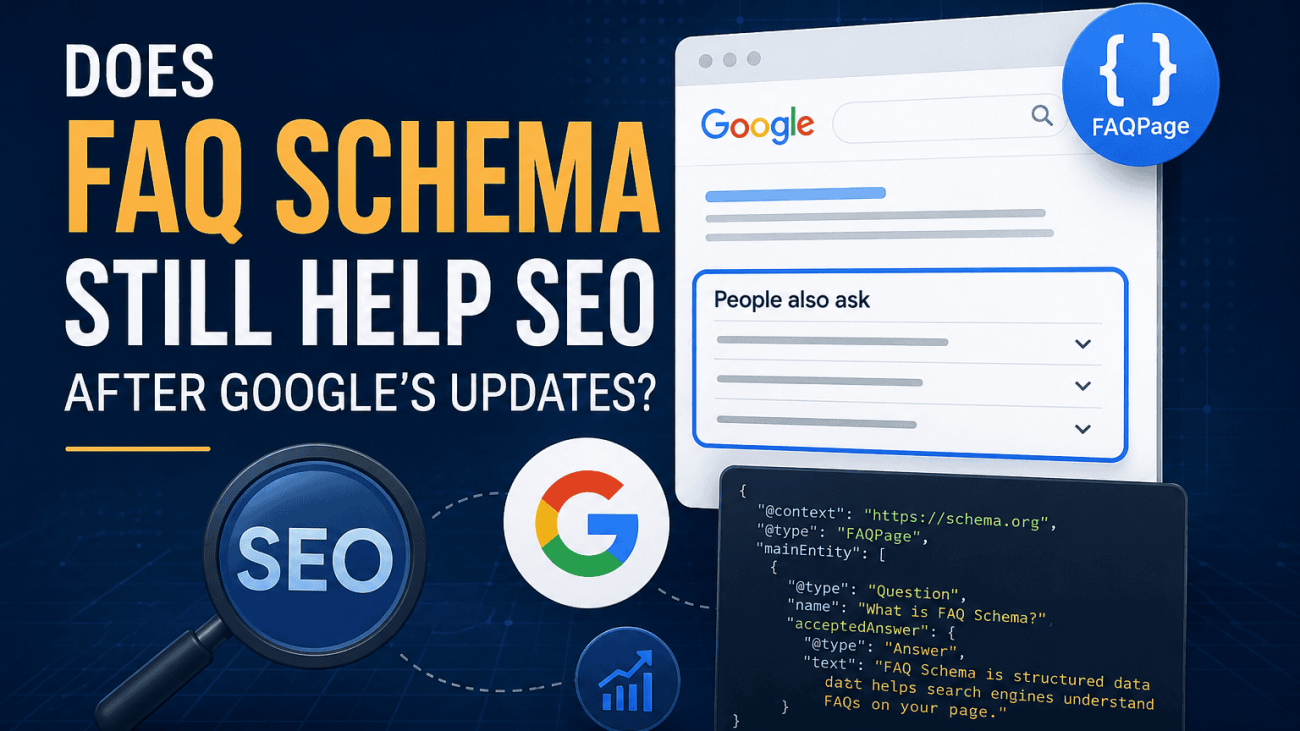
A modern digital illustration showing FAQ Schema in the context of SEO after Google’s updates. The image features a search engine results page with a FAQ section, JSON-LD schema code, SEO icons and Google-inspired search elements on a dark blue technology background, representing structured data, search visibility and modern technical SEO.

Do HTML Sitemaps Still Matter for SEO and User Experience?

Do HTML Sitemaps Still Matter for SEO? | Techomatic

Table of Contents

HTML sitemaps have occupied an awkward place in SEO advice for years. Some guides still recommend them as an essential optimisation for every website, while others dismiss them as a relic from an earlier era of the web. Neither view tells the full story.

Part of the confusion comes from how much websites and search engines have changed. Twenty years ago, many sites relied on basic navigation, inconsistent internal linking and manually maintained pages. Search engines were less effective at discovering content, and an HTML sitemap often provided a useful route to pages that might otherwise have been difficult to find. As content management systems, navigation patterns and search engine crawling have evolved, the role of the HTML sitemap has changed with them.

Today, most well-built websites allow users and search engines to reach important content through clear navigation and sensible internal linking. In those cases, an HTML sitemap is unlikely to provide a significant SEO advantage on its own. That does not mean it has become irrelevant. On larger websites, documentation hubs, ecommerce catalogues and content-rich platforms, an HTML sitemap can still serve a valuable purpose by improving navigation, reinforcing site architecture and providing an alternative way for users to explore content.

The question is no longer whether every website should have an HTML sitemap. The more useful question is whether an HTML sitemap solves a genuine problem that your website already has.

This guide looks beyond outdated SEO checklists to examine where HTML sitemaps still deliver practical value in 2026. We’ll separate long-standing myths from current best practice, explain how HTML sitemaps differ from XML sitemaps, and explore how they fit into modern website architecture, internal linking and user experience.

What Is an HTML Sitemap?

An HTML sitemap is a webpage that presents a structured list of the important pages on a website. Unlike an XML sitemap, which is created primarily for search engines, an HTML sitemap is designed for people. Its purpose is to help visitors understand the structure of a website and quickly navigate to the information they are looking for.

A typical HTML sitemap organises pages into logical categories, reflecting the website’s information architecture. Rather than displaying a long, unstructured list of URLs, a well-designed sitemap groups related content together, making it easier for users to browse sections of the site that may not be immediately visible through the main navigation.

For example, an ecommerce website might separate products into categories and subcategories, while a professional services business could organise pages by services, industries, resources and company information. The goal is not to replicate the website’s primary navigation but to provide an alternative route for exploring its content.

From an SEO perspective, an HTML sitemap also creates additional internal links to important pages. Search engines are capable of following these links, but that does not mean the sitemap itself improves rankings. On a well-structured website with clear navigation and strong internal linking, the additional crawl paths offered by an HTML sitemap are often of limited importance. Its greatest value usually comes from supporting usability and reinforcing the overall structure of the site.

It is also important not to confuse an HTML sitemap with an XML sitemap. Although they share a similar name, they serve different audiences and fulfil different roles within a website.

HTML SitemapXML Sitemap
Designed primarily for usersDesigned primarily for search engines
Displayed as a normal webpageStored as an XML file
Helps visitors navigate the websiteHelps search engines discover known URLs
Organised into readable categories and linksContains structured data about website URLs
Can support accessibility and user experienceSupports crawling and indexing workflows
Usually linked from the website footer or navigationTypically submitted through Google Search Console and referenced in robots.txt

Understanding this distinction is important because many discussions about sitemaps blur the two together. XML sitemaps remain a technical SEO tool for communicating with search engines, whereas HTML sitemaps are best viewed as part of a website’s navigation and information architecture. Whether an HTML sitemap is worthwhile depends less on SEO checklists and more on whether it genuinely helps people find the content they need.

A modern digital illustration showing how FAQ Schema fits into today’s SEO landscape. The image features a search results page with a “People also ask” section, JSON-LD structured data, search optimisation icons and a visual reference to Google’s 2023 update, highlighting the role of structured data in helping search engines understand website content.

HTML Sitemap vs XML Sitemap

Although they share the word sitemap, HTML and XML sitemaps serve very different purposes. Confusing the two is one of the most common misconceptions in technical SEO.

An XML sitemap is a machine-readable file that helps search engines discover the URLs you want them to crawl. It can include additional information such as when a page was last modified, how frequently it changes and, in some cases, references to images or videos. XML sitemaps are not intended for visitors and are usually submitted through Google Search Console or referenced in a website’s robots.txt file.

An HTML sitemap, on the other hand, is an ordinary webpage. It is designed to help users navigate a website by presenting its content in a clear, organised hierarchy. Search engines can crawl the links it contains, but its primary purpose is to improve navigation rather than communicate directly with crawlers.

The distinction becomes clearer when comparing how each type of sitemap is used.

FeatureHTML SitemapXML Sitemap
Primary purposeHelp users navigate the websiteHelp search engines discover URLs
Intended audienceHuman visitorsSearch engine crawlers
FormatStandard HTML webpageXML file
Visible to visitorsYesUsually no
Supports content discoveryThrough clickable internal linksThrough a structured list of URLs
SEO roleSupports internal linking and site structureAssists crawling and URL discovery
MaintenanceShould update whenever navigation changesShould update whenever URLs change
AutomationOften generated by CMS plugins or sitemap toolsTypically generated automatically by the CMS or SEO plugin
Submitted to Google Search ConsoleNoYes

For most modern websites, an XML sitemap is considered a standard technical SEO feature. It helps search engines identify important pages, particularly on large websites, recently launched sites or those with content that may not be heavily linked internally. While Google can often discover pages through links alone, an XML sitemap provides a reliable inventory of the URLs you want crawled.

An HTML sitemap serves a different purpose. Instead of acting as a list for search engines, it becomes another navigation layer within the website itself. Visitors who cannot immediately find what they need—or who prefer browsing a site’s structure rather than using menus or search—can use an HTML sitemap as an alternative route through the content.

This difference also explains why the SEO value of the two formats is not comparable. An XML sitemap is a recognised technical signal that supports crawling, whereas an HTML sitemap contributes indirectly by strengthening information architecture and providing additional internal links. It is not a substitute for clear navigation, nor does it replace the need for an XML sitemap.

The strongest websites often use both, but for different reasons. The XML sitemap helps search engines understand what exists on the site, while the HTML sitemap helps people understand how the site is organised. When viewed in those terms, the two complement one another rather than compete.

Does Google Still Use HTML Sitemaps?

The short answer is yes—but probably not in the way many people assume.

Google can crawl and follow links found on an HTML sitemap just as it can on any other webpage. If an HTML sitemap contains links to indexable pages, those links can contribute to content discovery and provide additional crawl paths. However, Google does not recommend HTML sitemaps as a requirement for SEO, nor does it rely on them in the same way it uses XML sitemaps.

Modern search engines are designed to discover content through a website’s internal linking structure. Menus, category pages, breadcrumbs, contextual links and other navigational elements all help Google understand how pages relate to one another. On a well-designed website, these signals usually provide everything Google’s crawlers need to find and interpret the site’s content.

This is why adding an HTML sitemap to a website with strong navigation rarely produces a noticeable SEO improvement. If every important page is already linked naturally from relevant sections of the site, the HTML sitemap is simply providing another route to pages Google has likely already discovered.

That said, there are situations where Google may still benefit from crawling an HTML sitemap. Large websites with thousands of pages, deep content hierarchies or older information architectures can sometimes expose important pages more effectively through a well-organised sitemap. Likewise, websites that contain archived content, extensive documentation or resources that sit several clicks from the homepage may provide clearer crawl paths by including those pages in an HTML sitemap.

It is important to understand, however, that this is not the same as saying an HTML sitemap improves rankings. Google has consistently advised website owners to focus on creating logical site structures and ensuring important pages are reachable through normal navigation. If a page can only be found via an HTML sitemap, that often points to a broader issue with the website’s internal linking rather than a need for the sitemap itself.

A useful way to think about it is that Google does not give HTML sitemaps special treatment. They are simply another page containing internal links. Whether those links add value depends on how the rest of the website is organised.

For most modern websites, the priority should be:

  • Build a clear and logical navigation structure.

  • Ensure important pages are linked contextually from relevant content.

  • Use category pages and breadcrumbs to reinforce hierarchy.

  • Maintain an accurate XML sitemap for search engines.

  • Consider an HTML sitemap only if it genuinely improves navigation or exposes content that would otherwise be difficult for users to find.

Rather than asking whether Google uses HTML sitemaps, the better question is whether your website already provides clear pathways to every important page. If the answer is yes, an HTML sitemap is unlikely to change how Google crawls your site. If the answer is no, improving your site’s architecture will almost always have a greater impact than simply publishing another list of links.

What Changed With Google’s FAQ Rich Results?

For several years, FAQ Schema was one of the most widely adopted forms of structured data. When implemented correctly, it could generate expandable question-and-answer sections directly beneath a search result, allowing websites to occupy more space on the search engine results page (SERP) and potentially improve click-through rates.

That changed in August 2023 when Google announced a significant reduction in the display of FAQ rich results. Rather than showing them broadly across websites, Google limited FAQ rich results to well-known, authoritative government and health websites. The change formed part of Google’s wider effort to simplify search results and present users with more relevant, less cluttered information.

The update affected millions of websites overnight. Although the underlying FAQPage structured data remained valid, the enhanced search appearance that many businesses had relied upon largely disappeared. For most commercial websites, adding FAQ Schema no longer results in visible FAQ rich snippets in Google Search.

Importantly, Google did not deprecate FAQ Schema itself. The Schema.org specification remains fully supported, and Google continues to recognise the markup. What changed was Google’s decision about when and where it chooses to display FAQ rich results.

Today, eligibility for FAQ rich results is extremely limited. In Google’s own documentation, rich results are generally reserved for trusted government organisations and health-related websites where accurate, verified information provides clear value to users. Most businesses, ecommerce stores, agencies and publishers should no longer expect their FAQs to appear as expandable results in the SERPs, regardless of whether the structured data is implemented correctly.

This shift has changed the conversation around FAQ Schema. Instead of asking, “Will this give me a larger search listing?”, SEO professionals should now ask, “Does this structured data help search engines understand my content better?” That is a far more relevant question in today’s search landscape.

Industries Still Most Likely to Display FAQ Rich Results

Although exceptions are rare, Google is most likely to display FAQ rich results for websites in sectors where trustworthy information is essential, including:

  • Government departments and public services.
  • National and regional healthcare providers.
  • Public health organisations.
  • Official guidance and advisory websites.

For the vast majority of commercial websites, including local businesses, ecommerce stores, SaaS companies and digital agencies, FAQ rich results are no longer a realistic objective. Instead, the focus should be on creating genuinely helpful FAQ content that improves the user experience and supports broader technical SEO efforts.

A side-by-side infographic comparing Google search results before and after the 2023 FAQ rich results update. The illustration shows how FAQ rich snippets were previously displayed beneath search listings and how Google now limits them primarily to trusted government and health websites, highlighting the impact on commercial SEO strategies.

When HTML Sitemaps Actually Help

Although HTML sitemaps are no longer considered a standard SEO requirement, there are situations where they continue to provide genuine value. The common factor is not the size of the website alone, but the complexity of its content and the number of ways users may need to navigate it.

On a simple brochure website with a handful of service pages, the main navigation is usually sufficient. However, as websites grow, menus become increasingly selective. Not every page can realistically appear in the header or footer without creating clutter, leaving some valuable content several clicks away from where users naturally browse. An HTML sitemap offers an alternative way to surface that content in a clear, organised structure.

Large Ecommerce Websites

Ecommerce websites often contain hundreds or thousands of products spread across multiple categories, brands and collections. While category pages remain the primary navigation method, an HTML sitemap can provide an additional overview of the site’s structure, helping visitors discover departments or product ranges they may not have otherwise explored.

From a technical perspective, it can also reinforce internal linking across major categories and ensure key landing pages remain easy to reach. The benefit is less about individual product pages and more about strengthening the site’s overall information architecture.

Documentation and Knowledge Bases

Technical documentation, software manuals, API references and support centres frequently contain hundreds of interconnected articles. Search functions work well when users know what they are looking for, but they are less helpful for someone trying to understand the scope of available documentation.

An HTML sitemap allows content to be organised into logical topics and subtopics, making it easier for users to browse related resources without relying entirely on search. This can reduce frustration and improve the discoverability of older or more specialised content.

Universities, Government and Public Sector Websites

Large public websites often contain extensive information that serves many different audiences. Students, businesses, residents and visitors may all be looking for completely different sections of the same website.

Because these websites cannot expose every page through their primary navigation, an HTML sitemap provides a structured directory that complements menus and on-site search. This is particularly valuable for users who prefer browsing categories rather than entering search terms.

Large Corporate Websites

Enterprise organisations frequently operate websites with multiple business units, regional offices, investor information, careers, news, products and support resources. An HTML sitemap can act as a high-level directory, helping visitors understand how these sections relate to one another without navigating through several menu layers.

For businesses that have grown through acquisitions or operate multiple brands, this can make an otherwise complex website significantly easier to navigate.

Content-Rich Publishing Websites

Publishers, magazines and educational websites often build extensive libraries of evergreen content over many years. While recent articles receive visibility on category pages, older content can become increasingly difficult to discover.

A well-organised HTML sitemap grouped by topic can help users explore archives more effectively and expose valuable content that would otherwise remain buried deep within pagination.

Websites with Deep Navigation Structures

Some websites naturally require several layers of navigation. Examples include property portals, travel websites, directories, membership organisations and industry databases.

In these cases, an HTML sitemap can shorten the path between the homepage and important sections by providing direct links to key categories. This can benefit both users and search engines by reinforcing the site’s hierarchy, although it should never replace proper navigation or internal linking.

Accessibility and Alternative Navigation

Not every visitor interacts with a website in the same way. Some users rely on keyboard navigation or assistive technologies, while others simply prefer a straightforward list of pages rather than navigating complex dropdown menus.

A clean HTML sitemap can provide an accessible alternative navigation method, particularly on large websites where visual menus contain numerous nested options. When structured with meaningful headings and logical groupings, it becomes another way for visitors to locate information quickly.

The Common Thread

The websites that benefit most from HTML sitemaps all share one characteristic: they contain more content than can reasonably be presented through their primary navigation.

In these situations, an HTML sitemap is not acting as an SEO shortcut. Instead, it supports the website’s information architecture by providing another logical route through its content. That improved structure may indirectly support crawling and internal linking, but its primary purpose remains helping people find what they are looking for.

Before creating an HTML sitemap, ask a simple question: would a visitor genuinely find it useful? If the answer is yes, it may be a worthwhile addition. If the only reason for adding one is the belief that Google expects it, your efforts are usually better spent improving navigation, internal linking and page hierarchy instead.

When HTML Sitemaps Add Little Value

Just because an HTML sitemap can be useful does not mean every website should have one. In fact, for many modern websites, publishing an HTML sitemap adds very little value for either users or search engines.

The reason is simple: if your navigation, internal linking and site structure are already doing their job well, an HTML sitemap is often solving a problem that does not exist.

Small Business Websites

A typical local business or service website might contain 10 to 30 pages, including a homepage, service pages, an About page, contact details and a handful of blog posts. On a site of this size, visitors should be able to reach any important page within a few clicks using the main navigation, contextual links and footer.

Adding an HTML sitemap simply creates another page listing links that users can already find elsewhere. It rarely improves navigation and is unlikely to influence how search engines crawl the site.

Brochure Websites

Many company websites are designed to introduce a business rather than house a large library of content. If the site’s structure is already straightforward, an HTML sitemap often duplicates the existing menu rather than providing a genuinely useful alternative.

In these cases, investing time in improving page content, internal linking and user journeys will typically have a much greater impact than generating a sitemap page.

Modern Websites with Strong Information Architecture

A well-designed website naturally guides visitors from broad topics to more specific content. Category pages, breadcrumbs, related articles and contextual links all help users move through the site without needing a complete directory of every page.

If visitors can easily discover content through these navigation elements, an HTML sitemap becomes largely redundant. Search engines also benefit more from this logical hierarchy than from a standalone page containing hundreds of links.

Blogs with Clear Categories

Many blogs automatically organise content into categories, tags, archives and related posts. Together, these create multiple pathways between articles and help both readers and search engines discover older content.

Unless the blog has grown into a substantial publishing platform with thousands of articles, an HTML sitemap is unlikely to provide additional value beyond what the existing structure already offers.

Landing Page Websites

Some websites exist purely to support advertising campaigns or generate enquiries through a small number of highly focused pages. These sites often have intentionally simple navigation to keep visitors focused on a single conversion goal.

Adding an HTML sitemap in these situations can introduce unnecessary distractions without improving usability or crawlability.

When It Becomes Duplicate Navigation

One of the biggest mistakes is treating an HTML sitemap as a copy of the website’s main menu.

If the sitemap contains exactly the same links, in the same order, with no additional organisational value, it becomes duplicate navigation rather than a genuinely useful resource. Visitors gain nothing they could not already access through the header or footer, and search engines simply encounter another page repeating the existing internal links.

An effective HTML sitemap should provide a broader overview of the site’s structure, not mirror the primary navigation.

Better Investments for Most Websites

If your website is relatively small, your time is usually better spent improving other aspects of technical SEO and user experience, such as:

  • Strengthening internal links between related pages.

  • Simplifying navigation and reducing unnecessary menu levels.

  • Creating clear category and hub pages.

  • Fixing orphan pages that receive few or no internal links.

  • Improving page speed and Core Web Vitals.

  • Maintaining an accurate XML sitemap.

  • Regularly auditing crawl errors and broken links.

These improvements address the underlying architecture of the website rather than adding another navigation layer that few visitors may ever use.

Focus on Solving Real Problems

The decision to create an HTML sitemap should come from understanding your website, not from following a generic SEO checklist.

If users regularly struggle to find content, if important sections are buried deep within the site, or if your content library has become difficult to navigate, an HTML sitemap may be worth introducing. If your website is already intuitive, well organised and easy to browse, adding one is unlikely to produce measurable benefits.

In other words, HTML sitemaps should be viewed as a solution to a navigation problem—not as a default SEO feature that every website needs.

A modern infographic illustrating the difference between ranking factors and search enhancements in SEO. The image compares traditional ranking signals, such as content quality and backlinks, with the role of FAQ Schema in improving search engine understanding, structured data implementation and AI readiness, showing why FAQ Schema supports SEO without directly increasing rankings.

HTML Sitemaps and Internal Linking

If HTML sitemaps still have an SEO role in 2026, it is through internal linking rather than as a standalone ranking factor.

Search engines discover and understand websites by following links between pages. Every internal link helps establish relationships between content, reinforces the site’s hierarchy and provides another pathway for crawlers to reach important URLs. An HTML sitemap contributes to this process by creating a central page that links to key sections of the website, but its impact depends entirely on the quality of the site’s existing internal linking.

On a well-structured website, every important page should already be accessible through logical navigation, category pages, breadcrumbs and contextual links. An HTML sitemap should reinforce these pathways, not replace them. If pages can only be discovered through a sitemap, it is usually a sign that the website’s information architecture needs improving.

Reinforcing Site Hierarchy

A good internal linking strategy reflects the structure of the website. Broad topics lead to more specific categories, which in turn link to individual pages. This hierarchy helps both users and search engines understand how different sections relate to one another.

An HTML sitemap can reinforce that structure by presenting it in a simple, hierarchical format. Rather than displaying hundreds of links alphabetically, the sitemap should mirror the logical organisation of the website, grouping related pages beneath meaningful categories. This provides an additional signal about how content is organised without introducing an entirely new navigation system.

Supporting Crawl Paths

Every internal link gives search engines another opportunity to discover a page. On large websites, this can make crawling more efficient by reducing the number of clicks required to reach important sections.

However, the benefit should not be overstated. Google is highly effective at crawling well-linked websites, and adding one more page containing links is unlikely to transform crawl efficiency. The greatest value comes when an HTML sitemap exposes sections that are otherwise difficult to reach through normal navigation, particularly on large, content-heavy websites.

Helping Prevent Orphan Pages

Orphan pages are pages with few or no internal links pointing to them. Because they are disconnected from the rest of the website, they can be difficult for both users and search engines to discover.

Including an orphan page in an HTML sitemap technically creates an internal link to it, but this should not be seen as the solution. The better approach is to ask why the page became orphaned in the first place. If the content is important, it should be linked naturally from relevant category pages, service pages or related articles.

An HTML sitemap can provide an additional layer of discoverability, but it should never become the only route to valuable content.

Not All Internal Links Are Equal

One of the limitations of HTML sitemaps is that they often contain a large number of links on a single page. While search engines are capable of crawling these links, they generally provide less contextual information than links placed naturally within page content.

For example, a link from an article about technical SEO to a guide on XML sitemaps clearly communicates the relationship between those topics. A link in an HTML sitemap simply indicates that both pages exist within the same website.

This is why contextual internal links usually provide greater value than links found in navigation or sitemap pages. They help search engines understand topical relationships while also guiding users towards genuinely relevant content.

HTML Sitemaps Should Complement, Not Compensate

A common mistake is to use an HTML sitemap as a workaround for poor website architecture. If visitors struggle to navigate the site, adding a page that lists every URL rarely solves the underlying problem.

Instead, websites should prioritise:

  • Clear and intuitive navigation.

  • Logical category and subcategory structures.

  • Breadcrumb navigation where appropriate.

  • Contextual links between related content.

  • Hub pages that connect closely related topics.

  • Consistent linking to important commercial and informational pages.

Once these foundations are in place, an HTML sitemap can provide an additional overview of the site’s structure. Without them, it becomes little more than a directory masking deeper architectural issues.

Ultimately, the strongest internal linking strategies are built throughout the website, not concentrated on a single page. An HTML sitemap can reinforce that network, but it cannot replace thoughtful navigation, meaningful contextual links or a well-planned information architecture.

HTML Sitemaps and Accessibility

When HTML sitemaps are discussed, accessibility is often overlooked. Yet for some websites, this is where they provide their greatest practical value.

People navigate websites in different ways. Some rely on visual menus, others use search, while users of assistive technologies may move through headings, landmarks and lists of links. A well-structured HTML sitemap offers an additional navigation option that is simple, predictable and easy to scan, particularly on websites with large amounts of content.

It is important to recognise that an HTML sitemap is not a substitute for building an accessible website. Clear navigation, semantic HTML, keyboard accessibility, descriptive link text and correctly structured headings should already be part of every website. An HTML sitemap simply complements these features by providing another way to reach important content.

Supporting Users Who Browse Rather Than Search

Not every visitor arrives knowing exactly what they are looking for. Some want to explore a website to understand what information is available before deciding where to go next.

This is particularly common on:

  • University websites

  • Government websites

  • Knowledge bases

  • Documentation portals

  • Large ecommerce websites

  • Membership organisations

On these sites, an HTML sitemap acts as a contents page, allowing visitors to browse sections logically instead of relying entirely on menus or an internal search function.

Simpler Navigation for Assistive Technologies

Screen readers and other assistive technologies can interpret a well-structured HTML sitemap very effectively when it uses semantic HTML and a clear heading hierarchy.

For example, organising links beneath descriptive headings such as “Services”, “Resources”, “Products” or “Support” helps users understand the overall structure of the website before drilling down into individual pages.

Likewise, using properly marked-up unordered lists (<ul> and <li>) creates a predictable navigation experience that is easier to interpret than complex mega menus built with large amounts of JavaScript.

The benefit comes from the quality of the markup rather than the existence of the sitemap itself.

Helping Keyboard Users

Many modern navigation systems rely on hover effects, expanding menus and interactive components. While these can create polished user experiences, they also introduce additional complexity for people navigating with a keyboard.

An HTML sitemap provides a straightforward list of links that can usually be traversed quickly using standard keyboard controls. On larger websites, this can make finding specific sections significantly easier than moving through multiple nested navigation levels.

Reinforcing Information Architecture

Accessibility is closely linked to information architecture. A website that is logically organised is generally easier for everyone to use, regardless of how they access it.

Creating an HTML sitemap often highlights structural issues that might otherwise go unnoticed. For example, while building the sitemap, you may discover:

  • Categories with inconsistent naming.

  • Pages that do not clearly belong anywhere.

  • Important content that receives very few internal links.

  • Duplicate sections covering similar topics.

  • Navigation that has become overly complicated over time.

In this way, the process of creating an HTML sitemap can become a useful audit of the website’s overall organisation rather than simply another page to publish.

Accessibility Best Practices

If you decide to include an HTML sitemap, it should follow the same accessibility principles as any other page on the website:

  • Use a logical heading hierarchy with a single H1 followed by descriptive H2s and H3s where appropriate.

  • Group related links into meaningful categories rather than presenting one long alphabetical list.

  • Use descriptive anchor text instead of generic phrases such as “Click here” or “Read more”.

  • Ensure links are keyboard accessible and clearly distinguishable.

  • Keep the structure simple and avoid unnecessary visual complexity.

  • Make sure the sitemap is updated automatically as pages are added or removed.

A Better Experience, Not a Ranking Signal

There is little evidence that an accessible HTML sitemap directly improves search rankings. However, websites that are easier to navigate tend to provide a better overall user experience, and good accessibility practices often align with strong technical SEO.

Rather than viewing an HTML sitemap as an accessibility requirement, it is more accurate to think of it as an optional navigation layer that can make large or complex websites easier to understand. When combined with clear information architecture, robust internal linking and accessible design, it helps create a website that works well for a wider range of users—not because search engines demand it, but because good websites should be easy for everyone to navigate.

Best Practices for HTML Sitemaps

If you decide an HTML sitemap is appropriate for your website, its design matters just as much as its existence. A poorly organised page containing thousands of links provides little value to users and does not strengthen your site’s architecture. A well-planned HTML sitemap, however, can become a useful navigation tool that reflects the way your website is structured.

The goal should not be to list every URL on the site. Instead, focus on presenting your most important content in a logical, easy-to-understand hierarchy that complements your existing navigation.

Organise Content by Topic

Structure the sitemap in the same way a visitor would expect to explore your website. Group related pages beneath clear section headings rather than presenting one long alphabetical list.

For example, a digital marketing agency might organise its sitemap like this:

  • Services

  • Industries

  • Case Studies

  • Resources

  • SEO Tools

  • About

  • Contact

An ecommerce website might instead group links by product categories, brands or departments.

The emphasis should always be on helping users understand how the website is organised.

Mirror Your Information Architecture

An HTML sitemap should reinforce your site’s hierarchy rather than invent a new one.

If your website is structured as:

Home → Services → Technical SEO → Technical SEO Audit

your sitemap should reflect that same relationship. Keeping the hierarchy consistent helps both users and search engines understand how sections relate to one another.

Prioritise Important Pages

Not every page deserves a place in an HTML sitemap.

In most cases, you should include:

  • Main service pages

  • Primary product categories

  • Important landing pages

  • Evergreen resources

  • Key blog hubs

  • Contact and company pages

Pages such as login screens, shopping baskets, filtered search results, duplicate URLs and other utility pages rarely improve the user experience and can usually be omitted.

Avoid Huge Lists of Links

One of the most common mistakes is placing thousands of links onto a single page.

Although search engines can crawl large pages, a sitemap with hundreds or thousands of undifferentiated links becomes difficult for visitors to use. If your website is particularly large, consider splitting the sitemap into logical sections or creating dedicated sitemap pages for major categories.

For example:

  • Products Sitemap

  • Resources Sitemap

  • Help Centre Sitemap

  • Company Sitemap

This approach keeps navigation manageable while maintaining a clear structure.

Use Descriptive Anchor Text

The link text within your sitemap should accurately describe the destination page.

Instead of generic wording such as:

  • Learn More

  • Click Here

  • View Page

use meaningful page titles, such as:

  • Technical SEO Audits

  • Local SEO Services

  • WooCommerce Development

  • Image Alt Text Checker

Descriptive anchor text benefits both usability and accessibility while providing clearer context about the linked content.

Keep the Sitemap Updated Automatically

An outdated sitemap quickly loses its usefulness.

If pages are regularly added, renamed or removed, the sitemap should update automatically through your CMS, plugin or sitemap generator. Manual HTML sitemaps are often forgotten, resulting in broken links, missing pages and outdated structures.

For most websites, automatic generation is the most reliable approach.

Don’t Duplicate Your Main Navigation

An HTML sitemap should complement your navigation, not repeat it.

If it contains exactly the same links as your header and footer, it is unlikely to provide any additional value. Instead, use it to expose the broader structure of your website by including deeper pages, grouped categories and content that would otherwise require several clicks to reach.

Think of it as a directory rather than another menu.

Make It Easy to Find

An HTML sitemap provides little benefit if nobody can locate it.

Many websites include a link in the footer because it is accessible from every page without distracting from the primary navigation. Others include it within help centres or support sections where users naturally look for navigation assistance.

The exact placement is less important than ensuring it remains consistently accessible.

Build for People First

It can be tempting to think of an HTML sitemap as another technical SEO task, but its greatest value comes from helping visitors.

Before publishing one, ask yourself:

  • Would this help someone understand my website more quickly?

  • Does it make important content easier to find?

  • Does it reflect the way the site is actually organised?

  • Is it easier to use than simply browsing the menus?

If the answer to those questions is yes, the sitemap is likely to add genuine value.

Treat It as Part of Your Website Architecture

The best HTML sitemaps are not created because an SEO checklist recommends them. They are created because they improve the overall experience of using the website.

When thoughtfully organised, regularly maintained and integrated into a strong internal linking strategy, an HTML sitemap becomes another layer of good information architecture. It supports users, reinforces your site’s hierarchy and provides an additional pathway through your content—but it should always sit alongside clear navigation, not compensate for its absence.

Common Myths About HTML Sitemaps

HTML sitemaps have existed for decades, and much of the advice surrounding them has failed to keep pace with how search engines and websites have evolved. As a result, several long-standing myths continue to influence SEO decisions today.

Understanding what HTML sitemaps can—and cannot—do helps you focus on improvements that genuinely benefit your website.

Myth 1: HTML Sitemaps Improve Rankings

One of the most persistent misconceptions is that simply adding an HTML sitemap will improve your rankings.

There is no evidence that Google treats HTML sitemaps as a ranking signal. Publishing a page that lists your website’s URLs does not, by itself, increase authority, relevance or trustworthiness.

Any SEO benefit is indirect. If an HTML sitemap improves internal linking, makes important content easier to discover or enhances the user experience on a large website, those changes may support better crawling and engagement. The sitemap itself is not what influences rankings.

Myth 2: Every Website Needs an HTML Sitemap

This advice dates back to a time when websites often had poor navigation and search engines were less effective at discovering content.

Today, many websites are relatively small and have intuitive navigation, clear category structures and comprehensive internal linking. For these sites, an HTML sitemap often duplicates information that is already easy to access.

Whether you need one depends on your website’s complexity, not on a universal SEO rule.

Myth 3: HTML and XML Sitemaps Are the Same Thing

Although they share a name, they solve different problems.

An XML sitemap is designed for search engines. It provides a structured list of URLs that can support crawling and indexing.

An HTML sitemap is designed primarily for users. It provides an alternative navigation page that helps visitors understand the structure of a website.

Replacing one with the other leaves part of the job undone.

Myth 4: Google Ignores HTML Sitemaps Completely

Google is perfectly capable of crawling links found within an HTML sitemap.

However, Google does not treat those pages differently from any other page on your website. If your HTML sitemap contains links to indexable content, Google’s crawlers can follow them just as they would links found in menus, category pages or articles.

The misconception comes from confusing “Google can crawl it” with “Google requires it”. Those are two very different things.

Myth 5: An HTML Sitemap Fixes Crawl Problems

If important pages are difficult for search engines to discover, adding them to an HTML sitemap may create another crawl path, but it rarely addresses the underlying issue.

Poor crawlability is more commonly caused by problems such as:

  • Weak internal linking.

  • Orphan pages.

  • Broken navigation.

  • Incorrect robots directives.

  • Poor site architecture.

  • Excessive crawl depth.

These issues should be resolved directly rather than relying on a sitemap as a workaround.

Myth 6: More Links Always Make a Better Sitemap

Some websites attempt to include every URL they have ever published, resulting in enormous pages containing thousands of links.

This usually makes the sitemap harder to use rather than more useful.

A good HTML sitemap should help visitors understand your website’s structure. If users cannot easily scan it or locate the section they need, the sitemap has failed its primary purpose.

Quality of organisation is far more important than the quantity of links.

Myth 7: HTML Sitemaps Replace Good Navigation

Perhaps the biggest misconception is that an HTML sitemap can compensate for poor navigation.

It cannot.

If users struggle to find services, products or important information through your menus, category pages and internal links, publishing a sitemap simply provides another way to encounter the same structural problems.

Strong websites are built around clear information architecture from the outset. An HTML sitemap should reinforce that architecture, not become the only way visitors can navigate it.

The Reality

The discussion around HTML sitemaps is often presented as a simple yes-or-no question: either they are essential for SEO or they are completely obsolete.

The reality is more nuanced.

For many websites, an HTML sitemap offers little additional value because navigation and internal linking already perform the same role. For larger or more complex websites, it can still be a valuable navigation aid that supports usability and reinforces site structure.

The key is to judge an HTML sitemap by the problem it solves, not by outdated SEO advice. If it genuinely helps users find content and better reflects your website’s architecture, it may be worth including. If it exists only because an old checklist says every site should have one, your efforts are likely to be better spent improving the navigation visitors use every day.

A clean infographic highlighting the most common situations where FAQ Schema is overused or ineffective. The illustration covers issues such as adding FAQs to every blog post, keyword stuffing, hidden content, duplicate FAQ sections, low-quality AI-generated questions and the maintenance burden of excessive implementation, encouraging a user-first approach to structured data.

Should Your Website Have an HTML Sitemap?

There is no universal answer to whether a website should have an HTML sitemap. The right decision depends on the size of your website, the complexity of its structure and, most importantly, whether it genuinely helps people find the information they need.

For many websites, the answer will be no. A small business website with a clear menu, sensible internal linking and straightforward navigation is unlikely to benefit from another page listing the same content. Search engines can already discover the important pages, and visitors can already reach them without difficulty.

For larger or more complex websites, however, an HTML sitemap can become a valuable part of the overall user experience. If your navigation cannot realistically expose every important section, or your content spans hundreds or thousands of pages, a well-organised sitemap can provide an alternative way to explore the site while reinforcing its information architecture.

Rather than asking whether HTML sitemaps are “good for SEO”, ask whether they solve a genuine navigation problem.

Your Website Probably Doesn’t Need One If…

  • Your website has fewer than 50–100 important pages.

  • Every key page can be reached within a few clicks.

  • Your navigation is clear and intuitive.

  • Category pages already organise your content effectively.

  • Internal linking naturally connects related pages.

  • Users rarely struggle to find information.

In these situations, creating an HTML sitemap is unlikely to provide measurable benefits. Your time would almost certainly be better spent improving page quality, strengthening internal links or refining your site architecture.

Your Website May Benefit From One If…

  • You manage a large ecommerce catalogue.

  • Your website contains hundreds or thousands of pages.

  • You operate a knowledge base or documentation portal.

  • You publish a large library of evergreen content.

  • Your navigation cannot reasonably expose every important section.

  • Users often browse rather than search.

  • You want to provide an alternative navigation method for complex content.

In these cases, an HTML sitemap can improve discoverability without replacing your primary navigation.

A Simple Decision Framework

Before generating an HTML sitemap, work through these questions:

Can visitors easily reach every important page using the existing navigation?

If yes, you probably don’t need one.

Are important sections buried several levels deep?

If yes, an HTML sitemap may provide a useful shortcut.

Would a visitor use the sitemap to browse the website?

If the answer is no, publishing it is unlikely to add much value.

Is your information architecture already logical?

If not, improving your navigation should take priority over adding another navigation page.

Are you creating it because users need it—or because an old SEO guide told you to?

This final question is often the most revealing.

Think Beyond SEO

One of the biggest mistakes is viewing an HTML sitemap purely as an SEO feature. In reality, it is a website architecture feature that may also support crawling through improved internal linking.

That distinction matters because the goal changes.

Instead of asking:

“Will this improve my rankings?”

Ask:

“Will this make my website easier to understand and navigate?”

If the answer is yes, an HTML sitemap could be a worthwhile addition. If the answer is no, publishing one simply adds another page that requires maintenance without solving a meaningful problem.

Build It Only When It Adds Value

Like many aspects of technical SEO, HTML sitemaps are most effective when they are implemented for the right reasons.

A well-designed HTML sitemap can help visitors explore complex websites, reinforce logical information architecture and provide additional internal links to important sections. On the other hand, adding one to a small, well-organised website rarely changes anything for users or search engines.

The best approach is to treat an HTML sitemap as one tool among many. Focus first on creating intuitive navigation, strong internal linking and a clear site hierarchy. If an HTML sitemap complements those foundations and improves the experience for your visitors, it is worth having. If it doesn’t, you can confidently leave it out.

Conclusion

HTML sitemaps are neither an essential SEO feature nor an obsolete relic. Their usefulness depends entirely on the type of website you manage and the problems you are trying to solve.

For most modern websites, search engines have little difficulty discovering content through clear navigation, contextual internal links and XML sitemaps. If your website has a logical structure and important pages are easy to reach, adding an HTML sitemap is unlikely to produce noticeable SEO improvements.

Where HTML sitemaps continue to prove their worth is on larger, more complex websites. Ecommerce stores, knowledge bases, universities, government websites and extensive content libraries can all benefit from providing visitors with a clear overview of their information architecture. In these situations, an HTML sitemap becomes less of an SEO tool and more of a usability feature that also supports internal linking.

Perhaps the biggest takeaway is that HTML sitemaps should never be used to compensate for poor website architecture. If users struggle to find content, the solution is usually better navigation, stronger category structures, improved internal linking and clearer information hierarchy—not simply publishing another page full of links.

When deciding whether to create an HTML sitemap, start with your users rather than search engines. Ask whether it genuinely makes your website easier to explore and whether it helps visitors reach important content more efficiently. If it does, it is likely to add value. If it merely duplicates your existing navigation, your efforts are better invested elsewhere.

If you’ve decided that an HTML sitemap is the right fit for your website, the Techomatic HTML Sitemap Generator can help you create one quickly and keep it updated as your site grows. Rather than manually maintaining lists of links, the tool generates a structured HTML sitemap that reflects your website’s hierarchy, making it easier to provide visitors with a clear, organised overview of your content.

Free SEO Tools

Check out the Techomatic HTML Sitemap Generator tool: it’s free!

A laptop displaying Local Business Schema JSON-LD code alongside a business profile and map location pin, illustrating how structured data helps search engines better understand local businesses and supports Local SEO.

How Local Business Schema Can Improve Your Local SEO

How Local Business Schema Can Improve Your Local SEO | Techomatic

Table of Contents

Local SEO is full of tactics that are marketed as quick wins. Local Business Schema is often presented as one of them, with claims that simply adding a block of JSON-LD to your website will boost your rankings in Google Maps or move your business higher in local search results. That idea has persisted for years, despite Google repeatedly explaining that structured data is intended to help search systems understand content rather than act as a direct ranking signal.

This distinction matters because it changes how Local Business Schema should be viewed. Its purpose is not to persuade Google that your business deserves a higher position than competitors. Instead, it provides a structured, machine-readable description of your business, including details such as your name, address, telephone number, opening hours, website, services and social profiles. Rather than asking search engines to infer those details from headings, footers and contact pages, schema presents them in a consistent format that is easier to interpret.

That has become increasingly important as search has evolved beyond matching keywords. Modern search systems are designed to understand real-world entities and the relationships between them. A local business is no longer just a collection of web pages; it is an entity connected to a physical location, a Google Business Profile, customer reviews, directories, social media accounts and other trusted sources across the web. Local Business Schema helps reinforce those connections by describing your business in a standardised format recognised across the industry.

This does not mean adding schema alone will improve your rankings. A business with poor reviews, inconsistent contact information or weak local content is unlikely to outperform a well-established competitor simply because it has implemented structured data. However, accurate schema can reduce ambiguity, support Google’s understanding of your business and make your website eligible for certain search enhancements where appropriate.

In this guide, we’ll look beyond the common myths surrounding Local Business Schema. You’ll learn what it actually does, how it fits into a modern Local SEO strategy, the mistakes that often undermine its effectiveness and how to implement it correctly so that search engines—and increasingly AI-powered search systems—have a clearer understanding of your business.

Illustration showing Local Business Schema in JSON-LD format alongside a business profile, map location and structured data elements, demonstrating how schema helps search engines understand business information for better Local SEO.

What Is Local Business Schema?

Local Business Schema is a form of structured data that describes key information about a business in a standardised, machine-readable format. Instead of relying on search engines to interpret information scattered across your website, such as your contact page, footer, About page and service pages, it provides a clear description of your business that software can process consistently.

Think of it as adding labels to your website’s business information. A visitor may recognise that a telephone number is your main contact number or that a paragraph contains your opening hours, but a search engine has to infer that meaning from the page. Local Business Schema removes much of that guesswork by explicitly identifying each piece of information.

Today, the recommended way to implement structured data is using JSON-LD (JavaScript Object Notation for Linked Data). JSON-LD sits within the page’s code rather than altering the visible content, making it easier to maintain and less likely to interfere with your site’s design. Google recommends JSON-LD for most structured data implementations because it is simpler to generate, update and validate than older methods such as Microdata or RDFa.

Local Business Schema is based on the Schema.org vocabulary, an open standard developed to help websites describe their content in a consistent way. Schema.org contains hundreds of different entity types, organised in a hierarchy. At the top are broad categories such as Thing and Organization, which become progressively more specific. LocalBusiness is a subtype of Organization, and beneath it are more specialised business types such as Restaurant, Dentist, MedicalClinic, AccountingService and RealEstateAgent. Choosing the most specific type that accurately describes your business gives search systems additional context about the services you provide.

This hierarchy is important because it allows businesses to inherit common organisational properties while also supplying information that is unique to their industry. For example, every local business can specify its name, address, telephone number and website, but a restaurant may also include details such as its cuisine, while a medical practice can identify the type of healthcare services it offers.

Google uses structured data as one of many signals to better understand the entities it discovers across the web. Rather than extracting business details solely from visible page content, it can compare the structured information on your website with your Google Business Profile, trusted directories and other authoritative sources. When those signals are consistent, they help build a more reliable picture of your business and reduce ambiguity, particularly for organisations with multiple locations, trading names or similar competitors.

The key point is that Local Business Schema does not exist to manipulate rankings. Its purpose is to make your business easier for search engines and AI systems to understand. The clearer and more consistent that understanding is, the stronger the foundation for the rest of your Local SEO efforts.

Why Search Engines Need Structured Business Information

To a person, identifying a business is usually straightforward. You can recognise the company name, find the contact details, read the About page and work out where the business is based. Search engines, however, do not interpret websites in the same way. They have to combine information from your website with data from your Google Business Profile, online directories, social media profiles, review platforms and countless other sources to determine whether they all refer to the same business.

This is where ambiguity becomes a problem.

A business might use one name on its website, a shortened version on social media and its registered company name on official documents. A company may have changed its telephone number but still have the old one listed in several directories. It may have relocated premises while older addresses continue to appear elsewhere online. Even something as simple as different opening hours on your website and Google Business Profile can create conflicting signals.

The challenge becomes even greater for businesses operating from multiple locations. Each branch may have its own address, telephone number, opening hours and service pages, while still belonging to the same organisation. Without clear structured information, search engines must infer which details belong to which location and how they relate to the wider business.

Many organisations also operate under different trading names or own multiple websites. For example, a company may trade as one brand while being legally registered under another, or it may run separate websites for different regions or services. Likewise, service-area businesses such as plumbers, electricians and cleaning companies often work across several towns without having a physical office in each one. These situations introduce additional uncertainty that search engines need to resolve.

Local Business Schema helps reduce that uncertainty by explicitly describing your business in a standardised format. Rather than asking search systems to interpret scattered pieces of information, schema identifies exactly what each item represents. It can specify your business name, address, telephone number, website, opening hours, geographical coordinates, service areas and links to authoritative profiles such as your Google Business Profile or LinkedIn page. This creates a clearer, machine-readable representation of your business that can be compared with information found elsewhere across the web.

The value of this consistency extends beyond traditional search results. AI-powered search systems increasingly rely on structured information to understand entities and the relationships between them. When your website, Google Business Profile and other trusted sources all describe the same business consistently, there is less ambiguity for both search engines and AI systems to resolve.

This is why Local Business Schema should be viewed as a tool for improving clarity rather than boosting rankings. It does not make a business more authoritative on its own, but it helps search systems build a more accurate understanding of who you are, where you operate and what services you provide.

Infographic illustrating how structured business information, including Local Business Schema, helps search engines connect consistent business details from websites, Google Business Profiles and online directories to better understand and display local businesses in search results.

Does Local Business Schema Improve Rankings?

This is probably the most common question surrounding Local Business Schema, and the answer is more nuanced than many SEO articles suggest.

The short answer is no: adding Local Business Schema to your website is not a direct ranking factor. Google has consistently stated that structured data does not give pages a rankings boost simply because it is present. Instead, its purpose is to help Google’s systems better understand the content and entities on a page.

Google’s documentation explains that structured data is used to help Google understand page content and make pages eligible for certain search features. Eligibility, however, is not the same as improved rankings. A page with perfectly implemented schema can still rank poorly if it lacks relevance, authority or a good user experience.

That does not mean Local Business Schema has no SEO value. In practice, it can contribute to better search performance in several indirect ways.

Better Entity Understanding

Modern search engines increasingly focus on understanding entities rather than simply matching keywords. An entity is a real-world person, organisation, place or thing that exists independently of the words used to describe it.

Local Business Schema gives Google a structured description of your business by defining information such as your name, address, telephone number, website, opening hours, business category and relationships with other online profiles. Rather than relying entirely on visible page content, Google’s systems can compare this structured information with your Google Business Profile, business directories and other trusted sources to build a more complete picture of your business.

The clearer and more consistent those signals are, the less ambiguity Google has to resolve.

Rich Result Eligibility

One of the clearest benefits of structured data is that it can make pages eligible for enhanced search features where Google supports them.

Structured data does not guarantee that enhanced search results will appear, but without valid markup, your pages may not qualify for certain features at all. Google ultimately decides whether rich results are shown based on many factors, including the quality and relevance of the page.

For local businesses, structured data can also help Google understand information that may appear across various search experiences, even if there is no dedicated “Local Business rich result” generated solely from the markup.

Better Consistency Across Google’s Systems

Google collects business information from many different places, including websites, Google Business Profiles, maps, business directories and other trusted sources.

When your website describes your business using consistent Local Business Schema, it reinforces the information Google already has. If your address, telephone number, opening hours and website all align with your Google Business Profile and other authoritative citations, Google has greater confidence that it understands your business correctly.

Conversely, conflicting information creates uncertainty. A different phone number on your website, an outdated address in structured data or inconsistent business names across platforms can all make it harder for Google’s systems to reconcile those signals.

Supporting Local SEO Rather Than Replacing It

Local Business Schema should be viewed as part of a wider Local SEO strategy, not as a shortcut to higher rankings.

A business with accurate structured data but poor reviews, weak location pages and inconsistent citations is unlikely to outperform a competitor with stronger local signals. Equally, a business with excellent reviews, authoritative local content and a well-optimised Google Business Profile may still benefit from implementing schema because it improves the clarity of the information Google uses to understand the business.

The greatest value comes when Local Business Schema complements other local SEO activities rather than attempting to replace them.

Google’s Position

Google’s guidance is consistent on this point: structured data helps search engines understand your content and may make your pages eligible for certain search features, but it is not a direct ranking signal. That distinction is important because it sets realistic expectations.

If your goal is to improve local rankings, focus first on the fundamentals: maintaining an accurate Google Business Profile, earning genuine customer reviews, creating useful location-specific content, building consistent citations and providing a strong user experience. Local Business Schema strengthens those efforts by making your business information clearer and more consistent, giving Google’s systems a better foundation on which to understand and represent your business in search.

Infographic explaining that Local Business Schema is not a direct Google ranking factor but helps search engines better understand businesses, improve entity recognition and support Local SEO through clearer structured data.

Choosing the Correct Business Type

One of the most common mistakes when implementing Local Business Schema is selecting the generic LocalBusiness type when a more specific option is available.

While LocalBusiness is perfectly valid, it provides only broad information about your organisation. Schema.org includes dozens of business subtypes that allow you to describe your business in much greater detail. Using the most appropriate subtype gives search engines additional context about the services you provide without requiring them to infer it from the rest of your website.

For example, rather than defining your business simply as a LocalBusiness, you could use:

  • Dentist for a dental practice
  • Restaurant for cafés, pubs and restaurants
  • AccountingService for accountants and bookkeepers
  • Electrician for electrical contractors
  • RealEstateAgent for estate and letting agents
  • MedicalClinic for private clinics and healthcare providers

These more specific types immediately communicate the nature of the business in a way that is consistent across websites using the Schema.org vocabulary.

Understanding Inheritance

Schema.org is organised as a hierarchy. Each type inherits the properties of the types above it, meaning you do not lose any functionality by choosing a more specific business type.

For example:

Thing

└── Organisation

└── LocalBusiness

└── Dentist

A Dentist automatically inherits all the properties available to LocalBusiness and Organisation, such as:

  • Business name
  • Address
  • Telephone number
  • Website
  • Logo
  • Opening hours
  • Social profile links (sameAs)
  • Geographical location
  • Contact details

You can then add properties that are particularly relevant to that type of business where supported.

The same principle applies to other industries:

Thing

└── Organisation

└── LocalBusiness

├── Restaurant

           ├── Electrician

           ├── AccountingService

           ├── MedicalClinic

           └── RealEstateAgent

Each subtype inherits the standard business information while allowing search systems to understand more precisely what kind of organisation they are dealing with.

Don’t Choose a Type Just for SEO

It can be tempting to select the most specialised business type available in the hope that it provides an SEO advantage. In reality, accuracy is far more important than specificity.

If your business is primarily an electrician, use Electrician. If you operate a dental practice, use Dentist. However, if no suitable subtype exists for your business, it is better to use the broader LocalBusiness type than an inaccurate classification.

For example, a digital marketing agency should not identify itself as an AccountingService or ProfessionalService simply because those types appear more specific. Misrepresenting your business creates conflicting signals and reduces the clarity that structured data is intended to provide.

What About Businesses With Multiple Services?

Many local businesses offer a range of services. A building company may carry out plumbing, electrical work and roofing, while a healthcare practice may provide several specialist treatments.

In these situations, choose the schema type that best represents your primary business activity, then describe additional services elsewhere within your structured data using properties such as hasOfferCatalog, makesOffer or Service where appropriate. Avoid creating multiple, conflicting LocalBusiness types for the same location simply to cover every service you provide.

The goal is not to describe every aspect of your business through the business type alone. Instead, it is to provide search engines with a clear, accurate and consistent description of your organisation, making it easier for them to understand exactly who you are and what you do.

Essential Properties Every Business Should Include

Simply adding a LocalBusiness object to your website is not enough. The quality of the structured data matters just as much as its presence. A complete and accurate implementation gives search engines a clearer understanding of your business, while incomplete or outdated information can reduce its usefulness.

Not every property is required for every business, but there are several that most local organisations should include.

Business Name (name)

Your business name is one of the most important properties in the schema.

Use the name that customers know your business by and ensure it matches your Google Business Profile, website branding and other trusted citations. Even small inconsistencies, such as abbreviations or unnecessary keywords, can introduce ambiguity.

For example, if your business trades as Techomatic Web Services, use that consistently rather than switching between multiple variations across different platforms.

Website URL (url)

The url property identifies your official website.

This should normally be the canonical homepage or, for multi-location businesses, the specific location page that the schema relates to. It helps search engines associate the structured data with the correct website.

Logo (logo)

Your logo acts as an important business identifier.

Provide a high-quality image using a permanent URL rather than a temporary upload location. The logo should be the same branding used across your website, Google Business Profile and social media accounts to reinforce your business identity.

Telephone Number (telephone)

Include your primary business telephone number in a consistent format.

The number in your schema should match the one displayed on your website and your Google Business Profile. Avoid using different numbers across different platforms unless they genuinely serve different locations or departments.

Address (address)

Your physical business address is one of the strongest local signals.

Use the full structured address, including:

  • Street address
  • Town or city
  • County (where appropriate)
  • Postcode
  • Country

Businesses that serve customers from a physical premises should ensure this matches their Google Business Profile exactly.

For service-area businesses that visit customers rather than serving them at an office, consider Google’s guidance on whether displaying an address is appropriate.

Opening Hours (openingHoursSpecification)

Providing opening hours helps search systems understand when your business is available.

Rather than writing opening hours as plain text, structured data allows each day and its opening and closing times to be specified individually.

Keep these up to date. If your website says you close at 5pm but your Google Business Profile says 6pm, conflicting information can create unnecessary uncertainty.

Geographic Coordinates (geo)

The geo property specifies your business’s latitude and longitude.

Although your address already identifies your location, geographical coordinates provide a precise point on the map. This can be particularly useful where addresses are ambiguous or located within larger commercial premises.

Business Images (image)

The image property points to photographs that represent your business.

These may include:

  • Shopfront
  • Office
  • Reception
  • Team photographs
  • Exterior images

Images provide additional context about your business and help reinforce its identity across Google’s systems.

Social Profiles (sameAs)

The sameAs property links your business to trusted external profiles.

Common examples include:

  • Google Business Profile
  • LinkedIn
  • Facebook
  • Instagram
  • X
  • YouTube
  • Companies House (where appropriate)

These links help search engines understand that the various profiles all refer to the same organisation.

Only include official profiles that your business controls.

Price Range (priceRange)

For businesses where pricing varies significantly between competitors, the priceRange property provides additional context.

It is commonly used by:

  • Restaurants
  • Hair salons
  • Hotels
  • Cafés
  • Beauty clinics

The value does not need to be overly precise. A simple indication such as ££ or £££ is often sufficient where appropriate.

If pricing is not relevant to your business, this property can usually be omitted.

Areas Served (areaServed)

Many businesses operate across multiple towns or regions rather than from a single customer-facing location.

The areaServed property allows you to specify the geographical areas in which your services are available.

This is particularly useful for businesses such as:

  • Electricians
  • Plumbers
  • Locksmiths
  • Cleaning companies
  • Landscaping contractors

It helps distinguish between where your business is based and where you actually provide services.

Contact Information (contactPoint)

The contactPoint property provides structured contact details for different purposes.

For example, you may have separate contact methods for:

  • Customer support
  • Sales enquiries
  • Technical support
  • Bookings

You can also specify available languages and contact methods where appropriate.

This helps search systems understand the purpose of different contact channels rather than treating every telephone number or email address as interchangeable.

Accuracy Is More Important Than Quantity

It can be tempting to include every available Schema.org property, but more data is not always better. The goal is to provide accurate, consistent and up-to-date information that reflects your real business.

If your structured data contains an old telephone number, outdated opening hours or an address that differs from your Google Business Profile, it creates conflicting signals rather than improving clarity.

A smaller set of accurate properties will almost always provide more value than an extensive implementation filled with incomplete or inconsistent information. As with all aspects of Local SEO, consistency across your website, Google Business Profile and other trusted sources is ultimately more important than the amount of structured data you publish.

Infographic highlighting the key Local Business Schema properties every business should include, such as business name, address, telephone number, opening hours, website URL, logo and geographic coordinates, to help search engines better understand business information.

Local Business Schema and Google Business Profile

One of the biggest misconceptions in Local SEO is that adding Local Business Schema can compensate for an incomplete or poorly managed Google Business Profile. In reality, the two serve different purposes and work best when they support one another.

Your Google Business Profile (GBP) is Google’s primary source of information for your business in Maps and local search. It contains details such as your business category, opening hours, customer reviews, photos and service areas, all of which are managed directly within Google’s ecosystem.

Local Business Schema, on the other hand, is the information you publish on your own website. It gives search engines a structured description of your business that can be compared with the information they already have from your Google Business Profile and other trusted sources.

The key is consistency.

NAP Consistency

NAP stands for Name, Address and Phone number. These are the core pieces of information that identify your business online.

Your website, Local Business Schema, Google Business Profile and business directory listings should all use the same details wherever possible. Even relatively small differences can create ambiguity.

For example:

  • Business name: Techomatic Web Services
  • Address: 123 Example Street, Leeds, LS1 1AA
  • Telephone: 0113 123 4567

These details should be presented consistently across every platform. Using “Techomatic”, “Techomatic Ltd” and “Techomatic Web Services” interchangeably may not always cause problems, but consistency gives search engines greater confidence that every reference relates to the same business.

Matching Business Identity

Your structured data should accurately reflect the identity of your business.

This includes information such as:

  • Business name
  • Website URL
  • Logo
  • Business type
  • Social media profiles
  • Contact details

These should align with your Google Business Profile rather than contradict it. If your website describes one business while your Google Business Profile describes another, search engines must decide which information is correct.

Local Business Schema helps reinforce your business identity, but only if it is accurate.

Business Categories

Your primary category in Google Business Profile is an important local relevance signal.

While Local Business Schema uses Schema.org business types rather than Google’s own category system, the two should broadly align.

For example:

Google Business Profile Category

Appropriate Schema Type

Dentist

Dentist

Restaurant

Restaurant

Electrician

Electrician

Estate Agent

RealEstateAgent

Accountant

AccountingService

The names do not always match exactly, but they should describe the same type of business. Avoid choosing an unrelated Schema type simply because it appears more specific.

Addresses

Your business address is another area where consistency matters.

If your Google Business Profile lists:

25 High Street, York, YO1 7AB

then your structured data should use the same address rather than an abbreviated or older version.

For businesses with multiple locations, each location page should contain its own Local Business Schema describing that specific branch, rather than using one generic schema across the entire website.

Service-area businesses that do not receive customers at their premises should also ensure that the information published in their schema reflects how their Google Business Profile is configured.

Phone Numbers

The telephone number included in your Local Business Schema should be the same primary contact number used on your website and Google Business Profile.

Using multiple numbers for different departments is perfectly acceptable where appropriate, but avoid presenting different “main” telephone numbers on different platforms unless there is a genuine business reason.

The more consistent your contact information is, the easier it is for search engines to associate all references with the same organisation.

Reinforcing, Not Replacing, Google Business Profile

It is helpful to think of Local Business Schema as supporting evidence rather than a substitute for your Google Business Profile.

Google does not rely solely on the information you publish on your website. Instead, it compares data from multiple trusted sources, including your Google Business Profile, business directories, review platforms and social media profiles. When those sources all tell the same story, Google’s systems can be more confident that they understand your business correctly.

Adding Local Business Schema will not compensate for an unverified Google Business Profile, inconsistent business details or poor local SEO fundamentals. However, when your website, Google Business Profile and other authoritative sources all provide consistent, accurate information, structured data reinforces those signals and helps create a clearer, more reliable representation of your business across Google’s search ecosystem.

Multi-Location Businesses

Managing Local Business Schema becomes more important—and more complex—when a business operates from multiple locations. A common mistake is to place the same LocalBusiness markup on every page of the website, changing little more than the page URL. This can make it difficult for search engines to determine which information belongs to which branch.

The better approach is to treat each location as its own entity while still showing that every branch belongs to the same organisation.

Create a Dedicated Page for Every Location

Each physical location should have its own landing page rather than listing every branch on a single contact page.

For example:

  • /leeds/
  • /manchester/
  • /sheffield/

Each page should contain information that is specific to that location, including:

  • Address
  • Telephone number
  • Opening hours
  • Directions
  • Local services
  • Staff (where appropriate)
  • Customer reviews relating to that branch

This gives both users and search engines a clear destination for information about each location.

Add Separate Schema to Each Location Page

Each location page should include its own LocalBusiness Schema describing that specific branch.

For example, the Leeds page should contain the Leeds address, phone number and opening hours, while the Manchester page should contain only the Manchester details.

Avoid using one generic block of schema across every page with identical business information, as this can blur the distinction between locations.

Use Unique @id Values

Every Local Business entity should have a unique @id.

The @id acts as a permanent identifier that helps search engines recognise the same entity whenever it appears across your website.

For example:

Each location has its own unique identifier, making it clear that they are separate branches rather than duplicate copies of the same business.

Connect Locations to the Parent Organisation

Although each branch has its own Local Business Schema, they should still be linked to the wider organisation.

A common approach is to include an Organization schema on the website’s homepage that describes the parent company. Each location can then reference that organisation using properties such as parentOrganization.

Conceptually, the relationship looks like this:

Techomatic Web Services (Organisation)

├── Leeds Office (LocalBusiness)

├── Manchester Office (LocalBusiness)

└── Sheffield Office (LocalBusiness)

This tells search engines that each branch is part of the same company while allowing every location to maintain its own identity.

Avoid Duplicate Markup

Duplicate structured data is one of the most common implementation issues on multi-location websites.

Examples include:

  • Every location page using the head office address.
  • The same telephone number being marked up as the primary contact for every branch when each office has its own number.
  • Multiple LocalBusiness objects describing different locations appearing on a single page.
  • WordPress themes and SEO plugins both generating Local Business Schema automatically, resulting in duplicate entities.

The objective is clarity. Every location page should describe one specific business location and nothing else.

A Practical Example

Imagine an electrical contractor with offices in Leeds, Manchester and York.

Instead of adding identical schema to every page, the website could be structured like this:

Page

Schema Type

Address

@id

/leeds/

Electrician

Leeds office

https://example.co.uk/leeds/#localbusiness

/manchester/

Electrician

Manchester office

https://example.co.uk/manchester/#localbusiness

/york/

Electrician

York office

https://example.co.uk/york/#localbusiness

Each page contains its own opening hours, contact details, map, directions and Local Business Schema, while all three locations reference the same parent organisation.

This structure makes it much easier for search engines to understand the relationship between the company and its branches. It also provides users with location-specific information, which is generally more useful than a single generic contact page covering every office.

For businesses with multiple locations, Local Business Schema is less about adding more markup and more about describing each branch accurately. When every location has its own page, its own structured data and a clear relationship to the parent organisation, you create a cleaner, more understandable structure for both search engines and potential customers.

Infographic showing how to implement Local Business Schema for businesses with multiple locations, including separate location pages, unique schema markup for each branch and an Organisation schema linking all locations together for improved Local SEO.

Common Local Business Schema Mistakes

Implementing Local Business Schema is generally straightforward, but small mistakes can significantly reduce its effectiveness. In some cases, inaccurate or conflicting structured data can create more confusion than having no schema at all.

The goal is not simply to add schema to your website, but to ensure it accurately represents your business and aligns with the information found elsewhere online.

Multiple LocalBusiness Objects on the Same Page

One of the most common issues occurs when several plugins or themes generate their own Local Business Schema.

For example, your WordPress theme may output a LocalBusiness object, your SEO plugin may generate another, and a dedicated schema plugin may add a third. Although each block may contain similar information, they are often not identical.

Search engines then have to decide which version is correct.

Before adding your own markup, check whether your theme or SEO plugin is already generating Local Business Schema automatically. In many cases, it is better to have one complete, accurate implementation than several overlapping ones.

Choosing the Wrong Business Type

Schema.org includes many specialised business types, but choosing the wrong one simply because it appears more specific is a mistake.

For example, a digital marketing agency should not identify itself as an AccountingService, and a private physiotherapy clinic should not use MedicalClinic if another subtype better represents its services.

Always select the Schema.org type that most accurately reflects your primary business activity. If no suitable subtype exists, using the broader LocalBusiness type is perfectly acceptable.

Accuracy is more valuable than unnecessary specificity.

Missing Important Properties

While relatively few properties are mandatory, incomplete schema provides less context for search engines.

Common omissions include:

  • Business address
  • Telephone number
  • Website URL
  • Opening hours
  • Logo
  • Social profile links
  • Geographic coordinates

Adding these properties helps create a more complete description of your business and makes it easier for search systems to connect information across different sources.

Outdated Contact Information

Structured data is often added when a website launches and then forgotten.

Months or years later, the business may have moved premises, changed its telephone number or updated its opening hours while the schema still contains the old information.

This creates conflicting signals between your website, Google Business Profile and business directories.

Whenever important business information changes, your structured data should be updated at the same time.

Invalid JSON

JSON-LD follows a strict syntax. A missing quotation mark, misplaced comma or incorrect bracket can make the entire block invalid.

Unlike visible website content, these errors are not immediately obvious to visitors, so they can remain unnoticed for long periods.

Always validate your implementation using tools such as Google’s Rich Results Test or the Schema Markup Validator after making changes.

Conflicting Schema Generated by Multiple Plugins

Modern WordPress websites often use several plugins capable of generating structured data.

For example:

  • Your SEO plugin
  • A schema plugin
  • Your page builder
  • Your WordPress theme

If each generates its own business markup, you may end up publishing conflicting business names, addresses or contact details.

Perform a source code review periodically to confirm that only the intended structured data is being published.

Contradictory Addresses

Your website should tell one consistent story.

If your footer lists one address, your Contact page lists another, your Local Business Schema contains a third and your Google Business Profile uses a fourth, search engines must determine which one is correct.

This is particularly common after businesses relocate.

Ensure your structured data matches the address used consistently across your website and your Google Business Profile.

Missing @id Values

The @id property acts as a permanent identifier for an entity.

Although some implementations omit it, including a unique @id helps search engines recognise the same business wherever it appears across your website.

For example:

https://example.co.uk/#localbusiness

or, for a location page:

https://example.co.uk/leeds/#localbusiness

Using stable, unique identifiers becomes even more important for businesses with multiple locations or more complex structured data graphs.

Forgetting to Review Your Schema

Structured data should not be treated as a one-off technical task. Like any other part of your website, it should be reviewed whenever your business changes.

Consider checking your schema whenever you:

  • Change your business name
  • Move premises
  • Update your telephone number
  • Alter your opening hours
  • Add or remove locations
  • Rebrand your business
  • Change your website structure
  • Install or replace SEO or schema plugins

Many schema problems arise not because the original implementation was incorrect, but because it was never updated. Keeping your Local Business Schema accurate, consistent and aligned with the rest of your online presence ensures it continues to support your Local SEO efforts rather than introducing unnecessary ambiguity.

How Techomatic’s Local Business Schema Generator Helps

Writing Local Business Schema by hand can be time-consuming, particularly if you’re unfamiliar with the Schema.org vocabulary or JSON-LD syntax. Even small formatting mistakes—such as a missing comma or incorrectly nested property—can make the markup invalid, preventing search engines from interpreting it as intended.

Techomatic’s Local Business Schema Generator is designed to simplify the process by producing valid JSON-LD that follows current Schema.org standards. Rather than building the markup manually, you enter your business details into a straightforward form and the tool generates code that is ready to add to your website.

The generator includes many of the properties that most local businesses should provide, such as:

  • Business name
  • Website URL
  • Address
  • Telephone number
  • Opening hours
  • Logo
  • Social profile links
  • Geographic coordinates (where applicable)

Using a structured form also reduces the likelihood of common implementation errors. Because the JSON-LD is generated automatically, you avoid many of the formatting issues that occur when editing structured data by hand, such as invalid syntax or incorrectly named properties.

The generated markup is suitable for most local businesses, whether you run a single-location company, a service-area business or a business with multiple premises. Once generated, the code can simply be copied and pasted into your website, making implementation much quicker than writing schema from scratch.

It’s important to set realistic expectations. Using a schema generator does not improve rankings simply because the code has been added. Its value lies in producing accurate, consistent structured data that helps search engines better understand your business. Combined with a well-maintained Google Business Profile, consistent business information and high-quality local content, it provides a stronger technical foundation for your Local SEO efforts.

The Future of Local Business Schema

Local Business Schema is becoming more valuable not because Google’s ranking algorithms have suddenly changed, but because search itself is changing.

Search engines are moving away from simply matching keywords on web pages and towards understanding entities—real-world businesses, people, places and organisations—and the relationships between them. Rather than asking, “Which pages mention this keyword?”, modern search systems increasingly ask, “Which business is this, what does it do, where is it located and how does it relate to other trusted sources?”

Structured data helps answer those questions.

AI Overviews

Google’s AI Overviews aim to generate answers by combining information from multiple trusted sources. For a local business, that information may come from your website, Google Business Profile, review platforms and other authoritative websites.

While Google has not stated that Local Business Schema is required for AI Overviews, publishing accurate, machine-readable business information can make it easier for Google’s systems to understand your business consistently across these sources.

Entity-Based Search

Entity-based search focuses on understanding the business itself rather than simply the words used on a page.

For example, an electrician serving Leeds is more than a page containing the phrase “electrician Leeds”. It is an identifiable business with a location, contact details, services, customer reviews and relationships with other online profiles.

Local Business Schema provides structured information that helps define that entity more explicitly.

Knowledge Graphs

Search engines maintain large knowledge graphs that connect people, businesses, locations and organisations. These relationships help power features such as business information panels, local search results and contextual understanding.

Local Business Schema contributes to this wider ecosystem by describing your business in a format that aligns with recognised standards. It does not guarantee inclusion in a knowledge graph, but it supports clearer entity identification when combined with consistent information from other trusted sources.

Large Language Models (LLMs)

Large language models are designed to synthesise information from many sources rather than relying on a single webpage. As AI-powered search experiences continue to develop, having clear, structured business information is likely to become increasingly beneficial.

A website that consistently describes its business name, location, services and contact details in both visible content and structured data presents fewer ambiguities for AI systems to resolve. That doesn’t mean structured data becomes a ranking factor, but it does improve the quality and consistency of the information available for interpretation.

Clarity Will Matter More Than Ever

The future of Local SEO is unlikely to be won through technical shortcuts or isolated optimisation tactics. Instead, businesses that provide accurate, consistent and machine-readable information across their website, Google Business Profile and other trusted platforms will make it easier for both search engines and AI systems to understand who they are.

Local Business Schema should therefore be viewed as part of a broader strategy centred on clarity and consistency. It is not about trying to “game” rankings. It is about reducing ambiguity, reinforcing your business identity and helping modern search systems build a more accurate understanding of your organisation.

Step-by-step infographic showing how the Techomatic Local Business Schema Generator works, from entering business details and generating valid JSON-LD to copying the code, adding it to a website and helping search engines better understand local business information.

Final Thoughts

Local Business Schema is often misunderstood as a quick way to improve local search rankings. In reality, its greatest value lies in helping search engines and AI systems understand your business more accurately. By presenting key information—such as your business name, address, contact details, opening hours and services—in a structured, machine-readable format, you reduce ambiguity and reinforce the identity of your business across the web.

On its own, Local Business Schema is unlikely to transform your Local SEO performance. It cannot compensate for an incomplete Google Business Profile, inconsistent business information or weak local content. However, when combined with the fundamentals of Local SEO, it becomes an important part of a much stronger overall strategy.

Businesses that maintain accurate structured data alongside a well-managed Google Business Profile, consistent Name, Address and Phone (NAP) information, high-quality location pages and genuine customer reviews provide search engines with a clearer and more reliable picture of who they are. That clarity helps Google’s systems connect the many signals associated with your business and reduces the likelihood of conflicting or incomplete information.

As search continues to evolve towards entity-based understanding and AI-generated answers, publishing clear, structured business information is likely to become increasingly valuable. Rather than viewing Local Business Schema as another technical SEO task to tick off a checklist, think of it as part of building a trustworthy digital identity that search engines can confidently understand and reference.

If you haven’t implemented Local Business Schema yet, now is a good time to start. Use the Techomatic Local Business Schema Generator to create valid JSON-LD, validate it before publishing, and review it whenever your business details change. It won’t guarantee higher rankings, but it will help ensure your website communicates your business information as clearly and consistently as possible—both for today’s search engines and the AI-powered search experiences of the future.

Free SEO Tools

Check out the Techomatic SEO FAQ Schema Generator tool: it’s free!

A modern digital illustration showing FAQ Schema in the context of SEO after Google’s updates. The image features a search engine results page with a FAQ section, JSON-LD schema code, SEO icons and Google-inspired search elements on a dark blue technology background, representing structured data, search visibility and modern technical SEO.

Organisation Schema Explained: Why Every Business Website Should Use It

Organisation Schema Explained: Why Every Business Website Should Use It

Table of Contents

A business website already makes dozens of claims about the organisation behind it. The company name appears in the header, the registered details may sit in the footer, contact information is spread across service pages and the About page explains who the business is. There may also be links to LinkedIn, Companies House records, review platforms and other profiles.

To a person, those signals may seem clear enough. To a search system, the picture can be less tidy.

A business may trade under one name while being registered under another. It may operate several locations, use multiple domains, belong to a wider group or have old contact details still appearing across the web. Add in WordPress themes and SEO plugins that can generate overlapping structured data, and it becomes surprisingly easy for a website to describe the same organisation in several slightly different ways.

Organisation schema provides a structured way to make that identity more explicit. Rather than leaving search systems to infer the relationship between a business name, legal entity, website, logo, contact details and external profiles, structured data can connect those facts in a machine-readable format.

That does not make Organisation schema a secret ranking factor, nor does it guarantee a Knowledge Panel, richer search result or increased visibility in AI-generated answers. Its more practical value is simpler: it can help reduce ambiguity about which organisation the website represents and how the main facts about that organisation fit together.

The real question, then, is not simply whether a business has added an Organization block to its homepage. It is whether the markup identifies the right entity, uses the most appropriate schema type, contains accurate information and remains consistent with what the business publishes elsewhere.

This guide explains how Organisation schema works, when a generic Organization type is appropriate, when a more specific subtype may be better, which properties are genuinely useful and where implementation often goes wrong.

What Is Organisation Schema?

Organisation schema is a form of structured data used to describe the organisation behind a website in a machine-readable format. It is built on the Schema.org vocabulary and can be used to identify details such as a business name, legal name, website address, logo, contact information, physical address and relevant external profiles.

One important distinction for UK readers is the spelling. We will refer to Organisation schema throughout this article, but the actual Schema.org type is written as Organization. That technical spelling should not be changed inside the markup.

In practical terms, Organisation schema allows a website to state facts about the business more explicitly. Instead of relying only on visible text in a header, footer or contact page, a site can define that the entity behind it is an organisation and connect relevant information to that entity.

For example, a business may publish:

  • its public trading name through name

  • its registered company name through legalName

  • its main website through url

  • its official logo through logo

  • relevant external identity references through sameAs

  • contact information through properties such as telephone, email or contactPoint

The markup is commonly implemented using JSON-LD, a script-based format that keeps structured data separate from the visible page layout. Google also supports Microdata and RDFa, but JSON-LD is generally the most practical option for modern websites and is the format used in the examples throughout this guide.

A simplified implementation might look like this:

{
  "@context": "https://schema.org",
  "@type": "Organization",
  "name": "Example Digital",
  "url": "https://www.example.co.uk/",
  "logo": "https://www.example.co.uk/images/logo.png"
}

The important point is that Organisation schema describes the entity behind the website, not merely the webpage itself. That makes it different from markup focused on individual articles, products, FAQs or events.

It is also why choosing the correct type matters. Organization is a broad Schema.org type, and not every business should automatically use it as the final answer. A company with physical locations may be better represented using an appropriate LocalBusiness subtype, while other organisations may fit more specific categories.

Good Organisation schema therefore starts with a basic question: what exactly is the entity this website represents?

That question matters far more than simply generating a block of JSON-LD and assuming the job is done.

The Real Purpose Is Entity Clarity, Not a Secret Ranking Signal

Organisation schema is often discussed as though it were another technical SEO tactic that can be added to a page in exchange for better rankings. That framing is misleading.

The more practical purpose of the markup is to make important facts about an organisation explicit and machine-readable. Google’s own documentation describes Organisation structured data as a way to help it understand administrative details about a business and disambiguate the organisation in search results.

That distinction matters because business identity is rarely as simple as a company name appearing once in a website header.

Turning Business Information Into Explicit Facts

Consider a fictional company called Northstar Digital.

A person visiting the website might quickly understand that:

  • Northstar Digital is the trading name

  • Northstar Digital Ltd is the registered company name

  • northstardigital.co.uk is its official website

  • a particular LinkedIn page belongs to the same business

  • a specific logo represents the company

  • one telephone number is for general enquiries

Without structured data, those relationships may be implied through page content, navigation, footer details and external links. Organisation schema provides a way to express selected relationships more directly.

For example, the website could distinguish between:

name: Northstar Digital
legalName: Northstar Digital Ltd
url: https://www.northstardigital.co.uk/

Those are not additional keywords. They are different facts about the same entity.

This is one of the most useful ways to think about structured data. It does not replace visible content, nor does it excuse vague or inconsistent business information elsewhere on the site. Instead, it creates a structured layer that helps describe what the content represents.

The value becomes clearer as the organisation becomes more complex. A business may have:

  • a legal name that differs from its public brand

  • several office locations

  • a parent company

  • subsidiary brands

  • multiple customer service contacts

  • more than one domain

  • old social profiles that are no longer official

  • another company with a very similar name

In those situations, accurate structured data can help make the intended entity clearer.

Disambiguating One Business From Another

Disambiguation is particularly important when a business name is not unique.

Imagine two unrelated companies using similar trading names in different parts of the country. Both may have websites, LinkedIn profiles, directory listings and references across third-party platforms. A company may also share its name with a product, charity or organisation in another market.

Organisation schema provides a structured way to connect relevant information around the intended entity.

Properties such as:

  • url

  • legalName

  • logo

  • sameAs

  • address

  • telephone

  • recognised business identifiers

can contribute to a clearer description of which organisation the website represents.

This does not mean that adding more properties is always better. A long schema object filled with weak, outdated or speculative information can create more problems than a concise implementation containing only accurate facts.

The objective is not maximum markup. It is minimum ambiguity.

That is also why sameAs should not be treated as a convenient place to dump every directory or profile URL associated with a company name. The links should genuinely help identify the same entity. An abandoned social account, loosely related directory page or profile for a different branch may weaken rather than improve the clarity of the implementation.

Search Appearance Is Possible, Not Guaranteed

Organisation schema can also support how business information is understood and displayed in search. Google documents properties such as logo and explains that Organisation structured data may contribute to visual elements associated with a business in Search and knowledge panels.

However, this is where expectations need to be controlled.

Adding valid Organisation schema does not guarantee:

  • higher organic rankings

  • a Knowledge Panel

  • a particular logo appearing in search

  • enhanced search features

  • more traffic

  • greater visibility in AI-generated answers

Google explicitly states that correctly implemented structured data does not guarantee that a particular search feature will appear.

That is why Organisation schema should not be sold as a hidden ranking lever. There is a meaningful difference between helping a search system understand an entity and causing that entity to rank higher for competitive queries.

A business can have technically perfect structured data and still lack the relevance, authority, content quality or wider signals needed to perform well organically. Equally, a highly visible brand may rank strongly even with an imperfect schema implementation.

The best reason to use Organisation schema is therefore not the promise of an immediate ranking gain. It is to describe the business more accurately, reduce unnecessary ambiguity and create a cleaner machine-readable representation of the organisation behind the website.

That may sound less exciting than a “schema ranking boost”, but it is a far more defensible reason to implement it.

Does Every Business Website Actually Need Organization Schema?

For most genuine business websites, there is a strong case for clearly identifying the organisation behind the site. That does not mean every business should automatically add a generic Organization object and consider the job finished.

The better question is:

Which schema type most accurately describes the entity this website represents?

Organization is a broad Schema.org type. It can be appropriate for many companies, agencies, consultancies, software businesses, national service providers and other organisations where a single physical location is not the defining feature of the business.

However, Schema.org includes more specific subtypes, and Google recommends using the most specific applicable type where possible.

That distinction matters because a business is not always best represented as a generic organisation.

When Generic Organization Makes Sense

A broad Organization type can be a sensible choice where the website primarily represents the company as a whole rather than a specific physical location.

Examples may include:

  • a national consultancy

  • a digital agency serving clients across the UK

  • a SaaS company

  • a manufacturer

  • a holding company

  • a professional services firm

  • a business operating primarily online

  • an organisation with multiple locations but one central corporate website

Imagine a UK software company selling subscriptions internationally. Its website represents the company itself, not a shop customers physically visit. In that case, describing the entity as an Organization may be entirely appropriate.

The same may apply to a national engineering company with several operational sites but one corporate brand, one main domain and a website focused on the wider organisation.

The key is that the markup should reflect what the page and website genuinely represent.

When a More Specific Type Is Better

A common mistake is to assume that Organization is the default business schema and that every company should use it regardless of context.

In reality, a more specific subtype may provide a clearer description.

For example:

  • a physical restaurant may fit an appropriate Restaurant type

  • a dental practice may use a relevant local business subtype

  • a physical shop may be better represented through a suitable Store subtype

  • an online retailer may fit OnlineStore

  • a registered corporation may sometimes be represented as Corporation

  • an educational organisation may fit a more specific education-related type

This is not about choosing the type that sounds most impressive. It is about choosing the type that most accurately reflects the real entity.

A local plumbing company with a genuine office or service location should not necessarily be treated in exactly the same way as a multinational software platform. Both are businesses, but the context in which users and search systems understand them is different.

Physical Businesses Often Need More Than a Generic Organisation Type

For businesses closely tied to a physical location, LocalBusiness or one of its subtypes may be more appropriate.

A local restaurant, solicitor, garage, salon or retailer may have information such as:

  • street address

  • geographic location

  • opening hours

  • branch-specific telephone number

  • individual premises

  • local service context

In those cases, the physical business entity is central to what the website represents.

This becomes even more important when a company has multiple branches.

Consider a retailer with:

  • one head office

  • one national brand

  • ten physical shops

  • separate opening hours for each location

  • different telephone numbers

  • individual location pages

The correct approach is unlikely to be a single generic schema object repeated everywhere without distinction.

The wider company may be represented as an organisation, while individual branches may need their own location-specific entities. The exact implementation depends on the business structure and website architecture, but the principle is straightforward: do not collapse several genuinely distinct entities into one vague object.

More Specific Does Not Mean More Complicated

Some businesses avoid more precise schema types because they assume a generic Organization object is safer.

That can lead to technically valid but poorly descriptive markup.

Schema type selection should begin with the real-world entity, not with whichever option appears first in a plugin dropdown.

Ask:

  • Is this page about the company as a whole?

  • Is it about one physical branch?

  • Is the business primarily local?

  • Is there a more accurate subtype?

  • Are several different entities being represented?

  • Does the website distinguish head office, brand and individual locations?

These questions are more useful than simply asking whether the site “has schema”.

So, Does Every Business Need It?

Almost every established business website should consider how the organisation behind the site is represented in structured data.

But that is different from saying:

Every business should use generic Organization schema.

A better principle is:

Every business should identify the correct entity first, then use the most accurate applicable schema type.

For one company, that may be Organization. For another, it may be LocalBusiness, OnlineStore, Corporation or a more specific subtype. A larger website may need several connected entities rather than one object forced across every page.

The goal is not to satisfy a checklist.

It is to describe the business accurately enough that the markup reflects the organisation that actually exists.

Organization Schema vs LocalBusiness Schema

Organization and LocalBusiness are closely related schema types, but they are not interchangeable.

The simplest distinction is that Organization describes an organisation more broadly, while LocalBusiness is intended for a particular physical business or branch of an organisation.

That sounds straightforward until a company has a head office, several branches, an ecommerce operation and one national website. At that point, choosing the right type becomes less about finding a single label and more about accurately modelling the entities that exist.

What Does Organization Describe?

Organization is a broad Schema.org type used to represent an organisation as an entity.

It can be appropriate where the website primarily represents:

  • a company as a whole

  • a national or international business

  • an agency

  • a consultancy

  • a manufacturer

  • a SaaS provider

  • a corporate group

  • a non-profit organisation

  • a business whose identity is not centred on one customer-facing physical location

For example, a digital agency based in Leeds may work with clients across the UK and generate most enquiries online. It may have an office, but that office is not necessarily the defining feature of the business.

In that situation, Organization may be a more natural representation of the company than treating it primarily as a local physical business.

What Does LocalBusiness Describe?

LocalBusiness is more specific. Schema.org defines it around a particular physical business or branch of an organisation.

That makes it relevant where the location itself is a meaningful part of the entity being described.

Typical examples include:

  • restaurants

  • shops

  • salons

  • garages

  • dental practices

  • hotels

  • estate agents

  • local professional offices

  • customer-facing branches

A local restaurant is not simply an abstract organisation. Customers need to know where it is, when it opens, how to contact that location and potentially which branch they are dealing with.

That is where local business markup becomes more appropriate.

Organization vs LocalBusiness at a Glance

QuestionOrganizationLocalBusiness
What does it primarily describe?The wider organisationA physical business or branch
Is a physical location central to the entity?Not necessarilyUsually
Suitable for national businesses?OftenOnly where a genuine location or branch is being described
Relevant to opening hours?Usually not a defining featureOften highly relevant
Suitable for a head office?OftenDepends on whether it functions as a genuine local business location
Suitable for individual branches?Usually too broad on its ownOften
Can more specific subtypes exist?YesYes
Best selection ruleDescribe the wider entity accuratelyDescribe the actual physical business accurately

The important point is that physical presence alone does not automatically make every company a LocalBusiness.

A software company may have an office. A manufacturer may have a factory. A consultancy may rent premises in a city centre. Those facts do not necessarily mean the business should primarily be represented as a local customer-facing entity.

The role of the location matters.

Example 1: A UK Digital Agency Serving National Clients

Imagine a web agency based in Bradford.

The business has:

  • one office

  • clients throughout the UK

  • a national service offering

  • no shop floor

  • no walk-in retail operation

  • one main company website

The presence of an address does not automatically make LocalBusiness the best primary type.

The website may primarily represent the agency as a company, making Organization or an appropriate subtype a reasonable choice.

Its address can still be included where relevant. The question is not whether the company physically exists somewhere. The question is whether a particular local business location is the entity the page is fundamentally describing.

Example 2: An Independent Restaurant in Leeds

Now consider an independent restaurant with one premises.

The website exists largely to help customers:

  • find the restaurant

  • view its location

  • check opening hours

  • make a booking

  • call the venue

  • understand what is offered at that site

Here, the physical location is central to the business entity.

A suitable LocalBusiness subtype, such as Restaurant, is likely to describe the business more precisely than a generic Organization object.

That does not mean the restaurant stops being an organisation in the ordinary sense. It means the more specific schema type better represents how the entity operates.

Example 3: A Retailer With a Head Office and Ten Shops

This is where a simple either-or answer begins to break down.

Imagine a national retailer with:

  • one registered company

  • one ecommerce website

  • one head office

  • ten physical shops

  • separate location pages

  • different opening hours for each store

  • different telephone numbers by location

A single generic Organization object repeated across every store page would lose important distinctions.

Equally, representing the entire company only as one LocalBusiness could collapse several separate locations into one vague entity.

A better model may distinguish between:

  • the wider organisation

  • the online retail operation where relevant

  • each individual physical branch

For example, the homepage may identify the wider company, while individual location pages describe the specific shop associated with that URL.

Those entities can then be connected rather than treated as unrelated businesses.

One Business Can Have More Than One Relevant Entity

This is the part many schema implementations miss.

A company website does not always represent one entity and one entity only.

A larger organisation may include:

  • a parent company

  • several brands

  • an online shop

  • individual physical branches

  • regional offices

  • departments

  • subsidiaries

Trying to force all of that into one schema object can make the implementation less accurate, not more.

The correct question is therefore not:

Should this website use Organization or LocalBusiness?

It may be:

Which entity does this particular page represent, and how does that entity relate to the wider organisation?

That shift in thinking is especially important for multi-location websites.

A branch page for a Manchester shop should not accidentally describe the Birmingham branch. A head office should not inherit shop opening hours simply because the same site-wide schema template is used everywhere. A national brand should not be presented as though it has only one physical address if several genuine locations exist.

Avoid Choosing LocalBusiness Purely for Local SEO

There is also a temptation to select LocalBusiness because the business wants to rank locally.

That is the wrong selection method.

Schema types should describe reality. They should not be chosen because one type appears more commercially attractive or because a plugin suggests it may provide an SEO advantage.

A national consultancy targeting “business consultant Manchester” does not automatically become a Manchester local business simply because it has created a location landing page.

Likewise, a virtual office address should not be treated as proof that a genuine branch exists.

The markup should represent the real business entity associated with the page.

The Practical Rule

Use the most specific accurate type for the entity being described.

In practice:

  • use Organization where the wider company is the main entity

  • use an appropriate LocalBusiness subtype where a genuine physical business or branch is being described

  • model separate locations separately where they are genuinely distinct

  • connect related entities rather than duplicating contradictory information

  • do not choose a type purely because it sounds better for SEO

The distinction matters because good structured data should reflect the structure of the business itself.

A single-location restaurant, a national consultancy and a retailer with twenty branches may all be commercial organisations, but they should not automatically be modelled in exactly the same way.

The Organisation Properties That Actually Matter

One of the easiest ways to create poor Organisation schema is to assume that more properties automatically mean better markup.

They do not.

A business can generate an enormous JSON-LD object containing a founding date, employee count, multiple social profiles, identifiers and contact details, yet still fail to answer the most basic questions clearly:

  • What is the organisation called?

  • Is that different from its registered legal name?

  • What is its official website?

  • How should customers contact it?

  • Does it have a genuine physical presence?

  • Which external profiles actually belong to the same entity?

Google’s current Organisation structured data guidance does not set a universal list of required properties. Instead, it recommends adding properties that genuinely apply to the organisation and focusing on useful information such as its name, real-world presence and online presence.

The objective should therefore be accuracy and relevance, not schema completeness for its own sake.

Identity: name, alternateName, legalName and url

The most important properties establish which organisation is actually being described.

The name property should contain the name the organisation is publicly known by.

For example:

name: Techomatic Web Services

If the organisation is also widely known by another genuine name, alternateName can provide that additional context.

A business might use:

name: Northstar Digital
alternateName: Northstar

The important word here is genuine. alternateName should not become a place to insert keyword variations such as:

Leeds Web Design Agency
Best SEO Company Yorkshire
Affordable Website Designers UK

Those are search terms or marketing descriptions, not alternative identities.

The legalName property serves a different purpose. Google documents it for the registered legal name of an organisation where that differs from the main name.

For example:

name: Northstar Digital
legalName: Northstar Digital Solutions Limited

That distinction can be valuable because many businesses trade under a shorter public brand while invoices, contracts and statutory information use a different registered company name.

The url property is equally fundamental. Google specifically notes that the organisation’s website URL can help uniquely identify it.

A clean identity layer might therefore begin with:

{
  "@type": "Organization",
  "name": "Northstar Digital",
  "legalName": "Northstar Digital Solutions Limited",
  "url": "https://www.northstardigital.co.uk/"
}

This simple object may be more useful than a much longer implementation containing fields that have been guessed, copied from outdated records or added simply because a generator offered them.

Visual Identity: logo

The logo property tells search systems which image represents the organisation.

That sounds basic, but real websites often contain several competing logo assets:

  • full horizontal logo

  • icon-only version

  • old logo from before a rebrand

  • white logo designed for a dark footer

  • low-resolution mobile asset

  • social media avatar

  • theme placeholder

A schema implementation should not simply select whichever image URL is easiest to copy.

Google states that adding logo can help it understand which logo a business wants to show in contexts such as Search results and knowledge panels. Its current guidance requires the image to be at least 112 × 112 pixels, crawlable and indexable, and in a format supported by Google Images.

A simple implementation may use a URL:

"logo": "https://www.example.co.uk/images/company-logo.png"

Alternatively, an ImageObject can provide a more structured representation.

The practical consideration is consistency. The logo should represent the current organisation and remain available at a stable URL. A technically correct reference to an old brand asset is still inaccurate schema.

Real-World Presence: address

Where an address genuinely applies to the organisation, it can help establish real-world presence.

Google supports address using a PostalAddress object and documents properties such as:

  • streetAddress

  • addressLocality

  • addressRegion

  • postalCode

  • addressCountry

It also allows organisations to provide multiple addresses where relevant.

For example:

"address": {
  "@type": "PostalAddress",
  "streetAddress": "10 Example Street",
  "addressLocality": "Leeds",
  "postalCode": "LS1 1AA",
  "addressCountry": "GB"
}

The decision to add an address should still reflect reality.

A virtual office, historic registered address and genuine operational premises are not automatically interchangeable. Similarly, a company with ten branches should not casually publish one branch address as though it represents the location of the entire organisation.

This is where schema architecture and business structure begin to overlap. The correct address depends on which entity the markup is describing.

Contact Information: telephone, email and contactPoint

Contact properties are often added without enough thought.

At the simplest level, an organisation may provide:

"telephone": "+44 113 000 0000",
"email": "hello@example.co.uk"

Google recommends including the country and area code in telephone numbers and describes telephone as a primary business contact method for customers where applicable.

For organisations with several contact routes, contactPoint can provide a more structured model.

For example:

"contactPoint": {
  "@type": "ContactPoint",
  "telephone": "+44 113 000 0000",
  "email": "support@example.co.uk",
  "contactType": "customer support"
}

This becomes useful where a business has separate routes for:

  • customer service

  • technical support

  • sales

  • press enquiries

  • billing

The mistake is to create artificial complexity where none exists.

A small consultancy with one genuine telephone number does not need six invented ContactPoint objects. Equally, a national retailer with separate customer support and business sales teams may lose useful distinctions by publishing only one generic switchboard number.

The markup should reflect how customers can actually contact the organisation.

External Identity References: sameAs

sameAs is one of the most frequently misunderstood Organisation properties.

It is often treated as a container for every external URL mentioning the business:

  • Facebook

  • LinkedIn

  • Instagram

  • X

  • YouTube

  • directories

  • review profiles

  • partner pages

  • press articles

  • map listings

That is too loose.

Schema.org defines sameAs as a URL to a reference page that unambiguously indicates the identity of the item. Google gives examples including an organisation’s profile page on social media or a review site where applicable.

A reasonable implementation might be:

"sameAs": [
  "https://www.linkedin.com/company/example-business",
  "https://www.facebook.com/examplebusiness"
]

The test should not be:

Does this page link to or mention us?

It should be:

Does this URL genuinely identify the same organisation?

That distinction excludes many weak directory listings, unrelated mentions and abandoned accounts.

An old social profile still carrying previous branding may also deserve review before it is used as an identity reference. The purpose of sameAs is to reduce ambiguity, not create a longer list of URLs.

Legal and Organisational Identifiers: vatID, taxID and iso6523Code

This is an area many introductory schema guides ignore, but it can be relevant for organisations with genuine formal identifiers.

Google currently recognises properties including:

  • vatID

  • taxID

  • iso6523Code

  • leiCode

  • duns

Its guidance also notes that ISO 6523 identifiers can express established identification systems, with examples including DUNS, GLN and Legal Entity Identifiers. Schema.org likewise provides organisation-level identifier properties and describes ISO 6523 as a structured way to represent organisational identifiers.

For a VAT-registered UK business, for example, vatID may be relevant:

"vatID": "GB123456789"

But identifiers should never be added because they make the schema appear more authoritative.

Only publish identifiers that:

  • genuinely belong to the organisation

  • are appropriate to expose publicly

  • use the correct format

  • correspond to the entity being described

A VAT number belonging to a parent company should not casually be attached to a separate subsidiary. A registration identifier should not be guessed from a company name. Precision matters more as the information becomes more formal.

What About foundingDate, numberOfEmployees and description?

These properties can be valid and useful, but they are not automatically essential.

Google recognises foundingDate, numberOfEmployees and description in its Organisation guidance where they apply.

The problem is that schema generators can encourage businesses to fill every available field even when the source information is weak.

For example:

  • the business does not know its precise founding date

  • employee numbers change regularly

  • the description is copied from an outdated directory

  • a freelancer is presented as having ten employees

  • the founding year reflects a previous business rather than the current legal entity

Leaving an optional field out is better than publishing an inaccurate one.

This is a useful rule across Organisation schema generally:

Unknown is better than invented.

Ecommerce Businesses May Need Organisation-Level Policy Data

For ecommerce organisations, the relevant properties can extend beyond basic identity and contact information.

Google’s current Organisation documentation recognises properties such as hasMerchantReturnPolicy and hasShippingService, allowing applicable organisations to describe return and shipping policies at organisation level.

This can be valuable for a retailer with consistent policies across its catalogue.

However, it also introduces a maintenance responsibility. If the structured return policy says customers have one return window while the visible website says another, the implementation has created a conflict rather than clarity.

The same principle applies throughout this section: structured data is only as reliable as the business information behind it.

The Properties That Matter Are the Ones You Can Defend

There is no universal perfect Organisation schema object.

A national consultancy, local manufacturer, ecommerce retailer and multinational group will not need identical fields.

For many businesses, the core implementation will revolve around:

  • name

  • legalName where genuinely different

  • url

  • logo

  • appropriate contact details

  • real-world address information where relevant

  • carefully selected sameAs references

  • legitimate business identifiers where applicable

Additional properties should be added because they improve the accuracy of the entity description, not because a plugin shows an empty box.

The strongest Organisation schema is rarely the longest.

It is the one where every property has a clear reason to be there.

A Practical JSON-LD Example for a UK Business

A useful Organisation schema example should reflect the way a real business operates. It should not contain every available property simply because Schema.org supports it.

Consider a fictional UK digital agency called Northstar Digital. The business trades under that name, but its registered company name is Northstar Digital Solutions Limited. It has one main website, a current company logo, a public enquiry email address and an official LinkedIn profile.

A sensible JSON-LD implementation could look like this:

{
  "@context": "https://schema.org",
  "@type": "Organization",
  "@id": "https://www.northstardigital.co.uk/#organization",
  "name": "Northstar Digital",
  "legalName": "Northstar Digital Solutions Limited",
  "url": "https://www.northstardigital.co.uk/",
  "logo": {
    "@type": "ImageObject",
    "url": "https://www.northstardigital.co.uk/images/northstar-logo.png"
  },
  "telephone": "+44 113 000 0000",
  "email": "hello@northstardigital.co.uk",
  "sameAs": [
    "https://www.linkedin.com/company/northstar-digital"
  ]
}

This is deliberately restrained.

It identifies the organisation, distinguishes the public brand from the legal company name, points to the official website and logo, provides genuine contact details and connects one external profile that represents the same business.

It does not attempt to fill every optional field.

Why Use an @id?

The @id property gives the organisation a stable identifier within the structured data graph.

In this example:

"@id": "https://www.northstardigital.co.uk/#organization"

The URL fragment does not need to be a separate webpage. It acts as a consistent identifier for that entity.

This becomes especially useful when other structured data on the website needs to refer back to the same organisation.

For example, an Article object might identify Northstar Digital as its publisher:

"publisher": {
  "@id": "https://www.northstardigital.co.uk/#organization"
}

Rather than creating another separate organisation object with slightly different details, the markup can reference the entity already defined.

That helps create a cleaner schema graph and reduces the risk of describing the same business several different ways.

Why Separate name and legalName?

The example uses:

"name": "Northstar Digital",
"legalName": "Northstar Digital Solutions Limited"

because the business trades publicly under one name but is legally registered under another.

This is common among UK businesses.

The important point is not to assume the two fields must be different. If the public business name and legal name are genuinely identical, there is no need to invent a distinction.

Likewise, legalName should not be populated using a guessed Companies House-style variation simply because the business is a limited company. It should reflect the actual registered entity.

Why Is the Logo an ImageObject?

A simpler version could use:

"logo": "https://www.northstardigital.co.uk/images/northstar-logo.png"

That can be perfectly valid.

Using an ImageObject is useful where the image itself may need to be described more explicitly or reused elsewhere in a wider structured data graph.

For example:

"logo": {
  "@type": "ImageObject",
  "url": "https://www.northstardigital.co.uk/images/northstar-logo.png",
  "width": 512,
  "height": 512
}

The choice should depend on the implementation. There is no benefit in creating extra nested objects purely to make the schema look more advanced.

The practical requirement is that the referenced logo is current, accessible and genuinely represents the organisation.

Why Is There Only One sameAs URL?

Many generated examples contain five or ten external profiles.

That can create the false impression that a good Organisation object needs a long list of social networks.

It does not.

The example contains only:

"sameAs": [
  "https://www.linkedin.com/company/northstar-digital"
]

because that is the only confirmed external profile in this scenario.

If the company also had genuine official profiles on Facebook, Instagram or another relevant platform, those could be added. But the objective is not to reach a certain number of URLs.

A directory listing, abandoned social account or loosely related profile should not be included simply to make the array longer.

Why Are Some Common Fields Missing?

The example does not include:

  • foundingDate

  • numberOfEmployees

  • vatID

  • taxID

  • address

  • multiple contactPoint objects

  • ten social profiles

  • awards

  • founders

  • subsidiaries

That omission is intentional.

A field should be included because it accurately describes the organisation and serves a clear purpose, not because it exists in the vocabulary.

For example, adding:

"foundingDate": "2014"

would only make sense if 2014 were genuinely the founding year of the entity being described.

Likewise:

"numberOfEmployees": 25

should not be added based on an estimate from LinkedIn or an outdated About page.

The absence of optional information is not a schema error.

Inaccurate information is a much bigger problem.

Adding a UK Address Where It Genuinely Applies

If Northstar Digital has a genuine business address that belongs to the organisation being described, the markup could be expanded:

{
  "@context": "https://schema.org",
  "@type": "Organization",
  "@id": "https://www.northstardigital.co.uk/#organization",
  "name": "Northstar Digital",
  "legalName": "Northstar Digital Solutions Limited",
  "url": "https://www.northstardigital.co.uk/",
  "logo": {
    "@type": "ImageObject",
    "url": "https://www.northstardigital.co.uk/images/northstar-logo.png"
  },
  "address": {
    "@type": "PostalAddress",
    "streetAddress": "10 Example Street",
    "addressLocality": "Leeds",
    "addressRegion": "West Yorkshire",
    "postalCode": "LS1 1AA",
    "addressCountry": "GB"
  },
  "telephone": "+44 113 000 0000",
  "email": "hello@northstardigital.co.uk",
  "sameAs": [
    "https://www.linkedin.com/company/northstar-digital"
  ]
}

For a UK address, addressCountry can use the ISO country code:

"addressCountry": "GB"

The important issue is still entity accuracy.

A registered office should not automatically be treated as a customer-facing business location. A branch address should not be attached to a parent organisation without considering what the markup is describing. A company with several locations may require a more deliberate entity model.

The Schema Must Agree With the Website

A technically valid JSON-LD block can still be poor structured data.

Imagine the schema says:

"telephone": "+44 113 000 0000"

but the website contact page shows a different number.

Or the markup contains:

"legalName": "Northstar Digital Solutions Limited"

while the footer identifies a different registered company.

Or the schema points to a logo that disappeared after a redesign.

In each case, the JSON may still parse correctly. The problem is not syntax. The problem is conflicting or stale information.

Before publishing Organisation schema, compare it against:

  • the site header and footer

  • the About page

  • the Contact page

  • legal and company information

  • current brand assets

  • official external profiles

  • existing structured data generated by plugins or themes

A generator can create correctly formatted JSON-LD. It cannot decide whether the underlying business facts are true.

Where Should This Code Go?

For a straightforward implementation, the JSON-LD can be placed inside a script element:

<script type="application/ld+json">
{
  "@context": "https://schema.org",
  "@type": "Organization",
  "@id": "https://www.northstardigital.co.uk/#organization",
  "name": "Northstar Digital",
  "url": "https://www.northstardigital.co.uk/"
}
</script>

Google recommends placing Organisation information on the homepage or on a single page that describes the organisation, such as an About page. It does not require the same Organisation markup to be duplicated independently across every URL.

On CMS platforms such as WordPress, it is also important to check whether an SEO plugin or theme is already generating Organisation structured data before adding custom code.

Otherwise, a site can easily end up with:

  • one organisation from the SEO plugin

  • another from the theme

  • another from a custom snippet

  • slightly different names, URLs or logos in each

That may be technically parseable while still creating an unnecessarily confused entity model.

Start With the Smallest Accurate Object

A good implementation workflow is to begin with the facts you can verify.

For many UK businesses, that may simply be:

{
  "@context": "https://schema.org",
  "@type": "Organization",
  "@id": "https://www.example.co.uk/#organization",
  "name": "Example Business",
  "url": "https://www.example.co.uk/",
  "logo": "https://www.example.co.uk/images/logo.png"
}

Then add properties only when they genuinely improve the description of the organisation.

That approach is usually safer than beginning with a huge template and trying to fill every available field.

The aim is not to create the longest possible block of JSON-LD.

It is to create the smallest accurate representation of the business that can be expanded when there is a clear reason to do so.

Seven Organisation Schema Mistakes We See in Real Websites

Most Organisation schema problems are not caused by a missing comma or invalid JSON.

They come from a deeper issue: the markup is technically present, but the entity being described is unclear, duplicated, inaccurate or badly maintained.

That is why a website can pass a validator and still have a poor implementation.

The following mistakes are particularly common on business websites, especially where themes, SEO plugins, custom code and third-party tools have accumulated over time.

1. Using Organization When a More Specific Type Exists

A generic Organization type is easy to generate, which makes it an obvious default.

But default does not always mean accurate.

A physical restaurant may be better represented using Restaurant. A genuine local shop may fit a relevant Store subtype. An online retailer may have a stronger case for OnlineStore. A company with individual physical branches may need location-specific entities rather than one generic object repeated everywhere.

The mistake is not that Organization is inherently wrong. It is that the type is often selected without first asking what the entity actually is.

For example, this may be technically valid:

{
  "@type": "Organization",
  "name": "Example Restaurant"
}

But if the page describes a specific restaurant location with its own address, opening hours and telephone number, a more precise type may better reflect reality.

The practical test is simple:

Is Organization genuinely the most accurate type, or merely the easiest one to choose?

Schema type selection should begin with the business model and the entity represented by the page, not with whichever option appears first in a plugin menu.

2. Creating Multiple Disconnected Versions of the Same Organisation

This is one of the most common problems on established WordPress websites.

A site may generate Organisation schema from:

  • an SEO plugin

  • a theme

  • a schema plugin

  • custom code

  • an ecommerce extension

  • a page builder

  • a third-party script

The result can be several separate objects all attempting to describe the same company.

For example, one source may output:

{
  "@type": "Organization",
  "name": "Northstar Digital",
  "url": "https://www.northstardigital.co.uk/"
}

while another produces:

{
  "@type": "Organization",
  "name": "Northstar Digital Ltd",
  "url": "https://northstardigital.co.uk"
}

and a third adds:

{
  "@type": "Organization",
  "name": "Northstar",
  "logo": "https://www.northstardigital.co.uk/old-logo.png"
}

Individually, each object may parse successfully.

Collectively, they create an avoidable question: are these three separate organisations or three inconsistent descriptions of the same one?

This is where a stable @id becomes useful. Instead of repeatedly creating new standalone objects, related schema can reference the same organisation entity.

For example:

"@id": "https://www.northstardigital.co.uk/#organization"

The important practical step is to audit the rendered page source before adding more markup. Many businesses do not have a missing schema problem. They have a duplication problem.

3. Publishing Conflicting Business Names

Business naming is often more complicated than it appears.

A company may have:

  • a public trading name

  • a registered legal name

  • an abbreviated name

  • a previous brand

  • several domains

  • different naming conventions across social profiles

Those differences can be legitimate, but they should be modelled deliberately.

Consider a website where:

  • the logo says Northstar Digital

  • the footer says Northstar Digital Solutions Limited

  • the schema says Northstar Web Design

  • LinkedIn says Northstar Digital UK

  • an old plugin outputs Northstar Media

The problem is not simply variation. The problem is unexplained inconsistency.

A better implementation might distinguish clearly between:

{
  "name": "Northstar Digital",
  "legalName": "Northstar Digital Solutions Limited"
}

That tells a coherent story.

Using alternateName may also make sense where another name is genuinely associated with the same organisation. It should not be used to hide keyword phrases or reconcile years of unmanaged branding.

Before publishing Organisation schema, compare the business identity across:

  • page title and site name

  • header

  • footer

  • Contact page

  • About page

  • legal notices

  • official profiles

  • existing structured data

The schema should clarify the organisation, not introduce another variation.

4. Treating sameAs as a Backlink List

sameAs is often misunderstood as a place to add as many external URLs as possible.

That can lead to arrays containing:

  • every social profile ever created

  • generic directories

  • old review listings

  • partner pages

  • press mentions

  • local citations

  • abandoned accounts

  • unrelated profile pages with a similar business name

That is not the purpose of the property.

A useful sameAs reference should genuinely identify the same entity.

For example:

"sameAs": [
  "https://www.linkedin.com/company/example-business",
  "https://www.facebook.com/examplebusiness"
]

may be reasonable where both profiles are current and officially belong to the organisation.

By contrast, a blog post mentioning the company is not the same entity. Neither is a supplier page, news article or weak directory listing simply because the company name appears there.

The right question is:

Does this URL unambiguously represent the organisation itself?

If the answer is uncertain, the URL probably does not belong in sameAs.

More links do not automatically create more authority. Poor references can make the identity model less precise.

5. Leaving Stale Contact and Business Information in the Markup

Organisation schema is often implemented once and then forgotten.

The business later:

  • changes telephone number

  • moves office

  • rebrands

  • changes domain

  • closes a social profile

  • updates its logo

  • changes legal entity

  • becomes VAT registered

  • is acquired by another company

The visible website may be updated while the JSON-LD remains untouched.

That creates situations where the schema contains:

"telephone": "+44 113 000 0000"

but the Contact page shows a new number.

Or:

"address": {
  "@type": "PostalAddress",
  "streetAddress": "10 Old Street"
}

even though the company moved two years ago.

Or:

"logo": "https://www.example.co.uk/images/logo-2019.png"

after a complete rebrand.

Structured data should be treated as business information, not simply as technical code.

A useful maintenance trigger is to review it whenever the organisation changes:

  • branding

  • address

  • domain

  • company structure

  • contact routes

  • policies

  • official profiles

Technically valid stale data is still stale data.

6. Marking Up Facts the Website Cannot Support

Another common mistake is using schema to make claims that are not clearly supported by the business or website.

Examples include:

  • inventing a founding year

  • estimating employee numbers

  • claiming a location that is only a virtual office

  • adding social profiles that do not belong to the organisation

  • using an old company registration number

  • marking up a parent company’s VAT number against a subsidiary

  • adding awards that cannot be verified

  • describing a service area more broadly than the business genuinely operates

This often happens because generators present empty fields and users feel pressure to complete them.

But an optional field does not become useful simply because it can be populated.

For example:

"foundingDate": "2012"

should only be added if 2012 genuinely represents the founding date of the organisation being described.

Likewise:

"numberOfEmployees": 50

should not be based on guesswork, an outdated LinkedIn estimate or a figure that includes unrelated contractors.

A smaller object containing five verified properties is stronger than a large object containing fifteen questionable ones.

A good rule is:

If you cannot explain where a fact came from and why it belongs to this entity, leave it out.

7. Assuming a Passing Validator Means the Implementation Is Good

Validation is essential, but it has limits.

A testing tool can identify problems such as:

  • malformed JSON

  • missing commas

  • incorrect nesting

  • unsupported syntax

  • invalid property structures

What it cannot fully determine is whether the business facts are true.

This schema may be perfectly valid:

{
  "@context": "https://schema.org",
  "@type": "Organization",
  "name": "Example Business",
  "url": "https://www.example.co.uk/",
  "telephone": "+44 113 000 0000"
}

But a validator cannot necessarily tell you that:

  • the company rebranded last month

  • the telephone number is disconnected

  • the URL belongs to another entity

  • a second plugin is outputting conflicting information

  • the organisation should be modelled as a more specific subtype

  • the page actually represents a separate branch

That is why testing should happen at several levels.

First, check whether the syntax is valid.

Second, check whether the rendered live page contains the markup you expected.

Third, check whether other schema objects are duplicating or contradicting it.

Finally, check whether every important fact still reflects the real organisation.

Passing a validator is the beginning of quality assurance, not the end.

The Pattern Behind Most Organisation Schema Mistakes

These seven problems share the same underlying cause: schema is treated as code that needs to exist rather than information that needs to be correct.

The strongest implementations do not begin with:

Which fields can we fill in?

They begin with:

Which entity are we describing, and which facts about it can we verify?

That change in approach prevents many of the most common problems before they reach production.

Good Organisation schema should make the business easier to understand.

If it introduces duplicate entities, contradictory names, stale contact details or unsupported claims, it is doing the opposite.

Where Should Organisation Schema Be Added?

Organisation schema is often added site-wide because that is how many themes and SEO plugins handle structured data by default.

That does not mean every page needs a separate, fully repeated Organization object.

Google’s guidance recommends adding Organisation structured data to the homepage or to a single page that describes the organisation, such as an About page. It does not require the same organisation information to be independently duplicated across every URL on the site.

For a straightforward business website, the homepage is usually the most logical location because it commonly represents the organisation as a whole.

An About page may also be appropriate where it clearly describes:

  • who the business is

  • its legal or trading identity

  • its history

  • its structure

  • its contact details

  • its wider role or purpose

The important point is that the markup should appear in a context where describing the organisation makes sense.

Homepage or About Page?

There is no universal rule that every business must choose the same page.

A homepage is often the most practical option because it tends to act as the central entry point for the brand and wider organisation.

For example, a national consultancy may define its organisation entity on:

https://www.example.co.uk/

using a stable identifier such as:

"@id": "https://www.example.co.uk/#organization"

An About page may also be a sensible location where it contains the clearest information about the company itself.

For example:

https://www.example.co.uk/about/

The choice should reflect the architecture of the site and how the organisation is represented.

What matters more than the exact page is consistency. A business should avoid defining one version of itself on the homepage and a conflicting version on the About page.

The Same Organisation Does Not Need to Be Recreated Everywhere

A common misunderstanding is that every page should contain a complete copy of the Organisation schema because the company owns the whole website.

This can lead to repeated markup such as:

{
  "@type": "Organization",
  "name": "Northstar Digital",
  "url": "https://www.northstardigital.co.uk/",
  "logo": "https://www.northstardigital.co.uk/logo.png"
}

appearing independently on:

  • the homepage

  • every service page

  • every blog post

  • every category page

  • every contact page

Repeated identical markup is not automatically a technical error. The bigger issue is how that data is modelled and maintained.

If each page creates what appears to be a new standalone entity, the implementation becomes harder to reason about and easier to break.

A more coherent approach is to define one stable organisation identity and reference it where needed.

For example:

{
  "@context": "https://schema.org",
  "@type": "Organization",
  "@id": "https://www.northstardigital.co.uk/#organization",
  "name": "Northstar Digital",
  "url": "https://www.northstardigital.co.uk/"
}

Other structured data can then point back to:

{
  "@id": "https://www.northstardigital.co.uk/#organization"
}

This is particularly useful where the organisation appears in relationships such as:

  • publisher

  • provider

  • parent organisation

  • brand owner

  • seller

  • authoring organisation

The objective is not to remove all references to the organisation from other pages. It is to avoid repeatedly inventing a new version of the same entity.

Reusing an @id Is Different From Duplicating an Entity

This distinction is important.

Suppose a blog post includes Article structured data:

{
  "@context": "https://schema.org",
  "@type": "Article",
  "headline": "Example Article",
  "publisher": {
    "@id": "https://www.example.co.uk/#organization"
  }
}

That does not create a new publisher organisation.

It references the organisation already identified elsewhere.

By contrast, this implementation:

{
  "@type": "Article",
  "headline": "Example Article",
  "publisher": {
    "@type": "Organization",
    "name": "Example Business Ltd",
    "url": "https://example.co.uk",
    "logo": "https://example.co.uk/old-logo.png"
  }
}

may create a separate embedded description with details that differ from the main organisation object.

That can become especially problematic when one plugin generates the main organisation entity and another generates a slightly different publisher object.

A stable @id can help connect those relationships more cleanly.

What About WordPress SEO Plugins?

This is where many real implementations become complicated.

Plugins such as SEO, schema and ecommerce tools may generate structured data automatically. Depending on the setup, the site may already contain:

  • an organisation entity

  • a website entity

  • webpage entities

  • breadcrumb schema

  • article schema

  • product schema

  • local business markup

Before adding custom Organisation schema, inspect what the site already outputs.

Otherwise, a site can end up with:

  • one Organization from the SEO plugin

  • one Organization from the theme

  • one custom JSON-LD block

  • another organisation embedded inside Article schema

The right fix is not necessarily to delete every duplicate immediately. First determine:

  • whether they use the same @id

  • whether they describe the same entity

  • whether their properties conflict

  • whether one is a legitimate reference rather than a separate object

  • which system should act as the source of truth

This is why schema audits should inspect the rendered production page, not simply the WordPress editor.

Multi-Location Businesses Need More Deliberate Placement

A company with several branches should avoid treating every location page as though it represents the same physical entity.

Consider a retailer with:

  • one national organisation

  • a Leeds shop

  • a Manchester shop

  • a Birmingham shop

The homepage may describe the wider company.

Each branch page may then describe the relevant local entity with its own:

  • address

  • telephone number

  • opening hours

  • map coordinates

  • local URL

The Leeds page should not inherit Manchester opening hours because a site-wide template was copied carelessly.

Likewise, the wider organisation should not be reduced to one branch address simply because that was the easiest value to populate.

A more accurate structure may distinguish:

#organization
#leeds-location
#manchester-location
#birmingham-location

Each entity can then be identified separately and connected where appropriate.

This is more precise than pretending one object represents the entire business and every location simultaneously.

Ecommerce Sites May Already Have Organisation-Level Relationships

Ecommerce websites introduce another layer of complexity.

A product page may contain:

  • Product

  • Offer

  • seller information

  • brand information

  • organisation-level shipping policies

  • organisation-level return policies

The business behind the shop should not be recreated differently in each of those contexts.

For example, if seller information refers to the same organisation defined elsewhere, a stable entity relationship is usually preferable to repeatedly publishing slightly different names and contact details.

This matters especially where plugins generate ecommerce schema independently from the main SEO plugin.

One system may call the business:

Northstar Retail

while another uses:

Northstar Retail Limited

and a third points to an old logo.

Placement should therefore be considered alongside the wider schema graph, not as an isolated script-tag decision.

Site-Wide Output Is Not Automatically Wrong

It would also be misleading to suggest that seeing Organisation-related markup on multiple pages is always a mistake.

Many modern structured data systems build connected graphs across the site. A page may legitimately contain a reference to the organisation because that organisation is:

  • the publisher

  • the provider

  • the seller

  • the owner of the website

The question is whether those references resolve to a coherent entity.

A site-wide schema graph can be perfectly sensible where:

  • the same stable @id is reused

  • the organisation details remain consistent

  • page-specific entities are clearly distinguished

  • no conflicting duplicates are introduced

The problem is not simply repetition.

The problem is uncontrolled duplication.

The Practical Placement Rule

For most business websites, a sensible approach is:

  • define the organisation clearly on the homepage or a dedicated organisation-focused page

  • use a stable @id

  • reference the same entity from related schema where appropriate

  • avoid creating separate conflicting versions of the company

  • model branches and physical locations separately where they are genuinely distinct

  • check existing plugin output before adding custom JSON-LD

The key distinction is simple:

Reusing one organisation identity across a structured data graph is not the same as recreating that organisation independently on every page.

Good placement should make the entity model easier to understand and maintain.

If the same company appears under several names, several logos and several disconnected schema objects across the site, the problem is no longer where Organisation schema was added.

It is that the website no longer has a single clear version of the organisation at all.

Does Organisation Schema Improve Rankings, Knowledge Panels or AI Visibility?

This is where Organisation schema attracts some of its biggest claims.

Search online and you will find suggestions that adding structured data can:

  • improve organic rankings

  • trigger a Knowledge Panel

  • strengthen entity authority

  • make a business easier for AI systems to understand

  • increase citations in AI-generated answers

Some of those ideas have a reasonable basis. Others go significantly beyond the available evidence.

The problem is that several different concepts are often collapsed into one argument:

Search systems use structured data to understand entities, therefore adding Organisation schema must improve rankings and AI visibility.

That conclusion does not automatically follow.

Helping a system interpret information is not the same as causing a page to rank higher. Making an organisation easier to disambiguate is not the same as earning a Knowledge Panel. Publishing JSON-LD is not the same as becoming a cited source in ChatGPT or Google AI Mode.

The distinctions matter.

Does Organisation Schema Directly Improve Google Rankings?

There is a strong case for using structured data to communicate explicit information about a business. There is not strong evidence for promising that adding Organisation schema will directly move a page higher in the organic results.

Google’s own Organisation structured data documentation describes the benefits in terms of helping Google understand administrative details about an organisation and disambiguate it from other organisations. It also explains that certain properties can influence visual elements, such as which logo is shown in Search results or a Knowledge Panel. It does not promise a ranking increase from adding the markup.

That distinction should shape how the work is sold to clients.

Consider two competing businesses:

Business A

  • publishes genuinely useful specialist content

  • has strong relevant links

  • satisfies the query well

  • has a recognised brand

  • maintains accurate business information

  • has no Organisation schema

Business B

  • has thin service pages

  • weak authority

  • unclear positioning

  • little evidence of expertise

  • poor internal linking

  • perfect Organisation JSON-LD

There is no defensible reason to assume Business B should outrank Business A because its schema is cleaner.

Google’s ranking systems assess many factors and signals when attempting to return relevant and useful results. Organisation schema should not be presented as a substitute for the broader work that earns search visibility.

Even Google’s general structured data guidance provides an important clue about the distinction between structured-data eligibility and ranking: a structured data manual action can remove eligibility for rich-result appearances without changing how the page ranks in ordinary Google web search.

That does not prove structured data has no indirect value. Better search presentation, clearer business information and stronger consistency across a site may all support a wider search strategy.

But the claim:

“Add Organisation schema and your rankings will improve”

is much stronger than the evidence allows.

Can Organisation Schema Help With a Knowledge Panel?

This claim requires more nuance.

Google explicitly states that Organisation structured data can help it understand an organisation’s administrative details and disambiguate that organisation in search results. Its documentation also says certain properties can influence visual elements, including which logo appears in Search results and a Knowledge Panel.

That gives Organisation schema a legitimate relationship with organisation-level understanding and some visual business information.

It still does not mean:

Valid Organisation schema = Knowledge Panel

A Knowledge Panel is not a rich result that a business can simply switch on by adding a script to its homepage.

A technically perfect object such as:

{
  "@context": "https://schema.org",
  "@type": "Organization",
  "name": "Example Business",
  "url": "https://www.example.co.uk/",
  "logo": "https://www.example.co.uk/logo.png"
}

does not guarantee that Google will create or display a Knowledge Panel for that organisation.

The more defensible interpretation is that accurate Organisation schema can contribute explicit information that helps Google understand and distinguish the entity. It should be considered one component of a wider public identity that may also include:

  • the organisation’s own website

  • consistent brand information

  • authoritative external references

  • official profiles

  • public records

  • wider web mentions

  • other sources Google can use when understanding the entity

The schema is useful because it makes selected claims explicit.

It does not force Google to accept those claims uncritically or display a particular search feature.

This is consistent with Google’s broader structured data guidance: implementing valid structured data makes content eligible for relevant search features where applicable, but appearance is not guaranteed.

What About AI Visibility?

This is currently the most overhyped area of the discussion.

The argument often sounds plausible:

  1. AI systems need to understand entities.

  2. Structured data describes entities in machine-readable form.

  3. Therefore, schema markup must increase the chance of being cited in AI answers.

The first two points do not prove the third.

There is an intuitive reason to believe that clear machine-readable information could be useful in parts of the broader information ecosystem. Organisation schema can express relationships between a business, its legal name, website, logo, profiles and other facts.

But a claim about machine understanding is not the same as a claim about citation selection.

An AI answer system deciding which sources to retrieve, trust, cite or surface may consider many factors. Publishing an Organization object does not establish that the page will become a preferred source.

Current empirical evidence gives good reason to be cautious.

A 2026 Ahrefs study tracked 1,885 pages that added JSON-LD schema between August 2025 and March 2026, compared them with 4,000 control pages, and measured citation changes across Google AI Overviews, Google AI Mode and ChatGPT. The researchers reported no major uplift in AI citations after schema was added.

That is significant because it tests a much more specific proposition than the vague claim that “AI likes structured data”.

The relevant commercial question is:

When pages add schema, do their AI citations subsequently increase?

In that dataset, the answer was not meaningfully positive.

That does not prove schema can never contribute to any AI system, any retrieval process or any future platform. It also does not make structured data useless. The study examined particular pages, platforms and a particular period.

But it does challenge a much stronger marketing claim:

“Add schema markup and AI platforms will cite you more often.”

At present, that claim should not be presented as established fact.

Correlation Is Not the Same as a Citation Boost

There is another reason to be careful when reading AI visibility studies.

Research can find that pages cited by AI systems are more likely to have certain characteristics without proving that adding one of those characteristics caused the citation.

For example, a 2025 observational study of AI answer-engine citations across an English-language B2B SaaS dataset reported associations between citation behaviour and several page-quality pillars, including structured data. However, the authors explicitly describe an observational framework rather than a controlled demonstration that adding schema itself causes citation gains.

That difference is crucial.

High-quality websites may be more likely to have:

  • strong content

  • better technical SEO

  • structured data

  • established brands

  • clearer authorship

  • better internal linking

  • stronger backlinks

  • fresher information

If those websites are also cited more frequently, schema may correlate with citations without being the reason they occurred.

This is why the 2026 Ahrefs analysis is useful counter-evidence. Rather than only asking whether cited pages tend to have schema, it examined what happened around pages that actually added JSON-LD and reported no major citation uplift across the measured platforms.

The evidence is not a reason to abandon structured data.

It is a reason to stop overselling it.

Entity Clarity Still Has Value Without a Guaranteed Visibility Boost

There is a danger of swinging too far in the opposite direction.

If Organisation schema does not guarantee rankings, Knowledge Panels or AI citations, it does not follow that the markup is pointless.

Google explicitly documents Organisation structured data as a mechanism that can help it understand administrative details and disambiguate organisations.

That is a real purpose.

A well-implemented Organisation object can make relationships explicit between:

  • a trading name and legal name

  • an organisation and its official website

  • the organisation and its logo

  • the business and relevant external identity references

  • the wider company and connected structured data entities

Those are worthwhile outcomes even without a promise of immediate traffic growth.

The mistake is not implementing schema.

The mistake is attaching outcomes to it that the evidence does not support.

The Defensible Position

For SEO professionals and business owners, the sensible position is:

Organisation schema may help search systems understand and disambiguate a business, but it should not be sold as a direct ranking boost.

It can provide information relevant to visual business elements in Search and Knowledge Panels, but it does not guarantee that a Knowledge Panel will appear.

It creates explicit machine-readable information about an entity, but current evidence does not justify promising increased citations from ChatGPT, Google AI Mode or other AI answer systems simply because JSON-LD was added.

That may be less exciting than claiming schema is a shortcut to search and AI visibility.

It is also more accurate.

Organisation schema should be implemented because a business benefits from a clear, consistent and maintainable machine-readable identity. Any wider visibility benefits should be evaluated as outcomes to measure, not guarantees to sell.

How to Implement Organisation Schema Without Creating Another Maintenance Problem

Organisation schema is relatively easy to generate.

Maintaining it is harder.

A business can create a valid JSON-LD block in minutes, add it to the homepage and forget about it. Six months later, the company changes telephone number. A year later, it moves office. Then the logo changes, a new SEO plugin is installed and an old social profile is closed.

The markup still exists, but it no longer describes the same organisation accurately.

This is why Organisation schema should be treated as part of the website’s business data architecture, not as a one-off technical SEO task.

A good implementation process should answer three questions:

  • Which entity are we describing?

  • Where do the underlying facts come from?

  • Who or what keeps those facts current?

The following workflow keeps the implementation useful without turning it into another forgotten block of code.

Step 1 – Identify the Entity Before Writing Any Markup

Start with the real-world organisation, not the schema generator.

Determine:

  • public trading name

  • registered legal name

  • primary website

  • correct schema type

  • genuine business locations

  • parent company relationships

  • subsidiary or brand relationships

  • official external profiles

  • legitimate contact routes

This is especially important where the website represents more than one entity.

For example, a retailer may have:

  • a parent company

  • one ecommerce brand

  • several physical shops

  • a head office

  • individual location pages

Trying to represent all of those through one generic Organization object can create ambiguity before the implementation even begins.

The first task is therefore not:

Which fields should we complete?

It is:

What exactly does this website, or this page, represent?

Step 2 – Audit Existing Structured Data

Before adding anything new, inspect what the website already outputs.

This step is routinely skipped.

A WordPress site may already contain Organisation-related markup from:

  • Yoast SEO

  • Rank Math

  • another schema plugin

  • the theme

  • WooCommerce extensions

  • a page builder

  • custom PHP

  • Google Tag Manager

  • legacy code added by a previous agency

A site that appears to have “no Organisation schema” in the CMS may already be generating several objects in the rendered HTML.

Check:

  • homepage output

  • About page

  • Contact page

  • blog posts

  • product pages

  • location pages

Look specifically for:

  • multiple Organization objects

  • different @id values

  • conflicting names

  • old logo URLs

  • inconsistent domains

  • embedded organisation objects inside other schema

The aim is not to add more markup until the existing entity model is understood.

Step 3 – Create a Single Source of Truth

One of the best ways to prevent stale schema is to define a central business information record.

That may live in:

  • CMS settings

  • a custom options page

  • a configuration file

  • a database record

  • an SEO plugin’s organisation settings

  • a structured internal business profile

At minimum, consider storing:

  • public business name

  • legal name

  • main URL

  • logo URL

  • telephone number

  • email address

  • address

  • official social or identity profiles

  • VAT or other identifiers where relevant

  • organisation type

The implementation should ideally pull from that record rather than hard-coding the same facts in several places.

For example, if a telephone number changes, the business should not need to update:

  • the footer

  • Contact page

  • schema plugin

  • custom JSON-LD snippet

  • location template

  • ecommerce settings

independently.

The fewer competing sources of truth, the lower the risk of contradiction.

Step 4 – Generate the Smallest Accurate JSON-LD Object

Once the entity and data source are clear, generate the markup.

Do not begin with every optional property.

A sensible starting point may be:

{
  "@context": "https://schema.org",
  "@type": "Organization",
  "@id": "https://www.example.co.uk/#organization",
  "name": "Example Business",
  "url": "https://www.example.co.uk/",
  "logo": "https://www.example.co.uk/images/logo.png"
}

Then add relevant information such as:

  • legalName

  • address

  • telephone

  • email

  • contactPoint

  • sameAs

  • legitimate identifiers

only where the facts are verified and useful.

This is also where a schema generator can save time.

Techomatic’s Organisation Schema Generator can help create the JSON-LD structure, but the tool should be treated as an implementation aid rather than a substitute for deciding which entity and properties are correct.

A generator can format information.

It cannot verify the business model behind it.

Step 5 – Use a Stable @id

A stable @id helps other structured data refer to the same organisation.

For example:

"@id": "https://www.example.co.uk/#organization"

can later be referenced from:

  • Article schema

  • WebSite schema

  • service provider relationships

  • ecommerce seller information

  • other connected entities

This is preferable to repeatedly creating new organisation objects with slightly different values.

For example:

"publisher": {
  "@id": "https://www.example.co.uk/#organization"
}

keeps the relationship explicit without redefining the company.

The @id should be stable. Avoid identifiers tied to temporary URLs, staging domains or implementation-specific paths likely to disappear.

Step 6 – Validate the Markup

Validation should happen before deployment.

Use appropriate testing tools to check:

  • valid JSON syntax

  • correct property nesting

  • recognised types

  • implementation errors

  • whether the markup is being detected

Google recommends testing structured data with its tools and checking deployed pages through Search Console and URL Inspection. (developers.google.com)

Depending on the implementation, useful tools may include:

  • Google Rich Results Test

  • Schema.org Validator

  • Google Search Console URL Inspection

However, remember the distinction discussed earlier:

A passing test confirms technical structure.

It does not confirm that the organisation name, address or telephone number is true.

Step 7 – Test the Rendered Production Page

Do not stop after testing a standalone code snippet.

The live site may behave differently.

A CMS or optimisation layer can:

  • strip script tags

  • delay JavaScript

  • inject additional schema

  • alter URLs

  • cache old markup

  • output duplicate objects

Test the final production URL and inspect the rendered output.

Check:

  • Is the intended Organisation object present?

  • Is another plugin adding a second one?

  • Does the live logo URL work?

  • Are all URLs canonical and production-ready?

  • Is the correct @id reused?

  • Is stale staging data still present?

A schema block that works perfectly in a generator but is altered during deployment is not a successful implementation.

Step 8 – Check for Conflicts With Visible Content

Compare the structured data with the actual website.

Review:

  • header

  • footer

  • About page

  • Contact page

  • legal pages

  • location pages

  • current social profiles

  • Companies House information where relevant

Look for contradictions.

For example:

"telephone": "+44 113 000 0000"

should not coexist with a different primary number on the Contact page without a clear reason.

Likewise:

"legalName": "Example Digital Limited"

should not conflict with the registered company information published elsewhere on the site.

Structured data should reinforce the visible identity of the organisation, not compete with it.

Step 9 – Define Maintenance Triggers

Organisation schema does not need constant editing, but certain business changes should trigger a review.

Review the markup after:

  • a rebrand

  • domain migration

  • office move

  • telephone number change

  • change of legal entity

  • merger or acquisition

  • new parent company structure

  • opening or closing locations

  • logo change

  • major ecommerce policy update

  • social profile closure

  • change of VAT status

This can be added to an internal website maintenance checklist.

For agencies, it can also form part of:

  • quarterly technical SEO reviews

  • annual site audits

  • migration QA

  • redesign launch checks

The important point is to create a trigger rather than relying on someone remembering that a JSON-LD script exists.

Step 10 – Decide Who Owns the Data

Maintenance problems often happen because no one owns the implementation.

The developer assumes marketing will update it.

Marketing assumes the SEO plugin handles it.

The SEO agency assumes the client will report company changes.

The client assumes the website updates automatically.

Assign responsibility.

Depending on the organisation, ownership may sit with:

  • website manager

  • SEO team

  • marketing team

  • developer

  • ecommerce manager

The technical implementation can be automated, but someone still needs responsibility for the underlying facts.

A Better Implementation Model

The most maintainable approach is usually:

  1. identify the correct entity

  2. define one authoritative business data source

  3. generate one coherent organisation identity

  4. assign a stable @id

  5. reference that entity from related schema

  6. validate the live output

  7. review it when the business changes

This is more robust than copying a JSON-LD example from a blog post and pasting it into a header.

The best Organisation schema implementation is not the one that takes five minutes to publish.

It is the one that is still accurate two years later.

A Five-Minute Organisation Schema Audit

You do not need a full technical SEO crawl to spot many of the most common Organisation schema problems.

A focused five-minute audit can reveal whether the markup is clear, current and genuinely describing the right business.

Open the live page where the organisation is defined, inspect the rendered structured data and work through the following checks.

1. Is the Schema Type Actually the Right One?

Start with the most basic question:

Is Organization the most accurate type for this entity?

A generic Organization may be appropriate for a national company, consultancy, SaaS provider or wider corporate entity.

But a more specific subtype may be better for:

  • a physical local business

  • a restaurant

  • a shop

  • an online retailer

  • a corporation

  • an educational organisation

  • another clearly defined business type

Do not assume the current type is correct simply because it validates.

2. Is the Same Company Being Defined More Than Once?

Search the page output for:

"@type": "Organization"

Then check whether several separate objects are describing what appears to be the same company.

Common causes include:

  • SEO plugins

  • themes

  • schema plugins

  • page builders

  • custom JSON-LD

  • ecommerce extensions

Multiple references to one organisation are not automatically a problem. Multiple disconnected and conflicting versions are.

Check whether they:

  • reuse the same @id

  • use the same name

  • point to the same domain

  • use the same logo

  • describe the same entity

If not, investigate further.

3. Does the name Match the Public Brand?

Compare the schema name with the business name shown on the website.

Look at:

  • header

  • logo

  • footer

  • About page

  • Contact page

For example, if the site publicly uses:

Northstar Digital

but the schema says:

Northstar Web Marketing UK

there should be a clear reason.

Do not use name as a place to add keywords.

4. Is legalName Used Correctly?

Where the registered legal entity differs from the public trading name, legalName can clarify the distinction.

For example:

"name": "Northstar Digital",
"legalName": "Northstar Digital Solutions Limited"

Check that the legal name is:

  • accurate

  • current

  • attached to the correct entity

  • not simply guessed from the brand name

If there is no meaningful difference, do not invent one.

5. Does the url Point to the Main Business Website?

Check that the organisation URL points to the correct canonical business website.

Watch for:

  • old domains

  • staging URLs

  • HTTP instead of HTTPS

  • unnecessary tracking parameters

  • regional domains that represent a different entity

A migration can leave stale schema behind long after the visible site has moved.

6. Is the Logo Current and Accessible?

Open the logo URL directly.

Check that:

  • the image loads

  • it reflects the current brand

  • it is not a theme placeholder

  • it is not an old pre-rebrand asset

  • search crawlers are not blocked from accessing it

Google’s current Organisation guidance also sets image requirements for logo use, so the asset should be reviewed against those technical expectations.

7. Are Telephone, Email and Address Details Still Current?

Compare the structured data against the live website.

Check:

  • Contact page

  • footer

  • branch pages

  • legal information

  • current customer service details

Look especially for old:

  • telephone numbers

  • office addresses

  • support emails

  • branch details

A common failure is updating the visible site but leaving JSON-LD untouched.

8. Do the sameAs URLs Genuinely Identify the Organisation?

Review every URL inside sameAs.

Ask:

Does this page clearly represent the same organisation?

Good candidates may include current official profiles.

Questionable candidates include:

  • generic directories

  • abandoned social accounts

  • press articles

  • supplier pages

  • partner websites

  • unrelated profiles with a similar name

Do not keep a URL merely because it mentions the business.

9. Does the Structured Data Conflict With Visible Content?

This is one of the highest-value checks in the audit.

Compare schema against what users can actually see.

Look for differences in:

  • business name

  • legal name

  • address

  • telephone number

  • logo

  • website URL

  • company identity

A validator may accept conflicting information because it is syntactically valid.

The business information can still be wrong.

10. Have You Tested the Live URL, Not Just the Code?

Finally, test the deployed page.

Do not rely only on:

  • a generator preview

  • a copied code block

  • a local development environment

  • what the CMS editor appears to contain

The production site may:

  • inject duplicate schema

  • cache old values

  • remove script elements

  • alter URLs

  • merge plugin output

  • expose staging references

Use appropriate testing and inspection tools on the final live URL.

The objective is to confirm what search systems can actually retrieve.

The Five-Minute Pass or Fail Test

An Organisation schema implementation is in reasonable shape if you can answer yes to the following:

  • Is the type accurate?

  • Is one clear entity being described?

  • Are name and legal name handled correctly?

  • Does the URL identify the right website?

  • Is the logo current and accessible?

  • Are contact details accurate?

  • Do sameAs references genuinely represent the same organisation?

  • Does the markup agree with visible content?

  • Are duplicates understood and intentional?

  • Has the live production page been tested?

If several answers are no, the problem is unlikely to be fixed by adding more properties.

The better approach is to simplify the entity model, correct the underlying business information and remove conflicting output.

A good Organisation schema audit should leave the business easier to identify than it was before.

If the markup creates more versions of the company than the website already had, it has failed the test.

Good Organisation Schema Removes Ambiguity

The best Organisation schema is not the longest object, the most complicated schema graph or the one containing the greatest number of properties.

It is the one that accurately describes the right entity.

For some businesses, that may mean a relatively simple Organization object containing a name, legal name, website, logo and carefully selected identity references. For others, the correct implementation may need to distinguish between a parent company, ecommerce operation and several physical branches.

The underlying principle remains the same: structured data should make the organisation easier to understand, not create another conflicting version of it.

That means choosing the most accurate type rather than defaulting automatically to Organization. It means separating a public trading name from a registered legal name where appropriate. It means maintaining current contact details, using genuine sameAs references and checking whether plugins are already generating overlapping markup.

It also means being realistic about what Organisation schema can achieve.

It should not be sold as a guaranteed ranking boost, a switch for triggering a Knowledge Panel or a proven shortcut to more citations in AI-generated answers. Its more defensible value is that it gives search systems a clearer, machine-readable description of the organisation behind the website.

That may sound less dramatic than many claims made about schema markup, but it is precisely why good implementation matters.

A business website can contain excellent content and still describe its own identity inconsistently. Names change, companies rebrand, offices move, legal entities differ from trading brands and plugins create duplicate objects without anyone noticing.

Good Organisation schema helps bring those facts into a coherent structure.

The goal is not maximum markup.

It is minimum ambiguity.

When the schema identifies the right organisation, uses the right type, connects the right facts and remains consistent with the business people can actually see, it is doing exactly what it should.

Free SEO Tools

Check out the Techomatic Organisation Schema Generator tool: it’s free!

A modern digital illustration showing a search engine interface, image file name examples, an SEO magnifying glass and performance chart, highlighting the role of descriptive image file names in modern SEO and AI-powered search.

Do Image File Names Matter for SEO in 2026? | Techomatic

Do Image File Names Still Matter For SEO In 2026?

Table of Contents

For years, image SEO advice has included one consistent recommendation: rename every image before uploading it. Rather than leaving files with names like IMG_4837.jpg or Screenshot-2026-06-15.png, website owners have been encouraged to use descriptive filenames containing relevant keywords. The assumption has often been that doing so would directly improve rankings in Google Search and Google Images.

There is some truth behind that advice, but it is frequently overstated. Modern search systems no longer rely on simple optimisation techniques in isolation. Google’s ability to understand images has evolved significantly, combining computer vision, surrounding page content, alt text, structured data, page context and other signals to determine what an image represents. In that environment, a filename still provides useful context, but it is only one small piece of a much larger picture.

This shift is even more relevant in 2026 as AI-powered search experiences become increasingly common. Rather than matching individual keywords, search engines are building a richer understanding of pages, images and the relationships between them. A descriptive filename can reinforce that understanding, but it cannot compensate for poor content, missing alt text or an image that lacks relevance to the page itself.

That raises an important question for SEO professionals and website owners alike. Is it still worth spending time renaming every image, or are there better ways to invest your optimisation efforts?

In this guide, we’ll examine what Google has actually said about image filenames, how they fit into modern image SEO, where they genuinely add value, and when they are unlikely to make any measurable difference. The conclusion is straightforward: image filenames still matter, but they should be viewed as a supporting contextual signal rather than a major ranking factor. Used alongside good page structure, descriptive alt text and high-quality content, they contribute to a stronger overall image optimisation strategy—but they are no longer the deciding factor many people assume them to be.

A modern infographic comparing descriptive and generic image file names, illustrating how image file names fit into a complete image SEO workflow alongside alt text, captions, structured data, page context, XML sitemaps and fast-loading images to improve search visibility and AI understanding.

How Google Understands Images in 2026

Search engines no longer rely on a single clue to determine what an image represents. Instead, they build a picture from multiple signals that work together to establish context, relevance and quality. While descriptive file names remain one of those signals, they carry far less weight than the overall information surrounding the image.

Think of image SEO as a contextual puzzle rather than a checklist. Every piece adds a little more certainty about what an image shows and how it relates to the page. The more those signals agree with one another, the easier it becomes for Google to understand the image and decide when it may be relevant in search results.

Surrounding Text

The paragraphs immediately before and after an image often provide the strongest clues about its subject. An image of a pressure vessel head on a page discussing industrial fabrication is much easier to interpret than the same image placed on a generic page with little supporting text.

This is one reason why decorative images rarely rank well in Google Images. Without meaningful surrounding content, search engines have less context to work with.

Page Topic

Google evaluates images within the context of the entire page, not in isolation. A photograph of a mountain may be interpreted differently depending on whether the page is about hiking, landscape photography or holiday destinations.

If the overall page has a clear topic and the image supports that topic, Google’s confidence in understanding the image increases.

Headings

Headings help define the structure and hierarchy of information on a page. Images placed beneath descriptive headings naturally inherit some of that context.

For example, an image appearing under the heading “How to Replace Brake Pads” provides far more useful context than the same image placed beneath a vague heading such as “Gallery” or “Examples.”

This is another reason why a logical heading hierarchy benefits both users and search engines.

Captions

Although many websites no longer use captions extensively, they remain valuable where they genuinely help explain an image.

A concise caption can reinforce what the image illustrates, particularly for diagrams, screenshots, technical drawings and product photography. Because captions are visible content, they contribute additional context that search engines can use alongside the surrounding text.

Alt Text

Alt text remains one of the most important descriptive signals for images.

Its primary purpose is accessibility, allowing screen readers to describe images to users with visual impairments. At the same time, well-written alt text provides search engines with a concise explanation of what the image depicts.

Unlike filenames, alt text can describe the image in natural language, making it considerably more informative when written correctly. However, it should always describe the image itself rather than being used as a place to insert keywords.

Structured Data

Structured data adds machine-readable information that helps search engines understand the relationship between an image and the content it supports.

Depending on the page type, structured data may identify an image as belonging to a product, article, recipe, organisation, event or another recognised entity. While structured data does not replace good image optimisation, it strengthens the overall understanding of the page.

Image File Name

This is where filenames fit into the wider picture.

A descriptive filename such as pressure-vessel-dished-end.jpg provides an immediate hint about the image’s content. In contrast, a generic filename like IMG_4827.jpg offers almost no useful information.

However, filenames should be viewed as supporting evidence rather than a primary ranking signal. They reinforce what other signals already indicate but rarely determine image relevance on their own. If the filename, alt text, headings and surrounding content all describe the same subject, Google’s confidence in that interpretation is likely to increase.

EXIF Metadata

EXIF metadata can contain information such as camera model, capture date, location coordinates and image orientation.

While this information may be useful in specific circumstances, Google has indicated that it does not rely heavily on EXIF data for general image ranking. In many publishing workflows, image optimisation tools and content management systems strip EXIF metadata entirely to reduce file size.

For most websites, spending time improving page context and image descriptions will have a far greater impact than preserving camera metadata.

Image Quality

Google increasingly prioritises high-quality images that provide genuine value to users.

Factors such as sharpness, appropriate resolution, originality and relevance all contribute to the overall user experience. Low-resolution, heavily compressed or duplicated images are less likely to perform well than original images that clearly illustrate the accompanying content.

Optimising file size for performance remains important, but excessive compression that noticeably reduces image quality can undermine that goal.

Page Authority

Images do not exist independently of the websites that publish them. The overall authority and quality of the page influence how confidently search engines treat its content.

A well-maintained page with original research, helpful information and strong topical relevance is generally more likely to have its images surfaced than an identical image published on a thin or low-quality page.

The Bigger Picture

When viewed individually, each of these signals may appear relatively small. Together, however, they allow search engines to build a detailed understanding of both the image and the page it supports.

This is why renaming an image from IMG_1234.jpg to seo-audit-dashboard.jpg is unlikely to produce noticeable ranking improvements by itself. If the surrounding content, headings, alt text, structured data and page topic already align, the filename becomes another useful confirmation rather than the deciding factor.

For modern image SEO, the objective is not to optimise one signal in isolation. It is to create consistency across every element that helps search engines—and increasingly AI-powered search systems—understand what an image represents and why it belongs on the page.

Where Image File Names Actually Help

If image file names are only one contextual signal, it is fair to ask whether they are worth the effort at all. For most websites, the answer is yes—but not because they act as a powerful ranking factor. Their real value lies in making image content clearer, more consistent and easier for both humans and machines to understand.

The biggest benefit comes when descriptive file names reinforce the other information already present on the page. When the filename, alt text, headings and surrounding copy all describe the same subject, they create a stronger and more coherent picture of the image’s purpose.

There are also certain types of content where descriptive file names provide more practical value than others.

Product Photography

E-commerce websites often contain hundreds or even thousands of product images. Naming files descriptively makes it much easier to organise those assets while providing useful context for search engines.

For example, a filename such as:

oak-dining-table-180cm.jpg

is considerably more meaningful than:

IMG_8452.jpg

Not only does the descriptive filename indicate what the image contains, but it also makes life easier for anyone managing product photography, whether that’s searching media libraries, sharing files with suppliers or exporting product feeds.

For businesses selling similar products with multiple colours, sizes or finishes, a consistent naming convention also helps reduce confusion during day-to-day management.

Diagrams

Technical diagrams often communicate information that photographs cannot. They may explain processes, compare systems or illustrate relationships between components.

A filename such as:

seo-crawling-process-diagram.svg

immediately identifies the asset before it is even opened.

This is useful during content production and provides another small piece of context alongside headings, captions and surrounding explanatory text.

Screenshots

Screenshots are frequently used in tutorials, software documentation and troubleshooting guides.

Many content creators upload images with default names generated by their operating system, such as:

Screenshot 2026-07-06 at 14.35.27.png

While these names work perfectly well on a personal computer, they add almost no contextual information when published online.

Replacing them with filenames like:

google-search-console-indexing-report.png

or

wordpress-media-library-settings.png

makes the content easier to manage and better aligned with the topic of the page.

Technical Illustrations

Engineering drawings, CAD renders, architectural plans and manufacturing illustrations often require highly specific descriptions.

For example:

pressure-vessel-dished-end-cross-section.png

provides a far clearer indication of the image than:

drawing-final-v4.png

This becomes particularly valuable for industries that publish large libraries of technical documentation, where hundreds of similar illustrations may exist.

Descriptive filenames also improve collaboration between designers, engineers, marketers and developers by making assets easier to locate without opening every file.

Local Business Imagery

Local businesses often publish photographs of their premises, completed projects, team members or service vehicles.

Using descriptive filenames such as:

roof-installation-leeds.jpg

or

dentist-reception-harrogate.jpg

helps maintain an organised media library while reinforcing the subject matter of the page.

It is important, however, not to force location keywords into every filename unnecessarily. The filename should accurately describe the image rather than attempt to rank for every possible local search term.

Better Organisation Behind the Scenes

One of the most overlooked advantages of descriptive filenames has nothing to do with search rankings.

Well-named images are significantly easier to organise, search and reuse. Marketing teams, developers and content editors can quickly identify assets without opening dozens of files or relying on folder structures alone.

This becomes increasingly valuable as websites grow. A small brochure site may only contain fifty images, but an established e-commerce business or publisher may manage tens of thousands. A consistent naming convention saves time, reduces duplication and makes long-term content maintenance considerably easier.

Supporting Search, Not Driving It

Perhaps the most important point is that descriptive filenames work best when they support everything else on the page.

A filename such as commercial-office-interior.jpg reinforces the surrounding content if the page discusses office design. It does not create relevance where none already exists.

Likewise, changing IMG_1035.jpg to best-office-design-company-london.jpg will not compensate for weak content, poor image quality or missing alt text.

Viewed in isolation, filenames provide only a modest signal. Viewed as part of a complete image optimisation strategy, they contribute another layer of consistency that helps search engines understand the content more confidently while making image libraries easier for people to manage.

That combination—not ranking power alone—is why descriptive image file names are still worth using in 2026.

A modern infographic illustrating the practical situations where descriptive image file names add value, including product photography, image search, media library organisation, content workflows, URL sharing and maintaining consistency across large websites.

Why File Names Alone Rarely Improve Rankings

One of the biggest misconceptions in image SEO is that simply renaming an image can improve its rankings. While descriptive filenames are recommended, changing IMG_4829.jpg to best-seo-agency-london.jpg is unlikely to produce any noticeable improvement on its own.

The reason is straightforward: modern search engines evaluate images within the broader context of the page rather than relying on individual optimisation signals in isolation. A filename contributes a small amount of information, but it is only one of many factors that help determine what an image represents and whether it is relevant to a particular search.

Context Carries More Weight

Imagine a page about commercial office design that includes an image called:

modern-office-meeting-room.jpg

The filename supports the page’s topic because it matches the surrounding content, heading, caption and alt text.

Now imagine uploading exactly the same image to a page about SEO services and renaming it:

best-seo-agency-london.jpg

Despite the new filename, the image still depicts a meeting room. The visual content, surrounding text and overall page topic do not support the claim implied by the filename. Search engines are designed to recognise this inconsistency.

In other words, filenames can reinforce existing context, but they cannot create relevance where none exists.

Image Embeddings Mean Search Engines Understand Visual Content

Advances in computer vision have transformed how search engines interpret images. Rather than relying solely on text-based signals, modern systems create mathematical representations—often referred to as image embeddings—that capture the visual characteristics of an image.

These representations allow search systems to recognise objects, scenes, colours, layouts and relationships within an image without depending entirely on filenames or alt text.

For example, a photograph of a mountain landscape is likely to be recognised as a landscape regardless of whether the filename is mountain-lake.jpg or holiday-photo-final.jpg. A descriptive filename provides an additional clue, but the visual content itself already communicates a great deal.

This is one reason why keyword stuffing filenames has become increasingly ineffective.

Semantic Understanding Goes Beyond Keywords

Search engines have also become far better at understanding meaning rather than simply matching keywords.

Instead of asking whether a filename contains the phrase “SEO agency”, modern systems evaluate how the image relates to the surrounding content and the overall topic of the page.

If every element supports the same subject, confidence increases.

For example:

  • Filename: technical-seo-audit-dashboard.png
  • Alt text: Google Search Console technical SEO report
  • Heading: Technical SEO Audit Checklist
  • Surrounding copy discusses indexing, crawling and Core Web Vitals.

All of these signals point towards the same topic.

By comparison, renaming an unrelated image to include target keywords while leaving the rest of the page unchanged creates conflicting signals rather than strengthening relevance.

Page-Level Relevance Matters More

Images are evaluated as part of the page they appear on.

A well-written, authoritative page that genuinely answers a user’s question provides far more context than any filename ever could. If the image supports that content, it is much more likely to be understood correctly.

Conversely, a perfectly named image placed on a thin page with little useful information is unlikely to perform particularly well.

This mirrors broader SEO principles. Search engines increasingly reward pages that demonstrate expertise, relevance and usefulness rather than those that simply include keywords in strategic locations.

Supporting Signals, Not Magic Signals

It can be helpful to think of image filenames as supporting evidence in a larger investigation.

If the filename, alt text, headings, captions, structured data and surrounding copy all describe the same subject, the filename strengthens Google’s confidence in its understanding of the image.

If the filename is the only element mentioning a particular keyword, its influence is minimal.

That is why renaming every image on an existing website rarely produces measurable ranking improvements by itself. The real gains come from creating a consistent optimisation strategy in which filenames work alongside descriptive alt text, high-quality images, helpful page content and a clear topical focus.

In 2026, descriptive filenames are still considered good practice—but their role is to reinforce relevance, not generate it.

A modern infographic explaining why descriptive image file names alone rarely improve search rankings, showing how search engines rely on stronger contextual signals such as page content, headings, alt text, structured data, internal linking and visual understanding to determine image relevance.

Filename vs Alt Text: Which Matters More?

Image file names and alt text are often discussed together because they both help search engines understand images. However, they serve different purposes and should not be viewed as interchangeable.

A descriptive filename provides an initial clue about what an image contains, while alt text explains the image in natural language. In practice, alt text is usually the stronger signal because it is designed to describe the image for both accessibility technologies and search engines.

Rather than choosing one over the other, the best approach is to use both consistently. A descriptive filename reinforces the image’s subject, while well-written alt text communicates its meaning more clearly.

Factor

Image File Name

Alt Text

Primary purpose

Identifies the image file

Describes the image for accessibility and search engines

Who sees it?

Usually hidden from users unless they inspect the file or image URL

Screen reader users and search engines; may also appear if an image cannot load

SEO value

Small contextual signal

Strong contextual signal when accurately written

Accessibility

No direct accessibility benefit

Essential for users who rely on screen readers

Level of context

Limited to a few descriptive words

Can describe objects, actions and the purpose of the image in natural language

Maintenance

Normally set once when the image is uploaded

Can be edited within most content management systems without changing the image file

Why Alt Text Carries More Weight

Alt text exists to describe what an image shows. Because it is written as natural language, it can provide much richer information than a filename ever could.

For example, consider an image showing someone analysing website performance.

Filename

ga4-dashboard-report.jpg

Alt text

Google Analytics 4 dashboard displaying website traffic, user engagement and conversion metrics.

Both describe the image, but the alt text gives considerably more detail. It explains what the user can actually see rather than simply assigning a label to the file.

This richer description helps assistive technologies while also giving search engines a clearer understanding of the image’s content.

Where File Names Still Add Value

Although alt text is generally more informative, that does not make filenames irrelevant.

Search engines encounter filenames before processing other signals, and descriptive names contribute another layer of consistency. If the filename, alt text, page heading and surrounding content all describe the same subject, they reinforce one another.

For example:

  • Filename: pressure-vessel-dished-end.jpg
  • Alt text: Stainless steel pressure vessel dished end used in industrial storage tanks.
  • Heading: Types of Pressure Vessel Dished Ends

Every element points towards the same topic, making it easier for search systems to interpret the image confidently.

Avoid Keyword Stuffing in Both

The same mistake appears in both filenames and alt text: trying to force keywords into every available space.

A filename such as:

best-seo-company-london-best-seo-agency.jpg

or alt text like:

Best SEO company London SEO agency digital marketing expert.

provides little value and creates a poor user experience.

Instead, both should describe the image accurately using clear, natural language.

The Best Approach

There is no need to choose between filenames and alt text because they perform different jobs.

A descriptive filename helps identify the image and provides a small amount of contextual information before the image is analysed. Alt text communicates what the image actually depicts and remains one of the most important image-related signals available to search engines.

In other words, filenames support understanding, while alt text communicates meaning. When both are accurate and consistent with the surrounding content, they contribute to a stronger and more coherent image SEO strategy.

Common Mistakes Businesses Still Make

Despite improvements in image optimisation tools and content management systems, many websites continue to make the same avoidable mistakes when naming image files. None of these issues are likely to ruin your SEO on their own, but together they create inconsistent signals and make image libraries more difficult to manage over time.

Keyword Stuffing

One of the oldest image SEO myths is that adding as many keywords as possible to a filename will improve rankings.

For example:

best-seo-company-london-best-seo-agency-digital-marketing-expert.jpg

This approach adds little value. Modern search engines understand natural language and context far better than they did a decade ago, so repeating keywords rarely provides any benefit.

A better alternative would be:

technical-seo-audit-dashboard.jpg

It is concise, descriptive and accurately reflects the image.

Uploading Default Screenshot Names

Operating systems automatically generate filenames such as:

  • Screenshot 2026-07-06 at 14.35.27.png
  • Screen Shot 2026-07-06.png

These names are perfectly adequate for personal use but tell search engines almost nothing about the image.

Before uploading screenshots to your website, rename them to reflect their content.

For example:

  • google-search-console-performance-report.png
  • wordpress-plugin-settings-page.png
  • ga4-conversion-report.png

Leaving Camera File Names Unchanged

Digital cameras and smartphones typically generate filenames such as:

  • IMG_4829.jpg
  • DSC00456.jpg
  • PXL_20260706_101523.jpg

These filenames contain no meaningful description of the image itself.

Replacing them with descriptive names makes the media library easier to organise while providing another contextual signal for search engines.

Using Spaces Instead of Hyphens

Although browsers can handle spaces by converting them into encoded characters within URLs, hyphens remain the preferred separator for readability.

Instead of:

office meeting room.jpg

use:

office-meeting-room.jpg

Hyphenated filenames are cleaner, easier to read and align with Google’s own recommendations for separating words.

Excessive Capital Letters

Some operating systems preserve capitalisation exactly as entered.

Examples such as:

OFFICEPHOTOFINAL.JPG

or

SEOImageNEW.PNG

look untidy and can make naming conventions inconsistent across a large website.

A better approach is to use lowercase filenames consistently:

office-meeting-room.jpg

This improves readability and helps maintain a standard naming convention across your website.

Duplicate File Names

Using the same filename repeatedly can create confusion for both website administrators and content teams.

For example, having multiple images called:

team-photo.jpg

across different folders may not cause technical SEO problems on its own, but it makes finding and managing assets much more difficult.

Instead, use filenames that distinguish similar images:

  • team-photo-manchester-office.jpg
  • team-photo-annual-conference-2026.jpg
  • technical-support-team.jpg

The more descriptive the filename, the easier it becomes to locate the correct asset later.

Renaming Images After They’ve Been Indexed

This is one of the few situations where changing filenames can have unintended consequences.

On most websites, the filename forms part of the image URL. Renaming an image after it has already been indexed effectively creates a new URL. If the old URL simply disappears, search engines may temporarily lose the association they’ve already built with that image, and any pages linking directly to it could return errors.

If you need to rename existing images, consider:

  • updating every page that references the image
  • implementing 301 redirects from the old image URL to the new one where possible
  • ensuring your XML sitemap reflects the updated image URLs
  • allowing search engines time to recrawl the changes

For a handful of images this is usually manageable, but on large websites the effort often outweighs the potential SEO benefit unless there is a clear reason for renaming them.

Focusing on the Wrong Priority

Perhaps the biggest mistake is assuming filenames deserve more attention than they actually do.

It is not uncommon to see websites spend hours renaming hundreds of images while overlooking far more influential improvements, such as writing descriptive alt text, improving page content, compressing oversized images or increasing page speed.

If resources are limited, prioritise the changes that have the greatest impact on user experience and search visibility. Descriptive filenames are still worth using, but they should form part of a broader image optimisation strategy rather than becoming the primary focus.

A modern infographic highlighting the most common mistakes businesses make when naming and optimising images, including generic filenames, keyword stuffing, inconsistent naming conventions, missing alt text, poor image compression and outdated file formats, alongside best practices for modern image SEO.

Best Practices for Naming Images

The goal of an image filename is simple: accurately describe the image using clear, concise language. A well-named image helps organise your media library and provides search engines with another contextual signal that supports the rest of the page.

There is no perfect formula, but following a consistent naming convention across your website will usually produce better long-term results than trying to optimise each image individually.

Use Descriptive Words

A filename should describe what the image actually shows, not simply repeat the page’s target keyword.

For example, if you’re writing about technical SEO and include a screenshot of Google Search Console, the filename should reflect the content of the screenshot.

Good examples

  • google-search-console-indexing-report.png
  • technical-seo-audit-dashboard.jpg
  • xml-sitemap-example.png
  • image-alt-text-settings.png

Poor examples

  • image1.jpg
  • final-version.jpg
  • new-image.png
  • screenshot.png

Someone looking at the filename alone should have a reasonable idea of what the image contains.

Separate Words with Hyphens

Google recommends using hyphens to separate words in filenames.

Instead of:

technical_seo_audit.png

or

technicalseoaudit.png

use:

technical-seo-audit.png

Hyphens improve readability for both people and machines while creating a consistent naming structure across your website.

Keep File Names Concise

A filename should contain enough information to identify the image without becoming excessively long.

This is good:

office-meeting-room.jpg

This is unnecessary:

large-modern-open-plan-office-meeting-room-with-glass-walls-and-blue-chairs-london-office-headquarters.jpg

Long filenames rarely provide additional SEO value and are harder to manage over time.

Aim to include only the words needed to identify the image accurately.

Match the Page Topic

The filename should naturally support the topic of the page where the image appears.

For example, an article about page speed could include images such as:

  • core-web-vitals-report.png
  • pagespeed-insights-results.png
  • largest-contentful-paint-chart.png

An e-commerce product page might include:

  • oak-dining-table-front.jpg
  • oak-dining-table-side-view.jpg
  • oak-dining-table-detail.jpg

A local service page could use:

  • roof-installation-leeds.jpg
  • electrician-consumer-unit-upgrade.jpg
  • kitchen-extension-completed.jpg

Each filename supports the content without forcing keywords into every image.

Avoid Unnecessary Keywords

Trying to include every keyword variation usually makes filenames less useful.

For example:

best-seo-company-london-best-seo-services-technical-seo-agency.jpg

is far less effective than:

technical-seo-consultant-working.jpg

or

seo-audit-dashboard.png

Search engines are capable of understanding context without repetitive keyword usage.

If the page, headings, alt text and surrounding content already establish the topic, there is no need to repeat the same phrase multiple times within the filename.

Keep File Names Human Readable

A good filename should make sense to another person.

If someone on your team opens the media library six months from now, they should immediately understand what each image contains.

For example:

  • wordpress-media-library-settings.png
  • employee-training-session.jpg
  • stainless-steel-pressure-vessel.jpg
  • garden-landscaping-before-after.jpg

are all easier to understand than:

  • img-final2.jpg
  • graphic-new.png
  • photo-edit-v7.jpg
  • copy-final-final.jpg

Human-readable filenames also make collaboration easier between designers, developers, marketers and content editors.

Follow a Consistent Naming Convention

Consistency is often more important than perfection.

For example, an online furniture retailer could adopt a convention such as:

product-name-view.jpg

Examples:

  • oak-dining-table-front.jpg
  • oak-dining-table-side.jpg
  • oak-dining-table-detail.jpg

A software company might use:

software-feature-description.png

Examples:

  • crm-dashboard-overview.png
  • customer-report-export.png
  • sales-pipeline-settings.png

Meanwhile, a digital marketing agency could standardise on:

  • seo-audit-report.png
  • ga4-conversion-dashboard.png
  • google-business-profile-example.jpg

Establishing a naming convention from the outset helps keep large media libraries organised and makes future content production far more efficient.

A Simple Checklist

Before uploading an image, ask yourself:

  • Does the filename accurately describe the image?
  • Is it written in lowercase?
  • Are words separated with hyphens?
  • Is it concise without omitting important context?
  • Does it match the topic of the page?
  • Have unnecessary keywords been removed?
  • Would another person understand what the image contains just by reading the filename?

If the answer to each question is yes, you’ve almost certainly created a filename that supports both good website management and modern image SEO. Rather than chasing ranking gains through keyword-heavy filenames, focus on clarity, consistency and relevance—qualities that remain valuable regardless of how search technology continues to evolve.

A modern infographic demonstrating image file naming best practices, including using descriptive filenames, lowercase letters, hyphens instead of spaces, concise wording, relevant keywords, consistent naming conventions and modern file formats to support image SEO and improve website organisation.

Image File Names in AI Search

As AI-powered search becomes more capable, it is natural to wonder whether image file names have become more important. The answer is nuanced. Descriptive filenames still contribute useful information, but they are only one of many signals that AI systems combine to understand visual content.

Unlike traditional keyword matching, modern AI search systems are designed to interpret relationships between images, text and structured information. Rather than asking, “Does this filename contain the search term?”, they are more likely to ask, “Does everything on this page consistently describe the same topic?”

This represents an important shift in how image optimisation should be approached.

AI Consumes Multiple Sources of Context

When an AI-powered search engine or assistant analyses a webpage, it is not looking at the image filename in isolation. Instead, it builds an understanding from several complementary sources.

These typically include:

  • the main content of the page
  • headings and subheadings
  • nearby paragraphs
  • image captions
  • alt text
  • structured data
  • internal linking
  • page title and metadata
  • the visual content of the image itself
  • the image filename

Each signal adds another layer of confidence. When they all point towards the same subject, the AI system can interpret both the image and the page with greater certainty.

Page Context Still Leads

Among all these signals, page context remains one of the most influential.

Imagine an image with the filename:

pressure-vessel-dished-end.jpg

On a page discussing industrial pressure vessels, manufacturing standards and engineering drawings, the filename reinforces what every other signal already suggests.

Place the same image on a page about restaurant equipment, however, and the filename alone is unlikely to convince an AI system that the page is genuinely about pressure vessel components.

AI models increasingly evaluate the consistency of the entire document rather than relying on individual optimisation techniques.

Captions Add Human Context

Captions are often overlooked, yet they can be valuable because they explain why an image appears on a page.

For example, a caption such as:

“Segment dished end manufactured to customer specifications for a storage vessel.”

provides contextual information that complements both the image and the surrounding content.

Unlike filenames, captions are visible to readers, making them useful for both user experience and machine understanding.

Structured Data Connects Images to Entities

Structured data helps search systems understand the relationship between an image and the content it supports.

For example, a product image marked up with Product schema can be associated with details such as:

  • product name
  • manufacturer
  • price
  • availability
  • brand

Similarly, an image within an article can be associated with the article itself through appropriate structured data.

This machine-readable information gives AI systems additional confidence about what an image represents and how it relates to the rest of the page.

Alt Text Describes What the Image Shows

Alt text remains one of the clearest textual descriptions available.

Unlike filenames, which are typically limited to a handful of words, alt text can describe the image in natural language.

For example:

Filename

office-team-meeting.jpg

Alt text

“Marketing team reviewing SEO performance metrics during a weekly strategy meeting.”

The alt text communicates far more information about the image’s purpose while also serving users who rely on screen readers.

File Names Provide an Early Hint

Although filenames carry less weight than many other signals, they still provide useful context.

A descriptive filename allows search systems to gain an initial understanding before considering the richer information available elsewhere on the page.

For example:

technical-seo-crawl-report.png

immediately communicates more than:

IMG_7284.png

This does not mean the image will rank better simply because it has a descriptive filename. Rather, it contributes another consistent signal that supports everything else.

Visual Understanding Has Improved Significantly

Perhaps the biggest change in AI search is that systems can increasingly interpret the image itself.

Computer vision models can identify objects, recognise scenes, detect text within images and understand relationships between visual elements. This means AI systems are far less dependent on filenames than they were many years ago.

An image of a Google Search Console report is likely to be recognised as exactly that, even if the filename is fairly generic. However, combining accurate visual understanding with descriptive filenames, relevant alt text and helpful surrounding content gives the strongest overall result.

Optimise for Understanding, Not Individual Signals

The biggest mistake is treating filenames as though they carry special weight in AI search.

Modern search systems are designed to reward consistency rather than isolated optimisation tactics. A descriptive filename is valuable because it supports the overall understanding of the page, not because it acts as a shortcut to higher rankings.

The most effective image SEO strategy in 2026 is therefore a holistic one. Publish high-quality, relevant images, place them within useful content, write accurate alt text, use appropriate structured data where relevant and give each image a clear, descriptive filename. Together, these signals help both traditional search engines and AI-powered search systems build a more complete understanding of your content.

How Image File Names Fit Into a Modern Image SEO Workflow

The biggest mistake many websites make is treating image optimisation as a single task. An image is uploaded, an alt attribute is added and the job is considered complete.

In reality, effective image SEO is a workflow. Each step contributes a small amount of information or improves the user experience. Individually, the impact of any one task may be modest. Together, they help search engines understand your images while ensuring they load quickly and support the page’s overall purpose.

Image file names should therefore be viewed as one step within a much broader optimisation process.

Step 1: Choose the Right Image

Everything starts with selecting an image that genuinely supports the content.

Ask yourself:

  • Does the image add value?
  • Does it help explain the topic?
  • Is it original where possible?
  • Is it high enough quality for modern displays?

An excellent image with a generic filename is usually more valuable than a poor-quality stock image with a perfectly optimised filename.

Step 2: Compress the Image

Large images increase page load times, particularly on mobile devices.

Before uploading an image, optimise it for the web by:

  • choosing an appropriate resolution
  • compressing the file without noticeably reducing quality
  • using modern formats such as WebP or AVIF where supported

Faster-loading images improve user experience and contribute to better website performance, making this one of the highest-priority optimisation tasks.

Step 3: Rename the File

Once the image is ready, give it a clear, descriptive filename.

For example:

Instead of

IMG_4837.jpg

use

technical-seo-audit-dashboard.webp

Keep filenames:

  • concise
  • descriptive
  • written in lowercase
  • separated with hyphens
  • relevant to the image itself

Avoid keyword stuffing or creating excessively long filenames.

Step 4: Write Descriptive Alt Text

After uploading the image, write alt text that accurately describes what the image shows.

For example:

Filename

technical-seo-audit-dashboard.webp

Alt text

“Google Search Console dashboard highlighting indexing errors and crawl statistics.”

Notice that the filename identifies the image, while the alt text explains its content in natural language.

Step 5: Add a Caption Where It Helps

Not every image requires a caption.

However, captions can add valuable context for:

  • diagrams
  • screenshots
  • technical illustrations
  • product images
  • charts
  • before-and-after comparisons

If a caption helps readers understand why the image is included, it is usually worth adding.

Step 6: Implement Structured Data

Where appropriate, associate images with relevant structured data.

Examples include:

  • Product schema
  • Article schema
  • Organisation schema
  • Recipe schema
  • Event schema

Structured data strengthens the relationship between the image and the content it supports, making it easier for search engines to interpret the page.

Step 7: Include Images in Your XML Sitemap

For websites where images are an important source of traffic—such as e-commerce stores, publishers and photography websites—ensure they can be discovered efficiently.

An XML sitemap helps search engines find important pages, while image information within those pages supports the discovery and indexing of your visual content. Although Google is generally good at finding images through normal crawling, a well-maintained sitemap provides another useful signal that your content is organised and accessible.

Step 8: Test That Images Can Be Indexed

Publishing an image does not automatically mean it can appear in search results.

After publishing, verify that:

  • the page is indexable
  • images are not blocked by robots.txt
  • image URLs return a successful HTTP status
  • lazy loading has been implemented correctly
  • important images are visible in the rendered page
  • Google can fetch the image successfully

Tools such as Google Search Console can help identify crawling or indexing issues before they affect visibility.

Think of Image SEO as a System

It is easy to become fixated on individual optimisation techniques, especially those that are quick to implement. Renaming image files falls into that category because it is simple, measurable and often included on SEO checklists.

The reality is that search engines evaluate the entire experience. A high-quality, fast-loading image with descriptive alt text, clear page context and a sensible filename provides far more value than an image that has only been renamed.

Rather than asking whether image file names matter, a better question is whether your image optimisation workflow consistently helps search engines understand your content while improving the experience for visitors.

In 2026, that holistic approach is what separates effective image SEO from simply ticking boxes.

A modern infographic showing how image file names fit into a complete SEO strategy, illustrating their relationship with page content, alt text, headings, structured data, internal linking, image optimisation and technical SEO to improve search engine understanding and image visibility.

Final Thoughts

So, do image file names matter for SEO in 2026?

Yes—but probably not in the way many people think.

Descriptive image file names remain a recognised best practice because they provide an additional layer of context that helps search engines understand what an image represents. They also make media libraries easier to organise, improve collaboration between content teams and contribute to a more consistent image optimisation workflow.

What they do not do is act as a shortcut to higher rankings.

Modern search systems evaluate images using a combination of signals, including the surrounding page content, headings, captions, alt text, structured data, page quality and the visual content of the image itself. Within that broader ecosystem, a filename is simply one supporting signal. It reinforces understanding rather than creating relevance.

For most websites, the priority should therefore be getting the fundamentals right first. Publish original, high-quality images that genuinely support the content, optimise them for performance, write accurate alt text and ensure they sit within helpful, well-structured pages. Once those elements are in place, giving each image a clear, descriptive filename is a sensible final step that strengthens the overall optimisation strategy.

If you’re launching a new website or publishing fresh content, there is little reason not to name your images properly before uploading them. It takes only a few seconds and helps maintain a consistent, well-organised media library from the outset.

If you’re considering renaming thousands of existing images purely for SEO, however, the potential return is likely to be small. Unless the current filenames are genuinely unhelpful or you’re already updating the images for another reason, your time is usually better spent improving content quality, page experience, internal linking or accessibility.

Ultimately, image file names still have a place in modern SEO—but that place is alongside other optimisation techniques, not above them. The websites that perform best in search are rarely those with the most aggressively optimised filenames. They are the ones that provide useful content, excellent user experiences and consistent signals that make it easy for both people and search engines to understand every part of the page.

In 2026, the most effective approach is also the simplest: use descriptive, human-readable image file names because they make sense—not because you expect them to transform your rankings. When combined with strong page context, well-written alt text and technically sound image optimisation, they help create the kind of high-quality content that modern search engines and AI-powered search systems are designed to reward.

Free SEO Tools

Check out the Techomatic Organisation Schema Generator tool: it’s free!

A modern digital illustration showing a website interface with an image, HTML alt text code and accessibility icons, representing best practices for writing image alt text that improves SEO, accessibility and search engine understanding.

How to Write Image Alt Text for Better SEO

How to Write Image Alt Text for Better SEO

Table of Contents

Every image you publish on your website serves two audiences. The first is your visitors, who rely on images to reinforce information, demonstrate products, explain concepts or make content more engaging. The second is search engines, which use a combination of signals to understand what an image represents and how it relates to the rest of the page. Writing effective image alt text helps both audiences by making visual content more accessible while providing useful context for search engines.

One of the biggest misconceptions in SEO is that alt text exists purely as another place to insert keywords. While including relevant keywords can be beneficial when they naturally describe the image, the primary purpose of the HTML alt attribute has always been accessibility. Screen readers use alt text to describe images to people with visual impairments, and browsers display it when an image cannot be loaded. Google also recommends descriptive alt text because it helps its systems better understand image content, but it is only one of many signals used for image indexing and ranking.

Modern search engines are far more sophisticated than they were a decade ago. They analyse the surrounding page content, headings, image filenames, captions and even the image itself using computer vision. This means writing natural, descriptive alt text is far more effective than stuffing every image with target keywords. In many cases, a concise description that accurately reflects the image will perform better for both accessibility and SEO than an overly optimised alternative.

In this guide, you’ll learn what image alt text is, why it still matters for SEO in 2026, how search engines interpret images, and the practical rules for writing effective descriptions. We’ll also cover common mistakes to avoid, when decorative images should use empty alt attributes, how AI can help generate alt text responsibly, and how to audit your website to identify opportunities for improvement.

A modern illustration showing a webpage with an optimised image, HTML alt text code and accessibility icons, demonstrating how descriptive image alt text helps search engines understand visual content while improving accessibility for screen reader users.

What Is Image Alt Text?

Image alt text, short for alternative text, is a description added to an image using the HTML alt attribute. Its primary purpose is to communicate the meaning or content of an image to people who cannot see it, making websites more accessible while also providing useful context for search engines.

A typical HTML image looks like this:

<img src=”red-running-shoes.jpg” alt=”Red trail running shoes with black soles”>

In this example, the text inside the alt attribute describes the image rather than the filename. If the image cannot be displayed or a visitor is using assistive technology, this description becomes the primary way of understanding what the image represents.

How Screen Readers Use Alt Text

Screen readers are used by people with visual impairments to navigate websites. When a screen reader encounters an image, it reads the contents of the alt attribute aloud. Without meaningful alt text, users may hear only that an image exists—or, in some cases, hear an unhelpful filename such as IMG_4827.jpg.

For informative images, well-written alt text provides valuable context that sighted users gain visually. For example, instead of hearing “image”, a user might hear “Technician installing a fibre broadband router in an office.” This allows everyone to understand the content and purpose of the image regardless of how they access the website.

What Happens When Images Fail to Load?

Although modern internet connections are generally reliable, images can still fail to load because of network issues, browser settings or broken image links. In these situations, browsers often display the alt text instead of the image.

This fallback ensures users can still understand the content even when the visual element is unavailable. For ecommerce websites, for example, descriptive alt text can help visitors identify products if product images fail to display.

Why Search Engines Use Alt Text

Search engines cannot interpret images in exactly the same way humans do. While advances in AI and computer vision have significantly improved image recognition, search engines still rely on contextual signals to understand visual content accurately.

Alt text is one of those signals. Alongside surrounding copy, headings, captions, structured data and descriptive filenames, it helps search engines determine what an image contains and how it relates to the page. This information can improve image indexing and increase the likelihood of appearing in Google Images and other visual search results.

It’s important to remember that alt text is not a place to force keywords into every image. Instead, it should describe the image naturally and accurately. When the description genuinely reflects both the image and the surrounding content, it supports accessibility and SEO at the same time.

Ultimately, the best alt text serves people first. By making images understandable to all users, you’re also giving search engines clearer information about your content—a rare example where accessibility and SEO work hand in hand.

Does Alt Text Still Matter for SEO?

The short answer is yes—but not for the reasons many people assume.

Years ago, alt text was often treated as another place to insert target keywords in the hope of improving rankings. While search engines did rely more heavily on metadata at the time, Google’s image recognition capabilities have evolved significantly. Today, Google analyses images using a combination of computer vision, machine learning and page-level context, meaning alt text is no longer the sole indicator of what an image contains.

That doesn’t mean alt text has become less important. Instead, its role has changed. Rather than acting as a standalone ranking factor, it forms part of a broader set of signals that help Google understand the purpose and relevance of an image.

Google’s Understanding of Images Has Improved

Modern search engines can recognise many objects, scenes and even text within images. They can identify products, landmarks, food, people and other visual elements with impressive accuracy. However, automated image recognition isn’t perfect, particularly when an image contains technical products, industry-specific diagrams, charts or concepts that require additional context.

This is where descriptive alt text still provides value. It confirms what the image represents and helps Google connect it to the topic of the page.

For example, a photograph of a pressure vessel head could be recognised as a large metal object by computer vision. However, well-written alt text such as “2:1 semi-ellipsoidal dished end for high-pressure vessels” gives Google much more precise information about the image and its relevance to the surrounding content.

Page Context Matters More Than Ever

One of the biggest changes in image SEO is that Google no longer evaluates images in isolation. Instead, it considers how the image fits within the rest of the page.

When determining what an image represents, Google may analyse:

  • The page title
  • Headings
  • Nearby paragraphs
  • Image captions
  • Image filenames
  • Structured data
  • Internal linking
  • Overall page topic

Alt text works alongside these signals rather than replacing them. If your page is about mountain bikes, for example, an image described as “Full-suspension trail mountain bike on a forest trail” reinforces the page’s topic. Conversely, keyword-stuffed alt text that bears little relation to the surrounding content provides little value for either users or search engines.

Alt Text Can Improve Visibility in Google Images

Google Images has become an important source of organic traffic, particularly for ecommerce websites, publishers and businesses that rely on visual content. Product photos, infographics, diagrams and original photography all have the potential to appear in image search results.

Optimised alt text helps Google understand these images, increasing the chances that they are indexed correctly and shown for relevant searches. However, success in Google Images also depends on other factors such as image quality, page authority, descriptive filenames, loading performance and the relevance of the surrounding content.

Alt text should therefore be viewed as one part of a complete image SEO strategy rather than a standalone optimisation.

What Google Recommends

Google’s own Search Central documentation advises website owners to write descriptive, information-rich alt text that explains the content of an image naturally. It also recommends avoiding keyword stuffing and ensuring that images are placed near relevant text on the page.

Google further advises using descriptive filenames, providing high-quality images and making sure visual content supports the overall topic of the page. Together, these practices help Google’s systems better understand both individual images and the pages they appear on.

The Bottom Line

Alt text still matters for SEO in 2026 because it provides context that automated image recognition cannot always infer on its own. More importantly, it improves accessibility, which is its primary purpose.

The most effective approach is to write alt text that accurately describes the image, fits naturally within the page’s context and genuinely helps users understand the content. When you do that, you’re following accessibility best practices while also giving search engines clearer signals about your images—an approach that is far more sustainable than chasing outdated keyword optimisation techniques.

An infographic illustrating how image alt text contributes to modern SEO by helping search engines understand images, improving accessibility, supporting Google Images visibility and working alongside on-page content, filenames and structured data.

How Search Engines Understand Images

One of the biggest misconceptions about image SEO is that search engines rely almost entirely on the alt attribute to understand an image. While alt text remains an important signal, Google’s systems analyse images using a much broader combination of contextual, technical and visual information.

Think of image understanding as a puzzle. Alt text is one piece, but search engines combine multiple signals to build a much clearer picture of what an image represents and whether it is relevant to a user’s search.

Alt Text Provides Direct Context

Alt text is the most explicit description you can provide for an image. It tells search engines—and assistive technologies—what the image is intended to represent.

For example, these two descriptions communicate very different levels of information:

Poor alt text

alt=”image”

Better alt text

alt=”Technician installing a fibre broadband router in a modern office”

The second example gives both users and search engines meaningful context while remaining natural and descriptive.

Surrounding Copy Reinforces Meaning

Google doesn’t evaluate images in isolation. The paragraphs immediately before and after an image help explain why it has been included on the page.

Imagine an article explaining how to install solar panels. If the surrounding copy discusses roof mounting systems, electrical connections and installation safety, Google can use this text to better understand an accompanying photograph.

When the written content and the image support each other, both become stronger SEO signals.

Headings Establish the Topic

Page headings create a hierarchy that helps search engines understand what each section is about.

If an image appears beneath a heading such as “Installing Composite Decking Boards”, Google already has valuable context before it even analyses the image itself.

An image with descriptive alt text placed beneath a relevant heading is far easier for search engines to interpret than the same image placed in an unrelated section.

Captions Add Valuable Context

Image captions are often overlooked, but they provide another layer of explanation.

Unlike alt text, which primarily serves accessibility, captions are visible to all visitors. Because users frequently read captions when scanning a page, search engines also consider them when interpreting image relevance.

For example:

Caption

“Heat pump installation completed on a detached property in Yorkshire.”

This reinforces both the image content and the page topic without repeating the alt text word for word.

Image Filenames Matter More Than Many People Realise

Uploading images with filenames like:

IMG_4837.jpg

provides almost no useful information.

A descriptive filename such as:

air-source-heat-pump-installation.jpg

helps search engines understand the image before they even process the page.

While filenames alone won’t dramatically improve rankings, they contribute to Google’s overall understanding of the image and are considered a recognised image SEO best practice.

Structured Data Adds Semantic Information

Structured data doesn’t describe every image directly, but it helps search engines understand the relationship between images and the content they support.

For example:

  • Product Schema identifies product photographs.
  • Recipe Schema highlights recipe images.
  • Article Schema associates featured images with editorial content.
  • Local Business Schema connects images with a business location.

When combined with descriptive alt text and relevant page content, structured data provides additional confidence about what an image represents.

The Overall Page Topic Is the Strongest Signal

Perhaps the most important factor is the subject of the page itself.

An image of a mountain bike on a page reviewing trail bikes is interpreted very differently from the same image on a page about outdoor photography. Google analyses the overall purpose of the page, its headings, internal links and supporting content to determine how each image contributes to that topic.

This is why generic stock images often provide limited SEO value—they rarely add meaningful information that supports the page’s primary subject.

Computer Vision Completes the Picture

In addition to analysing text, Google uses advanced computer vision and machine learning to recognise objects, colours, landmarks, products and even text contained within images.

However, AI cannot always understand intent or specialist terminology. For example, it may recognise an industrial component as a piece of metal but not identify it as a 2:1 semi-ellipsoidal dished end for a pressure vessel. That’s where descriptive alt text and relevant page context become invaluable.

Bringing It All Together

Rather than relying on a single attribute, search engines combine multiple signals to understand images accurately. The strongest image SEO comes from ensuring all of these elements work together:

  • Descriptive, user-focused alt text
  • Relevant surrounding copy
  • Clear heading structure
  • Helpful image captions where appropriate
  • Descriptive image filenames
  • Appropriate structured data
  • A page with a clear, focused topic

When every signal points in the same direction, search engines can understand your images with greater confidence, improving their chances of appearing in relevant search results while also creating a better experience for users.

A clean infographic illustrating the different signals search engines use to understand images, including image alt text, headings, surrounding content, captions, descriptive filenames, structured data and computer vision, all working together to improve image SEO and search visibility.

How to Write Good Alt Text

Writing effective alt text isn’t about finding the perfect formula or squeezing in as many keywords as possible. It’s about providing enough information for someone who can’t see the image to understand its purpose while also giving search engines useful context.

The best alt text feels natural because it describes what actually matters in the image and how that image relates to the surrounding content.

Describe What Matters

Not every detail in an image is equally important. Focus on the information that supports the page’s purpose rather than trying to describe every visible element.

For example, if you’re writing a blog about electric vehicles, an image of a charging point doesn’t need to describe the weather, nearby buildings or the colour of the pavement.

Poor

alt=”Car parked outside on a sunny day”

Better

alt=”Electric vehicle charging at a public rapid charging station”

The second example describes the subject that is relevant to the article rather than unnecessary background details.

Write Naturally

Alt text should read like a short sentence written for a person. Avoid awkward keyword repetition or unnatural phrasing simply because you’re trying to optimise for SEO.

Poor

alt=”SEO agency SEO services SEO company digital marketing”

Better

alt=”Digital marketing team reviewing SEO performance in Google Analytics”

The improved version is easier for users to understand while still providing relevant context for search engines.

Keep It Concise

Most images can be described clearly in one short sentence. While there is no official character limit, concise descriptions are generally easier for screen reader users and more effective than lengthy explanations.

Aim to include the important information without turning the alt text into a paragraph.

Poor

alt=”A man wearing a blue shirt standing in a large office with several computer monitors, white desks, plants in the background and a large window overlooking the city while discussing website performance with colleagues.”

Better

alt=”SEO consultant reviewing website performance with colleagues”

The shorter version communicates the image’s purpose without unnecessary detail.

Include Keywords Only When They’re Relevant

If your target keyword genuinely describes the image, include it naturally. If it doesn’t, leave it out.

Forcing keywords into every image can reduce accessibility and offers little SEO benefit.

Imagine you’re writing an article targeting image alt text.

If the image shows HTML code, this works well:

Good

alt=”Example of HTML image alt text in a webpage”

However, using the keyword on an unrelated image makes little sense.

Poor

alt=”Image alt text SEO laptop coffee office digital marketing”

Keywords should support the description, not dominate it.

Avoid Starting with “Image of” or “Picture of”

Screen readers already announce that an element is an image, so phrases such as “image of” or “picture of” usually repeat information the user already knows.

Instead, begin directly with the subject.

Poor

alt=”Image of a mountain bike on a woodland trail”

Better

alt=”Full-suspension mountain bike on a woodland trail”

This creates a cleaner experience for assistive technology users while making the description more concise.

Consider the Page Context

The same image may require different alt text depending on the page where it appears.

Imagine using the same photograph of a mountain bike:

On a product page:

alt=”Carbon fibre trail mountain bike with 160 mm suspension”

On a travel guide:

alt=”Mountain bike riding through Dalby Forest trail centre”

On a maintenance article:

alt=”Rear mountain bike suspension linkage requiring lubrication”

The image hasn’t changed, but its purpose has. Effective alt text describes the role the image plays within the page, not just what it physically contains.

Good vs Bad Alt Text Examples

Image

Poor Alt Text

Better Alt Text

Product photo

alt=”product”

alt=”Stainless steel insulated water bottle with bamboo lid”

Team photo

alt=”staff”

alt=”Digital marketing team discussing campaign performance”

Blog illustration

alt=”SEO SEO SEO image optimisation”

alt=”Diagram showing how search engines interpret image alt text”

Ecommerce image

alt=”IMG_2456″

alt=”Grey fabric corner sofa with oak legs”

Local business

alt=”Building”

alt=”Front entrance of a dental practice in Leeds”

A Simple Rule to Remember

Before publishing an image, ask yourself one question:

“If someone couldn’t see this image, would this description help them understand why it’s here?”

If the answer is yes, you’ve probably written good alt text.

By focusing on clarity, relevance and accessibility first, you’ll naturally produce alt text that also supports SEO. That’s because modern search engines reward content that genuinely helps users understand a page—not content that simply repeats keywords.

When Images Should Not Have Alt Text

One of the most common misconceptions about accessibility is that every image needs descriptive alt text. In reality, some images should have no descriptive alt text at all. Knowing the difference is just as important as knowing how to write good descriptions.

If an image doesn’t add information, provide meaning or help users understand the content, it usually shouldn’t be described. Instead, it should use an empty alt attribute (alt=””), allowing screen readers to ignore it completely.

Decorative Images

Decorative images exist purely to improve the visual appearance of a page. They don’t contribute any information that a visitor would miss if the image disappeared.

Examples include:

  • Background textures
  • Abstract design elements
  • Decorative icons
  • Dividers
  • Shadows and flourishes
  • Hero background graphics that don’t convey information

These images should use an empty alt attribute:

<img src=”blue-wave-background.svg” alt=””>

This tells assistive technologies that the image can safely be skipped, making the browsing experience cleaner and less distracting.

Spacer Images

Although spacer images were once commonly used for page layouts, modern websites should achieve spacing using CSS instead.

If you’re maintaining an older website that still uses transparent GIFs or similar spacer images, they should also use an empty alt attribute.

For example:

<img src=”spacer.gif” alt=””>

Without an empty alt attribute, screen readers may announce unnecessary elements, interrupting the user’s flow through the page.

Purely Stylistic Graphics

Many websites include graphics that reinforce branding or visual design without adding meaningful content.

Examples include:

  • Decorative arrows
  • Background patterns
  • Animated shapes
  • Colour accents
  • Non-informative illustrations

If removing the image wouldn’t change the user’s understanding of the page, it should generally be treated as decorative.

For example, a decorative arrow beside a heading doesn’t need:

alt=”Blue arrow”

Instead:

alt=””

The user already understands the heading without needing the arrow described.

Understanding: alt=””

An empty alt attribute is not the same as omitting the alt attribute altogether.

This distinction is important.

Correct

<img src=”background-pattern.svg” alt=””>

This explicitly tells screen readers to ignore the image.

Incorrect

<img src=”background-pattern.svg”>

When the alt attribute is missing entirely, assistive technologies may attempt to interpret the image, announce its filename or indicate that an unlabeled image exists. This creates unnecessary noise for users relying on screen readers.

A Simple Decision Framework

When adding an image to a page, ask yourself these questions:

  1. Does this image communicate information that isn’t already available in nearby text?

    • Yes: Write descriptive alt text.
    • No: Continue.
  2. Is the image purely decorative or used only for layout or styling?

    • Yes: Use alt=””.
    • No: Continue.
  3. Would someone using a screen reader miss important information if this image wasn’t described?

    • Yes: Write meaningful alt text.
    • No: Use alt=””.

Making this distinction keeps websites more accessible, reduces unnecessary interruptions for screen reader users and aligns with both accessibility standards and Google’s guidance. The goal isn’t to describe every image—it’s to describe every image that matters.

An accessibility-focused infographic explaining which website images require descriptive alt text and which should use an empty alt="" attribute, with examples of informative, decorative, spacer and purely stylistic images alongside a simple decision-making framework for writing accessible image descriptions.

Common Alt Text Mistakes

Writing alt text is relatively straightforward once you understand its purpose, yet many websites still make the same mistakes. Some reduce accessibility for users, while others provide little or no SEO value. Fortunately, they’re also some of the easiest issues to identify and fix during a website audit.

Keyword Stuffing

One of the oldest SEO habits is cramming as many keywords as possible into the alt attribute.

For example:

Poor

alt=”SEO agency SEO company SEO services digital marketing website design Leeds”

This doesn’t accurately describe an image and creates a poor experience for screen reader users.

A better approach is to describe the image naturally.

Better

alt=”Digital marketing team reviewing SEO campaign performance”

If your target keyword genuinely fits the image, include it once. If it doesn’t, don’t force it.

Repeating Page Titles

Some content management systems automatically populate alt text using the page title or product title. While this may seem convenient, it often results in descriptions that tell users nothing about the image itself.

Imagine a page titled:

How to Write Image Alt Text

Every image on the page doesn’t need:

alt=”How to Write Image Alt Text”

Instead, describe what each individual image shows.

For example:

alt=”Diagram explaining how search engines interpret image alt text”

The page title already tells users what the article is about. The alt text should explain the image.

Using Generic Descriptions

Descriptions such as:

  • image
  • photo
  • graphic
  • picture
  • logo

provide almost no useful information.

Imagine browsing an ecommerce website using a screen reader and hearing:

“Image.”

That tells the user nothing.

Instead, write descriptions that communicate meaningful information.

Poor

alt=”Product”

Better

alt=”Black leather office chair with adjustable headrest”

Specific descriptions help both users and search engines understand the content.

Missing Alt Text

A missing alt attribute is different from an empty one.

For informative images, leaving the attribute out entirely can cause assistive technologies to announce filenames or simply identify the image as unlabeled.

Incorrect:

<img src=”team-photo.jpg”>

Correct:

<img src=”team-photo.jpg” alt=”Customer support team answering calls in the office”>

For decorative images, the correct approach is:

<img src=”background-shape.svg” alt=””>

Always include the alt attribute, even if it’s intentionally empty.

Writing Essays

Alt text should describe an image—not tell the entire story behind it.

Some AI tools and accessibility plugins generate descriptions that are far longer than necessary.

For example:

Poor

alt=”A woman sitting at a large oak desk in a modern office with several computer monitors, notebooks, coffee cups, indoor plants, colleagues working in the background and large windows allowing natural light into the building while discussing quarterly marketing performance.”

Most of this detail isn’t needed.

A more effective description would be:

alt=”Marketing manager reviewing quarterly performance with colleagues”

Concise descriptions are easier for screen reader users to understand while still providing useful context.

Copying Filenames

Many websites accidentally use image filenames as alt text, particularly after automated imports or CMS migrations.

Examples include:

alt=”IMG_4827.jpg”

or

alt=”stock-photo-final-v4.webp”

These filenames make sense to computers but not to people.

A descriptive alternative would be:

alt=”Solar panels installed on the roof of a detached house”

Even if you use descriptive filenames for SEO, they should never replace meaningful alt text.

A Quick Self-Check Before Publishing

Before uploading an image, ask yourself five simple questions:

  • Does the alt text accurately describe the image?
  • Would someone using a screen reader understand why the image is included?
  • Is the description concise and natural?
  • Have I avoided unnecessary keyword repetition?
  • Does the description add information rather than repeat nearby text?

If you can answer yes to all five, your alt text is likely serving both accessibility and SEO effectively.

The goal isn’t to optimise every image for search engines. It’s to make every meaningful image understandable for users. When you achieve that, you’re also giving search engines the context they need to interpret your visual content more accurately.

Can AI Write Alt Text?

AI has become remarkably good at recognising the contents of images. Modern image recognition models can identify people, objects, locations, products and even text within images, making them an attractive option for generating alt text at scale.

For organisations managing thousands of images, AI can significantly reduce the time required to create descriptions. However, while AI is an excellent starting point, it should rarely be considered the final version. Effective alt text depends not only on recognising what’s in an image but also on understanding why that image appears on a particular page.

Where AI Performs Well

For many websites, AI can improve accessibility simply by replacing missing alt text with descriptive alternatives. This is particularly useful for large ecommerce catalogues, media libraries and websites containing thousands of existing images.

Some of AI’s biggest advantages include:

  • Speed – AI can generate descriptions for thousands of images in minutes rather than weeks.
  • Consistency – It applies the same formatting and writing style across large collections of images.
  • Scalability – Large ecommerce stores, publishers and enterprise websites can audit and improve vast image libraries much more efficiently.
  • Good object recognition – Modern AI models are increasingly accurate at identifying common products, animals, buildings, landscapes and everyday scenes.

For organisations that previously had no alt text at all, AI can represent a significant improvement over leaving images undescribed.

Where AI Falls Short

Despite rapid improvements, AI still lacks one important advantage that humans have: context.

An AI model may correctly identify what appears in an image without understanding why it matters within the page.

For example, imagine the same photograph of a laptop.

An AI tool might generate:

“Person using a laptop at a desk.”

Technically, that’s accurate.

However, depending on the page, a human might write:

  • SEO consultant analysing Google Search Console performance
  • Customer completing an online insurance application
  • Developer testing website accessibility
  • Student attending an online coding course

The image hasn’t changed, but its purpose has. Understanding that purpose requires knowledge of the surrounding content, which AI doesn’t always interpret correctly.

Generic Descriptions

AI-generated alt text often plays it safe by producing broad descriptions.

For example:

“Person smiling indoors.”

or

“Building with windows.”

While technically correct, descriptions like these rarely provide enough context to help users fully understand the image or support the topic of the page.

Human editors can add the specificity that AI frequently misses.

Accessibility Considerations

Accessibility isn’t simply about describing visible objects.

Good alt text communicates the information that someone would miss if they couldn’t see the image.

For example, a graph showing website traffic growth shouldn’t receive:

“Blue line chart.”

A better description might be:

“Line chart showing a 42% increase in organic traffic over six months.”

Likewise, a product image may need to highlight a feature that matters to the customer rather than simply listing visible objects.

This ability to identify the most important information is something AI still struggles with in many situations.

Specialist and Technical Content

AI also finds specialist industries more challenging.

An industrial engineer may immediately recognise a pressure vessel component, while an AI model might simply describe it as:

“Large metal bowl.”

Likewise, legal diagrams, medical illustrations, engineering drawings and scientific imagery often require terminology that general-purpose AI models cannot consistently identify.

In these cases, human expertise remains essential.

The Best Approach Is AI-Assisted, Human-Reviewed

Rather than choosing between AI and manual writing, most organisations will benefit from combining both.

A practical workflow looks like this:

  1. Generate an initial description using AI.
  2. Review it alongside the surrounding page content.
  3. Check that it accurately reflects the purpose of the image.
  4. Remove unnecessary wording.
  5. Add relevant context where appropriate.

This approach delivers much of AI’s speed while maintaining the quality expected for accessibility and SEO.

The Bottom Line

AI is an excellent tool for generating first drafts of alt text, especially for large websites with thousands of images. It can improve consistency, reduce workload and help identify images that currently have no descriptions at all.

However, AI cannot reliably understand editorial intent, business context or the specific reason an image appears on a page. Human review remains essential to ensure alt text is accurate, meaningful and genuinely useful for people using assistive technologies.

The most effective alt text is rarely written by AI alone. It’s created through a combination of automated assistance and human judgement, producing descriptions that serve users first while also giving search engines clearer, more reliable information about your visual content.

An infographic comparing the strengths and limitations of AI-generated image alt text, showing where artificial intelligence performs well, where human review is still essential, and a recommended workflow for creating accurate, accessible and SEO-friendly image descriptions.

How to Audit Your Website’s Alt Text

Writing good alt text for new content is important, but many websites already contain hundreds or even thousands of existing images. Over time, it’s common for alt text to become inconsistent, duplicated or missing altogether, particularly after website redesigns, CMS migrations or bulk product imports.

A structured audit helps you identify the most significant issues first, allowing you to improve both accessibility and image SEO without manually checking every page.

1. Crawl Your Website

The first step is to crawl your website and extract information about every image.

Most website crawlers can identify:

  • Images missing an alt attribute
  • Empty alt attributes
  • Duplicate alt text
  • Image filenames
  • Image locations
  • Page URLs

This gives you a complete inventory of image accessibility issues across the site and highlights pages that require further review.

2. Identify Missing Alt Text

Missing alt text is usually the highest-priority issue, particularly for informative images.

Review each missing attribute individually and ask:

  • Is this image informative?
  • Does it add meaning to the page?
  • Would someone using a screen reader miss important information if it wasn’t described?

If the answer is yes, write descriptive alt text.

If the image is purely decorative, add an empty attribute (alt=””) instead of leaving the attribute out completely.

3. Look for Duplicate Alt Text

Duplicate alt text often appears after bulk imports or when content management systems automatically reuse product names or page titles.

For example, you might discover dozens of images using identical descriptions such as:

“Product image”

or

“Company logo”

Some duplication is perfectly acceptable—for example, the same logo appearing across multiple pages. However, informative images should usually have descriptions that reflect their individual purpose within each page.

Large numbers of duplicated descriptions are often a sign that alt text has been generated automatically rather than written with context in mind.

4. Check for Keyword Stuffing

Older websites sometimes contain alt text written purely for SEO rather than accessibility.

Look for descriptions that:

  • Repeat keywords multiple times
  • List services instead of describing images
  • Contain unnaturally long strings of keywords
  • Don’t accurately reflect what the image shows

If the description sounds awkward when read aloud, it’s probably trying too hard to target search engines instead of helping users.

Modern SEO rewards natural, descriptive alt text far more than keyword repetition.

5. Prioritise Your Most Important Pages

Not every image needs immediate attention.

Start with the pages that have the greatest impact on your business, such as:

  • Homepage
  • Service pages
  • Product pages
  • Category pages
  • Landing pages
  • High-traffic blog posts

Improving alt text on these pages is likely to deliver the greatest accessibility and SEO benefits before expanding your audit across the rest of the site.

Use an Automated Checker to Speed Up the Process

Manually reviewing every image quickly becomes impractical on larger websites. An automated auditing tool can identify missing, duplicated and potentially problematic alt text in minutes, allowing you to focus your time on improving descriptions rather than searching for issues.

The Techomatic Image Alt Text Checker scans your pages and highlights common problems, making it easier to prioritise fixes and maintain consistent image optimisation across your website. Whether you’re auditing a small business website or a large ecommerce catalogue, it provides a fast starting point for improving both accessibility and image SEO.

Make Alt Text Audits Part of Your Regular SEO Reviews

Alt text shouldn’t be treated as a one-off optimisation. New images are uploaded regularly, products change and content evolves, creating new opportunities for missing or inconsistent descriptions.

Including image accessibility within your routine technical SEO audits helps ensure new issues are identified early. Over time, these small improvements contribute to a more accessible website, clearer signals for search engines and a better experience for every visitor.

A step-by-step infographic showing how to audit image alt text across a website, including identifying missing descriptions, duplicate alt text, keyword stuffing and priority pages, while demonstrating how regular audits improve accessibility, image SEO and overall website quality.

Final Thoughts

Writing effective image alt text isn’t about finding another place to insert keywords or trying to manipulate search rankings. Its primary purpose is, and always has been, to help people understand visual content when they can’t see it. When you focus on describing images clearly, accurately and in context, you’re creating a more accessible website for everyone.

Fortunately, this user-first approach also aligns with modern SEO. Search engines have become increasingly sophisticated at interpreting images, but they still rely on descriptive signals to understand how visual content relates to the rest of a page. Well-written alt text, combined with relevant headings, surrounding copy, descriptive filenames and structured data, helps reinforce that understanding.

Rather than treating alt text as a standalone SEO tactic, think of it as part of a wider strategy for creating high-quality, accessible content. Every meaningful image should contribute to the page, every description should add value and every optimisation should make the experience better for real users.

If you’d like to identify missing, duplicated or poorly written alt text across your website, try the Techomatic Image Alt Text Checker. It quickly audits your pages, highlights common issues and helps you prioritise improvements, making it easier to strengthen both your website’s accessibility and its image SEO.

Free SEO Tools

Check out the Techomatic SEO XML Sitemap Generator tool: it’s free!

A modern illustration showing how schema markup and structured data help search engines understand website content. The graphic features JSON-LD code connected to an enhanced Google search result with rich snippets, demonstrating how schema can improve search visibility, rich result eligibility and SEO performance.

How to Structure Headings for Better SEO and Readability

How to Structure Headings for Better SEO and Readability

Table of Contents

SEO advice often treats heading structure as a simple ladder: one H1, followed by H2s, then H3s, with a few target keywords inserted along the way. The problem is that a page can follow that formula perfectly and still be difficult to scan, poorly organised and unclear about which ideas belong together.

A strong heading hierarchy is not just a formatting convention or an SEO checklist item. It is part of the page’s information architecture. The headings should reveal the logic of the content, show how sections relate to one another and help readers find the information they need without working through every paragraph in sequence.

That matters because headings serve several audiences at once. Readers use them to scan and navigate. Search systems use prominent and structured page content as part of understanding what a page covers. Assistive technologies can expose headings and their levels to help users move through longer documents. When the hierarchy is weak, those benefits begin to break down.

The goal, then, is not to force every page into a rigid H1-to-H6 pattern or stuff keywords into every subheading. It is to create a structure where the main topic is obvious, major sections are clearly separated and genuine subtopics sit beneath the right parent headings.

In this guide, we will look at how to structure H1, H2 and H3 headings for better SEO, readability and accessibility, how to avoid common hierarchy mistakes, and how to audit the heading structure of an existing page without treating every technical warning as a ranking emergency.

What Heading Structure Actually Tells a Browser, Search Engine and Reader

Heading structure is often discussed as though it were simply a visual system: H1 is the biggest text, H2 is slightly smaller, and H3 is smaller again. That is how many page builders present headings, but it is not what the elements are actually for.

HTML heading elements, from <h1> to <h6>, describe levels within a document. They help communicate which topic is the main subject of the page, which sections sit beneath it and which points are subsections of a broader idea. In other words, the number attached to the heading is about hierarchy, not preferred font size.

A simple structure might look like this:

H1 SEO Services
  H2 Technical SEO
    H3 Technical SEO Audits
    H3 Crawlability Reviews
  H2 Content SEO
    H3 Content Gap Analysis
    H3 On-Page Optimisation

The logic is clear. “Technical SEO” and “Content SEO” are major sections beneath the main topic, while the H3 headings are more specific services within those sections.

Compare that with:

H1 SEO Services
H3 Technical SEO
H2 What We Do
H4 Site Audits

The problem is not simply that the numbers look untidy. The structure does not clearly communicate how the sections relate to one another. Is “Technical SEO” a subsection of something else? Does “Site Audits” belong beneath “What We Do”, or is it a separate major topic? A reader may infer the intended relationship from the layout, but the underlying structure is much less clear.

Browsers Interpret Heading Elements as Document Structure

A browser does not need headings in order to display text, but heading elements provide semantic information about the document. An <h2> is not merely a line of bold text with a particular font size. It identifies a second-level heading within the page.

This is why visual styling and semantic hierarchy should be treated separately.

For example, a designer may want an H2 to appear smaller than an H3 in a particular component. That can be handled with CSS. Changing the element itself purely to achieve a preferred appearance can distort the structure of the page.

This is a common issue in WordPress and visual page builders. An editor selects H4 because it happens to have the right font size, even though the content is actually a major section that should sit at H2 level. Visually, the page may look correct. Structurally, it tells a different story.

Search Engines Use Headings as Part of the Page Context

Headings can also help search systems understand the subjects and sections present on a page. That does not mean an H2 automatically receives a ranking bonus, or that placing an exact-match keyword in every heading will improve performance.

The more useful way to think about headings is that they help make the organisation of the content explicit.

Consider this structure:

H1 How to Improve Local SEO

H2 Optimise Your Google Business Profile
H2 Improve Local Landing Pages
H2 Build Consistent Local Citations
H2 Earn More Relevant Customer Reviews

Even without reading the body copy, the topical direction of the page is clear. Each major section contributes to the broader subject introduced by the H1.

Now compare it with:

H1 How to Improve Local SEO

H2 Getting Started
H2 Important Things
H2 More Tips
H2 Final Thoughts

The second version may contain exactly the same information, but the headings communicate very little about the substance of the page.

This is why keyword use in headings should be approached as a clarity decision rather than a box-ticking exercise. A descriptive phrase such as “Improve Local Landing Pages” is useful because it identifies the topic of the section. Repeating “local SEO” unnaturally in every heading would add little value.

Readers Use Headings as a Navigation System

For many readers, headings are the fastest way to decide whether a page contains the answer they need.

Someone arriving on a 2,000-word article may not read from the first sentence to the last. They may scan the page for a section on H1 tags, jump directly to a heading about skipped levels, or look for an audit checklist near the end.

That means a heading needs to do more than break up a large block of text. It should help the reader predict what follows.

Compare:

H2 What You Need to Know

with:

H2 When You Should Use an H3 Heading

The first creates a visual break but provides almost no navigational value. The second tells the reader exactly what question the section addresses.

Strong heading structure therefore creates a usable outline of the page. If someone hides every paragraph and reads only the headings, they should still be able to understand:

  • what the page is about;

  • which major topics are covered;

  • where specific subtopics belong;

  • which section is most likely to contain the answer they need.

Assistive Technologies Can Expose the Same Hierarchy

Heading structure also has an accessibility function. Assistive technologies can identify headings and their levels, allowing users to understand the organisation of a page and navigate between sections.

This is one reason a styled <div> is not always an adequate substitute for a real heading element.

For example:

<div class="section-title">Technical SEO</div>

may look exactly like a heading on screen.

But:

<h2>Technical SEO</h2>

explicitly communicates that the text is a heading within the document structure.

The visual result could be identical, yet the underlying meaning is different.

The Real Test Is Whether the Relationships Make Sense

A technically neat sequence of H1, H2 and H3 elements is not enough on its own. The hierarchy must still reflect the actual relationships between the ideas.

For example:

H1 Digital Marketing Strategy

H2 SEO
  H3 Technical SEO
  H3 Content Optimisation

H2 Paid Media
  H3 Google Ads
  H3 Paid Social

works because each H3 is clearly a subsection of the H2 above it.

But this does not:

H1 Digital Marketing Strategy

H2 SEO
  H3 Technical SEO
  H3 Facebook Advertising

The heading levels may be technically ordered, but the information architecture is wrong. “Facebook Advertising” does not logically belong beneath “SEO”.

That distinction is important. Good heading structure is not about creating a perfect numerical ladder. It is about accurately exposing the relationships between topics.

The practical rule is simple: use heading levels to describe the logic of the content, then use CSS to control how those headings look. When those two responsibilities are kept separate, the page becomes easier to interpret, easier to scan and easier to maintain.

The SEO Case for Headings Without Exaggerating Their Importance

Headings matter for SEO, but not in the simplistic way they are often presented.

A common version of the advice is that H1s carry the most SEO weight, H2s carry slightly less, H3s less again, and adding keywords to each level helps a page rank. That creates a neat formula, but it overstates what headings actually do and encourages poor content decisions.

There is no credible basis for treating heading tags as a points system where every optimised H2 earns a small ranking boost. A page does not become stronger simply because the same keyword appears in the H1, three H2s and several H3s.

The more defensible position is that headings help make the subject and structure of a page clearer.

Google recommends placing the words people use to search in prominent locations, including the title and main heading of a page. That supports the idea that clear, relevant heading language matters. It does not support stuffing exact-match phrases into every section heading.

A useful way to think about headings is this:

They help describe what the page covers and how its topics are divided.

That can support search visibility indirectly and contextually because a well-structured page gives clearer signals about its main subject, supporting sections and topical relationships.

Headings Help Define Sections, Not Award Keyword Points

Consider these two heading structures.

The first is heavily optimised around one phrase:

H1 SEO Services London

H2 Affordable SEO Services London

H2 Best SEO Services London

H2 Professional SEO Services London

The page may repeat the target phrase frequently, but the headings tell us very little about the actual content. Each section appears to be a variation of the same idea.

Now compare it with:

H1 SEO Services for London Businesses

H2 Technical SEO Audits

H2 Content Strategy and Optimisation

H2 Local Search Campaigns

H2 SEO Reporting and Performance Analysis

The second version uses the primary topic naturally while giving each major section a distinct purpose. It creates a much clearer outline for readers and provides more useful context about what the service includes.

That is the stronger SEO approach because it improves topical clarity rather than merely increasing keyword repetition.

The important distinction is between using search language naturally and forcing search terms into headings because an audit tool says they are missing.

A heading such as:

How to Audit Internal Links

works because it accurately identifies the subject of the section.

A heading such as:

Internal Links SEO Internal Linking Best Practices Guide

does not become better because it contains more related keywords. It is harder to read and less precise.

The H1 Should Clarify the Main Subject

The primary heading is one of the most prominent pieces of text on a page, so it should make the central subject immediately clear.

For example:

H1 How to Structure Headings for Better SEO and Readability

gives a reader a much clearer understanding of the page than:

H1 Everything You Need to Know

The same principle applies to service pages, product pages and category pages. A strong H1 usually identifies the page topic in language that aligns naturally with what the intended audience is looking for.

That does not mean every H1 needs to be an exact-match keyword.

For example:

SEO Agency Manchester

may be appropriate for a local landing page.

But:

A Practical SEO Partner for Ambitious Manchester Businesses

could also work where the page context, title and supporting content make the service clear.

The right choice depends on search intent, brand positioning and the overall clarity of the page. The objective is not to force a keyword into the heading at any cost. It is to make the page subject obvious.

H2s and H3s Should Expand the Topic

Secondary headings are most useful when they introduce meaningful parts of the broader subject.

For example:

H1 How to Improve Local SEO

H2 Optimise Your Google Business Profile

H2 Strengthen Local Landing Pages

H2 Build Consistent Business Citations

H2 Earn More Relevant Customer Reviews

Each H2 expands the main topic in a different direction. Together, they create a coherent outline.

This is more useful than:

H1 How to Improve Local SEO

H2 Local SEO Tips

H2 More Local SEO Tips

H2 Best Local SEO Advice

H2 Local SEO Conclusion

The second structure repeats the primary topic but contributes very little additional meaning.

A good secondary heading should help answer a simple question:

What distinct part of the main topic begins here?

If the answer is unclear, the heading may be too vague, too repetitive or unnecessary.

Google Can Use Visible Headings in Search Presentation

There is also a practical reason to care about prominent heading text beyond basic page structure.

Google has explained that its systems may consider visible page content, including prominent headings, when generating title links in search results. That does not mean an H1 controls the search result title, but it does mean that unclear or conflicting prominent headings can influence how Google interprets the page’s main title.

This becomes especially relevant when a page contains several large headings that appear equally important.

For example:

H1 SEO Services

H1 Grow Your Business

H1 Digital Marketing Experts

Even if the design looks attractive, the page presents several competing statements at the same level of prominence.

A clearer structure might be:

H1 SEO Services for Growing Businesses

H2 Technical SEO

H2 Content Strategy

H2 Local SEO

The primary subject is easier to identify, and the supporting sections are clearly separated beneath it.

Again, the issue is not that multiple H1s automatically trigger a penalty. The issue is whether the page makes its main subject unnecessarily ambiguous.

Multiple H1s Are Not an Automatic SEO Disaster

The advice that every page must contain exactly one H1 is often presented as an absolute Google rule. It is not.

Google has publicly explained that its systems can handle multiple H1 elements. A second H1 does not automatically damage rankings, and a page does not become technically “broken” simply because more than one exists.

However, this is where technical possibility and editorial quality need to be separated.

For most standard:

  • blog posts;

  • service pages;

  • product pages;

  • category pages;

  • landing pages;

one clear primary H1 remains a sensible convention.

It makes the main topic easier to identify, creates a more predictable content structure and reduces the chance of several visually prominent headings competing with one another.

The important conclusion is:

Google can handle multiple H1s, but that does not mean multiple H1s are always the clearest content decision.

Heading Keywords Should Improve Identification

Keywords are useful in headings when they make the section easier to understand.

For example:

H2 How to Check Heading Structure

is clear, natural and aligned with likely search language.

There is no need to turn it into:

H2 How to Check Heading Structure for SEO Best Practices and Google Rankings

The longer version adds terms but weakens the heading.

This is an important point for SEO teams working with optimisation tools. Many tools identify whether a target keyword appears in headings, but the presence of a keyword should not be treated as a universal requirement.

A more useful question is:

Would adding the phrase make this section more accurately identifiable?

If yes, include it.

If not, leave it out.

Strong Heading Structure Supports Better Content Decisions

The SEO value of headings becomes most obvious when they force better decisions about the page itself.

A page with overlapping H2s may reveal duplicated content.

A vague heading may expose a section with no clear purpose.

An H3 that does not logically belong beneath its H2 may reveal weak information architecture.

A long list of near-identical keyword headings may show that the page is targeting variations rather than answering distinct user needs.

In that sense, heading structure is not merely an output of SEO. It is also a diagnostic tool.

By examining the outline alone, you can often identify:

  • missing subtopics;

  • repeated sections;

  • weak topic boundaries;

  • irrelevant tangents;

  • keyword-driven duplication;

  • unclear page intent.

That is far more valuable than counting how many times a phrase appears inside heading tags.

The Sensible SEO Position

The strongest case for headings is therefore not:

“Correct heading tags directly improve rankings.”

It is:

Clear, descriptive headings make the page’s subject and structure easier to understand, help users navigate the content and support a more coherent presentation of topics and subtopics.

That is a more cautious claim, but it is also a more useful one.

Good heading structure should make the page better even if no search engine ever saw it. When it also helps search systems interpret the page more clearly, that is an additional benefit rather than the sole reason for doing it.

Start With the Page’s Information Architecture, Not the Heading Tags

One of the easiest ways to create a weak heading structure is to start by thinking in HTML levels.

Writers often begin with a template such as:

H1
H2
H2
H3
H3
H2

and then try to fit the content into it.

That reverses the process.

A stronger approach is to define the page’s logic first, in plain language, and only assign heading levels once the relationships between ideas are clear.

In other words, do not begin by asking:

How many H2s should this article have?

Begin by asking:

What does the reader need to understand, decide or do?

That shift sounds small, but it changes the quality of the structure.

Outline the Page Before You Assign Heading Levels

Imagine you are creating a guide about duplicate meta descriptions.

Before adding H1, H2 or H3 labels, the outline might look like this:

Main question

- Why duplicate meta descriptions happen
- How to diagnose the problem
- How to fix duplicate meta descriptions
  - WordPress method
  - Shopify method
- How to check the result

At this stage, the objective is not to create perfect headings. It is to expose the relationships between ideas.

The main question defines the page.

“Why duplicate meta descriptions happen”, “How to diagnose the problem” and “How to fix duplicate meta descriptions” are major parts of that subject.

The WordPress and Shopify methods are not separate top-level topics. They are specific approaches within the broader fixing section.

Only after that logic is clear should the outline be mapped to heading levels:

H1 How to Fix Duplicate Meta Descriptions

H2 Why Duplicate Meta Descriptions Happen

H2 How to Diagnose Duplicate Meta Descriptions

H2 How to Fix Duplicate Meta Descriptions
  H3 Fixing Duplicate Meta Descriptions in WordPress
  H3 Fixing Duplicate Meta Descriptions in Shopify

H2 How to Check the Changes

The hierarchy now follows the content naturally.

Nothing has been forced into H3 simply because the article needed more subheadings. Nothing has been promoted to H2 merely because it looked important in the editor.

The structure comes from the relationships between topics.

Major Reader Questions Usually Become Candidate H2s

For many articles, service pages and guides, the main sections can be identified by listing the reader’s major questions or decisions.

For example, a page about crawl budget might begin as:

Main topic

- What crawl budget means
- When crawl budget becomes a real issue
- How to identify crawl waste
- How to reduce crawl waste
- How to monitor changes

That can then become:

H1 How to Identify and Reduce Crawl Budget Waste

H2 What Crawl Budget Actually Means

H2 When Crawl Budget Becomes a Real SEO Issue

H2 How to Identify Crawl Waste

H2 How to Reduce Crawl Waste

H2 How to Monitor the Impact of Changes

The H2s work because they represent distinct parts of the main problem.

This is more useful than creating generic sections such as:

H2 Overview
H2 Best Practices
H2 More Information
H2 Final Thoughts

Those headings may create visual breaks, but they do not reveal much about the content.

Subtopics Should Earn Their Place as H3s

Once the major sections are defined, look for genuine subdivisions within them.

Suppose the section is:

How to Reduce Crawl Waste

The underlying ideas might be:

- Control faceted navigation
- Remove unnecessary internal URLs
- manage parameter handling
- improve internal linking

That could justify:

H2 How to Reduce Crawl Waste

  H3 Control Faceted Navigation

  H3 Remove Unnecessary Internal URLs

  H3 Manage URL Parameters

  H3 Improve Internal Linking

Each H3 represents a distinct method within the broader H2.

Now compare that with:

H2 How to Reduce Crawl Waste

  H3 Important Information

  H3 Another Consideration

  H3 Useful Tips

The hierarchy may be numerically correct, but the headings expose very little useful structure.

A practical rule is:

Use an H3 when a section contains a meaningful subtopic that could be identified independently.

Do not create one merely because a section feels visually long.

Think in Parent and Child Relationships

A useful way to test heading logic is to think in terms of parent and child topics.

For example:

H2 Technical SEO Audits
  H3 Crawlability Checks
  H3 Indexation Checks
  H3 Core Web Vitals Reviews

This makes sense because each H3 is a component of a technical SEO audit.

But this structure does not:

H2 Technical SEO Audits
  H3 Crawlability Checks
  H3 Facebook Advertising
  H3 Email Automation

The problem is not the heading levels. The problem is that the child topics do not belong beneath the parent.

This is why a mechanically perfect H1-H2-H3 sequence can still represent poor information architecture.

The key question is:

Would this subtopic still make sense if introduced as part of the parent section?

If not, it may need:

  • a different parent;

  • promotion to a separate H2;

  • removal from the page entirely.

Structure Around User Decisions, Not Just Keywords

Keyword research can help identify important topics, but it should not dictate the hierarchy on its own.

Imagine a keyword set includes:

technical SEO audit
SEO site audit
website SEO audit
SEO audit service

A weak structure might turn each variation into a heading:

H1 Technical SEO Audit

H2 SEO Site Audit

H2 Website SEO Audit

H2 SEO Audit Service

The page now reflects keyword variations rather than meaningful content divisions.

A stronger structure might be:

H1 Technical SEO Audit Services

H2 What Our Technical SEO Audits Examine

H2 Crawlability and Indexation Checks

H2 Site Architecture and Internal Linking

H2 Performance and Core Web Vitals

H2 What You Receive After the Audit

The target language is still present, but the structure is organised around what the reader needs to understand.

That is the more sustainable approach because it avoids turning the page into a list of near-duplicate search phrases.

The Outline Should Work Before the Copy Exists

One of the best times to audit heading structure is before the article or page has been written.

Take the proposed outline and remove all planned body copy.

Then ask:

  • Is the main topic obvious?

  • Do the major sections cover distinct areas?

  • Is anything repeated?

  • Are important questions missing?

  • Do all subtopics belong beneath their parent sections?

  • Does the sequence reflect the reader’s likely journey?

For example:

H1 How to Audit Internal Links

H2 Why Internal Links Matter

H2 How to Find Internal Links

H2 Internal Linking

H2 Best Practices

H2 More Tips

Even before drafting, the weaknesses are visible.

Several headings overlap, and some are too vague to indicate a clear purpose.

A revised outline might be:

H1 How to Audit Internal Links

H2 Map the Existing Internal Link Structure

H2 Identify Orphaned and Weakly Linked Pages

H2 Find Broken Internal Links

H2 Review Anchor Text and Link Relevance

H2 Prioritise Internal Linking Fixes

H2 Monitor Changes After the Audit

The second outline gives the writer a much stronger framework because each section has a clear role.

Do Not Force Every Page Into the Same Pattern

Not every page needs the same hierarchy.

A short service page might only require:

H1 Ecommerce SEO Services

H2 Technical Ecommerce SEO

H2 Category and Product Page Optimisation

H2 Ecommerce Content Strategy

H2 How Our Ecommerce SEO Process Works

There may be no need for H3s.

A detailed technical guide might naturally need several levels:

H1 How to Audit XML Sitemaps

H2 Check Whether the Sitemap Is Accessible

H2 Validate the Sitemap Contents
  H3 Find Non-Canonical URLs
  H3 Find Redirecting URLs
  H3 Find Noindex URLs

H2 Compare Sitemap URLs Against Indexation

H2 Review Sitemap Segmentation
  H3 Product Sitemaps
  H3 Category Sitemaps
  H3 Blog Sitemaps

The depth should reflect the complexity of the information.

A page does not become better because it contains more heading levels.

A Practical Planning Method

Before drafting, try this simple process.

First, write the page’s central purpose in one sentence.

For example:

Help a site owner find and fix duplicate meta descriptions.

Next, list the major stages or questions:

- Why the issue occurs
- How to find it
- How to decide what needs fixing
- How to fix it
- How to validate the result

Then identify any genuine subtopics:

- How to fix it
  - WordPress
  - Shopify
  - Custom CMS

Only after that should you assign H1, H2 and H3 levels.

This approach keeps the page focused on meaning rather than formatting.

The Core Principle

Heading levels should be the result of good information architecture, not a substitute for it.

If you start with a rigid H1-H2-H3 template, you risk forcing unrelated ideas into the same section, creating unnecessary subheadings or promoting minor details because the layout demands another major heading.

If you start with the reader’s questions, the page’s purpose and the relationships between topics, the hierarchy becomes much easier to define.

The practical rule is:

Map the logic first. Assign the heading tags second.

That is the difference between a page that merely contains headings and one where the heading structure genuinely helps readers, search systems and editors understand how the content fits together.

How to Use H1 Headings Without Following Outdated Myths

Few HTML elements attract as many rigid SEO rules as the H1.

You will still see advice that every page must contain exactly one H1, that the H1 must match the title tag, that the target keyword has to appear near the beginning, and that using more than one H1 can damage rankings.

Some of those ideas began as sensible conventions. The problem is that they are often repeated as absolute technical rules when the reality is more nuanced.

The H1 is important because it usually acts as the clearest visible statement of what a page is about. That makes it valuable for readers, useful within the page hierarchy and relevant to how the main subject is communicated.

But an H1 is not a magic ranking field.

The better question is not:

Have we followed every traditional H1 rule?

It is:

Does the page have a clear primary heading that accurately identifies its main subject?

What the H1 Should Actually Do

For most standard web pages, the primary H1 should make the page’s purpose immediately understandable.

For example:

H1 Technical SEO Audit Services

clearly identifies a commercial service page.

Likewise:

H1 How to Fix Duplicate Meta Descriptions

sets a clear expectation for an informational guide.

The H1 should normally help a reader answer three questions quickly:

  • What is this page about?

  • Is this relevant to what I need?

  • What kind of content should I expect below?

A weak H1 often fails because it prioritises brand language or vague persuasion over identification.

For example:

H1 Unlock Your Potential

could introduce almost anything.

Compare that with:

H1 SEO Consultancy for Growing Ecommerce Businesses

The second version is more specific, gives the page a clear subject and helps distinguish it from neighbouring pages.

This does not mean every H1 has to sound robotic. It means clarity should not be sacrificed for cleverness.

Does Every Page Need Exactly One H1?

For most articles, service pages, product pages and landing pages, using one clear primary H1 remains a strong practical convention.

It gives the page an obvious top-level subject and makes the hierarchy easier to manage.

However, the common claim that a second H1 automatically creates an SEO problem is too simplistic.

Google has publicly explained that its systems can handle multiple H1 elements. A page does not suddenly become unrankable because two H1 tags appear in the HTML.

That matters because modern websites are not always built as simple linear documents. Themes, reusable components, application interfaces and complex layouts can produce structures where multiple top-level headings exist.

The key distinction is between:

Can Google process multiple H1s?

and:

Is using multiple H1s the clearest choice for this page?

Those are not the same question.

In many cases, one primary H1 is still preferable because it reduces ambiguity and creates a more predictable content structure.

Multiple H1s Are Often a Content Problem Before They Are an SEO Problem

Consider this page:

H1 SEO Services

H1 Grow Your Business

H1 Digital Marketing Experts

There may be no automatic penalty attached to that structure, but the page now presents three competing top-level statements.

Which one defines the main subject?

Are they genuinely separate top-level sections?

Is one a slogan that has been marked as an H1 only because the theme styling looked right?

This is where H1 audits become useful.

The issue is often not:

Google will punish this page.

It is:

The page no longer communicates a single clear primary subject.

A cleaner structure might be:

H1 SEO Services for Growing Businesses

H2 Technical SEO

H2 Content Strategy

H2 Local Search Campaigns

The hierarchy now reflects the information more accurately.

The H1 Does Not Have to Match the Title Tag Exactly

Another common myth is that the H1 and HTML title element must be identical.

They can be, but they do not have to be.

The two elements perform related but different jobs.

The title element may be written with search results, browser tabs and concise query relevance in mind.

The H1 is visible on the page and can be written to fit the content context more naturally.

For example:

Title:
Technical SEO Audit Services for UK Businesses | Techomatic

and:

H1:
Technical SEO Audits That Find What Is Holding Your Site Back

could coexist perfectly well if both accurately represent the page.

Likewise, an article might use:

Title:
How to Structure H1, H2 and H3 Tags for SEO | Techomatic

while the visible H1 is:

H1:
How to Structure Headings for Better SEO and Readability

The wording differs, but the topic remains aligned.

Problems are more likely when the title and H1 suggest materially different subjects.

For example:

Title:
Local SEO Services in Leeds

but:

H1:
National Ecommerce Growth Strategies

That is not a wording variation. It is a topic mismatch.

Should the Primary Keyword Appear in the H1?

Often, yes, when it fits naturally.

If someone is searching for:

technical SEO audit

then:

H1 Technical SEO Audit Services

is clear and sensible.

Likewise:

H1 How to Check Heading Structure

naturally reflects the subject of a guide about checking headings.

The mistake is turning this into a rule that the exact target phrase must appear in every H1 regardless of readability.

For example:

H1 Best Affordable Professional SEO Services London UK

may contain several target terms, but it communicates poorly.

A better H1 might be:

H1 SEO Services for London Businesses

The primary subject remains clear without forcing several keyword variants into one line.

The practical question should be:

Does the search phrase help identify the page accurately?

If it does, use it.

If it makes the heading awkward, repetitive or misleading, rewrite it.

The H1 Does Not Need to Be the Largest Text on the Page

Another mistake is assuming visual size determines semantic importance.

A page may include:

  • a promotional strapline;

  • a large campaign message;

  • an oversized quotation;

  • a visually dominant statistic.

None of those automatically needs to be an H1.

For example, a hero section might display:

Small text:
TECHNICAL SEO SERVICES

Large visual text:
Find What Google Cannot See

Primary page heading:
H1 Technical SEO Audits for Complex Websites

The visual hierarchy and semantic hierarchy do not always have to be identical.

CSS controls presentation.

HTML heading levels communicate structure.

This distinction is especially important in page builders where editors sometimes choose H1 simply because it produces the largest font size.

An H1 Should Be Specific Enough to Distinguish the Page

A useful H1 does more than mention a broad subject. It should help distinguish one page from another.

Imagine a website with pages using:

H1 SEO Services
H1 SEO Services
H1 SEO Services
H1 SEO Services

across separate URLs for local SEO, ecommerce SEO, technical SEO and international SEO.

Even if the supporting content differs, the top-level headings do little to identify each page.

More specific alternatives might be:

H1 Local SEO Services for Multi-Location Businesses
H1 Ecommerce SEO Services for Large Product Catalogues
H1 Technical SEO Audits for Complex Websites
H1 International SEO Strategy for Multi-Market Growth

The headings are more useful because they define the unique purpose of each page.

This is particularly important on large sites where generic H1 templates can create hundreds or thousands of pages with weak differentiation.

Do Not Turn Supporting Hero Copy Into Competing H1s

A common implementation problem appears in modern hero sections.

A page might contain:

H1 Website Design Leeds

followed by:

H1 Websites That Help Businesses Grow

The second line may simply be a supporting message, but it has been marked as another H1 because the designer wanted large typography.

A better structure could be:

H1 Website Design in Leeds

<p>Websites built to help ambitious businesses grow.</p>

or, where a genuine subsection begins:

H1 Website Design in Leeds

H2 Websites Built Around Commercial Growth

The right element depends on the role the text actually plays.

The point is that typography alone should not decide the heading level.

Be Careful With H1s Added by Templates and Components

Not every H1 on a page is added manually by the content writer.

Additional H1 elements can come from:

  • WordPress themes;

  • page-builder templates;

  • product components;

  • category headers;

  • mobile-specific layouts;

  • reusable hero blocks;

  • duplicated responsive sections.

For example, an editor may see one visible H1 in Elementor while the rendered HTML contains:

H1 SEO Consultancy
H1 SEO Consultancy

because separate desktop and mobile hero sections exist in the DOM and one is hidden with CSS.

This is why heading audits should examine the rendered page rather than relying solely on the CMS editing interface.

The visible design may look perfectly normal while the underlying structure contains duplicates the content team did not intentionally create.

When Multiple H1s May Be Reasonable

There are contexts where multiple top-level headings may reflect the way a complex interface or document is structured.

The important point is not to ban them automatically.

Instead, ask:

  • Do the headings represent genuinely separate top-level areas?

  • Does the page still have a clear overall purpose?

  • Is the structure understandable to users?

  • Were the extra H1s intentional or generated accidentally?

  • Would a lower heading level better represent the relationship?

This is a much better audit process than simply reporting:

Multiple H1 tags found. Error.

A tool can identify the pattern. A human still needs to decide whether it represents a genuine problem.

A Practical H1 Checklist

Before publishing, review the primary heading against a few simple questions.

Does it clearly identify the page?

A reader should not need several paragraphs of context to understand the subject.

Is it specific enough?

Avoid generic headings that could apply to many pages.

Does it align with the page intent?

The H1 should reflect what the user will actually find.

Does important search language fit naturally?

Use relevant terms where they improve clarity, not merely to satisfy a keyword checklist.

Are there competing top-level headings?

Check whether other H1s genuinely belong at the same level.

Was the heading level chosen for meaning or styling?

Do not use H1 solely because it creates the desired font size.

Does the rendered HTML match what the editor shows?

Themes and components can introduce headings unexpectedly.

The Sensible Rule for H1s

For most conventional pages, one clear primary H1 remains a strong default.

But it should be treated as an editorial and structural convention, not a superstition.

The goal is not to preserve a mythical SEO formula. It is to make the page’s main subject unmistakable.

A useful rule is:

Use the H1 to identify the page, not to impress an audit tool.

That approach leaves room for technical nuance while still encouraging the clarity that most websites benefit from.

How to Structure H2 Headings Around Meaningful Sections

If the H1 defines the page’s main subject, H2 headings should divide that subject into its major parts.

That sounds straightforward, but this is where many otherwise well-written pages lose clarity. H2s are often added because a section feels long, because a design needs another visual break or because an SEO tool recommends using more subheadings. The result is a page that contains plenty of headings without a genuinely useful structure.

A strong H2 should mark the beginning of a distinct section within the wider topic.

A useful test is to ask:

What important part of the main subject begins here?

If there is no clear answer, the H2 may be too vague, unnecessary or positioned at the wrong level.

Each H2 Should Represent a Distinct Part of the Main Topic

Consider an article about why Google rewrites title links.

A weak structure might look like this:

H1 Why Google Rewrites Title Links

H2 Introduction

H2 Important Information

H2 Things to Check

H2 More Considerations

H2 Final Thoughts

The headings create visual separation, but they reveal almost nothing about the content.

Now compare that with:

H1 Why Google Rewrites Title Links

H2 How Google Generates Title Links

H2 Which Page Signals Google May Use

H2 Common Reasons Title Links Are Rewritten

H2 How to Diagnose a Title Link Rewrite

H2 When to Change the HTML Title

The second structure is far more useful because each H2 introduces a distinct part of the main subject.

A reader scanning the page can immediately see:

  • how the system works;

  • which signals may be involved;

  • why rewrites happen;

  • how to investigate a problem;

  • what action to take.

That is what an H2 should do. It should help organise the page into meaningful sections rather than simply make it look less dense.

Avoid Headings That Depend on the Previous Paragraph for Meaning

Weak H2s often make sense only when read in sequence.

Examples include:

H2 What You Need to Know

H2 The Next Step

H2 Another Important Point

H2 What Happens After That

These headings may feel conversational, but they are poor navigation labels because a reader arriving midway through the page has little idea what each section contains.

A stronger heading should work with minimal surrounding context.

For example:

H2 How to Find Duplicate Meta Descriptions

is more useful than:

H2 The Next Step

Likewise:

H2 When to Consolidate Similar Pages

is more informative than:

H2 What to Do About It

The principle is simple:

A section heading should identify the section, not merely connect it to the paragraph above.

Write H2s for Scanning, Not Just Reading

Many readers will not consume a long article from top to bottom.

They may:

  • search the page for a particular answer;

  • scroll until a relevant heading appears;

  • compare several sections before deciding what to read;

  • return later to find a specific point.

This makes H2s part of the page’s navigation system.

A heading such as:

Common Heading Structure Mistakes

helps the reader predict what follows.

A heading such as:

Some Problems to Be Aware Of

requires more interpretation.

The strongest H2s usually contain enough information to stand on their own.

For example:

H2 How to Audit Heading Structure in WordPress

is immediately useful.

Compare it with:

H2 Checking Your Website

The second heading is broader and less predictable.

This does not mean every H2 needs to be long. It means the wording should carry information.

Major Sections Should Not Overlap

One of the clearest signs of weak information architecture is a set of H2s covering almost the same ground.

For example:

H2 SEO Content Optimisation

H2 Improving Content for Search Engines

H2 Better On-Page Content

H2 Content SEO Best Practices

These may look different, but the boundaries between them are unclear.

A writer working from this outline is likely to repeat the same advice across several sections.

A stronger structure might be:

H2 Match the Page to Search Intent

H2 Improve Topic Coverage

H2 Strengthen Internal Linking

H2 Review Titles and Meta Descriptions

H2 Update Outdated Information

Each section now has a distinct purpose.

This is one reason heading audits can improve more than formatting. Overlapping H2s often expose duplicated thinking within the content itself.

H2s Should Divide the Topic at a Consistent Level

Headings at the same level should normally represent ideas of broadly similar structural importance.

Consider:

H1 How to Improve Ecommerce SEO

H2 Technical SEO

H2 Product Page Optimisation

H2 Change the Button Colour

H2 Category Page Strategy

“Change the Button Colour” is much narrower than the surrounding sections. It may be useful advice, but it probably does not belong at the same structural level.

A more logical version might be:

H1 How to Improve Ecommerce SEO

H2 Technical SEO

H2 Product Page Optimisation
  H3 Improve Calls to Action
  H3 Strengthen Product Copy
  H3 Add Useful Product Information

H2 Category Page Strategy

The narrower point now sits beneath the broader section it belongs to.

This does not require every H2 to contain the same number of words or paragraphs. The aim is conceptual consistency.

Ask:

Are these headings dividing the page at roughly the same level of importance?

If one H2 represents an entire discipline and another represents a minor implementation detail, the hierarchy may need revisiting.

Use Specific Language Instead of Generic Labels

Generic headings are common because they are easy to write.

Examples include:

  • Overview

  • Benefits

  • Features

  • Considerations

  • Best Practices

  • Tips

  • More Information

  • Conclusion

Some of these can be appropriate, but they often miss an opportunity to tell the reader what the section actually covers.

For example:

H2 Benefits

could become:

H2 How Clear Heading Structure Improves Content Navigation

Or:

H2 Best Practices

could become:

H2 How to Keep H2 and H3 Relationships Clear

The more specific version gives the reader useful information before they read the first paragraph.

This is particularly important on long-form pages where generic headings can make several sections look interchangeable.

Do Not Force a Keyword Into Every H2

An H2 should be descriptive, but that does not mean every section needs the primary keyword.

Consider:

H1 Heading Structure for SEO

H2 Heading Structure for SEO Basics

H2 Heading Structure for SEO Best Practices

H2 Heading Structure for SEO Mistakes

H2 Heading Structure for SEO Tools

The repetition adds little.

A stronger structure could be:

H1 Heading Structure for SEO

H2 How Heading Hierarchy Communicates Page Structure

H2 When to Use H2 and H3 Headings

H2 Common Hierarchy Mistakes

H2 How to Audit an Existing Page

The page remains clearly focused on the same topic, but each heading carries distinct information.

Keywords should appear where they help identify the section naturally.

For example:

H2 How to Audit Heading Structure

is useful because “heading structure” is exactly what the section covers.

There is no need to repeat the phrase mechanically elsewhere.

Question-Based H2s Can Work, but Only When the Question Matters

Question headings are useful when they reflect a genuine reader need.

Examples include:

H2 Can You Use More Than One H1?
H2 Should You Skip Heading Levels?
H2 Do Heading Tags Directly Improve Rankings?

These work because they represent clear questions a reader may genuinely want answered.

The problem comes when every section is artificially turned into a question.

For example:

H2 What Is the First Thing to Know?

H2 What Else Should You Consider?

H2 What Should You Do Next?

H2 What About Other Issues?

The question format alone does not make a heading useful.

A good question heading should still identify a specific topic.

Match H2s to the Reader’s Journey Where It Makes Sense

On practical guides, the order of H2s can often reflect the sequence in which the reader needs to think or act.

For example:

H1 How to Audit Internal Links

H2 Map the Current Internal Link Structure

H2 Find Orphaned Pages

H2 Identify Weakly Linked Important Pages

H2 Review Anchor Text and Relevance

H2 Prioritise Internal Linking Changes

H2 Monitor the Result

The structure follows a logical workflow.

Likewise, a diagnostic article might progress from:

H2 Confirm the Problem

H2 Identify the Cause

H2 Choose the Appropriate Fix

H2 Validate the Change

H2 Monitor for Recurrence

This kind of sequencing helps the article feel coherent rather than assembled from isolated keyword topics.

However, not every page needs a strict step-by-step order. A service page may organise sections by capability, while a comparison article may organise them by criteria.

The important point is that the sequence should feel intentional.

Avoid H2s That Exist Only to Break Up Long Copy

A section can become visually dense without containing a new major topic.

In that situation, adding another H2 may be the wrong solution.

You might instead use:

  • shorter paragraphs;

  • bullet points;

  • a table;

  • a callout;

  • an example;

  • an H3 where a genuine subsection exists.

Suppose this section:

H2 How to Audit Heading Structure

contains a detailed explanation of:

  • checking the H1;

  • reviewing skipped levels;

  • finding empty headings.

Those may justify H3s:

H2 How to Audit Heading Structure

  H3 Check the Primary H1

  H3 Review Unexpected Level Changes

  H3 Find Empty or Duplicate Headings

Promoting each one to a separate H2 simply because the section is long could flatten the hierarchy.

Test the H2 Outline Without the Body Copy

One of the most effective ways to review H2 structure is to temporarily ignore the paragraphs.

Read only the H1 and H2s.

For example:

H1 How to Improve Local SEO

H2 Google Business Profile Optimisation

H2 Local Landing Pages

H2 Citation Consistency

H2 Customer Reviews

H2 Local Link Building

The scope of the page is immediately understandable.

Now compare:

H1 How to Improve Local SEO

H2 Getting Started

H2 Important Factors

H2 More Things to Consider

H2 Advanced Tips

H2 Final Advice

The second outline provides very little insight into the actual content.

This leads to a valuable audit question:

If the body copy disappeared, would the H2s still provide a meaningful summary of the page?

They do not need to tell the entire story, but they should expose the major structure.

A Practical H2 Test

Before publishing, review each H2 against four questions.

Does it introduce a distinct major section?

If the same content could comfortably remain under the previous H2, a new section may not be needed.

Does it describe what follows?

Avoid headings that depend heavily on surrounding context.

Does it sit at the same conceptual level as neighbouring H2s?

Do not place a minor detail beside major topic areas without a clear reason.

Does it add new information to the outline?

If several H2s are paraphrases of one another, the page may contain overlap.

The Core Rule for H2s

A good H2 should divide the main subject into a meaningful, recognisable section.

It should not exist merely because:

  • the page needs more keywords;

  • the design needs more large text;

  • a paragraph is getting long;

  • an SEO tool expects additional headings.

The most useful rule is:

Every H2 should tell the reader what distinct part of the main topic begins next.

When that is true, the heading structure becomes easier to scan, easier to write against and much less likely to collapse into vague or repetitive sections.

When an H3 Is Genuinely Needed

H3 headings are useful when a major section contains distinct subtopics that genuinely belong beneath it. They are not simply smaller headings to add when an H2 section starts looking long.

This distinction matters because overusing H3s can make a page feel fragmented. Instead of helping readers understand the structure, too many subheadings can break the content into dozens of small pieces with no clear reason for the separation.

A good H3 should answer a simple question:

What distinct part of the H2 topic begins here?

If the answer is unclear, the H3 may not be necessary.

An H3 Should Belong to the H2 Above It

The strongest test is the parent-child relationship.

Consider:

H2 How to Audit Heading Structure

  H3 Check for Missing Main Headings

  H3 Identify Illogical Level Changes

  H3 Find Template-Generated Headings

This works because each H3 represents a specific part of the broader audit process introduced by the H2.

Now compare it with:

H2 How to Audit Heading Structure

  H3 Check for Missing Main Headings

  H3 Keyword Research Tools

  H3 Google Ads Budgeting

The heading levels may be correctly ordered, but the relationship is not.

“Keyword Research Tools” and “Google Ads Budgeting” do not belong beneath a section about auditing heading structure.

This exposes an important principle:

Correct numbering does not guarantee correct hierarchy.

An H3 should make sense when mentally read as:

Within this H2 topic, we now need to discuss this more specific point.

If that relationship does not hold, the content may need a different parent heading, promotion to H2 level or removal from the page.

Use an H3 When One Major Section Contains Several Distinct Subtopics

Imagine an article includes this section:

H2 How to Audit Internal Links

The audit process might contain several clearly separate tasks:

H3 Find Broken Internal Links

H3 Identify Orphaned Pages

H3 Review Anchor Text

H3 Check Links to High-Priority Pages

Those H3s are justified because each one represents a distinct part of the audit.

Without them, the H2 section might become a long block of copy covering several different tasks with no clear internal navigation.

The H3s improve the structure because they make the subtopics visible.

By contrast, suppose the same H2 contains only three short paragraphs explaining one continuous process. Adding an H3 above each paragraph would probably create unnecessary fragmentation.

The question is not:

Is this section long enough to need another heading?

It is:

Does this section contain distinct subtopics that readers may need to identify separately?

Do Not Use H3s Merely to Break Up Text

One of the most common mistakes is using H3s as decorative separators.

For example:

H2 How to Improve Product Page SEO

  H3 First Things First

  H3 Another Important Point

  H3 Something Else to Consider

The page may look less dense, but the headings provide little structural value.

A better approach would be to identify the actual subtopics:

H2 How to Improve Product Page SEO

  H3 Write Unique Product Descriptions

  H3 Improve Product Schema

  H3 Strengthen Internal Links

  H3 Optimise Product Images

The second version gives each subsection a recognisable purpose.

If no distinct subtopics exist, use other formatting methods instead:

  • shorter paragraphs;

  • bullet points;

  • numbered steps;

  • tables;

  • examples;

  • callout boxes.

A heading should not be the default cure for dense copy.

Do Not Use an H3 Because It Has the Right Font Size

Visual page builders make this mistake especially easy.

An editor may choose H3 because:

  • it looks smaller than H2;

  • it matches the design;

  • the spacing is better;

  • the font weight feels right.

But heading level should reflect meaning, not appearance.

Suppose a page contains:

H1 Technical SEO Services

H2 Crawlability Audits

H3 International SEO Services

If “International SEO Services” is actually another major service area, it probably should not be an H3 simply because that styling looks better.

A more logical structure might be:

H1 Technical SEO Services

H2 Crawlability Audits

H2 International SEO Services

CSS can then control how each heading appears.

The same principle applies in reverse. A small visual label may still deserve H2 status if it introduces a major section.

Do Not Create H3s to Insert More Keywords

H3s are sometimes added because an optimisation tool recommends more keyword use in subheadings.

This can produce structures such as:

H2 Local SEO Services

  H3 Best Local SEO Services

  H3 Affordable Local SEO Services

  H3 Professional Local SEO Services

The headings contain relevant phrases, but they do not divide the topic meaningfully.

A stronger structure would be:

H2 Local SEO Services

  H3 Google Business Profile Optimisation

  H3 Local Landing Page Strategy

  H3 Citation Management

  H3 Local Search Reporting

The second version still supports the broader local SEO topic while giving each subsection a distinct purpose.

The aim is not to maximise the number of keywords appearing inside heading tags. It is to make the structure more informative.

An H3 Should Usually Be Substantial Enough to Justify Separate Navigation

Not every minor point deserves its own heading.

For example:

H2 How to Review H1 Tags

  H3 Check Whether the H1 Exists

  One sentence of explanation.

  H3 Check Whether the H1 Is Clear

  One sentence of explanation.

  H3 Check Whether the H1 Is Relevant

  One sentence of explanation.

This may be technically tidy, but it can make the page feel over-engineered.

Those points might work better as a short list:

H2 How to Review H1 Tags

Check whether the H1:

- exists;
- clearly identifies the page;
- matches the page intent;
- avoids unnecessary keyword repetition.

An H3 becomes more useful when the subsection contains enough substance to justify independent identification.

That does not mean every H3 needs hundreds of words. The point is that the reader should gain something from being able to locate that subsection separately.

H3s Can Improve Long Practical Sections

Detailed guides often benefit most from H3s.

For example:

H2 How to Fix Duplicate Meta Descriptions

  H3 Fix Duplicate Meta Descriptions in WordPress

  H3 Fix Duplicate Meta Descriptions in Shopify

  H3 Fix Duplicate Meta Descriptions in a Custom CMS

The H2 introduces the broader task.

The H3s distinguish different implementation environments.

That structure is useful because a WordPress user may want to skip directly to the relevant subsection without reading instructions for Shopify or a custom CMS.

The same pattern works well for:

  • different platforms;

  • different problem types;

  • different methods;

  • different audiences;

  • different stages of a process.

For example:

H2 How to Diagnose Indexation Problems

  H3 Check for Noindex Directives

  H3 Review Canonical Tags

  H3 Inspect Robots.txt Rules

  H3 Compare Sitemap URLs

Each H3 creates a clear diagnostic path within the broader section.

Be Careful When Every H2 Contains the Same H3 Pattern

Repeated structures can be useful, particularly on comparison or service pages.

For example:

H2 WordPress SEO

  H3 Technical Considerations

  H3 Content Considerations

  H3 Common Problems

H2 Shopify SEO

  H3 Technical Considerations

  H3 Content Considerations

  H3 Common Problems

This works because the repeated H3 pattern supports direct comparison.

However, forcing every section into the same structure can create artificial subheadings.

Suppose one topic genuinely needs three subsections while another needs only one. There is no requirement to make them symmetrical.

Do not create:

H3 Additional Considerations

simply because a neighbouring H2 happens to contain three H3s.

Hierarchy should follow the information, not visual symmetry.

Avoid Orphaned H3s

An H3 should normally have a clear H2 parent.

For example:

H1 How to Improve Website SEO

H3 Technical SEO

H3 Content Optimisation

This skips the major sectional layer and makes the hierarchy harder to interpret.

A more logical version might be:

H1 How to Improve Website SEO

H2 Technical SEO

H2 Content Optimisation

Or, where both are subtopics of a broader section:

H1 How to Improve Website SEO

H2 Core Areas to Review

  H3 Technical SEO

  H3 Content Optimisation

The correct choice depends on the relationship between the ideas.

The point is not that every H3 must mechanically follow an H2 in the source code. The point is that the conceptual parent should be clear.

Avoid Single H3s Where the H2 and H3 Repeat the Same Idea

Consider:

H2 Heading Structure Audits

  H3 How to Audit Heading Structure

If all the content sits under that one H3, the additional layer may not add anything.

You could probably simplify it to:

H2 How to Audit Heading Structure

This is a useful editing test:

If the H3 were removed, would the meaning or navigation become worse?

If not, the extra level may be unnecessary.

A single H3 can still be valid where the H2 also contains substantial introductory material or where other subsections may logically follow. But duplicated H2-H3 wording often signals over-structuring.

Question-Based H3s Work When They Represent Real Subquestions

Question headings can work particularly well inside broader sections.

For example:

H2 Common H1 Problems

  H3 Can a Page Have More Than One H1?

  H3 Should the H1 Match the Title Tag?

  H3 Does the H1 Need an Exact-Match Keyword?

Each H3 addresses a genuine subquestion within the broader topic.

Compare that with:

H2 Common H1 Problems

  H3 What Should You Know?

  H3 What About SEO?

  H3 What Happens Next?

The question format adds little because the topics remain vague.

As with H2s, the wording should help readers predict what follows.

H3s Are Particularly Useful for Comparison and Variation

Some sections naturally contain alternatives that deserve separate identification.

For example:

H2 Ways to Implement Schema Markup

  H3 Add JSON-LD Manually

  H3 Use a WordPress Plugin

  H3 Generate Markup With a Schema Tool

Or:

H2 Common XML Sitemap Problems

  H3 Non-Canonical URLs

  H3 Redirecting URLs

  H3 Noindex URLs

  H3 Broken URLs

In these cases, the H3 structure helps readers compare distinct methods or issue types while keeping them under the correct broader heading.

Use the Heading-Only Test

A useful way to judge whether H3s are helping is to read the outline without the body copy.

For example:

H1 How to Audit Heading Structure

H2 Check the Primary Heading
  H3 Confirm the H1 Exists
  H3 Review H1 Relevance

H2 Review the Heading Hierarchy
  H3 Find Unexpected Level Changes
  H3 Check Parent-Child Relationships

H2 Inspect Template-Generated Headings
  H3 Review Navigation Components
  H3 Check Responsive Duplicates

The structure remains understandable.

Now compare:

H1 How to Audit Heading Structure

H2 Things to Check
  H3 Important Point
  H3 Another Issue

H2 More Checks
  H3 Something Else
  H3 Final Consideration

The hierarchy exists, but it provides almost no useful information.

This leads to a practical question:

Does each H3 make the H2 section easier to understand or navigate?

If not, remove or rewrite it.

A Practical H3 Decision Test

Before adding an H3, ask four questions.

Is this a distinct subtopic?

It should cover something more specific than the H2 while remaining part of it.

Does it clearly belong beneath the parent H2?

The relationship should make sense without explanation.

Would a reader benefit from finding this subsection independently?

If not, a paragraph or list item may be enough.

Is the heading being added for meaning rather than appearance or keyword placement?

If the real reason is font size, spacing or optimisation scoring, reconsider it.

The Core Rule for H3s

An H3 is genuinely needed when it exposes a meaningful subdivision within an H2 section.

It should not exist merely because:

  • the section is getting long;

  • the page needs more visual breaks;

  • a keyword has not appeared in a subheading;

  • H3 styling happens to fit the design;

  • neighbouring sections contain H3s.

The simplest rule is:

Use an H3 when a reader would benefit from recognising a distinct subtopic within the broader H2 section.

When that relationship is real, H3s make long pages easier to scan and understand. When it is not, they simply add another layer of noise.

Should You Skip Heading Levels?

Skipping heading levels is often presented as a simple SEO error.

You may see audit tools flag structures such as:

H2 Technical SEO

H4 Crawl Budget

with the implication that moving from H2 directly to H4 will harm rankings.

That overstates the case.

There is no good evidence that an isolated skipped heading level creates a direct Google penalty. A page does not suddenly become unrankable because an H2 is followed by an H4.

However, that does not make heading order irrelevant.

The more useful question is whether the hierarchy accurately communicates the relationships between sections and subsections. When heading levels are skipped without a clear reason, the structure can become harder to interpret, particularly for users navigating the page through assistive technologies.

So the sensible position is:

Do not treat skipped heading levels as an automatic SEO emergency, but do treat unexplained gaps as a sign that the page structure may need reviewing.

What a Skipped Heading Level Looks Like

A skipped level occurs when the hierarchy jumps over an intermediate heading rank.

For example:

H1 Technical SEO Guide

H2 Crawlability

H4 Robots.txt Problems

Here, the structure moves directly from H2 to H4.

The obvious question is:

What happened to the H3 level?

If “Robots.txt Problems” is a subsection of “Crawlability”, the more logical structure would usually be:

H1 Technical SEO Guide

H2 Crawlability

  H3 Robots.txt Problems

That makes the relationship clearer.

The H2 introduces the broader topic. The H3 introduces a more specific topic within it.

Why Logical Progression Usually Makes More Sense

Heading levels are most useful when they expose the depth of the information.

Consider:

H1 Ecommerce SEO Guide

H2 Product Page Optimisation

  H3 Product Descriptions

    H4 Duplicate Manufacturer Copy

The relationship is easy to understand:

  • the page is about ecommerce SEO;

  • one major section covers product page optimisation;

  • one subsection covers product descriptions;

  • one narrower issue concerns duplicate manufacturer copy.

Now compare:

H1 Ecommerce SEO Guide

H2 Product Page Optimisation

H4 Duplicate Manufacturer Copy

The reader may still understand the content from context, but the hierarchy is less explicit.

Does “Duplicate Manufacturer Copy” belong directly beneath product page optimisation?

Was there supposed to be an H3 about product descriptions?

Was H4 chosen simply because it had the right font size?

The skipped level creates uncertainty that a more logical sequence would avoid.

Skipped Levels Are Often a Symptom of Styling Decisions

In real websites, skipped levels are frequently caused by design rather than content architecture.

An editor may choose:

H4

because it happens to have:

  • the preferred font size;

  • the right spacing;

  • a lighter font weight;

  • a specific mobile style.

This is common in WordPress themes and visual page builders where heading levels are presented alongside typography options.

For example, an editor might create:

H1 SEO Consultancy

H2 Technical SEO Services

H4 Crawlability Audits

not because “Crawlability Audits” belongs at fourth-level depth, but because the H4 styling looks better.

That is the wrong reason to choose a heading level.

A more logical structure might be:

H1 SEO Consultancy

H2 Technical SEO Services

  H3 Crawlability Audits

The H3 can then be styled through CSS to look exactly as required.

The practical rule remains:

Choose the heading level for meaning. Choose the visual appearance through styling.

Accessibility Is the Stronger Reason to Avoid Unnecessary Gaps

The case against skipped levels is stronger from a structural and accessibility perspective than from a simplistic ranking perspective.

Users of assistive technologies may navigate a page through its headings and heading levels. A logical hierarchy can help communicate:

  • where major sections begin;

  • which subsections belong beneath them;

  • how deeply nested the current topic is.

Consider:

H1 Website Accessibility Guide

H2 Keyboard Navigation

  H3 Focus Indicators

  H3 Skip Links

The relationship is predictable.

Now compare:

H1 Website Accessibility Guide

H2 Keyboard Navigation

  H5 Focus Indicators

  H4 Skip Links

The wording may still be understandable, but the levels no longer communicate a coherent structure.

The issue is not that every user will become unable to access the page. It is that the hierarchy provides less reliable information about how the content is organised.

That is why logical nesting is generally the better default.

Does an H2 Always Need an H3 Before an H4?

In a conventional content structure, an H4 normally represents a subsection within an H3 topic.

For example:

H2 Technical SEO Audits

  H3 Indexation Problems

    H4 Noindex Directives

    H4 Canonical Conflicts

That structure makes sense because the H4 headings are more specific issues within “Indexation Problems”.

If there is no H3-level topic, ask whether the H4 is genuinely necessary.

For example:

H2 Technical SEO Audits

  H4 Noindex Directives

may be better expressed as:

H2 Technical SEO Audits

  H3 Noindex Directives

The key is not to insert an empty H3 simply to complete the sequence.

Do not do this:

H2 Technical SEO Audits

  H3 Indexation

  H4 Noindex Directives

if “Indexation” exists only to satisfy the numbering and has no real role in the content.

The hierarchy should reflect genuine topic relationships, not a desire to make the numbers look tidy.

Never Add Empty Headings to Fill a Gap

A heading audit may report:

H2 followed by H4

The wrong response is to add a meaningless H3 between them.

For example:

H2 Technical SEO

H3 More Information

H4 Crawl Budget

This technically fills the gap but makes the structure worse.

The H3 adds no useful meaning.

A better fix is to decide what “Crawl Budget” actually represents.

If it is directly beneath “Technical SEO”:

H2 Technical SEO

  H3 Crawl Budget

If it belongs within a narrower subsection:

H2 Technical SEO

  H3 Crawling and Indexation

    H4 Crawl Budget

The correct structure depends on the content, not the audit warning.

Not Every Apparent Skip Is Equally Serious

A heading checker may identify several skipped levels across a site, but they should not all receive the same priority.

Consider two cases.

Case one

H1 Contact Us

H3 Bradford Office

The structure skips H2, but the page may be short, simple and entirely understandable.

That is worth reviewing, but it is unlikely to be the most urgent issue on the website.

Case two

H1 Technical SEO Guide

H2 Crawling

H5 Robots.txt

H3 XML Sitemaps

H6 Canonical Tags

H2 Indexation

On a long technical guide, the hierarchy is much more difficult to follow.

The problem is broader than a single skipped level. The document structure is inconsistent throughout.

The second case deserves greater attention because the heading levels fail to communicate clear relationships across a substantial page.

This is why severity matters.

A single gap is not the same as a site-wide template pattern affecting thousands of pages.

Context Matters on Complex Websites

Not every website is a simple article with one H1 followed by a clean sequence of H2s and H3s.

Modern pages may contain:

  • navigation components;

  • accordions;

  • product cards;

  • sidebars;

  • embedded widgets;

  • related content modules;

  • reusable templates.

A raw heading outline can therefore look more complicated than the main article structure alone.

For example:

H1 Technical SEO Services

H2 What Our Audits Cover

H3 Crawlability

H3 Indexation

H5 Related Resources

The H5 may belong to a reusable sidebar component rather than the primary content.

That does not mean it should automatically be ignored, but it does mean the page needs to be interpreted in context.

Before changing heading levels, ask:

  • Is this part of the main content?

  • Is it generated by a shared component?

  • Does the level reflect a wider site template?

  • Would changing it improve the actual hierarchy?

  • Could the change affect hundreds of other pages?

A heading checker can expose the pattern. It cannot always determine why the pattern exists.

Sometimes the Real Problem Is a Missing Parent Topic

A skipped level can reveal a deeper information architecture problem.

Consider:

H2 How to Improve Local SEO

  H4 Google Business Profile Categories

  H4 Business Name Consistency

  H4 Customer Reviews

One possible fix is simply to change every H4 to H3.

But the content may actually contain two separate topic groups:

H2 How to Improve Local SEO

  H3 Optimise Your Google Business Profile

    H4 Choose Relevant Business Categories

    H4 Keep Business Information Consistent

  H3 Strengthen Local Reputation

    H4 Earn More Customer Reviews

In this case, the original skipped levels were a clue that meaningful parent topics were missing.

This is why heading audits should not become mechanical find-and-replace exercises.

Sometimes the hierarchy needs restructuring rather than renumbering.

Do Not Flatten Everything to Avoid Skips

Another poor response is to make every subheading an H2.

For example:

H1 How to Audit Technical SEO

H2 Crawlability

H2 Robots.txt

H2 XML Sitemaps

H2 Noindex Directives

H2 Canonical Tags

H2 Internal Linking

This avoids skipped levels, but it may flatten relationships that should be visible.

A more meaningful structure could be:

H1 How to Audit Technical SEO

H2 Crawlability

  H3 Robots.txt

  H3 XML Sitemaps

H2 Indexation

  H3 Noindex Directives

  H3 Canonical Tags

H2 Internal Linking

The second version shows that some topics belong together.

A perfectly flat heading structure is not automatically a better one.

How to Decide Whether a Skipped Level Needs Fixing

When you find an H2 followed by an H4, do not immediately change the tag.

First ask:

Is the lower heading a genuine subsection of the heading above it?

If yes, the next logical level may be more appropriate.

Is there a missing parent topic?

The gap may reveal that an intermediate section should exist.

Was the level chosen for styling?

If so, correct the semantics and reproduce the appearance with CSS.

Does the pattern affect one page or an entire template?

Large-scale problems may deserve higher priority.

Does the structure still make sense when only the headings are read?

If yes, the issue may be relatively minor. If not, the hierarchy needs more attention.

A Practical Before-and-After Example

Consider this original structure:

H1 How to Improve Ecommerce SEO

H2 Product Page Optimisation

H4 Product Descriptions

H4 Product Images

H2 Technical SEO

H5 Crawlability

H4 Indexation

Several levels are skipped, and the hierarchy is inconsistent.

A cleaner structure might be:

H1 How to Improve Ecommerce SEO

H2 Product Page Optimisation

  H3 Product Descriptions

  H3 Product Images

H2 Technical SEO

  H3 Crawlability

  H3 Indexation

Nothing meaningful has been lost.

The relationships are clearer, and the hierarchy is easier to interpret.

However, if “Crawlability” contains further subsections, a deeper structure may be justified:

H2 Technical SEO

  H3 Crawlability

    H4 Robots.txt

    H4 XML Sitemaps

  H3 Indexation

    H4 Noindex Directives

    H4 Canonical Tags

The correct depth depends on the actual information.

The Sensible Rule on Skipping Heading Levels

Skipping a heading level should not be treated as an automatic ranking disaster.

There is no reason to panic because a tool finds an H2 followed by an H4.

But logical progression remains a strong default because it helps the hierarchy communicate how sections relate to one another.

The most useful rule is:

Do not fix skipped heading levels to satisfy a numerical pattern. Fix them when the current hierarchy fails to represent the structure of the content clearly.

That distinction prevents minor technical warnings from becoming unnecessary SEO work while still preserving the semantic clarity that good heading architecture should provide.

Why Readability Changes the Heading Strategy

A heading structure can be technically tidy and still be difficult to read.

That happens when headings are planned only around HTML hierarchy or keyword placement, without considering how people actually move through a page. Readers do not always start at the introduction and progress through every paragraph in order. They scan, pause, skip, return and look for the section most relevant to their immediate question.

That changes what a good heading needs to do.

A heading is not simply a label attached to the content beneath it. On a long page, it becomes part of the navigation system.

A reader should be able to move quickly from:

What is this page about?

to:

Which section contains the answer I need?

That is why readability should influence both the wording of headings and the way the hierarchy is organised.

Readers Often Scan Before They Commit to Reading

When someone lands on a 2,500-word article, they may not immediately read the opening paragraph.

They may first scroll through the page and look for:

  • a specific answer;

  • a familiar term;

  • a section relevant to their problem;

  • evidence that the page covers the topic in enough depth.

A page with strong headings supports that behaviour.

For example:

H1 How to Audit Internal Links

H2 Map the Existing Internal Link Structure

H2 Find Orphaned Pages

H2 Identify Weakly Linked Important Pages

H2 Review Anchor Text

H2 Prioritise Internal Linking Fixes

A reader can understand the broad workflow without reading the body copy.

Now compare:

H1 How to Audit Internal Links

H2 Getting Started

H2 Important Issues

H2 Things to Check

H2 More Considerations

H2 Next Steps

The hierarchy may be perfectly valid from an HTML perspective, but the page is much harder to scan.

The reader has to open each section mentally before knowing whether it is relevant.

This is one reason descriptive headings matter so much. They reduce the amount of effort required to navigate the page.

Headings Should Carry Information

A weak heading often exists only to create a visual break.

For example:

What You Need to Know

That phrase may sound natural, but it communicates almost nothing about the section.

Compare it with:

How Heading Order Affects Page Structure

The second version tells the reader what follows before they read the first sentence.

Likewise:

The Next Step

is less useful than:

Audit the Rendered HTML, Not Just the Editor

And:

Important Considerations

is weaker than:

Check for Headings Added by Templates and Components

The more information a heading carries, the more useful it becomes as a navigation cue.

That does not mean every heading needs to be long. It means the wording should help the reader predict the content.

Literal Headings Are Often Better Than Clever Ones

There is a temptation to make headings sound more creative, particularly in brand-led content.

For example:

H2 Climbing the Content Ladder

might introduce a section about heading hierarchy.

But:

H2 How H1, H2 and H3 Levels Relate

is much easier to interpret.

The first may sound more distinctive. The second is more useful.

This does not mean every heading should be dry or formulaic. Brand voice still matters. But on pages designed to answer questions, explain technical subjects or support decision-making, clarity usually deserves priority.

A heading should not require the reader to solve a small riddle before understanding the section.

Put the Useful Words Early

Long headings can become harder to scan when the meaningful part appears near the end.

For example:

Things You Should Consider Before Changing Your H1

requires the reader to process most of the sentence before reaching the specific topic.

A tighter version might be:

H1 Changes to Check Before Publishing

Likewise:

What You Need to Know About Heading Levels in Long Articles

could become:

Heading Levels in Long Articles

Or:

A Few Common Problems You May Find When Reviewing Templates

could become:

Common Template-Generated Heading Problems

The principle is not to remove every conversational phrase. It is to make the section topic visible quickly.

This becomes particularly useful on mobile, where headings may wrap across several lines and readers often move through content rapidly.

Readability Can Change Where a Heading Belongs

Readability is not only about wording. It can also reveal when the hierarchy itself needs changing.

Consider:

H2 How to Audit Heading Structure

H3 Check the H1

H3 Review H2s

H3 Inspect H3s

H3 Find Empty Headings

H3 Check Templates

H3 Review Mobile Components

H3 Inspect Navigation

H3 Check Footer Sections

Technically, every H3 may belong beneath the audit section.

But the section has become a long, flat list of subtopics.

A clearer structure might be:

H2 How to Audit Heading Structure

  H3 Review the Main Content Hierarchy

    H4 Check the H1

    H4 Review H2 and H3 Relationships

    H4 Find Empty Headings

  H3 Inspect Template-Generated Headings

    H4 Check Navigation

    H4 Review Footer Sections

    H4 Inspect Responsive Components

The second version groups related tasks.

The benefit is not simply that more heading levels have been added. The benefit is that the reader can see two distinct areas of the audit:

  • the main content structure;

  • template-generated elements.

Readability can therefore expose information architecture problems that are not obvious from a purely technical heading check.

Too Many Headings Can Make Content Harder to Read

The common advice to “break up long content with more subheadings” can be taken too far.

A page such as:

H2 How to Review an H1

One paragraph.

H3 Check the Keyword

One paragraph.

H3 Check the Length

One paragraph.

H3 Check the Wording

One paragraph.

H3 Check the Relevance

One paragraph.

may feel fragmented rather than readable.

The reader repeatedly starts and stops.

In some cases, the information would work better as:

H2 How to Review an H1

Check whether the H1:

- clearly identifies the page;
- aligns with the primary intent;
- uses relevant language naturally;
- distinguishes the page from similar URLs.

The second version is easier to process because the points are closely related and do not need independent navigation.

A heading should create a meaningful section, not interrupt the reading flow every few sentences.

Too Few Headings Can Hide Important Sections

The opposite problem also occurs.

A long section may contain several distinct topics but present them as one continuous block of copy.

For example:

H2 Common Heading Structure Problems

1,200 words covering:
- duplicated H1s;
- skipped levels;
- empty headings;
- page-builder styling;
- mobile duplicates;
- navigation headings.

That is likely to be difficult to scan.

A clearer structure might be:

H2 Common Heading Structure Problems

  H3 Duplicate or Competing H1s

  H3 Skipped Heading Levels

  H3 Empty Heading Elements

  H3 Headings Chosen for Styling

  H3 Responsive Duplicates

  H3 Template-Generated Headings

Here, the H3s improve readability because each problem is genuinely distinct.

The objective is therefore not:

More headings are better.

It is:

Add headings where they help readers recognise meaningful changes in topic.

A Heading Should Match the Content Beneath It

Readability suffers when a heading promises one thing and the section delivers another.

For example:

H2 How to Fix Heading Structure

followed by several paragraphs explaining why headings matter.

The heading suggests practical instructions, but the content provides background theory.

A better heading might be:

H2 Why Heading Structure Matters

Or the content itself should change to provide the promised fix.

This may seem obvious, but mismatches are common after content has been edited over time.

A section begins with one purpose, later absorbs several additional paragraphs, and eventually no longer matches its heading.

During an audit, ask:

Does the heading still accurately describe the majority of the content beneath it?

If not, the section may need:

  • a new heading;

  • multiple subsections;

  • content moved elsewhere;

  • duplicated material removed.

Good Headings Reduce Dependence on Introductory Filler

Weak headings often force writers to spend the first paragraph explaining what the section is about.

For example:

H2 Things to Consider

The section may then begin:

One important thing to consider when reviewing a page is whether the headings have been added by the site template rather than the content editor.

A more informative heading could be:

H2 Check for Template-Generated Headings

The paragraph can now move directly into useful detail.

This makes the content more efficient.

Strong headings often reduce the need for phrases such as:

  • in this section;

  • another thing to consider;

  • the next important point;

  • it is also worth noting.

The heading has already done the orientation work.

Mobile Reading Makes Heading Clarity Even More Important

A heading that works reasonably well on a desktop can become cumbersome on a narrow screen.

For example:

Some of the Most Important Things You Should Consider When Structuring H2 and H3 Headings

may wrap across several lines.

A tighter alternative:

How to Structure H2 and H3 Headings

is easier to scan and still communicates the topic.

This does not mean headings must be aggressively shortened. Precision matters more than word count.

But unnecessary introductory wording becomes more noticeable when:

  • screen width is limited;

  • users scroll quickly;

  • headings wrap repeatedly;

  • several sections appear close together.

When reviewing long-form content, check how the heading outline feels on mobile rather than assuming desktop readability transfers automatically.

The Best Heading Is Not Always the Most Search-Optimised Version

Readability sometimes requires rejecting a keyword-heavy heading.

Consider:

H2 Heading Structure SEO Best Practices for H1 H2 H3 Tags

It may contain several relevant search terms, but it reads like a keyword list.

A clearer version could be:

H2 How to Structure H1, H2 and H3 Headings

The second heading remains highly relevant while being easier to understand.

Likewise:

H2 SEO Heading Tags Readability and Website User Experience Benefits

could become:

H2 Why Better Headings Make Pages Easier to Scan

Search optimisation should not remove the human usefulness of the heading.

The strongest heading usually identifies the section in language that feels natural to the intended reader.

Use the Heading-Only Readability Test

One of the simplest ways to assess a long page is to remove the paragraphs mentally and read only the headings.

For example:

H1 How to Structure Headings for Better SEO and Readability

H2 What Heading Structure Actually Communicates

H2 The SEO Case for Headings

H2 Start With Information Architecture

H2 How to Use H1 Headings

H2 How to Structure H2 Sections

H2 When an H3 Is Genuinely Needed

H2 Should You Skip Heading Levels?

H2 Why Readability Changes the Heading Strategy

The progression is visible.

A reader can understand how the article develops even without seeing the body copy.

Now compare:

H1 Heading Guide

H2 Introduction

H2 What You Need to Know

H2 Important Information

H2 Best Practices

H2 More Tips

H2 Other Considerations

H2 Final Thoughts

The second page may contain excellent writing, but the heading outline does little to help someone navigate it.

This leads to a useful test:

If a reader saw only the headings, would they know where to look for a specific answer?

If not, the heading strategy may need work.

Readability Is Not the Same as Making Everything Short

Clear headings are not necessarily short headings.

For example:

H2 Why Multiple H1 Tags Are Not Automatically an SEO Problem

is longer than:

H2 Multiple H1s

But the first gives the reader more context.

Likewise:

H2 How Page Builders Create Unexpected Heading Hierarchies

may be more useful than:

H2 Page Builders

The aim is not minimal wording at any cost.

A strong heading should be:

  • specific enough to predict the section;

  • concise enough to scan easily;

  • accurate enough to match the content;

  • natural enough to read without effort.

Sometimes that requires four words. Sometimes it requires twelve.

A Practical Readability Test for Headings

Before publishing, review the outline against five questions.

Can the headings be understood without reading the paragraphs?

The reader should not need surrounding context to interpret every section.

Do the headings contain useful information?

Avoid labels that merely create visual breaks.

Can a reader locate a specific answer quickly?

The structure should support selective reading.

Are there too many interruptions?

Not every small point needs its own H3.

Are important topic changes hidden inside long sections?

Where a genuine new subtopic begins, a heading may improve navigation.

The Core Readability Principle

Good heading structure is not simply about creating a valid hierarchy.

It is about reducing the effort required to understand and navigate the page.

The strongest headings help readers answer:

  • Where am I?

  • What does this section cover?

  • Does it contain the answer I need?

  • What should I read next?

That leads to a simple rule:

Write headings as navigation labels for people who may never read the page in sequence.

When the structure works for that reader, the content usually becomes clearer for everyone else as well.

The Accessibility Case for Logical Heading Hierarchy

Heading structure is not only an SEO or readability concern. It also affects how people using assistive technologies understand and navigate a page.

For a sighted reader, visual design provides many clues about structure. Font size, spacing, colour, weight and layout can all suggest that one piece of text is a major section heading while another is a smaller subsection.

But those visual clues are not always available to every user.

This is where semantic heading elements matter.

When a page uses <h1> through <h6> appropriately, the structure is communicated through the HTML itself. Assistive technologies can identify headings and their levels, giving users another way to understand how the page is organised and move between sections.

That makes heading hierarchy more than a styling choice.

It becomes part of the page’s navigational structure.

Headings Can Provide a Map of the Page

On a long article, service page or technical guide, a user may not want to move through every paragraph in sequence.

They may instead navigate between headings to find a relevant section.

For example:

H1 How to Audit Technical SEO

H2 Crawlability

  H3 Robots.txt

  H3 XML Sitemaps

H2 Indexation

  H3 Noindex Directives

  H3 Canonical Tags

H2 Internal Linking

This creates a recognisable outline.

The user can understand that:

  • “Crawlability” is a major section;

  • “Robots.txt” and “XML Sitemaps” belong within it;

  • “Indexation” is a separate major section;

  • its H3s are more specific issues beneath that topic.

The levels help communicate relationships rather than merely marking the presence of headings.

Now compare it with:

H1 How to Audit Technical SEO

H4 Crawlability

H2 Robots.txt

H5 XML Sitemaps

H3 Indexation

H6 Canonical Tags

The same words may still appear on the page, but the hierarchy is much harder to interpret.

The problem is not that the content becomes automatically inaccessible. It is that the structure provides less reliable information about how the topics fit together.

A Bold Div Is Not the Same as a Heading

One of the most common implementation problems is visually styling ordinary text to look like a heading.

For example:

<div class="section-title">Technical SEO</div>

With CSS, that element could appear:

  • large;

  • bold;

  • well spaced;

  • visually identical to an H2.

But it is still a <div>.

Compare it with:

<h2>Technical SEO</h2>

The second element explicitly identifies the text as a heading.

That distinction matters because appearance and meaning are separate.

A sighted user may perceive both versions in exactly the same way. Assistive technologies, however, can use the semantic heading element as part of the document structure.

This is one reason native HTML headings are generally preferable when the content genuinely functions as a heading.

Heading Levels Should Reflect Relationships

A logical hierarchy helps users understand which sections belong beneath which parent topics.

For example:

H1 Local SEO Guide

H2 Google Business Profile Optimisation

  H3 Business Categories

  H3 Opening Hours

  H3 Photos

H2 Local Landing Pages

  H3 Location Content

  H3 Internal Linking

The relationships are clear.

Now consider:

H1 Local SEO Guide

H2 Google Business Profile Optimisation

  H4 Business Categories

H3 Opening Hours

H5 Photos

H2 Local Landing Pages

A sighted reader may infer the intended structure from layout and proximity, but the heading levels themselves tell a less coherent story.

This is why logical progression is a strong default.

It makes the structure more predictable.

Skipped Levels Are Better Treated as a Structural Issue Than an SEO Penalty

Accessibility is also where the discussion around skipped heading levels becomes more practical.

An H2 followed directly by an H4 is not evidence of an automatic Google penalty.

However, it may indicate that the hierarchy is failing to communicate depth clearly.

For example:

H2 Technical SEO

  H4 Crawl Budget

If “Crawl Budget” is simply a subsection of “Technical SEO”, then:

H2 Technical SEO

  H3 Crawl Budget

is usually more logical.

If there is a genuine intermediate topic, that should be represented:

H2 Technical SEO

  H3 Crawling and Indexation

    H4 Crawl Budget

The important point is not to fill numerical gaps for their own sake.

It is to make the relationship between topics understandable.

Do Not Add Meaningless Headings to Repair the Outline

A poor response to an accessibility warning is to insert empty or generic headings simply to create a neat sequence.

For example:

H2 Technical SEO

H3 More Information

H4 Crawl Budget

This may remove the skipped-level pattern, but it does not improve the structure.

“More Information” adds no meaningful context.

A better fix is to decide what the content actually represents.

Either:

H2 Technical SEO

  H3 Crawl Budget

or:

H2 Technical SEO

  H3 Crawling and Indexation

    H4 Crawl Budget

The hierarchy should follow real relationships.

A numerically complete structure is not automatically an accessible one if the labels themselves are vague or misleading.

Descriptive Headings Matter as Much as Correct Levels

A technically logical hierarchy can still be difficult to navigate if the headings are vague.

For example:

H1 Website Accessibility Guide

H2 Things to Know

H2 Important Issues

H2 More Information

H2 Final Considerations

The levels are tidy, but the outline tells the user very little.

Compare that with:

H1 Website Accessibility Guide

H2 Keyboard Navigation

H2 Colour Contrast

H2 Form Labels and Error Messages

H2 Heading Structure

H2 Alternative Text for Images

The second version gives users meaningful destinations.

That distinction is important because accessibility is not achieved simply by using the correct tags. The heading text itself still needs to identify the content accurately.

A useful heading should help someone decide:

Is this the section I need?

Visual Hierarchy and Semantic Hierarchy Should Support Each Other

The strongest pages usually align visual and semantic structure.

A major section might be:

<h2>Technical SEO Audits</h2>

and appear visually more prominent than:

<h3>Crawlability Checks</h3>

That creates consistency between what users see and what the HTML communicates.

Problems arise when the two systems conflict.

For example:

Visually huge text:
H4 Technical SEO Services

Visually small text:
H2 Crawlability

There may be a design reason for the difference, but the semantic hierarchy becomes harder to reconcile with the visual one.

This does not mean every H2 must always be larger than every H3. Component design can vary.

But as a general principle, the visible structure should not repeatedly contradict the semantic structure without a clear reason.

Page Builders Can Create Accessibility Problems Quietly

Visual page builders make heading misuse especially easy because editors often choose levels from a dropdown while focusing on appearance.

A user may select:

H4

because it produces the desired font size.

Elsewhere, another editor may select:

H2

for a visually smaller label.

Over time, the page can end up with a hierarchy that reflects design preferences rather than content relationships.

For example:

H1 SEO Services

H4 Technical SEO

H2 Crawlability Audits

H5 Content Strategy

The page may look perfectly polished.

The underlying structure is much less coherent.

This is why design systems should ideally separate:

  • semantic level;

  • visual style.

An editor should be able to create an H2 and style it with a smaller visual preset where appropriate, rather than choosing H4 simply to achieve the desired appearance.

Hidden and Duplicated Components Need Reviewing

Responsive design can create additional heading problems.

A website may include:

  • one desktop hero;

  • one mobile hero;

  • identical text in both;

  • CSS hiding one version depending on screen width.

The rendered HTML might contain:

H1 Technical SEO Services

H1 Technical SEO Services

even though a user sees only one at a time.

Likewise, navigation drawers, accordions and reusable templates can introduce extra headings that the content editor never intentionally added.

These cases need context.

The correct response is not always to delete every duplicate immediately. Instead, review:

  • whether both elements need to exist;

  • whether one can be reused responsively;

  • whether the hidden version remains exposed to assistive technologies;

  • whether the heading level is appropriate;

  • whether the component creates repeated problems across the site.

A heading checker can reveal the pattern, but accessibility review often requires understanding how the component behaves.

ARIA Should Not Be the First Choice When Native HTML Works

It is possible to give other elements heading semantics through ARIA.

However, when the content is genuinely a heading, a native HTML heading element is usually the simpler and more robust choice.

Instead of creating:

<div role="heading" aria-level="2">
  Technical SEO
</div>

a standard:

<h2>Technical SEO</h2>

is generally clearer where the design and implementation allow it.

The wider principle is straightforward:

Use native semantics when native semantics already express the meaning you need.

ARIA can be valuable in complex interfaces, but it should not become a routine substitute for correct HTML structure.

A Logical Hierarchy Helps More Than Screen Reader Users

It is important not to treat heading accessibility as relevant to only one narrow group.

Clear heading structure can support people who:

  • navigate using assistive technologies;

  • have low vision;

  • use browser accessibility features;

  • experience cognitive fatigue;

  • struggle with dense text;

  • need to locate information quickly;

  • rely on simplified reading modes.

Good structure often benefits a wider range of users because it reduces ambiguity.

A page that clearly exposes:

  • major sections;

  • subsections;

  • topic changes;

  • relationships;

is generally easier to understand.

This is one of the reasons accessibility improvements frequently overlap with good content design.

The Heading Outline Should Make Sense on Its Own

A useful accessibility check is to inspect only the heading outline.

For example:

H1 How to Improve Website Accessibility

H2 Keyboard Navigation

  H3 Visible Focus States

  H3 Skip Links

H2 Form Accessibility

  H3 Input Labels

  H3 Error Messages

H2 Image Accessibility

  H3 Informative Images

  H3 Decorative Images

The structure is understandable even without the paragraphs.

Now compare:

H1 How to Improve Website Accessibility

H2 Important Things

  H4 More Details

H3 Another Issue

H5 Something Else

H2 Final Considerations

The second outline provides very little meaningful navigation.

This leads to a strong audit question:

If someone navigated the page through headings alone, would the structure still make sense?

If not, the hierarchy or wording may need improvement.

A Practical Accessibility Test for Headings

When reviewing an existing page, ask:

Are genuine section titles marked as headings?

Do not rely entirely on visually styled <div> or <span> elements.

Do heading levels reflect parent-child relationships?

Subsections should sit beneath the correct broader topic.

Are levels being chosen for meaning rather than appearance?

Use CSS to solve styling problems.

Are the headings descriptive?

A perfectly ordered hierarchy of vague labels is still difficult to navigate.

Are there unexplained skipped levels?

Review the structure rather than assuming every gap is equally serious.

Are responsive or reusable components creating duplicates?

Inspect the rendered page, not just the CMS editor.

Does the heading-only outline make sense?

This is one of the quickest ways to identify structural problems.

The Core Accessibility Principle

The accessibility case for heading hierarchy is not that every page must contain a flawless sequence of H1 through H6.

It is that headings should provide a reliable representation of how the content is organised.

That means:

  • genuine headings should use genuine heading elements;

  • levels should reflect relationships;

  • wording should identify sections clearly;

  • styling should not dictate semantics;

  • audit warnings should be interpreted in context.

The most useful rule is:

Build the heading structure so that the page still makes sense to someone who navigates by the outline rather than by the visual design.

When that is true, the hierarchy is doing far more than satisfying an SEO checklist. It is helping make the content genuinely easier to access and understand.

Heading Mistakes That Survive Otherwise Good SEO Audits

A website can pass a technical SEO review, have sensible title tags, clean canonicals, strong internal linking and well-optimised content, yet still contain a poor heading structure.

That is because heading problems are often hidden in the gap between content, design and implementation.

Some issues are introduced by writers. Others come from themes, page builders, responsive components, navigation templates or reusable blocks. Many are difficult to spot by looking at the page because the visual result appears completely normal.

This is why a heading audit should go beyond checking whether an H1 exists.

The more useful question is:

Does the rendered page expose the same structure that the editor, designer and SEO team think they created?

Quite often, the answer is no.

Using Heading Levels for Styling

One of the most common mistakes is choosing a heading level because of how it looks.

An editor may select H4 because:

  • the font size is smaller;

  • the spacing looks better;

  • the weight matches the design;

  • the theme applies a preferred colour.

For example:

H1 SEO Services

H2 Technical SEO

H4 Crawlability Audits

H2 Content Strategy

If “Crawlability Audits” is a subsection of “Technical SEO”, H3 would usually represent that relationship more clearly.

The H4 may have been chosen purely because it looked right.

This problem is especially common in WordPress page builders, where semantic level and typography are often presented in the same editing interface.

The correct solution is not to accept an inaccurate hierarchy because the design works.

It is to separate the two decisions:

  • choose the heading level based on meaning;

  • control its appearance with CSS or a design preset.

A visually small H2 is still an H2.

A visually large H4 is still an H4.

Navigation and Footer Headings Can Pollute the Outline

A page’s heading structure is not always limited to the main content.

Navigation menus, mega menus and footer columns may introduce headings such as:

H2 Shop

H2 Support

H2 Company

H2 Follow Us

These may be perfectly understandable visually, but they can alter the heading outline extracted from the full document.

For example, an article might appear to have this structure:

H1 How to Structure Headings for SEO

H2 What Heading Structure Communicates

H2 How to Use H1 Headings

H2 Shop

H2 Support

H2 Newsletter

The final three headings may come from the footer rather than the article.

This is not automatically a serious problem, but it matters when:

  • repeated template headings compete with main content sections;

  • a site contains no clear distinction between content and utility regions;

  • heading levels are selected arbitrarily across shared components;

  • the same issue affects thousands of URLs.

A raw SEO crawler may report the headings accurately without explaining where they came from.

That is why the source of each heading matters.

Mega Menus Can Create Unexpected Hierarchies

Large navigation systems are particularly capable of creating noisy outlines.

A mega menu might contain:

H3 Services

H4 SEO

H4 PPC

H4 Web Design

H3 Industries

H4 Ecommerce

H4 Professional Services

These headings may appear before the page’s main H1 in source order, depending on how the navigation is rendered.

An audit tool might therefore extract something like:

H3 Services

H4 SEO

H4 PPC

H1 Technical SEO Audits

H2 What Our Audits Cover

The content editor may never see the problem because the navigation is collapsed or visually separated from the article.

Again, not every menu heading needs removing. The point is that heading audits should distinguish:

  • page-specific content;

  • global navigation;

  • reusable components.

Without that context, teams can spend time “fixing” the wrong part of the page.

Responsive Layouts Can Duplicate Headings

A particularly common modern implementation problem is duplicate desktop and mobile sections.

For example, a page builder may contain:

Desktop hero:
H1 Ecommerce SEO Services

and:

Mobile hero:
H1 Ecommerce SEO Services

CSS hides one version depending on screen size.

A sighted user sees one H1.

The DOM may contain two.

This can happen with:

  • hero banners;

  • pricing tables;

  • tabbed layouts;

  • promotional panels;

  • mobile navigation;

  • call-to-action sections.

The problem is not always severe, but it can indicate inefficient component design.

More importantly, it may create unexpected output for:

  • assistive technologies;

  • crawlers;

  • browser reading modes;

  • automated audits.

Before fixing the duplicated H1 manually, identify why the duplication exists.

Often the better solution is to make one responsive component rather than maintain two separate copies.

Hidden Headings Can Still Exist in the Rendered Page

A heading that is not visibly present may still exist in the HTML.

For example:

<h2 class="hidden-title">Special Offers</h2>

Whether that heading is meaningfully hidden depends on the implementation.

Possible causes include:

  • abandoned components;

  • collapsed accordions;

  • old template sections;

  • screen-size-specific content;

  • accessibility-only labels;

  • CSS bugs.

An audit should not assume every hidden heading is wrong.

For example, visually hidden headings can sometimes provide useful context for assistive technology.

But unexpected hidden headings need investigation because they may reveal content that:

  • no longer serves a purpose;

  • duplicates visible content;

  • distorts the document hierarchy;

  • remains after a redesign.

Empty Heading Tags

Empty headings are easy to miss visually because they may display nothing at all.

For example:

<h2></h2>

or:

<h3><span></span></h3>

These can be introduced by:

  • empty page-builder widgets;

  • conditional content;

  • removed text;

  • dynamic fields returning no value;

  • template bugs.

An empty heading contributes no useful label to the structure.

In some cases, it may still introduce spacing or appear in an extracted heading outline as a blank entry.

A site-wide audit should identify:

  • fully empty headings;

  • headings containing only whitespace;

  • headings containing decorative elements but no meaningful text.

These are usually implementation problems rather than editorial decisions.

Headings Containing Only Icons

A related issue occurs when a heading wraps an icon without useful text.

For example:

<h3>
  <svg><!-- icon --></svg>
</h3>

Visually, the icon may make sense within the design.

Semantically, the heading may provide no useful section label.

This is particularly common in:

  • feature cards;

  • service grids;

  • dashboard components;

  • icon boxes.

If the element is genuinely a heading, it should have an accessible and meaningful name.

If it is decorative, it may not need to be a heading at all.

Repeated Generic Headings Across Large Sites

Headings such as:

  • Overview

  • Features

  • Benefits

  • Details

  • More Information

  • Learn More

may appear reasonable individually.

Across a large website, they can create thousands of weak section labels.

Consider a product template:

H1 Product Name

H2 Overview

H2 Features

H2 Details

This structure may be repeated across every product page regardless of the actual content.

A more useful template might use headings that reflect the type of information shown:

H1 Product Name

H2 Product Specifications

H2 Installation Requirements

H2 Delivery Information

The issue becomes particularly important where generic headings hide substantial differences between pages.

A good heading template should help users understand the section without relying entirely on surrounding context.

Duplicate Headings Are Not Always Duplicate Content

SEO tools often flag repeated headings, but the interpretation matters.

For example:

H2 Technical SEO

H2 Technical SEO

may indicate accidental duplication.

But repeated labels can also be legitimate.

A comparison table might contain:

H2 WordPress

H3 Advantages

H3 Limitations

H2 Shopify

H3 Advantages

H3 Limitations

Here, “Advantages” and “Limitations” repeat intentionally because the structure supports comparison.

The right question is not:

Is this heading text repeated?

It is:

Does the repetition help the user understand the structure, or is it accidental duplication?

This is another reason automated warnings need human interpretation.

Visually Prominent Text That Is Not Marked as a Heading

The opposite problem is just as common.

A page may contain text that clearly functions as a section heading visually but is implemented as:

<div class="large-text">
  Technical SEO Audits
</div>

or:

<p class="section-heading">
  Technical SEO Audits
</p>

To a sighted reader, the section boundary may be obvious.

The HTML does not communicate the same meaning.

This can happen because:

  • the designer wanted more styling control;

  • a page builder widget used the wrong element;

  • a developer used generic containers;

  • the original heading was changed during a redesign.

When reviewing heading structure, do not only ask whether existing headings are correct.

Also ask:

Are there sections that should be headings but are not marked up as such?

That problem will not be found by simply counting H1s and H2s.

Heading Levels That Change Between Similar Templates

Large websites often develop inconsistent heading structures across page types.

For example:

Service page template:
H1 Main Service
H2 Service Benefits
H2 Our Process

but:

Another service template:
H1 Main Service
H3 Service Benefits
H4 Our Process

The pages may look nearly identical because CSS overrides the appearance.

The inconsistency becomes visible only when the HTML is inspected.

This is common when:

  • different designers built different templates;

  • a site has been redesigned in phases;

  • old content has been migrated;

  • multiple page builders are in use;

  • component libraries have changed over time.

On a small site, this may be a minor governance issue.

On a large site, inconsistent templates can create thousands of structurally different pages that appear visually identical.

Accordion Components Can Distort Heading Levels

Accordions are another common source of heading problems.

A FAQ component might use:

H4 Question One

H4 Question Two

H4 Question Three

regardless of where it appears on the page.

That may work in one template but create a strange hierarchy in another.

For example:

H1 Technical SEO Services

H2 Frequently Asked Questions

H4 How Long Does an Audit Take?

H4 What Does the Audit Include?

If the questions are subsections of the H2, H3 may be more logical.

But the component may be hard-coded to H4 because the developer wanted a particular appearance.

The same reusable accordion might appear:

  • beneath an H2;

  • beneath an H3;

  • inside a sidebar;

  • inside a product card.

This creates a wider design-system question:

Should the component heading level be fixed, configurable or determined by context?

That is more useful than blindly changing every H4 to H3.

Every FAQ Question Does Not Automatically Need to Be a Heading

The opposite problem also occurs.

Sites sometimes turn every question into a heading because:

  • the content is written in FAQ format;

  • an SEO plugin encourages structured sections;

  • the page is being optimised around question queries.

For example:

H2 What Is Heading Structure?

H2 Why Does Heading Structure Matter?

H2 How Do You Use H1 Tags?

H2 How Do You Use H2 Tags?

H2 How Do You Use H3 Tags?

H2 Can You Skip Heading Levels?

H2 Do Headings Help SEO?

H2 Are Headings Important?

Some of these may justify separate sections.

Others may overlap or contain only a sentence or two.

The result can be excessive fragmentation.

A better structure might group related questions:

H2 How Heading Levels Work

  H3 What Is an H1?

  H3 When Should You Use an H2?

  H3 When Is an H3 Necessary?

H2 Common Heading Hierarchy Questions

  H3 Can You Use Multiple H1s?

  H3 Should You Skip Heading Levels?

The page now reflects relationships rather than treating every possible query as a top-level section.

Keyword Variations Masquerading as Separate Sections

Keyword-driven content planning can create another subtle problem.

Suppose the research includes:

  • SEO agency;

  • best SEO agency;

  • professional SEO agency;

  • affordable SEO agency.

A page may end up with:

H2 Best SEO Agency

H2 Professional SEO Agency

H2 Affordable SEO Agency

These headings may satisfy keyword mapping, but they do not necessarily represent distinct topics.

The writer is then forced to produce separate sections around phrases that overlap heavily.

A stronger structure might be:

H2 Technical SEO Expertise

H2 Content Strategy and Execution

H2 Reporting and Commercial Accountability

H2 How We Price SEO Campaigns

The page can still use relevant search language naturally without pretending every keyword variation deserves its own section.

Auto-Generated Headings Can Become Meaningless

Dynamic templates sometimes generate headings from:

  • category names;

  • custom fields;

  • taxonomy terms;

  • product attributes;

  • database values.

This can create output such as:

H2 Other

H2 None

H2 Default

H2 Uncategorized

The implementation may be technically functioning exactly as designed.

The resulting headings are still poor.

This is particularly important on large ecommerce and directory sites where one template decision can affect thousands of URLs.

Heading audits should therefore look for patterns that suggest:

  • missing data;

  • default values;

  • empty custom fields;

  • fallback labels.

Content Updates Can Leave Old Headings Behind

A section may be removed while its heading remains.

For example:

H2 Pricing

Two unrelated paragraphs about implementation.

Perhaps the original pricing table was deleted months earlier.

The heading survived.

This is common on pages edited repeatedly over several years.

Other signs include:

  • a heading with only one sentence beneath it;

  • a heading followed immediately by another heading;

  • a heading whose content now discusses a different topic;

  • duplicated sections after partial rewrites.

A good audit should therefore examine not only the tags but whether each heading still matches the content beneath it.

Headings Followed Immediately by Another Heading

Consider:

H2 How to Audit Heading Structure

H3 Check the H1

H4 Review H1 Relevance

This may be valid if the H3 introduces a genuine subsection with H4s beneath it.

But patterns such as:

H2 Heading Structure

H3 Heading Hierarchy

H4 H1 H2 H3 Structure

H5 SEO Heading Levels

with no meaningful content between levels can signal over-structuring.

The hierarchy is being used to stack keyword variations rather than organise information.

A practical review should ask:

Does each heading introduce content, or does it merely lead to another heading saying nearly the same thing?

Site-Wide Template Problems Deserve More Attention Than Isolated Imperfections

Not every heading issue should receive equal priority.

An isolated page containing:

H2 Contact Details

H4 Opening Hours

may be worth cleaning up.

A product template generating:

H1 Product Name

H4 Description

H6 Specifications

across 50,000 URLs is a different situation.

The second problem has:

  • greater scale;

  • stronger governance implications;

  • wider accessibility impact;

  • more opportunity for consistent improvement.

This is why heading audits should include both:

  • page-level interpretation;

  • pattern-level analysis.

The number of affected URLs matters.

Why These Problems Survive Good SEO Audits

Many heading issues remain unfixed because traditional audits focus on simple checks:

  • Is there an H1?

  • Is the H1 duplicated?

  • Are heading levels skipped?

  • Does the keyword appear in a heading?

Those checks can be useful, but they miss deeper questions such as:

  • Does each heading accurately represent the content?

  • Are page-builder components generating duplicates?

  • Are important section titles marked up only as styled text?

  • Do H3s genuinely belong beneath their H2s?

  • Are template headings polluting every page?

  • Are keyword variations being mistaken for content architecture?

A technically compliant page can still fail those tests.

A Better Way to Review Heading Problems

When auditing a page, separate findings into three categories.

Content problems

These include:

  • vague headings;

  • overlapping sections;

  • misleading labels;

  • keyword-driven repetition;

  • unnecessary fragmentation.

Structural problems

These include:

  • incorrect parent-child relationships;

  • unexplained level changes;

  • missing section headings;

  • headings chosen for styling;

  • flattened or over-nested hierarchies.

Implementation problems

These include:

  • duplicated responsive content;

  • template-generated headings;

  • empty tags;

  • component-level errors;

  • hidden obsolete headings.

This distinction matters because the fixes belong to different people.

A content problem may need an editor.

A structural problem may need an SEO specialist and content strategist.

An implementation problem may need a developer.

The Core Audit Principle

The most dangerous heading mistakes are not always the ones that trigger the brightest warning in an SEO tool.

A page can have:

  • one H1;

  • no skipped levels;

  • target keywords in several headings;

and still be badly organised.

The stronger audit question is:

Does the rendered heading outline accurately reflect the meaning, relationships and navigation of the page?

That is where many of the problems that survive otherwise good SEO audits become visible.

A Practical Method for Building a Heading Structure

The easiest time to fix a heading structure is before the page has been written.

Once several thousand words of copy exist, writers often become attached to the sections they have already created. Headings start reflecting the order in which ideas were written rather than the order in which a reader needs them.

A better approach is to build the structure from the page’s purpose first.

This does not require a complicated content framework. In most cases, you can create a strong hierarchy by working through six steps:

  1. define the page’s primary purpose;

  2. identify the major questions or decisions;

  3. find genuine subtopics;

  4. read only the headings;

  5. check hierarchy separately from wording;

  6. inspect the rendered page.

The important principle is that heading levels should emerge from the information, not dictate it.

Step 1 — Write the Page’s Primary Purpose in One Sentence

Before writing an H1, define what the page is actually supposed to achieve.

For example:

Help an experienced site owner diagnose and repair a broken internal linking structure.

That sentence gives the page a clear boundary.

It tells you that the content should focus on:

  • identifying the current structure;

  • finding problems;

  • deciding what matters;

  • making changes;

  • checking the result.

It also helps identify what probably does not belong.

A long section about external link building may be related to SEO, but it does not directly support the purpose of diagnosing and repairing internal linking.

This is where good heading structure begins: with scope.

Another example might be:

Help a business owner understand why important pages are missing from Google and decide what to investigate first.

That purpose could lead towards sections on:

  • confirming whether the page is actually missing;

  • checking indexability;

  • reviewing canonical signals;

  • inspecting internal links;

  • evaluating crawl discovery.

The one-sentence purpose acts as a filter.

Before adding a section, ask:

Does this help the page fulfil its primary purpose?

If not, the content may belong elsewhere.

Step 2 — Define the Major Questions or Decisions

Once the page purpose is clear, list the major things the reader needs to understand, decide or do.

Do not assign heading levels yet.

For an internal linking audit, that might be:

- What does the current internal link structure look like?
- Which pages are orphaned?
- Which important pages receive too few internal links?
- Are anchor texts useful and relevant?
- Which fixes should be prioritised?
- How should the result be monitored?

These are strong candidates for major sections because each one represents a distinct part of the task.

They might eventually become:

H1 How to Audit Internal Links

H2 Map the Existing Internal Link Structure

H2 Find Orphaned Pages

H2 Identify Weakly Linked Important Pages

H2 Review Anchor Text and Link Relevance

H2 Prioritise Internal Linking Fixes

H2 Monitor Changes After the Audit

The H2s now follow the reader’s problem-solving process.

Contrast that with beginning from a generic SEO template:

H1 Internal Linking Guide

H2 Introduction

H2 Benefits

H2 Best Practices

H2 Tips

H2 Conclusion

The second structure may be easier to produce, but it does not reveal a practical method.

The major sections should come from the reader’s needs, not the writer’s default article format.

Step 3 — Identify Genuine Subtopics

Once the major sections are clear, look inside each one for distinct subtopics.

Suppose one major section is:

H2 Find Orphaned Pages

The process may involve:

  • comparing crawl data with known URLs;

  • reviewing sitemap URLs;

  • checking analytics landing pages;

  • identifying pages with no internal inlinks.

If each method requires meaningful explanation, the section could become:

H2 Find Orphaned Pages

  H3 Compare Crawl Data Against Known URLs

  H3 Review XML Sitemap URLs

  H3 Check Analytics Landing Pages

  H3 Identify URLs With No Internal Inlinks

The H3s are justified because they represent distinct methods within the broader task.

However, if each point needs only one sentence, a list may be better:

H2 Find Orphaned Pages

Compare:

- crawl data;
- XML sitemap URLs;
- analytics landing pages;
- CMS exports.

The test is not whether more headings would make the page look structured.

It is whether readers benefit from recognising those subtopics independently.

Step 4 — Read Only the Headings

Once a draft hierarchy exists, remove the body copy from consideration.

Read only the outline.

For example:

H1 How to Audit Internal Links

H2 Map the Existing Internal Link Structure

H2 Find Orphaned Pages

H2 Identify Weakly Linked Important Pages

H2 Review Anchor Text and Link Relevance

H2 Prioritise Internal Linking Fixes

H2 Monitor Changes After the Audit

The purpose and progression are clear.

Now compare:

H1 Internal Linking Guide

H2 Getting Started

H2 Important Problems

H2 Things to Check

H2 Better Links

H2 More Tips

H2 Final Thoughts

The second outline tells the reader very little.

This creates one of the most useful heading tests:

Can someone understand the page’s direction without seeing the paragraphs?

The headings do not need to reproduce the entire article.

But they should reveal:

  • the main subject;

  • the major sections;

  • meaningful changes in topic;

  • the broad sequence of the page.

If the outline makes little sense on its own, the structure probably relies too heavily on body copy for orientation.

Step 5 — Check Hierarchy Separately From Wording

A strong heading audit needs to separate two different questions:

  1. Are the levels correct?

  2. Are the labels useful?

A page can succeed at one and fail at the other.

For example:

H1 SEO Guide

H2 Important Information

  H3 More Details

  H3 Useful Tips

H2 Other Considerations

The hierarchy may be technically consistent.

The wording is poor.

Now consider:

H1 How to Audit Technical SEO

H2 Crawlability

H4 Robots.txt Problems

H3 XML Sitemap Issues

The labels are descriptive.

The hierarchy is inconsistent.

These are different problems and should be fixed separately.

A useful review method is to perform two passes.

First pass — hierarchy

Ignore the wording and ask:

  • Does every H3 belong beneath the preceding H2?

  • Are major topics incorrectly nested beneath minor ones?

  • Are levels being skipped without a clear reason?

  • Has the structure been flattened unnecessarily?

  • Are minor details promoted to major sections?

Second pass — wording

Ignore the numbering and ask:

  • Does each heading predict the content?

  • Are several headings saying the same thing?

  • Are labels vague?

  • Are keywords being forced into headings?

  • Could a reader scan the outline successfully?

Keeping those reviews separate makes problems easier to diagnose.

Step 6 — Inspect the Rendered Page

A heading structure is not finished when it looks correct in a WordPress editor, Google Doc or content brief.

The final website may expose a different hierarchy.

Themes and components can add:

  • page titles;

  • breadcrumbs;

  • navigation headings;

  • footer headings;

  • accordion titles;

  • duplicated mobile content;

  • hidden desktop components;

  • product widgets;

  • related content sections.

For example, the content editor may have created:

H1 How to Audit Internal Links

H2 Map the Existing Structure

H2 Find Orphaned Pages

H2 Prioritise Fixes

But the rendered document might expose:

H3 Services

H4 SEO

H4 PPC

H1 How to Audit Internal Links

H2 Map the Existing Structure

H2 Find Orphaned Pages

H1 Start Growing Today

H2 Prioritise Fixes

H3 Follow Us

The additional headings may come from:

  • a mega menu;

  • a reusable CTA;

  • the footer.

The writer did not create them, but they are still part of the rendered page structure.

This is why a final audit should inspect what the website actually outputs.

Build the Structure Around a Reader Journey Where Appropriate

Many practical pages benefit from a sequence that mirrors the reader’s next decision.

For example, a guide about indexing problems might follow:

H1 Why Is My Page Not Indexed by Google?

H2 Confirm Whether the Page Is Actually Missing

H2 Check Whether the Page Is Indexable

H2 Review Canonical Signals

H2 Check How Google Can Discover the URL

H2 Inspect the URL in Google Search Console

H2 Decide Which Fix to Prioritise

H2 Monitor the Page After Changes

The reader moves through:

  • confirmation;

  • diagnosis;

  • investigation;

  • action;

  • validation.

That creates a natural flow.

A weaker structure might be:

H1 Why Is My Page Not Indexed by Google?

H2 Indexing

H2 SEO Problems

H2 Search Console

H2 Canonicals

H2 Internal Linking

H2 Solutions

The topics may all be relevant, but the sequence feels less intentional.

Where a user journey exists, let it influence the heading order.

Do Not Confuse Chronology With Hierarchy

A page can follow a logical sequence without making every step an H2.

Suppose a technical audit contains:

H2 Review Indexation Signals

  H3 Check Meta Robots Directives

  H3 Check X-Robots-Tag Headers

  H3 Review Canonical Tags

These subtopics may be checked in order, but they still belong within one broader section.

Promoting each to H2:

H2 Check Meta Robots Directives

H2 Check X-Robots-Tag Headers

H2 Review Canonical Tags

may flatten a relationship that should remain visible.

The question is not simply:

What happens next?

It is also:

Which broader task does this step belong to?

Good heading architecture balances sequence and hierarchy.

Group Related Tasks Before Adding More H2s

Long practical guides often become overloaded with H2s because every action is treated as a major section.

For example:

H1 How to Audit Technical SEO

H2 Check Robots.txt

H2 Check XML Sitemaps

H2 Check Noindex Tags

H2 Check Canonicals

H2 Check Internal Links

H2 Check Redirects

H2 Check Broken Links

H2 Check Core Web Vitals

This is not necessarily wrong, but the page may be easier to understand if related topics are grouped:

H1 How to Audit Technical SEO

H2 Review Crawling and Discovery

  H3 Check Robots.txt

  H3 Review XML Sitemaps

  H3 Inspect Internal Links

H2 Review Indexation Signals

  H3 Check Noindex Directives

  H3 Review Canonical Tags

H2 Review URL and Response Behaviour

  H3 Find Broken Links

  H3 Check Redirect Chains

H2 Review Page Performance

  H3 Assess Core Web Vitals

The second structure exposes relationships between tasks.

This is particularly useful when a page contains many detailed checks. Without grouping, the H2 outline can become a flat list.

Remove Sections That Do Not Earn Their Place

Building heading structure is also an editing exercise.

Suppose an outline contains:

H1 How to Improve Local SEO

H2 Optimise Your Google Business Profile

H2 Improve Local Landing Pages

H2 Build Local Citations

H2 Why SEO Is Important

H2 Earn More Customer Reviews

“Why SEO Is Important” may be broadly relevant, but it interrupts the focus of a practical local SEO guide.

This section may have been added because:

  • a competitor included it;

  • keyword research surfaced a related phrase;

  • the article needed more length;

  • the writer already had reusable copy.

None of those reasons automatically justify its place in the hierarchy.

Ask:

Does removing this section make the page less useful for its primary purpose?

If not, remove it.

A heading structure becomes stronger not only by adding missing sections, but by excluding weak ones.

Check Whether Every Major Section Is Truly Distinct

Before finalising the outline, look for H2s that overlap.

For example:

H2 Improve On-Page SEO

H2 Optimise Page Content

H2 Improve Content Relevance

H2 On-Page SEO Best Practices

Those headings may lead to repeated advice.

A clearer structure could be:

H2 Match the Page to Search Intent

H2 Improve Topical Coverage

H2 Strengthen Titles and Meta Descriptions

H2 Review Internal Linking

H2 Update Outdated Information

Each section now has a clearer boundary.

This improves both the heading outline and the eventual writing process because the author is less likely to repeat the same point across multiple sections.

Use a Three-Question Test Before Finalising the Structure

Before moving from outline to full draft, review every heading using three questions.

What is this section for?

You should be able to explain its purpose in one sentence.

Why is it separate from the section before it?

There should be a meaningful topic change.

Why is it at this level?

You should be able to explain why it is an H2, H3 or H4 based on its relationship to surrounding content.

If those questions are difficult to answer, the structure may need simplifying.

A Complete Before-and-After Example

Consider an initial outline for an article about duplicate content:

H1 Duplicate Content SEO Guide

H2 Introduction

H2 Duplicate Content

H2 Problems

H3 SEO Problems

H2 Causes

H2 Canonical Tags

H2 Fixes

H3 WordPress

H2 Best Practices

H2 Conclusion

Several weaknesses are visible:

  • “Duplicate Content” repeats the H1;

  • “Problems” and “SEO Problems” overlap;

  • “Canonical Tags” may be a method rather than a top-level topic;

  • “Fixes” contains WordPress but no wider implementation structure;

  • generic headings provide little navigational value.

Start by writing the page purpose:

Help site owners identify duplicate content, understand its likely cause and choose the appropriate fix.

Then list the major reader needs:

- Determine whether duplicate content is actually a problem
- Identify where duplication occurs
- Understand the cause
- Choose the correct consolidation or canonicalisation method
- Implement platform-specific fixes
- Check whether the solution worked

Now assign levels:

H1 How to Find and Fix Duplicate Content

H2 When Duplicate Content Becomes an SEO Problem

H2 How to Identify Duplicate or Near-Duplicate Pages

H2 Find the Cause of the Duplication

  H3 URL Parameters

  H3 Product Variations

  H3 Printer and Filter Pages

  H3 Reused Content Across Locations

H2 Choose the Appropriate Fix

  H3 Consolidate Competing Pages

  H3 Use Canonical Tags

  H3 Redirect Obsolete URLs

  H3 Keep Legitimate Variants Separate

H2 Implement Fixes in Common Platforms

  H3 WordPress

  H3 Shopify

  H3 Custom CMS Platforms

H2 Check Whether the Changes Worked

The revised structure is clearer because:

  • the H1 defines the task;

  • each H2 represents a major stage;

  • causes sit beneath a cause section;

  • fixes sit beneath a fix section;

  • platform instructions sit beneath implementation;

  • the final section validates the result.

The heading levels follow the information rather than a predetermined template.

The Core Method

A practical heading structure does not begin with:

We need one H1, six H2s and some H3s.

It begins with:

What is this page trying to help the reader understand or do?

From there:

  • define the page purpose;

  • identify major reader needs;

  • group related ideas;

  • create genuine subtopics;

  • test the heading-only outline;

  • review levels and wording separately;

  • inspect the rendered HTML.

The simplest rule is:

Build the logic first, assign the levels second, and validate the actual output last.

That process produces heading structures that are easier to write against, easier to audit and far less likely to become a collection of generic labels added only because the page needed another subheading.

The Techomatic Three-Part Heading Test

A heading structure can look technically correct and still fail the people using the page.

You can have:

  • one clear H1;

  • a tidy H2 and H3 sequence;

  • no obvious skipped levels;

  • relevant keywords in several headings;

and still end up with a page that is difficult to understand.

That is because technical order is only one part of the problem.

A useful heading structure also needs to communicate what each section covers, how topics relate to one another and whether a reader can find the information they need quickly.

To test that, we use a simple three-part framework:

  1. The Topic Test

  2. The Relationship Test

  3. The Scan Test

Each test asks a different question.

Together, they help distinguish between a page that merely contains headings and one where the heading architecture genuinely supports the content.

1. The Topic Test

The Topic Test asks:

Does each heading accurately predict the content beneath it?

This is the most basic requirement of a useful heading.

A reader should be able to see the heading and form a reasonable expectation of what the section contains.

For example:

H2 How to Audit Heading Structure

sets a clear expectation.

The reader can reasonably expect a practical process for reviewing headings.

Now compare:

H2 Important Information

The second heading may introduce excellent content, but it tells the reader almost nothing about what follows.

The Topic Test therefore looks beyond whether a heading exists.

It asks whether the heading is a truthful and useful label for the section.

A heading can fail the Topic Test by being too vague

Examples include:

H2 Things to Consider

H2 More Information

H2 What You Need to Know

H2 Important Points

These headings depend heavily on surrounding context.

A reader scanning the page cannot easily predict what is underneath them.

Stronger alternatives might be:

H2 Check for Headings Added by Page Templates

H2 When Multiple H1 Tags Become a Clarity Problem

H2 How to Find Skipped Heading Levels

H2 Why Heading Structure Affects Page Navigation

The stronger versions identify the actual topic.

A heading can fail the Topic Test by promising the wrong thing

Consider:

H2 How to Fix Duplicate H1 Tags

followed by several paragraphs explaining why duplicate H1s occur.

The heading promises a solution.

The section delivers diagnosis.

A better heading might be:

H2 Why Duplicate H1 Tags Appear

Or the content beneath the original heading should be rewritten to provide the promised fix.

This problem often appears after pages have been edited repeatedly.

The heading stays the same while the section gradually expands into a different topic.

A heading can fail the Topic Test by being broader than the content

For example:

H2 How to Improve Technical SEO

followed only by a discussion of XML sitemaps.

The heading suggests a broad technical SEO section.

The content covers one narrow issue.

A more accurate heading would be:

H2 How to Improve XML Sitemap Quality

Alternatively, the section may need expanding to match the broader promise.

A heading can also be too narrow

For example:

H2 Check Your H1 Keyword

followed by content about:

  • page intent;

  • heading clarity;

  • duplication;

  • title alignment;

  • visual prominence.

The section is broader than the heading suggests.

A more appropriate label might be:

H2 How to Review the Primary H1

The Topic Test therefore asks a straightforward but powerful question:

If the reader saw only this heading, would they correctly predict the section beneath it?

If not, either the heading or the content needs work.

2. The Relationship Test

The Relationship Test asks:

Does each subsection clearly belong to its parent section?

This is where hierarchy becomes more than numbering.

An H3 should not merely appear after an H2. It should represent a genuine subdivision of that H2 topic.

For example:

H2 How to Audit Heading Structure

  H3 Check the Primary H1

  H3 Find Skipped Heading Levels

  H3 Identify Empty Headings

The relationship is clear.

Each H3 is part of the broader audit process.

Now compare:

H2 How to Audit Heading Structure

  H3 Check the Primary H1

  H3 PPC Budget Planning

  H3 Email Automation

The numbering is technically tidy.

The information architecture is not.

“PPC Budget Planning” and “Email Automation” do not belong beneath a section about auditing heading structure.

That example is extreme, but the same problem often appears in subtler forms.

Look for H3s that have drifted away from their parent

Consider:

H2 How to Improve Local SEO

  H3 Optimise Your Google Business Profile

  H3 Build Local Citations

  H3 Improve Core Web Vitals

“Improve Core Web Vitals” may be useful SEO advice, but does it genuinely belong under a section specifically about local SEO?

Possibly, depending on the argument.

But the relationship is weaker than the first two subtopics and deserves scrutiny.

It may belong under a separate section such as:

H2 Improve Technical Site Quality

  H3 Review Core Web Vitals

The Relationship Test helps identify sections that are individually relevant to the broader article but nested beneath the wrong parent.

Look for H2s that should actually be H3s

Consider:

H1 How to Audit Technical SEO

H2 Crawling and Discovery

H2 Robots.txt

H2 XML Sitemaps

H2 Internal Links

H2 Indexation

This structure is not necessarily wrong.

But if “Robots.txt”, “XML Sitemaps” and “Internal Links” are all being discussed specifically as parts of crawling and discovery, the hierarchy may be clearer as:

H1 How to Audit Technical SEO

H2 Crawling and Discovery

  H3 Robots.txt

  H3 XML Sitemaps

  H3 Internal Links

H2 Indexation

The second version exposes a stronger relationship between the topics.

The Relationship Test therefore helps identify when a page has been flattened too aggressively.

Look for missing parent topics

Sometimes the page contains several related H3s but no meaningful H2 grouping them.

For example:

H2 Common SEO Problems

  H3 Noindex Directives

  H3 Canonical Conflicts

  H3 Broken Internal Links

  H3 Slow Product Images

  H3 Missing Meta Descriptions

These may all be SEO problems, but the grouping is so broad that the hierarchy communicates little.

A stronger structure could be:

H2 Indexation Problems

  H3 Noindex Directives

  H3 Canonical Conflicts

H2 Internal Linking Problems

  H3 Broken Internal Links

H2 On-Page and Performance Problems

  H3 Slow Product Images

  H3 Missing Meta Descriptions

The revised structure introduces more meaningful parent topics.

Use the sentence test

A simple way to evaluate a relationship is to mentally combine the headings.

For example:

Within How to Audit Heading Structure, we need to Find Skipped Heading Levels.

That makes sense.

Now try:

Within How to Audit Heading Structure, we need to Plan a PPC Budget.

The relationship clearly fails.

For more subtle cases, the same test still helps.

For example:

Within Product Page Optimisation, we need to Improve Product Descriptions.

Strong relationship.

Within Product Page Optimisation, we need to Build Local Citations.

Weak relationship.

The Relationship Test asks:

If this subsection is genuinely part of the parent topic, can you explain the connection immediately?

If not, the hierarchy may need restructuring.

3. The Scan Test

The Scan Test asks:

Could a busy reader find the answer they need from the heading list alone?

This test is about navigation.

A page may pass the Topic Test and the Relationship Test but still be difficult to scan if the headings are:

  • repetitive;

  • overly long;

  • too vague;

  • badly sequenced;

  • fragmented into too many tiny sections.

Consider:

H1 How to Audit Heading Structure

H2 What You Need to Know

H2 Important Things to Check

H2 More Issues

H2 Other Considerations

H2 Final Thoughts

The hierarchy is simple.

But a reader looking for information about skipped levels has no obvious destination.

Now compare:

H1 How to Audit Heading Structure

H2 Check the Primary H1

H2 Review H2 and H3 Relationships

H2 Find Skipped Heading Levels

H2 Identify Empty or Duplicate Headings

H2 Inspect Template-Generated Headings

H2 Prioritise Which Problems to Fix

The second outline acts as a navigation system.

A reader can jump directly to the most relevant section.

The Scan Test is particularly useful on long articles

Imagine someone reaches a 3,000-word guide because they want one answer:

Can I skip from H2 to H4?

They should not need to read:

  • the introduction;

  • the H1 section;

  • the keyword section;

  • several unrelated examples;

before discovering whether the article covers that question.

A heading such as:

H2 Should You Skip Heading Levels?

makes the destination obvious.

This is where heading wording becomes a usability decision rather than an SEO formatting exercise.

Repetition can make a page harder to scan

Consider:

H2 Heading Structure Best Practices

H2 SEO Heading Best Practices

H2 Better Heading Structure

H2 Heading Structure Tips

H2 More Heading Advice

Every heading appears relevant to the same topic.

That is precisely the problem.

The reader cannot easily distinguish one section from another.

A stronger outline might be:

H2 Start With the Page’s Information Architecture

H2 Use H1 Headings to Identify the Main Subject

H2 Build H2s Around Major Sections

H2 Add H3s Only for Genuine Subtopics

H2 Audit the Rendered Heading Outline

Each section now has a distinct navigational purpose.

Too many headings can also fail the Scan Test

A heavily fragmented structure might look like:

H2 How to Audit the H1

H3 Check It Exists

H3 Check the Keyword

H3 Check the Length

H3 Check the Wording

H3 Check the Position

H3 Check the Styling

H3 Check the Title Tag

Some of those points may not justify independent navigation.

The outline becomes noisy.

A more readable version might be:

H2 How to Audit the H1

Check whether the H1:

- exists;
- clearly identifies the page;
- aligns with the page intent;
- uses relevant language naturally;
- is not duplicated accidentally.

The Scan Test is not about maximising the number of headings.

It is about making the available headings useful.

How the Three Tests Work Together

The three tests identify different failures.

A heading can pass one and fail another.

Consider:

H2 Technical SEO

  H3 Improve Product Descriptions

Topic Test:
“Improve Product Descriptions” may accurately describe the content beneath it.

Pass.

Relationship Test:
Does product description improvement clearly belong beneath “Technical SEO”?

Probably not.

Fail.

Scan Test:
A reader can understand the label and find the subsection.

Pass.

The problem is hierarchy.

Now consider:

H2 More Information

Topic Test:
The heading does not clearly predict the content.

Fail.

Relationship Test:
It may technically sit in the right place.

Possibly pass.

Scan Test:
The reader cannot easily determine whether the section is relevant.

Fail.

The problem is wording.

Now consider:

H2 Common Heading Problems

  H3 Duplicate H1s

  H3 Skipped Levels

  H3 Empty Headings

  H3 Styling Problems

  H3 Responsive Duplicates

  H3 Navigation Headings

  H3 Footer Headings

  H3 Accordion Headings

  H3 Hidden Headings

  H3 Icon-Only Headings

Topic Test:
The headings may accurately describe their sections.

Pass.

Relationship Test:
They all plausibly belong beneath “Common Heading Problems”.

Pass.

Scan Test:
The long, flat list may still be difficult to process.

Potential fail.

The solution may be to introduce meaningful groups.

For example:

H2 Common Heading Problems

  H3 Content and Editorial Problems

    H4 Duplicate or Competing H1s

    H4 Vague Section Labels

    H4 Keyword-Driven Headings

  H3 Hierarchy Problems

    H4 Skipped Levels

    H4 Incorrect Parent-Child Relationships

  H3 Template and Component Problems

    H4 Responsive Duplicates

    H4 Navigation and Footer Headings

    H4 Accordion Headings

The revised hierarchy makes the outline easier to process.

A Complete Three-Part Test Example

Consider this page outline:

H1 Local SEO Guide

H2 Getting Started

H3 Google Business Profile

H3 Customer Reviews

H2 Important Information

H3 Local Citations

H3 Core Web Vitals

H2 More Tips

H3 Local Landing Pages

Now apply the three tests.

Topic Test

“Getting Started”, “Important Information” and “More Tips” are vague.

A reader cannot reliably predict what each section contains.

Fail.

Relationship Test

“Google Business Profile” and “Customer Reviews” may belong within an initial local visibility section, but the parent “Getting Started” does not communicate that relationship.

“Core Web Vitals” beneath “Important Information” is technically possible but structurally unhelpful.

Fail.

Scan Test

A reader looking specifically for local citations or landing pages may eventually find them, but the H2 structure offers little guidance.

Fail.

A revised outline might be:

H1 How to Improve Local SEO

H2 Strengthen Your Google Business Profile

  H3 Choose Accurate Business Categories

  H3 Keep Business Information Updated

H2 Build Stronger Local Trust Signals

  H3 Earn Relevant Customer Reviews

  H3 Maintain Consistent Local Citations

H2 Improve Local Landing Pages

  H3 Create Useful Location-Specific Content

  H3 Strengthen Internal Links to Location Pages

H2 Fix Technical Problems Affecting Local Pages

  H3 Review Mobile Performance

  H3 Check Indexability and Canonical Signals

Now reassess it.

Topic Test:
Each heading predicts its content.

Pass.

Relationship Test:
The H3s clearly belong beneath their H2 parents.

Pass.

Scan Test:
A reader can quickly find profile, reviews, citations, landing pages or technical issues.

Pass.

The important point is not that the revised structure contains more headings.

It is that the headings now perform clear jobs.

Use the Test Before Writing

The three-part test is particularly useful at outline stage.

Before drafting a 2,000-word page, take the proposed heading structure and ask:

Topic Test

Does every heading accurately describe what will sit beneath it?

Relationship Test

Does every subsection clearly belong to its parent?

Scan Test

Can a reader locate a specific answer from the outline alone?

If the structure fails at this stage, fixing it is relatively easy.

Once the article has been fully written, structural changes can require:

  • moving paragraphs;

  • merging sections;

  • rewriting transitions;

  • removing duplication;

  • changing internal links.

Early testing prevents much of that work.

Use the Test During Existing Page Audits

The framework also works on published pages.

Extract the rendered headings in document order and review them without the body copy first.

For example:

H1 SEO Services

H2 What We Do

H3 Technical SEO

H3 Content Strategy

H2 Why Choose Us

H3 Local SEO

H2 Our Process

H4 Reporting

Then ask:

Topic Test:
Does “What We Do” provide enough information? Does “Why Choose Us” accurately describe a section containing “Local SEO”?

Relationship Test:
Why is “Local SEO” nested beneath “Why Choose Us”? Does “Reporting” genuinely belong at H4 depth beneath “Our Process”?

Scan Test:
Could someone looking for local SEO services find the right section quickly?

This approach turns a raw heading extraction into a content and structure review.

Use the Test to Prioritise Fixes

Not every failure requires the same urgency.

A minor Topic Test issue might be:

H2 More Information

on a low-traffic page.

A more significant Relationship Test failure could be a service template that nests unrelated sections incorrectly across thousands of URLs.

A major Scan Test failure could affect a long technical guide where users cannot locate important answers.

When prioritising, consider:

  • how many pages are affected;

  • how important the page is;

  • whether the issue comes from a shared template;

  • whether users rely on the page for navigation or decision-making;

  • whether the hierarchy is merely imperfect or genuinely misleading.

The three-part test should support judgement, not replace it.

The Core Techomatic Test

A heading structure should pass three questions:

Topic
Does the heading accurately predict the content beneath it?

Relationship
Does the section clearly belong where it sits in the hierarchy?

Scan
Can a reader find the information they need from the heading outline alone?

A page does not need a mathematically perfect H1-to-H6 sequence to pass those tests.

It does need a structure that communicates meaning.

That is the point of the framework:

Good heading architecture should tell readers what is being discussed, show how the ideas fit together and make the page easier to navigate before a single paragraph is read.

Before and After Example of a Real Heading Restructure

Heading structure problems are often easier to understand when you look at the full outline rather than isolated H1 or H2 tags.

A page may contain relevant topics, useful advice and technically valid headings, yet still feel difficult to follow because the sections overlap, the labels are vague or the hierarchy does not reflect the relationships between ideas.

Consider this example.

The page is intended to help readers plan an on-page SEO strategy.

Before the Restructure

H1 SEO Guide

H2 Introduction

H2 Things to Consider

H4 Keywords

H2 More Information

H3 SEO

H3 Content

H2 Conclusion

At first glance, the page has headings and several levels of hierarchy. But the outline reveals several problems before we even read the body copy.

Problem 1 — The H1 Is Too Broad

H1 SEO Guide

This could describe almost anything:

  • technical SEO;

  • local SEO;

  • ecommerce SEO;

  • keyword research;

  • link building;

  • content optimisation.

The reader has no clear indication of the task or outcome the page is designed to support.

A stronger H1 should define the actual subject.

Problem 2 — The H2s Carry Very Little Information

The major sections are:

H2 Introduction

H2 Things to Consider

H2 More Information

H2 Conclusion

These labels may separate blocks of text visually, but they do not expose the substance of the page.

A reader scanning the article cannot tell:

  • where search intent is discussed;

  • where keywords are mapped;

  • where page structure is planned;

  • where content is audited.

The headings force the reader to inspect the paragraphs before understanding what each section contains.

Problem 3 — The Heading Levels Do Not Reflect the Relationships

The outline includes:

H2 Things to Consider

H4 Keywords

The jump from H2 to H4 raises an obvious structural question.

Is “Keywords” a direct subsection of “Things to Consider”?

Is an H3-level parent missing?

Was H4 selected because the styling looked better?

The outline does not make the relationship clear.

Problem 4 — “SEO” and “Content” Are Too Broad to Be Useful Subsections

Later, the page contains:

H2 More Information

H3 SEO

H3 Content

These headings are so broad that they contribute little navigational value.

“SEO” is effectively the subject of the entire page.

“Content” could include:

  • search intent;

  • topic coverage;

  • readability;

  • internal linking;

  • content updates;

  • page structure.

Neither H3 tells the reader what the subsection actually does.

Problem 5 — The Outline Does Not Reveal a Process

The article is supposed to help someone plan on-page SEO, but the heading structure does not show:

  • where to begin;

  • what to evaluate;

  • what decisions to make;

  • how to move from research to implementation;

  • what to check before publishing.

The page may contain that information somewhere in the body copy, but the hierarchy does not expose it.

That is a major usability problem on a practical guide.


After the Restructure

A stronger version might look like this:

H1 How to Plan an On-Page SEO Strategy

H2 Define the Page’s Primary Search Intent

H2 Map Primary and Supporting Topics
  H3 Choose the Primary Search Topic
  H3 Identify Supporting Questions

H2 Structure the Page Around User Decisions
  H3 Write Descriptive Section Headings
  H3 Remove Overlapping Sections

H2 Audit the Page Before Publishing

The revised structure is not better because it contains a particular number of H2s or H3s.

It is better because the headings now expose the logic of the page.

The H1 Defines a Clear Task

Compare:

H1 SEO Guide

with:

H1 How to Plan an On-Page SEO Strategy

The second version immediately tells the reader:

  • the subject is on-page SEO;

  • the page is practical;

  • the intended outcome is a strategy;

  • the content is likely to involve planning rather than a generic explanation of SEO.

The topic boundary is much clearer.

The H2s Represent Major Stages

The revised H2 structure is:

H2 Define the Page’s Primary Search Intent

H2 Map Primary and Supporting Topics

H2 Structure the Page Around User Decisions

H2 Audit the Page Before Publishing

Each section has a distinct role.

The article now moves through a recognisable process:

  1. define intent;

  2. map topics;

  3. structure the page;

  4. audit the result.

A reader can understand the direction of the guide without reading a paragraph.

That is a significant improvement over:

H2 Things to Consider

H2 More Information

The H3s Represent Genuine Subtopics

Under:

H2 Map Primary and Supporting Topics

the article includes:

H3 Choose the Primary Search Topic

H3 Identify Supporting Questions

These are clearly related to the H2 above them.

Likewise:

H2 Structure the Page Around User Decisions

  H3 Write Descriptive Section Headings

  H3 Remove Overlapping Sections

The parent-child relationships are visible.

A reader can understand why each H3 sits where it does.

The New Structure Passes the Topic Test

Ask whether each heading accurately predicts the content beneath it.

For example:

H2 Define the Page’s Primary Search Intent

A reader can reasonably expect content about identifying the core need or query the page should satisfy.

Likewise:

H3 Remove Overlapping Sections

clearly suggests a discussion about duplicated or competing sections within the page.

The labels are specific enough to create accurate expectations.

The New Structure Passes the Relationship Test

Now ask whether the subsections belong beneath their parents.

For example:

H2 Map Primary and Supporting Topics

  H3 Choose the Primary Search Topic

  H3 Identify Supporting Questions

Both H3s are logical components of topic mapping.

There is no need to infer why they have been grouped together.

The relationship is clear from the wording alone.

The New Structure Passes the Scan Test

Imagine a reader already understands search intent but wants help with duplicated sections.

In the original outline:

H2 Things to Consider

H2 More Information

there is no obvious destination.

In the revised structure:

H2 Structure the Page Around User Decisions

  H3 Remove Overlapping Sections

the relevant section is much easier to locate.

That is what good heading architecture should achieve.

The Rewrite Also Improves the Content Brief

A stronger heading hierarchy does not only help the finished reader. It also improves the writing process.

Compare the instruction created by:

H2 More Information

with:

H2 Audit the Page Before Publishing

The second heading gives the writer a much clearer brief.

They now know the section should probably address questions such as:

  • Does the page still match the intended search intent?

  • Are major sections missing?

  • Do headings overlap?

  • Does every subsection belong beneath the correct parent?

  • Can the outline be understood independently?

Clear headings reduce the risk of generic filler because they define what each section is supposed to achieve.

The Rewrite Exposes Missing Topics

A good restructure can also reveal gaps.

Suppose the original article discussed keywords and content but never explained how the page should be checked before publishing.

Because the original outline used vague labels such as:

H2 More Information

that omission may not have been obvious.

Once the page is organised around a process, the missing final stage becomes easier to see:

H2 Audit the Page Before Publishing

Heading architecture can therefore act as a diagnostic tool.

It helps identify not only poor labels but missing steps in the argument.

The Rewrite Removes Topics That Do Not Earn Their Place

The original structure includes:

H2 Conclusion

There is nothing inherently wrong with using a conclusion heading.

But it should not be automatic.

On some pages, a generic “Conclusion” adds very little to the outline.

A stronger final section might instead focus on an actual reader outcome:

H2 Audit the Page Before Publishing

or:

H2 Turn the Outline Into a Repeatable SEO Workflow

The right choice depends on what the final section actually contains.

The important point is that even familiar headings should earn their place.

A Second Example — Service Page Restructure

The same method applies beyond long-form articles.

Consider this service page:

H1 SEO Services

H2 What We Do

H3 SEO

H3 Content

H2 Why Us

H2 More Information

H2 Contact

The page may look acceptable visually, but the outline provides very little detail.

A stronger version might be:

H1 SEO Services for Growing UK Businesses

H2 Technical SEO Audits and Implementation

H2 Content Strategy and On-Page Optimisation

H2 Local and Multi-Location SEO

H2 How Our SEO Process Works
  H3 Initial Technical and Search Review
  H3 Prioritised SEO Roadmap
  H3 Implementation and Measurement

H2 Talk to Techomatic About Your SEO Strategy

The revised version improves several things at once:

  • the H1 is more specific;

  • service areas are identifiable;

  • vague labels have been removed;

  • the process has genuine subtopics;

  • the final CTA tells the reader what action it supports.

Again, the improvement is not simply technical.

The page has become easier to understand.

A Third Example — Ecommerce Guide Restructure

Consider:

H1 Ecommerce SEO

H2 Basics

H2 Products

H4 Descriptions

H2 Categories

H2 Technical

H3 Speed

H2 Tips

The likely intent is understandable, but the outline is inconsistent and vague.

A revised version could be:

H1 How to Improve Ecommerce SEO

H2 Strengthen Product Page Optimisation
  H3 Write Unique Product Descriptions
  H3 Improve Product Images
  H3 Add Relevant Internal Links

H2 Build Better Category Pages
  H3 Target Meaningful Category Intent
  H3 Add Useful Supporting Content

H2 Fix Technical Ecommerce SEO Problems
  H3 Improve Crawlability
  H3 Review Faceted Navigation
  H3 Strengthen Core Web Vitals

H2 Prioritise Ecommerce SEO Changes

The new hierarchy makes the relationships between ideas far easier to see.

“Write Unique Product Descriptions” is now clearly a product page issue.

“Review Faceted Navigation” is clearly part of the technical section.

“Prioritise Ecommerce SEO Changes” gives the guide a practical outcome instead of ending with a generic “Tips” section.

What Actually Changed?

Across these examples, the strongest improvements come from a small number of structural decisions.

Broad headings became specific

H2 More Information

became:

H2 Audit the Page Before Publishing

Keyword labels became real topics

H3 SEO

H3 Content

became:

H3 Choose the Primary Search Topic

H3 Identify Supporting Questions

Minor topics were placed beneath appropriate parents

Instead of:

H2 Product Page Optimisation

H4 Product Descriptions

the hierarchy became:

H2 Product Page Optimisation

  H3 Product Descriptions

The page gained a clear sequence

The structure now moves from one meaningful stage to the next rather than relying on generic labels.

How to Restructure an Existing Page Without Rewriting Everything

A heading restructure does not always require a complete content rewrite.

Start by extracting the existing outline.

For example:

H1 SEO Guide

H2 Introduction

H2 Things to Consider

H4 Keywords

H2 More Information

H3 SEO

H3 Content

H2 Conclusion

Then work through four questions.

What is the page actually trying to help the reader do?

This should inform the H1.

What are the major stages, questions or decisions?

These become candidate H2s.

Which topics genuinely sit within those stages?

These become candidate H3s.

Which existing headings are only labels rather than useful sections?

Rewrite or remove them.

You may find that much of the original copy can stay.

The real work is often:

  • moving sections;

  • merging overlapping paragraphs;

  • renaming headings;

  • correcting levels;

  • adding one or two missing sections.

The Core Restructure Principle

A successful heading restructure should make the page easier to understand before the body copy is read.

The strongest before-and-after difference is not:

The new version has a cleaner H1-H2-H3 sequence.

It is:

The new version reveals what the page covers, how the ideas relate and where a reader should go for a specific answer.

That is the standard a real heading restructure should be judged against.

How to Audit Heading Structure on an Existing Website

Building a clean heading hierarchy from scratch is relatively straightforward.

Auditing an existing website is harder.

The structure you intended may not be the structure the browser actually receives. A WordPress theme may add its own page title. A reusable CTA may introduce another H2. A mobile-only component may duplicate the H1. A footer may contain heading elements that appear in every page outline across the site.

This is why a useful heading audit should examine the rendered page, not simply the content editor.

The goal is not to collect as many heading warnings as possible. It is to determine whether the final structure accurately reflects:

  • the page’s main subject;

  • the relationships between sections;

  • the information readers need to find;

  • the components and templates that generate the page.

A practical audit can be completed in nine stages.

1. Extract the Headings in Document Order

Start by collecting every heading element from the rendered page in the order it appears.

That means identifying:

H1
H2
H3
H4
H5
H6

along with the text contained within each element.

A simplified extraction might reveal:

H3 Services
H4 SEO
H4 PPC

H1 How to Audit Internal Links

H2 Map the Existing Link Structure
H2 Find Orphaned Pages
H2 Review Anchor Text

H2 Start Growing Your Business

H3 Company
H3 Support

This immediately tells you more than checking whether the page “has an H1”.

The outline contains:

  • navigation headings before the main content;

  • the intended article hierarchy;

  • a reusable CTA;

  • footer headings.

None of those elements is necessarily wrong in isolation. But you now have an accurate picture of what the rendered page exposes.

That should be the starting point.

2. Identify the Main Content Before Judging the Full Outline

Once the headings are extracted, separate the main page content from surrounding components.

Common sources of additional headings include:

  • primary navigation;

  • mega menus;

  • breadcrumbs;

  • sidebars;

  • promotional banners;

  • related article blocks;

  • newsletter sign-ups;

  • footers;

  • cookie interfaces;

  • mobile menus.

For example, a raw outline might show:

H3 Services
H4 SEO
H4 Web Design

H1 Technical SEO Audit Guide

H2 Check Crawlability
H2 Review Indexation
H2 Inspect Internal Linking

H2 Latest Insights

H3 About Techomatic
H3 Useful Links

The first task is not to panic because an H3 appears before the H1.

Instead, determine which headings belong to:

  • global navigation;

  • the article itself;

  • related content;

  • the footer.

This context matters because the appropriate fix depends on the source.

A poor H2 inside the article may need an editor.

A repeated navigation issue may require a developer to change a site-wide component.

3. Check Whether the Page Has a Clear Primary Heading

Next, identify the heading that communicates the main subject.

For most conventional:

  • articles;

  • service pages;

  • product pages;

  • category pages;

  • landing pages;

there should usually be an obvious primary heading.

For example:

H1 How to Fix Duplicate Meta Descriptions

is clear.

But a page may expose:

H1 Grow Your Business

H1 SEO Services

H1 Digital Marketing That Delivers

The issue is not simply that three H1 elements exist.

The audit question is:

Which one actually identifies the page?

If the answer is unclear, the problem may be one of:

  • competing hero messages;

  • headings chosen for styling;

  • duplicated responsive sections;

  • poor template design.

A useful primary heading should normally make the page subject understandable without requiring several paragraphs of context.

4. Review the Parent-Child Relationships

Once the primary heading is clear, inspect how the lower levels relate to one another.

For example:

H1 How to Improve Ecommerce SEO

H2 Product Page Optimisation
  H3 Product Descriptions
  H3 Product Images

H2 Technical SEO
  H3 Crawlability
  H3 Indexation

The relationships are clear.

Now compare:

H1 How to Improve Ecommerce SEO

H2 Product Page Optimisation
  H3 Product Descriptions
  H3 Google Ads Budgeting

H2 Technical SEO
  H3 Customer Reviews

The problem is not numbering.

The problem is that the child topics do not logically belong beneath their parents.

This is where the Relationship Test becomes useful:

Does each subsection clearly belong beneath the heading above it?

If not, consider whether the content should be:

  • moved;

  • promoted to a higher level;

  • grouped beneath a different parent;

  • removed from the page.

5. Flag Unexpected Changes in Heading Level

Next, look for unusual jumps.

For example:

H1 Technical SEO Guide

H2 Crawlability

H4 Robots.txt

H5 XML Sitemaps

Do not immediately assume that every skip is a serious SEO problem.

Instead, ask why it exists.

Possible causes include:

  • the heading level was chosen for font size;

  • a parent section is missing;

  • a reusable component has a fixed tag;

  • content was moved during editing;

  • an automated template generated the wrong element.

The appropriate correction depends on the cause.

If “Robots.txt” is simply a subsection of “Crawlability”, then:

H2 Crawlability

  H3 Robots.txt

may be more logical.

But if the intended structure is:

H2 Crawlability

  H3 Crawl Controls

    H4 Robots.txt

then the missing parent topic may be the real issue.

An audit should diagnose the relationship rather than merely renumber tags until the sequence looks tidy.

6. Find Empty, Duplicate and Low-Information Headings

Some heading problems are easier to identify programmatically.

Look for:

Empty headings

<h2></h2>

or:

<h3><span></span></h3>

These may come from:

  • empty page-builder widgets;

  • conditional content;

  • missing custom fields;

  • abandoned template sections.

Exact duplicates

H1 Technical SEO Services

This may indicate separate desktop and mobile components.

Near duplicates

H2 SEO Services
H2 Professional SEO Services
H2 Better SEO Services

These may indicate overlapping sections created around keyword variations.

Generic headings

H2 More Information
H2 Important Things
H2 Other Considerations

These may be structurally valid but poor for scanning.

A good audit should distinguish technical duplication from editorial weakness.

They are not the same problem.

7. Check for Headings Generated by Templates and Components

This is one of the most important steps on modern websites.

Inspect headings introduced by:

  • WordPress themes;

  • Elementor templates;

  • Gutenberg blocks;

  • Shopify sections;

  • WooCommerce templates;

  • accordions;

  • tabs;

  • card grids;

  • related content modules;

  • pop-ups;

  • reusable CTAs.

For example, a service page editor may contain:

H1 Technical SEO Services

H2 What Our Audits Cover

H2 How the Process Works

But the rendered page may output:

H1 Technical SEO Services

H2 What Our Audits Cover

H3 Our Services

H2 How the Process Works

H1 Ready to Grow?

The unexpected H3 may come from a sidebar.

The second H1 may come from a global CTA.

The writer cannot fix those issues inside the article body because they originate elsewhere.

This is why audit findings should record not only:

What is wrong?

but also:

Where is it being generated?

8. Read Only the Heading Outline

Once the obvious technical issues are identified, temporarily ignore the body copy.

Read the headings in sequence.

For example:

H1 How to Audit Internal Links

H2 Map the Existing Internal Link Structure

H2 Find Orphaned Pages

H2 Identify Weakly Linked Important Pages

H2 Review Anchor Text and Link Relevance

H2 Prioritise Internal Linking Fixes

H2 Monitor Changes

The workflow is understandable.

Now compare:

H1 Internal Linking Guide

H2 Getting Started

H2 Important Information

H2 More Things to Check

H2 Advanced Tips

H2 Final Thoughts

The second page may contain strong content, but the outline does not help a reader find it.

This is where the Topic, Relationship and Scan Tests work together.

Ask:

Topic
Does every heading accurately predict the content beneath it?

Relationship
Does each subsection belong where it sits?

Scan
Could someone locate a specific answer from the heading list alone?

A page can pass a technical crawler check and still fail all three.

9. Compare the Outline Against the Page’s Actual Intent

Finally, ask whether the hierarchy supports what the page is trying to achieve.

Suppose the page is intended to help a user diagnose an indexing problem.

Its outline is:

H1 Google Indexing Guide

H2 What Is SEO?

H2 Why Google Matters

H2 Search Engines

H2 Indexing Problems

H2 More Information

The headings may be technically valid.

They do not support the likely user need efficiently.

A stronger structure might be:

H1 Why Is My Page Not Indexed by Google?

H2 Confirm Whether the URL Is Actually Missing

H2 Check Whether the Page Is Indexable

H2 Review Canonical Signals

H2 Check How Google Can Discover the URL

H2 Inspect the URL in Search Console

H2 Prioritise the Most Likely Fix

The audit therefore needs to consider content intent, not simply HTML correctness.

Audit the Page at Scale, Not Only One URL at a Time

On a small website, manual review may be enough.

On a larger site, the real value comes from identifying repeated patterns.

For example, suppose one product page contains:

H1 Product Name

H4 Description

H6 Specifications

That is worth reviewing.

But if the same template affects 30,000 product URLs, it becomes a different class of problem.

Look for patterns such as:

  • every service page has two H1s;

  • every product page skips from H1 to H4;

  • every article contains a footer H2 called “Useful Links”;

  • every mobile template duplicates the primary heading;

  • every FAQ accordion uses a fixed H4 regardless of context.

The scale of the issue should influence priority.

Prioritise Meaningful Problems Over Harmless Noise

A heading audit can produce a long list of findings.

Do not treat them equally.

Consider:

Higher priority

  • no identifiable primary heading;

  • headings that materially misrepresent the content;

  • incorrect template structures affecting thousands of URLs;

  • important section titles implemented only as styled text;

  • severe parent-child relationship problems;

  • duplicated responsive headings across major templates.

Medium priority

  • recurring vague headings;

  • repeated level skips caused by CMS templates;

  • inconsistent structures across similar page types;

  • over-fragmented long-form content.

Lower priority

  • one isolated H2-to-H4 jump on a low-value page;

  • multiple H1s where the main subject remains completely clear;

  • repeated headings used intentionally in a comparison structure;

  • technically imperfect but understandable component outlines.

This is where human judgement matters.

The presence of a warning does not automatically define its severity.

Use a Heading Checker to Expose the Rendered Structure

A heading checker is useful because it can show the hierarchy that the final page actually outputs.

That makes it easier to identify:

  • missing primary headings;

  • unexpected level changes;

  • duplicated H1s;

  • empty headings;

  • template-generated elements;

  • structures that differ from the CMS editor.

The Techomatic Heading Structure Checker can be used as the first diagnostic step: extract the page outline, inspect the levels and then apply the Topic, Relationship and Scan Tests.

The tool should not be treated as a machine that decides whether a page is “SEO good” or “SEO bad”.

Its role is to expose the structure so that a human can interpret it.

A Practical Heading Audit Workflow

A repeatable audit process might look like this:

  1. extract every rendered heading in document order;

  2. separate main content from global components;

  3. identify the primary page heading;

  4. review parent-child relationships;

  5. flag unusual level changes;

  6. find empty and duplicated headings;

  7. identify template-generated patterns;

  8. read the outline without body copy;

  9. compare the hierarchy against page intent;

  10. group issues by template and scale;

  11. prioritise fixes by meaning and impact.

The output should not simply be:

14 heading errors found.

A stronger audit records:

  • what the issue is;

  • where it originates;

  • how many pages it affects;

  • whether it harms clarity;

  • who should fix it;

  • how urgent the change is.

The Core Audit Principle

A useful heading audit does not ask only:

Is there an H1?

or:

Did the page skip from H2 to H4?

It asks:

Does the rendered heading outline accurately represent what the page is about, how its sections relate and how a reader would navigate the content?

That is the difference between counting heading tags and actually auditing heading architecture.

A Heading Structure Checklist Before Publishing

A heading structure is easiest to fix before a page goes live.

Once content has been published, indexed, linked internally and reused across templates, even small structural changes can become more complicated. That is especially true on large websites where one page template may affect hundreds or thousands of URLs.

A final heading review does not need to become a lengthy technical exercise. In most cases, a focused pre-publication check can identify the issues most likely to affect clarity, navigation and maintainability.

The aim is not to create a mathematically perfect H1-to-H6 sequence.

It is to confirm that the final page exposes a structure that makes sense.

Is the Main Subject Immediately Clear?

Start with the most basic question:

Can a reader identify what this page is about from the primary heading?

For example:

H1 How to Audit Internal Links

is clear.

Compare it with:

H1 Everything You Need to Know

The second heading may sound engaging, but it relies entirely on surrounding context.

A strong primary heading should usually:

  • identify the main subject;

  • reflect the page’s actual purpose;

  • distinguish the page from similar URLs;

  • use relevant search language naturally where appropriate.

This does not mean every H1 needs to be an exact-match keyword.

It means the page should not make users guess what they have landed on.

Is There an Identifiable Primary Heading?

For most conventional articles, service pages, product pages and landing pages, one clear primary H1 remains a sensible default.

Before publishing, check whether the page contains:

H1 Technical SEO Audit Services

or something more ambiguous such as:

H1 Find Hidden Problems

H1 Technical SEO Audits

H1 Grow With Better Search Visibility

Multiple H1s are not automatically an SEO disaster, but several competing top-level headings can make the page’s main subject less obvious.

Ask:

  • Which heading identifies the page?

  • Are the others genuinely top-level headings?

  • Are any being used purely for styling?

  • Has a mobile or reusable component created duplication?

The goal is clarity, not blind enforcement of a one-H1 rule.

Does Every H2 Represent a Distinct Major Section?

Review the H2s as a group.

For example:

H1 How to Improve Local SEO

H2 Optimise Your Google Business Profile

H2 Improve Local Landing Pages

H2 Build Consistent Local Citations

H2 Earn More Customer Reviews

Each H2 introduces a different part of the main subject.

Now compare:

H1 How to Improve Local SEO

H2 Local SEO Tips

H2 Better Local SEO

H2 Local SEO Best Practices

H2 More Local SEO Advice

The second outline repeats the topic without creating clear section boundaries.

Before publishing, ask:

What distinct part of the main subject begins at each H2?

If several answers sound almost identical, the sections may overlap.

Does Every H3 Genuinely Belong Beneath Its Parent H2?

An H3 should represent a real subsection of the broader H2 topic.

For example:

H2 How to Audit Heading Structure

  H3 Check the Primary H1

  H3 Find Skipped Heading Levels

  H3 Identify Empty Headings

The relationship is clear.

But:

H2 How to Audit Heading Structure

  H3 Check the Primary H1

  H3 PPC Budget Planning

  H3 Email Automation

fails immediately.

Real-world problems are often subtler, so apply the same logic carefully.

Ask:

Could I naturally explain this H3 as part of the H2 above it?

If not, the subsection may need:

  • a different parent;

  • promotion to H2 level;

  • removal from the page.

Are Heading Levels Being Used for Meaning Rather Than Styling?

This is one of the most common publishing mistakes.

An editor selects:

H4

because it looks smaller.

Another selects:

H2

because the font is bold enough.

The final page may look polished while the hierarchy becomes inconsistent.

Before publishing, check whether any heading level was chosen because of:

  • font size;

  • spacing;

  • colour;

  • line height;

  • visual weight.

Those are presentation decisions.

Heading levels should describe the content relationship.

CSS should control appearance.

Can the Page Be Understood From the Headings Alone?

This is one of the fastest and most useful checks.

Temporarily ignore the paragraphs and read only the outline.

For example:

H1 How to Audit XML Sitemaps

H2 Check Whether the Sitemap Is Accessible

H2 Validate the URLs Included

  H3 Find Non-Canonical URLs

  H3 Find Redirecting URLs

  H3 Find Noindex URLs

H2 Compare Sitemap URLs Against Indexation

H2 Review Sitemap Segmentation

The page direction remains understandable.

Now compare:

H1 XML Sitemap Guide

H2 Getting Started

H2 Important Information

H3 More Details

H2 Things to Check

H2 Final Thoughts

The second structure gives the reader very little navigational help.

Ask:

If the body copy disappeared, would the outline still reveal what the page covers?

It does not need to tell the entire story, but the major sections should remain recognisable.

Are the Headings Descriptive Rather Than Vague?

Check for low-information labels such as:

  • Overview

  • More Information

  • Important Things

  • What You Need to Know

  • Further Considerations

  • Next Steps

Some of these may work in context, but they often hide the real subject of the section.

For example:

H2 Important Considerations

could become:

H2 Check for Headings Added by Templates

Likewise:

H2 Next Steps

could become:

H2 Validate the Page After Restructuring

The stronger versions help readers predict what follows.

Are Keywords Being Used Naturally?

Relevant terms can help identify a section.

For example:

H2 How to Audit Heading Structure

is clear and natural.

But:

H2 Heading Structure SEO Best Practices for Better Google Rankings

is harder to read and may be trying to satisfy too many keyword targets at once.

Before publishing, review headings for:

  • repeated exact-match phrases;

  • unnecessary location modifiers;

  • awkward keyword combinations;

  • near-duplicate headings created around search variants.

The question should be:

Does this phrase make the section easier to identify?

If not, the keyword may not need to be there.

Are There Empty Headings?

Empty headings are easy to miss because they may display nothing visibly.

Examples include:

<h2></h2>

or:

<h3><span></span></h3>

They may be introduced by:

  • empty page-builder widgets;

  • conditional fields;

  • dynamic content;

  • abandoned sections;

  • template bugs.

Before publishing, check for headings that contain:

  • no text;

  • only whitespace;

  • only decorative icons;

  • empty spans.

These usually add no useful structure.

Are Any Headings Accidentally Duplicated?

Duplicate headings may indicate:

  • desktop and mobile components both present in the DOM;

  • repeated hero sections;

  • copied blocks;

  • duplicate templates;

  • accidental content repetition.

For example:

H1 Technical SEO Services

H1 Technical SEO Services

may be invisible as a problem if CSS shows only one version at a time.

Not every repeated heading is wrong.

For example:

H2 WordPress

  H3 Advantages

  H3 Limitations

H2 Shopify

  H3 Advantages

  H3 Limitations

uses repeated H3 labels intentionally for comparison.

The important question is whether the duplication is structural or accidental.

Are There Unexplained Skipped Levels?

Review unusual sequences such as:

H2 Technical SEO

H4 Crawl Budget

Do not assume this is automatically a serious SEO error.

Instead, ask why it happened.

Possible explanations include:

  • H4 was chosen for appearance;

  • an H3 parent topic is missing;

  • a reusable component uses a fixed level;

  • content was moved during editing.

The likely correction may be:

H2 Technical SEO

  H3 Crawl Budget

or, where a real parent topic exists:

H2 Technical SEO

  H3 Crawling and Indexation

    H4 Crawl Budget

Fix the relationship, not merely the numbers.

Does the Visual Hierarchy Match the Semantic Hierarchy?

A page can contain technically correct headings that look visually confusing.

For example:

H2 Technical SEO

may appear tiny, while:

H3 Crawlability Checks

appears significantly larger.

There may be legitimate design reasons for some variation, but repeated contradictions between visual and semantic hierarchy can make the page harder to understand.

Before publishing, ask:

  • Does the main heading look like the main heading?

  • Are major sections visually recognisable?

  • Do subsections appear subordinate?

  • Are decorative statements competing with actual headings?

The visual and semantic systems do not need to be identical, but they should generally support one another.

Does the Rendered HTML Match the Editor?

Never assume the heading structure is correct because it looks right inside the CMS.

The editor may show:

H1 How to Audit Internal Links

H2 Find Orphaned Pages

H2 Review Anchor Text

while the rendered page outputs:

H3 Services

H4 SEO

H1 How to Audit Internal Links

H2 Find Orphaned Pages

H1 Grow Your Business

H2 Review Anchor Text

H3 Follow Us

Additional headings may come from:

  • navigation;

  • reusable CTAs;

  • sidebars;

  • related content;

  • footers.

The final publishing check should therefore inspect the output that users and browsers actually receive.

Have Responsive Components Created Duplicate Structures?

Check both desktop and mobile implementations.

Some page builders create separate sections for each device layout.

For example:

Desktop:
H1 Ecommerce SEO Services

and:

Mobile:
H1 Ecommerce SEO Services

A user may only see one.

The DOM may contain both.

Before publishing, inspect whether:

  • duplicate hero sections exist;

  • mobile headings repeat desktop headings;

  • hidden components remain in the document;

  • responsive content could use one shared element instead.

This is particularly important on builder-heavy websites.

Are Template and Global Components Affecting the Outline?

A heading issue may not belong to the page being edited.

The page could inherit headings from:

  • mega menus;

  • footer columns;

  • CTA templates;

  • accordion components;

  • related-content blocks.

For example:

H2 Shop

H2 Support

H2 Company

may appear on every URL because of the footer.

Before changing the article itself, identify where each unexpected heading originates.

This prevents content teams from trying to repair template-level problems inside individual pages.

Does Each Heading Still Match the Content Beneath It?

Pages change over time.

A section originally titled:

H2 How to Fix Duplicate H1 Tags

may later contain mostly background explanation about why duplicates occur.

The heading is no longer accurate.

Before publishing or updating a page, check whether each heading still describes the majority of the content beneath it.

Look for:

  • sections that drifted during editing;

  • headings left behind after content was removed;

  • two topics merged beneath one old label;

  • practical headings followed by theoretical copy.

The heading and the section should still agree.

Are There Too Many Headings?

More structure is not always better.

A page can become fragmented:

H2 How to Review an H1

H3 Check It Exists

One paragraph.

H3 Check the Keyword

One paragraph.

H3 Check the Wording

One paragraph.

H3 Check the Length

One paragraph.

This may be easier as a short list.

Ask:

Would a reader benefit from navigating directly to each subsection?

If not, some headings may be unnecessary.

Are Important Topic Changes Hidden Inside Long Sections?

The opposite problem also occurs.

For example:

H2 Common Heading Problems

followed by 1,500 words covering:

  • duplicate H1s;

  • skipped levels;

  • empty headings;

  • responsive duplicates;

  • page-builder issues.

Those are distinct subtopics and may deserve H3s.

The aim is balance.

Do not add headings for every paragraph, but do not hide genuine topic changes inside a long undifferentiated section.

Does the Structure Pass the Techomatic Three-Part Test?

Before publishing, apply the framework used throughout this guide.

Topic Test

Does each heading accurately predict the content beneath it?

Relationship Test

Does each subsection clearly belong to its parent section?

Scan Test

Could a busy reader find the answer they need from the heading outline alone?

A page that passes all three is usually in much stronger shape than one that merely satisfies a mechanical H1-H2-H3 pattern.

The Final Pre-Publication Checklist

Before the page goes live, confirm:

  • the main subject is immediately clear;

  • there is an identifiable primary heading;

  • every H2 represents a distinct major section;

  • every H3 genuinely belongs beneath its parent H2;

  • heading levels are chosen for meaning rather than styling;

  • the page can be understood from headings alone;

  • section labels are descriptive rather than vague;

  • keywords are used naturally;

  • there are no accidental empty headings;

  • duplicates have been investigated;

  • unexplained level changes have been reviewed;

  • the visual hierarchy supports the semantic hierarchy;

  • rendered HTML matches the intended outline;

  • responsive components have not created unexpected duplicates;

  • template-generated headings have been considered;

  • each heading still matches the content beneath it;

  • the page is neither over-fragmented nor under-structured.

The final question should be:

Does this heading outline make the page easier to understand before the reader starts working through the paragraphs?

If the answer is yes, the structure is probably doing its job.

The purpose of a pre-publication heading check is not to eliminate every theoretical imperfection. It is to catch the problems that make a page less clear, less navigable or harder to maintain before they become part of the live site.

Good Heading Structure Is Information Architecture, Not an SEO Trick

The most useful way to think about headings is not as a sequence of tags to optimise, but as the visible outline of the page’s information architecture.

A strong heading structure makes the main subject clear, separates major sections, shows which subtopics belong together and gives readers a practical way to navigate the content. It should still make sense when the paragraphs are removed and only the outline remains.

That is why rigid rules can be misleading.

Google does not need every page to follow a mathematically perfect H1, H2, H3 sequence, and a second H1 or an isolated skipped level is not automatically a ranking disaster. But that does not make heading structure irrelevant. Poorly chosen headings can obscure the main topic, flatten relationships between ideas, create unnecessary repetition and make long pages harder to scan.

The better approach is to focus on meaning.

Use the H1 to identify the page clearly. Build H2s around genuinely distinct sections. Add H3s only where a major section contains meaningful subtopics. Keep visual styling separate from semantic level, and inspect the rendered page rather than assuming the CMS editor shows the full structure.

Most importantly, judge the outline by what it helps the reader do.

The Techomatic three-part test provides a practical way to do that:

  • Topic: does each heading accurately predict the content beneath it?

  • Relationship: does each subsection clearly belong where it sits?

  • Scan: can a reader find the information they need from the heading outline alone?

If a page passes those three tests, the hierarchy is likely doing far more useful work than one built simply to satisfy an SEO checklist.

Good heading structure should make a page better even if no search engine ever saw it. When it also helps search systems interpret the content more clearly, supports accessibility and improves navigation, those benefits reinforce one another.

The core principle is simple:

Structure the ideas first, assign the heading levels second, and audit the final rendered outline before publishing.

To see the hierarchy a page actually exposes, use the Techomatic Heading Structure Checker to review H1, H2, H3 and deeper heading levels in document order. The tool can reveal duplicate headings, unexpected level changes and structural patterns that are easy to miss inside a visual editor, giving you a clearer starting point for deciding what genuinely needs to be fixed.

Free Heading Structure Checker

Check out the Techomatic SEO heading structure checker tool: it’s free!

A modern digital illustration showing FAQ Schema in the context of SEO after Google’s updates. The image features a search engine results page with a FAQ section, JSON-LD schema code, SEO icons and Google-inspired search elements on a dark blue technology background, representing structured data, search visibility and modern technical SEO.

Does FAQ Schema Still Help SEO After Google’s Updates?

Does FAQ Schema Still Help SEO After Google’s Updates?

Table of Contents

For years, FAQ Schema was considered one of the easiest ways to enhance search listings. Adding a structured list of common questions and answers could earn eye-catching FAQ rich results beneath your page, increasing visibility and potentially improving click-through rates. For many SEO professionals, it became a standard part of technical optimisation.

That changed when Google significantly reduced the display of FAQ rich results, limiting them primarily to well-known government and health websites. Suddenly, businesses that had invested time implementing FAQ Schema saw those enhanced search listings disappear, leading many to question whether the markup was still worth using at all.

The short answer is yes – but probably not for the reason you think.

Today, FAQ Schema should no longer be viewed as a shortcut to gaining extra space in the search results. Instead, its value lies in helping search engines better understand your content, providing machine-readable context and supporting structured information that may become increasingly important as AI-powered search experiences continue to evolve.

In this guide, we’ll examine what Google’s updates actually changed, whether FAQ Schema has any direct impact on rankings, where it still provides genuine value, and when implementing it is simply unnecessary. By the end, you’ll have a clear framework for deciding whether FAQ Schema deserves a place in your technical SEO strategy in 2026 and beyond.

A modern digital illustration showing how FAQ Schema fits into today’s SEO landscape. The image features a search results page with a “People also ask” section, JSON-LD structured data, search optimisation icons and a visual reference to Google’s 2023 update, highlighting the role of structured data in helping search engines understand website content.

What Is FAQ Schema?

FAQ Schema is a type of structured data that helps search engines understand that a page contains a series of questions and answers. Rather than relying solely on the visible text and page layout, search engines can read a standardised, machine-readable format that clearly identifies each question and its corresponding answer.

Most websites implement FAQ Schema using JSON-LD (JavaScript Object Notation for Linked Data), Google’s preferred format for structured data. JSON-LD is added to the page’s source code and doesn’t affect how the content appears to visitors, making it easier to maintain than embedding structured data directly into the HTML.

The specific schema type used is FAQPage, which is part of the Schema.org vocabulary. It defines one or more questions, each paired with an accepted answer, allowing search engines to interpret the content consistently.

It’s important to distinguish between the structured data and the content itself. FAQ Schema does not create new information for search engines—it simply labels content that is already visible on the page. Google’s guidelines require that any questions and answers included in the markup are also available to users, helping prevent misleading or hidden content from being indexed.

In short, FAQ Schema doesn’t change what your page says; it changes how search engines understand what your page says. That distinction is more important than ever as search engines increasingly rely on structured, machine-readable data to interpret content across traditional search and emerging AI-powered search experiences.

What Changed With Google’s FAQ Rich Results?

For several years, FAQ Schema was one of the most widely adopted forms of structured data. When implemented correctly, it could generate expandable question-and-answer sections directly beneath a search result, allowing websites to occupy more space on the search engine results page (SERP) and potentially improve click-through rates.

That changed in August 2023 when Google announced a significant reduction in the display of FAQ rich results. Rather than showing them broadly across websites, Google limited FAQ rich results to well-known, authoritative government and health websites. The change formed part of Google’s wider effort to simplify search results and present users with more relevant, less cluttered information.

The update affected millions of websites overnight. Although the underlying FAQPage structured data remained valid, the enhanced search appearance that many businesses had relied upon largely disappeared. For most commercial websites, adding FAQ Schema no longer results in visible FAQ rich snippets in Google Search.

Importantly, Google did not deprecate FAQ Schema itself. The Schema.org specification remains fully supported, and Google continues to recognise the markup. What changed was Google’s decision about when and where it chooses to display FAQ rich results.

Today, eligibility for FAQ rich results is extremely limited. In Google’s own documentation, rich results are generally reserved for trusted government organisations and health-related websites where accurate, verified information provides clear value to users. Most businesses, ecommerce stores, agencies and publishers should no longer expect their FAQs to appear as expandable results in the SERPs, regardless of whether the structured data is implemented correctly.

This shift has changed the conversation around FAQ Schema. Instead of asking, “Will this give me a larger search listing?”, SEO professionals should now ask, “Does this structured data help search engines understand my content better?” That is a far more relevant question in today’s search landscape.

Industries Still Most Likely to Display FAQ Rich Results

Although exceptions are rare, Google is most likely to display FAQ rich results for websites in sectors where trustworthy information is essential, including:

  • Government departments and public services.
  • National and regional healthcare providers.
  • Public health organisations.
  • Official guidance and advisory websites.

For the vast majority of commercial websites, including local businesses, ecommerce stores, SaaS companies and digital agencies, FAQ rich results are no longer a realistic objective. Instead, the focus should be on creating genuinely helpful FAQ content that improves the user experience and supports broader technical SEO efforts.

A side-by-side infographic comparing Google search results before and after the 2023 FAQ rich results update. The illustration shows how FAQ rich snippets were previously displayed beneath search listings and how Google now limits them primarily to trusted government and health websites, highlighting the impact on commercial SEO strategies.

Does FAQ Schema Still Improve Rankings?

One of the biggest misconceptions surrounding FAQ Schema is that it directly improves search rankings. Despite years of speculation, Google has consistently stated that structured data is not a ranking factor. Simply adding FAQ Schema to a page will not cause it to rank higher than a competitor with similar content.

That doesn’t mean it has no SEO value.

Ranking Factors vs Search Enhancements

It’s important to separate ranking factors from search enhancements.

Ranking factors are signals Google uses to determine where a page should appear in the search results. These include factors such as content quality, relevance, backlinks, page experience and search intent.

Search enhancements, on the other hand, affect how a page is understood or displayed after it has been indexed. Structured data falls into this category. It helps Google interpret the purpose and structure of a page, but it does not override the core ranking systems.

Think of FAQ Schema as a way of making your content easier for machines to understand, rather than a way of increasing your authority.

Better Content Understanding

Although FAQ Schema doesn’t improve rankings directly, it provides additional context about your content. By explicitly identifying questions and answers, you reduce ambiguity and make it easier for search engines to understand the relationships between different pieces of information on the page.

This can be particularly useful on pages where multiple topics are discussed or where customer questions are central to the content, such as service pages, product support documentation and knowledge bases.

The structured format also helps search engines distinguish genuine FAQs from headings, lists or other page elements that might otherwise require interpretation.

Eligibility for Search Features

Before Google’s 2023 changes, implementing FAQ Schema could make a page eligible for expandable FAQ rich results in Google Search. While that opportunity is now largely restricted to trusted government and health websites, the principle remains the same: structured data is primarily about eligibility, not entitlement.

Google decides whether to display enhanced search features based on its own quality signals and the search context. Adding valid FAQ Schema simply makes a page eligible where those features are supported—it does not guarantee they will appear.

Supporting AI-Powered Search

Structured data is also becoming increasingly relevant as search evolves beyond the traditional list of blue links. AI-powered search experiences, including Google’s AI Overviews and other generative search technologies, aim to understand content at a much deeper level.

While Google has not confirmed that FAQ Schema directly influences AI-generated answers, providing clear, structured and machine-readable information aligns with the direction of modern search. Well-organised content is generally easier for automated systems to interpret, connect with related entities and surface when it is relevant to a user’s question.

For that reason, implementing FAQ Schema should be viewed as part of a broader technical SEO strategy focused on improving content clarity and semantic understanding—not as a tactic for chasing ranking gains.

The Bottom Line

FAQ Schema is not a shortcut to higher rankings, and it never has been. Its value lies in helping search engines understand your content more accurately, making your pages eligible for supported search features and preparing your website for an increasingly AI-driven search ecosystem.

The businesses that continue to benefit from FAQ Schema are those using it to organise genuinely helpful information—not those expecting it to deliver an automatic SEO boost.

A modern infographic illustrating the difference between ranking factors and search enhancements in SEO. The image compares traditional ranking signals, such as content quality and backlinks, with the role of FAQ Schema in improving search engine understanding, structured data implementation and AI readiness, showing why FAQ Schema supports SEO without directly increasing rankings.

Where FAQ Schema Still Makes Sense

Although FAQ rich results are no longer widely displayed in Google Search, there are still many situations where implementing FAQ Schema is worthwhile. The key is to use it where it naturally reflects the purpose of the page rather than adding it simply because it was once considered an SEO best practice.

The most effective implementations are those that help organise information users are already looking for, while also making that information easier for search engines to interpret.

Support Centres and Help Articles

Support centres are one of the strongest use cases for FAQ Schema. Users visit these pages with specific questions, and the content is already structured around clear answers.

Examples include:

  • Troubleshooting guides
  • Account management questions
  • Shipping and returns information
  • Technical support documentation
  • Frequently reported issues

Adding FAQ Schema reinforces the existing page structure and provides search engines with clear relationships between each question and answer.

Product FAQ Pages

Many ecommerce businesses answer common purchasing questions directly on product pages. These FAQs often cover information that doesn’t fit naturally into product specifications but is still important to customers.

Examples include:

  • Delivery times
  • Installation requirements
  • Compatibility
  • Warranty information
  • Returns policy
  • Product care and maintenance

When these questions are unique to the product and genuinely help customers make informed decisions, FAQ Schema can provide additional semantic context without adding unnecessary content.

Service Pages

Service-based businesses often receive the same questions from prospective customers before they enquire.

For example, a web design agency might answer questions such as:

  • How long does a website project take?
  • What’s included in a maintenance package?
  • Do you work with businesses outside the UK?
  • Can you migrate an existing website?

These questions support user decision-making while helping search engines better understand the services being offered. The FAQs should always be relevant to the specific service page rather than duplicated across every page on the website.

Documentation and Knowledge Bases

Software companies, SaaS platforms and technology providers frequently publish documentation that explains features, processes and troubleshooting steps.

FAQ Schema works well alongside:

  • API documentation
  • User guides
  • Installation instructions
  • Configuration walkthroughs
  • Feature explanations

These resources are already highly structured, making them a natural fit for machine-readable markup.

Healthcare and Government Websites

Healthcare providers and government organisations remain the primary websites where Google still displays FAQ rich results.

These websites often publish authoritative information covering:

  • Public services
  • Medical guidance
  • Eligibility criteria
  • Legal requirements
  • Official procedures

Because users depend on these pages for accurate, trustworthy information, Google continues to surface FAQ rich results more frequently in these sectors than in commercial industries.

Complex Service Pages

Some services involve multiple stages, technical terminology or regulatory requirements that naturally generate customer questions.

Examples include:

  • Financial services
  • Commercial insurance
  • Legal services
  • Manufacturing
  • Industrial engineering
  • B2B software solutions

Rather than forcing users to search elsewhere for answers, well-written FAQs can remove uncertainty and improve the overall user experience. Adding FAQ Schema helps reinforce this logical structure for search engines, even if no enhanced search result is displayed.

Focus on User Value First

The common theme across all of these examples is that the FAQs exist because they are genuinely useful—not because they provide another opportunity to insert keywords or structured data.

If visitors regularly ask the same questions before making a purchase, submitting an enquiry or using a product, those questions probably belong on the page. FAQ Schema simply helps search engines understand that structure more clearly.

In 2026, successful implementation isn’t about marking up every page on your website. It’s about identifying where questions naturally exist and using structured data to organise valuable information in a way that’s helpful for both users and search engines.

Where FAQ Schema Is Usually Wasted

One of the biggest mistakes businesses make is assuming that if FAQ Schema is beneficial on one page, it should be added everywhere. That mindset may have been common when FAQ rich results appeared frequently in Google Search, but today’s search landscape demands a far more selective approach.

Adding FAQ Schema to pages that don’t genuinely need it rarely provides any measurable SEO benefit. In many cases, it simply creates additional content to maintain while offering little value to users or search engines.

Every Blog Post

It’s common to see websites automatically append a FAQ section to every blog article, regardless of whether readers are actually asking those questions.

For example, an article explaining how to optimise Core Web Vitals might finish with generic questions such as:

  • What is SEO?
  • Why is SEO important?
  • How do websites rank on Google?

These questions add little to the article because they aren’t specific to the topic being discussed. Instead of improving the page, they often dilute the quality of the content and interrupt the reader’s journey.

If an article naturally answers common questions that haven’t already been covered, then a FAQ section can be useful. Otherwise, it simply becomes unnecessary filler.

Keyword Stuffing

Some websites use FAQs as another opportunity to insert target keywords repeatedly.

Questions such as:

  • Best web design company in Manchester?
  • Affordable web design company in Manchester?
  • Professional web design company in Manchester?

provide little value because they’re variations of the same query rather than genuine customer questions.

Google’s systems are increasingly effective at recognising manipulative or repetitive content. FAQs should answer real questions from customers, not act as another place to target keyword variations.

Hidden FAQs

Google’s structured data guidelines are clear: content marked up with FAQ Schema should also be visible to users.

Attempting to hide FAQs behind CSS, collapsed elements that are never intended to be opened, or content generated solely for search engines violates the purpose of structured data.

If a visitor can’t reasonably access the questions and answers, they shouldn’t be included in the schema markup.

Duplicate FAQs Across Hundreds of Pages

Another common issue is copying the same FAQ block across an entire website.

For example, a business might place identical questions about pricing, delivery or guarantees on every service page, regardless of whether they’re relevant to the specific service.

This creates several problems:

  • Users repeatedly see the same information.
  • Pages become less unique.
  • Content maintenance becomes more difficult.
  • Updating a single answer requires changes across numerous pages.

Where a question genuinely applies to every service, consider linking to a dedicated FAQ or help page rather than duplicating the same content throughout the site.

AI-Generated FAQ Sections With Little Value

Generative AI has made it easy to create FAQ sections in seconds, but quantity should never replace quality.

Many automatically generated FAQs simply restate information already covered in the article or produce generic questions that few users would actually ask.

Examples include:

  • What is this article about?
  • Why is this important?
  • How can this help me?

These add little informational value and often make pages feel longer without making them more useful.

Instead, use customer enquiries, sales conversations, support tickets, search queries and tools such as Google’s “People Also Ask” as inspiration for questions that reflect genuine user intent.

The Hidden Cost of Overusing FAQ Schema

Beyond the lack of SEO benefit, excessive implementation creates an ongoing maintenance burden.

Every FAQ section needs to remain accurate as your products, services, pricing, policies and industry guidance evolve. If you’ve added FAQ Schema indiscriminately across hundreds of pages, even a small business update can become a time-consuming project.

A focused approach is far more sustainable. By implementing FAQ Schema only where it genuinely improves the page, you’ll spend less time maintaining structured data while providing a better experience for both users and search engines.

Ultimately, FAQ Schema should solve a problem, not create one. If the questions aren’t helping your audience make decisions or understand your content more clearly, they’re unlikely to provide meaningful SEO value either.

A clean infographic highlighting the most common situations where FAQ Schema is overused or ineffective. The illustration covers issues such as adding FAQs to every blog post, keyword stuffing, hidden content, duplicate FAQ sections, low-quality AI-generated questions and the maintenance burden of excessive implementation, encouraging a user-first approach to structured data.

Best Practices for FAQ Schema in 2026

With Google no longer displaying FAQ rich results for most commercial websites, the goal of implementing FAQ Schema has shifted. Success is no longer measured by earning expandable listings in the SERPs but by creating clear, accurate and machine-readable content that improves the overall quality of your website.

Following current best practices will help ensure your structured data remains compliant with Google’s guidelines while providing long-term value.

Only Mark Up Visible Questions

Google expects any content included in FAQ Schema to be visible on the page. The questions and answers in your JSON-LD should match the content that users can actually read.

Avoid creating hidden FAQs solely for search engines or marking up content that isn’t displayed to visitors. Structured data should reflect the page—not extend it.

Write Unique, Helpful Answers

The best FAQ sections answer real questions in a clear and concise way. Rather than copying the same generic response across multiple pages, tailor each answer to the specific product, service or topic.

Ask yourself whether the answer genuinely helps a customer make a decision or solve a problem. If it doesn’t, it probably doesn’t belong in your FAQ section.

Avoid Duplicate FAQs Across Your Website

Reusing identical FAQ blocks on dozens or even hundreds of pages creates unnecessary duplication and increases maintenance.

Instead, write questions that are relevant to each page. Where the same information applies site-wide, consider linking to a dedicated FAQ or support page rather than repeating identical answers everywhere.

This approach keeps your content more useful for users while making each page more distinct.

Answer Genuine Customer Questions

One of the easiest ways to create valuable FAQs is to use the questions your customers already ask.

Good sources include:

  • Sales enquiries
  • Customer support tickets
  • Live chat conversations
  • Contact forms
  • Product reviews
  • Google’s “People Also Ask” results
  • Internal site search data

These questions reflect genuine user intent, making them far more valuable than keyword-focused or AI-generated FAQs.

Validate Your JSON-LD

Even well-written FAQs won’t provide value if the structured data contains syntax errors or invalid properties.

Before publishing, validate your implementation using tools such as Google’s Rich Results Test and the Schema Markup Validator. These tools help identify missing fields, formatting issues and other problems that could prevent search engines from interpreting the markup correctly.

Validation should also be part of your website’s ongoing QA process whenever templates or plugins are updated.

Monitor Google Search Console

Although FAQ rich results are now uncommon for most websites, Google Search Console remains an important tool for monitoring structured data.

Regularly check for:

  • Structured data errors
  • Invalid items
  • Warnings
  • Indexing issues
  • Changes after website updates

Fixing these issues promptly helps ensure your structured data continues to be recognised correctly.

Keep Your Schema Updated

Structured data should evolve alongside your website.

If you update product information, pricing, delivery details, policies or service offerings, make sure the corresponding FAQ content and schema remain accurate.

Outdated answers can create a poor user experience and reduce trust, even if the technical implementation is valid.

Focus on Quality, Not Quantity

The temptation to add FAQ Schema to every page is understandable, but it’s rarely the right approach in 2026.

Instead, prioritise pages where visitors genuinely benefit from additional context. A handful of well-researched, user-focused FAQ sections will usually provide more long-term value than hundreds of generic FAQs generated purely for SEO.

Ultimately, the best FAQ Schema implementations are almost invisible—they simply reflect high-quality content that already deserves to exist. Structured data should support your content strategy, not define it.

Common FAQ Schema Mistakes

Implementing FAQ Schema is relatively straightforward, but small technical mistakes can prevent search engines from interpreting your structured data correctly. In some cases, they may even cause your markup to be ignored altogether.

Here are some of the most common mistakes SEO professionals and website owners should avoid.

Hidden Content

Google’s structured data guidelines are clear: any questions and answers included in your FAQ Schema should also be visible to users on the page.

Avoid marking up:

  • Hidden text
  • Content loaded only for search engines
  • FAQs that don’t appear in the visible page content

If users can’t reasonably access the information, it shouldn’t be included in your structured data.

Mismatched Markup

One of the most common implementation errors is when the structured data doesn’t match the visible content.

For example, your page might display:

Q: Do you offer free UK delivery?

But your JSON-LD contains:

Q: Do you offer worldwide shipping?

Even small differences between the page content and the schema can create inconsistencies. Your markup should always reflect exactly what users see.

Duplicate IDs

When FAQ Schema is generated automatically by themes or plugins, duplicate identifiers can sometimes be introduced.

Duplicate IDs may occur when:

  • The same FAQ block is copied multiple times.
  • Templates generate identical identifiers across pages.
  • Multiple schema plugins output the same markup.

While visitors won’t notice this issue, it can make structured data harder for search engines to interpret and complicate debugging.

Invalid JSON

Because most FAQ Schema is written in JSON-LD, even a minor syntax error can invalidate the entire block.

Common issues include:

  • Missing commas
  • Incorrect brackets or quotation marks
  • Invalid property names
  • Missing required fields
  • Broken nesting of questions and answers

Always validate your implementation before publishing. A schema validator can identify problems in seconds that might otherwise go unnoticed.

Outdated Plugins

Many WordPress themes and SEO plugins generate FAQ Schema automatically. However, plugins that haven’t been updated may continue using deprecated methods or produce markup that no longer follows Google’s recommendations.

Regularly update your plugins and periodically review the structured data they generate. Don’t assume that because a plugin worked a few years ago, it’s still producing optimal markup today.

Marking Promotional Content as FAQs

FAQ Schema should answer genuine questions—not advertise your products or services.

Poor examples include:

  • Why are we the best agency in the UK?
  • Why should you buy from us today?
  • Why is our product better than everyone else’s?

These aren’t authentic customer questions and provide little informational value.

Instead, focus on questions users are actually asking, such as:

  • How long does delivery take?
  • What is included in the service?
  • Do you offer ongoing support?
  • Is there a warranty?

These are far more useful for both visitors and search engines.

Test Before You Publish

Even if your FAQ content is well written, technical errors can prevent search engines from understanding it correctly.

Before publishing, make it standard practice to:

  • Validate your JSON-LD.
  • Check that all questions and answers appear on the page.
  • Ensure only one version of the FAQ Schema is being output.
  • Confirm there are no duplicate or conflicting schema blocks.
  • Re-test after updating your theme, SEO plugin or page builder.

A few minutes spent testing can prevent hours of troubleshooting later and helps ensure your structured data continues to support your technical SEO strategy effectively.

A modern infographic illustrating the most common FAQ Schema implementation mistakes that can reduce its effectiveness. The image highlights issues such as hidden content, mismatched markup, duplicate IDs, invalid JSON, outdated plugins, promotional FAQs and failing to validate schema, alongside best practice recommendations for creating accurate, user-focused structured data.

Should You Still Use FAQ Schema?

The answer for most websites is yes—but only where it adds genuine value.

FAQ Schema is no longer something that should be applied automatically to every page. Instead, it should be implemented strategically on pages where it helps users find answers and helps search engines understand the structure of your content.

Before adding FAQ Schema, work through the following checklist.

FAQ Schema Decision Checklist

Answer each question with Yes or No.

Question

Yes

No

Does the page genuinely answer common customer questions?

Are the questions based on real user enquiries rather than keyword variations?

Are all questions and answers visible on the page?

Is the FAQ content unique to this page?

Will the FAQs genuinely help visitors make a decision or solve a problem?

Can the content be kept up to date as products, services or policies change?

Is the structured data technically valid and free from errors?

Does adding FAQs improve the page instead of making it longer for the sake of SEO?

How to Interpret Your Answers

Mostly Yes

You’re probably looking at a strong candidate for FAQ Schema. The questions are relevant, useful and sustainable, meaning the structured data is likely to support both users and search engines.

A Mix of Yes and No

Review whether a dedicated FAQ section is actually needed. It may be better to improve the existing content or create a standalone help page rather than forcing FAQs onto the page.

Mostly No

Skip FAQ Schema.

Adding structured data to pages without meaningful questions rarely provides value. Instead, focus on improving the page’s primary content, internal linking and overall user experience.

Think Beyond Rich Results

The biggest mindset shift since Google’s 2023 update is recognising that FAQ Schema is no longer about earning more space in the search results.

Instead, ask yourself:

  • Does this help users find answers more quickly?
  • Does it make my content easier for search engines to interpret?
  • Would this FAQ still be worth publishing even if no rich result ever appeared?

If the answer is yes, then FAQ Schema is likely worth implementing.

A Practical Rule of Thumb

A simple way to decide is to imagine removing the schema markup entirely.

If the FAQ section would still improve the page because it answers genuine customer questions, then you’ve created valuable content that deserves structured data.

If the FAQ only exists because you hope Google might display it as a rich result, it’s probably unnecessary.

In 2026 and beyond, the most effective SEO strategies prioritise clarity, relevance and user experience. FAQ Schema should support those goals—not replace them. By implementing it selectively and maintaining high-quality, user-focused content, you’ll create pages that are easier for both people and search engines to understand, regardless of how Google’s search results continue to evolve.

A modern infographic providing a practical decision-making framework for implementing FAQ Schema. The illustration includes a yes-or-no checklist, guidance on interpreting the results and key considerations for deciding whether structured data adds genuine value, helping SEO professionals and website owners implement FAQ Schema strategically rather than automatically.

Final Thoughts

FAQ Schema has evolved from being a tactic for earning larger search listings into a tool for creating better structured content. While Google’s 2023 updates significantly reduced the visibility of FAQ rich results for most commercial websites, they didn’t make FAQ Schema obsolete. Instead, they shifted the focus from chasing SERP features to improving how search engines understand and interpret your content.

For SEO professionals, agency owners and business owners, the takeaway is straightforward: implement FAQ Schema because it improves the quality and organisation of your website—not because you expect an immediate ranking boost or enhanced search result.

When your FAQs answer genuine customer questions, reflect the visible content on the page and are implemented using valid structured data, they contribute to a clearer, more machine-readable website. That benefits search engines today and positions your content for the continued evolution of AI-powered search experiences.

Rather than adding FAQ Schema to every page, take a selective approach. Prioritise pages where users naturally expect questions and answers, keep the content accurate and up to date, and ensure the structured data follows Google’s current guidelines.

Ultimately, the most effective SEO strategies are built around creating genuinely helpful content. FAQ Schema should enhance that content—not exist for its own sake. By focusing on quality over quantity, you’ll build a website that is easier for users to navigate, easier for search engines to understand and better prepared for whatever changes come next.

Free SEO Tools

Check out the Techomatic SEO FAQ Schema Generator tool: it’s free!

Illustration of a smartphone displaying a local business listing alongside a Local SEO checklist with Google Business Profile, reviews, schema markup, local rankings and map location icons, representing a practical local SEO strategy for small businesses in 2026.

Local SEO Checklist for Small Businesses in 2026

Local SEO Checklist for Small Businesses in 2026

Table of Contents

Local SEO has changed significantly over the past few years. While optimising your Google Business Profile is still essential, it is no longer enough on its own to secure consistent visibility in Google’s local search results. As search becomes more intelligent through AI-powered features, improved entity understanding and increasingly personalised results, businesses need to demonstrate trust, relevance and authority across multiple signals—not just within Google Maps.

For small businesses, this presents both a challenge and an opportunity. Companies that maintain accurate business information, publish useful local content, earn genuine customer reviews, implement structured data and keep their websites technically healthy are far more likely to appear when potential customers search for products or services nearby. Meanwhile, businesses relying on outdated tactics or neglected listings risk losing visibility to competitors who invest in a more complete local SEO strategy.

This guide provides a practical Local SEO checklist for 2026, helping you focus on the tasks that genuinely improve local search performance. Rather than repeating generic advice, we’ll explain which optimisations deserve your attention, why they matter, and how they work together to improve your presence in Google Search and Google Maps. By the end, you’ll have a clear action plan for strengthening your local visibility and attracting more qualified customers.

A modern illustration showing a smartphone displaying a local business listing on Google Maps alongside a Local SEO checklist with optimisation tasks including Google Business Profile, NAP consistency, schema markup, customer reviews and local content, representing a practical local SEO strategy for small businesses.

What Is Local SEO?

Local SEO is the process of improving your online presence so your business appears when people search for products or services in a specific location. Unlike traditional SEO, which often targets national or international audiences, local SEO focuses on connecting businesses with nearby customers who are ready to take action.

These searches typically include a location or imply local intent. Someone searching for “plumber near me”, “accountant Bradford” or “coffee shop Leeds” isn’t simply looking for information—they’re usually looking for a business they can contact, visit or purchase from in the near future. Google’s job is to surface the most relevant, trustworthy and conveniently located businesses for those searches.

One of the biggest differences between local SEO and traditional SEO is the way results are displayed. For many local searches, Google shows a Local Pack near the top of the page. This section usually contains a map alongside three business listings, displaying information such as reviews, opening hours, contact details and directions. Appearing in this section can generate significant visibility because it sits above many standard organic search results.

Below the Local Pack are the traditional organic listings. These are the web pages that Google believes best answer the user’s query based on factors such as content quality, authority and technical SEO. While strong website optimisation helps improve organic rankings, local businesses often achieve the best results by optimising for both the Local Pack and traditional organic search. A well-maintained Google Business Profile, consistent business information, positive reviews and a technically sound website all work together to strengthen your local presence.

As search continues to evolve in 2026, local SEO is no longer just about appearing on a map. It’s about giving Google confidence that your business is legitimate, relevant to the searcher’s location and capable of providing the service they’re looking for. The businesses that consistently rank well are those that combine accurate local information with a high-quality website and a strong reputation both online and offline.

How Google Determines Local Rankings

Google has been clear for several years that local search rankings are primarily influenced by three factors: relevance, distance and prominence. Understanding how these work helps you focus on improvements that genuinely increase your chances of appearing in local search results, rather than wasting time on outdated ranking tactics.

Relevance

Relevance measures how closely your business matches what someone is searching for. If a user searches for “emergency electrician”, Google wants to display businesses that clearly offer emergency electrical services—not simply any electrician in the area.

This is why your Google Business Profile should accurately describe your services, include the most appropriate business categories and contain up-to-date information. Your website also plays an important role by explaining exactly what you do, where you operate and the services you provide. Creating dedicated service pages and answering common customer questions helps Google better understand your business and match it to relevant searches.

Distance

Distance refers to how close your business is to the location used in the search. If someone searches for “coffee shop near me”, Google considers their current location. If they search for “solicitor in Leeds”, Google uses the specified location instead.

Unlike other ranking factors, distance isn’t something you can optimise or manipulate. You can’t move your business closer to every potential customer, and attempting to create fake business locations violates Google’s guidelines.

However, businesses can improve their visibility across a wider service area by accurately defining service locations where appropriate, creating useful location-specific content and ensuring their business information is consistent across the web. These actions help Google understand the geographical areas your business genuinely serves.

Prominence

Prominence reflects how well-known and trusted your business appears to be, both online and offline. Google looks at a wide range of signals when assessing prominence, including customer reviews, backlinks from reputable websites, mentions across trusted directories, local news coverage and the overall authority of your website.

A business with hundreds of recent, genuine reviews, an active website, strong local backlinks and accurate business information is generally viewed as more prominent than a competitor with little online presence.

Technical factors also contribute indirectly. A fast, mobile-friendly website with clear contact information, LocalBusiness schema, helpful content and strong internal linking makes it easier for Google to understand your business and provides a better experience for visitors once they arrive.

Focus on What You Can Control

While you can’t influence a customer’s location or magically become the closest business to every searcher, you can improve almost every other aspect of local SEO. Keep your Google Business Profile complete and accurate, encourage genuine customer reviews, maintain consistent business information across directories, publish locally relevant content, earn quality backlinks and ensure your website is technically sound.

Rather than trying to ‘game’ Google’s algorithm, successful local SEO is about building trust. The more confidence Google has that your business is relevant, reputable and provides a good experience for customers, the more likely it is to recommend your business when local searches are performed.

Illustration showing the three core local SEO ranking factors—relevance, distance and prominence—alongside a smartphone displaying Google Maps business listings, representing how Google evaluates local businesses for search and map results in 2026.

The Complete Local SEO Checklist

If you only have time to focus on one aspect of local SEO, make it your Google Business Profile (GBP). For many location-based searches, it’s the first thing potential customers see, often appearing before your website in Google’s Local Pack and Google Maps. A complete, accurate and regularly updated profile helps Google understand your business while giving customers the information they need to decide whether to contact or visit you.

1. Optimise Your Google Business Profile

A Google Business Profile isn’t a ‘set it and forget it’ asset. Businesses that consistently update their profile, respond to customers and keep their information accurate are more likely to maintain visibility over time. Here’s what to prioritise.

Choose the Right Business Categories

Your primary category is one of the strongest relevance signals Google uses to understand what your business does. Choose the category that most accurately reflects your main service, then add secondary categories where appropriate. Avoid selecting categories simply because they have high search volume—accuracy is far more important than quantity.

Add All Relevant Services and Products

Google allows you to list the services and products you offer directly within your profile. Completing these sections gives Google more context about your business and increases the likelihood of appearing for a wider range of relevant searches.

Be specific wherever possible. For example, rather than simply listing “Cleaning Services”, include individual services such as end of tenancy cleaning, office cleaning, carpet cleaning and deep cleaning if they accurately represent your business.

Keep Opening Hours Accurate

Few things frustrate customers more than arriving at a business that’s unexpectedly closed. Regularly update your opening hours, especially during bank holidays, Christmas and other seasonal periods. Google often highlights businesses with confirmed holiday hours, helping users trust the information they’re seeing.

Write a Clear Business Description

Your business description should explain who you are, what you offer, where you operate and what makes your business different. Write naturally for potential customers rather than trying to fill the description with keywords. A concise, informative description provides useful context for both users and search engines.

Upload High-Quality Photos

Images help build trust before a customer even visits your website. Upload clear, professional photographs that accurately represent your business, including your premises, team, products, completed work and company vehicles where relevant. Fresh photos also demonstrate that the business is active and well maintained.

Keep Your Profile Updated

Google rewards businesses that show signs of ongoing activity. While there’s no need to update your profile daily, regularly adding new photos, publishing updates, refreshing service information and checking for outdated details helps keep your profile relevant.

Review your profile at least once a month to ensure all information remains accurate, particularly contact details, opening hours, services and website links.

Respond to Customer Reviews

Whether reviews are positive or negative, responding professionally shows that you value customer feedback and actively engage with your audience. Thank customers for positive reviews and address concerns constructively where appropriate. Future customers often judge a business not just by its reviews, but by how it responds to them.

Monitor Questions and Answers

The Questions & Answers section of your Google Business Profile is often overlooked. Customers can ask questions directly about your business, and if you don’t respond, someone else may provide inaccurate information. Check this section regularly and provide clear, helpful answers.

Complete Every Relevant Section

Google provides numerous optional fields within a Business Profile, including attributes, accessibility information, service areas, booking links and contact methods. Completing these sections helps Google better understand your business while giving customers more confidence that they’ve found the right provider.

A fully completed profile won’t guarantee top rankings on its own, but it gives Google the information it needs to match your business with relevant local searches. Combined with a strong website, consistent business information, positive reviews and technically sound SEO, it forms the foundation of a successful local SEO strategy.

Illustration of a fully optimised Google Business Profile showing business details, customer reviews, photos and map location alongside a checklist covering business categories, services, opening hours, business description, customer reviews and profile updates to improve local SEO visibility.

2. Keep Your NAP Information Consistent

NAP stands for Name, Address and Phone Number, and maintaining consistent NAP information across the internet remains one of the foundations of successful local SEO. While Google has become much better at understanding businesses and matching entities across different sources, conflicting or outdated information can still reduce trust and make it harder for search engines to confidently associate your business with a particular location.

Consistency doesn’t just apply to your contact details. Your website URL, email address, opening hours and business descriptions should also be accurate wherever your business is listed. The goal is to ensure that both customers and search engines see the same information, regardless of where they discover your business.

Keep Your Business Name Consistent

Use the same business name everywhere online. If your Google Business Profile lists your company as Techomatic Web Services Ltd, avoid variations such as Techomatic, Techomatic Web, or Techomatic SEO on other platforms unless they are your legal trading names.

Adding keywords to your business name in an attempt to improve rankings is against Google’s guidelines and can lead to profile suspensions or reduced visibility. Your business name should simply reflect your real-world branding.

Check Your Address

If customers visit your premises, your address should be written consistently across every online platform. Small differences, such as abbreviating Road to Rd or Suite to Unit, aren’t usually a major issue, but completely different addresses, missing postcodes or outdated locations can confuse both customers and search engines.

If you’ve moved premises, update every listing as quickly as possible, including your website, Google Business Profile, social media accounts and business directories.

Use One Primary Phone Number

Choose one primary business phone number and use it consistently across your website, Google Business Profile and online directories. While it’s perfectly acceptable to use call tracking numbers for marketing campaigns, your main published number should remain consistent wherever possible to reinforce trust and avoid creating conflicting business information.

Keep Your Website Information Up to Date

Your own website should act as the authoritative source for your business information. Make sure your contact page, website footer, location pages and structured data all display the same Name, Address and Phone Number as your Google Business Profile.

It’s also worth checking that your contact details appear consistently across privacy policies, terms and conditions, email signatures and any downloadable brochures or PDFs that search engines may index.

Review Online Directories and Citations

Business directories—often referred to as citations—are mentions of your company on third-party websites. Examples include local business directories, industry associations, chambers of commerce and trusted platforms such as Bing Places, Apple Maps and Yelp.

While building hundreds of low-quality citations is no longer an effective SEO strategy, maintaining accurate information on reputable directories still helps reinforce your business’s legitimacy. Focus on quality rather than quantity, and periodically review your listings to remove duplicates or correct outdated information.

Don’t Forget Your Social Profiles

Your Facebook, LinkedIn, Instagram and other social media profiles should all display the same core business information. Although social profiles are not traditional citations, they often appear in search results and contribute to the overall trustworthiness of your online presence.

Check that your business name, website address, phone number, opening hours and contact details match the information shown elsewhere online.

Audit Your Business Information Regularly

Business information changes over time. Telephone numbers are updated, websites are redesigned, offices relocate and opening hours change. Scheduling a quarterly audit of your online listings helps identify inconsistencies before they become a problem.

Start with your Google Business Profile and website, then review your major directories, social profiles and any industry-specific listings. Correcting outdated information is usually a straightforward task, but it can make a meaningful difference to both customer experience and Google’s confidence in your business information.

The objective isn’t simply to have your business listed everywhere—it’s to ensure that every trusted source tells the same story. Accurate and consistent information helps customers contact the right business, reduces confusion and strengthens the trust signals that support long-term local SEO performance.

3. Build Location-Specific Website Pages

If your business serves more than one town or city, creating dedicated location pages can significantly improve your local SEO. These pages help search engines understand where you operate while giving potential customers information that’s directly relevant to their area. However, simply copying the same page and swapping out the town name is unlikely to deliver results—and may even harm your website’s quality.

The key is to create location pages only where they genuinely add value.

Create City Pages When You Offer Services in Multiple Locations

A city page is a dedicated landing page targeting customers in a specific town or city. For example, a cleaning company covering West Yorkshire might have pages for Cleaning Services in Leeds, Cleaning Services in Bradford and Cleaning Services in Harrogate.

Each page should contain unique, locally relevant content rather than repeating the same paragraphs across dozens of locations. Explain the services you offer in that area, mention nearby landmarks or neighbourhoods where appropriate, include customer testimonials from local clients if possible and provide clear contact information.

Google is far more likely to rank pages that genuinely demonstrate local relevance than pages created solely to target additional keywords.

Use Service Area Pages for Businesses Without a Public Premises

Many businesses travel to their customers instead of operating from a physical location. Electricians, plumbers, landscapers, window cleaners and mobile mechanics are all good examples.

If you serve multiple towns, service area pages can help explain exactly where you work. Each page should describe the services available in that location, expected response times where appropriate and any local expertise that benefits customers.

If your Google Business Profile is configured as a service area business, your website should reinforce the same geographical coverage.

Create Multiple Location Pages If You Have Physical Branches

Businesses with more than one office, shop or branch should create an individual page for each physical location.

Each page should include:

  • The branch address
  • Opening hours
  • Contact details
  • Embedded map
  • LocalBusiness schema
  • Photographs of the premises
  • Staff information where relevant
  • Services available at that location

These pages help both customers and search engines understand the differences between your locations while supporting stronger visibility in local search results.

Make Every Location Page Unique

One of the most common mistakes is creating dozens of nearly identical pages with nothing more than the town name changed.

Instead, every page should contain information that is genuinely useful to people searching in that location. Consider including:

  • Local customer case studies
  • Testimonials from nearby clients
  • Projects completed in the area
  • Frequently asked questions specific to that location
  • Parking or accessibility information
  • Nearby landmarks or areas you regularly serve

Unique content not only provides a better user experience but also gives Google stronger signals that each page deserves to rank independently.

When You Shouldn’t Create Location Pages

Location pages aren’t appropriate for every business.

Avoid creating them if:

  • You only operate from a single location and don’t serve surrounding areas.
  • You cannot provide unique content for each page.
  • You’re targeting towns where you don’t actually work.
  • The pages exist purely to insert different place names into identical content.

Google has become increasingly effective at identifying thin, duplicate and doorway pages. Creating hundreds of low-quality location pages in an attempt to rank for every nearby town is far less effective than publishing a smaller number of genuinely useful pages.

Focus on Quality Over Quantity

For most small businesses, a handful of well-written location pages will outperform dozens of generic ones. Every page should answer the question, “Why should someone in this location choose this business?” If you can provide a clear, locally relevant answer supported by unique content and evidence of your work in the area, you’re giving both users and search engines exactly what they’re looking for.

The goal isn’t to create as many pages as possible—it’s to create pages that accurately represent the areas you serve and genuinely help local customers find the information they need.

Illustration of a business website with dedicated location pages for multiple towns, showing examples of city-specific landing pages, service area pages and branch pages, highlighting how unique local content helps improve local SEO and Google search visibility.

4. Improve Your Website’s Technical SEO

Even the best Google Business Profile won’t compensate for a website that’s slow, difficult to use or hard for search engines to crawl. Technical SEO provides the foundation that supports every other aspect of your local SEO strategy. When Google sends users from Search or Maps to your website, it expects them to have a fast, secure and reliable experience.

For local businesses, strong technical SEO doesn’t just improve rankings—it helps convert visitors into customers by making it easier to find information, contact your business and complete enquiries on any device.

Optimise Your Core Web Vitals

Core Web Vitals are Google’s user experience metrics that measure how quickly a page loads, how responsive it is and how visually stable it remains while loading.

The three metrics are:

  • Largest Contentful Paint (LCP): How quickly the main content becomes visible.
  • Interaction to Next Paint (INP): How responsive the page is when a visitor interacts with it.
  • Cumulative Layout Shift (CLS): How stable the page remains as it loads.

A slow-loading contact page or service page can cause potential customers to leave before they even see your phone number or enquiry form. Improving image optimisation, reducing unnecessary scripts, enabling browser caching and using modern hosting all contribute to better Core Web Vitals and a smoother user experience.

Use HTTPS Across Your Entire Website

Every business website should use HTTPS. It encrypts data transferred between the visitor and your website, protecting information such as contact form submissions and login details.

HTTPS is now considered a basic expectation by both users and search engines. Browsers warn visitors when websites are not secure, which can reduce trust and discourage enquiries. Ensure every page redirects correctly from HTTP to HTTPS and avoid mixed-content issues where insecure resources are loaded on secure pages.

Make Your Website Mobile Friendly

Most local searches now take place on mobile devices. People searching for a nearby restaurant, plumber or electrician often want immediate answers while they’re on the move.

Your website should therefore:

  • Display correctly on all screen sizes.
  • Use readable text without requiring zooming.
  • Have buttons that are easy to tap.
  • Load quickly on mobile networks.
  • Make phone numbers and email addresses clickable.
  • Allow customers to request directions or contact you with minimal effort.

A mobile-friendly website improves both user satisfaction and the likelihood of converting visitors into customers.

Ensure Search Engines Can Crawl Your Website

Google can only rank pages that it can discover and understand. Crawlability refers to how easily search engines can access your content.

Common technical issues include:

  • Broken internal links.
  • Pages blocked accidentally.
  • Redirect chains.
  • Orphan pages with no internal links.
  • Server errors.
  • Duplicate versions of the same page.

Regular technical audits help identify these problems before they begin affecting your visibility in search results.

Maintain an XML Sitemap

An XML sitemap acts as a roadmap for search engines by listing the important pages on your website. While Google can often discover pages through internal links alone, a sitemap makes it easier to identify new or updated content.

Your sitemap should:

  • Include important indexable pages.
  • Exclude duplicate or low-value URLs.
  • Update automatically as content changes.
  • Be submitted through Google Search Console.

Although an XML sitemap doesn’t improve rankings directly, it helps Google crawl your website more efficiently and can speed up the discovery of new pages.

Configure Your Robots.txt File Correctly

Your robots.txt file tells search engine crawlers which parts of your website they should or shouldn’t access.

For most small businesses, this file should simply prevent crawling of administrative areas while allowing important pages to be indexed. Incorrect robots.txt rules can accidentally block service pages, location pages or even your entire website from appearing in search results.

Review your robots.txt file whenever you redesign your website or migrate to a new platform to ensure critical content remains accessible.

Strengthen Your Internal Linking

Internal links help both users and search engines navigate your website. They distribute authority between pages and provide context about the relationships between your services, locations and supporting content.

For example, a page about Bathroom Installation in Leeds might naturally link to:

  • Your general plumbing services.
  • Your Leeds location page.
  • Customer case studies.
  • Related blog articles.
  • Your contact page.

These links make it easier for Google to understand your website structure while encouraging visitors to explore additional content and ultimately make an enquiry.

Technical SEO Supports Every Local SEO Effort

Technical SEO isn’t separate from local SEO—it strengthens it. A complete Google Business Profile may encourage someone to click through to your website, but it’s your website’s speed, usability and technical quality that determine what happens next.

By maintaining strong Core Web Vitals, using HTTPS, ensuring excellent mobile usability, improving crawlability, keeping your XML sitemap and robots.txt file up to date and building a logical internal linking structure, you create a website that’s easier for Google to understand and more enjoyable for customers to use. Together, these technical improvements help maximise the effectiveness of every other local SEO activity.

5. Add Local Business Schema

Schema markup is one of the most valuable technical improvements a local business can make. It doesn’t directly improve your rankings, but it helps search engines understand your business more accurately by providing structured, machine-readable information about who you are, where you’re located and the services you offer.

Rather than relying solely on the visible content of your website, Google can use schema markup to interpret key business details with greater confidence. This reduces ambiguity and strengthens the signals that support your local SEO strategy.

Use the LocalBusiness Schema Type

The LocalBusiness schema type is designed specifically for businesses that serve customers within a geographical area. It provides structured information about your company, including its name, address, contact details, website, business type and opening hours.

Depending on your business, you may also be able to use a more specific subtype such as Plumber, Dentist, Restaurant or AutoRepair, giving search engines even more context about the services you provide.

Include Accurate Opening Hours

Your schema should include your current opening hours so search engines understand when your business is available.

These hours should always match the information displayed on:

  • Your Google Business Profile
  • Your contact page
  • Your website footer
  • Any other business listings

Keeping these details consistent reduces confusion for both search engines and potential customers, particularly during holidays or seasonal opening changes.

Add Geographic Information

Local SEO relies heavily on location signals, so your schema should include accurate geographic information.

This typically includes:

  • Business address
  • Postcode
  • Country
  • Latitude and longitude coordinates (geo)
  • Service area where appropriate

Providing precise location data helps Google associate your business with relevant local searches and improves its understanding of where your services are available.

Include Review Information Where Appropriate

Schema can also include information about customer reviews and ratings where it complies with Google’s structured data guidelines.

If your website publishes genuine customer reviews about your own business, you may be able to include structured review information to help search engines understand your reputation. However, it’s important not to mark up reviews that don’t meet Google’s requirements or attempt to manipulate review data.

Remember that adding review schema doesn’t guarantee rich results. Google decides when structured review information is displayed in search results.

Mark Up Your Organisation Details

In addition to LocalBusiness schema, it’s good practice to include Organisation information where appropriate.

Useful properties include:

  • Business name
  • Logo
  • Website URL
  • Telephone number
  • Email address
  • Social media profiles
  • Company identifiers where applicable

These details help reinforce your business identity and make it easier for search engines to connect information from different trusted sources across the web.

Keep Your Schema Updated

Schema should evolve alongside your business. Whenever you update your contact details, opening hours, services or locations, your structured data should be updated at the same time.

Outdated schema can create conflicting signals that reduce Google’s confidence in your business information, particularly if it no longer matches your Google Business Profile or website content.

It’s also worth validating your structured data periodically to ensure there are no errors or missing properties that could prevent search engines from interpreting it correctly.

Generate Local Business Schema Easily

Writing schema manually can be time-consuming, especially if you’re unfamiliar with JSON-LD or structured data standards. Using a dedicated generator helps ensure your markup follows current best practices while reducing the risk of syntax errors.

If you’re creating or updating LocalBusiness schema, try the Techomatic Schema Markup Generator. It generates clean, standards-compliant structured data that you can add to your website in minutes, making it easier for search engines to understand your business and supporting your wider local SEO strategy.

Illustration of LocalBusiness schema markup displayed on a website alongside a Google Business Profile, showing structured data for business name, address, opening hours, reviews and contact details to demonstrate how schema helps search engines understand local businesses and improve local search visibility.

6. Collect Reviews Consistently

Customer reviews have become one of the strongest trust signals in local SEO. They influence how potential customers perceive your business, provide Google with evidence that your business is active and reputable, and often play a significant role in whether someone chooses you over a competitor.

While reviews alone won’t guarantee higher rankings, businesses that consistently earn genuine, high-quality feedback tend to perform better in local search because they demonstrate trustworthiness, relevance and customer satisfaction.

Focus on Google Reviews First

There are many review platforms available, but for most small businesses, Google Reviews should be the priority.

Google reviews appear directly within your Google Business Profile and are visible in Google Search and Google Maps. A strong review profile can increase click-through rates, encourage more phone calls and give potential customers confidence before they even visit your website.

That doesn’t mean you should ignore other platforms such as Trustpilot, Facebook or industry-specific review websites. They can all contribute to your online reputation, but if you’re limited on time, focus your efforts on building genuine Google reviews first.

Ask Every Satisfied Customer

One of the biggest mistakes businesses make is waiting for reviews to happen naturally. In reality, many happy customers simply forget unless they’re asked.

Create a consistent process that encourages customers to leave feedback after a successful project or purchase. This might involve:

  • Sending a follow-up email.
  • Including a review link in your invoice.
  • Using a QR code on printed materials.
  • Asking politely at the end of a completed job.
  • Adding a review request to your email signature.

The key is consistency. Receiving a steady stream of authentic reviews throughout the year looks far more natural than collecting dozens in a single week followed by months of inactivity.

Respond to Every Review

Responding to reviews shows that you value customer feedback and actively engage with your customers.

For positive reviews, thank the customer personally where possible and acknowledge the service they received. This demonstrates appreciation while adding fresh content to your Business Profile.

Negative reviews should also receive a professional response. Avoid becoming defensive or argumentative. Instead, acknowledge the customer’s concerns, apologise where appropriate and invite them to discuss the matter privately if further investigation is needed.

Prospective customers often judge a business by how it responds to criticism rather than by the criticism itself.

Never Buy or Fake Reviews

Buying reviews or encouraging fake feedback is against Google’s policies and can seriously damage your reputation if discovered.

Similarly, avoid asking staff, friends or family members to leave reviews unless they are genuine customers who have legitimately used your services.

Google has become increasingly effective at identifying suspicious review patterns, including sudden spikes in reviews, repeated wording and activity from accounts that rarely leave genuine feedback.

Authentic reviews are always more valuable than artificially inflating your rating.

Avoid Review Gating

Some businesses make the mistake of only asking satisfied customers to leave public reviews while directing unhappy customers to a private feedback form instead. This practice, known as review gating, violates Google’s review policies.

Instead, invite all customers to leave honest feedback. Genuine reviews—both positive and occasional constructive criticism—create a more trustworthy profile and provide valuable insight into areas where your business can improve.

Fresh Reviews Matter

A business with fifty reviews collected five years ago may appear less active than one with forty reviews gathered consistently over the last twelve months.

Google doesn’t publish exactly how review freshness affects local rankings, but recent reviews clearly provide stronger signals that a business is still operating, delivering good customer experiences and actively serving its local community.

Aim to generate reviews continuously rather than through occasional campaigns. Even a handful of new reviews each month can keep your profile looking current and demonstrate ongoing customer engagement.

Quality Is More Important Than Quantity

Although the number of reviews is important, quality matters just as much.

Detailed reviews that mention specific products, services or experiences provide richer information for potential customers and may also help Google better understand what your business offers.

For example, a review saying “Techomatic built our new WooCommerce website and significantly improved our local SEO” is far more informative than a simple “Great service.”

Build Reviews Into Your Everyday Process

The businesses with the strongest online reputations rarely rely on luck. They make review requests part of their standard customer journey, respond professionally to every piece of feedback and continually earn new reviews over time.

Rather than chasing hundreds of reviews as quickly as possible, focus on delivering excellent service and creating a simple, repeatable process that encourages genuine customers to share their experiences. Consistency builds trust, and trust remains one of the most valuable assets in local SEO.

Illustration of a Google Business Profile with customer reviews alongside review request methods such as email, QR codes and direct links, highlighting how consistent, genuine customer reviews help improve trust, local SEO performance and Google Maps visibility.

7. Publish Local Content

Creating locally relevant content is one of the most effective ways to strengthen your local SEO. While your service pages explain what your business does, local content demonstrates where you work, who you help and how you’re involved in the communities you serve. It gives Google additional context about your geographical relevance while providing useful information for potential customers.

Publishing local content also helps your website build topical authority. Rather than being seen as a business that simply mentions a location, your website becomes a trusted resource covering topics, events and services connected to your local area.

Write About Local Events

Covering local events is an excellent way to create timely, location-specific content.

For example, you might write about:

  • Community festivals.
  • Charity fundraisers.
  • Local business exhibitions.
  • Seasonal events.
  • Sporting competitions.
  • Town centre developments.

The goal isn’t to become a news website but to demonstrate genuine involvement in your local area. Where relevant, explain how the event relates to your business or your customers.

Showcase Community Involvement

Businesses that actively support their local community naturally create opportunities for valuable content.

You could publish articles about:

  • Charity partnerships.
  • Sponsorship of local sports teams.
  • School projects.
  • Fundraising activities.
  • Environmental initiatives.
  • Community volunteering.

This type of content strengthens your local brand while reinforcing the real-world connections that search engines increasingly recognise when assessing local relevance.

Share Customer Projects and Case Studies

Every completed project represents an opportunity to create unique, location-focused content.

Instead of simply saying you offer a service in a particular town, show examples of work you’ve completed there.

A good case study might include:

  • The customer’s challenge.
  • The solution you provided.
  • Before and after photographs.
  • The services delivered.
  • The location of the project (where appropriate).
  • A customer testimonial.

These pages naturally include local keywords without appearing forced, while also providing strong trust signals for prospective customers.

Create Area Guides

Area guides can be particularly effective for businesses serving multiple towns or neighbourhoods.

For example, a landscaping company could publish:

  • Gardening tips for Bradford homeowners.
  • Best plants for West Yorkshire gardens.
  • Preparing your garden for Yorkshire winters.

Similarly, an estate agent might produce neighbourhood guides, while a cleaning company could write moving checklists tailored to different local areas.

The focus should always be on creating genuinely useful resources rather than simply targeting location keywords.

Answer Frequently Asked Questions

FAQs are an excellent way to capture long-tail local searches.

Consider questions such as:

  • Do you cover my postcode?
  • How quickly can you attend emergencies in Leeds?
  • Do you provide free quotes in Bradford?
  • Which areas do you serve?
  • Is weekend work available?

Answering real customer questions not only improves the user experience but also helps search engines understand the topics and locations most closely associated with your business.

Why Local Relevance Builds Topical Authority

Google increasingly evaluates websites based on the depth and consistency of their expertise within a subject area.

When your website regularly publishes high-quality content about the locations you serve, the services you provide and the issues that matter to local customers, you build topical authority around both your industry and your geographical area.

For example, a plumbing company with detailed service pages, local project case studies, maintenance guides, emergency advice and content covering several towns in its service area sends much stronger relevance signals than a competitor with only a basic homepage and contact page.

This broader body of content also creates more opportunities for internal linking, helps attract natural backlinks and gives Google additional reasons to crawl and index your website regularly.

Prioritise Quality Over Volume

You don’t need to publish several articles every week to benefit from local content. A small number of well-researched, genuinely useful articles will usually outperform dozens of thin pages written solely to target keywords.

Focus on answering questions your local customers actually ask, showcasing the work you’ve completed and demonstrating your knowledge of the areas you serve. Over time, this consistent approach strengthens your authority, improves your local visibility and helps establish your business as the trusted choice within your community.

8. Optimise for Mobile Users

For many local businesses, a customer’s first interaction with your website happens on a mobile phone. Someone searching for an emergency plumber, nearby café or local solicitor is often looking for an immediate solution while travelling, at work or away from a desktop computer. If your website is difficult to use on a mobile device, potential customers are likely to leave and contact a competitor instead.

While mobile usability has long been an important SEO consideration, its biggest impact is often on conversions. A fast, intuitive mobile experience makes it easier for visitors to call your business, request a quote or find your premises without unnecessary friction.

Make Phone Numbers Click-to-Call

One of the simplest improvements is ensuring every phone number on your website is clickable.

A visitor shouldn’t need to memorise or copy your number into their phone. With click-to-call functionality, they can contact your business instantly by tapping the number.

This is especially valuable for service businesses where customers often need immediate assistance, such as electricians, locksmiths, plumbers and breakdown services.

Make It Easy to Get Directions

If customers visit your premises, provide a clear route to your location.

Include:

  • An embedded Google Map.
  • A clearly displayed address.
  • A button that opens navigation apps.
  • Parking information where relevant.
  • Accessibility details if applicable.

Reducing the effort required to find your business improves the customer experience and increases the likelihood of visits from local searchers.

Improve Mobile Page Speed

Mobile users expect websites to load almost instantly. Every additional second of loading time increases the likelihood that a visitor will abandon the page before taking action.

To improve mobile performance:

  • Compress and properly size images.
  • Minimise unnecessary JavaScript and CSS.
  • Use browser caching.
  • Enable modern image formats such as WebP.
  • Choose reliable, high-performance hosting.

Fast websites not only create a better user experience but also encourage visitors to stay longer and complete enquiries.

Keep Contact Forms Simple

Long, complicated forms discourage enquiries, particularly on smaller screens.

Ask only for the information you genuinely need. For most local businesses, this usually includes:

  • Name
  • Telephone number or email address
  • Brief description of the enquiry

Avoid requesting excessive information during the initial contact. If additional details are needed, they can usually be gathered later during the conversation.

Well-designed forms are easier to complete, especially for customers using one hand or submitting an enquiry while they’re on the move.

Make Navigation Clear and Simple

Visitors should be able to find important information within a few taps.

Your mobile navigation should provide quick access to:

  • Services
  • Location pages
  • Contact information
  • Opening hours
  • About page
  • Quote or booking page

Avoid cluttered menus with dozens of options. A clean, logical navigation structure helps both users and search engines understand your website.

Optimise for Conversions, Not Just Rankings

Many businesses focus solely on attracting more visitors, but traffic only has value if it generates enquiries and sales.

A well-optimised mobile website should make it effortless for visitors to complete the action you want them to take, whether that’s calling your business, requesting a quote, booking an appointment or getting directions.

Review your website from the perspective of a first-time customer. How many taps does it take to contact you? Can someone quickly find your opening hours or service areas? Is your enquiry form easy to complete on a phone? Small improvements in usability can have a significant impact on conversion rates.

Ultimately, successful mobile optimisation is about removing barriers. The easier you make it for local customers to interact with your business, the more likely they are to become paying customers, making mobile usability just as important for business growth as it is for local SEO.

Illustration of a mobile-friendly local business website featuring click-to-call buttons, one-tap directions, fast loading pages, simple contact forms and clear navigation, demonstrating how mobile optimisation improves user experience, local SEO performance and customer enquiries.

9. Earn Local Backlinks

Backlinks remain one of the strongest signals Google uses to assess the authority and trustworthiness of a website. For local SEO, however, the emphasis isn’t on acquiring hundreds of links from anywhere on the internet. Instead, it’s about earning links from reputable organisations that are genuinely connected to your local area or industry.

A handful of high-quality local backlinks can often provide more value than dozens of low-quality directory listings or irrelevant websites. More importantly, these links also introduce your business to real customers within your community.

Join Your Local Chamber of Commerce

Many local Chambers of Commerce maintain an online directory of member businesses, often including a profile page with a link to your website.

These organisations are trusted by both local communities and search engines, making them valuable sources of relevant backlinks. Membership can also provide networking opportunities, local events and referrals that extend well beyond SEO.

Sponsor Local Events and Organisations

Supporting local events, sports clubs, schools or community initiatives often results in your business being featured on their website.

For example, you might sponsor:

  • A local football or rugby team.
  • A charity fundraiser.
  • A school event.
  • A community festival.
  • A business networking event.

These partnerships generate natural mentions of your business while demonstrating genuine involvement in the community you serve.

Support Local Charities

Working with charities benefits both your local community and your online visibility.

Whether you provide sponsorship, volunteer services or donate products, charities frequently acknowledge their supporters on dedicated partner or sponsor pages. These mentions can generate valuable backlinks while strengthening your brand’s reputation.

As with any partnership, the motivation should be genuine community involvement rather than simply acquiring links.

Build Relationships With Suppliers and Partners

Many suppliers, manufacturers and business partners maintain “Approved Installer”, “Recommended Supplier” or “Stockist” directories that link to businesses they work with.

If you install a manufacturer’s products, use specialist software or supply services on behalf of another company, check whether they offer partner listings.

These links are highly relevant because they reflect genuine commercial relationships rather than artificial link-building campaigns.

Seek Coverage From Local Newspapers

Local newspapers, online magazines and regional news websites remain excellent sources of authority.

You don’t need a major news story to earn coverage. Journalists are often interested in:

  • Business anniversaries.
  • New premises.
  • Charity fundraising.
  • Award wins.
  • Community projects.
  • Business expansion.
  • Local events you’re involved in.

Providing useful stories that benefit local readers can naturally lead to editorial coverage and valuable backlinks.

Join Relevant Business Associations

Many industries have professional associations or trade bodies that maintain member directories.

Examples include:

  • Industry accreditation schemes.
  • Professional institutes.
  • Trade associations.
  • Local business networks.
  • Accredited contractor programmes.

These organisations not only strengthen your credibility with customers but also reinforce your expertise and authority within your sector.

Avoid Low-Quality Link Building

Not every backlink is beneficial.

Avoid tactics such as:

  • Buying backlinks.
  • Participating in link exchange schemes.
  • Submitting your website to hundreds of low-quality directories.
  • Using automated link-building software.
  • Paying for irrelevant guest posts solely to obtain links.

Google’s algorithms have become highly effective at identifying manipulative link-building practices. Poor-quality backlinks rarely provide lasting value and, in some cases, can damage your website’s reputation.

Prioritise Quality Over Quantity

The strongest backlink profile isn’t necessarily the one with the largest number of links—it’s the one built on relevance, trust and authenticity.

For most small businesses, earning links from respected local organisations, suppliers, charities, newspapers and business associations will deliver far greater long-term value than pursuing large numbers of low-quality links.

Focus on building genuine relationships within your local community and industry. As your business becomes better known, high-quality backlinks often follow naturally, strengthening your authority, supporting your local SEO and helping more customers discover your business through Google Search.

10. Track Local Performance

Improving your local SEO is only worthwhile if you can measure the results. Many businesses focus exclusively on where they rank for a handful of keywords, but rankings are only one part of the picture. The ultimate goal isn’t simply to appear higher in Google—it’s to generate more enquiries, phone calls, bookings and customers.

By monitoring a combination of search visibility, website performance and customer actions, you can understand which aspects of your local SEO strategy are delivering real business value.

Monitor Google Business Profile Performance

Your Google Business Profile provides valuable insights into how customers are finding and interacting with your business.

Pay attention to metrics such as:

  • Profile views.
  • Website clicks.
  • Phone calls.
  • Direction requests.
  • Messages (if enabled).
  • Photo views.

While these figures don’t tell the whole story, they provide a useful indication of whether your local visibility is improving over time. For example, an increase in direction requests may suggest more people are considering visiting your premises, while more phone calls could indicate stronger visibility for high-intent local searches.

Use Google Search Console

Google Search Console shows how your website performs in Google’s organic search results.

Key metrics include:

  • Total clicks.
  • Search impressions.
  • Average position.
  • Click-through rate (CTR).
  • Indexed pages.
  • Search queries.

Review the queries bringing visitors to your website, paying particular attention to searches that include your services or locations. You may discover opportunities to create additional content or improve existing pages based on the terms customers are already using.

Search Console also helps identify indexing issues, crawl errors and pages that are underperforming despite receiving a high number of impressions.

Analyse User Behaviour in GA4

Google Analytics 4 (GA4) provides insight into what visitors do after they arrive on your website.

Useful reports include:

  • Landing pages.
  • Engagement rate.
  • Average engagement time.
  • Conversion events.
  • Traffic sources.
  • Device usage.
  • Geographic locations.

Rather than simply measuring how many people visit your website, look at whether they complete valuable actions such as submitting a contact form, requesting a quote or clicking your telephone number.

A page attracting fewer visitors but generating significantly more enquiries may be far more valuable than a page with high traffic but poor conversion rates.

Track Local Keyword Rankings

Keyword rankings still have value, particularly for monitoring long-term trends and comparing your visibility against competitors.

Track searches such as:

  • Plumber Bradford
  • Electrician Leeds
  • Accountant near me
  • Web design agency Yorkshire

Remember that local rankings can vary depending on the searcher’s location, device and search history. A position shown by an SEO tool won’t necessarily match what every customer sees.

Treat rankings as a directional metric rather than the sole measure of success.

Measure Phone Calls and Enquiries

Ultimately, local SEO should generate more business.

Track enquiries from:

  • Contact forms.
  • Telephone calls.
  • Live chat.
  • Email enquiries.
  • Appointment bookings.
  • Quote requests.

If possible, use event tracking in GA4 or call tracking software to understand which pages and traffic sources generate the highest-quality leads.

Monitoring enquiries allows you to measure the real return on your SEO investment rather than relying on search visibility alone.

Review Direction Requests

For businesses with physical premises, direction requests are a particularly valuable metric.

An increase in requests for directions often indicates growing local awareness and stronger purchase intent. Someone asking Google Maps for directions is usually much closer to becoming a customer than someone simply reading a blog article.

Combined with phone calls and website clicks, direction requests provide another useful indicator of local demand.

Rankings Are Only Part of the Story

It’s entirely possible for a business to rank slightly lower for certain keywords while generating significantly more enquiries. Likewise, ranking first for a low-volume search term may have little commercial value if it doesn’t attract customers.

The most successful local SEO strategies are measured by business outcomes, not vanity metrics.

Rather than asking, “Did my rankings improve?”, ask:

  • Are more people finding my business?
  • Am I receiving more phone calls?
  • Are contact form submissions increasing?
  • Are more customers requesting directions?
  • Is organic traffic generating more revenue?

When you combine data from your Google Business Profile, Google Search Console, GA4 and your enquiry channels, you gain a much clearer understanding of what’s working and where further improvements are needed. This broader view allows you to make informed decisions and continually refine your local SEO strategy based on results that genuinely matter to your business.

Illustration of a local SEO performance dashboard displaying Google Business Profile insights, Google Search Console data, Google Analytics metrics, keyword rankings, phone calls and enquiry tracking, demonstrating how businesses can measure local SEO success and improve marketing performance.

Common Local SEO Mistakes

Even businesses that invest time and money into local SEO can limit their results by making avoidable mistakes. In many cases, these issues don’t require a complete overhaul of your strategy—they simply need identifying and correcting. Reviewing the following areas regularly can help maintain strong local visibility and prevent unnecessary ranking losses.

Creating Duplicate Google Business Profiles

Having multiple Google Business Profiles for the same business and location can confuse both Google and potential customers. Duplicate listings often split reviews, create inconsistent information and make it harder for Google to determine which profile should appear in search results.

If duplicate profiles exist, request that they are merged or removed rather than leaving multiple versions online.

Keyword Stuffing Your Business Name

Adding keywords such as “Best Plumber Leeds” or “Cheap Web Design Bradford” to your business name in Google Business Profile is against Google’s guidelines unless those words are genuinely part of your legal business name.

While this tactic may provide short-term visibility in some cases, it risks profile suspension or manual action. Your business name should accurately reflect your real-world branding.

Buying or Faking Reviews

Reviews are incredibly valuable, but only when they are genuine.

Purchasing reviews, asking people who haven’t used your services to leave feedback or generating fake reviews with AI or multiple accounts can damage your reputation and breach Google’s policies. Search engines continue to improve at identifying suspicious review patterns, making authentic customer feedback the only sustainable approach.

Forgetting to Update Opening Hours

Nothing frustrates customers more than travelling to a business that’s unexpectedly closed.

Holiday hours, seasonal closures and temporary changes should all be reflected on your website and Google Business Profile. Keeping opening hours accurate not only improves customer experience but also reinforces trust in your business information.

Leaving Broken Contact Pages

Your contact page is often one of the most visited pages on your website.

Broken enquiry forms, outdated phone numbers, missing maps or incorrect email addresses can result in lost customers even if your rankings remain strong. Regularly test every contact method to ensure visitors can reach you without difficulty.

Not Using Local Business Schema

Without structured data, search engines have to rely solely on the visible content of your website to understand your business.

Implementing LocalBusiness schema helps Google interpret important details such as your business name, address, telephone number, opening hours and location. While schema isn’t a direct ranking factor, it strengthens your overall local SEO by improving how search engines understand your website.

Ignoring Mobile Performance

Most local searches are performed on mobile devices, yet many business websites still offer a poor mobile experience.

Slow-loading pages, difficult navigation, tiny buttons and forms that are hard to complete can quickly drive visitors away. A fast, responsive website improves both user satisfaction and the likelihood of converting visitors into customers.

Failing to Respond to Reviews

Receiving reviews is only part of the process.

Businesses that ignore customer feedback miss opportunities to build trust and demonstrate good customer service. Responding professionally to both positive and negative reviews shows that you value customer opinions and actively engage with your audience.

Not Creating Location Pages

Businesses serving multiple towns or cities often rely on a single generic service page.

Dedicated location pages allow you to explain the services you provide in each area while giving Google stronger geographical relevance signals. Just remember that each page should contain genuinely unique and useful content rather than duplicated text with different place names.

Inconsistent Citations

Your business details should remain consistent across every trusted directory, social media profile and business listing.

Differences in your business name, address, phone number or website URL can create conflicting signals that reduce Google’s confidence in your information. Regular citation audits help identify outdated listings and ensure every source reflects your current business details.

Small Mistakes Can Have a Big Impact

Local SEO success isn’t usually determined by one major ranking factor—it’s the result of getting lots of small details right. Regularly reviewing your Google Business Profile, website, business information and customer experience helps prevent these common mistakes from affecting your visibility. By fixing these issues before they become larger problems, you’ll build a stronger foundation for long-term local search performance.

Illustration highlighting the most common Local SEO mistakes, including duplicate Google Business Profiles, inconsistent NAP information, fake reviews, poor mobile performance, missing LocalBusiness schema and broken contact pages, showing the issues that can reduce local search visibility and customer trust.

Which Local SEO Tasks Matter Most?

Not every local SEO task delivers the same level of impact. If you’re a small business with limited time or resources, it’s important to focus on the activities that are most likely to improve your visibility and generate enquiries first. Once the foundations are in place, you can build on them with more advanced optimisation and ongoing maintenance.

The table below prioritises the most important local SEO tasks for businesses in 2026.

Priority

Tasks

Why It Matters

Essential

Google Business Profile, NAP consistency, Customer reviews, Mobile optimisation, Accurate contact information

These form the foundation of local SEO. Without them, Google has less confidence in your business and customers may struggle to contact or trust you.

High Priority

LocalBusiness schema, Local content, Internal linking, Local citations

These strengthen your local relevance and help search engines better understand your website, services and geographical coverage.

Ongoing

Review generation, Google Business Profile posts and updates, Local backlink building, Performance monitoring, SEO reporting

Local SEO isn’t a one-off project. Regular maintenance helps protect your rankings, improve visibility and adapt to changes in Google’s algorithms and customer behaviour.

Essential Tasks

These are the activities every local business should complete before worrying about more advanced optimisation.

A fully completed and regularly maintained Google Business Profile should be your first priority, supported by consistent business information across your website and trusted directories. Encourage genuine customer reviews, ensure your website provides an excellent mobile experience and make it as easy as possible for visitors to contact you through clear phone numbers, enquiry forms and location details.

Without these fundamentals, even the best content or backlink strategy is unlikely to achieve its full potential.

High-Priority Improvements

Once the basics are in place, focus on strengthening your website’s authority and helping Google understand your business more effectively.

Implement LocalBusiness schema, publish useful local content, improve your internal linking structure and maintain accurate citations on trusted business directories. These improvements reinforce your relevance for local searches and provide additional signals that support long-term visibility.

Ongoing Maintenance

Local SEO requires continuous attention rather than occasional updates.

Continue requesting customer reviews, keep your Google Business Profile fresh with new photos and business updates, earn high-quality local backlinks and regularly monitor your performance using Google Business Profile Insights, Google Search Console and Google Analytics 4.

Businesses that review their local SEO regularly are generally better positioned to identify problems early, adapt to algorithm changes and maintain consistent visibility in local search results.

Where Should You Start?

If you’re beginning from scratch, don’t try to tackle everything at once.

Start by ensuring your Google Business Profile is fully optimised, your contact details are consistent everywhere online and your website performs well on mobile devices. Then move on to structured data, locally relevant content and backlink building before establishing a regular review process.

By prioritising the highest-impact tasks first, you’ll build a solid local SEO foundation that continues to deliver results as your business grows.

How Often Should You Audit Local SEO?

Local SEO isn’t something you optimise once and forget about. Search results change constantly as competitors update their websites, customers leave new reviews, Google refines its algorithms and your own business evolves. Regular audits help ensure your business information remains accurate, technical issues are identified early and new opportunities don’t go unnoticed.

Rather than carrying out a major SEO review every few years, it’s far more effective to build smaller, recurring checks into your marketing routine.

Monthly Checks

A monthly review should focus on the areas that change most frequently.

This includes:

  • Monitoring new customer reviews and responding promptly.
  • Checking your Google Business Profile for suggested edits or inaccurate information.
  • Uploading new business photos where appropriate.
  • Reviewing changes in local keyword rankings.
  • Checking for unexpected drops in website traffic or enquiries.
  • Confirming that your opening hours and contact details remain accurate.

These quick checks usually take less than an hour but help keep your online presence active, accurate and trustworthy.

Quarterly Reviews

Every three months, carry out a more detailed audit of your local SEO.

Focus on areas such as:

  • Reviewing business citations and correcting inconsistent NAP information.
  • Validating your LocalBusiness schema and updating it if your business details have changed.
  • Reviewing location pages for outdated information.
  • Publishing fresh local content, case studies or area-specific guides.
  • Checking internal links and fixing any broken pages.
  • Reviewing your Google Business Profile categories, services and business description to ensure they still reflect your current offering.

Quarterly reviews help prevent small issues from becoming larger problems while ensuring your website continues to support your local SEO goals.

Annual Audit

Once a year, perform a comprehensive review of your entire local SEO strategy.

This should include:

  • A full technical SEO audit covering crawlability, Core Web Vitals, indexing, redirects and mobile usability.
  • A review of your competitors to identify new opportunities, content gaps and changes in the local search landscape.
  • An assessment of your backlink profile and local citations.
  • A review of your service pages and location pages to ensure they remain accurate and competitive.
  • An evaluation of your overall SEO strategy, including whether your target locations, keywords and business objectives have changed.

An annual audit provides an opportunity to step back and assess whether your current strategy is still aligned with your business goals rather than simply maintaining existing rankings.

Build Local SEO Into Your Routine

The businesses that consistently perform well in local search are rarely those making dramatic changes every few years. Instead, they make local SEO part of their ongoing marketing process by monitoring performance, keeping business information accurate and regularly improving their website.

A simple schedule of monthly checks, quarterly reviews and an annual strategic audit will help you identify issues early, maintain your visibility in Google Search and Maps, and ensure your local SEO continues to generate enquiries and new customers throughout the year.

Illustration showing a Local SEO audit schedule divided into monthly, quarterly and annual tasks, including Google Business Profile checks, citation reviews, schema validation, technical SEO audits and performance monitoring to help businesses maintain strong local search visibili

Final Thoughts

Local SEO isn’t about finding a single ranking trick or exploiting the latest algorithm update. The businesses that consistently perform well in Google Search and Google Maps are usually the ones that get the fundamentals right, month after month. They keep their business information accurate, maintain an up-to-date Google Business Profile, publish useful local content, earn genuine customer reviews and ensure their website provides a fast, reliable experience on every device.

Many of these improvements won’t produce overnight results, but together they build the trust and relevance that Google looks for when deciding which businesses to recommend. As competitors update their websites and search continues to evolve, maintaining these standards becomes just as important as implementing them in the first place.

If you’re unsure where to begin, start with the essentials outlined in this guide and work through them one step at a time. Regular reviews and small, consistent improvements will almost always deliver better long-term results than occasional large-scale SEO projects.

To make the process even easier, use the Techomatic Local SEO Checklist Generator. It helps you review the key elements of your local SEO strategy, identify areas that need attention and keep your optimisation efforts organised, ensuring your business is better positioned to attract local customers throughout 2026 and beyond.

Free SEO Tools

Check out the Techomatic SEO XML Sitemap Generator tool: it’s free!

A modern illustration showing how schema markup and structured data help search engines understand website content. The graphic features JSON-LD code connected to an enhanced Google search result with rich snippets, demonstrating how schema can improve search visibility, rich result eligibility and SEO performance.

Schema Markup Explained: Why Every Website Needs It

Schema Markup Explained: Why Every Website Needs It

Table of Contents

If you’ve spent any time reading SEO advice recently, you’ve probably noticed that schema markup is being mentioned more often than ever. That’s not because it’s a new technology—it’s been around for years—but because the way search engines understand and present information is evolving rapidly.

Modern search engines no longer rely solely on keywords and links to determine what a page is about. They increasingly use structured data to identify entities, relationships and context, allowing them to interpret content with far greater accuracy. As AI-powered search experiences continue to develop, helping machines understand your content has become just as important as helping people read it.

One of the biggest misconceptions surrounding schema markup is that it’s a shortcut to higher rankings. Google has repeatedly stated that structured data is not a direct ranking factor. Instead, its value lies in making your content easier for search engines to understand, improving eligibility for rich results and helping your pages appear more informative within search results. When implemented correctly, schema can indirectly support SEO by increasing visibility, enhancing click-through rates and reducing ambiguity about what your pages contain.

Whether you run a small business website, an ecommerce store or manage SEO for multiple clients, schema markup should now be considered a core part of technical SEO rather than an optional enhancement. In this guide, we’ll explain exactly what schema markup is, why it matters in 2026, which schema types provide the greatest value, how to implement them correctly and how the Techomatic Schema Markup Generator can help you create valid structured data in minutes.

An illustration showing how schema markup transforms website content into structured data using JSON-LD, enabling search engines to better understand pages and display rich results. The graphic demonstrates the journey from a webpage to enhanced search listings, highlighting the SEO benefits of structured data, including improved visibility, richer search features and better machine understanding.

What Is Schema Markup?

At its core, schema markup is a standardised way of describing the content on a webpage so that search engines can understand it more accurately. While people can usually recognise whether a page is about a business, a product, an article or an event just by reading it, search engines benefit from additional context. Schema provides that context in a machine-readable format.

Schema markup is built using a shared vocabulary maintained by Schema.org, a collaborative project supported by major search engines. This vocabulary defines hundreds of different content types and the information that can be associated with them. Rather than relying solely on headings, keywords and page structure, search engines can read structured data to identify exactly what a page represents.

A few key concepts make schema easier to understand:

  • Structured data is information organised in a consistent format that computers can easily process.
  • Vocabulary refers to the collection of recognised schema types and properties defined by Schema.org.
  • Entities are the real-world things your content describes, such as a business, person, product, article, service or organisation.
  • Properties are the details that describe an entity, such as a business name, address, opening hours, telephone number or website URL.
  • Relationships show how different entities are connected. For example, an article can have an author, a product can belong to a brand and a local business can offer a specific service.

Today, Google recommends implementing schema using JSON-LD (JavaScript Object Notation for Linked Data). Unlike older methods such as Microdata, JSON-LD keeps structured data separate from the visible HTML, making it easier to create, maintain and update without affecting the page design.

For example, imagine a local plumbing company. A visitor can see the company name, address, telephone number and opening hours on the contact page. Without schema, Google has to interpret that information from the page itself. With Local Business schema, those details are explicitly labelled as business information, leaving far less room for ambiguity. Search engines can immediately recognise the business name, location, contact details and services without having to infer them from the page layout.

The important point is that schema doesn’t add information for your visitors—it adds meaning for search engines. By turning ordinary webpage content into structured, machine-readable data, schema helps search engines understand exactly what your content represents, making it easier to interpret, index and potentially display in enhanced search results.

How Search Engines Actually Use Schema

When a search engine crawls your website, it primarily reads HTML to discover and index your content. Although Google’s algorithms have become exceptionally good at interpreting webpages, HTML alone doesn’t always provide enough context to identify exactly what a page is about. This is where schema markup becomes valuable.

Think of schema as a set of labels attached to your content. Instead of Google having to work out whether a page is describing a product, a local business or a news article, structured data tells it directly. This reduces guesswork and helps search engines build a clearer understanding of the entities and relationships contained within your website.

For example, a page may contain a recipe with ingredients, cooking times and nutritional information. Without structured data, Google has to infer those details from the page layout. With Recipe schema, each element is clearly identified, making it much easier for search engines to recognise what the page contains and determine whether it’s eligible for recipe-rich results.

The same principle applies across many different types of content:

  • Product schema identifies prices, availability, brands and product information.
  • Organisation schema defines your business, logo, website and contact details.
  • Article schema helps identify news stories, blog posts and authorship.
  • FAQ schema clearly marks questions and answers where appropriate.
  • Event schema provides dates, locations and ticket information for upcoming events.
  • LocalBusiness schema identifies physical business locations, opening hours and contact details.

The key concept behind modern search is entity understanding. Search engines increasingly focus on recognising real-world people, businesses, places, products and organisations rather than simply matching keywords on a page. For example, if your website mentions “Apple”, schema can help clarify whether you’re referring to the technology company or the fruit by providing structured context around the entity.

This deeper understanding allows search engines to connect your content with other trusted information across the web, improving their confidence in what your page represents. It also supports features such as knowledge panels, rich results and more accurate search responses, particularly as AI-powered search becomes more reliant on structured information.

Schema doesn’t change the words on your page or replace good content. Instead, it gives search engines a reliable framework for interpreting that content correctly. The clearer that framework is, the less ambiguity exists, making it easier for search engines to understand, classify and present your pages to the right audience.

A clean infographic illustrating how search engines process schema markup to better understand website content. The image shows the journey from a webpage to JSON-LD structured data and finally to enhanced search engine understanding, highlighting entities, relationships and rich search results. It reinforces how schema improves content interpretation rather than directly influencing rankings.

Does Schema Improve Rankings?

One of the most common questions in technical SEO is whether adding schema markup will improve your Google rankings. The short answer is no.

Google has consistently stated that structured data is not a direct ranking factor. Simply adding schema markup to a page won’t move it from position 10 to position 1, and websites shouldn’t expect ranking improvements purely because they’ve implemented JSON-LD or another structured data format.

However, that doesn’t mean schema has no SEO value. In fact, it can have a significant indirect impact on your organic performance.

The biggest benefit of schema is that it helps search engines understand your content more accurately. By clearly identifying entities such as products, services, organisations, articles and local businesses, structured data reduces ambiguity and provides search engines with additional context about what your page represents.

When your schema meets Google’s requirements, your pages may also become eligible for rich results. These enhanced search listings can include information such as review ratings, product prices, availability, FAQs, breadcrumbs, recipe details or event information. While Google never guarantees that rich results will appear, valid structured data is often a prerequisite for many enhanced search features.

Rich results can make your listing more noticeable within the search results. A listing that displays useful information before a user even clicks is often more attractive than a standard blue link, increasing the likelihood that searchers choose your page over competing results.

This can lead to improved click-through rates (CTR). Even if your ranking position remains exactly the same, a more informative and visually distinctive search listing may attract a higher proportion of clicks. Over time, this can result in more organic traffic without any change in ranking.

Schema also supports Google’s broader understanding of your website. By clearly defining businesses, products, services and authors, structured data strengthens the connections between your content and the real-world entities that search engines recognise. As search becomes increasingly semantic and AI-driven, helping machines accurately interpret your content is becoming more valuable than ever.

It’s important to remember that schema cannot compensate for weak SEO fundamentals. High-quality content, strong internal linking, relevant backlinks, excellent user experience and solid technical optimisation remain the primary factors that influence rankings. Schema works alongside these elements by improving understanding and presentation rather than replacing them.

The best way to think about schema is as an enhancement layer for your SEO strategy. It won’t directly increase your rankings, but it can improve how your pages are interpreted, make them eligible for richer search experiences and encourage more users to click when they appear in search results. Those indirect benefits are why schema has become a standard component of modern technical SEO.

A professional infographic explaining that schema markup is not a direct Google ranking factor but plays an important role in supporting SEO. The graphic compares direct rankings with indirect benefits such as improved search engine understanding, eligibility for rich results, higher click-through rates, increased visibility and stronger entity recognition, showing how schema complements a broader SEO strategy.

The Rich Results That Schema Can Unlock

One of the biggest advantages of implementing schema markup is that it can make your pages eligible for rich results. These are enhanced search listings that provide additional information directly within Google’s search results, helping users understand what a page offers before they even click.

It’s important to emphasise one point from the outset: adding schema markup does not guarantee that Google will display a rich result. Your structured data must be valid, your content must meet Google’s quality guidelines, and Google’s algorithms ultimately decide when and where rich results are shown. Think of schema as creating the opportunity rather than guaranteeing the outcome.

Different types of schema can make your content eligible for different search enhancements.

Product Results

For ecommerce websites, Product schema can display useful information such as:

  • Product price
  • Availability
  • Customer ratings
  • Review count
  • Delivery information (where supported)

These details can help shoppers compare products directly from the search results, making listings more informative and potentially increasing click-through rates.

Review Snippets

Review schema can allow eligible pages to display star ratings and review counts in search results. This can immediately communicate trust and popularity, although Google has introduced stricter rules around when review snippets are shown, particularly for self-serving reviews.

Breadcrumbs

Breadcrumb schema replaces long URLs with a clear navigation trail, helping users understand where a page sits within your website.

For example:

Home → SEO Tools → Schema Markup Generator

This creates cleaner search listings while reinforcing your site’s structure.

Article Results

Article schema helps Google understand news articles and blog posts by identifying information such as:

  • Headline
  • Author
  • Publication date
  • Featured image
  • Publisher

This additional context can improve how editorial content is interpreted and presented across Google Search and other discovery surfaces.

Local Business Listings

LocalBusiness schema provides search engines with structured information about your business, including:

  • Business name
  • Address
  • Telephone number
  • Opening hours
  • Website
  • Geographic location

While this doesn’t replace a well-optimised Google Business Profile, it reinforces the accuracy of your business information across the web.

Organisation Schema

Organisation schema identifies the company behind a website and can include details such as your business name, logo, social profiles and contact information. This helps search engines connect your website with recognised business entities and can strengthen your overall brand presence.

Video Results

Video schema gives search engines additional information about embedded videos, including titles, descriptions, thumbnails, duration and upload dates. Eligible videos may appear with enhanced previews within Google Search, making them more eye-catching than standard listings.

Event Listings

Websites promoting conferences, webinars, concerts or local events can use Event schema to provide structured information such as dates, times, venues and ticket availability. Eligible events may appear in dedicated event search experiences, helping users discover upcoming activities more easily.

Recipe Results

Recipe schema is one of the most feature-rich structured data types available. Eligible recipes can display:

  • Cooking time
  • Ingredients
  • Calories
  • Ratings
  • Images
  • Step-by-step instructions

For food websites, this can dramatically improve how recipes appear in search results.

FAQ Results

FAQ schema allows pages containing genuine questions and answers to become eligible for FAQ rich results in certain situations. However, Google has significantly reduced the visibility of FAQ rich results in recent years, particularly for most commercial websites. They now appear far less frequently than they once did, making them a lower priority than schema types such as Product, Article or LocalBusiness.

Before and After: A Typical Search Listing

Imagine two businesses offering the same service and ranking in similar positions.

The first appears as a standard blue link with a short meta description.

The second includes review ratings, business information, breadcrumbs and other enhanced details generated from valid structured data.

Although both pages occupy a similar position in the search results, the enhanced listing naturally provides more useful information and is often more visually appealing. This can encourage more users to click, even without any improvement in rankings.

The key takeaway is that schema markup helps your pages become eligible for richer search experiences. Google decides whether those enhancements are displayed, but without valid structured data, many of these opportunities simply aren’t available. Schema doesn’t guarantee rich results—it gives your website the best possible chance of earning them.

Which Schema Types Matter Most?

With hundreds of schema types available through Schema.org, it’s easy to assume that more is always better. In reality, the opposite is often true. The most effective structured data strategy isn’t about adding every possible schema type—it’s about implementing the ones that accurately represent your content and provide genuine value to search engines.

Google recommends using structured data that reflects the visible content on your pages. Adding irrelevant or misleading schema won’t improve your SEO and, in some cases, may cause Google to ignore your structured data altogether.

For most websites, a small number of schema types will deliver the greatest benefit.

Organisation Schema

Organisation schema should be considered a foundation for almost every business website. It helps search engines identify the company behind the site by defining information such as:

  • Business name
  • Logo
  • Website URL
  • Contact information
  • Social media profiles

This schema helps reinforce your brand identity and contributes to Google’s understanding of your business as a recognised entity.

LocalBusiness Schema

If your business serves customers from a physical location or within a defined geographic area, LocalBusiness schema is one of the most valuable implementations.

It can include:

  • Business address
  • Telephone number
  • Opening hours
  • Geographic coordinates
  • Accepted payment methods
  • Business categories

LocalBusiness schema supports local SEO by providing clear, structured information that complements your Google Business Profile and other local citations.

Article Schema

Any website that regularly publishes blog posts, news stories or educational content should implement Article schema.

This helps search engines understand important information such as:

  • Headline
  • Author
  • Publication date
  • Featured image
  • Publisher

For publishers and businesses investing in content marketing, Article schema helps ensure editorial content is clearly classified and understood.

Product Schema

Product schema is essential for ecommerce websites.

It allows search engines to identify key product information including:

  • Product name
  • Brand
  • Price
  • Availability
  • Reviews
  • Images
  • Product identifiers

When implemented correctly, Product schema can make eligible pages appear with enhanced product information in search results, giving shoppers more useful information before they visit your website.

FAQ Schema

FAQ schema should only be used where your page genuinely contains a list of questions and answers that are visible to users.

Although Google has reduced the appearance of FAQ rich results for many commercial websites, FAQ schema can still help search engines better understand the structure of informational content. It remains useful for support centres, documentation, government websites and pages where FAQs genuinely add value.

Breadcrumb Schema

Breadcrumb schema is often overlooked, but it provides valuable information about your site’s hierarchy.

Instead of displaying long URLs in search results, Google can show a clear navigation path such as:

Home → Services → Technical SEO → Schema Markup

This improves user understanding while reinforcing your website’s structure.

Website Schema

Website schema identifies your website as a whole rather than an individual page.

It can include information such as:

  • Website name
  • Preferred URL
  • Internal search functionality
  • Publisher details

While relatively simple, it provides additional context about your site and is a sensible baseline implementation for most businesses.

Person Schema

Person schema is particularly valuable for websites where individual expertise matters.

Examples include:

  • Consultants
  • Authors
  • Doctors
  • Lawyers
  • Company directors
  • Public speakers

By clearly identifying individuals and their roles, Person schema can strengthen author profiles and help search engines understand who is responsible for creating content.

Service Schema

Many service-based businesses overlook Service schema despite it being highly relevant.

Whether you provide SEO, web design, legal advice, plumbing or financial consultancy, Service schema helps describe exactly what your business offers. It can define:

  • Service name
  • Description
  • Provider
  • Service area
  • Business category

For agencies and professional service providers, this helps search engines distinguish between the business itself and the services it delivers.

Focus on Relevance, Not Quantity

One of the most common mistakes is trying to implement every available schema type simply because it exists. In practice, this often creates unnecessary complexity without providing additional SEO value.

A typical business website might only need:

  • Organisation
  • Website
  • Breadcrumb
  • LocalBusiness (if applicable)
  • Service (for service providers)
  • Article (for blog content)

An ecommerce website would usually add Product schema, while an author-led website might also benefit from Person schema.

The goal isn’t to have the most schema—it’s to have the right schema. By choosing structured data that accurately represents your content and keeping it up to date, you make it easier for search engines to understand your website, increasing your eligibility for enhanced search features while building stronger semantic signals over time.

A visual guide comparing the most valuable schema markup types for SEO, including Organisation, LocalBusiness, Article, Product, FAQ, Breadcrumb, Website, Person and Service schema. The infographic explains the purpose of each type and emphasises that businesses should implement structured data that accurately reflects their content rather than adding every available schema type.

JSON-LD vs Microdata vs RDFa

Once you’ve decided to implement schema markup, the next question is how to add it to your website. There are three recognised methods for implementing structured data: JSON-LD, Microdata and RDFa. While all three can describe the same information, they work in different ways and vary significantly in terms of ease of implementation and maintenance.

For almost every website today, JSON-LD is the recommended approach. Google explicitly recommends using JSON-LD for structured data wherever possible because it is easier to create, maintain and validate than the alternatives.

JSON-LD

JSON-LD (JavaScript Object Notation for Linked Data) stores structured data in a separate block of code, usually placed within the <head> section or the body of a webpage. Because it is independent of the page’s visible HTML, it doesn’t require you to modify headings, paragraphs or other content elements.

A simple JSON-LD implementation might define:

  • Business name
  • Address
  • Telephone number
  • Website URL
  • Opening hours
  • Logo
  • Social profiles

Since all of this information is contained within a single script block, updates are straightforward. If your opening hours change or you move premises, you only need to update the structured data rather than editing multiple HTML elements.

Advantages of JSON-LD:

  • Google’s preferred implementation method.
  • Easy to generate using online tools and plugins.
  • Simple to maintain and update.
  • Doesn’t interfere with page design or layout.
  • Easier to debug and validate.
  • Widely supported across modern CMS platforms, including WordPress, Shopify and Magento.

For these reasons, JSON-LD has become the industry standard for implementing schema markup.

Microdata

Microdata embeds structured data directly into your webpage’s HTML using additional attributes within existing elements.

For example, instead of simply writing a business name inside a heading, Microdata wraps that heading with extra markup that tells search engines the text represents the name of an organisation.

Although Microdata is still supported by search engines, it has several disadvantages:

  • HTML becomes more complex.
  • Updating content often means updating structured data at the same time.
  • Large pages can become difficult to maintain.
  • Developers must carefully mark up individual elements throughout the page.

Many older websites and legacy content management systems still use Microdata, but it’s generally no longer the preferred choice for new implementations.

RDFa

RDFa (Resource Description Framework in Attributes) is another method of embedding structured data directly into HTML.

Like Microdata, it adds attributes to existing HTML elements, but it offers greater flexibility and can describe more complex relationships between entities. RDFa is commonly used in academic, governmental and linked data projects where sophisticated semantic relationships are required.

For most business websites, however, that additional flexibility provides little practical benefit.

RDFa implementations tend to be:

  • More complex to write.
  • Harder to maintain.
  • Less common in everyday SEO projects.
  • More difficult for non-developers to edit.

Unless your website has specialised semantic requirements, RDFa is usually unnecessary.

Feature Comparison

Feature

JSON-LD

Microdata

RDFa

Google recommended

Supported

Supported

Easy to implement

Moderate

More difficult

Keeps HTML clean

Easy to maintain

Moderate

More difficult

Works well with CMS platforms

Usually

Usually

Best choice for new websites

Which Should You Choose?

For the vast majority of websites, the answer is simple: use JSON-LD.

Whether you’re running a small business website, an ecommerce store, a blog or managing SEO for clients, JSON-LD provides the cleanest, easiest and most future-proof way to implement structured data. It aligns with Google’s recommendations, simplifies maintenance and works seamlessly with most modern SEO tools and content management systems.

Microdata and RDFa still have their place, particularly on legacy websites or in specialist projects, but there is rarely a compelling reason to choose them for a new implementation.

If you’re using the Techomatic Schema Markup Generator, your structured data will be generated in JSON-LD format, allowing you to copy the code directly into your website before validating it with Google’s Rich Results Test. This approach follows current best practice and ensures your structured data is easy to manage as your website grows.

Common Schema Mistakes That Hurt SEO

Adding schema markup to your website is only beneficial if it’s implemented correctly. Invalid, misleading or outdated structured data doesn’t just reduce the chances of earning rich results—it can also cause Google to ignore your schema altogether. In some cases, manual actions may be applied if structured data is intentionally deceptive.

The goal isn’t to add as much schema as possible. It’s to provide search engines with accurate, trustworthy information that reflects the content users can actually see on the page.

Here are some of the most common mistakes that prevent websites from getting the full benefit of schema markup.

Using Invalid Syntax

Schema markup must follow the correct JSON-LD format and conform to the Schema.org vocabulary. Even a small formatting error, such as a missing bracket, misplaced quotation mark or incorrect property name, can stop Google from reading your structured data correctly.

Although many plugins and generators produce valid code, it’s still good practice to validate every implementation before publishing.

Missing Required Properties

Many schema types require specific properties before they become eligible for rich results.

For example, Product schema often requires information such as:

  • Product name
  • Price
  • Availability
  • Currency

Similarly, Article schema expects fields such as the headline, publication date and author. If required properties are missing, Google may still understand parts of the schema, but the page is unlikely to qualify for enhanced search features.

Using Fake or Misleading Review Markup

Review schema should only represent genuine reviews that accurately reflect the visible content of the page.

Adding five-star ratings to pages that don’t display reviews, creating fake ratings or marking up self-serving reviews where Google’s guidelines don’t allow them can result in those rich results being ignored. In more serious cases, websites may receive manual actions that remove eligibility for certain search enhancements.

Adding Irrelevant Schema

Not every page needs every type of structured data.

A common mistake is adding schema simply because it’s available rather than because it’s relevant. For example, applying Product schema to a service page or Event schema to a standard blog article creates confusion rather than clarity.

Every schema type should accurately describe the primary purpose of the page.

Creating Duplicate Schema

It’s surprisingly common for websites to output the same schema multiple times.

This often happens when:

  • An SEO plugin generates Organisation schema.
  • A theme outputs similar structured data.
  • A separate schema plugin adds another version.
  • Custom JSON-LD has been manually inserted.

Multiple versions containing conflicting information can make it harder for search engines to determine which data is correct. Regular audits can help identify and remove duplicate implementations.

Relying on Outdated Plugins

Structured data standards continue to evolve, and Google regularly updates its documentation for supported rich results.

Older plugins that are no longer maintained may:

  • Generate deprecated properties.
  • Miss newly required fields.
  • Produce invalid JSON-LD.
  • Continue creating schema types that Google no longer uses for rich results.

Keeping your SEO plugins and schema generators up to date helps ensure your structured data remains compatible with current best practices.

Marking Up Hidden Content

Google expects structured data to describe content that users can actually see.

For example, if your schema includes FAQs, reviews or product information, that information should also be visible on the page. Adding structured data for content hidden behind scripts, removed from the page or never shown to visitors can violate Google’s guidelines.

Schema should enhance visible content—not invent it.

When Schema Doesn’t Match the Visible Page

One of the biggest mistakes is allowing structured data to become out of sync with the page itself.

Imagine a business changes its opening hours, moves office or updates product pricing but forgets to update the corresponding schema. Search engines are then presented with conflicting information, reducing confidence in the data.

Whenever you update important page content, your structured data should be reviewed at the same time.

How to Avoid These Problems

The simplest way to maintain high-quality structured data is to follow a consistent process:

  • Use JSON-LD wherever possible.
  • Only implement schema that accurately reflects the page.
  • Include all required properties for the schema type.
  • Ensure structured data matches the visible content.
  • Remove duplicate or conflicting schema.
  • Keep themes and plugins updated.
  • Validate every implementation using Google’s Rich Results Test and the Schema Markup Validator before publishing.

The Key Takeaway

Schema markup is about helping search engines understand your website—not trying to manipulate search results. A small amount of accurate, well-maintained structured data is far more valuable than dozens of poorly implemented schema types.

By focusing on relevance, accuracy and regular validation, you’ll maximise your chances of becoming eligible for rich results while giving search engines greater confidence in the information your website provides.

A professional infographic highlighting the most common schema markup mistakes that can reduce SEO performance or prevent eligibility for Google’s rich results. The illustration covers issues such as invalid JSON-LD syntax, missing required properties, duplicate structured data, misleading review markup, outdated plugins, hidden content and schema that doesn’t match the visible page, alongside best practices for validation and implementation.

How to Test and Validate Schema

Implementing schema markup is only half the job. Before you publish your page—or shortly afterwards—you should always check that your structured data is valid, complete and being recognised by search engines. Even well-written JSON-LD can contain errors, missing properties or formatting issues that prevent your pages from becoming eligible for rich results.

Fortunately, there are several free tools that make validating schema straightforward.

Google Rich Results Test

The first tool you should use is Google’s Rich Results Test. It checks whether your page contains valid structured data that is eligible for Google’s supported rich results.

You can either:

  • Enter a live page URL.
  • Paste your JSON-LD code directly into the tool before publishing.

The Rich Results Test will show:

  • Which rich result types were detected.
  • Whether your page is eligible for those rich results.
  • Any errors that prevent eligibility.
  • Any warnings that could improve your implementation.

It also highlights exactly where problems occur, making them much easier to fix.

Schema Markup Validator

Google’s Rich Results Test only checks structured data that Google currently supports for rich results. If you want to validate your schema against the wider Schema.org vocabulary, use the Schema Markup Validator.

This tool checks whether your structured data:

  • Uses valid Schema.org types.
  • Includes recognised properties.
  • Follows the correct JSON-LD structure.
  • Contains syntax errors or invalid relationships.

It’s particularly useful when you’re implementing schema types that don’t generate rich results but still help search engines understand your content.

Google Search Console

Once your pages have been crawled and indexed, Google Search Console becomes one of the most valuable tools for monitoring structured data over time.

Search Console can report:

  • Structured data enhancements.
  • Invalid schema detected during crawling.
  • Pages affected by errors.
  • Pages with warnings.
  • Improvements after fixes have been validated.

Rather than checking individual pages manually, Search Console gives you an overview of schema issues across your entire website, making it much easier to spot recurring problems.

URL Inspection Tool

The URL Inspection tool within Google Search Console allows you to examine how Google sees a specific page.

After inspecting a URL, you can check:

  • Whether the page is indexed.
  • When Google last crawled it.
  • Whether the latest structured data has been detected.
  • If Google can access all page resources.
  • Whether a recrawl should be requested after making changes.

This is particularly useful after updating schema markup, as it lets you request re-indexing instead of waiting for Google to discover the changes naturally.

Understanding Errors vs Warnings

One area that often causes confusion is the difference between errors and warnings.

Errors are issues that usually prevent your page from becoming eligible for a specific rich result. Common examples include:

  • Missing required properties.
  • Invalid JSON-LD syntax.
  • Incorrect data types.
  • Unsupported values.

These should always be fixed before publishing.

Warnings, on the other hand, are recommendations rather than failures. They indicate that your schema could be improved but may still be valid.

For example, a Product schema might be missing optional information such as a brand logo or additional product details. While the page may still qualify for rich results, adding the missing information can make your structured data more complete.

As a general rule:

  • Fix all errors.
  • Review all warnings and address them where practical.

A Simple Validation Workflow

Testing your schema only takes a few minutes and can prevent much larger SEO problems later. A simple workflow looks like this:

  1. Generate your JSON-LD using the Techomatic Schema Markup Generator.
  2. Add the code to your webpage.
  3. Test it using Google’s Rich Results Test.
  4. Validate the schema using the Schema Markup Validator.
  5. Publish the page.
  6. Monitor Google Search Console for any structured data issues.
  7. Use URL Inspection after major updates to request re-indexing if required.

The Key Takeaway

Schema markup should never be implemented and forgotten. Websites change, products are updated, businesses relocate and content evolves over time. Regular testing ensures your structured data continues to reflect your visible content and remains compliant with Google’s latest guidance.

By making validation part of your publishing workflow, you’ll maximise your chances of earning rich results while giving search engines accurate, trustworthy information they can rely on.

Using the Techomatic Schema Markup Generator

Writing schema markup manually can be time-consuming, especially if you’re unfamiliar with JSON-LD syntax or the specific properties required for different schema types. Fortunately, you don’t need to write the code yourself. The Techomatic Schema Markup Generator creates valid JSON-LD for you, allowing you to generate structured data in just a few minutes.

Whether you’re optimising a local business website, an ecommerce store or a blog, the process is quick, straightforward and follows Google’s recommended JSON-LD format.

Step 1: Choose the Appropriate Schema Type

Start by selecting the schema type that best matches the page you’re working on.

Some common options include:

  • Organisation
  • Local Business
  • Article
  • Product
  • Service
  • FAQ
  • Website
  • Person
  • Breadcrumb

The most important rule is to choose the schema that accurately reflects the primary purpose of the page. For example, a product page should use Product schema, while a blog post should use Article schema.

Step 2: Complete the Required Fields

Once you’ve selected a schema type, simply enter the relevant information into the generator.

For a Local Business, this might include:

  • Business name
  • Website URL
  • Telephone number
  • Business address
  • Opening hours
  • Logo URL
  • Social media profiles

The generator presents the fields in an easy-to-follow format, removing the need to remember property names or JSON-LD syntax.

Step 3: Generate Your JSON-LD Code

After completing the form, click Generate.

The tool instantly creates clean JSON-LD code based on the information you’ve entered. Because the output follows the Schema.org vocabulary and Google’s recommended implementation method, you can use it without manually formatting the code.

This eliminates many of the syntax errors that commonly occur when writing structured data by hand.

Step 4: Copy the Generated Code

Once the JSON-LD has been generated, simply copy it to your clipboard.

There’s no need to edit the code unless you have advanced requirements. The generated output is ready to be added to your website.

Step 5: Add the Code to Your Website

How you add the schema depends on the platform you’re using.

For example:

  • WordPress users can add it using an SEO plugin, a code snippet plugin or directly within the page template.
  • Shopify users can insert it into the relevant theme template.
  • Magento users can include it within the appropriate layout or template files.
  • Custom-built websites can place the JSON-LD within the page’s HTML, typically inside the <head> section or immediately before the closing <body> tag.

Because JSON-LD is separate from your visible page content, adding or updating schema won’t affect your website’s design.

Step 6: Validate Before Publishing

Before making your page live, test the generated code using Google’s Rich Results Test and the Schema Markup Validator.

These tools will confirm:

  • Whether your structured data is valid.
  • If any required properties are missing.
  • Whether the page is eligible for supported rich results.
  • Any warnings that could improve your implementation.

Taking a minute to validate your schema can prevent hours of troubleshooting later.

Example: Creating Local Business Schema

Imagine you’re creating structured data for a web design agency.

Using the Techomatic Schema Markup Generator, you would:

  1. Select Local Business.
  2. Enter the company name, address, telephone number, website and opening hours.
  3. Add your logo URL and social profile links.
  4. Click Generate.
  5. Copy the JSON-LD code.
  6. Add it to your contact or homepage.
  7. Validate the page using Google’s testing tools.

In just a few minutes, your website has structured data that clearly identifies your business to search engines and supports eligibility for relevant rich search features.

The Key Takeaway

Generating schema markup no longer requires technical expertise or hours of manual coding. By using the Techomatic Schema Markup Generator, businesses can create accurate JSON-LD quickly, reduce the risk of implementation errors and follow Google’s recommended best practices from the outset.

When combined with regular validation and ongoing maintenance, structured data becomes a simple but valuable part of any technical SEO workflow.

Schema and AI Search

As search continues to evolve, one question is becoming increasingly common: will schema markup become even more important in the age of AI?

While no one outside Google can say exactly how future search systems will work, one trend is already clear. Search engines are placing greater emphasis on understanding the meaning of content rather than simply matching keywords. Structured data plays an important role in supporting that understanding.

AI Search Relies on Understanding Content

Traditional search engines have always attempted to interpret webpages, but modern AI-powered search experiences go much further. Instead of simply returning a list of links, they aim to understand topics, identify entities and provide more useful answers to users.

For search engines to do this effectively, they need clear signals about what a page contains.

Schema markup provides those signals by describing information in a structured, machine-readable format. Rather than asking Google’s systems to infer whether a page describes a business, a product or an article, structured data explicitly identifies those entities and their properties.

This doesn’t replace high-quality content, but it helps search engines interpret that content with greater confidence.

Supporting Entity Understanding

Modern SEO increasingly revolves around entities rather than isolated keywords.

An entity is something that exists independently and can be uniquely identified, such as:

  • A business
  • A person
  • A product
  • A place
  • An organisation
  • An event

Schema markup helps define these entities and the relationships between them.

For example, it can show that:

  • An article was written by a particular author.
  • A product belongs to a recognised brand.
  • A business offers a specific service.
  • An organisation operates from a defined location.

Providing this context makes it easier for search engines to connect your content with other trusted information across the web.

Helping Build Google’s Knowledge Graph

Google’s Knowledge Graph is designed to understand relationships between people, places, organisations and things. While adding schema markup doesn’t guarantee inclusion in the Knowledge Graph, structured data can reinforce the information Google already discovers through crawling and other trusted sources.

Accurate schema helps confirm details such as:

  • Business names
  • Logos
  • Contact information
  • Social profiles
  • Products and services
  • Authors and publishers

When this information is consistent across your website and other trusted sources, it contributes to a clearer understanding of your business and its online presence.

Machine-Readable Information Matters

People naturally understand headings, paragraphs and images.

Search engines, however, work most effectively when information is presented in a structured format that can be processed consistently.

Schema converts ordinary webpage content into machine-readable data by identifying exactly what each piece of information represents.

Instead of simply seeing a telephone number on a page, structured data identifies it as the business’s contact number.

Instead of seeing a price beside an image, schema identifies it as the current price of a specific product.

That additional clarity reduces ambiguity and improves the consistency with which search engines interpret your content.

Schema Supports Semantic Search

Search has moved well beyond matching exact keywords.

Today, search engines attempt to understand the intent behind a query and the relationships between concepts. This is often referred to as semantic search.

For example, someone searching for “best web design agency near me” isn’t looking for pages that simply repeat those exact words. Search engines evaluate location, business type, services, reputation and other contextual signals to determine which results are most relevant.

Schema supports this process by helping define the meaning of your content rather than relying solely on keyword usage.

An Investment in Long-Term SEO

Schema markup shouldn’t be viewed as a tactic for chasing short-term ranking gains. Instead, it’s a way of making your website easier for search engines to understand as search technology continues to develop.

Whether users discover your content through traditional search results, rich results or AI-powered search experiences, structured data provides a consistent layer of information that helps search engines interpret your website accurately.

As websites become more complex and search engines become more sophisticated, clarity becomes increasingly valuable. Implementing accurate schema today isn’t just about improving your site’s eligibility for rich results—it’s about preparing your content for the future of semantic, entity-based and AI-assisted search.

For businesses investing in long-term SEO, schema markup remains one of the simplest ways to improve machine understanding and ensure that search engines have the clearest possible picture of what your website offers.

A modern infographic explaining how schema markup helps search engines and AI-powered search systems better understand website content. The illustration shows how structured data defines entities, relationships and context, supporting semantic search, knowledge graph connections and machine-readable information to improve long-term search visibility.

Practical Schema Markup Checklist

Schema markup isn’t something you should implement once and forget. Like every aspect of technical SEO, it needs to be accurate, maintained and reviewed as your website evolves. Whether you’re adding structured data for the first time or auditing an existing implementation, this checklist will help ensure your schema continues to support your SEO efforts.

1. Choose the Appropriate Schema Type

Only use schema that accurately reflects the purpose of the page.

For example:

  • Product pages should use Product schema.
  • Blog posts should use Article schema.
  • Service pages can benefit from Service schema.
  • Business websites should implement Organisation and, where applicable, LocalBusiness schema.

Adding irrelevant schema doesn’t improve SEO and may confuse search engines.

2. Use JSON-LD

Google recommends implementing structured data using JSON-LD, making it the preferred choice for almost every website.

JSON-LD is:

  • Easier to generate.
  • Easier to maintain.
  • Simpler to validate.
  • Less likely to break during website updates.

Whenever possible, avoid creating new implementations with Microdata or RDFa unless you have a specific technical requirement.

3. Validate Every Implementation

Never assume your schema is correct simply because it was generated automatically.

Before publishing:

  • Test it using Google’s Rich Results Test.
  • Validate it using the Schema Markup Validator.
  • Fix any errors before making the page live.
  • Review warnings and improve them where practical.

A few minutes spent validating can prevent missed opportunities for rich results.

4. Keep Your Information Accurate

Structured data should always reflect your current business information.

Review your schema whenever details such as these change:

  • Business name
  • Address
  • Telephone number
  • Opening hours
  • Product prices
  • Availability
  • Authors
  • Service information

Outdated structured data can reduce trust and create inconsistencies across your website.

5. Ensure Schema Matches Visible Content

One of Google’s core requirements is that structured data must describe information users can actually see.

Don’t add:

  • Reviews that aren’t displayed.
  • FAQs that don’t appear on the page.
  • Product information for non-product pages.
  • Hidden content that only exists within the schema.

Your structured data should always reinforce the visible page—not contradict it.

6. Monitor Google Search Console

Google Search Console should be part of your regular technical SEO routine.

Check it periodically for:

  • Structured data errors.
  • Rich result enhancements.
  • New warnings.
  • Pages affected by invalid schema.
  • Validation reports after fixes.

Monitoring Search Console helps identify issues before they affect large sections of your website.

7. Review Schema After Website Changes

Major website updates can accidentally remove or break structured data.

Always check your schema after:

  • Website redesigns.
  • Theme changes.
  • CMS upgrades.
  • Plugin updates.
  • Template modifications.
  • Platform migrations.

A quick validation after significant changes can save considerable time later.

8. Update Schema Alongside Business Changes

Your structured data should evolve with your business.

Whenever you launch new services, discontinue products, move premises or update branding, review the relevant schema at the same time.

Keeping structured data aligned with your website helps search engines maintain an accurate understanding of your business and its content.

A Simple Habit That Pays Off

Treat schema markup as part of your regular website maintenance rather than a one-off SEO task. By selecting the right schema, using JSON-LD, validating your implementation and keeping information accurate over time, you’ll maximise your eligibility for rich results while making it easier for search engines to understand your website.

A small amount of well-maintained structured data will almost always outperform a large amount of outdated or inaccurate schema.

A practical infographic outlining the essential steps for implementing and maintaining schema markup correctly. The checklist covers choosing the right schema type, using JSON-LD, validating structured data, keeping information up to date, matching schema to visible content, monitoring Google Search Console and reviewing schema after website changes to maximise SEO performance and eligibility for rich results.

Final Thoughts

Schema markup has evolved from being a technical enhancement used by SEO specialists into a fundamental part of modern website optimisation. While it won’t directly improve your Google rankings, it plays an important role in helping search engines understand your content, identify the entities your website represents and determine whether your pages are eligible for enhanced search features.

Throughout this guide, we’ve seen that successful schema implementation isn’t about adding every available schema type or trying to manipulate search results. It’s about providing accurate, structured information that reflects the content users can already see. When implemented correctly, schema reduces ambiguity, improves machine understanding and creates more opportunities for rich results that can increase visibility and click-through rates.

As search continues to evolve towards semantic understanding and AI-powered experiences, structured data is becoming increasingly valuable. Search engines are relying more on context, relationships and entities rather than simply matching keywords, making schema an important way to communicate what your website, business, products and services actually represent.

The good news is that implementing schema no longer requires specialist coding knowledge. With the Techomatic Schema Markup Generator, you can create valid JSON-LD for a wide range of schema types in just a few minutes. Simply choose the appropriate schema, complete the required fields, generate your code and validate it before publishing.

If you’re serious about improving your technical SEO, increasing your eligibility for rich results and helping search engines understand your website more effectively, structured data should be part of your regular optimisation workflow. It’s not about trying to outsmart search engines—it’s about making your content easier for them to understand, both today and as search technology continues to evolve.

Ready to get started? Try the Techomatic Schema Markup Generator and create accurate, Google-friendly structured data for your website in minutes.

Free SEO Tools

Check out the Techomatic SEO XML Sitemap Generator tool: it’s free!