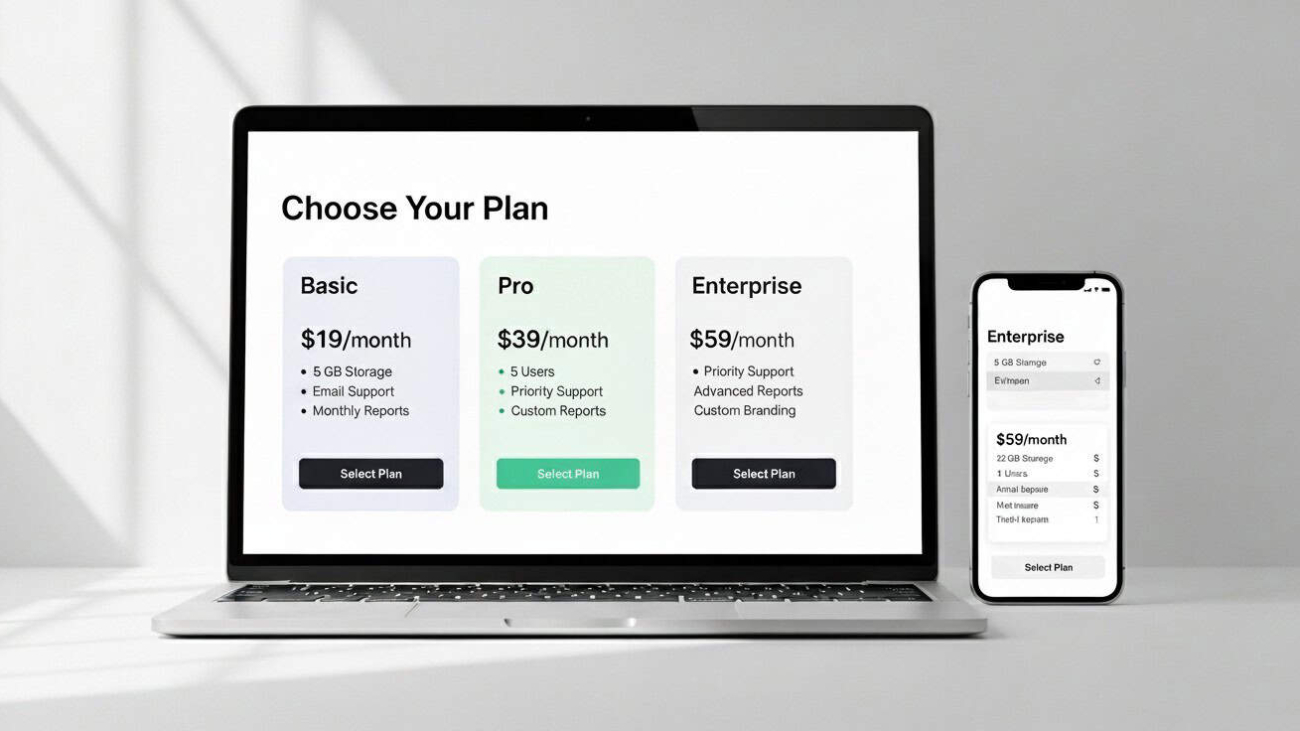
A laptop and a mobile phone showing different pricing plans

Service Pricing Pages That Convert In 2026

Service Pricing Pages That Convert In 2026

Why transparent pricing wins more work

Buyers want clarity before they talk to sales. A thoughtful pricing page reduces friction, filters out poor-fit enquiries and speeds up decisions. For Bradford and West Yorkshire service businesses, a clear pricing page can be the difference between casual interest and a booked call. It also performs well in search: pages that answer cost questions earn clicks for terms like website design pricing, SEO pricing UK or WordPress support costs, and they tend to attract links from roundups and forums because they are genuinely helpful.

What your pricing page needs above the fold

Start with a plain-English headline that states what you price and who it is for. Add a short subhead that frames the outcome rather than the inputs—faster site, more qualified enquiries, predictable support. Show one primary call to action and one secondary option. For example, Book a pricing call and Download a detailed scope template. This gives decisive and cautious buyers a next step without clutter.

Include a transparent “from” price or range for your core service. Ranges work well for bespoke work, provided you explain what changes the cost. If you truly cannot show figures, publish a calculator or three example packages that reflect reality, not a teaser you would never sell.

Packages that reflect how clients actually buy

Base packages on outcomes and must-have deliverables, not an arbitrary list of features. For a website design package, define the number of templates, CMS training, accessibility criteria, performance targets and launch support. For SEO, define the audit depth, technical fixes, content creation, digital PR focus and review cadence. Make inclusions and exclusions obvious so prospects do not need to ask basic questions.

Resist feature bloat. Three packages are usually enough: Essentials for start-ups, Growth for established SMEs and a Custom option for complex needs. Each should have a clear ideal buyer, typical timeline and expected results. Most importantly, price each package at a point your team can deliver profitably; a loss-leading entry package damages service quality and long-term trust.
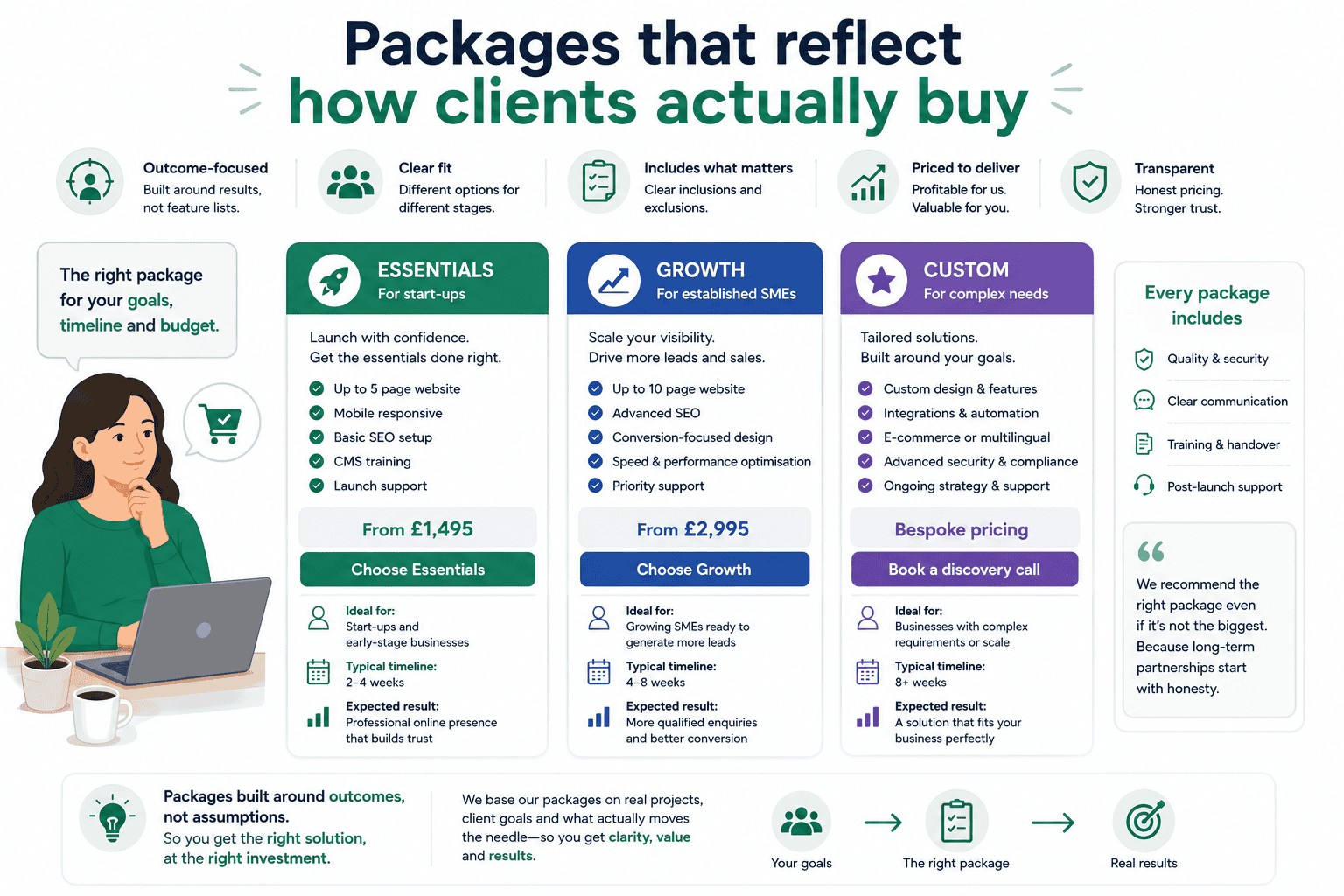
Pricing package illustration showing three service tiers designed around how clients buy, with outcome-focused service packages, transparent pricing options, clear deliverables, business growth pathways and customer decision-making in a clean flat vector style.

Explain what drives price up or down

A short section titled What affects the price saves countless emails. Be specific:
• Scope: additional templates, multilingual content, e-commerce or integrations.
• Speed: shorter timelines increase cost because more resources are needed.
• Content: writing and photography add value but require budget.
• Compliance: accessibility standards, complex consent or security needs.
• Ongoing support: maintenance, hosting and retainers.
Tie each factor back to outcomes so it does not feel like nickel-and-diming.

Show Bradford proof without boasting

Local reassurance matters. Add one or two short mini case studies from Bradford or nearby towns that highlight the business context, the work delivered and the result. For example, “WordPress redesign for a Bradford manufacturer, LCP improved from 3.9s to 1.8s, enquiries up 46% in 90 days.” Keep it factual and link to the full story. This speaks to buyers who care about regional experience without turning your pricing page into a portfolio.

Handle objections before they become emails

A compact FAQ near the bottom clears doubts and keeps sales conversations focused:
• Do you work to fixed fees or day rates?
• What if we already have copy and images?
• Can you start with a smaller project first?
• How do payment schedules work?
• What happens after launch?
Answer in a friendly, pragmatic tone. If you are based near Leeds Bradford Airport and can meet in person, say so—face-to-face workshops can be a deciding factor for local firms.

Design choices that boost conversions

Keep the layout calm and scannable. Avoid comparison tables with twenty tick marks; most readers will skim past them. Use short paragraphs, clear subheadings and simple iconography only where it adds clarity. On mobile, ensure prices and key points appear without endless scrolling and keep CTAs persistent but unobtrusive.

Accessibility and performance are non-negotiable. Maintain strong colour contrast, large tap targets and visible focus states. Optimise images, preload key assets and avoid layout shifts so the page feels trustworthy and quick. These improvements help real users and support SEO via healthier engagement signals and stronger Core Web Vitals.

Website conversion optimisation illustration showing a clean, user-friendly service pricing page with clear visual hierarchy, mobile-responsive design, trust elements, strong call-to-action placement, accessible layout and streamlined customer journey in a modern flat vector style.

Pricing calculators that set expectations sensibly

A lightweight calculator can bridge the gap between fixed packages and bespoke proposals. Ask three to five high-impact questions—pages or templates, e-commerce yes/no, content support, timeline—and present an estimated range instantly with a clear caveat. Invite the user to email the estimate to themselves along with a scoping checklist. This approach captures warm leads while respecting the buyer’s need for ballpark figures before a call.

Talk about value without hiding the numbers

Explain where your price goes. Buyers are comfortable paying for planning, design, development, QA, accessibility and performance work when they understand the impact on speed, conversions and maintainability. Mention warranty windows, training and handover documentation. If you include post-launch support, outline what is covered. Transparency reduces haggling and aligns expectations before the first meeting.

SEO essentials for pricing pages

Pricing pages are natural link magnets when they are genuinely useful. Help searchers and search engines by covering the how much, what affects cost and what is included angles in one place. Use descriptive headings such as Website design pricing in Bradford or SEO pricing for UK SMEs where they read naturally. Add internal links from service pages and relevant blogs to your pricing page, and link back to those services so readers can dive deeper. Include Breadcrumbs for context and mark up the page with WebPage and FAQ schema if the Q&A is visible.

Ensure the page answers intent for both local and national searches. If you serve West Yorkshire primarily but can work UK-wide, say so. Keep meta tags honest—choose a title and description that match the content rather than chasing every keyword variation.

SEO pricing page illustration showing a search-optimised service pricing page with structured packages, internal linking, FAQ sections, local SEO elements, schema markup concepts, clear navigation and website performance indicators in a clean flat vector style.

How to increase lead quality with your pricing page

If you receive lots of tyre-kickers, add one or two gentle qualifiers to your enquiry form: budget range, approximate timeline or the primary outcome they want. Make these optional on the first step and required on the second step after engagement—most serious buyers will provide the detail. Follow up quickly with a helpful email that includes a scoping template and a link to a relevant case study. Leads feel supported, and your sales calls start at a higher level.

A 30-day plan to publish or improve your pricing page

Week 1: Gather inputs. Interview sales and delivery teams, shortlist three real packages and list common price drivers.
Week 2: Draft the page. Write clear package summaries, add Bradford mini case studies and a short FAQ.
Week 3: Build and optimise. Create a lean template in WordPress, compress images, test Core Web Vitals and implement FAQ schema if used.
Week 4: Launch and measure. Link from service pages, post an update on Google Business Profile, and track conversions and assisted conversions in GA4. Refine the intro and CTAs based on early behaviour.

Why work with a Bradford-based team

Pricing pages work best when they reflect local buyer expectations and the realities of delivery. Because we are based in Bradford, we can meet quickly, align on scope, and create a page that’s honest, fast and persuasive. We combine conversion copy, technical SEO and WordPress performance so your pricing page ranks for cost queries and converts the right clients—without gimmicks.

A man pointing at a screen showing analytics

Case Studies That Rank And Sell: A Bradford Guide For Service Brands

Case Studies That Rank And Sell: A Bradford Guide For Service Brands

Why case studies outperform generic sales pages

When prospective clients land on your website, they are looking for proof. Case studies provide it in a human way: real problems, clear actions, measurable results. Done well, they improve SEO, build trust and lift conversion rates across your site. For Bradford and West Yorkshire businesses, local case studies also add regional credibility that generic portfolios cannot match. This guide explains how to plan, write and optimise case studies that rank for meaningful searches and turn readers into enquiries.

Choose projects that mirror the work you want more of

Start by shortlisting projects that represent your ideal future pipeline. Aim for variety across sectors you serve in Bradford, Leeds and wider Yorkshire, but be selective. The perfect candidate meets three criteria: the client’s problem is common in your market, your solution is repeatable for others, and the outcome is measurable. If confidentiality prevents naming the client, you can anonymise responsibly by sharing sector, company size and challenge while removing identifiable details. The goal is to show believable transformation without breaching trust.

Gather evidence before you write a word

Great case studies are built on specifics. Capture quantitative metrics such as page speed improvements, conversion lift, cost per lead reductions or revenue growth. Pair them with qualitative insights: quotes from the client, pain points before the project, and what changed in day-to-day operations. Screenshots from GA4, Search Console and PageSpeed Insights (with sensitive data redacted) make the narrative concrete. If results developed over time, show milestones at 30, 60 and 90 days to set realistic expectations.

Case study research illustration showing a business professional gathering client data, performance metrics, notes, reports and supporting evidence before writing a case study, with organised documentation, analytics insights and project planning elements in a clean flat vector style.

Structure that helps humans and search engines

Use a simple, repeatable format so readers know what to expect and search engines can parse context reliably.

Project snapshot
Open with a two or three sentence summary covering the client type, the main challenge and one headline result. Include location if relevant to local SEO, for example “Bradford-based manufacturer” or “Leeds professional services firm”.

The challenge
Explain the real-world problem in plain English: slow mobile site, low enquiry quality, weak local visibility, or poor conversion from paid traffic. Keep jargon out and mirror the language clients use on calls.

What we did
Break actions into clear steps. For a website redesign, this could include discovery, information architecture, WordPress build, Core Web Vitals improvements, content refresh and launch support. For SEO, outline technical fixes, content strategy, internal linking and Google Business Profile work. Be specific about tools and decision-making so your expertise is visible.

Results that matter
Lead with two or three metrics tied to the original goal. For example, “Largest Contentful Paint improved from 4.2s to 1.9s on mobile, enquiries up 58%, cost per lead down 32%.” Avoid vanity stats and explain what the numbers mean for the client’s bottom line.

Client perspective
Add a short quote in the client’s voice. If you cannot name them, attribute by role and sector, such as “Marketing Manager, Yorkshire B2B services”.

Next steps and longevity
Close with what happened after launch: ongoing maintenance, content optimisation, or new features delivered. This shows you do not disappear once the invoice is paid and reinforces lifetime value.

Write like a person from Bradford would speak

Keep sentences short, verbs active and promises grounded. Replace generic claims with concrete actions: “We consolidated 12 thin pages into a single, well-structured guide and added an enquiry form above the fold” is more powerful than “We improved content quality.” Where appropriate, weave in local details briefly—meeting near Leeds Bradford Airport for kick-off sessions, or collaborating with a supplier in Little Germany—only when it adds credibility rather than padding the word count.

SEO for case studies without turning them into keyword soup

Target one primary intent per case study and reflect it in the title, H1 and meta tags. Mix broad and local angles where natural, for example “WordPress redesign and Core Web Vitals improvement for a Bradford manufacturer.” Use descriptive internal links from related service pages and blogs to each case study, and link back from the case study to the most relevant service. Add Breadcrumbs so the case study sits logically within your site structure. Optimise images with descriptive filenames and alt text that describe the purpose of the image rather than stuffing keywords.

SEO case study illustration showing a search-optimised business case study with performance results, local SEO relevance, structured content sections, internal linking, metadata optimisation and organic growth indicators, presented in a clean flat vector style.

Schema and on-page enhancements that earn richer results

Add Article or BlogPosting schema for the case study, plus BreadcrumbList site-wide. If you include ratings or testimonials on the page, follow platform rules and mark them up responsibly to avoid spam signals. Include datePublished and dateModified so freshness is clear. A compact FAQ at the end can answer common questions about timelines, budgets and team roles; mark it up only if the Q&A is visible on the page.

Core Web Vitals still decide whether people read to the end

A brilliant story will not land if the page is slow or jumpy. Preload the hero image, serve images in WebP, reserve space for media to prevent layout shift and defer non-essential scripts. Keep design clean: a single column for copy with subtle pull-quotes and short data callouts is easier to read than busy grids. Fast, stable case study pages encourage deeper sessions and more enquiries—human benefits that also support SEO.

Turn a single case study into a small content engine

One strong case study can fuel multiple assets. Publish a 200–300 word summary on Google Business Profile with a link back to the full page, create a short LinkedIn carousel showing the problem, actions and results, and record a two-minute video walkthrough for your blog. Link these back to the main case study so it becomes the canonical source. Over time, build a sector filter on your case studies hub so prospects can find relevant stories quickly.

Case study content repurposing illustration showing a single business case study being transformed into multiple marketing assets including blog posts, social media content, email campaigns, landing pages, testimonials and SEO resources, connected through a central content strategy in a clean flat vector style.

Measurement that focuses on pipeline, not vanity metrics

In GA4, track scroll depth, outbound clicks to supporting assets and enquiry events on or after viewing a case study. Use assisted conversions to credit case studies that play a role earlier in the journey. In Search Console, group case study URLs to monitor impressions and clicks collectively and by sector. If a case study earns traffic but few enquiries, move proof points higher, tighten the intro and add a clearer next step.

A 30-day plan to publish your best case study yet

Week 1: Pick a project with measurable outcomes, gather data and interviews, and secure client approval for the story and quotes.
Week 2: Write the case study using the snapshot–challenge–actions–results structure. Add screenshots, before/after metrics and a short FAQ.
Week 3: Build the page in WordPress, optimise images, implement schema and connect internal links from relevant service pages and blogs.
Week 4: Publish, create a Google Business Profile update, share a LinkedIn summary, and review GA4 and Search Console after two weeks to refine the opening and calls to action.

Why a Bradford-based partner makes this easier

Local understanding speeds up everything from interviews to approvals. Because we are based in Bradford, we can meet quickly, collect the right data, and write in a voice your clients recognise. We bring together content strategy, technical SEO and clean WordPress builds so your case studies load fast, read well and contribute directly to pipeline. If you want stories that win trust and rankings, we can help you produce them predictably.

A tab and a woman holding a sign that says AD

First-Party Data Playbook: Consent, Email Capture and Better Conversions

First-Party Data Playbook: Consent, Email Capture and Better Conversions

First party data strategy showing consent banner email capture and analytics dashboard for UK businesses

Why First-Party Data Matters for UK Businesses in 2026

Third-party cookies are fading, ad costs keep rising and platforms change their rules overnight. First-party data—information a customer shares directly with you—gives UK businesses a more predictable way to acquire, nurture and convert leads. It is also better for trust: people know what they are signing up to, and you can tailor experiences without feeling invasive. For Bradford and West Yorkshire companies using WordPress or WooCommerce, a thoughtful first-party data strategy can lower your cost per acquisition while improving conversion rate and lifetime value.

Optimising for AI-Driven Search Visibility

What Counts as First-Party and Zero-Party Data: Explained

First-party data includes analytics events, purchase history, on-site behaviour, and details collected through forms. Zero-party data is information customers intentionally volunteer—preferences, budgets, timeframes, and content interests. Together, they power personalisation that feels helpful rather than pushy. The aim is simple: make it easy for people to share the right details at the right moment, and always give a clear reason why it benefits them.

UK Consent and GDPR Rules All Marketers Must Follow

Consent in the UK and EEA must be specific, informed and freely given. Your cookie banner should be easy to understand, offer equal acceptance and rejection options, and defer non-essential tags until consent is granted. Pair a certified CMP with Google Consent Mode so GA4 and advertising tags behave correctly. Keep your privacy policy plain-English and link it near every capture point—footer, forms and checkout. Good compliance builds trust and reduces friction; it is not just a legal box-tick.

GDPR compliant cookie consent banner helping UK websites collect first party data ethically and transparently

How to Build an Email List People Actually Want to Join

Offer something genuinely useful at the moment of intent. For a service business, this might be a short website performance audit, a buyer’s checklist, or a quarterly trends report tailored to your niche. For e-commerce, consider early access to new drops, back-in-stock alerts or loyalty points for sign-ups.

Keep forms lean. Ask for first name and email by default, then use progressive profiling later to learn industry, company size or budget range. Tell people what they will receive and how often; vague promises increase unsubscribes and spam complaints. Always send a welcome email within minutes that sets expectations and gives one clear next step—book a call, read a guide, or claim the offer you promised.

Optimising On-Site Email Capture That Respects Visitors

Position sign-up prompts where they add value rather than interrupt. In-line modules in article bodies convert well because the intent is high. Slide-ins triggered by scroll depth or exit intent are fine if they are restrained and accessible (keyboard operable, clear close button, no layout shift). For WooCommerce, capture email at the start of checkout with a “save my basket” prompt—this recovers abandoned carts without being intrusive.

Use micro-surveys to collect zero-party data in context. A two-question chooser on a service page—“What are you here to do today?” with options like “Redesign my website”, “Improve SEO” or “Get faster load times”—routes visitors to the right content while storing preferences for follow-up. Keep the questions optional and always show how the answers will personalise their experience.

*l

GA4, Consent Mode V2 and Cleaner Conversion Measurement

With Consent Mode configured, GA4 can model some behaviour when users decline analytics cookies, which preserves trend-level insight without tracking anyone who said no. Focus on events that signal commercial intent—lead form start and submit, add to basket, checkout step progression, file downloads and call clicks. Name events consistently so your CRM and ad platforms can understand them. If you have the resources, consider server-side tagging to reduce page bloat and improve data quality while staying privacy-first.

Consent Mode V2 implementation for UK SMEs

High converting email capture form designed to collect first party data and improve website conversions

How to Turn First-Party Data into Measurable Conversions

Create simple segments that match your buyer journey. New subscribers who viewed a service page but did not enquire need education; returning visitors who started a quote form need reassurance and social proof; customers who purchased once might respond to a maintenance plan or a time-boxed upgrade offer. Map one or two automated journeys per segment rather than trying to build a complex matrix on day one.

Write emails like a human from Bradford would speak: clear subject lines, short paragraphs, and one primary call to action. Use real case studies from Leeds, Bradford and wider Yorkshire to prove outcomes. If you share a guide, make it practical—checklists, before-and-after speed improvements, or screenshots of GA4 results. Add SMS or WhatsApp only where it genuinely helps (for example, appointment reminders), and always provide a frictionless opt-out.

Internal Linking Strategy that Scales

Personalisation With First-Party Data That Feels Helpful

Use zero-party preferences to tailor recommendations and content blocks on your website. If someone selects “Improve SEO”, prioritise internal links to your SEO services, show a relevant testimonial and offer a short audit call. For WooCommerce, surface the right size guide or compatibility chart based on previous browsing. Keep personalisation rule-based and transparent; customers should understand why they are seeing something.

Why Conversion Rate Optimisation and First-Party Data Work Together

CRO gives you the context to use first-party data wisely. Heatmaps and session replays (enabled only with consent) show where forms confuse users. A/B tests prove whether a two-step form outperforms a single long form. Use what you learn to refine capture points, shorten copy, and reposition proof. Even small improvements—a clearer headline on your enquiry page, or a shorter form with progressive profiling—can lift conversion rate by double digits, which compounds the value of every visitor you attract through SEO and digital PR.

Analytics dashboard tracking first party data growth email capture performance and improved website conversions

User Engagement Tactics for SEO

How to Keep Your First-Party Data Clean and Connected

Messy data kills momentum. Standardise field names—first_name, company, phone—so your CRM, email platform and GA4 speak the same language. Deduplicate regularly and set rules for role-based emails. Tag consent source and timestamp for each subscriber so you can evidence permission if asked. If you move platforms, migrate tags and segments alongside contacts so you do not lose the intelligence you have gathered.

Structured data implementation for UK businesses

Your Practical 30-Day First-Party Data Action Plan

Week 1: Audit consent, cookie banner behaviour and privacy policy. Fix anything ambiguous. Define one high-value offer for sign-ups and create a lean form.
Week 2: Configure Consent Mode and GA4 events for enquiries, downloads and calls. Add a welcome email that clearly sets expectations and offers one useful resource.
Week 3: Add an in-line capture module to two high-traffic pages and a subtle exit-intent prompt on your enquiry page. Launch a two-question micro-survey on one key service page.
Week 4: Build two simple segments and one automation each. Example: “New subscriber viewed SEO page, no enquiry” → three-email education sequence with a case study from a Yorkshire client and a soft consultation offer.

Measure results weekly and iterate. If opt-in rates are low, improve the offer, headline and placement. If welcome email clicks are weak, simplify the call to action. If enquiries rise but quality drops, tweak the form questions to better qualify leads.

Why Choose a Bradford-Based First-Party Data & Conversion Team

First-party data works best when it reflects local audiences and real buyer questions. Because we are based in Bradford, we can run quick workshops with your team, build compliant capture flows, connect GA4 and your CRM, and craft emails that sound like your brand. We will leave you with a straightforward playbook and dashboards that show how consent, capture and conversion fit together—so you can scale confidently without relying on third-party cookies.

First-party data is information you collect directly from your own website, customers and marketing channels. This includes email sign-ups, purchase history, contact form submissions, user behaviour and survey responses. Because it is gathered with user consent, it is more accurate, privacy-compliant and valuable than third-party data. It forms the foundation of sustainable, privacy-first digital marketing strategies.

Consent Mode V2 allows Google Analytics 4 to adjust tracking behaviour based on user consent choices. When consent is declined, Google uses modelling to estimate conversions rather than tracking users directly. For UK businesses, correct Consent Mode implementation helps maintain data accuracy while remaining compliant with GDPR and UK privacy regulations.

Yes, email capture remains one of the most reliable digital marketing channels. When paired with clear value exchange, proper consent and segmentation, email marketing consistently delivers strong return on investment. The key is offering relevant incentives, respecting privacy preferences and using first-party data to personalise messaging rather than relying on generic broadcasts.

First-party data does not directly influence search rankings, but it improves the signals that do. Better segmentation leads to more relevant content, stronger engagement, lower bounce rates and improved return visits. These behavioural signals, combined with better targeting and personalisation, can positively influence overall SEO performance.

The first step is auditing how your website currently collects consent and captures user information. Review your cookie banner, email forms and tracking setup to ensure they are compliant and optimised. From there, define clear goals such as lead generation, retention or revenue growth, then connect GA4 and email platforms for measurable tracking.

Magento store owner reviewing ecommerce website security settings

Magento Security

Magento Security

What is Magento Security?

Magento is one of the best and most secure eCommerce platforms that comes with built-in security extensions. Deploying the best security practices keeps your site safe from malicious attacks, including data leaks, malware attacks, and data theft.

Read on to discover the best Magento security measures in the industry.

Magento store owner reviewing ecommerce website security settings

7 Best Practices to Keep Your Magento Store Safe

Here are seven best practices to keep your Magento 2 eCommerce store safe:

1. Two-factor authentication (2FA)

Magento 2 offers an enhanced Two-Factor Authentication that protects your login to a system. In other words, this layer only gives trusted devices a gateway to the backend by inputting a unique code sent to your smartphone.

Luckily, this feature is a built-in extension that comes with updating your site to the latest Magento version. However, it’s your call to keep this code safe and not share it with an unauthorised user. Hence, you don’t have to panic about password-related security threats anymore!

2. Use the Latest Magento Version

Contrary to popular misconceptions, upgrading your website to the latest version of Magento is one of the best practices out there. This is because newer versions usually come with better features and security patches. Usually, developers build on older Magento versions and fix the loopholes they notice. Hence, it’s important to keep informed and upgrade your store to a stable version of the latest Magento release.

However, we recommend that you always watch out for a stable version of a Magento update.

Magento Security

3. Acquire a Secure Connection (SSL/HTTPS)

Use HTTPS/SSL to send data, like your login details, on your site to avoid risks of the data being intercepted. Using a secure Magento connection eliminates possible interception from attackers.

In Magento, all it takes is to check “Use Secure URLs” in the configuration menu and change the URL. It’s that simple. Alternatively, ask your hosting provider to sort it for you.

Wait, there are more!

4. Use Strong Magento Password

If you’re one of those site owners that forget login details easily, it’s not enough to use “too simple” passwords. A password is a key to your multi-dollar eCommerce store. So, what to do?

When creating a password, mix upper and lower case alphabets with numbers & characters, etc. You could use a password management service so you don’t keep forgetting again. Furthermore, keep your Magento password separate from other websites or applications to avoid an easy guess for hackers.

Web developer applying security updates and maintenance to a Magento website

5. Magento’s reCAPTCHA comes in handy

Magento reCAPTCHA is probably the best way to protect your store from intruders. It’s a foolproof practice of blocking spam and ensuring your website is safe.

reCAPTCHA comes in handy for ensuring that safe logins in being initiated on your store by a human and not bots. Hackers use bots for malicious activities but reCAPTCHA can only be solved by a real human. And since reCAPTCHA also ensures that search engine spiders can only crawl the important pages, it keeps your website safe from spam.

6. Set a Custom Path for the Admin Dashboard

It’s essential to set a custom path for the admin login of your Magento store. Just so you know, an intruder can easily hack a my-site.com/admin route, which is a normal admin panel.

You can prevent this by using a customized word, in place of /admin. An example of a customized word is Store Door. So, admin login changes to my-site.com/store-door. So, even when someone hacks your password, this custom term prevents them from accessing your admin dashboard. You can change the admin URL in Magento 1 by editing the local.xml. For Magento 2, edit the env.php file to rewrite the URL function.

7. Finally, Backup Your Site Frequently

While the aforementioned practices are great to keep your Magento store safe, it’s also a smart thing to have a backup plan. Set up a weekly off-site backup plan and keep your data secure. So, even if your site crashes or gets hacked, you can prevent data loss by frequently backing your site.

Secure Magento ecommerce website providing a safe shopping experience for customers 

Concluding Thoughts on Magento Security

There you have it! Protecting your eCommerce investment should be your top priority right now. In case you require professional expertise, feel free to speak with us directly on 03333 01 1985.

If you would like to use the text or infographic feel free to as long as you place a link back to this page to give credit 

5 REASONS TO INSTALL AN SSL

5 REASONS TO INSTALL AN SSL

5 REASONS TO INSTALL AN SSL

5 REASONS TO INSTALL AN SSL

Above in text as requested for my blogs:
1. IMPROVES CUSTOMER CONFIDENCE 

When a user sees that your website is secure they know that you care about them and the data they entrust to you by filling in a form or buying a product.

2. KEEP DATA SECURE

An SSL certificate helps encrypt a user’s data when its transmitted to your website and also any information it sends back to the user’s browser. this layer of security and encryption keeps a user’s data secure.

3. IMPROVES SEO RANKING

Search engines such as Google have started to rank websites without an SSL certificate lower this is to encourage all websites to get an SSL installed.

4. ECOMMERCE WEBSITES

Ecommerce websites are becoming more at risk from hackers. Can you imagine the hit your brand would take if you did not secure a user’s data? Pretty much all payment gateways require you to have an SSL installed too.

5. THEY ARE NOT EXPENSIVE

Pretty much an SSL is not that expensive. It all depends on what type of website you are to which one you need and what your protecting but they generally are at an affordable cost.

If you would like to use the text feel free to as long as you place a link back to this page to give credit.

CHOOSING A HOSTING PROVIDER

CHOOSING A HOSTING PROVIDER

CHOOSING A HOSTING PROVIDER

CHOOSING A HOSTING PROVIDERAbove in text as requested for my blogs:
Essential to the startup effort of a new website is choosing the right web hosting company. Below are 5 things to look for in a web host.

1. SUPPORT

Feeling support from a web host is unbelievably important. You need to be able to get advice and quick changes from your hosting company its essential in case of any downtime too.

2. ACCESSIBILITY AND CONTROL PANELS

Its vital to be able to access your website day or night from a back end point of view. Making changes if its a really busy website are sometimes best made at night to avoid any loss of service although 99% of changes can be made with no effect.

3. UPTIME

It pretty much goes without saying uptime is probably the most important thing about a web host. What good is it having 24/7 support if your website goes down?

4. BACKUP

Having great built in backup services is amazing and gives you peace of mind. Its always important to make sure they have an internal backup system in case they ever have problems.

5. UPGRADABILITY

When you first start out your not going to need a super fast all guns blazing server. you’re going to need something more cost effective for your level of budget. Mane sure you choose a host you can upgrade with it helps make the process much safer when needing a quicker server.

If you would like to use the text feel free to as long as you place a link back to this page to give credit.

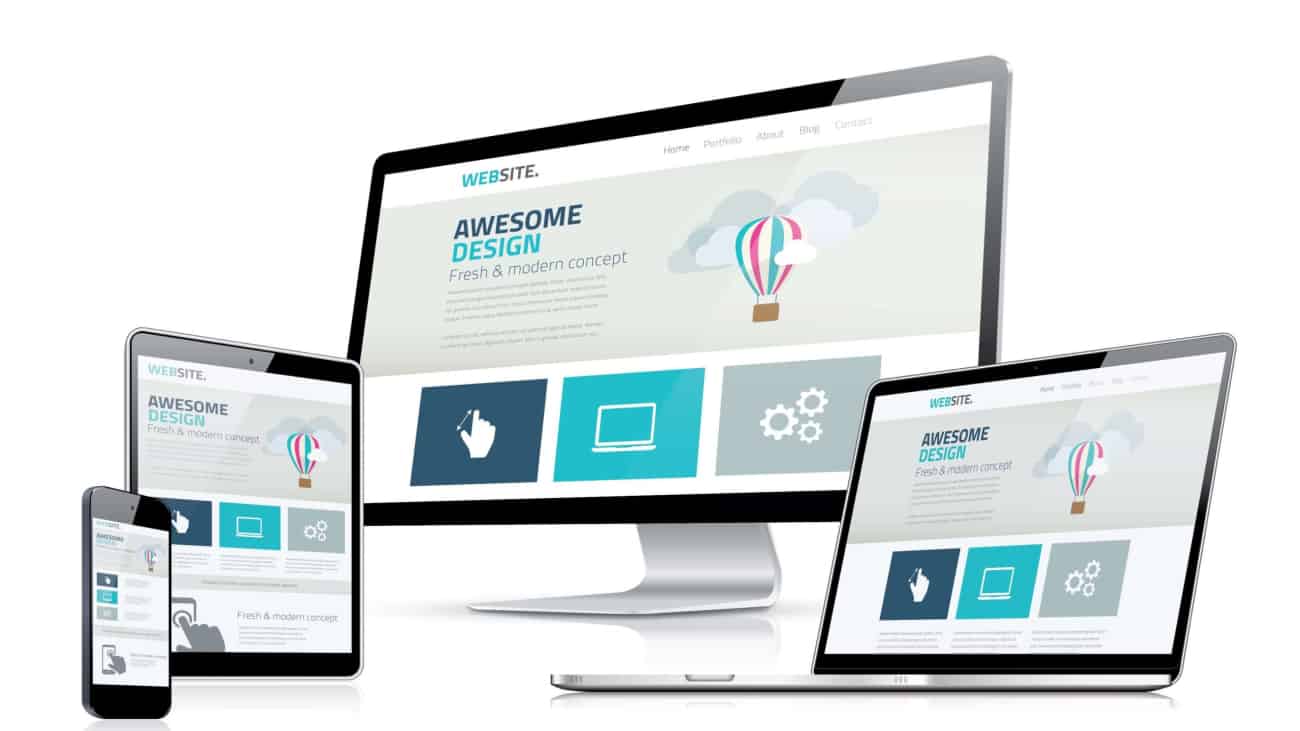
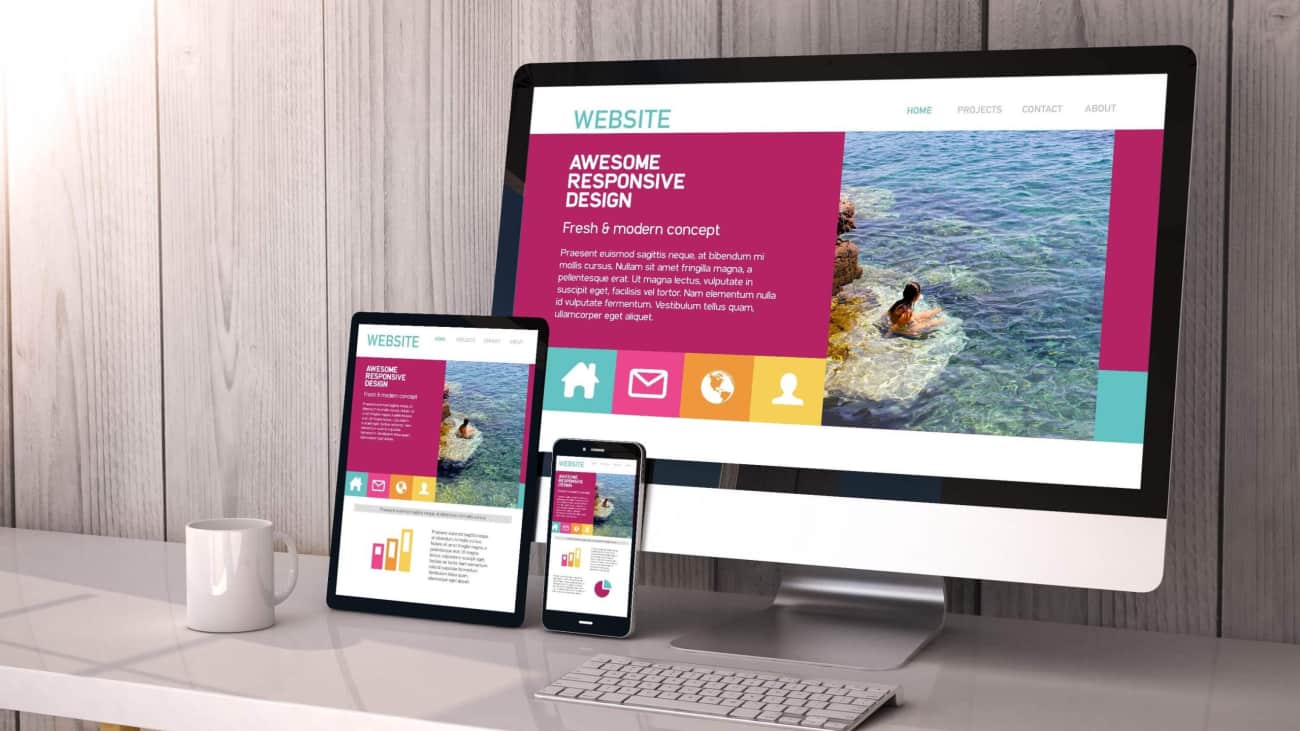
5 REASONS YOUR WEBSITE SHOULD BE MOBILE RESPONSIVE

5 REASONS YOUR WEBSITE SHOULD BE MOBILE RESPONSIVE

5 REASONS YOUR WEBSITE SHOULD BE MOBILE RESPONSIVE

CHOOSING A HOSTING PROVIDERAbove in text as requested for my blogs:

1. Google prioritizes mobile responsive sites

Google are wise to more and more people using mobiles so the algorithm is changing and in doing so will change the way that Google displays search results. Websites that are optimized for mobile devices will rank higher than ones that are not. This means you can gain an advantage against your competitors and rank higher than them if your website is mobile responsive.

2. Everyone uses mobile

Let’s face it, it’s the 21st Century, everyone wants ease of access and there is nothing easier than using a mobile device for visiting sites.
Having a mobile responsive website assures your customers and viewers that they can visit you from anywhere whether they are on the move or at home.

3. Enticing with great aesthetics

If your website looks great to your audience on their mobile device, they are going to stick around.
A great looking and professional website is always going to be the first choice.
Q- “Ever visited a non-mobile responsive website?” A – “YUK”

4. Relevant and modern business

Your business will be seen as up-to-date if your website is mobile responsive.
If customers visited you from a mobile device and it wasn’t optimized, they would think that the website wasn’t taken care of and in turn, think your business is the same.

5. Cross-platform functionality

If your website works on multiple devices, you have a bigger audience..
Bigger audience, more customers.
Remember, for most people your website will be the first thing they see about you so if its optimized they will get a good impression.

If you would like to use the text feel free to as long as you place a link back to this page to give credit.

5 benefits of having a website

5 benefits of having a website

5 benefits of having a website

5 benefits of having a website

1. ADDS CREDIBILITY

Research shows that around 81% of people check out a business online before visiting or purchasing from them. If you provide a product or service and are not online you could lose customers.

2. WEBSITES SAVE TIME

This is true when you are asked the same questions over and over which are not answered online or in any other way it can become tedious. Imagine having customers come to you knowing what they need from you and what it takes for you to deliver it to them.

3. BRINGS NEW CUSTOMERS

Using the right marketing strategy and the correct SEO once your website is built it can be an additional income for your business. A lot of our customers are found through their website when previously they would of had to trail through pages and pages of data just to find the right company for them. Which could be yours.

4.A WEBSITE IS ALWAYS ON

Websites are unlike shops and retail outlets because they are always open. A potential customer can read all about what you offer whilst you sleep. Your website can sell your skills to them whilst you on another job if you’re a service provider. Imagine waking up and having sales on the board already.

5. A SHOWCASE OF YOUR WORKS

No matter what industry you are in a website provides a solid avenue for you to show off your works. It can help demonstrate why you or your company is unique.

If you would like to use the text feel free to as long as you place a link back to this page to give credit.