A man pointing at a screen showing analytics

Case Studies That Rank And Sell: A Bradford Guide For Service Brands

Case Studies That Rank And Sell: A Bradford Guide For Service Brands

Why case studies outperform generic sales pages

When prospective clients land on your website, they are looking for proof. Case studies provide it in a human way: real problems, clear actions, measurable results. Done well, they improve SEO, build trust and lift conversion rates across your site. For Bradford and West Yorkshire businesses, local case studies also add regional credibility that generic portfolios cannot match. This guide explains how to plan, write and optimise case studies that rank for meaningful searches and turn readers into enquiries.

Choose projects that mirror the work you want more of

Start by shortlisting projects that represent your ideal future pipeline. Aim for variety across sectors you serve in Bradford, Leeds and wider Yorkshire, but be selective. The perfect candidate meets three criteria: the client’s problem is common in your market, your solution is repeatable for others, and the outcome is measurable. If confidentiality prevents naming the client, you can anonymise responsibly by sharing sector, company size and challenge while removing identifiable details. The goal is to show believable transformation without breaching trust.

Gather evidence before you write a word

Great case studies are built on specifics. Capture quantitative metrics such as page speed improvements, conversion lift, cost per lead reductions or revenue growth. Pair them with qualitative insights: quotes from the client, pain points before the project, and what changed in day-to-day operations. Screenshots from GA4, Search Console and PageSpeed Insights (with sensitive data redacted) make the narrative concrete. If results developed over time, show milestones at 30, 60 and 90 days to set realistic expectations.

Case study research illustration showing a business professional gathering client data, performance metrics, notes, reports and supporting evidence before writing a case study, with organised documentation, analytics insights and project planning elements in a clean flat vector style.

Structure that helps humans and search engines

Use a simple, repeatable format so readers know what to expect and search engines can parse context reliably.

Project snapshot
Open with a two or three sentence summary covering the client type, the main challenge and one headline result. Include location if relevant to local SEO, for example “Bradford-based manufacturer” or “Leeds professional services firm”.

The challenge
Explain the real-world problem in plain English: slow mobile site, low enquiry quality, weak local visibility, or poor conversion from paid traffic. Keep jargon out and mirror the language clients use on calls.

What we did
Break actions into clear steps. For a website redesign, this could include discovery, information architecture, WordPress build, Core Web Vitals improvements, content refresh and launch support. For SEO, outline technical fixes, content strategy, internal linking and Google Business Profile work. Be specific about tools and decision-making so your expertise is visible.

Results that matter
Lead with two or three metrics tied to the original goal. For example, “Largest Contentful Paint improved from 4.2s to 1.9s on mobile, enquiries up 58%, cost per lead down 32%.” Avoid vanity stats and explain what the numbers mean for the client’s bottom line.

Client perspective
Add a short quote in the client’s voice. If you cannot name them, attribute by role and sector, such as “Marketing Manager, Yorkshire B2B services”.

Next steps and longevity
Close with what happened after launch: ongoing maintenance, content optimisation, or new features delivered. This shows you do not disappear once the invoice is paid and reinforces lifetime value.

Write like a person from Bradford would speak

Keep sentences short, verbs active and promises grounded. Replace generic claims with concrete actions: “We consolidated 12 thin pages into a single, well-structured guide and added an enquiry form above the fold” is more powerful than “We improved content quality.” Where appropriate, weave in local details briefly—meeting near Leeds Bradford Airport for kick-off sessions, or collaborating with a supplier in Little Germany—only when it adds credibility rather than padding the word count.

SEO for case studies without turning them into keyword soup

Target one primary intent per case study and reflect it in the title, H1 and meta tags. Mix broad and local angles where natural, for example “WordPress redesign and Core Web Vitals improvement for a Bradford manufacturer.” Use descriptive internal links from related service pages and blogs to each case study, and link back from the case study to the most relevant service. Add Breadcrumbs so the case study sits logically within your site structure. Optimise images with descriptive filenames and alt text that describe the purpose of the image rather than stuffing keywords.

SEO case study illustration showing a search-optimised business case study with performance results, local SEO relevance, structured content sections, internal linking, metadata optimisation and organic growth indicators, presented in a clean flat vector style.

Schema and on-page enhancements that earn richer results

Add Article or BlogPosting schema for the case study, plus BreadcrumbList site-wide. If you include ratings or testimonials on the page, follow platform rules and mark them up responsibly to avoid spam signals. Include datePublished and dateModified so freshness is clear. A compact FAQ at the end can answer common questions about timelines, budgets and team roles; mark it up only if the Q&A is visible on the page.

Core Web Vitals still decide whether people read to the end

A brilliant story will not land if the page is slow or jumpy. Preload the hero image, serve images in WebP, reserve space for media to prevent layout shift and defer non-essential scripts. Keep design clean: a single column for copy with subtle pull-quotes and short data callouts is easier to read than busy grids. Fast, stable case study pages encourage deeper sessions and more enquiries—human benefits that also support SEO.

Turn a single case study into a small content engine

One strong case study can fuel multiple assets. Publish a 200–300 word summary on Google Business Profile with a link back to the full page, create a short LinkedIn carousel showing the problem, actions and results, and record a two-minute video walkthrough for your blog. Link these back to the main case study so it becomes the canonical source. Over time, build a sector filter on your case studies hub so prospects can find relevant stories quickly.

Case study content repurposing illustration showing a single business case study being transformed into multiple marketing assets including blog posts, social media content, email campaigns, landing pages, testimonials and SEO resources, connected through a central content strategy in a clean flat vector style.

Measurement that focuses on pipeline, not vanity metrics

In GA4, track scroll depth, outbound clicks to supporting assets and enquiry events on or after viewing a case study. Use assisted conversions to credit case studies that play a role earlier in the journey. In Search Console, group case study URLs to monitor impressions and clicks collectively and by sector. If a case study earns traffic but few enquiries, move proof points higher, tighten the intro and add a clearer next step.

A 30-day plan to publish your best case study yet

Week 1: Pick a project with measurable outcomes, gather data and interviews, and secure client approval for the story and quotes.
Week 2: Write the case study using the snapshot–challenge–actions–results structure. Add screenshots, before/after metrics and a short FAQ.
Week 3: Build the page in WordPress, optimise images, implement schema and connect internal links from relevant service pages and blogs.
Week 4: Publish, create a Google Business Profile update, share a LinkedIn summary, and review GA4 and Search Console after two weeks to refine the opening and calls to action.

Why a Bradford-based partner makes this easier

Local understanding speeds up everything from interviews to approvals. Because we are based in Bradford, we can meet quickly, collect the right data, and write in a voice your clients recognise. We bring together content strategy, technical SEO and clean WordPress builds so your case studies load fast, read well and contribute directly to pipeline. If you want stories that win trust and rankings, we can help you produce them predictably.

A mobile phone and a computer screen showing a product

WooCommerce Product Pages That Rank And Sell In 2026

WooCommerce Product Pages That Rank And Sell In 2026

Why product page optimisation matters more this year

E-commerce keeps getting noisier. Competitors can copy your prices and even your products, but they cannot easily copy the way your website presents value. In 2026, WooCommerce product pages that load fast, explain clearly and answer objections will win both rankings and revenue. For Bradford retailers and West Yorkshire brands, the prize is simple: appear for the right searches, convert more first-time visitors and give customers a reason to return.

Start with intent, not just keywords

Keyword tools tell you what people type. Your job is to work out what they actually want. Someone searching “handmade candles Bradford” expects local credibility, clear scents, sizes and delivery times. A search for “men’s waterproof jacket UK” expects sizing help, materials, returns and a model height for fit. Write your above-the-fold copy to solve the intent in two or three sentences. Then reinforce with structured details, images and FAQs lower down the page.

Make the first screen do the heavy lifting

Above the fold, show a crisp product image, price, key benefits in plain English, stock status, primary call to action and one trust element (rating count or “Free UK returns”). Keep the layout calm so the eye moves naturally from title to price to button. Where colour or size matters, put the selector close to the price and ensure the chosen variant is obvious. A messy first impression kills conversions and increases pogo-sticking, which hurts SEO signals.

Images and video that sell the outcome

Use a clean hero image, then show close-ups that answer questions customers usually ask on live chat. Add one lifestyle shot that shows scale or real-world use, ideally created in Yorkshire settings if your brand is Bradford-based. Short video clips help with products that move or fold. Keep file sizes lean: export to WebP, set width/height attributes to prevent layout shifts, and lazy-load non-critical media. Caption the main image or video with a concise benefit, not just a filename.

Product page media illustration showing product photography, video content, customer engagement, product benefits, performance results and conversion-focused visual content in a clean flat vector style.

Copy that is scannable and persuasive

Forget flowery paragraphs. Use a short intro that explains who the product is for and why it is better, then move into structured specifics:
• Materials and build quality
• Sizing or dimensions in metric
• Compatibility or usage scenarios
• Care instructions and warranty
• What’s included in the box
Write like a person from Bradford would speak—clear, practical and friendly. Where relevant, add a two-row comparison table against your own similar products to guide choice without cluttering the page.

Pricing, offers and honest delivery info

If you run promotions, present the saving simply with the original price visible and the offer end date if truly time-bound. Delivery details make or break trust: show UK delivery times, cut-off times, click-and-collect (if available) and returns at a glance. Link to a full policy page but keep a plain-English summary on the product page so customers do not abandon their basket to look for answers.

Reviews and UGC that customers can believe

Star ratings are not enough. Aim for review text that mentions the use case, fit or durability, and display recent reviews by default. If you serve the local area, highlight a few reviews from Bradford and West Yorkshire to build regional trust. Invite photo reviews so buyers can see your product in normal lighting. Mark up reviews correctly for eligibility in search, and never gate or filter out all negative feedback—measured criticism makes positive reviews more credible.

Customer reviews and user-generated content illustration showing verified customer feedback, product ratings, authentic customer photos, video testimonials, social proof elements and real buyer experiences in a clean flat vector style.

FAQs that reduce hesitation

Add five to eight FAQs answering the questions your support team hears most. Keep them short and specific: care, compatibility, returns, delivery, sizing and warranty. This doubles as pre-sales enablement and can earn extra visibility in search when implemented properly and aligned with on-page content.

WooCommerce settings that improve conversion

Keep variations tidy with clear attribute names. Auto-selecting a default variation can speed up checkout, but only if it is the most popular choice; otherwise leave unselected to force a deliberate pick. Use back-in-stock notifications to capture demand ethically, and make sure the “add to basket” button gives instant, accessible feedback. For cross-sells, limit suggestions to two or three genuinely complementary items. Algorithmic carousels that show everything slow the page and distract buyers.

Technical SEO for product pages that last

Use short, human URLs and keep one canonical version for each product. Avoid creating multiple near-identical URLs for variants unless there is unique search demand. Add structured data for Product, Offer, AggregateRating and BreadcrumbList so search engines can present rich results. Generate lean, accurate XML sitemaps and remove discontinued products or redirect them to the closest in-stock alternative with a helpful message.

Core Web Vitals without a rebuild

You do not need a redesign to get faster. Focus on three practical wins:
Largest Contentful Paint
Preload the hero image and serve it in modern formats; keep the header minimal so content appears fast on mobile.

Interaction to Next Paint
Trim heavy sliders, delay non-essential scripts and streamline tracking. Shoppers abandon slow filters and bloated pop-ups.

Cumulative Layout Shift
Reserve space for badges, trust icons and notification bars so nothing jumps while customers tap size options or add to basket.

Pair WooCommerce with quality UK hosting, server-level caching and a CDN. Object caching helps with large catalogues; image optimisation at upload prevents slow creep as new products are added.

Content hubs that lift your whole category

Product pages do not live alone. Build a simple content hub around priority categories: buying guides, size or fit explainers, care instructions and comparison posts. Internally link from these guides to your best-selling products using natural anchor text, then link back from the products to the guides. This improves topical authority and gives customers the context they need to purchase with confidence.

Content hub illustration showing a central category page connected to multiple guides, articles, resources and supporting content, with internal linking, topic clusters, authority building, organic traffic growth and category-wide SEO improvement in a clean flat vector style.

Measurement that focuses on decisions, not vanity

Configure GA4 events that reflect real intent: view_item, add_to_cart, begin_checkout, purchase, and form interactions for back-in-stock or size-guide opens. Track on-site search queries to spot missing content or product gaps. Use cohorts to compare performance after speed improvements or copy changes. If Bradford traffic converts better than national traffic, create local content and offers that double down on that advantage.

A 30-day plan for Bradford WooCommerce stores

Week 1: Audit five top products. Fix hero images, tighten intros, add delivery summaries and reorder the first screen to prioritise title, price, options and CTA.
Week 2: Optimise speed: compress and preload hero images, defer non-essential scripts and cut one heavyweight plugin.
Week 3: Add or refine FAQs, enable back-in-stock alerts and curate cross-sells that make sense. Mark up Product and Offer schema accurately.
Week 4: Publish one comparison or buying guide for your best category, link it to key products, and ask recent customers for photo reviews.

Why work with a Bradford-based team

Local insight changes the tone and the proof you show. Because we are based in Bradford, near Leeds Bradford Airport, we can visit, understand your fulfilment realities and shape product pages that answer the questions your customers actually ask. We combine conversion copy, technical SEO and WooCommerce tuning so you get faster pages, clearer messaging and more sales from the traffic you already have.

A grey wordpress logo

WordPress Security In 2026: A Practical Playbook For Bradford Businesses

WordPress Security In 2026: A Practical Playbook For Bradford Businesses

Why website security is now a growth issue, not just an IT job

Security used to be a background task for “the tech team”. In 2026 it is directly tied to sales, SEO and brand reputation. A compromised WordPress site loads slowly, throws scary warnings, or redirects visitors to spam pages—killing enquiries overnight. Search engines will flag or de-index hacked pages, paid ads pause, and customer trust takes months to rebuild. If you serve customers in Bradford and across West Yorkshire, keeping your WordPress site secure is one of the most important things you can do to protect revenue and keep your marketing spend working.

What attackers actually do to WordPress sites

Most breaches are not cinematic heists; they are automated bots probing for easy wins. Common routes include outdated plugins and themes with known vulnerabilities, weak admin passwords, insecure hosting, and form or upload endpoints that accept malicious code. Once in, attackers plant backdoors, inject SEO spam, add rogue administrator accounts or hijack your email forms to send phishing messages. Prevention costs little compared to the disruption and clean-up bill of a real incident.

The Bradford checklist: basics that stop most attacks

Keep WordPress core, themes and plugins updated
Updates patch known exploits, and attackers scan the web looking for sites that have not applied them. Review your stack monthly, remove anything you no longer use, and favour reputable, actively maintained plugins.

Use strong authentication
Require unique, long passwords and enable two-factor authentication for every administrator. Limit the number of admin accounts and use Editor roles for day-to-day content changes. If suppliers need access, create temporary accounts and revoke them when the work is done.

Lock down the login
Rate-limit login attempts, hide or rename the default login path if appropriate, and consider CAPTCHA on forms used by bots. Avoid email addresses that are easy to guess as usernames. If you allow customer logins, set sensible password policies and password reset controls.

Choose secure, UK-centric hosting
Reliable UK hosting with automatic HTTPS, HTTP/3 support, daily backups and staging environments is the foundation of a safe site. Ask your host about web application firewalls, malware scanning and DDoS protection. Good hosting reduces patching friction and improves performance, which supports both SEO and user trust.

Harden file permissions and disable what you do not need
Follow least-privilege principles for file permissions, disable file editing in the WordPress dashboard, and restrict XML-RPC if you are not using it. Small configuration changes remove entire classes of risk.

Security checklist illustration featuring a clipboard with completed security checks, shield and padlock icons, firewall protection, password security and cybersecurity monitoring symbols in a clean flat vector style.

Backups: the recovery plan that turns a crisis into an inconvenience

Backups are your parachute. Store them off-site, encrypt them, and test a restore regularly. For brochure sites, daily backups are fine; for WooCommerce stores, use hourly database backups so you never lose orders or customer accounts. Keep at least two weeks of backup history so you can roll back to a clean version if malware went undetected for a few days.

Firewalls and malware scanning that actually help

A web application firewall (WAF) sits between the internet and your website, filtering malicious requests and blocking common attacks like SQL injection or brute-force logins. Pair the WAF with scheduled malware scans that check core files, themes and plugins against known good versions. Configure real-time alerts so you hear about problems immediately, not a week later when leads have already disappeared.

Keep plugins lean and reputable

The easiest way to reduce your attack surface is to run fewer, better plugins. Audit your list quarterly. Remove anything you do not use or that duplicates another tool. Before installing a new plugin, check the update history, active install count and support activity. If a plugin has not been updated in over a year or the developer is slow to answer security issues, it does not belong on a business-critical site.

Secure forms, uploads and user-generated content

Contact forms, comment boxes and file uploads are frequent attack vectors. Validate inputs server-side, limit file types and file sizes, and store uploads outside publicly accessible folders where possible. Add spam protection that does not punish real users—lightweight honeypots and rate limiting are often better than hostile CAPTCHAs. Always send form submissions to named team inboxes, not a generic address that nobody checks.

Performance and security go hand in hand

A secure site is usually a fast site. Server-level caching, a CDN, optimised images and tidy JavaScript reduce the load on your infrastructure and make it harder for attackers to overwhelm your server. On WordPress, prioritise Core Web Vitals: a quick Largest Contentful Paint, responsive Interaction to Next Paint and stable layouts. Your visitors get a better experience and your security systems have more headroom to work effectively.

Monitoring that gives you time to react

Set up uptime monitoring with instant alerts by email and SMS so you know within minutes if the site goes down. Track file changes and suspicious admin logins. Keep a daily digest of security events for sanity checks, and agree who in your team owns the first response. For larger sites, server logs and error logs are invaluable for spotting patterns before they escalate.

What to do if you think you have been hacked

Take the site offline if it is serving malware or phishing content
Your brand and users come first. Put up a short maintenance page while you investigate so you are not spreading harm.

Change passwords and revoke access
Reset all administrator passwords, rotate keys and tokens, and remove any unfamiliar users. If a supplier account is suspected, disable it until you have clarity.

Restore from a clean backup
Roll back to the last known good backup, then update everything before bringing the site live. If no clean backup exists, engage a specialist to identify and remove malware and backdoors properly.

Audit and patch the root cause
A temporary fix is not enough. Identify how attackers got in—an outdated plugin, weak credentials, a vulnerable theme—and close that door so it cannot happen again. Document the incident, including timelines, actions and lessons learned.

Request de-indexing of spam URLs
If spam pages were created, remove them and use Google Search Console to request removal. Monitor for a few weeks to ensure the problem does not reappear.

WooCommerce has extra moving parts

Shops need stricter controls. Protect checkout and account areas from caching mistakes, keep payment gateways and webhooks up to date, and test transactions on staging whenever you update. Monitor orders for anomalies, such as sudden spikes from unfamiliar geographies or mismatched AVS/CVV results. Ensure transactional emails are delivered from authenticated domains (SPF, DKIM, DMARC) so customers receive confirmations reliably.

WooCommerce security illustration showing an online store connected to plugins, databases, payment systems, user accounts, backups and security protection tools, highlighting the complex behind-the-scenes components that require ongoing monitoring and protection in a clean flat vector style.

Policies and people: the human side of security

Most incidents start with a small human slip—reusing passwords, installing a risky plugin, or granting full admin access to a contractor for a five-minute fix. Write a short, practical policy that covers passwords, updates, plugin approval, user roles and how to report a suspected issue. Keep it simple and train new team members as part of onboarding. The aim is to make the secure path the easy path.

A 30-day plan for Bradford organisations

Week 1: Audit and quick wins
List every plugin and theme, remove what you do not need, apply outstanding updates, and enable two-factor authentication for all admins. Confirm your host provides off-site backups and staging.

Week 2: Hardening and monitoring
Configure a WAF, set sensible login rate limits, disable file editing and restrict XML-RPC if unused. Add uptime monitoring and daily malware scans with alerts.

Week 3: Backups and recovery drills
Test a full restore on staging. Fix anything that slows recovery—missing database credentials, broken paths, or unclear responsibilities.

Week 4: Process and prevention
Document a lightweight update workflow that uses staging and rollback points. Create a one-page incident response plan with the who, what and how for the first hour of a breach.

Why choose a Bradford-based security partner

Security improves fastest when you can speak to a human who understands your stack and your business. Because we are based in Bradford, near Leeds Bradford Airport, we can meet quickly, run a hands-on audit and implement a hardening plan without disrupting your marketing calendar. We look after WordPress and WooCommerce sites for West Yorkshire organisations that need dependable performance and the peace of mind that comes with solid backups, fast patching and a clear recovery path.

A computer display showing a slash between two chevrons

WordPress Lead Generation That Actually Delivers: A Bradford Guide For B2B And Service Brands

WordPress Lead Generation That Actually Delivers: A Bradford Guide For B2B And Service Brands

Why lead generation starts with user experience, not just traffic

Most businesses in Bradford and across West Yorkshire do not have a traffic problem—they have a conversion problem. Paid ads, SEO and social can all bring visitors, but if your WordPress site makes it hard to enquire, people leave. Real lead generation is the combination of a clear value proposition, fast pages that work on a phone, helpful content that answers questions and forms that feel effortless. Get those right and every marketing pound goes further.

Positioning your offer so visitors know they are in the right place

Start with a short value statement at the top of the page that says what you do, who it is for and the outcome in plain English. For example, Website design and SEO for growing SMEs in Bradford and West Yorkshire, focused on faster sites and more enquiries. Avoid jargon; speak to the problems your buyer has today—slow websites, dated design, poor rankings, low enquiry quality—and promise a credible path to change. Reinforce this in your headings, meta title and meta description so the message matches what people saw in search.

The anatomy of a high-converting enquiry page

Your enquiry page is where most B2B and service leads begin. Keep the layout light and fast, and structure it around clarity and reassurance.

Headline and subhead that set expectations
Use a single, straightforward headline and a subhead that explains what will happen next. For example, Request a 20-minute call to discuss your project. No hard sell—just practical advice.

Short, progressive form
Ask for first name, email and one qualifier such as company or website URL. Use a simple multi-step flow if you truly need more detail, revealing fields gradually. Add optional checkboxes that capture zero-party data like timeframe or budget range, but keep the first step friction-free.

Proof without noise
Place one or two Bradford or West Yorkshire case studies below the form with a result in numbers: faster load times, improved conversion rate, stronger rankings. Link to the full story for those who want depth.

Clear next steps
Explain how and when you will respond, and who will be in touch. A named human beats a generic team inbox every time.

Accessibility and trust
Make labels and errors clear, provide adequate target sizes on mobile and show your privacy promise in plain English. This helps real users and supports SEO through better engagement.

Fast WordPress websites win more leads

Page speed is practical sales enablement. People will not wait for a slow site to load, especially on 4G. Focus on Core Web Vitals:

Largest Contentful Paint
Preload the hero image, compress it to WebP and keep the hero layout simple. Huge sliders rarely help anyone.

Interaction to Next Paint
Reduce JavaScript bloat by trimming heavy plugins and deferring non-essential tags. Replace animated page builders with lighter blocks where possible.

Cumulative Layout Shift
Reserve space for banners and embeds so the form does not jump as fields appear. Stabilising the layout reduces frustration and improves completion rate.

Pair a lean theme with quality UK hosting, server-level caching and a CDN. For busy times, object caching helps WooCommerce and large catalogues; for service sites, a clean stack makes every form feel snappier.

Content that attracts the right enquiries

Good content filters in the right buyers and filters out the wrong ones.

Service pages that read like solutions
Explain the problem, your approach, the deliverables and typical timelines. Avoid vague claims; be specific about what is included and what happens after launch. This sets healthy expectations and improves lead quality.

Case studies with outcomes
Tell short stories with goals, actions and results. If confidentiality is needed, describe the sector and challenges, not the name. Include a single call to action that invites similar businesses to start a conversation.

Guides that solve common headaches
Publish practical pieces on topics you fix every week—Core Web Vitals, Consent Mode and GA4, WordPress security, local SEO in Bradford. Use internal links to route readers to your related service pages and enquiry form. Consistency and clarity are what earn rankings and enquiries.

FAQs that reduce hesitation
Answer real pre-sales questions straight from sales calls: how long projects take, who provides content, what support includes, how you price. Add these to service pages and your enquiry page so people can move forward with confidence.

A laptop screen showing a mockup of a website

Using first-party data to personalise without being creepy

Invite visitors to tell you what they need. A two-question chooser on the enquiry page—What are you here to do today? with options like Redesign our website, Improve SEO or Speed up WordPress—guides people to relevant content while capturing intent. Keep answers optional and show how the information helps you tailor advice. Pair this with a clear cookie banner and Consent Mode so analytics and ads respect user choice.

Tracking that helps decisions, not dashboards

Set up GA4 events that mirror commercial intent: form_started, form_submitted, click_to_call, file_download, meeting_booked. Name them consistently so your CRM can understand them. Use UTM parameters on campaigns and Google Business Profile links so you can see which sources drive quality leads in Bradford and West Yorkshire. Review assisted conversions too; many B2B journeys span multiple sessions before an enquiry.

Email follow-up that feels like a conversation

Leads fall through the cracks when follow-up is slow or vague. Send a friendly, plain-English email within minutes of the form submission confirming what you will do next and offering one useful resource that matches their need. If the prospect selected Improve SEO, send a short checklist and an invitation to a 20-minute call. Keep sequences short, personal and helpful; automation should never read like a robot.

WordPress tools that make lead generation easier

Keep your plugin list intentional. A good form plugin with conditional logic and spam protection, an SEO plugin for titles, metas and breadcrumbs, a performance plugin for caching and minification if your host does not provide it, and a lightweight schema tool that outputs clean JSON-LD. Avoid stacking multiple overlapping add-ons that slow the site and create conflicts. For scheduling, integrate a simple booking tool that respects time zones and sends calendar invites automatically.

Bradford credibility that searchers recognise

Local proof points matter. Mention nearby landmarks naturally—meeting at Leeds Bradford Airport for kick-off sessions or working with clients around City Park and Little Germany—only where they add practical value. Keep your Google Business Profile active with posts, photos and recent reviews. Link to your profile from the contact page and ensure your name, address and phone number match exactly across trusted directories.

A 30-day plan to raise your enquiry rate

Week 1: Benchmark Core Web Vitals, test your enquiry form on mobile and gather common questions from sales emails and calls.
Week 2: Rewrite the enquiry page headline, tighten copy, simplify the form and add one local case study with outcomes.
Week 3: Optimise performance: compress hero images, preload key assets and defer non-essential scripts. Add GA4 events for form start and submit, plus click-to-call.
Week 4: Publish one practical guide that matches a frequent buyer question and link it to the relevant service page. Ask three recent clients for reviews and add a short follow-up email sequence for new enquiries.

How Techomatic Web Services can help

We design and optimise WordPress websites that turn visitors into conversations, with a focus on speed, clarity and straightforward forms. Because we are based in Bradford, we understand local search behaviour and can meet quickly to plan changes, align sales and content, and implement the fixes that move the needle. Whether you need a new enquiry page, faster Core Web Vitals or a content plan that attracts the right buyers, we will build a practical roadmap and measure the results in GA4 so you can see the impact.

Hanging signs that write SEO

SEO Migration Guide: Moving from Magento or Shopify to WooCommerce

SEO Migration Guide: Moving from Magento or Shopify to WooCommerce

Why This Guide Matters

If you are planning to move your online shop from Magento or Shopify to WooCommerce, the design and development work is only half the story. A careful SEO migration plan is the difference between a smooth transition and a sudden drop in organic traffic. This guide walks through a practical, human-first approach to protecting rankings, improving site performance and setting up your WooCommerce store for long-term growth. It is written for UK businesses and e-commerce managers who need clear steps, not jargon.

Why Move To WooCommerce

WooCommerce gives you full control, native WordPress flexibility and a huge plugin ecosystem. For many UK retailers, that means faster iteration, lower platform fees and tighter integration with content marketing and SEO. If your team already uses WordPress for landing pages or blog content, migrating your shop to WooCommerce often simplifies workflows and improves time to publish. From an SEO perspective, WooCommerce makes it easier to tune site architecture, internal linking, schema markup and Core Web Vitals.

The SEO Risks You Need To Manage

Every platform change introduces risk. The biggest SEO pitfalls are broken URLs, missing redirects, changed content without equivalent relevance, thin or duplicate category pages, index bloat from faceted navigation, and lost tracking or structured data. If you plan ahead, you can avoid almost all of these. Your goal is simple: preserve what already ranks, improve what underperforms and launch with technical foundations that search engines love.

Step 1: Baseline Audit On Your Current Platform

Before touching WooCommerce, capture a complete snapshot of how your site performs today. Export top landing pages and queries from Google Search Console, crawl the entire site to collect URLs, titles, meta descriptions, canonicals and status codes, and record internal link counts for your most important product and category pages. Note which pages earn links and which terms drive sales. This is your safety net and your priority list during migration.

Step 2: Define Your Future Site Architecture

WooCommerce defaults are decent, but your architecture should be designed around real search demand and customer journeys. Group products into logical, well-named categories with clear parent and child relationships. Avoid over-fragmenting by colour or size at category level; keep variants as product attributes. Plan a clean URL structure that mirrors your categories and remove unnecessary parameters. A flatter architecture with fewer clicks from the homepage to key products will improve crawl efficiency and internal PageRank flow.

Step 3: Build A URL Mapping Document

Create a one-to-one mapping from every old URL to the most relevant new URL. Include products, categories, collections, blog posts, brand pages and any seasonal landing pages that still receive traffic or links. For Shopify to WooCommerce, watch for differences like slash placement, case sensitivity and automatic handles. For Magento to WooCommerce, account for legacy category paths and any custom rewrites. The mapping should specify the redirect type (301), the destination, and any notes where consolidation is happening. This document drives your redirect rules and lets you test coverage before launch.

Step 4: Migrate Content And Metadata With Care

Copying content is not enough. Review each product and category to make sure the new page matches or exceeds the original relevance. Refresh titles and meta descriptions to current best practice in UK English, making them natural, persuasive and aligned to search intent. Keep headings consistent with your keyword strategy and avoid stuffing. Preserve on-page FAQs, comparison tables, size guides and downloadable assets. If you are consolidating thin pages, move the best content to the surviving URL so customers and search engines still find what they need.

Step 5: Implement Structured Data And Reviews

Add Product, Offer, AggregateRating and Breadcrumb schema across WooCommerce templates. Ensure price, availability, brand and SKU are accurate and that review markup follows platform guidelines. For category pages, use BreadcrumbList and consider ItemList to help search engines understand pagination. If you previously used third-party review apps on Shopify or custom review modules on Magento, migrate those review counts and star ratings to WooCommerce so you do not lose rich result eligibility.

Step 6: Handle Faceted Navigation And Index Bloat

Layered filters are great for users but can create thousands of low-value URLs. Decide which facets deserve their own indexable pages and which should be noindexed or blocked from crawling. Keep canonical tags pointing to the clean category URL unless a filtered view has genuine search demand and unique value. Use consistent parameter naming, avoid duplicate paths to the same content, and prevent infinite crawl loops.

Step 7: Performance, Core Web Vitals And Hosting

Choose high-quality UK hosting, configure server-level caching and use a CDN. Optimise LCP by prioritising the hero image and critical CSS. Improve INP by reducing JavaScript bloat from sliders, chat widgets and heavy tracking tags. Stabilise CLS by reserving space for dynamic elements and self-hosting fonts. WooCommerce sites that pass Core Web Vitals on mobile typically see better engagement and more sales, which in turn support stronger SEO signals.

Step 8: Analytics, Consent And Tagging

Set up GA4, Google Ads conversion tracking and Google Search Console on the staging site first. If you operate in the UK and EEA, implement a certified CMP and configure Consent Mode so analytics and advertising tags respect user choices. Migrate server-side or enhanced conversions if you used them previously. Document all tags in a tracking plan so nothing is missed at launch.

Step 9: Redirection And Technical SEO Checklist

Deploy your 301 redirects based on the URL mapping document. Test a representative sample, then test all critical pages programmatically. Verify canonical tags, hreflang if used, robots.txt rules and XML sitemaps. Switch internal links to the new URLs and remove temporary navigation that exposes duplicate paths. Create custom 404 pages with search and links to top categories to recover users who arrive on retired URLs.

Step 10: Pre-Launch Staging Checks

Crawl the staging site to check status codes, canonicals, titles, metas and duplicate pages. Validate structured data with testing tools. Check pagination, breadcrumb links, filters and variant handling. Test key user journeys including add to basket, checkout and guest checkout. Confirm that non-indexable pages like cart and account are not in the sitemap and that preview or query-parameter URLs are excluded.

Step 11: Launch Day Plan

Schedule deployment during a quiet trading window. Put the site live, verify SSL and redirect chains, and submit the new XML sitemaps in Search Console. Monitor server logs and analytics in real time to catch spikes in 404s or unexpected 500s. Keep your development team and hosting support on hand for immediate fixes. Announce the new site to customers and partners to encourage early visits and natural links.

Step 12: Post-Launch Monitoring And Recovery

For the first four weeks, check Search Console daily for coverage issues, redirect errors and structured data warnings. Track rankings for your money terms, but focus on landing page traffic and revenue. If a previously strong page dips, compare old and new content, internal links and Core Web Vitals. Sometimes a minor tweak to headings, image compression or above-the-fold content restores performance quickly. Keep refining category copy, FAQs and filters as real user behaviour becomes clear.

Content And Merchandising That Supports SEO

A migration is the ideal time to improve category narratives, add comparison content and build internal links from buying guides and blog posts. Create evergreen advice for shoppers, such as size charts, material guides or care instructions. Link these resources to products and categories to strengthen topical relevance and help customers make decisions. This combination of useful content and tidy architecture is a proven way to lift both rankings and conversion.

When You Should Consolidate Or Prune

If your old catalogue contains discontinued products that still receive traffic, redirect them to the best in-stock alternative or to the category with a helpful message. Prune orphaned content that cannot be improved, but always consider whether a consolidated guide or updated replacement page would serve users better. Less index bloat means stronger signals for the pages that matter.

How Techomatic Web Services Can Help

We plan and deliver end-to-end SEO migrations for UK retailers. Our team maps every URL, preserves rankings with accurate 301 redirects, ports your structured data, and optimises Core Web Vitals. Because we are based in Bradford, we can meet across West Yorkshire for planning workshops, content sprints and go-live support. If you want a safe migration that protects revenue and sets you up for growth, we can help.

A man with a laptop, sat on a the word SEO leaning on a magnifying glass. The letter O is a target with an arrow in it
The word SEO with other words across its letter

Google Business Profile Optimisation For Local Leads In 2026

Google Business Profile Optimisation For Local Leads In 2026

Why Google Business Profile still matters

When someone searches for a service in their area, Google Business Profile is usually the first thing they see. The map pack, reviews and photos shape first impressions before a visitor even reaches your website. For Bradford businesses competing across West Yorkshire, an optimised profile can be the difference between a warm enquiry and being ignored. In 2026, Google continues to prioritise accurate, active and helpful profiles that demonstrate real-world presence and good customer experience. Treat your profile as a living storefront, not a one-time listing.

Set up the foundations properly

Start with complete, consistent information. Use your legal business name without keyword stuffing, and ensure your address and phone number match your website and trusted directories. Choose the most accurate primary category, then add secondary categories that reflect your services without diluting relevance. Add opening hours, holiday hours and a short, human description that explains who you help and what problems you solve in plain English.

Upload a clean logo and a set of high-quality images that show your team, your work and your location. If you meet clients near Leeds Bradford Airport or around City Park, add a couple of friendly shots that reflect your local presence. Geographical authenticity helps customers trust you and reduces friction when they decide to call or visit.

Use products and services to clarify what you do

The Products and Services sections are underused sales tools. Add your core services as individual entries with a concise description and a clear call to action. For example, Website Design in Bradford, SEO Services in West Yorkshire or WooCommerce Development. Avoid generic text; explain outcomes, typical timeframes and who each service suits. Link each item to a relevant landing page so customers can learn more without hunting around your site.

If you sell support packages or audits, list them as products with transparent starting prices. People appreciate clarity, and transparent pricing increases enquiry quality because prospects self-qualify before contacting you.

Posts keep your profile fresh and visible

Regular posts signal that your business is active and attentive. Share short updates about recent projects, local case studies, new blog articles and limited-time offers. Keep the copy conversational and specific: what you did, where you did it and what changed for the client. Use a simple image, add a button such as Learn more or Call now and link to a page that matches the post. Weekly activity is ideal, but even twice a month is better than silence.

Event posts are useful for webinars, workshops or community initiatives in Bradford. Add dates, venue details and a sign-up link. These posts appear more prominently and create natural opportunities to earn local mentions and links from partner organisations.

Reviews are a growth engine if you manage them well

Authentic, recent reviews carry enormous weight. Ask for feedback shortly after a project goes live or an order completes. Make it easy for clients by sharing your short review link and suggesting themes to cover, such as speed, communication or results. Never script reviews; genuine stories resonate more and are safer for compliance.

Reply to every review in a friendly, human tone. Thank happy clients and reference specifics from their feedback. For critical reviews, acknowledge the issue directly and offer a practical way forward. Professional, timely responses show future customers how you handle problems and can turn a shaky first impression into a positive one.

Messaging and call management that respects your time

If you enable messaging, set clear expectations in the welcome text and nominate team members to respond during UK business hours. Use saved replies for FAQs such as pricing ranges or availability, but always personalise before sending. For phone calls, ensure your tracking setup does not confuse customers with unfamiliar numbers and that call routing is fast. Missed calls and slow replies are an avoidable source of lost revenue.

Local SEO signals that support your profile

Your Google Business Profile does not work in isolation. Consistent citations across trustworthy directories reinforce your legitimacy. Prioritise accuracy over volume; a handful of high-quality listings beats dozens of low-quality entries. On your website, maintain a clear contact page with embedded map, structured data and the same NAP details found on your profile. Build local landing pages for Bradford and nearby towns with unique content, real examples and FAQs so visitors who click through find exactly what they expect.

Local links remain valuable. Sponsor a Bradford community event, publish a useful guide for Yorkshire businesses, or collaborate with local organisations where both sides benefit. When local media or partners mention you, ask them to link to your most relevant page. These signals help you appear more often and higher in local pack results.

The word SEO with an analytics diagram in the letter O

Photos and videos that tell your story

People buy from people. Refresh your photo set quarterly with images that show your team at work, your office environment and recent projects. Avoid stock photos on your profile; authenticity performs better. Short videos can showcase a website launch, a behind-the-scenes look at your process or a quick tip on improving page speed. Keep clips concise, add captions for sound-off viewing and include a clear next step in the description.

If you operate from a studio or office in Bradford, upload a brief walkthrough so visitors know what to expect when they arrive. Clear wayfinding and accessible entrances build confidence and reduce no-shows for consultations.

Q&A is a public knowledge base—use it

Many profiles have unanswered questions from potential customers. Seed your Q&A with real, common questions and answer them from your official account. Cover topics like project timelines, typical budgets, support hours, accessibility commitments and how you handle urgent fixes. Keep answers honest and to the point. This section often appears directly in search results, which means a well-written answer can save your team time and improve conversion.

Performance, tracking and what to measure

Google’s built-in insights offer a starting point, but pair them with your own analytics for a clearer view. Track phone calls, website clicks and message starts as conversions. In GA4, tag visits from your profile using UTM parameters on the website link and in post buttons so you can see which updates drive engagement. Watch changes in direction requests if you have a physical office that welcomes visitors.

Measure what leads to business outcomes, not just visibility. Track the number of enquiries attributed to the profile, the quality of those leads and the time from first contact to closed deal. If you post regularly but conversions are low, refine the offer and point posts to stronger landing pages. If impressions dip, review categories, check for duplicates and ensure your listing is not being filtered by proximity or suspected spam signals.

Keep it compliant and human

Follow Google’s content policies and avoid aggressive tactics. Do not add fake locations or pretend to serve areas you cannot realistically cover. If you work by appointment only, state this clearly in your hours and description. Maintain consistency with your privacy policy and ensure any data gathered through messaging is handled responsibly. Most importantly, write like a person. Bradford audiences appreciate plain English and straightforward promises that you can deliver.

A 30-day action plan for Bradford businesses

Week 1: Fix the basics. Confirm NAP consistency, categories, hours and description. Upload fresh photos and set up UTM tracking on links.
Week 2: Add Products and Services with clear outcomes and links. Seed the Q&A with five real questions and answers.
Week 3: Launch two posts—one case study from Bradford or West Yorkshire and one practical tip. Ask three recent clients for reviews using your short link.
Week 4: Review insights and GA4, reply to all reviews, and schedule the next month’s posts. Identify one local partnership or community piece that could earn a relevant link to your site.

Why work with a Bradford-based team

Local insight speeds up everything. Because we are based in Bradford, we understand how people here search, the questions they ask and the proof they expect before calling. We can meet near Leeds Bradford Airport or on site, shape your positioning, organise assets and manage weekly updates so your profile becomes a dependable source of leads rather than a static listing. When your Google Business Profile and website work together, you build the kind of visibility that turns searches into conversations and conversations into customers.

A tablet surrounded by a pencil, glasses and earbuds, showing a landing page design

Local Landing Pages That Rank And Convert In 2026

Local Landing Pages That Rank And Convert In 2026

A laptop on a table with a phone next to it displaying the google homepage

On-page enhancements that help machines and humans

Schema markup clarifies who you are, what you offer and where you operate. Use LocalBusiness or a suitable subtype on your contact and home pages, Organization where appropriate, Service on your local service page and BreadcrumbList site-wide. Add FAQPage markup only for Q&As shown on the page. Keep all details aligned with what users can see. Internally, link from related articles—website design process, WordPress maintenance, Core Web Vitals—to your Bradford page using natural anchor text. This strengthens topical relevance and helps visitors explore without getting lost.

WordPress workflow that keeps quality high

Templates are useful, but avoid pushing every location page through a rigid, design-heavy layout. Create a lean template with clear headings, space for local proof and a compact FAQ. Train editors to add right-sized images at upload, write alt text that describes the image purpose and follow a short style guide for tone and links. Before publishing, check the page on a real mobile over 4G. If it feels slow or awkward, fix it before search engines and your customers feel it.

Measurement that ties to revenue

Do not judge local landing pages on rankings alone. Track the indicators that reflect business outcomes.

Organic entrances and assisted conversions
A visitor may land on a guide, then navigate to your Bradford page before enquiring. Count the assist.

Lead quality
Add one or two qualifying questions to your form and measure closed-won rates by location page to learn which messages attract the right clients.

Engagement
In GA4, look for scroll depth and link clicks to case studies or pricing. If people bounce quickly, tighten the opening and move proof higher on the page.

Local visibility
Watch Search Console for impressions and click-through rates on Bradford-related queries and compare against neighbouring towns.

A simple 30-day plan to build your best local page for 2026

Week 1: Interview your sales and support teams to gather the top questions prospects ask in Bradford. Draft the page outline with value statement, proof, process, pricing context and FAQs.

Week 2: Write the page in plain English. Add one local case study, one testimonial and clear calls to action. Prepare images at the right sizes and export to WebP.

Week 3: Build the page in WordPress using a lean template. Add internal links from relevant blogs and service pages. Implement Service and Breadcrumb schema and check Core Web Vitals on mobile.

Week 4: Publish and promote via Google Business Profile, LinkedIn and an email to local contacts. Monitor Search Console and GA4, then refine the opening and FAQs based on early behaviour.

Why work with a Bradford-based team

Local pages work best when they are grounded in local knowledge. Because we are based in Bradford, near Leeds Bradford Airport, we can meet quickly, gather real stories from West Yorkshire clients and shape content that reflects how people here actually buy. We design, write and optimise pages that read like a conversation, load quickly on a phone and make it easy to take the next step. If you want local landing pages that rank and convert without resorting to copy-and-paste tactics, we can help.

Measurement That Ties To Revenue

Why local landing pages still matter

If you serve customers in specific towns or regions, local landing pages remain one of the most reliable ways to win relevant traffic. Done well, they help you appear for searches like web design Bradford, SEO agency Bradford or WordPress support West Yorkshire—and they convert visitors because the content speaks to local needs. Done badly, they are thin doorway pages that frustrate users and sink rankings. The goal for 2026 is simple: create local pages that are genuinely useful, fast on mobile and clearly connected to your real operations in Bradford.

What good looks like today

A strong local landing page feels like a helpful mini home page for a specific area. It answers who you are, what you do, where you work and how to take the next step—without pretending to be a different company. For a Bradford-based business like ours, that means explaining how we support organisations across West Yorkshire, showing real work from nearby clients, and making it easy to enquire. Search engines are better than ever at recognising quality and intent, so substance matters more than clever tricks.

Start with audience intent, not keywords

Search volume tools are useful, but they do not tell you why someone is searching. Start with the problem the reader wants solved. A business owner searching web design Bradford is likely comparing partners, not learning the history of the city. Lead with the outcome they care about: a fast, secure, conversion-ready website that is easy to update. Support that promise with short, human explanations of process, timescales and what happens after launch, such as maintenance, hosting and SEO. Keywords still have a place—web design in Bradford, SEO services in West Yorkshire, WordPress support near Leeds Bradford Airport—but they should sit inside natural sentences that help the reader decide.

Structure a page that guides the decision

Clear value statement
Open with one or two lines that state the service and location in plain English, followed by a concise benefit. Avoid vague slogans; be specific.

Proof that reduces risk
Show examples or case studies from Bradford or nearby towns, with a short summary of the problem, solution and outcome. If confidentiality is required, share the sector and results rather than the name.

Social proof and trust
Include one or two testimonials with attribution, mention certifications or awards if relevant, and link to your Google Business Profile so visitors can see independent reviews.

Process explained simply
Outline how you work in short steps from discovery to launch and support. State typical timelines so expectations are set before the first call.

Pricing context
You do not need a full price list, but a starting-from range or package outline helps people self-qualify and reduces tyre-kicking enquiries.

Frequently asked questions
Answer the real questions you hear on calls—lead times, content responsibility, hosting, accessibility, SEO, ongoing support. Keep answers honest and short.

Strong calls to action
Offer two friction-free choices: book a short consultation or send a quick brief. Make both visible without aggressive pop-ups or distractions.

Make it local without being cheesy

Local references should support credibility, not pad the word count. Mentioning nearby landmarks like City Park, the Alhambra Theatre or Saltaire makes sense if you connect them to the service—for example, meeting clients near Leeds Bradford Airport for kick-off sessions or citing a case study in Little Germany. Include travel or on-site support details if you meet clients in person. If you work across West Yorkshire, explain your service area clearly and link to neighbouring pages such as Leeds, Halifax and Huddersfield with unique content on each so you do not duplicate yourself.

Content depth beats copy-and-paste

If you create multiple location pages, each one must stand on its own merits. Rewriting the same paragraph with a different town name is a fast route to mediocrity. Instead, vary the hero statement, examples, FAQs, imagery and testimonials. Talk about sector patterns you see locally—manufacturing in Bradford, hospitality in Leeds, professional services in Halifax—and how those needs change your approach to design, SEO or e-commerce. The more specific and human the content, the more likely people are to trust you and the more likely search engines are to rank you.

Technical foundations that make a difference

Even the best content struggles on a slow, unstable page. Prioritise Core Web Vitals on mobile:

Largest Contentful Paint
Preload the hero image, serve it in WebP and keep the header tidy so the main content appears quickly.

Interaction to Next Paint
Trim heavy scripts, defer non-essential tags and avoid bloated page builders that slow taps and clicks.

Cumulative Layout Shift
Reserve space for banners and embeds, self-host fonts and avoid elements that push content down the page after load.

Keep your URL structure simple and consistent. Use a logical path like /website-design/bradford/ and avoid parameters for core content. Add breadcrumbs so users can move up a level easily, and generate a clean XML sitemap that reflects your service areas.

Local SEO signals that support the page

Your local page should work hand-in-hand with Google Business Profile and broader local signals.

Google Business Profile
Keep categories accurate, add services, products and images, and post updates that link back to your Bradford page. Make sure opening hours and contact details match your website exactly.

Citations and NAP consistency
Ensure your business name, address and phone number are the same across reputable directories. Fix small inconsistencies before they become bigger trust issues.

Reviews and responses
Ask happy clients for reviews on Google and relevant platforms. Respond to every review in a friendly, genuine tone. Positive sentiment and recent activity both help.

Local links
Sponsor or contribute to Bradford initiatives, share useful data or guides with Yorkshire media, and earn links naturally to your local page or a supporting resource. Digital PR aimed at the region works well when it genuinely benefits readers.

Structure a page that guides the decision
A blue wordpress logo

WordPress Maintenance and Support in Bradford: A Practical Guide

WordPress Maintenance and Support in Bradford: A Practical Guide

WordPress dashboard showing maintenance tasks and performance metrics for a Bradford business site.

Why WordPress Maintenance Matters for UK Businesses

A modern WordPress site is not a “set and forget” project. Themes, plugins, PHP versions and third-party services evolve every month, and your website needs to evolve with them. When maintenance slips, small issues become expensive problems: slow pages that cost you enquiries, plugin conflicts that break forms, or security gaps that put customer data at risk. If you trade in Bradford or across West Yorkshire, reliable WordPress maintenance and website support protects your brand, keeps your site fast and accessible, and ensures your marketing spend is not wasted by technical friction.

Good maintenance also supports SEO. Search engines reward fast, stable websites with clear structures. Regular updates, tidy code and predictable uptime make it easier for Google to crawl and index your pages. That translates into better visibility for searches such as website design Bradford, WordPress support Bradford and SEO services West Yorkshire.

What a professional WordPress care plan should include

Infographic illustrating essential components of a professional WordPress care plan for UK sites.

A care plan is more than running updates once a month. It is a structured set of tasks delivered on a schedule, with testing and reporting. The essentials look like this:

Security hardening and monitoring

Harden login access, enforce strong passwords and use two-factor authentication. Run a web application firewall, scan for malware, and block known bad actors. Monitor file changes and failed logins so you catch issues early rather than after the site goes down.

Backups and Restore Testing

Backups must be automatic, frequent and stored off-site. Daily backups are standard for brochure sites; WooCommerce sites often need hourly database backups to capture orders and customer accounts. A good plan includes a tested restore process so you can roll back quickly if an update misbehaves.

Plugin, Theme and Core Updates

Updates are necessary but risky if done blind. Run them first on a staging site, test critical user journeys, then deploy to live. This prevents broken menus, missing checkout buttons or layout clashes that quietly destroy conversion rate.

Performance and Core Web Vitals checks

Measure Largest Contentful Paint, Interaction to Next Paint and Cumulative Layout Shift on mobile. Optimise images, inline critical CSS, defer non-essential scripts and keep plugins lean. Faster sites keep people reading and improve your SEO foundations.

Uptime monitoring and incident response

Automated alerts should trigger within minutes if your website goes offline. Your support partner should investigate causes, liaise with hosting if needed, and provide a short incident report with the fix and prevention steps.

CMS and Content support

Editors need quick answers when something odd happens in the block editor or a template behaves unexpectedly. A care plan should include small fixes, layout tweaks and advice so your team can publish confidently.

Compliance and accessibility housekeeping

Cookie banners, consent behaviour, privacy policy links and accessibility basics need regular attention. Small checks keep you aligned with UK expectations and reduce friction for visitors using assistive tech.

WooCommerce Maintenance: What Shops Need in Bradford

WooCommerce dashboard showing maintenance tasks to keep an online shop fast and secure

An online shop cannot afford avoidable downtime. In addition to the standard care plan tasks, WooCommerce support should include:

Order-safe updates

Schedule updates during quiet trading windows and run transaction tests on staging. Confirm payment gateways, taxes, shipping rules and transactional emails after each change.

Database health and search

Clean transients, optimise tables and keep product search responsive with a suitable indexing solution. Slow queries at scale can stall carts and damage revenue.

Stock, caching and dynamic pages

Tune your cache rules so carts, checkout and account pages bypass caching while category and product pages remain fast. Mistakes here create order anomalies or stale content that frustrates customers.

A grey wordpress logo

DIY Tasks You Can Handle Between Support Cycles

Small, regular habits make professional maintenance even more effective:

Keep media tidy

Upload right-sized images, prefer WebP where possible, and remove duplicate assets. Heavy hero images are a common cause of slow pages and poor LCP scores.

Retire unused plugins

If a plugin is not essential, remove it. Each extra plugin adds code, potential conflicts and more updates to manage.

Check forms and key journeys

Submit your own contact form weekly, test the checkout and try your site on a mobile over 4G. If it feels sluggish, your visitors feel it too.

Review roles and access

When staff change, revoke old accounts and limit administrator roles to the people who genuinely need them.

Choosing the Right Hosting and Platform for WordPress Support

Your hosting environment sets the ceiling for performance and reliability. Look for UK-based servers or an edge network that provides low latency for UK users, automatic HTTPS, HTTP/3 support and server-level caching. Ensure you have staging environments as standard and access to error logs for faster debugging. If you run a busy WooCommerce site, use object caching and tune PHP workers to handle peak traffic without time-outs.

On the platform side, choose a modern, well-supported theme and keep your plugin list intentional. One quality plugin that solves a problem cleanly beats three overlapping add-ons that slow the site and create conflicts. Aim for simple page structures and clear templates that your editors can use without adding layers of shortcodes and scripts.

How to Measure the Impact of Maintenance on Growth

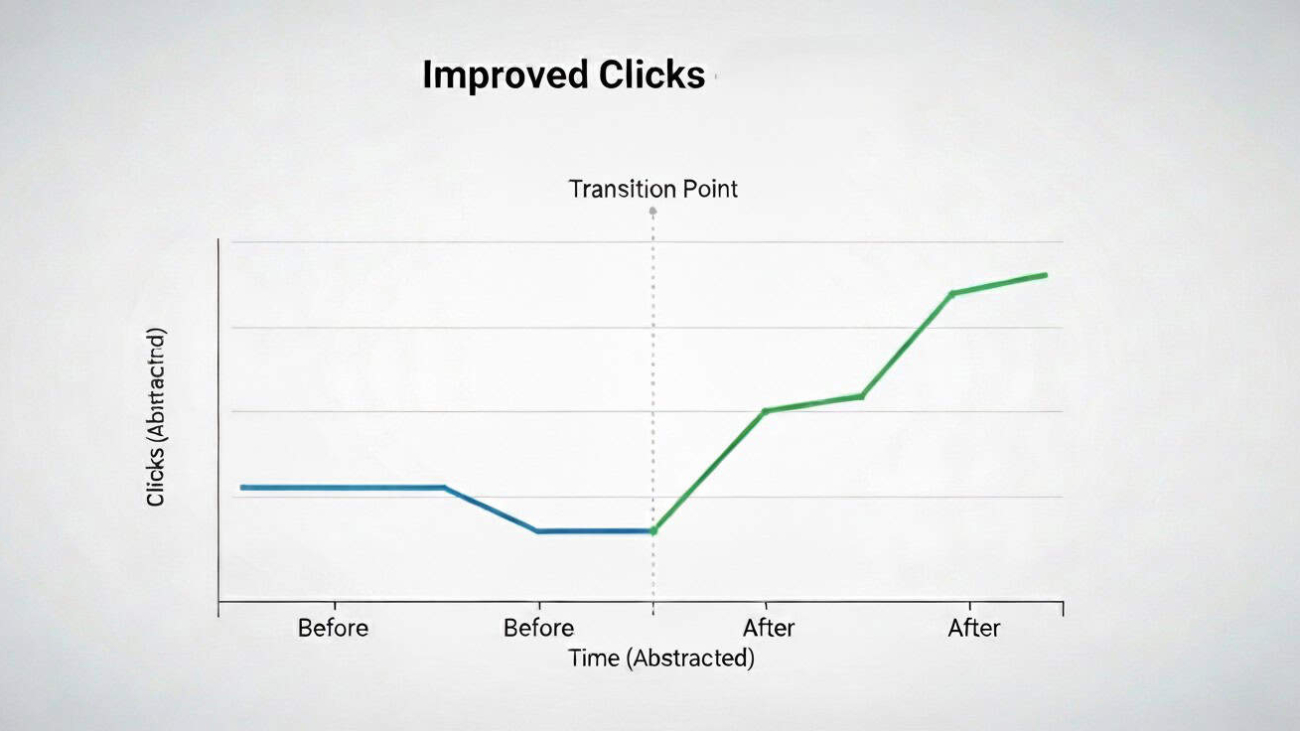
Graph showing improved site performance and conversion growth after regular WordPress maintenance

Maintenance is sometimes seen as a cost because the wins are subtle compared to a big redesign. The reality is that stable, fast websites convert more visitors and protect your marketing investment. Track the metrics that prove the value:

Uptime and response time


Consistent uptime close to 100% and steady server response times on mobile are the foundation for every campaign you run.

Core Web Vitals on mobile

Improved LCP, INP and CLS correlate with better engagement and lead volume. Small fixes compound across your traffic.

Error rates and support tickets

Fewer plugin conflicts and broken forms mean fewer lost enquiries and less internal time spent firefighting.

Organic performance

Fast, crawlable pages and a clean sitemap support SEO gains. Monitor Search Console for coverage issues and fix them before they escalate.

Conversion rate and revenue

Faster pages, clearer forms, and dependable checkout flows move the needle on the numbers that keep your business healthy.

What to Expect from a WordPress Support Team in Bradford

Local support matters when the site is core to your business. Being based in Bradford means quick workshops, fast responses during UK hours, and an understanding of regional priorities. For West Yorkshire organizations, on-site sessions help align marketing, content, and development so changes roll out smoothly. A good partner will document your stack, share a simple playbook for editors, and provide clear monthly reports that show the work completed, the issues prevented, and the results achieved.

A 30-Day WordPress Maintenance Plan to Take Control

Week 1: Technical audit and quick wins

Audit hosting, SSL, PHP version, plugins and backups. Fix obvious bottlenecks, set up monitoring and verify off-site backups with a test restore.

Week 2: Updates and performance

Create a staging site, run core and plugin updates, test critical journeys, then deploy. Optimise images on key templates and defer non-essential scripts.

Week 3: Security and workflows

Harden logins, enable two-factor authentication and tidy user roles. Document an update workflow with staging, testing and rollback steps.

Week 4: Reporting and roadmap

Benchmark Core Web Vitals, uptime and key conversions. Agree on a monthly cadence of updates, content checks and small improvements that keep your site ahead.

Maintenance That Prevents Crises (Real-World Examples)

Consider two common scenarios. A plugin update quietly breaks your enquiry form; with monitoring and test submissions in place, you fix it the same day instead of learning a week later that leads stopped arriving. Or a WooCommerce store sees a spike in cart abandonment; logs and performance traces reveal a slow payment script that only triggers on mobile. A quick rollback and script deferral restores conversion rate. These are routine wins when you treat maintenance as an ongoing practice.

Why Work with Techomatic WordPress Support Experts in Bradford

We look after WordPress and WooCommerce sites for Bradford and West Yorkshire businesses with care plans that focus on speed, security and stability. Our process combines staging-first updates, off-site backups, performance tuning, accessibility checks and friendly CMS support. Because we are local, we can meet near Leeds Bradford Airport to plan changes, train your team and respond quickly when you need a human being, not a ticket number.

Add Your Heading Text Here

Frequently asked questions

WordPress maintenance typically includes core updates, plugin and theme updates, security monitoring, malware scanning, daily backups, performance optimisation, uptime monitoring and technical support. A professional care plan ensures your site remains secure, fast and compatible with the latest WordPress releases.

WordPress core, plugin and theme updates should be checked weekly at minimum. Security updates should be applied immediately. Regular maintenance prevents compatibility issues, reduces vulnerabilities and keeps your site stable.

Regular maintenance improves site speed, reduces downtime and prevents technical errors. This supports Core Web Vitals, crawlability and overall search performance, helping your website rank more effectively in Google.

Costs vary depending on the size of the website, whether it includes WooCommerce, and the level of support required. A professional WordPress maintenance plan typically reflects the level of monitoring, response time and technical expertise provided.

Basic tasks such as minor content updates can be handled internally. However, security hardening, compatibility testing, performance optimisation and backup management are best managed by experienced WordPress professionals to reduce risk.

A brain on a laptop screen

Optimising for AI Overviews (SGE) in UK Search: What To Do Now

Optimising for AI Overviews (SGE) in UK Search: What To Do Now

AI Overviews in UK search results showing a generated summary panel above organic listings on Google


What Are AI Overviews, and How Do They Work in UK Search?

Google’s AI Overviews, sometimes called SGE (Search Generative Experience), change how people discover answers. Instead of a page of blue links, many searches now show a generated summary with cited sources. That summary can satisfy the query on the spot or nudge the user to click through to a trusted site. For a Bradford business competing across West Yorkshire and the wider UK, the implication is simple: earn a place as a cited source and give people a compelling reason to visit your page. This is not about gaming an algorithm. It is about writing genuinely helpful content, proving real expertise and presenting information in a format the AI can understand and trust.

Why AI Overviews Change the SEO Playbook

Although Google does not publish a checklist, consistent patterns have emerged. Pages that demonstrate experience, expertise, authoritativeness and trust (E-E-A-T) tend to surface more often. Clear topical focus helps: if your site is the go-to resource for WordPress performance or local SEO in Bradford, AI Overviews can recognise that specialism. Freshness matters for fast-moving topics. So does consensus: if your advice aligns with accepted best practice and you cite credible references where appropriate, you are easier to quote. Structure counts too. Content that uses plain headings, scannable sections, concise definitions, steps and FAQs is easier for machines to parse and summarise accurately.

How to Structure Content for AI-Generated Answers

Write answer-first paragraphs that define the topic in one or two sentences before expanding into detail. Use natural language questions as sub-headings and give clear, actionable replies straight away. If the query expects steps, present a clean, unambiguous sequence the AI can lift without distorting meaning. Where numbers matter—speeds, costs, timelines—state ranges you can stand behind and explain the assumptions. Weave in first-hand experience from real projects in Bradford, Leeds or the wider Yorkshire region to signal genuine expertise, not recycled theory. Avoid waffle and doorway text; every paragraph should help a human achieve a task, make a decision or avoid a mistake.

Entity-First SEO: Building Machine-Readable Authority

E-E-A-T is stronger when you prove you have done the work. Attribute key articles to real people with short bios that establish relevant background. Add dated case studies with goals, actions and outcomes, even if you obscure client names for confidentiality. Include before-and-after screenshots of PageSpeed Insights, Search Console graphs or WooCommerce results to ground claims in evidence. Offer downloadable checklists and templates you actually use. That combination of named author, dated updates and real-world artifacts gives AI systems and human readers the confidence to treat you as a reliable source.

Schema markup that helps machines understand you

Structured data does not guarantee inclusion, but it removes ambiguity. Use Organization or LocalBusiness to confirm your identity, location near Leeds Bradford Airport, and service areas across Bradford and West Yorkshire. Mark up services with Service schema so the scope of what you do is explicit. On how-to content, add HowTo where the page genuinely presents steps with clear materials and actions. Use FAQPage only when the questions and answers are visible on the page. BlogPosting or Article helps machines interpret datePublished, dateModified, author and headline. BreadcrumbList clarifies hierarchy so related pages cluster neatly around your topic. Keep the markup accurate and aligned with visible content; more types are not better, correctness is.

Structured SEO content with schema markup helping AI Overviews understand UK business websites

On-page formatting that surfaces the right snippets

Use a single H1 that states the topic in plain English, followed by short H2/H3 sections written as questions or action statements. Lead with a two or three sentence summary that could stand alone in an AI answer box, then go deeper with well-organised paragraphs. Provide a compact table of contents near the top for long guides to improve navigation and scannability. Caption important images so context is preserved when they are quoted. If you publish original data, include a short methodology block so journalists and algorithms know how you gathered it. Where appropriate, cite external sources with a link and the publication name to strengthen trust signals.

The Role of Structured Data in AI Visibility

Fast, stable pages increase the chance that a user who meets you via an AI Overview actually stays. Prioritise Core Web Vitals: keep Largest Contentful Paint under 2.5 seconds on mobile by preloading the hero image, serving modern formats like WebP and inlining critical CSS. Improve Interaction to Next Paint by trimming heavy scripts, deferring non-essential tags and calming down sliders. Prevent layout jumps by reserving space for banners and embeds. Keep your XML sitemaps tidy, avoid index bloat from faceted URLs, and make sure canonical tags point to the primary version of each page. A lean WordPress stack with measured use of plugins will make these goals easier to hit.


Optimising for Zero-Click and Assisted Click Search

AI Overviews can answer the basics, so give searchers a reason to click through. Offer depth that the summary cannot replicate: interactive tools, pricing calculators, comparison tables, downloadable checklists and Bradford-specific advice. If the overview quotes a definition from your page, the click-worthy hook might be the detailed implementation guide, a case study from a Yorkshire client or a free diagnostic template. Avoid clickbait; the promise in the search result should match what people see on arrival. Focus on one primary call to action per page and keep it visible without overwhelming the content.

Practical steps for WordPress and WooCommerce

Optimising WordPress and WooCommerce content structure to improve visibility in AI Overviews and UK search results

Choose an accessible, lightweight theme and keep your plugin list intentional. Add a proven SEO plugin for titles, metas and breadcrumbs, plus a focused schema tool that outputs clean JSON-LD without injecting unnecessary scripts. Use a caching layer and a CDN to reduce latency for UK visitors, and compress images at upload so authors cannot accidentally bloat pages. Build content templates for service pages, guides and case studies so every new piece ships with consistent headings, author info, updated dates, FAQs and internal links to related topics. This consistency helps both users and AI systems understand where each page fits.

Measurement that reflects reality

You will not find a neat “AI Overview” filter in most analytics dashboards, so measure the outcomes you can influence. Track impressions and click-through rates for your target topics in Search Console, watching for changes in the queries that commonly trigger overviews. Group your content into logical topic clusters and monitor organic entrances, scroll depth and lead events in GA4. Tag new content with datePublished and dateModified so you can correlate freshness with performance. When a page is cited yet underperforms, strengthen the hook above the fold, add a unique asset (such as a template or calculator) and improve internal links from related articles.

A 30-day plan to get moving

Week 1: Pick one high-value topic and audit the current top page. Tighten the summary, add author info, refresh examples with recent Bradford work and ensure headings answer clear questions.
Week 2: Add accurate schema, strengthen internal links from supporting articles and create a small downloadable asset that complements the page. Improve Core Web Vitals by optimising the hero image and deferring non-critical scripts.
Week 3: Publish a supporting case study or data snapshot that your main page can cite. Update the main page’s intro to reference the new asset.
Week 4: Review Search Console for impressions and CTR changes, refine titles and metas to better match intent, and plan the next page in the same topic cluster.

Why choose a Bradford-based partner

Being based in Bradford means we understand local search behaviour and the realities of serving West Yorkshire customers. We combine content strategy, technical SEO and WordPress development to produce pages that people trust and AI systems can promote with confidence. If you want to earn citations in AI Overviews and convert that visibility into enquiries, we can help you plan the topics, build the assets and measure the uplift—without drowning your team in complexity.

SGE, or Search Generative Experience, is Google’s AI-powered search feature. It changes how content is displayed by prioritising structured, authoritative and context-rich content rather than simply ranking blue links.

UK businesses should focus on structured data, strong internal linking, clear entity signals, expert-led content, and technically sound websites. Content should answer questions clearly and demonstrate credibility.

Yes. Schema markup such as FAQ, Article and LocalBusiness schema helps search engines better understand your content. While it does not guarantee inclusion, it improves clarity and semantic context.

Yes. Technical SEO, Core Web Vitals, mobile performance, and high-quality content remain fundamental. AI systems rely on strong SEO foundations to determine trustworthy sources.

Tracking tools are evolving, but businesses can monitor impression growth, branded search trends, and changes in click-through rates in Google Search Console to assess impact.

A tab and a woman holding a sign that says AD

First-Party Data Playbook: Consent, Email Capture and Better Conversions

First-Party Data Playbook: Consent, Email Capture and Better Conversions

First party data strategy showing consent banner email capture and analytics dashboard for UK businesses

Why First-Party Data Matters for UK Businesses in 2026

Third-party cookies are fading, ad costs keep rising and platforms change their rules overnight. First-party data—information a customer shares directly with you—gives UK businesses a more predictable way to acquire, nurture and convert leads. It is also better for trust: people know what they are signing up to, and you can tailor experiences without feeling invasive. For Bradford and West Yorkshire companies using WordPress or WooCommerce, a thoughtful first-party data strategy can lower your cost per acquisition while improving conversion rate and lifetime value.

Optimising for AI-Driven Search Visibility

What Counts as First-Party and Zero-Party Data: Explained

First-party data includes analytics events, purchase history, on-site behaviour, and details collected through forms. Zero-party data is information customers intentionally volunteer—preferences, budgets, timeframes, and content interests. Together, they power personalisation that feels helpful rather than pushy. The aim is simple: make it easy for people to share the right details at the right moment, and always give a clear reason why it benefits them.

UK Consent and GDPR Rules All Marketers Must Follow

Consent in the UK and EEA must be specific, informed and freely given. Your cookie banner should be easy to understand, offer equal acceptance and rejection options, and defer non-essential tags until consent is granted. Pair a certified CMP with Google Consent Mode so GA4 and advertising tags behave correctly. Keep your privacy policy plain-English and link it near every capture point—footer, forms and checkout. Good compliance builds trust and reduces friction; it is not just a legal box-tick.

GDPR compliant cookie consent banner helping UK websites collect first party data ethically and transparently

How to Build an Email List People Actually Want to Join

Offer something genuinely useful at the moment of intent. For a service business, this might be a short website performance audit, a buyer’s checklist, or a quarterly trends report tailored to your niche. For e-commerce, consider early access to new drops, back-in-stock alerts or loyalty points for sign-ups.

Keep forms lean. Ask for first name and email by default, then use progressive profiling later to learn industry, company size or budget range. Tell people what they will receive and how often; vague promises increase unsubscribes and spam complaints. Always send a welcome email within minutes that sets expectations and gives one clear next step—book a call, read a guide, or claim the offer you promised.

Optimising On-Site Email Capture That Respects Visitors

Position sign-up prompts where they add value rather than interrupt. In-line modules in article bodies convert well because the intent is high. Slide-ins triggered by scroll depth or exit intent are fine if they are restrained and accessible (keyboard operable, clear close button, no layout shift). For WooCommerce, capture email at the start of checkout with a “save my basket” prompt—this recovers abandoned carts without being intrusive.

Use micro-surveys to collect zero-party data in context. A two-question chooser on a service page—“What are you here to do today?” with options like “Redesign my website”, “Improve SEO” or “Get faster load times”—routes visitors to the right content while storing preferences for follow-up. Keep the questions optional and always show how the answers will personalise their experience.

*l

GA4, Consent Mode V2 and Cleaner Conversion Measurement

With Consent Mode configured, GA4 can model some behaviour when users decline analytics cookies, which preserves trend-level insight without tracking anyone who said no. Focus on events that signal commercial intent—lead form start and submit, add to basket, checkout step progression, file downloads and call clicks. Name events consistently so your CRM and ad platforms can understand them. If you have the resources, consider server-side tagging to reduce page bloat and improve data quality while staying privacy-first.

Consent Mode V2 implementation for UK SMEs

High converting email capture form designed to collect first party data and improve website conversions

How to Turn First-Party Data into Measurable Conversions

Create simple segments that match your buyer journey. New subscribers who viewed a service page but did not enquire need education; returning visitors who started a quote form need reassurance and social proof; customers who purchased once might respond to a maintenance plan or a time-boxed upgrade offer. Map one or two automated journeys per segment rather than trying to build a complex matrix on day one.

Write emails like a human from Bradford would speak: clear subject lines, short paragraphs, and one primary call to action. Use real case studies from Leeds, Bradford and wider Yorkshire to prove outcomes. If you share a guide, make it practical—checklists, before-and-after speed improvements, or screenshots of GA4 results. Add SMS or WhatsApp only where it genuinely helps (for example, appointment reminders), and always provide a frictionless opt-out.

Internal Linking Strategy that Scales

Personalisation With First-Party Data That Feels Helpful

Use zero-party preferences to tailor recommendations and content blocks on your website. If someone selects “Improve SEO”, prioritise internal links to your SEO services, show a relevant testimonial and offer a short audit call. For WooCommerce, surface the right size guide or compatibility chart based on previous browsing. Keep personalisation rule-based and transparent; customers should understand why they are seeing something.

Why Conversion Rate Optimisation and First-Party Data Work Together

CRO gives you the context to use first-party data wisely. Heatmaps and session replays (enabled only with consent) show where forms confuse users. A/B tests prove whether a two-step form outperforms a single long form. Use what you learn to refine capture points, shorten copy, and reposition proof. Even small improvements—a clearer headline on your enquiry page, or a shorter form with progressive profiling—can lift conversion rate by double digits, which compounds the value of every visitor you attract through SEO and digital PR.

Analytics dashboard tracking first party data growth email capture performance and improved website conversions

User Engagement Tactics for SEO

How to Keep Your First-Party Data Clean and Connected

Messy data kills momentum. Standardise field names—first_name, company, phone—so your CRM, email platform and GA4 speak the same language. Deduplicate regularly and set rules for role-based emails. Tag consent source and timestamp for each subscriber so you can evidence permission if asked. If you move platforms, migrate tags and segments alongside contacts so you do not lose the intelligence you have gathered.

Structured data implementation for UK businesses

Your Practical 30-Day First-Party Data Action Plan

Week 1: Audit consent, cookie banner behaviour and privacy policy. Fix anything ambiguous. Define one high-value offer for sign-ups and create a lean form.
Week 2: Configure Consent Mode and GA4 events for enquiries, downloads and calls. Add a welcome email that clearly sets expectations and offers one useful resource.
Week 3: Add an in-line capture module to two high-traffic pages and a subtle exit-intent prompt on your enquiry page. Launch a two-question micro-survey on one key service page.
Week 4: Build two simple segments and one automation each. Example: “New subscriber viewed SEO page, no enquiry” → three-email education sequence with a case study from a Yorkshire client and a soft consultation offer.

Measure results weekly and iterate. If opt-in rates are low, improve the offer, headline and placement. If welcome email clicks are weak, simplify the call to action. If enquiries rise but quality drops, tweak the form questions to better qualify leads.

Why Choose a Bradford-Based First-Party Data & Conversion Team

First-party data works best when it reflects local audiences and real buyer questions. Because we are based in Bradford, we can run quick workshops with your team, build compliant capture flows, connect GA4 and your CRM, and craft emails that sound like your brand. We will leave you with a straightforward playbook and dashboards that show how consent, capture and conversion fit together—so you can scale confidently without relying on third-party cookies.

First-party data is information you collect directly from your own website, customers and marketing channels. This includes email sign-ups, purchase history, contact form submissions, user behaviour and survey responses. Because it is gathered with user consent, it is more accurate, privacy-compliant and valuable than third-party data. It forms the foundation of sustainable, privacy-first digital marketing strategies.

Consent Mode V2 allows Google Analytics 4 to adjust tracking behaviour based on user consent choices. When consent is declined, Google uses modelling to estimate conversions rather than tracking users directly. For UK businesses, correct Consent Mode implementation helps maintain data accuracy while remaining compliant with GDPR and UK privacy regulations.

Yes, email capture remains one of the most reliable digital marketing channels. When paired with clear value exchange, proper consent and segmentation, email marketing consistently delivers strong return on investment. The key is offering relevant incentives, respecting privacy preferences and using first-party data to personalise messaging rather than relying on generic broadcasts.

First-party data does not directly influence search rankings, but it improves the signals that do. Better segmentation leads to more relevant content, stronger engagement, lower bounce rates and improved return visits. These behavioural signals, combined with better targeting and personalisation, can positively influence overall SEO performance.

The first step is auditing how your website currently collects consent and captures user information. Review your cookie banner, email forms and tracking setup to ensure they are compliant and optimised. From there, define clear goals such as lead generation, retention or revenue growth, then connect GA4 and email platforms for measurable tracking.