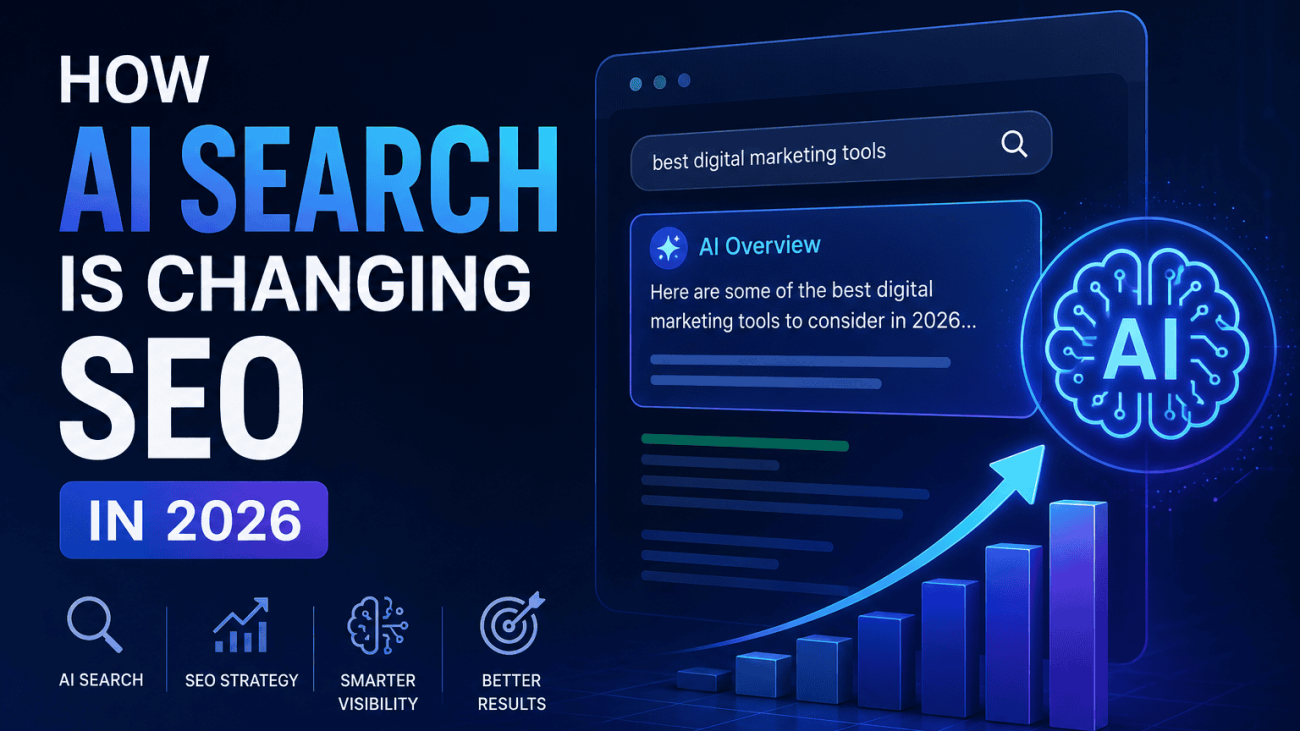
How AI Search Is Changing SEO in 2026
Table of Contents
For more than two decades, SEO has largely been about helping search engines discover, understand and rank webpages. While Google’s algorithms have evolved through countless updates, the underlying principle remained the same: users searched, search engines returned a list of results, and websites competed for clicks.
In 2026, that model is changing.
AI-powered search experiences are becoming a standard part of how people discover information. Rather than presenting only a list of webpages, search engines can now generate summaries, answer complex questions, compare products and provide recommendations before a user visits a website. Features such as AI Overviews, conversational search and follow-up prompts are changing the journey from query to answer.
This doesn’t mean SEO is disappearing. It means the role of SEO is evolving.
Instead of optimising purely for rankings, businesses increasingly need to optimise for understanding. Search engines and AI systems are looking beyond keywords to identify trustworthy sources, connect related topics and extract information that can be confidently included in generated answers. A page that ranks well but lacks clarity, originality or structured information may be less valuable than one that clearly demonstrates expertise and provides machine-readable context.
For SEO professionals, agencies and business owners, the challenge is no longer simply asking, “How do I rank number one?” It’s also asking, “How do I become a source that AI systems choose to reference?”
This article explores how AI search is reshaping SEO in 2026, what principles still matter, what has genuinely changed, and the practical steps you can take to ensure your website remains visible as search continues to evolve.

Search Has Become Answer First
One of the biggest changes to search in 2026 isn’t necessarily how people search—it’s what they receive in response.
For years, search engines primarily acted as directories. A user entered a query, received a list of webpages and decided which result was most likely to contain the answer. Success for SEO was measured largely by earning a prominent position within those results.
Today’s AI-powered search experiences increasingly skip that intermediate step.
Instead of presenting ten blue links and expecting users to do the research themselves, AI systems can analyse multiple sources, extract the most relevant information and generate a single, conversational response. Whether someone is comparing software, researching a service or asking a technical question, the search engine can often provide a complete answer before a single website is visited.
This shift also changes the nature of search itself. Rather than refining keywords through multiple searches, users are asking longer, more natural questions and continuing the conversation with follow-up prompts. Someone who begins by searching for “How does AI search affect SEO?” may immediately ask “How should a local business adapt?” or “Does schema markup make a difference?” without starting a new search. Search is becoming an ongoing dialogue instead of a series of isolated queries.
For website owners, this means competing for visibility within AI-generated answers as well as traditional rankings. Pages that clearly explain concepts, answer related questions and provide well-structured information are more likely to contribute to these responses than pages designed solely around exact-match keywords.
The result is that many informational searches now end without a click. Users can often find definitions, summaries, comparisons and basic explanations directly within the search experience. While this may reduce traffic for some types of content, it also raises the value of publishing information that goes beyond what AI can easily summarise. Original research, expert analysis, practical experience and unique insights remain strong reasons for users—and AI systems—to reference your content.
SEO has therefore become less about simply attracting clicks and more about becoming a trusted source of information. The websites that consistently demonstrate expertise, structure their content logically and provide genuinely useful knowledge are increasingly the ones AI systems rely on when generating answers.
Traditional Rankings Still Matter
Despite the rapid rise of AI-powered search, traditional rankings remain a fundamental part of SEO. AI hasn’t replaced search engines—it has changed how they use the information they discover.
Before an AI system can summarise, compare or recommend content, it first needs reliable sources to retrieve. That process still depends on the foundations of SEO: crawling, indexing and ranking webpages. If your content isn’t discoverable through traditional search, it’s unlikely to become part of an AI-generated answer.
Authority continues to play a significant role. Search engines have spent years refining their ability to identify trustworthy websites, recognise subject matter expertise and evaluate the quality of information. These signals don’t disappear simply because an answer is generated by AI. Instead, they help determine which sources the AI is most likely to trust and reference.
This is why established SEO practices remain as important as ever. A technically sound website with fast loading pages, clean site architecture, logical internal linking and strong indexability provides search engines with the confidence to crawl and understand its content efficiently. AI systems benefit from this same clarity because they rely on structured, accessible information when retrieving knowledge.
It’s also important to remember that AI-generated answers rarely exist in isolation. Users can still click through to cited sources, explore related webpages and continue their research using traditional search results. For commercial, transactional and highly specialised queries, standard rankings continue to drive a significant proportion of website traffic.
Rather than replacing rankings, AI adds another layer to the search ecosystem. The websites most likely to earn visibility in AI-generated responses are often those that already demonstrate strong technical SEO, topical authority and high-quality content. Businesses that neglect these fundamentals risk becoming less visible across both traditional search results and AI experiences.
The takeaway is clear: AI changes how users discover information, but it doesn’t remove the need for well-optimised websites. Technical SEO, authoritative content and strong search visibility remain the foundations upon which AI search is built.

Why Original Information Matters More Than Ever
As AI search becomes better at understanding and summarising information, simply publishing content that repeats what already exists offers diminishing value. If dozens of websites say the same thing using slightly different wording, AI systems have little incentive to reference any one of them.
Original information has become a competitive advantage.
This doesn’t necessarily mean conducting large-scale academic research or publishing industry reports. Originality can come from practical experience, proprietary data or insights that only your business can provide. For example, an SEO agency might publish findings from analysing hundreds of client websites, while an e-commerce retailer could share sales trends or customer behaviour data collected over several years. This type of information cannot be copied directly from another source because it originates from real-world experience.
First-hand expertise also carries increasing weight. Articles written by people who actively work in a field often contain practical observations, examples and lessons that generic content cannot replicate. Explaining how a technical issue was solved, documenting the results of a website migration or sharing the outcome of an SEO experiment adds depth that AI-generated summaries alone cannot create.
Original research and unique statistics can further strengthen a website’s authority. Even small datasets, when collected responsibly and presented transparently, provide new information for search engines, journalists and AI systems to reference. Businesses that regularly publish surveys, benchmarking reports or case studies are creating assets that other websites are far more likely to cite than another general guide.
Expert commentary is equally valuable. AI can summarise facts, but it cannot replace informed opinions based on years of experience. Analysing industry changes, explaining why certain strategies succeeded or failed, or offering evidence-based predictions gives readers something they cannot obtain from a simple AI-generated answer.
Proprietary tools also help create information that is difficult to replicate. Free calculators, schema generators, auditing tools and interactive resources often produce unique outputs based on a user’s input, encouraging engagement while generating data and insights that generic articles cannot provide. These tools establish a website as a practical resource rather than simply another publisher of content.
This is where businesses have an opportunity. Every organisation has knowledge that competitors don’t possess, whether it’s customer insights, operational experience, product expertise or industry observations. Turning that knowledge into useful content creates genuine value for readers and gives AI systems a stronger reason to reference your website.
The future of SEO is becoming less about publishing more content and more about publishing content that only you can create. As AI becomes increasingly capable of summarising existing information, originality, expertise and first-hand experience are likely to become some of the strongest signals separating authoritative websites from those that simply repeat what’s already available.

How to Write Good Alt Text
Writing effective alt text isn’t about finding the perfect formula or squeezing in as many keywords as possible. It’s about providing enough information for someone who can’t see the image to understand its purpose while also giving search engines useful context.
The best alt text feels natural because it describes what actually matters in the image and how that image relates to the surrounding content.
Describe What Matters
Not every detail in an image is equally important. Focus on the information that supports the page’s purpose rather than trying to describe every visible element.
For example, if you’re writing a blog about electric vehicles, an image of a charging point doesn’t need to describe the weather, nearby buildings or the colour of the pavement.
Poor
alt=”Car parked outside on a sunny day”
Better
alt=”Electric vehicle charging at a public rapid charging station”
The second example describes the subject that is relevant to the article rather than unnecessary background details.
Write Naturally
Alt text should read like a short sentence written for a person. Avoid awkward keyword repetition or unnatural phrasing simply because you’re trying to optimise for SEO.
Poor
alt=”SEO agency SEO services SEO company digital marketing”
Better
alt=”Digital marketing team reviewing SEO performance in Google Analytics”
The improved version is easier for users to understand while still providing relevant context for search engines.
Keep It Concise
Most images can be described clearly in one short sentence. While there is no official character limit, concise descriptions are generally easier for screen reader users and more effective than lengthy explanations.
Aim to include the important information without turning the alt text into a paragraph.
Poor
alt=”A man wearing a blue shirt standing in a large office with several computer monitors, white desks, plants in the background and a large window overlooking the city while discussing website performance with colleagues.”
Better
alt=”SEO consultant reviewing website performance with colleagues”
The shorter version communicates the image’s purpose without unnecessary detail.
Include Keywords Only When They’re Relevant
If your target keyword genuinely describes the image, include it naturally. If it doesn’t, leave it out.
Forcing keywords into every image can reduce accessibility and offers little SEO benefit.
Imagine you’re writing an article targeting image alt text.
If the image shows HTML code, this works well:
Good
alt=”Example of HTML image alt text in a webpage”
However, using the keyword on an unrelated image makes little sense.
Poor
alt=”Image alt text SEO laptop coffee office digital marketing”
Keywords should support the description, not dominate it.
Avoid Starting with “Image of” or “Picture of”
Screen readers already announce that an element is an image, so phrases such as “image of” or “picture of” usually repeat information the user already knows.
Instead, begin directly with the subject.
Poor
alt=”Image of a mountain bike on a woodland trail”
Better
alt=”Full-suspension mountain bike on a woodland trail”
This creates a cleaner experience for assistive technology users while making the description more concise.
Consider the Page Context
The same image may require different alt text depending on the page where it appears.
Imagine using the same photograph of a mountain bike:
On a product page:
alt=”Carbon fibre trail mountain bike with 160 mm suspension”
On a travel guide:
alt=”Mountain bike riding through Dalby Forest trail centre”
On a maintenance article:
alt=”Rear mountain bike suspension linkage requiring lubrication”
The image hasn’t changed, but its purpose has. Effective alt text describes the role the image plays within the page, not just what it physically contains.
Good vs Bad Alt Text Examples
Image | Poor Alt Text | Better Alt Text |
Product photo | alt=”product” | alt=”Stainless steel insulated water bottle with bamboo lid” |
Team photo | alt=”staff” | alt=”Digital marketing team discussing campaign performance” |
Blog illustration | alt=”SEO SEO SEO image optimisation” | alt=”Diagram showing how search engines interpret image alt text” |
Ecommerce image | alt=”IMG_2456″ | alt=”Grey fabric corner sofa with oak legs” |
Local business | alt=”Building” | alt=”Front entrance of a dental practice in Leeds” |
A Simple Rule to Remember
Before publishing an image, ask yourself one question:
“If someone couldn’t see this image, would this description help them understand why it’s here?”
If the answer is yes, you’ve probably written good alt text.
By focusing on clarity, relevance and accessibility first, you’ll naturally produce alt text that also supports SEO. That’s because modern search engines reward content that genuinely helps users understand a page—not content that simply repeats keywords.
When Images Should Not Have Alt Text
One of the most common misconceptions about accessibility is that every image needs descriptive alt text. In reality, some images should have no descriptive alt text at all. Knowing the difference is just as important as knowing how to write good descriptions.
If an image doesn’t add information, provide meaning or help users understand the content, it usually shouldn’t be described. Instead, it should use an empty alt attribute (alt=””), allowing screen readers to ignore it completely.
Decorative Images
Decorative images exist purely to improve the visual appearance of a page. They don’t contribute any information that a visitor would miss if the image disappeared.
Examples include:
- Background textures
- Abstract design elements
- Decorative icons
- Dividers
- Shadows and flourishes
- Hero background graphics that don’t convey information
These images should use an empty alt attribute:
<img src=”blue-wave-background.svg” alt=””>
This tells assistive technologies that the image can safely be skipped, making the browsing experience cleaner and less distracting.
Spacer Images
Although spacer images were once commonly used for page layouts, modern websites should achieve spacing using CSS instead.
If you’re maintaining an older website that still uses transparent GIFs or similar spacer images, they should also use an empty alt attribute.
For example:
<img src=”spacer.gif” alt=””>
Without an empty alt attribute, screen readers may announce unnecessary elements, interrupting the user’s flow through the page.
Purely Stylistic Graphics
Many websites include graphics that reinforce branding or visual design without adding meaningful content.
Examples include:
- Decorative arrows
- Background patterns
- Animated shapes
- Colour accents
- Non-informative illustrations
If removing the image wouldn’t change the user’s understanding of the page, it should generally be treated as decorative.
For example, a decorative arrow beside a heading doesn’t need:
alt=”Blue arrow”
Instead:
alt=””
The user already understands the heading without needing the arrow described.
Understanding: alt=””
An empty alt attribute is not the same as omitting the alt attribute altogether.
This distinction is important.
Correct
<img src=”background-pattern.svg” alt=””>
This explicitly tells screen readers to ignore the image.
Incorrect
<img src=”background-pattern.svg”>
When the alt attribute is missing entirely, assistive technologies may attempt to interpret the image, announce its filename or indicate that an unlabeled image exists. This creates unnecessary noise for users relying on screen readers.
A Simple Decision Framework
When adding an image to a page, ask yourself these questions:
- Does this image communicate information that isn’t already available in nearby text?
- Yes: Write descriptive alt text.
- No: Continue.
- Is the image purely decorative or used only for layout or styling?
- Yes: Use alt=””.
- No: Continue.
- Would someone using a screen reader miss important information if this image wasn’t described?
- Yes: Write meaningful alt text.
- No: Use alt=””.
Making this distinction keeps websites more accessible, reduces unnecessary interruptions for screen reader users and aligns with both accessibility standards and Google’s guidance. The goal isn’t to describe every image—it’s to describe every image that matters.

Common Alt Text Mistakes
Writing alt text is relatively straightforward once you understand its purpose, yet many websites still make the same mistakes. Some reduce accessibility for users, while others provide little or no SEO value. Fortunately, they’re also some of the easiest issues to identify and fix during a website audit.
Keyword Stuffing
One of the oldest SEO habits is cramming as many keywords as possible into the alt attribute.
For example:
Poor
alt=”SEO agency SEO company SEO services digital marketing website design Leeds”
This doesn’t accurately describe an image and creates a poor experience for screen reader users.
A better approach is to describe the image naturally.
Better
alt=”Digital marketing team reviewing SEO campaign performance”
If your target keyword genuinely fits the image, include it once. If it doesn’t, don’t force it.
Repeating Page Titles
Some content management systems automatically populate alt text using the page title or product title. While this may seem convenient, it often results in descriptions that tell users nothing about the image itself.
Imagine a page titled:
How to Write Image Alt Text
Every image on the page doesn’t need:
alt=”How to Write Image Alt Text”
Instead, describe what each individual image shows.
For example:
alt=”Diagram explaining how search engines interpret image alt text”
The page title already tells users what the article is about. The alt text should explain the image.
Using Generic Descriptions
Descriptions such as:
- image
- photo
- graphic
- picture
- logo
provide almost no useful information.
Imagine browsing an ecommerce website using a screen reader and hearing:
“Image.”
That tells the user nothing.
Instead, write descriptions that communicate meaningful information.
Poor
alt=”Product”
Better
alt=”Black leather office chair with adjustable headrest”
Specific descriptions help both users and search engines understand the content.
Missing Alt Text
A missing alt attribute is different from an empty one.
For informative images, leaving the attribute out entirely can cause assistive technologies to announce filenames or simply identify the image as unlabeled.
Incorrect:
<img src=”team-photo.jpg”>
Correct:
<img src=”team-photo.jpg” alt=”Customer support team answering calls in the office”>
For decorative images, the correct approach is:
<img src=”background-shape.svg” alt=””>
Always include the alt attribute, even if it’s intentionally empty.
Writing Essays
Alt text should describe an image—not tell the entire story behind it.
Some AI tools and accessibility plugins generate descriptions that are far longer than necessary.
For example:
Poor
alt=”A woman sitting at a large oak desk in a modern office with several computer monitors, notebooks, coffee cups, indoor plants, colleagues working in the background and large windows allowing natural light into the building while discussing quarterly marketing performance.”
Most of this detail isn’t needed.
A more effective description would be:
alt=”Marketing manager reviewing quarterly performance with colleagues”
Concise descriptions are easier for screen reader users to understand while still providing useful context.
Copying Filenames
Many websites accidentally use image filenames as alt text, particularly after automated imports or CMS migrations.
Examples include:
alt=”IMG_4827.jpg”
or
alt=”stock-photo-final-v4.webp”
These filenames make sense to computers but not to people.
A descriptive alternative would be:
alt=”Solar panels installed on the roof of a detached house”
Even if you use descriptive filenames for SEO, they should never replace meaningful alt text.
A Quick Self-Check Before Publishing
Before uploading an image, ask yourself five simple questions:
- Does the alt text accurately describe the image?
- Would someone using a screen reader understand why the image is included?
- Is the description concise and natural?
- Have I avoided unnecessary keyword repetition?
- Does the description add information rather than repeat nearby text?
If you can answer yes to all five, your alt text is likely serving both accessibility and SEO effectively.
The goal isn’t to optimise every image for search engines. It’s to make every meaningful image understandable for users. When you achieve that, you’re also giving search engines the context they need to interpret your visual content more accurately.
Can AI Write Alt Text?
AI has become remarkably good at recognising the contents of images. Modern image recognition models can identify people, objects, locations, products and even text within images, making them an attractive option for generating alt text at scale.
For organisations managing thousands of images, AI can significantly reduce the time required to create descriptions. However, while AI is an excellent starting point, it should rarely be considered the final version. Effective alt text depends not only on recognising what’s in an image but also on understanding why that image appears on a particular page.
Where AI Performs Well
For many websites, AI can improve accessibility simply by replacing missing alt text with descriptive alternatives. This is particularly useful for large ecommerce catalogues, media libraries and websites containing thousands of existing images.
Some of AI’s biggest advantages include:
- Speed – AI can generate descriptions for thousands of images in minutes rather than weeks.
- Consistency – It applies the same formatting and writing style across large collections of images.
- Scalability – Large ecommerce stores, publishers and enterprise websites can audit and improve vast image libraries much more efficiently.
- Good object recognition – Modern AI models are increasingly accurate at identifying common products, animals, buildings, landscapes and everyday scenes.
For organisations that previously had no alt text at all, AI can represent a significant improvement over leaving images undescribed.
Where AI Falls Short
Despite rapid improvements, AI still lacks one important advantage that humans have: context.
An AI model may correctly identify what appears in an image without understanding why it matters within the page.
For example, imagine the same photograph of a laptop.
An AI tool might generate:
“Person using a laptop at a desk.”
Technically, that’s accurate.
However, depending on the page, a human might write:
- SEO consultant analysing Google Search Console performance
- Customer completing an online insurance application
- Developer testing website accessibility
- Student attending an online coding course
The image hasn’t changed, but its purpose has. Understanding that purpose requires knowledge of the surrounding content, which AI doesn’t always interpret correctly.
Generic Descriptions
AI-generated alt text often plays it safe by producing broad descriptions.
For example:
“Person smiling indoors.”
or
“Building with windows.”
While technically correct, descriptions like these rarely provide enough context to help users fully understand the image or support the topic of the page.
Human editors can add the specificity that AI frequently misses.
Accessibility Considerations
Accessibility isn’t simply about describing visible objects.
Good alt text communicates the information that someone would miss if they couldn’t see the image.
For example, a graph showing website traffic growth shouldn’t receive:
“Blue line chart.”
A better description might be:
“Line chart showing a 42% increase in organic traffic over six months.”
Likewise, a product image may need to highlight a feature that matters to the customer rather than simply listing visible objects.
This ability to identify the most important information is something AI still struggles with in many situations.
Specialist and Technical Content
AI also finds specialist industries more challenging.
An industrial engineer may immediately recognise a pressure vessel component, while an AI model might simply describe it as:
“Large metal bowl.”
Likewise, legal diagrams, medical illustrations, engineering drawings and scientific imagery often require terminology that general-purpose AI models cannot consistently identify.
In these cases, human expertise remains essential.
The Best Approach Is AI-Assisted, Human-Reviewed
Rather than choosing between AI and manual writing, most organisations will benefit from combining both.
A practical workflow looks like this:
- Generate an initial description using AI.
- Review it alongside the surrounding page content.
- Check that it accurately reflects the purpose of the image.
- Remove unnecessary wording.
- Add relevant context where appropriate.
This approach delivers much of AI’s speed while maintaining the quality expected for accessibility and SEO.
The Bottom Line
AI is an excellent tool for generating first drafts of alt text, especially for large websites with thousands of images. It can improve consistency, reduce workload and help identify images that currently have no descriptions at all.
However, AI cannot reliably understand editorial intent, business context or the specific reason an image appears on a page. Human review remains essential to ensure alt text is accurate, meaningful and genuinely useful for people using assistive technologies.
The most effective alt text is rarely written by AI alone. It’s created through a combination of automated assistance and human judgement, producing descriptions that serve users first while also giving search engines clearer, more reliable information about your visual content.

How to Audit Your Website’s Alt Text
Writing good alt text for new content is important, but many websites already contain hundreds or even thousands of existing images. Over time, it’s common for alt text to become inconsistent, duplicated or missing altogether, particularly after website redesigns, CMS migrations or bulk product imports.
A structured audit helps you identify the most significant issues first, allowing you to improve both accessibility and image SEO without manually checking every page.
1. Crawl Your Website
The first step is to crawl your website and extract information about every image.
Most website crawlers can identify:
- Images missing an alt attribute
- Empty alt attributes
- Duplicate alt text
- Image filenames
- Image locations
- Page URLs
This gives you a complete inventory of image accessibility issues across the site and highlights pages that require further review.
2. Identify Missing Alt Text
Missing alt text is usually the highest-priority issue, particularly for informative images.
Review each missing attribute individually and ask:
- Is this image informative?
- Does it add meaning to the page?
- Would someone using a screen reader miss important information if it wasn’t described?
If the answer is yes, write descriptive alt text.
If the image is purely decorative, add an empty attribute (alt=””) instead of leaving the attribute out completely.
3. Look for Duplicate Alt Text
Duplicate alt text often appears after bulk imports or when content management systems automatically reuse product names or page titles.
For example, you might discover dozens of images using identical descriptions such as:
“Product image”
or
“Company logo”
Some duplication is perfectly acceptable—for example, the same logo appearing across multiple pages. However, informative images should usually have descriptions that reflect their individual purpose within each page.
Large numbers of duplicated descriptions are often a sign that alt text has been generated automatically rather than written with context in mind.
4. Check for Keyword Stuffing
Older websites sometimes contain alt text written purely for SEO rather than accessibility.
Look for descriptions that:
- Repeat keywords multiple times
- List services instead of describing images
- Contain unnaturally long strings of keywords
- Don’t accurately reflect what the image shows
If the description sounds awkward when read aloud, it’s probably trying too hard to target search engines instead of helping users.
Modern SEO rewards natural, descriptive alt text far more than keyword repetition.
5. Prioritise Your Most Important Pages
Not every image needs immediate attention.
Start with the pages that have the greatest impact on your business, such as:
- Homepage
- Service pages
- Product pages
- Category pages
- Landing pages
- High-traffic blog posts
Improving alt text on these pages is likely to deliver the greatest accessibility and SEO benefits before expanding your audit across the rest of the site.
Use an Automated Checker to Speed Up the Process
Manually reviewing every image quickly becomes impractical on larger websites. An automated auditing tool can identify missing, duplicated and potentially problematic alt text in minutes, allowing you to focus your time on improving descriptions rather than searching for issues.
The Techomatic Image Alt Text Checker scans your pages and highlights common problems, making it easier to prioritise fixes and maintain consistent image optimisation across your website. Whether you’re auditing a small business website or a large ecommerce catalogue, it provides a fast starting point for improving both accessibility and image SEO.
Make Alt Text Audits Part of Your Regular SEO Reviews
Alt text shouldn’t be treated as a one-off optimisation. New images are uploaded regularly, products change and content evolves, creating new opportunities for missing or inconsistent descriptions.
Including image accessibility within your routine technical SEO audits helps ensure new issues are identified early. Over time, these small improvements contribute to a more accessible website, clearer signals for search engines and a better experience for every visitor.

Final Thoughts
Writing effective image alt text isn’t about finding another place to insert keywords or trying to manipulate search rankings. Its primary purpose is, and always has been, to help people understand visual content when they can’t see it. When you focus on describing images clearly, accurately and in context, you’re creating a more accessible website for everyone.
Fortunately, this user-first approach also aligns with modern SEO. Search engines have become increasingly sophisticated at interpreting images, but they still rely on descriptive signals to understand how visual content relates to the rest of a page. Well-written alt text, combined with relevant headings, surrounding copy, descriptive filenames and structured data, helps reinforce that understanding.
Rather than treating alt text as a standalone SEO tactic, think of it as part of a wider strategy for creating high-quality, accessible content. Every meaningful image should contribute to the page, every description should add value and every optimisation should make the experience better for real users.
If you’d like to identify missing, duplicated or poorly written alt text across your website, try the Techomatic Image Alt Text Checker. It quickly audits your pages, highlights common issues and helps you prioritise improvements, making it easier to strengthen both your website’s accessibility and its image SEO.
Free SEO Tools
Check out the Techomatic SEO XML Sitemap Generator tool: it’s free!