A modern illustration of a robots.txt file being analysed by a search engine crawler, showing how crawl directives influence website crawling, indexing and technical SEO best practices. Ideal for an article explaining what a robots.txt file is, how it affects SEO, and how to manage search engine bots effectively.

What is a Robots.txt File and How Does It Affect SEO?

What is a Robots.txt File and How Does It Affect SEO?

Table of Contents

A robots.txt file is one of the first things search engine crawlers look for when they visit your website, yet it’s also one of the most misunderstood parts of technical SEO. Many website owners assume it controls whether pages appear in Google, improves rankings, or hides content from search engines. In reality, its role is much more specific—and understanding that role can help you avoid technical mistakes that limit your site’s visibility.

Rather than influencing rankings directly, a robots.txt file tells compliant search engine crawlers which areas of your website they can and cannot crawl. Used correctly, it helps search engines spend more time discovering your valuable content instead of wasting resources on low-priority pages, duplicate content or system files. Used incorrectly, however, it can prevent important pages and resources from being crawled, leading to indexing problems and lost organic traffic.

For most small websites, robots.txt is a straightforward file that requires very few rules. As websites grow larger and more complex, though, it becomes an increasingly important part of technical SEO, helping manage crawl efficiency and ensuring search engines focus on the pages that matter most.

In this guide, we’ll explain exactly what a robots.txt file is, how search engines use it, where it genuinely affects SEO, the common mistakes to avoid, and how to create a robots.txt file that supports your website rather than holding it back.

A clean technical SEO illustration showing a robots.txt file directing search engine crawlers which parts of a website can and cannot be crawled. The graphic highlights allowed and blocked content, sitemap discovery, crawl efficiency and best practices for managing website crawling to support SEO.

What Is a Robots.txt File?

A robots.txt file is a simple plain text file that sits in the root directory of your website and provides instructions to search engine crawlers about which areas of your site they should or should not crawl. When a crawler such as Googlebot visits your domain, one of its first actions is to check whether a robots.txt file exists before beginning to crawl the rest of the website.

You’ll typically find the file at:

https://www.yourwebsite.com/robots.txt

The file follows the Robots Exclusion Protocol (REP), an internet standard used by major search engines including Google and Bing. Within the file, you can define rules for specific crawlers or apply instructions to all search engine bots using simple directives.

A basic robots.txt file might look like this:

User-agent: *
Disallow: /admin/

Sitemap: https://www.example.com/sitemap.xml

In this example:

  • User-agent: * applies the rule to all search engine crawlers.

  • Disallow: /admin/ tells crawlers not to crawl the website’s admin area.

  • Sitemap: points search engines to the XML sitemap, making it easier to discover important pages.

It’s important to understand that a robots.txt file controls crawling, not indexing. Preventing a page from being crawled does not automatically stop it appearing in search results if Google discovers the URL through links from other websites or pages. We’ll explore this distinction in more detail later in the article.

For most websites, a robots.txt file only needs a handful of carefully considered rules. In fact, overly complex or restrictive files are often responsible for technical SEO issues that prevent valuable content from being crawled efficiently. The goal is not to block as much as possible, but to help search engines spend their crawl resources on the pages that provide the most value to users.

How Search Engines Use Robots.txt

Every time a search engine crawler visits your website, it follows a structured process designed to discover, understand and organise your content efficiently. The robots.txt file plays an important role early in that process by providing instructions about which areas of the site are available for crawling.

Although the exact behaviour varies slightly between search engines, the process generally follows the same sequence:

1. The crawler visits your domain

When Googlebot or another search engine crawler arrives at your website, it first checks whether the domain is accessible and then looks for a robots.txt file in the root directory.

2. The robots.txt file is read

If a robots.txt file exists, the crawler reads its directives before requesting additional pages. These rules tell the crawler which sections of the website it is allowed to access and which should be avoided.

If no robots.txt file is present, search engines generally assume they have permission to crawl the entire website unless instructed otherwise through other methods.

3. Crawl permissions are applied

The crawler compares the URL it wants to visit against the rules defined in the file. Depending on the instructions, it will either continue crawling the page or skip it.

For example, a rule blocking /admin/ means the crawler should avoid requesting any URLs within that directory, while leaving the rest of the site available to crawl.

4. Allowed pages are crawled

Once permissions have been established, the crawler downloads the HTML of permitted pages, along with any crawlable resources such as images, CSS and JavaScript. This allows search engines to understand how the page is structured, rendered and connected to the rest of the website.

5. New links are discovered

As pages are crawled, search engines follow internal links to discover additional content. This is one reason why a logical internal linking structure is so important—it helps search engines find and revisit valuable pages more efficiently.

Many websites also include the location of their XML sitemap within the robots.txt file, giving search engines another route to discover important URLs.

6. Indexing happens separately

After a page has been crawled, search engines decide whether it should be added to their index. This decision depends on many factors, including the page’s content, quality, technical signals and indexing directives.

This is where one of the biggest misconceptions about robots.txt arises. Because crawling and indexing are separate processes, blocking a page in robots.txt does not guarantee that it won’t appear in search results. If Google discovers the URL through links, sitemaps or other sources, it may still index the URL without ever crawling the page’s content.

Understanding this distinction is essential for technical SEO. Robots.txt helps manage where search engines crawl, but it does not directly control what search engines index.

A step-by-step technical SEO infographic showing how search engine crawlers use a robots.txt file when visiting a website. The diagram illustrates the crawl process, including reading robots.txt directives, crawling permitted pages, discovering internal links and XML sitemaps, processing content for indexing, and displaying pages in search results. It also highlights that robots.txt controls crawling, not indexing.

Robots.txt vs Indexing

One of the most common misconceptions in technical SEO is that adding a page to your robots.txt file will remove it from Google’s search results. In reality, robots.txt controls crawling, not indexing, and understanding the difference is essential if you want search engines to handle your content correctly.

Although the terms are often used interchangeably, crawling, indexing and ranking are three separate stages of Google’s search process.

Crawling

Crawling is the discovery phase. Search engine bots such as Googlebot visit your website, follow links and download the content of pages they are permitted to access. A robots.txt file influences this stage by telling compliant crawlers which URLs or directories they should avoid.

If a page is blocked in robots.txt, Google generally won’t crawl its content. However, that doesn’t necessarily mean Google doesn’t know the page exists.

Indexing

Indexing happens after crawling. Once Google has analysed a page, it decides whether that content should be stored in its search index and made eligible to appear in search results.

A page can sometimes appear in Google’s index even if it has been blocked by robots.txt. This usually happens because Google has discovered the URL through internal links, backlinks, XML sitemaps or other publicly available sources. Since Google hasn’t been allowed to crawl the page itself, it may only display the URL or limited information in search results rather than a full page description.

If your goal is to prevent a page from appearing in search results, robots.txt is the wrong tool.

Ranking

Ranking is the final stage. Once a page has been indexed, Google’s algorithms determine where it should appear for relevant search queries. Rankings are influenced by hundreds of signals, including relevance, content quality, backlinks, page experience and user intent.

A robots.txt file does not improve rankings directly. Its value lies in helping search engines crawl your website more efficiently, particularly on larger sites where crawl resources are more limited.

Which Tool Should You Use?

Different technical SEO tools serve different purposes. Choosing the wrong one can lead to pages remaining visible when you expected them to disappear—or vice versa.

MethodControls CrawlingPrevents IndexingBest Used For
robots.txtPreventing crawlers from accessing low-value sections of a website.
noindexRemoving pages from search results while still allowing them to be crawled.
Canonical tagConsolidating duplicate or very similar pages by indicating the preferred version.
Password protectionPreventing both users and search engines from accessing private or confidential content.

A Practical Example

Imagine you have a staging website, customer account pages and duplicate search result pages.

  • Your customer account area can be blocked using robots.txt because search engines don’t need to crawl it.

  • A thank-you page that should never appear in Google is better handled with a noindex directive.

  • Two product pages with near-identical content should use a canonical tag to tell Google which version is the primary page.

  • An internal development site should be protected with password authentication, ensuring search engines cannot access it at all.

Using the correct method for the correct situation helps search engines understand your website more accurately and avoids technical SEO issues that can reduce visibility.

The key takeaway is simple: robots.txt manages crawl behaviour, not search visibility. If you want to influence whether a page appears in Google’s search results, you’ll usually need to use a noindex directive, canonical tags or access restrictions instead of relying on robots.txt alone.

A technical SEO infographic comparing robots.txt with indexing, explaining the differences between crawling, indexing and ranking. The illustration shows how robots.txt manages crawler access, while noindex, canonical tags and password protection control search visibility, helping website owners choose the right method for different SEO scenarios.

When Robots.txt Helps SEO

Although a robots.txt file isn’t a ranking factor, it can make a meaningful contribution to technical SEO when used correctly. Its primary purpose is to help search engines crawl your website more efficiently by directing them away from pages and resources that offer little or no value in search results. The SEO benefits are therefore indirect—they come from improving crawl efficiency rather than boosting rankings directly.

Reducing Unnecessary Crawling

Most websites contain pages that don’t need to be crawled regularly. Examples include internal search results, filtered URLs, temporary files, login pages and certain administrative areas. Allowing search engines to spend time crawling these pages can waste crawl resources that would be better used discovering and revisiting valuable content.

By using robots.txt to discourage crawlers from accessing these low-value sections, you can help search engines focus on pages that are more likely to contribute to your organic visibility.

Protecting Duplicate Sections

Large ecommerce websites often generate thousands of duplicate or near-identical URLs through filters, sorting options and search parameters. While canonical tags remain the preferred method for consolidating duplicate content, robots.txt can sometimes help reduce unnecessary crawling of parameter-based URLs that don’t need to be explored repeatedly.

The goal isn’t to hide duplicate content, but to reduce the amount of time search engines spend crawling pages that provide little additional value.

Improving Crawl Efficiency

Every website has a finite amount of crawl activity from search engines. For small websites, this is rarely an issue, but larger sites with tens of thousands of URLs can benefit from making crawling as efficient as possible.

If search engines spend less time requesting unnecessary pages, they can spend more time discovering new content, revisiting recently updated pages and identifying changes across your website. This is particularly valuable for news sites, large ecommerce stores and websites that publish content frequently.

Helping Search Engines Discover Your Sitemap

One of the simplest and most effective uses of robots.txt is including the location of your XML sitemap.

For example:

Sitemap: https://www.example.com/sitemap.xml

While search engines can discover sitemaps through tools such as Google Search Console, adding the sitemap location to robots.txt provides another clear signal about where your most important URLs can be found. This can improve the efficiency of content discovery, particularly when new pages are published.

Managing Crawl Budget on Large Websites

Crawl budget refers to the amount of time and resources a search engine is willing to spend crawling a website during a given period. Google has stated that crawl budget is primarily a concern for very large websites, typically those with thousands or even millions of URLs.

For these sites, robots.txt becomes an important crawl management tool. By preventing search engines from repeatedly requesting low-value pages, more crawl resources can be directed towards products, articles, category pages and other content that is important to the business.

For smaller websites with only a few hundred pages, crawl budget is unlikely to be a limiting factor. Even so, maintaining a clean and sensible robots.txt file remains good technical SEO practice.

When Robots.txt Can Hurt SEO

Because robots.txt is often one of the first files search engines consult, a single mistake can have significant consequences. An overly restrictive rule or an incorrect directive can unintentionally prevent important content from being crawled, reducing your website’s visibility in organic search.

Blocking CSS and JavaScript

Modern search engines render web pages much like a browser would. To do this effectively, they need access to CSS and JavaScript files.

Blocking these resources can prevent Google from fully understanding how a page is displayed, potentially affecting mobile usability assessments, page rendering and overall search performance. Unless there’s a specific technical reason, CSS and JavaScript files should generally remain crawlable.

Blocking Images

Images contribute to both user experience and visibility in image search. Preventing search engines from crawling image directories may reduce your chances of appearing in Google Images and can limit Google’s understanding of your page content.

For websites that rely heavily on visual content, this can result in missed opportunities for organic traffic.

Blocking Important Landing Pages

It may sound obvious, but important pages are sometimes blocked accidentally during website migrations, redesigns or staging deployments.

If product pages, service pages, category pages or key landing pages are disallowed in robots.txt, search engines may stop crawling updated content, delaying indexing and reducing visibility over time.

Whenever changes are made to robots.txt, critical URLs should always be reviewed to ensure they remain accessible to search engine crawlers.

Incorrect Wildcard Rules

Wildcard characters make robots.txt more flexible, but they also increase the risk of blocking far more content than intended.

For example, a poorly written rule could unintentionally block an entire directory when only a single file type was meant to be excluded. Before publishing wildcard rules, they should always be tested carefully to confirm they only affect the intended URLs.

Accidentally Publishing Staging Rules

One of the most common technical SEO mistakes occurs after a website launch.

During development, it’s common to block search engines from crawling a staging environment. If these same rules are copied into the live website, search engines may suddenly lose access to large portions of the site.

This type of error has caused significant traffic losses for businesses and highlights why robots.txt should always be reviewed as part of every website launch or migration checklist.

Incorrect or Missing Sitemap Location

Although your XML sitemap can still be submitted through Google Search Console, an incorrect sitemap URL in robots.txt can make content discovery less efficient.

Whenever your sitemap changes location or your website migrates to a new domain, update the sitemap directive to ensure it points to the correct file.

Making the File Too Restrictive

Many websites simply don’t need an extensive robots.txt file. Adding unnecessary rules increases the risk of conflicts, mistakes and future maintenance issues.

In most cases, a short, well-documented robots.txt file is more effective than a long list of directives that nobody remembers adding. The best approach is to block only what genuinely doesn’t need to be crawled while keeping valuable content and essential resources accessible to search engines.

A technical SEO infographic comparing the benefits and risks of using a robots.txt file. The illustration highlights how robots.txt improves crawl efficiency, sitemap discovery and crawl budget management, while also showing common mistakes such as blocking CSS, JavaScript, images or important pages, using incorrect wildcard rules, and creating overly restrictive directives. It concludes with robots.txt best practices for maintaining healthy website crawling.

Common Robots.txt Directives Explained

Although a robots.txt file is simply a text document, the directives it contains tell search engine crawlers how they should interact with your website. Fortunately, most websites only need a small number of rules to manage crawling effectively.

Understanding what each directive does—and when to use it—can help you avoid configuration mistakes that negatively affect your technical SEO.

User-agent

The User-agent directive specifies which crawler the following rules apply to.

If you want a rule to apply to every search engine crawler, use an asterisk (*) as a wildcard.

Example:

User-agent: *

This tells all compliant crawlers, including Googlebot and Bingbot, to follow the directives that appear below.

You can also target individual crawlers if required.

Example:

User-agent: Googlebot
Disallow: /private/

This rule applies only to Google’s crawler, while other search engines continue following their own instructions.


Disallow

Disallow tells crawlers which pages or directories they should avoid crawling.

For example, you may not want search engines wasting crawl resources on administrative sections or internal search pages.

Example:

User-agent: *
Disallow: /admin/

This instructs compliant crawlers not to crawl anything inside the /admin/ directory.

You can also block a single page.

Disallow: /thank-you.html

Remember, Disallow prevents crawling—not indexing. If Google discovers the URL through other sources, it may still appear in search results.


Allow

The Allow directive is used to make exceptions to broader Disallow rules.

This is particularly useful when most of a directory should be blocked but one specific section should remain crawlable.

Example:

User-agent: *
Disallow: /images/
Allow: /images/products/

In this example, crawlers are prevented from accessing the main /images/ directory but are still permitted to crawl the /images/products/ folder.

Not every website needs the Allow directive, but it becomes valuable when managing more complex directory structures.


Sitemap

Although not technically a crawl directive, the Sitemap directive tells search engines where to find your XML sitemap.

Including it within your robots.txt file makes it easier for search engines to discover your important pages.

Example:

Sitemap: https://www.example.com/sitemap.xml

Most websites only have one sitemap, while larger websites may reference multiple sitemap files or a sitemap index.

Adding your sitemap is considered a technical SEO best practice because it supports faster content discovery.


Wildcards

Wildcards allow a single rule to match multiple URLs instead of writing separate directives for each one.

The most common wildcard is the asterisk (*), which represents any sequence of characters.

For example, imagine your website generates filtered URLs containing a query parameter.

User-agent: *
Disallow: /*?sort=

This rule tells crawlers not to crawl URLs that include the ?sort= parameter, helping reduce unnecessary crawling of duplicate filtered pages.

Wildcards are powerful, but they should be used carefully. A poorly written wildcard can unintentionally block hundreds or even thousands of valuable pages.


End-of-String Matching

Google also supports the dollar sign ($) to indicate the end of a URL.

This allows you to target specific file types or exact URL endings.

For example, to prevent crawlers from accessing PDF files:

User-agent: *
Disallow: /*.pdf$

The dollar sign ensures the rule only applies to URLs ending in .pdf.

Without it, the directive could also match URLs containing .pdf as part of a longer filename or parameter, potentially blocking more content than intended.


Putting It All Together

A simple robots.txt file for a typical business website might look like this:

User-agent: *
Disallow: /wp-admin/
Allow: /wp-admin/admin-ajax.php

Sitemap: https://www.example.com/sitemap.xml

This configuration:

  • Allows all major search engines to crawl the website.

  • Prevents unnecessary crawling of the WordPress administration area.

  • Ensures essential WordPress functionality remains accessible.

  • Helps search engines discover the site’s XML sitemap.

For most small and medium-sized websites, a robots.txt file doesn’t need to be complicated. A handful of well-considered directives is usually all that’s required. Keeping the file simple makes it easier to maintain, reduces the risk of accidental crawl issues and ensures search engines can focus on the content that matters most.

Robots.txt Best Practices

A well-configured robots.txt file doesn’t need to be lengthy or complex. In fact, the most effective files are usually the simplest. The goal is to help search engines crawl your website efficiently while avoiding rules that could unintentionally block valuable content.

Whether you’re managing a small business website or a large ecommerce store, following a few best practices will help ensure your robots.txt file supports your technical SEO rather than creating problems.

Keep Your Robots.txt File Simple

One of the biggest mistakes website owners make is trying to control every aspect of crawling with dozens of directives. Unless your website has very specific technical requirements, this level of complexity is rarely necessary.

A concise robots.txt file is easier to understand, maintain and troubleshoot. Every directive should have a clear purpose, and outdated rules should be removed as your website evolves.

Don’t Block CSS or JavaScript

Modern search engines render web pages much like a browser does. To understand a page properly, Google needs access to the CSS and JavaScript files that control its layout, styling and functionality.

Blocking these resources can prevent Google from rendering pages accurately, potentially affecting how your website is interpreted and evaluated. Unless there is a compelling technical reason, these files should remain crawlable.

Don’t Block Images Without Good Reason

Images play an important role in both user experience and search visibility. Preventing search engines from crawling image directories can reduce your chances of appearing in image search and may limit Google’s understanding of your page content.

If your images provide value to users, they should generally remain accessible to search engine crawlers.

Always Include Your XML Sitemap

Adding your XML sitemap to robots.txt is one of the easiest technical SEO improvements you can make.

A sitemap gives search engines a clear list of your important URLs and helps them discover new or updated content more efficiently.

For most websites, the directive is simply:

Sitemap: https://www.example.com/sitemap.xml

Although you should also submit your sitemap through Google Search Console, including it in robots.txt provides an additional discovery method for all compliant search engines.

Test Changes Before Publishing

Even a small mistake in robots.txt can have significant consequences. Accidentally blocking an important directory or adding an incorrect wildcard could prevent search engines from crawling large sections of your website.

Before publishing any changes:

  • Review every new directive carefully.

  • Check that important pages remain crawlable.

  • Validate the syntax of the file.

  • Use crawling tools or Google Search Console to confirm the expected behaviour.

A few minutes of testing can prevent weeks of lost organic visibility.

Avoid Rules You Don’t Need

Many websites accumulate unnecessary directives over time, particularly after redesigns, plugin installations or developer handovers.

If a rule no longer serves a purpose, remove it. Every unnecessary directive increases the risk of future confusion and makes the file more difficult to maintain.

As a general principle, only block content that genuinely doesn’t need to be crawled.

Document Major Updates

If multiple people manage your website, documenting significant robots.txt changes can save time when troubleshooting technical SEO issues later.

A simple record of what was changed, when it was changed and why can make it much easier to identify the cause of unexpected crawling or indexing problems.

This is particularly valuable for agencies and businesses managing multiple websites.

Review Robots.txt After Website Changes

Website migrations, CMS upgrades, redesigns and plugin changes are all common causes of robots.txt issues.

Whenever significant changes are made to your website, check that:

  • The robots.txt file still exists.

  • Important pages remain crawlable.

  • The XML sitemap location is correct.

  • No staging or development rules have been copied to the live website.

  • New sections of the website aren’t being blocked unintentionally.

Making robots.txt checks part of your post-launch QA process can prevent avoidable SEO problems.

Robots.txt Best Practices Checklist

Use this checklist whenever you review your website’s robots.txt file:

  • ✔ Keep the file simple and easy to maintain.

  • ✔ Only block pages that genuinely don’t need to be crawled.

  • ✔ Leave CSS, JavaScript and important images accessible.

  • ✔ Include the correct XML sitemap location.

  • ✔ Test changes before publishing them.

  • ✔ Remove outdated or unnecessary directives.

  • ✔ Document significant updates for future reference.

  • ✔ Review the file after every website migration, redesign or major update.

Following these best practices won’t improve rankings overnight, but they will help search engines crawl your website more efficiently while reducing the risk of technical mistakes that can limit your organic visibility.

A modern technical SEO infographic outlining robots.txt best practices for improving website crawling. The illustration includes a simple robots.txt example, a practical checklist, recommendations such as allowing CSS and JavaScript, including an XML sitemap, testing changes before publishing, and reviewing the file after website updates to avoid common SEO mistakes.

Robots.txt Examples

There’s no single robots.txt file that’s suitable for every website. The ideal configuration depends on your site’s structure, content management system and the types of pages you want search engines to crawl.

The following examples demonstrate how robots.txt can be configured for different types of websites while keeping the file simple and effective.

WordPress Website

A standard WordPress installation only needs a few directives. The goal is to prevent search engines from crawling the WordPress administration area while allowing the files required for the website to function correctly.

User-agent: *
Disallow: /wp-admin/
Allow: /wp-admin/admin-ajax.php

Sitemap: https://www.example.com/sitemap.xml

This configuration:

  • Blocks access to the WordPress admin area.

  • Allows admin-ajax.php, which many themes and plugins rely on.

  • Helps search engines discover your XML sitemap.

For most WordPress websites, this is all that’s required.


WooCommerce Website

WooCommerce stores often generate additional URLs such as cart pages, checkout pages and customer account areas. These pages provide little value in search results and generally don’t need to be crawled.

User-agent: *
Disallow: /cart/
Disallow: /checkout/
Disallow: /my-account/
Disallow: /wp-admin/
Allow: /wp-admin/admin-ajax.php

Sitemap: https://www.example.com/sitemap.xml

This setup allows search engines to focus on the pages that matter most, such as:

  • Product pages

  • Product categories

  • Brand pages

  • Blog content

  • Landing pages

while reducing unnecessary crawling of transactional pages.


Small Business Website

Many brochure-style business websites only contain a handful of pages, making robots.txt extremely simple.

User-agent: *

Sitemap: https://www.example.com/sitemap.xml

In many cases, there is no need to block anything at all.

Instead, the file simply tells search engines where to find the XML sitemap, ensuring they can discover every important page quickly.


Large Ecommerce Website

Large online retailers often have thousands of product pages, filters and search parameters that can generate huge numbers of crawlable URLs.

A robots.txt file can help reduce unnecessary crawling without blocking valuable content.

User-agent: *

Disallow: /search/
Disallow: /cart/
Disallow: /checkout/
Disallow: /*?sort=
Disallow: /*?filter=
Disallow: /*?price=

Sitemap: https://www.example.com/sitemap.xml

This example limits crawling of filtered and dynamically generated URLs while allowing search engines to concentrate on products, categories and informational content.

For enterprise ecommerce websites, robots.txt often forms part of a wider crawl budget optimisation strategy alongside canonical tags, internal linking and XML sitemaps.


Blog or Content Website

Blogs generally benefit from making as much content crawlable as possible.

A simple configuration might be:

User-agent: *

Sitemap: https://www.example.com/sitemap.xml

Because blog posts are designed to attract organic traffic, there is rarely a reason to block large sections of the website unless they contain administrative or duplicate content.

The simpler the robots.txt file, the easier it is to maintain over time.


How to Test Your Robots.txt

Creating a robots.txt file is only half the job. Before publishing it—or after making changes—you should always confirm that search engines will interpret it as intended. A single incorrect directive can accidentally block important sections of your website, so testing should form part of every technical SEO review.

Check the File in Your Browser

The quickest test is to visit the file directly in your browser by adding /robots.txt to the end of your domain.

For example:

https://www.example.com/robots.txt

Check that:

  • The file loads successfully.

  • There are no formatting errors.

  • The directives appear exactly as expected.

  • The sitemap URL is correct.

If the page returns a 404 error, your website doesn’t currently have a robots.txt file.


Verify It in Google Search Console

Google Search Console can help identify crawl-related issues that may be linked to your robots.txt configuration.

Review reports for:

  • Pages that aren’t being crawled.

  • Crawl anomalies.

  • Sitemap errors.

  • Unexpected indexing behaviour.

If important pages suddenly stop appearing in Google’s index after updating robots.txt, your crawl directives should be one of the first places you investigate.


Validate Your Rules

Before publishing complex directives—particularly wildcard rules—validate that they only affect the URLs you intend to block.

Testing allows you to confirm that:

  • Important pages remain crawlable.

  • Low-value pages are excluded where appropriate.

  • No unintended directories have been blocked.

This is especially important after website redesigns or migrations.


Perform Manual URL Checks

Choose several important pages from different areas of your website and confirm they haven’t been blocked accidentally.

Typical pages to review include:

  • Homepage

  • Service pages

  • Product pages

  • Category pages

  • Blog posts

  • Contact page

It’s surprising how often businesses discover key landing pages have been unintentionally restricted after making changes to robots.txt.


Crawl Your Website

SEO crawling tools simulate how search engines navigate your website and are one of the most effective ways to identify robots.txt issues.

Popular options include:

  • Screaming Frog SEO Spider

  • Sitebulb

  • Ahrefs Site Audit

  • Semrush Site Audit

These tools can highlight blocked URLs, inaccessible resources and crawl errors before they affect your organic performance.


Use the Techomatic Robots.txt Generator

If you’re creating a robots.txt file from scratch or reviewing an existing one, the Techomatic Robots.txt Generator provides a quick way to build a clean, standards-compliant file.

Combined with regular testing and a sensible set of crawl directives, it can help ensure search engines spend their time crawling the pages that matter most while avoiding unnecessary sections of your website.

Remember, the best robots.txt file isn’t the one with the most rules – it’s the one that gives search engines clear, accurate instructions without introducing unnecessary complexity.

A technical SEO infographic showcasing practical robots.txt examples for WordPress, WooCommerce, small business websites, ecommerce stores and blogs. The graphic also explains how to test a robots.txt file using browser checks, Google Search Console, SEO crawling tools and manual URL validation, helping website owners create and maintain an effective robots.txt configuration.

Frequently Asked Questions

Does robots.txt improve rankings?

No. A robots.txt file is not a Google ranking factor and won’t improve your rankings on its own. Its value lies in helping search engines crawl your website more efficiently by reducing time spent on low-value pages and directing crawlers towards the content that matters most. On large websites, this improved crawl efficiency can indirectly support SEO by helping new and updated pages be discovered more quickly.


Can Google ignore robots.txt?

Google generally respects robots.txt directives for crawling, provided the file follows the Robots Exclusion Protocol correctly. However, robots.txt is not a security feature and doesn’t prevent Google from discovering URLs through links, XML sitemaps or other sources. In some cases, a blocked URL may still appear in search results without its content being crawled.


Should every website have a robots.txt file?

While a robots.txt file isn’t mandatory, it’s considered a technical SEO best practice for most websites. Even a simple file that points search engines to your XML sitemap can improve content discovery. Larger websites, ecommerce stores and websites with complex URL structures benefit even more from having a carefully configured robots.txt file.


Does robots.txt stop indexing?

No. Robots.txt controls crawling, not indexing. If you want to prevent a page from appearing in Google’s search results, you should typically use a noindex directive or restrict access to the page. A URL blocked by robots.txt may still be indexed if Google discovers it through other sources.


Can I hide pages using robots.txt?

Not reliably. Because robots.txt is publicly accessible, anyone can view the rules by visiting yourdomain.com/robots.txt. Blocking a page in robots.txt doesn’t make it private or secure—it simply asks compliant search engine crawlers not to crawl it. Sensitive content should be protected using password authentication or appropriate access controls rather than relying on robots.txt.


Where should robots.txt be located?

The robots.txt file should always be placed in the root directory of your website so it’s accessible at:

https://www.yourwebsite.com/robots.txt

Search engines automatically look for the file in this location. If it’s stored elsewhere, most crawlers won’t find or use it.


Can robots.txt block AI crawlers?

Yes, many AI crawlers support robots.txt and will respect its directives. By specifying the appropriate user-agent, you can request that certain AI bots don’t crawl your website.

For example:

User-agent: GPTBot
Disallow: /

User-agent: ClaudeBot
Disallow: /

It’s important to remember that robots.txt relies on voluntary compliance. Reputable AI services generally respect these directives, but robots.txt cannot technically prevent malicious or non-compliant bots from accessing publicly available content.

A clean technical SEO infographic answering the most frequently asked questions about robots.txt. The graphic explains whether robots.txt affects rankings, prevents indexing, blocks AI crawlers, hides pages, and where the file should be located, helping website owners understand how robots.txt supports search engine crawling and technical SEO best practices.

Final Thoughts

A robots.txt file is one of the simplest components of technical SEO, but understanding its purpose can help you avoid some surprisingly costly mistakes. While it doesn’t improve rankings directly or control whether pages appear in Google’s search results, it plays an important role in guiding compliant search engine crawlers towards the content that matters most.

When configured correctly, robots.txt helps search engines use their crawl resources more efficiently by reducing unnecessary crawling, supporting XML sitemap discovery and preventing low-value sections of your website from consuming valuable crawl time. For larger websites in particular, this can contribute to a healthier, more efficient crawling strategy that supports long-term SEO performance.

The key is to keep your robots.txt file simple, well maintained and regularly reviewed. Avoid blocking important pages or resources, test changes before publishing them and revisit the file whenever your website undergoes a migration, redesign or major update.

If you’re creating a new robots.txt file or checking an existing one, try the Techomatic Robots.txt Generator. It makes it quick and easy to generate a standards-compliant robots.txt file, helping you avoid common configuration mistakes and ensuring search engines can crawl your website as efficiently as possible.

Free SEO Tools

Check out the Techomatic SEO Robots.txt Generator tool: it’s free!

A modern digital marketing workspace comparing a short blog post and a long-form article on two laptops, illustrating that successful SEO in 2026 depends on matching search intent rather than hitting a specific word count. Visual elements highlight topical completeness, user satisfaction and content quality as the key ranking considerations.

How Long Should a Blog Post Be for SEO in 2026?

How Long Should a Blog Post Be for SEO in 2026?

Table of Contents

Blog post length has been one of SEO’s most debated topics for well over a decade. Search online and you’ll still find countless articles recommending minimum word counts of 1,500, 2,000 or even 3,000 words if you want to rank on Google. It’s advice that has become so widely repeated that many businesses now plan their content around hitting a number rather than answering a user’s question.

The reality in 2026 is very different. Google has never stated that longer articles automatically rank higher, nor is word count a direct ranking factor. Instead, Google’s ranking systems are designed to surface content that is genuinely helpful, demonstrates expertise and satisfies the user’s search intent. A concise 700-word article that completely answers a question can outperform a 3,500-word guide filled with repetition, while a comprehensive topic may genuinely require several thousand words to cover properly.

The rise of AI-generated content has made this distinction even more important. Publishing longer articles is easier than ever, but readers—and Google’s systems—have become better at recognising content that has been padded simply to increase its length. As a result, successful SEO content is now judged far more by its usefulness, originality and depth than by the number of words on the page.

In this article, we’ll look at whether blog length still matters for SEO in 2026, why search intent should dictate how much you write, and how to decide the right length for every article instead of relying on outdated word count recommendations.

A modern workspace featuring a laptop displaying short and long blog post examples, illustrating that successful SEO in 2026 is driven by search intent, topical authority and user satisfaction rather than achieving a specific word count. The image highlights the importance of creating content that fully answers the user's query instead of simply writing longer articles.

Why Blog Length Became an SEO Obsession

The idea that every blog post should contain at least 2,000 words has been circulating in the SEO industry for years. Although it has become accepted as best practice by many marketers, the recommendation was never based on Google stating that longer content ranks better. Instead, it emerged from a combination of industry research, observations of high-ranking pages and a misunderstanding of what those findings actually meant.

In the early 2010s, several large-scale SEO studies found that pages ranking highly for competitive keywords often contained significantly more content than lower-ranking pages. These reports analysed thousands, and sometimes millions, of search results, showing a correlation between higher rankings and longer articles. As a result, many businesses concluded that increasing word count would improve their rankings.

However, correlation is not the same as causation.

Longer pages often ranked well because they naturally covered a topic in greater depth. They answered more related questions, included supporting examples, referenced authoritative sources and were more likely to become useful resources that other websites wanted to link to. In other words, their success came from the value they provided rather than the number of words they contained.

Long-form content also offered practical SEO advantages during that period. A detailed guide could naturally include more related keywords and phrases without forcing them into the copy. It was more likely to satisfy multiple search intents within the same topic, helping it rank for a wider range of long-tail searches. Comprehensive articles also tended to attract more backlinks because journalists, bloggers and industry websites often preferred linking to complete resources instead of shorter summaries.

As these patterns became widely discussed, the original message gradually changed. Instead of understanding that comprehensive content often performs well, many marketers simplified the advice to “write at least 2,000 words”. Content strategies began revolving around hitting arbitrary word counts, even when the topic didn’t require that level of detail. Writers were encouraged to add extra sections, lengthy introductions and repeated explanations simply to make articles appear more substantial.

That approach is increasingly outdated in 2026. Google’s ranking systems have become far better at evaluating whether a page genuinely satisfies a user’s needs rather than how much text it contains. A concise article that completely answers a straightforward question is often more useful than a lengthy guide padded with unnecessary content.

The lesson isn’t that long-form content is ineffective. Far from it. Comprehensive articles remain valuable when a topic genuinely requires in-depth coverage. The key difference is that successful long-form content earns its length by providing additional value, not by adding more words for the sake of it.

Does Google Use Word Count as a Ranking Factor?

The short answer is no. Despite years of speculation, Google has never stated that pages rank higher simply because they contain more words. There is no official minimum or maximum word count required to perform well in search results, and writing a longer article alone will not improve your rankings.

Google’s guidance has remained remarkably consistent over the years. Its ranking systems are designed to identify content that is helpful, reliable and created to satisfy the user’s search intent. Nowhere in Google’s Search Central documentation or Helpful Content guidance is word count listed as a ranking signal. Instead, the emphasis is placed on whether a page provides a satisfying experience, demonstrates expertise where appropriate and answers the user’s question effectively.

This is an important distinction because many SEO myths originate from confusing correlation with Google’s actual ranking systems. High-ranking pages are often longer because complex topics naturally require more explanation, examples and supporting information. The additional words are a consequence of covering the subject thoroughly—not the reason those pages rank well.

Google’s Helpful Content system reinforces this approach by encouraging creators to produce content for people rather than search engines. Pages that are written simply to meet an arbitrary word count often include repetitive paragraphs, unnecessary introductions or sections that add little value. This type of content can create a poor user experience, even if it appears comprehensive at first glance.

The Search Quality Evaluator Guidelines also provide insight into how Google thinks about quality. Although these guidelines are used by human quality raters rather than directly influencing rankings, they consistently focus on factors such as the page’s purpose, the quality of its information, evidence of expertise, trustworthiness and whether it adequately satisfies the user’s needs. The amount of text on the page is never presented as a measure of quality in itself.

For example, a user searching for “What is a canonical tag?” is usually looking for a clear explanation and practical implementation advice. A well-written 700-word guide that answers those questions completely is likely to provide a better experience than a 3,000-word article filled with repetitive examples and unnecessary background information. Conversely, a search such as “Complete Guide to Local SEO” may genuinely require several thousand words because users expect in-depth explanations, examples, checklists and actionable advice.

Ultimately, Google rewards pages that solve the user’s problem, not those that simply contain the most text. Before asking whether your article is long enough, ask whether it fully answers the searcher’s question. If it does, adding another 1,000 words is unlikely to improve its performance. If it doesn’t, increasing the word count without adding meaningful value won’t help either.

The takeaway is simple: there is no ideal word count for SEO. The right length is whatever it takes to satisfy the user’s intent completely while avoiding unnecessary repetition or filler.

A modern SEO workspace showing a laptop with Google search results alongside visual comparisons of short and long-form content. The illustration reinforces that Google does not use word count as a ranking factor, instead prioritising search intent, content quality, user experience and genuinely helpful information.

Search Intent Determines the Correct Length

If there is one principle that should guide every SEO content strategy in 2026, it’s this: search intent determines how much you should write.

Rather than asking, “How many words should this blog post be?”, a better question is, “What does the user expect to find when they search this query?” The answer to that question will usually tell you whether your article should be 500 words or 5,000.

Search intent is the reason two pages targeting different keywords can both rank highly despite having dramatically different lengths. Google isn’t comparing their word counts; it’s evaluating how effectively each page satisfies the needs of the person performing that search.

For example, someone searching “What is robots.txt?” usually wants a straightforward explanation, an example of what the file looks like and some guidance on when to use it. A well-structured article of around 600–900 words can answer those questions completely without overwhelming the reader.

By contrast, someone searching “Complete Local SEO Guide” expects far more than a definition. They are looking for a comprehensive resource covering topics such as Google Business Profile optimisation, local keyword research, citations, reviews, on-page SEO, technical considerations, local link building and performance measurement. Covering all of these areas in sufficient depth could easily require 3,000 words or more.

Likewise, a search such as “How to reset a WordPress password” has a highly specific intent. Most users simply want clear, step-by-step instructions to solve an immediate problem. An article of around 500 words, supported by screenshots, is often far more valuable than a lengthy guide padded with unnecessary background information.

This principle applies across almost every industry. Some searches require detailed comparisons, expert analysis and multiple examples before users feel their question has been answered. Others require nothing more than a concise explanation delivered quickly and clearly. Trying to force every article into the same word count ignores the reason people searched in the first place.

One of the simplest ways to judge the appropriate length is to study the current search results. Look beyond the number of words your competitors have written and examine what they cover. What questions are they answering? What examples do they include? Are there common headings appearing across multiple ranking pages? More importantly, are there gaps that you could fill with genuinely useful information?

It’s also worth considering how users are likely to consume the content. Someone researching a major business decision or learning a complex subject is often willing to invest time in reading a comprehensive guide. Someone searching for a quick technical fix or a simple definition usually wants the answer within seconds. Matching that expectation improves the user experience and increases the likelihood that your content satisfies their intent.

The mistake many businesses make is assuming that more words automatically mean more value. In reality, unnecessary sections, repetitive explanations and filler content often make an article harder to read. Readers have to work longer to find the information they came for, increasing the chances they’ll leave before reaching the answer.

Before you begin writing, resist the temptation to set a word count target. Instead, identify the search intent, list every important question the reader is likely to have and answer each one clearly. Once you’ve covered everything the user genuinely needs to know, stop. If that takes 700 words, that’s enough. If it takes 3,500 words, that’s fine too.

The best-performing content isn’t the longest – it’s the content that completely satisfies the searcher’s intent with the least amount of unnecessary information.

A modern SEO illustration showing different search intents alongside varying blog post lengths, demonstrating that the ideal article length depends on the user's query and the depth of information required. The graphic highlights that successful SEO content is driven by search intent and usefulness rather than a fixed word count.

Why Longer Content Sometimes Performs Better

Although word count is not a ranking factor, it’s also true that long-form content often performs exceptionally well in search results. This isn’t because Google rewards longer articles, but because comprehensive content is often better equipped to satisfy complex search intent.

When a topic is broad or competitive, users typically expect more than a brief answer. They want explanations, examples, comparisons, best practices and practical advice that help them understand the subject thoroughly. A longer article has the space to provide that depth naturally.

One of the biggest advantages of comprehensive content is its ability to answer multiple related questions within a single page. Someone searching for “How to improve local SEO” isn’t usually interested in just one tactic. They may also want to understand Google Business Profile optimisation, local keyword research, citation building, online reviews, technical SEO, internal linking and performance measurement. Covering these related areas helps readers find everything they need without returning to the search results.

Long-form articles can also strengthen topical authority. By exploring a subject from multiple angles, they demonstrate a deeper understanding of the topic and create stronger semantic relevance. Rather than mentioning a concept briefly, they explain how different ideas connect, making the content more useful for readers and more comprehensive overall.

Another reason detailed guides often perform well is their ability to attract backlinks. Journalists, bloggers and website owners are generally more likely to reference a comprehensive resource than a short overview. If someone is looking for a source to support an article or recommend to their audience, a complete guide is often the obvious choice because it answers more questions in one place.

Longer articles can also encourage users to spend more time engaging with the content, provided they remain interesting and easy to navigate. Well-structured guides featuring clear headings, diagrams, screenshots, tables and examples often keep readers engaged as they move through different sections. This increased engagement can be a positive signal that users are finding the content valuable, although simply increasing time on page should never be considered a goal in itself.

The strongest long-form content often becomes a reference resource within its industry. These are the pages people bookmark, share with colleagues and revisit repeatedly because they contain everything needed on a particular subject. They become evergreen assets that continue attracting links and organic traffic long after publication.

However, there is an important caveat.

Long-form content only performs well when people actually read it. If an article is padded with repetitive paragraphs, unnecessary introductions or AI-generated filler, its length quickly becomes a disadvantage. Readers lose interest, struggle to find the information they need and may return to Google’s search results in search of a better answer.

The goal is never to write more—it is to provide more value. If every additional section genuinely helps the reader understand the topic, longer content can be an excellent investment. If it merely increases the word count, it is unlikely to improve SEO performance.


When Shorter Content Wins

While comprehensive guides have their place, many searches simply don’t require thousands of words. In fact, shorter content often provides a significantly better user experience because it respects the user’s time and delivers the answer quickly.

This is particularly true when the search intent is straightforward.

Someone searching for “What is a 301 redirect?” or “How to clear browser cache” usually isn’t looking for a complete history lesson. They want a concise explanation followed by practical instructions they can apply immediately. Adding multiple sections of background information often slows readers down rather than helping them.

Shorter content is also highly effective for transactional searches, where users are close to making a purchase or taking action. Queries such as “best CRM pricing” or “SEO audit service” are often better served by clear product information, pricing, comparisons and calls to action than lengthy educational articles.

The same principle applies to local SEO. A page targeting “Web Design Bradford” doesn’t need 3,000 words explaining what web design is. Potential customers are looking for evidence of expertise, examples of previous work, local knowledge, testimonials and clear contact information. Keeping the page focused improves both usability and conversion rates.

Landing pages benefit from a similar approach. Their purpose is usually to guide visitors towards a specific action rather than educate them extensively. Strong messaging, trust signals, FAQs and persuasive content are often far more effective than long paragraphs that distract from the primary goal.

Shorter content also works exceptionally well for SEO tool pages. If someone visits a Keyword Density Checker or Meta Description Checker, they typically want to use the tool immediately. A concise introduction explaining what the tool does, why it matters and how to interpret the results is usually all that’s required before allowing the user to complete their task.

Likewise, FAQs, glossary entries and definitions should answer questions efficiently. Users appreciate content that gets straight to the point instead of forcing them to scroll through several hundred words before finding the information they searched for.

One of the biggest mistakes businesses make is assuming every page needs to reach an arbitrary word count. This often leads to filler content—sections that repeat earlier points, explain obvious concepts or include unnecessary examples simply to increase the article’s length. Rather than improving quality, this usually makes the page harder to read and less enjoyable to use.

In many cases, the most effective page is also the shortest one. If it completely satisfies the user’s search intent, answers their questions clearly and helps them achieve their goal, additional words rarely add any SEO value.

The objective should never be to write the longest article on the internet. It should be to create the most useful article for the audience you’re trying to help.

A comparison graphic illustrating when long-form and short-form content are most effective for SEO. The image demonstrates that comprehensive articles are ideal for complex topics requiring in-depth coverage, while shorter content performs best for simple questions, transactional pages and quick answers, reinforcing that search intent should determine content length.

How AI Overviews Have Changed Blog Writing

The introduction of AI Overviews has fundamentally changed how people consume information through search. While traditional organic results remain incredibly valuable, users can now receive instant summaries for many informational queries before they even click through to a website. As a result, simply publishing longer articles is no longer enough to earn traffic or engagement.

For straightforward questions, AI Overviews often provide the basic answer immediately. Searches such as “What is robots.txt?”, “What is keyword density?” or “What does a canonical tag do?” may now be answered directly within Google’s search results. This means users no longer need to click a webpage simply to read a definition.

That doesn’t mean blogs are becoming obsolete. It means their purpose is changing.

Rather than competing to provide the fastest definition, successful content now focuses on delivering the information AI summaries cannot easily reproduce. Readers increasingly click through because they want practical advice, expert opinion, real-world examples and detailed guidance that helps them apply what they’ve learned.

This shift has also changed how people read articles. Instead of consuming every paragraph from beginning to end, many visitors skim the page looking for the section that answers their specific question. Clear headings, concise introductions, comparison tables, bullet points and well-organised layouts have become even more important because they help readers find relevant information quickly.

Originality has become one of the biggest competitive advantages. Thousands of AI-generated articles can explain the basics of SEO, but far fewer include original research, first-hand experience or genuine insights gathered from real projects. Publishing your own data, testing different approaches, sharing client case studies or documenting experiments gives readers something they can’t find in dozens of near-identical articles.

Examples have become equally valuable. Instead of simply explaining a concept, show readers how it works in practice. If you’re discussing internal linking, include screenshots from a real website. If you’re explaining schema markup, demonstrate how the code appears and what the resulting rich search result looks like. Practical examples help readers understand concepts more quickly while making the content substantially more useful.

Screenshots and diagrams also play a much larger role than they did a few years ago. Visual content breaks up long pages, improves comprehension and provides evidence that you’ve actually used the tools or techniques you’re describing. For technical topics, annotated screenshots often communicate more effectively than several paragraphs of text.

Experience matters too. Google’s emphasis on Experience, Expertise, Authoritativeness and Trust means readers increasingly expect advice that reflects real-world knowledge rather than generic summaries. Explaining what worked, what failed and why you made certain decisions adds credibility that purely AI-generated content often lacks.

Structure has become another differentiator. Large blocks of text are difficult to scan, particularly on mobile devices. Breaking articles into logical sections with descriptive headings, checklists, callout boxes and concise paragraphs allows users to navigate directly to the information they need. The easier your content is to consume, the more likely readers are to stay engaged.

Perhaps most importantly, readers expect answers sooner. Lengthy introductions that spend several paragraphs setting the scene before addressing the main question are becoming increasingly frustrating. The best-performing content now delivers the core answer early, then expands with additional context, examples and supporting evidence for readers who want to explore the topic further.

This is why simply writing 3,000 words is no longer an effective SEO strategy. If those words consist of repetitive explanations, unnecessary filler or information that offers little beyond what an AI Overview already provides, users have very little reason to keep reading. A shorter article packed with original insights, practical examples and genuine expertise will almost always create more value than a longer article written simply to reach a target word count.

In 2026, the blogs that perform best are not necessarily the longest – they are the ones that give readers a reason to click beyond the AI Overview by offering something uniquely useful, trustworthy and impossible to summarise in a few sentences.

Signs Your Blog Is Too Long

Longer doesn’t always mean better. In fact, one of the most common SEO mistakes is extending an article far beyond the point where it provides additional value. If readers have to work harder to find the information they came for, the content becomes less useful regardless of its word count.

A good blog post should feel comprehensive without feeling repetitive. Every section should introduce a new idea, answer another question or add meaningful context. If entire paragraphs could be removed without affecting the reader’s understanding, the article is probably longer than it needs to be.

Here are some common signs that your blog may be too long.

You’re Repeating the Same Points

Repeating an important idea once for emphasis is perfectly reasonable. Explaining the same concept three or four different ways isn’t.

This often happens when writers attempt to increase word count rather than add new information. If you find yourself making the same argument in multiple sections, consider combining them into one stronger explanation.

Multiple Headings Cover the Same Topic

Each heading should answer a different question or move the article forward.

If your outline contains headings such as:

  • Why Content Quality Matters

  • Why High-Quality Content Is Important

  • Creating Better SEO Content

…there’s a good chance those sections overlap significantly.

Well-structured articles avoid unnecessary duplication by giving every heading a clear purpose.

The Introduction Takes Too Long

Readers usually know why they’ve landed on your page.

If it takes several hundred words before you begin answering the question in your title, you’re likely delaying the information users actually want.

Modern SEO content should establish the topic quickly before moving into practical advice.

The Content Contains Obvious AI Padding

AI tools can produce impressive content, but they also have a tendency to expand simple ideas into unnecessarily long explanations.

Watch for:

  • Generic statements that don’t teach anything new.

  • Paragraphs that simply rephrase earlier points.

  • Lists where several items mean almost the same thing.

  • Excessive use of transitional phrases without adding substance.

If removing a paragraph doesn’t reduce the value of the article, it probably didn’t need to be there.

The Information Density Is Low

High-quality content delivers useful information consistently.

Low-density content includes long sections where readers learn very little despite reading several paragraphs.

Ask yourself:

“Is every section teaching the reader something valuable?”

If the answer is no, shorten it.

Readers Leave Before Reaching the Important Sections

Analytics can often reveal when content is too long.

If users consistently abandon the page before reaching your key recommendations, case studies or conclusions, it may indicate that the article contains too much unnecessary information beforehand.

The goal isn’t to make readers scroll further—it’s to help them reach the answers they’re looking for as efficiently as possible.

Ultimately, every paragraph should justify its place in the article. If it doesn’t add value, remove it.


Signs Your Blog Is Too Short

While many articles suffer from unnecessary length, the opposite problem is just as common. Content that’s too short often leaves readers with unanswered questions, forcing them to return to Google’s search results in search of a better explanation.

Thin content rarely performs well because it doesn’t fully satisfy search intent.

Here are several signs that your article may need expanding.

It Doesn’t Answer the Reader’s Key Questions

A useful way to review any article is to imagine the follow-up questions a reader is likely to ask.

For example, if your article explains what internal linking is but never discusses why it matters or how to implement it, readers are left searching elsewhere for the rest of the answer.

A complete article anticipates those next questions.

The Content Feels Thin

Thin content usually provides surface-level information without enough detail to make it genuinely useful.

You might define a concept but fail to explain:

  • How it works

  • Why it matters

  • Common mistakes

  • Best practices

  • Real-world examples

Adding meaningful depth is far more valuable than simply adding extra words.

There Is No Supporting Evidence

Strong SEO content doesn’t rely solely on opinion.

Where appropriate, support important claims with:

  • Google documentation

  • Industry research

  • Statistics

  • Original testing

  • Practical examples

  • Case studies

Evidence increases trust and helps readers make informed decisions.

Important Concepts Are Left Unexplained

Avoid assuming every reader has exactly the same level of knowledge.

For example, mentioning crawl budget, schema markup or topical authority without briefly explaining their relevance may leave readers confused.

You don’t need lengthy definitions, but providing enough context keeps the article accessible.

The Article Doesn’t Fully Satisfy Search Intent

This is perhaps the most important question of all.

When someone finishes reading your article, can they accomplish what they came to do?

If the answer is no, the page probably needs additional information.

Remember, satisfying search intent is far more important than reaching a particular word count.

It Doesn’t Answer Follow-Up Questions

The best content goes beyond answering the initial query.

If someone searches:

“How long should a blog post be?”

they’ll probably also want to know:

  • Does Google care about word count?

  • Does longer content rank better?

  • How do competitors decide article length?

  • What role does AI play?

  • How can I decide the right length for my own content?

Addressing these related questions creates a more complete resource and reduces the need for readers to perform additional searches.

A good test is to ask yourself one simple question before publishing:

“Would I need to open another webpage after reading this?”

If the answer is yes, your content may still be missing information. If the answer is no, you’ve probably produced an article that genuinely satisfies the reader’s needs.

An infographic comparing the warning signs of blog content that is too long versus too short for SEO. The illustration highlights common issues such as repetitive content, thin information, unanswered questions and poor search intent alignment, showing how finding the right balance leads to more valuable, user-focused content.

A Practical Framework for Choosing the Right Blog Length

If there’s no perfect word count, how do you decide when an article is finished?

The answer is surprisingly simple: stop measuring the number of words and start measuring whether you’ve completely satisfied the search intent.

The framework below can be used for almost any SEO article, whether you’re writing a 600-word tutorial or a 4,000-word industry guide. It helps ensure every section earns its place and prevents content from becoming either too thin or unnecessarily long.

Step 1: Identify the Search Intent

Everything starts with understanding why someone is performing the search.

Ask yourself:

  • Are they trying to learn something?

  • Are they comparing products or services?

  • Are they looking to buy?

  • Do they want a quick answer or a detailed guide?

  • How much prior knowledge are they likely to have?

For example, someone searching “How to compress an image” expects a quick solution they can implement immediately. Someone searching “Complete technical SEO checklist” expects a detailed resource they can bookmark and refer back to over time.

If you misunderstand the search intent, the length of the article becomes irrelevant because you’ll be solving the wrong problem.


Step 2: Analyse the Current Page One Results

Before writing a single paragraph, study what Google is already rewarding.

Rather than counting competitors’ words, ask questions such as:

  • What topics do all of the highest-ranking pages cover?

  • Which headings appear repeatedly?

  • What formats are being used?

  • Are there screenshots, diagrams or videos?

  • Are the results beginner-friendly or aimed at experienced users?

  • Is Google favouring comprehensive guides or concise answers?

Patterns usually emerge very quickly.

If every top-ranking page explains the same five core concepts, they’re probably important to searchers. If none of the pages include practical examples or original research, that may be an opportunity to create something genuinely better.

The goal isn’t to copy competitors—it’s to understand the level of depth users currently expect.


Step 3: List Every Question Your Reader Needs Answering

Instead of creating an arbitrary word count target, create a question list.

Imagine the journey your reader takes after typing the search into Google.

For example, if your article is titled “How Long Should a Blog Post Be for SEO?”, readers may naturally want answers to questions such as:

  • Does Google care about word count?

  • Does longer content rank better?

  • How has AI changed content creation?

  • Does search intent matter?

  • How do I decide the right length?

  • Can shorter articles still rank?

  • What mistakes should I avoid?

Once you’ve answered every important question, your article will naturally become as long as it needs to be.

This approach also helps prevent thin content because you’re building around user needs rather than guessing how much to write.


Step 4: Remove Anything That Doesn’t Add Value

This is the step many writers skip.

Once your first draft is complete, review every section critically.

Ask yourself:

  • Does this paragraph introduce a new idea?

  • Is it answering a question the reader genuinely has?

  • Could this point be made more clearly?

  • Am I repeating something I’ve already explained?

  • Would removing this section make the article worse?

If the answer is no, remove it.

Many articles improve dramatically after removing 15–20% of their content. Readers appreciate clarity far more than unnecessary detail.

Remember, editing isn’t about making an article shorter—it’s about making it more valuable.


Step 5: Stop Writing When Every Important Question Has Been Answered

Perhaps the hardest part of content creation is knowing when to stop.

Many writers continue adding sections because they feel a page should reach a certain number of words. Unfortunately, this often results in repetitive conclusions, generic summaries or unnecessary background information that offers little additional value.

Instead, ask one simple question:

“If I were the reader, would I still need to open another webpage after finishing this article?”

If the answer is no, you’ve probably written enough.

If the answer is yes, identify what’s missing and add only that information.

The objective isn’t to create the longest article in the search results—it’s to create the one that leaves readers feeling they no longer need to search elsewhere.


A Simple Checklist Before You Publish

Before pressing publish, run through this quick checklist:

  • ✓ Have I clearly understood the user’s search intent?

  • ✓ Have I covered every important question?

  • ✓ Have I added examples, evidence or practical advice where appropriate?

  • ✓ Have I removed repetition and unnecessary filler?

  • ✓ Is every heading adding something new?

  • ✓ Would I feel satisfied if this were the only article I read on the topic?

If you can answer yes to each of those questions, you’ve almost certainly chosen the right blog length—regardless of whether the final article is 800 words or 3,800.

Ultimately, the best SEO content isn’t measured by its size. It’s measured by how effectively it helps the reader achieve their goal.

A step-by-step SEO infographic outlining a practical framework for deciding the ideal length of a blog post. The illustration demonstrates how analysing search intent, reviewing competitor content, answering key user questions, removing unnecessary content and validating completeness helps create blog posts that satisfy users without relying on arbitrary word counts.

Common SEO Myths About Blog Length

Despite years of industry discussion and countless SEO studies, several misconceptions about blog length continue to influence content strategies. Many businesses still focus on hitting an arbitrary word count rather than producing content that genuinely helps their audience.

Here are some of the most common myths—and the reality behind them.

Myth 1: Every Blog Post Should Be at Least 2,000 Words

This is probably the most widespread misconception in SEO.

While many successful articles are over 2,000 words, there is nothing magical about that number. Google has never recommended a minimum word count, and plenty of high-ranking pages are much shorter.

A detailed guide covering a complex topic may naturally require several thousand words, but a straightforward question can often be answered perfectly in 700–900 words. Forcing every article to reach 2,000 words usually results in repetition, filler and a poorer reading experience.

Reality: Write as much as the topic genuinely requires—and no more.


Myth 2: Longer Articles Always Rank Higher

It’s easy to understand why people believe this. Many of Google’s top-ranking pages are long-form resources.

However, they’re successful because they thoroughly satisfy search intent, not because they’re long.

If a comprehensive guide answers every important question while remaining engaging and well structured, it’s likely to perform well. But simply adding another 1,000 words without increasing value rarely improves rankings.

In fact, unnecessarily long articles can make it harder for users to find the information they need, increasing frustration rather than improving the experience.

Reality: Longer content only performs better when every additional section adds genuine value.


Myth 3: Google Rewards Higher Word Counts

This myth has persisted for years despite Google’s guidance saying otherwise.

Google’s ranking systems evaluate factors such as relevance, usefulness, content quality and how effectively a page satisfies the user’s needs. They do not assign rankings based on the number of words on a page.

A concise article that completely answers a query can outperform a much longer page filled with repetitive information.

Reality: Google rewards helpful content—not higher word counts.


Myth 4: AI-Written Long Articles Are Enough

AI has transformed content creation, making it possible to produce thousands of words within minutes.

Unfortunately, longer AI-generated articles often fall into the same trap as manually padded content—they explain simple ideas repeatedly without adding original insight.

Readers are increasingly looking for practical experience, unique examples, original research and expert opinions. These are the elements that separate genuinely valuable content from articles that simply restate information already available elsewhere.

AI can be an excellent writing assistant, but publishing large volumes of generic content is unlikely to create a competitive advantage.

Reality: AI should help improve efficiency, not replace originality, expertise and real-world experience.


Myth 5: More Words Mean Better SEO

Adding more paragraphs doesn’t automatically make a page more authoritative.

Quality comes from covering the right topics thoroughly, providing evidence where appropriate and answering the reader’s questions clearly.

An 800-word article that solves a user’s problem completely is almost always more valuable than a 3,000-word article filled with unnecessary explanations.

The objective should never be to publish the longest article in the search results. It should be to publish the most useful one.

Reality: Better SEO comes from better content—not simply more content.

Ultimately, successful SEO content isn’t measured by its length. It’s measured by whether readers leave feeling that their question has been answered and that they no longer need to continue searching.

How Techomatic’s Free SEO Tools Can Help

Producing well-balanced content becomes much easier when you have the right tools to review and refine your work. Rather than encouraging you to increase your word count, Techomatic’s free SEO tools help ensure every article is clear, well structured and genuinely useful.

Word Count & Reading Time

Our Word Count & Reading Time tool quickly shows the length of your article and estimates how long it will take visitors to read it.

The purpose isn’t to chase a specific number of words. Instead, it helps you understand whether the article is appropriate for its intended audience. A quick how-to guide shouldn’t require a 15-minute read, while a comprehensive industry guide shouldn’t feel rushed.

Heading Structure Checker

Good structure has a far greater impact on usability than simply adding more paragraphs.

The Heading Structure Checker reviews your H1, H2, H3 and H4 hierarchy to ensure your content follows a logical flow. Clear headings make articles easier to scan, helping readers jump directly to the information they’re looking for while also improving accessibility.

If your headings naturally answer different user questions, you’re far more likely to satisfy search intent than if multiple sections cover the same point.

Keyword Density Checker

Keyword stuffing is no longer an effective SEO strategy.

The Keyword Density Checker helps you identify whether important keywords are used naturally throughout your content or whether they’re being overused. It encourages balanced optimisation, allowing you to write for people first while maintaining topical relevance for search engines.

Rather than adding extra paragraphs simply to include more keywords, focus on writing naturally and comprehensively.

Internal Link Counter

One of the easiest ways to make an article more useful is to connect it with relevant supporting content.

The Internal Link Counter shows how effectively your page links to other useful resources across your website. Strong internal linking helps users discover related information, spreads authority throughout your site and allows you to build topical clusters without making every individual article excessively long.

Sometimes the best way to improve an article isn’t by writing another 1,000 words—it’s by linking readers to a dedicated guide that explores the topic in greater depth.


Together, these tools encourage a far healthier approach to SEO content creation. Instead of asking, “How can I make this article longer?”, they help you ask the more important question:

“How can I make this article more useful?”

In 2026, that’s the question that consistently leads to better content, happier readers and stronger organic search performance.

A modern SEO infographic debunking common myths about blog post length while showcasing essential content optimisation tools. The illustration explains why search intent and content quality matter more than word count, and highlights tools for analysing word count, heading structure, keyword density and internal linking to create more effective, user-focused content.

Final Thoughts

For years, SEO has been filled with advice about the “perfect” blog post length. Some experts recommend 1,500 words, others suggest 2,000 or more, while countless checklists still encourage businesses to aim for a specific number before publishing.

The reality is far simpler.

There is no ideal word count for SEO in 2026.

The right length depends entirely on what the user is searching for and how much information is needed to answer that query properly. Some topics deserve a concise 700-word explanation, while others require a comprehensive guide of several thousand words. Neither is inherently better—the only measure that matters is whether the content fully satisfies the reader’s intent.

Google’s ranking systems continue to reward pages that are genuinely helpful, well organised and relevant to the searcher’s needs. They don’t reward unnecessary filler, repetitive explanations or articles that have been artificially extended to reach an arbitrary target.

Instead of asking, “How long should this blog post be?”, start asking:

  • Does it answer every important question?
  • Is it easy to read and navigate?
  • Does it include original insights, examples or evidence?
  • Would the reader need to search elsewhere after finishing it?

If you can confidently answer those questions, you’ve almost certainly created content that is the right length.

As AI-generated content becomes increasingly common, the qualities that separate outstanding articles from average ones are becoming even clearer. Originality, practical experience, logical structure and genuine usefulness are far more valuable than simply publishing more words. Readers—and search engines—are looking for content that solves problems, not content that fills pages.

Ultimately, the best blog post is the shortest one that completely satisfies the user’s intent while providing enough depth to be genuinely useful. Focus on quality, completeness, structure and originality, and the word count will take care of itself. That’s the approach that will continue to deliver stronger rankings, better engagement and more valuable content long after arbitrary word count recommendations have been forgotten.

Free SEO Tools

Check out the Techomatic SEO Word Count and Reading Time Blog Length Checker tool: it’s free!

A visual illustration showing how internal linking connects pages across a website to improve crawlability, relevance, authority distribution and user journeys. The diagram highlights how strategic internal links help search engines discover content, understand topical relationships and support SEO performance.

Why Internal Linking Is One of the Most Underrated SEO Ranking Factors

Why Internal Linking Is One of the Most Underrated SEO Ranking Factors

Internal linking is one of the easiest SEO improvements to overlook because it rarely feels urgent. Most businesses focus on new blog posts, backlinks, technical fixes and keyword research, while the links between their own pages are treated as an afterthought.

That is a mistake.

Internal links help search engines discover pages, understand how content is connected, and work out which pages are most important within a website. They also help users move from an informational page to a service, product, tool, guide or enquiry page without having to search for the next step themselves.

This is why internal linking should not be seen as a tidy-up task. It is part of your website’s priority system. Every link you add, remove or ignore helps shape how both users and search engines understand your site.

A page can be well-written, technically sound and commercially important, but if it is buried deep in the site with very few internal links pointing to it, you are making it harder for that page to perform. Likewise, a strong blog post can attract traffic, but if it does not guide readers towards relevant commercial pages, much of that opportunity is wasted.

The value of internal linking is not in adding random links wherever they fit. The value comes from building clear pathways between related pages, using descriptive anchor text, supporting key commercial pages, and making sure important content is not left isolated.

In this article, we will look at why internal linking is still one of the most underrated SEO ranking factors, how it helps Google understand your website, and how to build a practical internal linking strategy that improves both rankings and user journeys.

What Internal Links Actually Do

An internal link is a link from one page on your website to another page on the same website. On the surface, that sounds simple. In practice, internal links do far more than move a visitor from one page to another.

For SEO, internal links have four main jobs: discovery, context, priority and user movement.

The first job is discovery. Search engines use links to find pages. Google’s own guidance explains that links help it discover new pages to crawl, and that Google uses links as a signal when determining page relevance. That means an important page hidden away without useful internal links is starting at a disadvantage, even if the content itself is strong.

The second job is context. Internal links help explain how pages relate to each other. If a blog post about local SEO links to a local SEO checklist, a Google Business Profile guide and a local SEO service page, that linking pattern helps show the relationship between those pages. It makes the site easier to understand as a connected resource rather than a loose collection of separate pages.

The third job is priority. The pages you link to most often, and from the most relevant places, are usually the pages you are telling users and search engines matter most. If a key service page is only linked from the main menu but never from related blogs, case studies or FAQs, you are missing opportunities to reinforce its importance.

The fourth job is user movement. Good internal links help visitors take the next useful step. A person reading a guide may not be ready to enquire straight away, but they might want a related checklist, a more detailed explanation, a pricing page, a service page or a tool. Internal linking creates those routes without forcing users to rely on the navigation menu.

This is why internal linking should not be reduced to “adding a few links” after a page is written. A good internal link has a purpose. It should help users understand where to go next and help search engines understand why the linked page matters.

The best internal links are relevant, natural and descriptive. Google’s SEO Starter Guide explains that link text, also known as anchor text, tells users and Google something about the page being linked to. That makes anchor text an important part of internal linking, not just a design detail.

For example, linking with the words “internal link audit checklist” gives far more context than “click here”. The first tells the user what they will get. The second gives almost no useful information.

In simple terms, internal links help search engines find your pages, understand your pages and judge how your pages fit together. For users, they create a clearer journey through the website. When both of those things improve, internal linking becomes much more than a technical SEO task. It becomes part of how your website communicates its structure, value and priorities.

Why Internal Links Are Underrated Compared With Backlinks

Backlinks usually get more attention than internal links because they are harder to earn and easier to present as a sign of authority. If another website links to your page, it feels like an external vote of confidence. For that reason, link building is often treated as a bigger SEO activity than improving the links already available within your own site.

That does not mean backlinks are unimportant. External links can still play a major role in how search engines assess authority, trust and popularity. The problem is that many businesses focus so heavily on getting links from other websites that they neglect the link structure they already control.

Internal links are not a replacement for backlinks, but they help make better use of the authority and relevance your website already has. A strong page that earns traffic, links or visibility can pass users and search engines towards other useful pages on the same site. Without internal links, that value often stays trapped on individual pages instead of supporting the wider website.

This is especially important for websites with lots of blog content. A business may publish articles for months or years, but if those posts do not link clearly to service pages, product categories, tools, case studies or enquiry pages, they are not doing enough commercial work. The content might bring people in, but the site is not guiding them anywhere meaningful.

The same issue affects ecommerce websites. Buying guides, product comparisons and category pages can support one another, but only if they are properly connected. A guide about choosing the right product should naturally link to relevant categories, best-selling products, FAQs and supporting advice. Without that structure, useful content becomes isolated.

The reason internal links are so valuable is simple: they are fully within your control. You cannot force high-quality websites to link to you, but you can decide which pages on your own site deserve more visibility. You can update old content, improve anchor text, connect related pages, fix orphan pages and make your most important pages easier to find.

This makes internal linking one of the most practical SEO improvements available. It does not usually require a redesign, a new content campaign or a large budget. In many cases, it starts with reviewing the content you already have and asking a simple question: are we making it obvious which pages matter most?

There is also a strategic advantage. Backlink campaigns often focus on attracting authority from outside the website, while internal linking helps distribute attention inside the website. If a business has ten strong articles but no clear links from those articles to its main services, then those articles are underused assets. They may rank, but they are not properly supporting the pages that generate leads or sales.

This is why internal linking should be treated as part of the wider SEO strategy, not as a small technical task at the end of a content update. It connects authority, relevance, user journeys and commercial intent. Backlinks may help bring strength into the site, but internal links help decide where that strength goes next.

For agencies, marketers and business owners, this is the point that matters most: internal linking is not glamorous, but it is controllable, measurable and often underused. Before investing heavily in more content or more backlinks, it makes sense to check whether your existing pages are connected well enough to support each other.

Internal Links Help Google Find Pages

Before a page can rank, it needs to be found. That sounds obvious, but it is one of the most common internal linking problems on websites with lots of blog posts, service pages, product categories or old landing pages.

Google can discover URLs in different ways, including through sitemaps, external links and previously crawled pages. However, links are still one of the main ways search engines move through a website. Google explains that it discovers many pages by following links from pages it already knows about. That makes your internal linking structure an important part of how easily Google can crawl and understand your site. (developers.google.com)

The problem is that many websites publish pages without properly connecting them to the rest of the site. A new blog post might be added to the blog archive but not linked from any related articles. A service page might sit in the navigation but receive no contextual links from supporting content. An old landing page might still exist, but be almost impossible to reach through normal browsing.

These pages are not always completely invisible, but they are weaker than they should be. If users cannot naturally find a page through your website, it is fair to question whether search engines are being given a strong enough route to it either.

This is where orphan pages become a serious SEO issue. An orphan page is a page that exists on the website but has no crawlable internal links pointing to it. It may appear in an XML sitemap or Google Search Console, but if it is not linked from another page on the site, it is disconnected from the main website structure.

For important pages, that is a problem. Google’s own link guidance says every page you care about should have at least one link from another page on your site. In practical terms, this means your key service pages, product categories, SEO tools, location pages, case studies and high-value guides should not be left isolated. (developers.google.com)

A sitemap can help with discovery, but it should not be used as a replacement for a proper internal linking structure. A sitemap tells search engines that a URL exists. Internal links help show where that page fits, what it relates to, and how important it is within the wider site.

For example, if you have a page for an internal link counter tool, it should not only sit on a tools page. It should also be linked from relevant articles about internal linking, technical SEO audits, orphan pages, site architecture and on-page SEO. Those links create useful pathways for both users and search engines.

The same applies to service-based websites. A blog post about common SEO mistakes should naturally link to relevant SEO audit, technical SEO or content strategy service pages. An ecommerce buying guide should link to relevant categories and products. A local SEO guide should link to local SEO services, checklists and related resources.

The aim is not to force links into every paragraph. The aim is to make sure that useful pages are connected in ways that make sense. If a page matters to the business, it should be reachable, relevant and supported by other pages around it.

A simple way to test this is to ask: could a user find this page without using the search bar or guessing the URL? If the answer is no, the page probably needs better internal links.

Internal linking helps Google find pages, but more importantly, it helps Google understand that those pages belong within the structure of your site. When important pages are properly linked, they are no longer isolated URLs. They become part of a clearer, stronger and more useful website.

Internal Links Help Google Understand Page Relationships

Internal links do more than help Google find pages. They also help explain how those pages relate to one another.

This matters because most websites are not made up of isolated pages. A service page may be supported by blog posts, FAQs, case studies, location pages and comparison guides. An ecommerce category may be supported by buying guides, product pages, size guides and delivery information. A tool page may be supported by educational articles that explain when and why someone should use that tool.

Internal links connect those pages into a clearer structure.

Google’s own guidance says links help it determine the relevance of pages and make sense of content. Google also advises site owners to organise content logically so users and search engines can understand how pages relate to the rest of the site. In other words, internal linking is not only about crawl paths. It is also about context.

For example, imagine a website has a page for an internal link counter tool. If that page is only listed on a general SEO tools page, Google can still find it. But if it is also linked from articles about internal linking, crawl depth, orphan pages, technical SEO audits and website structure, the relationship becomes much clearer.

Those links help show that the tool belongs inside a wider topic area. They also help users move from learning about a problem to using something that helps solve it.

This is where internal linking becomes part of content strategy. A website with strong page relationships is easier to understand than a website where every page sits on its own. Related pages should support each other, and the links between them should make sense from both a search and user point of view.

A good internal linking structure can also help prevent content from competing against itself. If several pages cover similar topics, internal links can help clarify which page is the main guide, which pages are supporting articles, and which page is the commercial destination. Without that structure, search engines and users may have a harder time understanding the role of each page.

For example, a digital marketing agency might have separate pages on SEO audits, technical SEO, local SEO, keyword research and content strategy. Blog posts about common SEO problems should not link randomly between all of them. They should link to the page that best matches the user’s next step.

A post about broken internal links should point towards a technical SEO audit page. A post about Google Business Profile optimisation should point towards a local SEO service page. A post about checking internal links should point towards an internal link counter or internal linking guide.

This creates a cleaner relationship between informational content and commercial pages. The blog explains the problem. The service, product or tool page provides the next action.

The same principle applies to ecommerce. A buying guide should link to the most relevant product categories. Product pages should link to useful guides, related products, size information or care advice. Category pages should link to helpful buying advice where it supports the customer journey.

The goal is not to build links for the sake of it. The goal is to make the relationship between pages obvious.

When internal links are planned properly, they tell a clearer story about the website. They show which pages are connected, which pages support each other, and which pages should be treated as important destinations. That makes the site easier for users to navigate and easier for search engines to interpret.

Anchor Text Is the Context Signal Most Sites Waste

Anchor text is the clickable text used in a link. It seems like a small detail, but it plays an important role in how users and search engines understand the page being linked to.

This is where many websites waste one of the easiest internal linking opportunities.

Generic anchor text such as “click here”, “read more”, “learn more” or “view page” gives very little context. It tells the user there is somewhere else to go, but it does not clearly explain what they will find when they get there. It also misses the chance to describe the destination page in a useful, natural way.

Google’s own guidance says good anchor text should be descriptive, reasonably concise and relevant to both the page it appears on and the page it links to. That does not mean every internal link needs to use an exact-match keyword. It means the link text should help people understand what they are clicking on. (developers.google.com)

For example, a link that says “internal link audit checklist” is far more useful than a link that says “click here”. The first version tells the reader what the next page is about. The second version gives no meaningful information.

The same applies to service pages. If a blog post mentions improving local rankings, a link using the words “local SEO services” is clearer than a vague link saying “find out more”. If an ecommerce buying guide links to a category, “waterproof hiking boots” is more useful than “shop now”. If an SEO article links to a tool, “internal link counter” is stronger than “use this tool”.

The aim is not to force keywords into every link. Over-optimised anchor text can look unnatural, especially if the same phrase is repeated again and again across the site. A healthy internal linking structure should use descriptive language that fits naturally into the sentence.

For example, these are all natural ways to link to the same page:

“Run an internal link audit before publishing new content.”

“Check whether important pages are missing internal links.”

“Use an internal link counter to review how your pages connect.”

Each anchor gives context, but none of them feels forced. That is the balance most sites should aim for.

Anchor text also helps clarify the relationship between pages. If several blog posts link to the same service page using relevant but varied wording, that creates a stronger contextual pattern. It helps show that the service page is the natural destination for readers interested in that topic.

This is especially useful when connecting informational content to commercial pages. A guide might explain a problem, but the anchor text can guide the reader towards the next logical action. Instead of adding a vague call to action at the end, the page can use contextual links throughout the content where they genuinely help.

A common mistake is leaving anchor text decisions to design templates. Buttons often say “read more”, card links often say “learn more”, and blog previews often use generic labels. These may be fine from a design point of view, but they are weak from a context point of view. Where possible, important internal links should use meaningful text, especially within the main body content.

A better approach is to ask one simple question before adding a link: would the reader know what page they are going to if they only read the anchor text?

If the answer is no, the anchor text is probably too vague.

Strong anchor text does not need to be clever. It needs to be clear. When internal links use descriptive, relevant and natural wording, they help users make better decisions and help search engines understand the destination page more accurately.

Crawl Depth and Buried Pages

Crawl depth refers to how many clicks it takes to reach a page from the homepage or another important starting point on the website.

A page that can be reached in one or two clicks is usually easier for users and search engines to find. A page that takes five, six or seven clicks to reach is more deeply buried. That does not automatically mean it cannot rank, but it does make the page harder to discover, harder to use and easier to overlook.

This matters because important pages should not feel hidden.

If a service page, product category, tool or key guide is buried deep in the site, the internal structure is not supporting it properly. The business may see the page as important, but the website is not making that importance obvious. In SEO terms, that creates a mismatch between business priority and site structure.

For example, imagine a business has a high-value service page that can only be reached by going from the homepage to a resources page, then to a blog category, then to an old blog post, then through a small text link near the bottom of the page. Technically, the page is linked. Practically, it is buried.

That is very different from a page linked from the main navigation, a relevant service hub, several supporting blog posts and a useful call-to-action section.

Crawl depth is not about forcing every page onto the homepage. That would make most websites messy and difficult to use. The aim is to make sure your most important pages are no further away than they need to be.

For smaller service websites, key pages should usually be easy to reach through the main navigation or clear service sections. For ecommerce websites, important categories should be accessible through logical category structures, filters, buying guides and related product links. For content-heavy websites, cornerstone guides and commercial pages should be supported by relevant articles rather than buried under old blog archives.

A useful internal linking audit should look for pages that are both important and too deep. These are often pages that were published months or years ago, added during a campaign, or created for a specific service without being properly worked into the wider site.

Common signs of buried pages include:

  • important pages only linked from one old article;

  • product categories missing from main category pathways;

  • service pages absent from related blog posts;

  • useful guides sitting deep inside the blog archive;

  • landing pages not linked from any current content;

  • pages receiving impressions in Google Search Console but very few clicks;

  • pages that exist in the sitemap but are hard to reach by browsing the site.

The fix is not always complicated. Sometimes it means adding a link from a relevant hub page. Sometimes it means updating old blog posts. Sometimes it means improving the navigation, adding contextual links, or creating a clearer parent page that brings related content together.

For example, if an article about internal linking is performing well, it should naturally link to related pages such as an internal link counter, an SEO audit guide, an orphan page guide or a technical SEO service page. Those links reduce the distance between related pages and help users move through the site more easily.

Crawl depth also affects user behaviour. If visitors have to work hard to find the next useful page, many will simply leave. A good internal linking structure should reduce friction. It should make the next step obvious without overwhelming the reader with unnecessary links.

The best approach is to prioritise pages by importance. Not every page needs to sit close to the homepage. Privacy policies, old announcements or low-priority archive content do not need the same internal support as commercial pages, key guides or SEO tools. The pages that drive enquiries, sales, rankings or user value should receive the clearest pathways.

A simple test is to choose one important page and ask: how many clicks does it take to reach this from the homepage, and are the links pointing to it genuinely relevant?

If the answer is “too many” or “not really”, the page is probably buried.

Internal linking helps bring important pages closer to the surface. When crawl depth is managed properly, users can find useful content faster, search engines can understand the site structure more clearly, and high-value pages are less likely to sit unnoticed in the background.

Internal Linking for Different Website Types

The best internal linking strategy depends on the type of website you are working on.

The basic principles stay the same: important pages should be easy to find, related pages should be connected, and anchor text should be clear. However, the way you apply those principles will look different on a local service website, an ecommerce store, an agency website or a content-heavy blog.

This is where many internal linking strategies become too generic. Advice such as “link to related pages” is true, but it is not specific enough. A website should link in a way that supports its business model, user journey and most valuable pages.

For a local service business, internal linking should usually support service pages and location pages. Blog content should not sit separately from the commercial side of the site. If a solicitor writes a guide about conveyancing costs, that guide should naturally link to its conveyancing service page. If a plumber writes about boiler problems, the article should link to boiler repair, emergency plumbing or boiler servicing pages where relevant.

The goal is to move users from useful advice towards the service that solves the problem.

For an ecommerce website, internal linking should help shoppers move between categories, products and buying advice. A product page might link to related products, size guides, care guides or compatible accessories. A buying guide should link to the categories or products it discusses. Category pages can also link to helpful guides that answer common questions before purchase.

This is especially useful for ecommerce SEO because product pages often change, sell out or get replaced. Strong category pages and buying guides can act as more stable internal linking hubs.

For an agency or professional services website, internal links should connect services, case studies, insights and conversion pages. A blog post about improving website enquiries could link to web design, SEO, conversion rate optimisation or a relevant case study. A case study should link back to the service involved, rather than sitting as a standalone success story.

This helps users see the connection between the problem, the work delivered and the service they might need.

For a website with SEO tools, internal linking should connect educational content to practical tools. An article about meta descriptions should link to a meta description checker. A guide about keyword usage should link to a keyword density checker. A post about internal linking should link to an internal link counter.

This works because the article explains the problem and the tool gives the reader a way to act on it.

For content-heavy websites, internal linking should create topic hubs. Instead of publishing dozens of separate articles that only link to the next post in the blog archive, related content should be grouped around stronger central pages. A main guide can link to supporting articles, and those supporting articles can link back to the main guide.

This makes the site easier to navigate and helps search engines understand which pages are central to each topic.

The same principle applies to SaaS websites. Feature pages, comparison pages, help guides, templates, blog posts and pricing pages should not exist in separate sections with no connection between them. A blog post explaining a pain point should link to the feature that solves it. A comparison page should link to relevant use cases. A help guide can link back to the feature page when it helps users understand the product better.

The practical question is not “how many internal links should this page have?” The better question is “where should this page lead the user next?”

Different website types will have different answers:

A local business should often lead users from advice to a service enquiry.

An ecommerce store should lead users from research to product or category pages.

An agency website should lead users from insight to services, case studies or contact pages.

An SEO tools website should lead users from explanation to practical tools.

A publisher or blog should lead users from one article to a stronger topic hub or related guide.

This is why internal linking should be planned around intent. Informational pages should help users learn, but they should also guide them towards the next useful step. Commercial pages should answer buying or enquiry intent, but they can also link back to supporting content when users need more reassurance.

A good internal linking strategy does not treat every website the same. It identifies the pages that matter most, understands the journey users are likely to take, and connects pages in a way that supports both SEO and business goals.

When internal links reflect the purpose of the website, they stop feeling like random SEO additions. They become part of the structure that helps users move from interest to action.

Common Internal Linking Mistakes

Internal linking is simple in principle, but it is easy to get wrong when there is no clear process behind it.

Most internal linking mistakes are not caused by complex technical issues. They usually happen because pages are published quickly, old content is forgotten, or links are added without thinking about the user journey. Over time, the site becomes harder to navigate and important pages receive less support than they should.

One of the most common mistakes is leaving important pages with too few internal links. A business might create a valuable service page, category page, tool or guide, but only link to it from the main menu. That may not be enough. If the page matters commercially, it should also be supported by relevant blog posts, guides, case studies, FAQs or other pages that naturally connect to it.

Another common mistake is creating orphan pages. These are pages that exist on the website but have no internal links pointing to them. They may still appear in an XML sitemap, but they are disconnected from the main structure of the site. Google’s own guidance says every page you care about should have at least one link from another page on your website, so leaving important pages isolated is a clear internal linking problem. (developers.google.com)

Generic anchor text is another wasted opportunity. Links that say “click here”, “read more” or “learn more” do not give much context. They may work visually, but they do not clearly explain the destination page. More descriptive anchor text, such as “technical SEO audit”, “internal link counter” or “local SEO checklist”, gives users and search engines a clearer idea of what the linked page is about.

Some websites make the opposite mistake and over-optimise anchor text. This usually happens when the same exact-match phrase is used repeatedly across the site in an unnatural way. Internal links should be descriptive, but they should still sound natural. A healthy internal linking structure uses varied anchor text that fits the sentence and genuinely helps the reader.

Another issue is linking only to informational content and forgetting commercial pages. Blogs often link to other blogs, which can be useful, but they should also help users move towards services, products, tools, enquiries or other high-value actions where relevant. If a blog post explains a problem but never links to the page that solves it, the journey is incomplete.

Old content is another major source of missed internal linking opportunities. A website might publish a new service page or tool, but older related articles are never updated to link to it. This means some of the strongest pages on the site may not be supporting the newest or most commercially important pages. Content updates should always include an internal linking review.

Broken and redirected internal links also weaken the experience. If a link points to a 404 page, users hit a dead end. If a link points through an unnecessary redirect, the site becomes less clean and harder to maintain. These issues are especially common after website redesigns, URL changes, product removals or content pruning.

Another mistake is relying too heavily on menus, footers and related-post widgets. These links can be useful, but they should not replace contextual links within the main body content. A link placed naturally inside a relevant paragraph often gives clearer context than a generic footer link or automated “related posts” block.

Some sites also add too many internal links to a page without any clear reason. This can make content feel messy and unfocused. Internal linking should guide the user, not overwhelm them. More links are not always better. Relevance, placement and clarity matter more than volume.

A final mistake is treating internal linking as a one-off task. Websites change constantly. New pages are added, old pages are removed, products go out of stock, services change and blog posts become outdated. Internal linking should be reviewed during new content creation, content updates, SEO audits and site migrations.

A practical way to avoid these mistakes is to ask a few simple questions before publishing or updating any page:

Does this page link to the next useful step?

Are the anchor texts clear and descriptive?

Are we supporting the most important commercial pages?

Could any older pages link naturally to this new page?

Are any links broken, redirected or no longer relevant?

Internal linking does not need to be complicated, but it does need to be intentional. The biggest problems usually come from neglect rather than difficulty. When pages are connected clearly, users can move through the website more easily and search engines get a stronger sense of how the site is structured.

How to Audit Internal Links Properly

A good internal link audit should do more than count how many links appear on a page.

The real aim is to understand whether your website is connecting the right pages in the right way. That means looking at discovery, crawl depth, anchor text, broken links, redirects, orphan pages and the relationship between informational and commercial content.

Start with your most important pages. These might be service pages, product categories, SEO tools, location pages, case studies, lead generation pages or high-performing guides. The first question is simple: are these pages receiving enough relevant internal links from the rest of the website?

Google’s own link guidance says links help it find new pages and understand relevance. It also advises that every page you care about should have at least one link from another page on your site. That makes internal linking a basic discovery and relevance issue, not just a content formatting choice.

The next step is to find orphan pages. These are pages that exist but do not have crawlable internal links pointing to them. Screaming Frog’s orphan page process recommends comparing crawl data with XML sitemaps, Google Analytics and Google Search Console data to find pages that may exist outside the normal crawl path.

This is important because an XML sitemap can tell search engines that a page exists, but it does not show how that page fits into the website. A page that matters commercially should not rely only on a sitemap. It should be linked from relevant pages where users would naturally expect to find it.

After orphan pages, review crawl depth. Look for important URLs that take too many clicks to reach. A page may technically be linked, but if it sits too deep in the site, it is still harder for users and search engines to find. Important pages should usually be accessible through clear navigation, relevant hub pages or contextual links from related content.

Anchor text should be reviewed next. Generic text such as “click here”, “read more” or “learn more” does not give much context. Google recommends descriptive anchor text that helps users and Google understand the page being linked to.

A useful audit should ask whether anchor text is clear, natural and varied. For example, “internal link counter” is more useful than “use this”. “Technical SEO audit” is clearer than “find out more”. The anchor text does not need to be stuffed with keywords, but it should describe the destination page properly.

You should also check whether high-performing informational pages are supporting commercial pages. This is one of the most common missed opportunities. A blog post may already receive organic traffic, but if it does not link to a relevant service, product, tool or enquiry page, it may not be helping the wider site as much as it could.

For example, an article about internal linking should naturally link to an internal link counter, an SEO audit guide, a technical SEO service page or a related checklist. A blog post about local rankings should link to local SEO services or a local SEO checklist. A buying guide should link to relevant product categories.

Broken links and unnecessary redirects should also be checked. Internal links pointing to 404 pages create dead ends for users. Links that pass through old redirects make the site harder to maintain. These issues often appear after website redesigns, page removals, product changes, category updates or URL restructuring.

A simple internal link audit process could look like this:

  1. Crawl the website.

  2. Export all internal links.

  3. Identify orphan pages.

  4. Review important pages by internal link count.

  5. Check crawl depth for key URLs.

  6. Review anchor text for clarity and relevance.

  7. Find broken or redirected internal links.

  8. Look for blogs that should link to commercial pages.

  9. Add contextual links where they genuinely help.

  10. Re-crawl the site and measure the difference.

This is where a tool such as the Techomatic Internal Link Counter can be useful. Instead of guessing whether a page is well connected, you can review the internal links on a page and spot missed opportunities. For example, you might find that a blog post mentions SEO audits several times but never links to your SEO audit service page, or that an important tool page has very few supporting links from related articles.

The best audits combine data with judgement. A page with a low internal link count is not always a problem. A privacy policy does not need the same level of support as a main service page. The issue is when valuable pages are isolated, buried or linked with weak anchor text.

Internal linking should always be judged against purpose. Does this page help users move to the next useful step? Does it support a page that matters to the business? Does the anchor text clearly explain the destination? Is the link placed where it genuinely adds value?

When you audit internal links properly, you stop thinking only in terms of link numbers. You start seeing the website as a connected structure. That is where the real SEO value appears.

How to Measure Whether Internal Linking Worked

Internal linking should not be judged by the number of links added. It should be judged by whether the right pages become easier to find, easier to understand and more useful to visitors.

This is where many businesses measure the wrong thing. Adding 50 internal links across a website might sound productive, but the number itself does not prove anything. The real question is whether those links helped important pages perform better.

Before making changes, start with a baseline. Choose the pages you want to improve and record how they are performing now. These might be service pages, product categories, SEO tools, location pages, buying guides or high-value blog posts. For each page, look at impressions, clicks, average position, organic traffic, conversions and internal link count.

Google Search Console is usually the best place to start. If a page already has impressions but a weak average position or low click-through rate, better internal linking may help support it. This is especially useful for pages sitting just outside stronger visibility, such as pages ranking on the bottom of page one or page two.

After internal links have been improved, review the same data again over the following weeks. SEO changes rarely show a perfect before-and-after pattern, because rankings can be affected by seasonality, competitors, algorithm updates and wider site changes. However, you can still look for useful signals.

The clearest signs of improvement include:

  • more impressions for the target page;

  • more organic clicks;

  • better average ranking position;

  • more pages discovered or indexed;

  • reduced crawl depth for important URLs;

  • fewer orphan pages;

  • more traffic moving from informational pages to commercial pages;

  • more enquiries, sales or tool uses from linked journeys.

It is also useful to measure how users move through the site. For example, if a blog post links to a relevant service page, check whether visitors are actually clicking through. In GA4, this can be reviewed through page paths, events, conversions and landing page reports. The goal is not just to improve rankings, but to create a better journey from information to action.

For agency reporting, this distinction matters. A client may not care that 120 internal links were added, but they will care if an important service page receives more impressions, gains more clicks, moves closer to page one, or starts receiving more enquiries from blog traffic.

You should also re-crawl the site after making internal linking changes. This helps confirm whether important pages are now closer to the surface, whether orphan pages have been fixed, and whether any new broken links or redirects have been introduced. A re-crawl can also show whether anchor text has improved and whether high-value pages are receiving more relevant support.

A simple before-and-after table can make the impact easier to understand:

PageBeforeAfterWhat changed
SEO audit service page12 internal links31 internal linksAdded links from related technical SEO blogs
Internal link counter tool4 internal links18 internal linksLinked from internal linking, crawl depth and orphan page articles
Local SEO checklist7 internal links22 internal linksAdded links from local SEO guides and service pages
Product category page15 internal links36 internal linksLinked from buying guides and related categories

This kind of reporting is more useful than simply saying “we improved internal linking”. It shows what was changed and why.

The most important thing is to connect internal linking activity to business value. If a page matters because it generates leads, sales or enquiries, then the measurement should include those outcomes. Rankings and clicks are useful, but they are not the final goal.

Internal linking works best when it improves both visibility and movement. Search engines should be able to understand your site more clearly, and users should be able to move more naturally from one useful page to the next.

A good measurement process should answer three questions:

Did important pages become easier to find?

Did their search visibility or traffic improve?

Did users take more useful actions after following those links?

If the answer is yes, internal linking has done its job. If the answer is no, the links may need to be reviewed for relevance, placement, anchor text or page priority.

Conclusion – Internal Linking Is Small Work With Compounding Returns

Internal linking is underrated because it feels simple. It does not usually require new content, a full redesign or a large campaign. In many cases, the work starts by reviewing pages you already have and making better connections between them.

That simplicity is exactly why it matters.

A good internal linking strategy helps search engines discover important pages, understand how your content fits together, and recognise which pages deserve more attention within your site. It also helps users move from one useful page to the next without hitting dead ends or having to rely on the main menu.

For business owners, this means internal linking can help existing content work harder. A blog post that already gets traffic can support a service page. A buying guide can push users towards relevant categories. A technical article can guide readers towards a useful tool. A case study can reinforce the service that delivered the result.

For SEO professionals and agencies, internal linking is one of the most controllable optimisation opportunities available. You cannot always control how quickly backlinks arrive, how competitors change their pages, or when search results shift. But you can control how your own website is structured, which pages you support, and how clearly you guide users through the site.

The key is to avoid treating internal linking as a box-ticking exercise. More links are not automatically better. The value comes from relevant links, descriptive anchor text, logical page relationships and clear pathways towards the pages that matter most.

Start with your priority pages. Look at your main services, product categories, SEO tools, location pages, guides and high-performing blog posts. Ask whether those pages are easy to find, whether they are linked from relevant content, and whether the anchor text clearly explains where each link leads.

If an important page is buried, isolated or rarely linked, fix that before assuming you need more content. Often, the quickest SEO gains come from making better use of the pages already sitting on your website.

Internal linking may not be the most glamorous part of SEO, but it is practical, measurable and fully within your control. Done properly, it improves crawlability, strengthens topical relationships, supports commercial pages and creates a better user journey.

Small internal linking improvements can compound over time. Each useful link makes the website a little clearer, a little easier to navigate and a little better connected. That is why internal linking should not be treated as a minor SEO task. It should be treated as one of the foundations of a stronger, more effective website.

A modern SEO illustration showing keyword density analysis alongside concepts such as semantic search, topical relevance, search intent and helpful content, highlighting how keyword optimisation has evolved beyond simple keyword repetition.

Is Keyword Density Still Important for SEO in 2026?

Is Keyword Density Still Important for SEO in 2026?

Table of Contents

For years, keyword density was treated as one of the most important aspects of on-page SEO. Countless guides recommended aiming for a specific percentage—often somewhere between 1% and 3%—with the belief that repeating a target keyword often enough would help Google understand what a page was about. At the time, that advice reflected how search engines worked. Today, it doesn’t.

Google’s search algorithms have evolved significantly. Rather than relying primarily on exact keyword repetition, modern search uses natural language processing, semantic understanding and entity recognition to interpret the overall meaning of a page. In other words, Google is increasingly interested in whether your content comprehensively answers a user’s question, not how many times a particular phrase appears.

That doesn’t mean keywords have become irrelevant. Your primary topic still needs to be clear, and important terms should appear naturally throughout your content. However, chasing an arbitrary keyword density percentage is no longer a productive SEO strategy. In fact, forcing repeated keywords into copy can make content less helpful for readers and may even resemble keyword stuffing, something Google explicitly discourages.

Instead of asking, “Have I used my keyword enough?”, experienced SEOs are now more likely to ask, “Does this page fully satisfy the user’s search intent?” That shift in thinking reflects how modern search engines evaluate quality, relevance and authority.

In this article, we’ll explore whether keyword density still has a place in SEO in 2026, why the concept became so popular, what Google actually says about keyword usage, and how you can use keyword density as a useful quality check rather than a ranking formula. By the end, you’ll understand where this long-standing metric still provides value—and where it’s time to leave outdated SEO advice behind.

A comparison illustrating the evolution of SEO from keyword repetition to modern content optimisation. The graphic highlights how search engines now prioritise search intent, semantic understanding, topical relevance and helpful content over achieving a specific keyword density percentage

What Is Keyword Density?

Keyword density is a simple metric that measures how often a specific keyword or phrase appears within a piece of content compared with the total number of words. It was once considered one of the most important on-page SEO metrics because early search engines relied heavily on keyword repetition to determine a page’s topic. While search has evolved considerably since then, keyword density remains a useful way to understand how prominently a topic is represented within your content.

The calculation itself is straightforward:

Keyword Density = (Number of keyword occurrences ÷ Total word count) × 100

For example, imagine you have written a 1,000-word article about keyword density. If the exact phrase “keyword density” appears 15 times, the calculation would be:

15 ÷ 1,000 × 100 = 1.5% keyword density

This tells you that the target phrase accounts for 1.5% of the total words in the article. Importantly, the figure doesn’t indicate whether the content is well optimised or likely to rank highly—it simply measures how frequently that phrase appears.

Keyword Frequency vs Keyword Density

Although they’re often used interchangeably, keyword frequency and keyword density are not the same thing.

Keyword frequency is simply the number of times a keyword appears within a piece of content. In the example above, the frequency is 15.

Keyword density takes that frequency and compares it with the total word count. This allows you to compare different pieces of content regardless of their length. For instance, 15 mentions in a 300-word article is very different from 15 mentions in a 2,000-word article.

How TF-IDF Differs

Another term that frequently appears in SEO discussions is TF-IDF, which stands for Term Frequency–Inverse Document Frequency. Unlike keyword density, TF-IDF doesn’t simply count how often a keyword appears. Instead, it looks at how important a term is within one document compared with a larger collection of documents.

For example, if every page about “electric bikes” naturally mentions words like battery, motor, range and charging, TF-IDF analysis helps identify those commonly associated terms. The aim isn’t to encourage more repetition but to highlight the vocabulary that comprehensive content on a topic is likely to include.

While TF-IDF influenced many SEO tools over the past decade, Google’s algorithms have become significantly more sophisticated, using advanced language models and semantic understanding rather than relying on TF-IDF scores alone.

Topical Relevance Is What Matters Today

Perhaps the biggest difference between traditional SEO and modern SEO is the shift from counting keywords to understanding topics.

Topical relevance refers to how thoroughly and naturally a page covers its subject. Rather than asking whether a page repeats a keyword enough times, Google attempts to determine whether the content answers the user’s question comprehensively.

For example, a high-quality article about keyword density would naturally discuss topics such as:

  • Keyword stuffing
  • Search intent
  • Semantic SEO
  • On-page optimisation
  • Natural language
  • Helpful content
  • Content quality
  • Related search terms

Notice that none of these require repeating the exact phrase “keyword density” over and over. Instead, they help build a complete understanding of the topic, making the content more useful for readers and easier for search engines to interpret.

In other words, modern SEO is less about how many times you use a keyword and more about whether your content demonstrates expertise and provides a complete answer to the searcher’s query.

The Practical Takeaway

Keyword density is a measurement, not a ranking factor. It can help you identify pages where a target keyword is missing entirely or where excessive repetition may make the content feel unnatural. However, it should never dictate how you write.

Instead of aiming for a specific percentage, focus on creating content that answers the user’s question clearly, covers the topic in depth and uses relevant terminology naturally. In most cases, well-written, comprehensive content will produce a perfectly sensible keyword density without you ever needing to calculate it manually.

Why Keyword Density Became Popular

To understand why keyword density became such a well-known SEO metric, it’s worth looking at how search engines worked in the late 1990s and early 2000s.

Early search engines had a much simpler job. They analysed the words that appeared on a page and attempted to match them with the words people typed into the search box. If a page repeatedly mentioned a particular keyword, the search engine often assumed it was highly relevant to that topic.

As a result, website owners quickly realised that increasing the number of times a keyword appeared could improve rankings. Entire SEO strategies were built around repeating exact-match phrases in titles, headings, paragraphs, image alt text and even hidden elements of a webpage. It wasn’t uncommon to see pages where the same keyword appeared dozens of times in an attempt to influence search results.

The Rise of the “Ideal Percentage”

During this period, many SEO guides began recommending specific keyword density targets. Advice varied, but figures between 1% and 3% became widely accepted as the “safe” range. Some even suggested aiming for exactly 2%, despite there being no official guidance from Google or any other major search engine to support that number.

In reality, these percentages were based largely on observation and experimentation within much simpler search algorithms. They were never formal ranking requirements.

Unfortunately, the idea became deeply embedded in the SEO industry. Countless blogs, courses and optimisation tools repeated the recommendation, helping turn it into one of SEO’s longest-running myths.

Why the Strategy Stopped Working

As search engines improved, they became much better at understanding language and identifying attempts to manipulate rankings.

Google introduced major algorithm updates that focused on content quality rather than simple keyword repetition. Instead of rewarding pages that mentioned the same phrase over and over, Google’s systems became increasingly capable of recognising:

  • Synonyms and related terminology
  • The overall topic of a page
  • Context and sentence meaning
  • Relationships between entities
  • Whether content genuinely answers a user’s query

This meant a page could rank well without endlessly repeating its primary keyword, provided it covered the subject thoroughly and naturally.

At the same time, excessive repetition began to look more like spam than relevance. Pages written solely to satisfy search engines often provided a poor user experience, making them less likely to perform well as Google’s ranking systems became more sophisticated.

Why the Myth Still Exists

Despite years of algorithm changes, advice about achieving the “perfect” keyword density continues to appear across blogs, forums and SEO tools.

There are several reasons for this:

  • It’s easy to measure and explain.
  • It provides a simple number that feels actionable.
  • Older SEO resources remain online and continue to rank.
  • Some optimisation tools still highlight density percentages without explaining their limitations.

For beginners, it’s understandable why a measurable target seems appealing. Knowing that a keyword appears 2% of the time feels more concrete than evaluating topical authority or search intent. However, simplicity doesn’t necessarily make it useful.

What Experienced SEOs Do Instead

Today’s SEO professionals rarely optimise content around a specific keyword density target. Instead, they focus on ensuring the primary topic is clear while covering related questions, concepts and terminology that users naturally expect to see.

Keyword density hasn’t disappeared entirely—it has simply changed roles. Rather than acting as an optimisation goal, it serves as a diagnostic metric that can reveal whether content is under-optimised, excessively repetitive or missing important topical focus.

The Practical Takeaway

The idea of an “ideal” keyword density belongs to an earlier era of SEO. Modern search engines evaluate content using far more sophisticated signals than simple keyword repetition. Rather than chasing an arbitrary percentage, concentrate on writing comprehensive, helpful content that answers the user’s question naturally. If the topic is covered well, your keyword usage will usually fall into a sensible range without needing to force it.

An infographic comparing early search engine optimisation techniques based on keyword repetition with modern SEO practices focused on search intent, semantic understanding, topical relevance and helpful content. The illustration explains why the idea of an ideal keyword density percentage became popular and why it no longer reflects how Google ranks pages.

Does Google Use Keyword Density Today?

The short answer is no. Google does not have an ideal keyword density percentage, nor does it recommend aiming for a specific figure when creating content.

This is an important distinction because keyword density and keyword relevance are often confused. While Google still needs to understand what a page is about, it doesn’t achieve that by counting whether a keyword appears exactly 1%, 2% or 3% of the time. Instead, Google’s ranking systems evaluate a much broader range of signals to determine whether a page is relevant to a search query.

Google has repeatedly advised website owners to write naturally for users rather than trying to optimise content around arbitrary keyword targets. Google’s Search Essentials encourage creating helpful, people-first content, while Google’s Search Advocate, John Mueller, has stated on numerous occasions that there is no magic keyword density number that improves rankings.

Google Still Needs Topical Signals

Although keyword density itself isn’t a ranking factor, that doesn’t mean keywords have become irrelevant.

Imagine writing a 2,000-word article about electric vehicles without ever mentioning phrases such as electric cars, EV charging, battery range or electric vehicle. Both readers and search engines would struggle to understand the article’s primary topic.

Modern SEO still relies on topical signals, but those signals are much richer than simple repetition. Google looks at the overall context of the page, including:

  • The page title and headings
  • The opening paragraphs
  • Related terminology and synonyms
  • Entities associated with the topic
  • Internal links
  • Image alt text where appropriate
  • Structured data where relevant
  • The depth and completeness of the content

Together, these signals help Google determine what a page covers without requiring the same keyword to appear every few sentences.

From Exact Matches to Meaning

One of the biggest changes in search over the past decade has been Google’s ability to understand language more like a person.

Rather than matching words literally, Google’s systems can recognise relationships between concepts. For example, an article about mountain bikes may naturally discuss suspension, trail riding, tyre pressure, dropper posts, geometry and e-bikes. Even if the exact phrase mountain bike isn’t repeated excessively, these related concepts reinforce the page’s overall subject.

This is why two articles with identical keyword density can perform very differently. A page that covers a topic comprehensively and answers the user’s questions is likely to outperform one that simply repeats the target phrase throughout the copy.

When Repetition Becomes a Problem

Using your primary keyword naturally is good practice. Repeating it purely to increase density is not.

Excessive repetition often creates content that feels awkward to read, such as:

“Our keyword density checker is the best keyword density checker because our keyword density checker helps you check keyword density.”

While search engines may still recognise the topic, readers immediately notice the unnatural writing. Google’s spam policies describe this type of excessive repetition as keyword stuffing, a practice intended to manipulate search rankings rather than help users.

Instead, the same message could be written more naturally:

“Our Keyword Density Checker analyses your content to show how frequently important terms appear, helping you identify potential over-optimisation and improve readability.”

Both readers and search engines can clearly understand the topic, but the second version is significantly more useful.

What Google Wants Instead

Rather than asking whether you’ve mentioned a keyword enough times, it’s more productive to ask questions such as:

  • Does the page clearly answer the user’s query?
  • Is the primary topic obvious within the opening content?
  • Have I covered the important subtopics readers expect?
  • Does the language sound natural?
  • Would I still write this sentence if search engines didn’t exist?

If the answer to those questions is yes, your keyword usage will usually take care of itself.

The Practical Takeaway

Google does not reward pages for achieving a particular keyword density percentage. Instead, it rewards content that clearly demonstrates topical relevance, satisfies search intent and provides genuine value to readers. Your primary keyword should appear naturally in important locations such as the title, headings and body copy, but it should never dictate how you write. Treat keyword density as a quality check, not a ranking strategy.

An infographic explaining why Google no longer relies on keyword density percentages to rank webpages. The illustration compares outdated keyword repetition techniques with modern SEO, showing how search intent, topical relevance, semantic understanding and high-quality content are now far more important ranking signals.

What Matters More Than Keyword Density

If keyword density isn’t the ranking signal many people once believed it was, what should you focus on instead?

The answer is topical relevance. Modern search engines are designed to understand whether a page genuinely satisfies a searcher’s intent rather than whether it repeats a particular phrase a certain number of times. Google’s systems evaluate hundreds of signals to determine relevance, many of which work together to build a complete understanding of your content.

Instead of concentrating on one metric, successful SEO today is about demonstrating that your page is the best resource for a particular topic.

Search Intent Comes First

Before writing a single word, you should understand why someone is searching for a particular keyword.

Take the search term “keyword density” as an example. A user might want:

  • A definition of keyword density.
  • To know whether it still matters for SEO.
  • A calculator to measure keyword density.
  • Advice on avoiding keyword stuffing.

Although each search contains the same core phrase, the intent behind them is different. A page that answers the wrong question won’t perform well, regardless of how often the keyword appears.

This is why successful SEO starts with understanding the searcher’s objective rather than choosing a keyword frequency target.

Semantic SEO Helps Google Understand Context

Google has become remarkably good at understanding language.

Instead of looking only for exact-match keywords, it analyses the meaning of words and the relationships between concepts. This is known as semantic SEO.

For example, an article about keyword density would naturally include terms such as:

  • keyword stuffing
  • search intent
  • topical relevance
  • content optimisation
  • on-page SEO
  • natural language
  • semantic search
  • helpful content

These related terms reinforce the overall subject without requiring constant repetition of the primary keyword.

Pages that use varied, natural language generally provide stronger contextual signals than those repeating the same phrase throughout.

Entities Build Topical Authority

Google also understands entities – recognisable people, organisations, products, places and concepts.

Within an SEO article, entities might include:

  • Google Search
  • Google Search Console
  • Google Search Essentials
  • John Mueller
  • Search intent
  • Structured data

Mentioning relevant entities naturally helps Google place your content within a broader knowledge graph, strengthening its understanding of the topic.

Rather than simply counting keywords, Google’s systems evaluate how these entities relate to one another.

Cover Related Questions and Supporting Topics

One characteristic of high-performing content is that it rarely answers just one question.

For example, someone researching keyword density may also want to know:

  • What is keyword stuffing?
  • Does Google recommend an ideal percentage?
  • How often should keywords appear?
  • What is semantic SEO?
  • How do I optimise content naturally?

Addressing these related questions creates a more complete resource and reduces the likelihood that users need to return to the search results to find additional information.

This comprehensive coverage is often a stronger signal of quality than repeating one phrase multiple times.

Use Clear Headings

Headings do much more than improve readability.

Well-structured headings help both users and search engines understand the hierarchy of your content. They clearly indicate which topics are covered and make it easier for readers to navigate long articles.

Rather than forcing your primary keyword into every heading, use headings that accurately describe the section.

For example:

  • What Is Keyword Density?
  • Does Google Use Keyword Density Today?
  • How to Avoid Keyword Stuffing
  • What Matters More Than Keyword Density

This creates a logical structure while naturally reinforcing the page’s topic.

Internal Linking Strengthens Context

Internal links remain one of the most effective on-page SEO signals.

When you link to related articles within your own website, you help search engines understand how pages relate to one another while encouraging visitors to explore further.

For example, this article could naturally link to guides covering:

  • Search intent
  • Internal linking
  • On-page SEO
  • Meta titles
  • Heading structure
  • Schema markup

These contextual links reinforce topical authority across your website rather than relying on repeated keyword usage within a single page.

Structured Information Improves Understanding

Structured information also helps search engines interpret content more accurately.

This doesn’t necessarily mean every page requires schema markup, but organising information logically makes it easier for both users and search engines to process.

Good examples include:

  • Clear heading hierarchy
  • Numbered steps
  • Bullet-point lists
  • Comparison tables
  • Frequently asked questions
  • Appropriate schema markup where relevant

A well-organised article communicates its purpose far more effectively than one that simply repeats the same keyword throughout.

What Modern Ranking Pages Have in Common

If you analyse pages ranking highly for competitive SEO topics, you’ll notice they share several characteristics:

  • They answer the user’s question directly.
  • They cover related subtopics in depth.
  • They use natural language rather than repetitive keywords.
  • They include examples, visuals and practical advice.
  • They are easy to navigate with clear headings.
  • They link to supporting resources where appropriate.

Interestingly, these pages often have very different keyword density percentages, yet all rank because they provide comprehensive, helpful information.

The Practical Takeaway

Modern SEO is no longer about achieving a specific keyword density. It’s about creating content that demonstrates topical expertise, satisfies search intent and answers the user’s questions more effectively than competing pages. When you focus on comprehensive coverage, natural language, strong page structure and meaningful internal links, keyword usage usually falls into place without needing to chase a percentage.

An infographic illustrating the ranking signals that have become more important than keyword density in modern SEO. The graphic highlights search intent, semantic SEO, topical relevance, entities, structured content, internal linking and comprehensive content as the key factors that help search engines understand and rank webpages.

When Keyword Density Still Has Value

After everything we’ve covered, you might wonder whether keyword density has any purpose at all. The answer is yes—just not in the way it was once used.

Modern SEO professionals rarely look at keyword density to decide how many times a keyword should appear. Instead, they use it as a diagnostic tool to identify potential content issues before a page is published or during an SEO audit.

Think of keyword density in the same way you would spell checking or readability scoring. Neither guarantees better rankings, but both can highlight problems that are worth fixing.

Identifying Missing Keyword Mentions

One of the most common issues during content creation is forgetting to include the primary keyword in important parts of the page.

For example, if you’ve written an article targeting keyword density, but the phrase only appears once in a 2,500-word guide, search engines may have fewer signals confirming the page’s primary topic.

A keyword density report can quickly reveal that the target term is being used so infrequently that the page may lack topical clarity.

This doesn’t mean you should artificially increase the percentage. Instead, it prompts you to ask whether the primary topic is obvious enough to both readers and search engines.

Spotting Accidental Keyword Stuffing

The opposite problem is often easier to miss.

When editing a page over several drafts – or when multiple people contribute to the same article – it’s surprisingly easy to repeat the same phrase far more often than intended.

For example, you might naturally add the primary keyword to:

  • The page title
  • The introduction
  • Multiple headings
  • Image alt text
  • Internal anchor text
  • The conclusion

Individually, each use makes sense. Collectively, they can create repetitive, unnatural copy.

A keyword density report provides an objective way to identify when repetition has become excessive, allowing you to replace some occurrences with natural alternatives or restructure the content.

Detecting Duplicated Wording

Keyword density tools often reveal more than just repeated keywords.

They can highlight recurring phrases and sentence patterns that make content feel repetitive. This is particularly useful when reviewing long-form guides where similar explanations may appear across multiple sections.

For example, repeatedly beginning paragraphs with:

“Keyword density is important because…”

can make the article feel formulaic, even if the overall keyword percentage appears reasonable.

Improving sentence variety usually results in content that’s more engaging for readers while maintaining the same topical focus.

Reviewing AI-Generated Content

As AI-assisted writing becomes more common, keyword density reports have gained another practical use.

Some AI-generated drafts have a tendency to overuse the target keyword, particularly when prompted to “optimise for SEO”. While the content may appear well written at first glance, a density report can reveal excessive repetition that isn’t immediately obvious during a quick read.

Common signs include:

  • Repeating the exact keyword in consecutive paragraphs.
  • Overusing identical heading structures.
  • Reusing the same opening phrases.
  • Excessive exact-match anchor text.
  • Little variation in related terminology.

Running AI-generated content through a keyword density checker provides a quick quality assurance step before publication.

Comparing Similar Pages

Keyword density is also useful when auditing groups of similar pages.

Imagine an e-commerce website with hundreds of category pages or a local business serving multiple locations. If one page naturally mentions its primary topic throughout while another barely references it, the inconsistency may indicate that one page requires further optimisation.

Similarly, if one page contains significantly more repetition than comparable pages, it may benefit from editing to improve readability.

Used alongside other metrics such as internal linking, heading structure and content depth, keyword density can help identify pages that deserve closer attention.

Use Density Alongside Other SEO Checks

No experienced SEO professional relies on keyword density in isolation.

Instead, it should be considered alongside factors such as:

  • Search intent alignment
  • Topical completeness
  • Heading structure
  • Internal linking
  • Readability
  • Page experience
  • Content freshness
  • Structured data where appropriate

Looking at the wider picture provides a much more accurate assessment of content quality than any single metric ever could.

A Practical Content Audit Example

Imagine you’re auditing two articles targeting the same keyword.

The first mentions the target phrase only twice in a 3,000-word guide and rarely discusses related concepts. The second mentions the keyword naturally throughout, includes relevant synonyms, answers common questions and links to supporting resources.

Although neither article has been written to achieve a specific keyword density percentage, the second provides much stronger topical signals.

In this situation, the keyword density report hasn’t determined which page is better—it has simply helped highlight why one page may require further review.

The Practical Takeaway

Keyword density is no longer an optimisation target, but it remains a valuable quality assurance metric. It can help you identify missing keyword mentions, accidental keyword stuffing, repetitive wording, over-optimised AI content and inconsistencies across similar pages. Used alongside broader SEO checks, a keyword density report helps uncover potential issues before they affect user experience or search performance. The goal isn’t to reach a magic percentage—it’s to produce content that is natural, comprehensive and genuinely useful.

Signs You’re Over-Optimising

One of the biggest challenges in modern SEO is knowing when optimisation becomes over-optimisation.

It’s natural to want to include your target keyword in important places such as the page title, headings and introduction. The problem arises when SEO starts dictating the writing rather than supporting it. When content is written primarily for search engines instead of people, it often becomes repetitive, awkward and less useful.

Google’s algorithms have become increasingly effective at recognising content that appears manipulative, while readers usually spot unnatural writing within the first few paragraphs. If your content feels forced to a human reader, there’s a good chance it isn’t sending the right quality signals either.

Here are some of the most common warning signs.

Awkward Keyword Repetition

The clearest sign of over-optimisation is repeatedly using the exact same phrase when it adds no value.

For example:

Over-optimised

“Our keyword density checker helps you check keyword density because checking keyword density is essential for improving keyword density.”

Natural

“Our Keyword Density Checker analyses your content to highlight repeated terms, helping you identify opportunities to improve readability and avoid over-optimisation.”

Both versions communicate the same idea, but the second reads naturally while still making the page’s topic obvious.

A simple test is to read your content aloud. If repeated keywords sound unnatural, your readers will notice them too.

Excessive Exact-Match Anchor Text

Internal linking remains an important SEO practice, but using the exact same anchor text every time can create an unnatural linking profile.

Instead of repeatedly linking with:

  • Keyword Density Checker
  • Keyword Density Checker
  • Keyword Density Checker

consider using more natural variations, such as:

  • analyse your keyword usage
  • check keyword frequency
  • review your content optimisation
  • use our keyword analysis tool

This creates a better reading experience while still providing strong contextual signals.

Repetitive Headings

Headings should guide readers through your content, not simply repeat your target keyword.

For example:

Poor heading structure
  • Keyword Density Guide
  • Keyword Density Tips
  • Keyword Density Best Practices
  • Keyword Density Examples
  • Keyword Density FAQ
A stronger structure would be:
  • What Is Keyword Density?
  • Does Google Still Use Keyword Density?
  • How to Avoid Keyword Stuffing
  • What Matters More Than Keyword Density
  • Frequently Asked Questions

The second approach is more descriptive, easier to scan and better reflects user intent.

Forced Product or Brand Names

This problem is particularly common on e-commerce websites.

Some product descriptions force the full product name into every sentence in an attempt to reinforce relevance.

For example:

“The Acme Mountain Bike Helmet is the perfect Acme Mountain Bike Helmet for riders looking for an Acme Mountain Bike Helmet.”

In reality, people don’t write or speak like this.

Once the product has been introduced, using natural references such as the helmet, this model or the product usually creates a much better reading experience.

Poor Readability

Over-optimised content often prioritises keywords over communication.

Common symptoms include:

  • Unnaturally long sentences.
  • Repeated opening phrases.
  • Paragraphs that say the same thing in different words.
  • Identical sentence structures throughout the article.
  • Keywords inserted where they don’t naturally belong.

If your content feels difficult or frustrating to read, reducing keyword repetition is often one of the quickest improvements you can make.

AI-Generated Keyword Stuffing

AI writing tools have made content creation significantly faster, but they can also introduce subtle over-optimisation.

A common pattern is the unnecessary repetition of the target keyword throughout the article, even when synonyms or related phrases would sound more natural.

For example, AI-generated content may:

  • Repeat the exact keyword in nearly every paragraph.
  • Begin multiple headings with the same phrase.
  • Use identical sentence openings.
  • Insert keywords into sentences where they don’t improve clarity.
  • Avoid using natural variations of the topic.

This doesn’t mean AI-generated content is inherently poor. It simply means every draft should be reviewed by a human before publication to improve flow, remove repetition and ensure the content genuinely helps the reader.

Why Over-Optimisation Can Hurt Performance

Although Google doesn’t publish a checklist for identifying over-optimised pages, excessive optimisation can negatively affect both user experience and search performance.

Content that feels repetitive is more likely to:

  • Reduce reader engagement.
  • Increase bounce rates if visitors don’t find the content helpful.
  • Appear less trustworthy or less authoritative.
  • Trigger concerns around keyword stuffing if repetition becomes excessive.
  • Make it harder for users to find the information they’re looking for.

Even if a page initially ranks well, poor user experience can reduce its long-term effectiveness compared with a more natural, comprehensive resource.

A Simple Self-Check Before Publishing

Before you publish a page, ask yourself these questions:

  • Would I still write this sentence if search engines didn’t exist?
  • Does every use of my primary keyword add value?
  • Have I used natural synonyms and related terminology?
  • Do my headings describe the content rather than repeat the keyword?
  • Does the article sound like it was written for people first?

If you can answer “yes” to those questions, you’re far less likely to have crossed the line into over-optimisation.

The Practical Takeaway

Modern SEO isn’t about using your keyword as many times as possible – it’s about making your content as useful as possible. If readers immediately notice repeated phrases, awkward wording or forced optimisation, Google is unlikely to view the page as a high-quality resource either. Aim for natural language, clear structure and comprehensive coverage, and use keyword density reports as a final quality check rather than a writing guide.

An infographic explaining the most common signs of SEO over-optimisation, including excessive keyword repetition, keyword stuffing, repetitive headings, exact-match anchor text and poor readability. It also provides a practical checklist to help create natural, user-focused content that aligns with modern SEO best practices.

How to Optimise Content Without Chasing Percentages

If there is one lesson to take away from modern SEO, it’s this: stop writing to achieve a keyword density percentage and start writing to solve the searcher’s problem.

The best-performing pages rarely succeed because they mention a keyword a specific number of times. They rank because they answer the user’s question better than competing pages. Keyword usage is still important, but it should be the result of good writing – not the goal.

A practical content optimisation workflow helps ensure your content is both useful for readers and easy for search engines to understand.

Step 1: Research Search Intent

Before you begin writing, identify exactly what users expect to find when they search for your target keyword.

Look at the current search results and ask yourself:

  • Are the top-ranking pages informational or transactional?
  • What questions do they answer?
  • Which subtopics appear consistently?
  • What format are users expecting, such as guides, lists or tutorials?

For example, someone searching “keyword density” isn’t usually looking for a history lesson. They’re more likely to want to know whether keyword density still matters, how it’s calculated and whether there’s an ideal percentage.

Understanding that intent gives your content a clear direction before you write a single sentence.

Step 2: Write Naturally

Once you’ve established the search intent, focus on writing for your audience rather than the algorithm.

Introduce your primary keyword where it makes sense, particularly in the page title, introduction and relevant headings, but don’t force it into every paragraph.

Instead, explain the topic as you would if you were speaking to a client or colleague. Clear, natural language almost always produces better content than trying to meet an arbitrary optimisation target.

Step 3: Cover Related Questions

High-quality content rarely answers just one question.

As you write, think about the follow-up questions a reader is likely to have.

For this article, those questions might include:

  • Does Google use keyword density?
  • What is keyword stuffing?
  • Is there an ideal keyword percentage?
  • What matters more than keyword density?
  • How can I optimise content naturally?

Answering these related questions creates a more comprehensive resource while naturally introducing relevant terminology and context.

Step 4: Structure Your Content with Clear Headings

A logical heading structure makes content easier for both readers and search engines to understand.

Each heading should describe the topic of the section beneath it rather than simply repeating your primary keyword.

For example:

  • What Is Keyword Density?
  • Does Google Use Keyword Density Today?
  • What Matters More Than Keyword Density?
  • Signs You’re Over-Optimising
  • How to Optimise Content Without Chasing Percentages

This improves readability while reinforcing the page’s topical structure.

Step 5: Use Synonyms and Related Language

Modern search engines understand far more than exact-match keywords.

Instead of repeating the same phrase throughout your article, naturally include related terminology where appropriate.

For an article about keyword density, this could include terms such as:

  • keyword frequency
  • keyword stuffing
  • semantic SEO
  • topical relevance
  • content optimisation
  • search intent
  • on-page SEO
  • helpful content

Using varied language creates a more engaging article while strengthening topical relevance.

Step 6: Review Readability

Before publishing, read your content from the perspective of your audience.

Ask yourself:

  • Does the article flow logically?
  • Are any sentences repetitive?
  • Could some paragraphs be simplified?
  • Does the language sound natural?
  • Would someone unfamiliar with the topic understand the explanation?

Improving readability benefits users first, but it also tends to improve the overall quality of your content.

Step 7: Check Keyword Placement

Rather than counting how many times a keyword appears, check that it appears naturally in the places readers – and search engines – expect to find it.

Typically, this includes:

  • The page title
  • The meta title
  • The meta description
  • The URL where appropriate
  • The H1 heading
  • The opening paragraph
  • Relevant subheadings
  • Image alt text where genuinely descriptive
  • The body content where it fits naturally

If these areas clearly establish the topic, there is usually no need to force additional mentions elsewhere.

Step 8: Use Keyword Density as a Final Quality Check

Only after the article is complete should you look at the keyword density report.

At this stage, you’re not searching for the “correct” percentage. Instead, you’re asking questions such as:

  • Have I accidentally repeated the same phrase too often?
  • Is the primary keyword missing from important sections?
  • Could I replace repeated terms with more natural alternatives?
  • Does the article still read well from start to finish?

Treat the report as a quality assurance tool rather than an optimisation target.

A Simple Workflow You Can Follow

An effective SEO content workflow looks like this:

  1. Research the search intent.
  2. Understand the audience’s questions.
  3. Write naturally for people.
  4. Cover the topic comprehensively.
  5. Organise the content with clear headings.
  6. Use related terms and natural language.
  7. Review readability and user experience.
  8. Check keyword placement.
  9. Run a keyword density report as a final QA check.
  10. Publish and monitor performance in Google Search Console.

The Practical Takeaway

The best SEO content isn’t written around percentages – it’s written around people. By focusing on search intent, comprehensive topic coverage, clear structure and natural language, you’ll usually achieve a sensible keyword density without ever trying to. Instead of chasing a magic number, use keyword density as a final quality check to ensure your content is balanced, readable and clearly focused on its primary topic.

A step-by-step infographic showing a modern SEO content optimisation workflow. The graphic explains how to research search intent, write naturally, cover related topics, improve readability, use synonyms, structure content effectively and use keyword density as a final quality check rather than a ranking target.

Using the Techomatic Keyword Density Checker

A keyword density report is most useful after you’ve finished writing your content, not while you’re creating it.

Many people make the mistake of checking keyword density every few paragraphs and adjusting their writing to hit an arbitrary percentage. That approach often leads to unnatural wording and unnecessary repetition. Instead, write your article naturally first, then use the Techomatic Keyword Density Checker as a quality assurance tool to identify potential improvements.

Review Overall Keyword Frequency

The first thing to look at is your primary keyword’s overall frequency.

If your target phrase only appears once or twice in a long article, it may indicate that the topic isn’t clearly established. Equally, if the keyword appears dozens of times, it’s worth reviewing whether some instances could be replaced with more natural language.

Remember, there isn’t a “correct” number. The goal is simply to ensure the page clearly communicates its primary topic without sounding repetitive.

Check for Repeated Phrases

One of the biggest advantages of a keyword density report is identifying repeated wording that you may not notice while writing.

For example, you might repeatedly use phrases such as:

  • “keyword density is important”
  • “keyword density checker”
  • “optimise keyword density”

Even if the overall density appears reasonable, seeing the same phrase over and over can make content feel repetitive.

Replacing some of these with more varied language usually creates a smoother reading experience.

Diversify Your Language

Modern SEO rewards natural language.

If your report shows that one phrase dominates the article, consider introducing related terminology instead.

For example, instead of repeatedly using “keyword density”, you might naturally include phrases such as:

  • keyword frequency
  • content optimisation
  • topical relevance
  • search intent
  • semantic SEO
  • keyword usage
  • on-page optimisation

This not only improves readability but also helps create more comprehensive coverage of the topic.

Spot Missing Primary Terms

The report can also reveal the opposite problem.

Sometimes an article is so focused on related concepts that the primary keyword barely appears at all.

If you’re targeting keyword density, readers and search engines should both be able to recognise that topic without searching for it.

A quick review ensures the primary keyword appears naturally in important locations such as:

  • The page title
  • The H1 heading
  • The introduction
  • Relevant subheadings
  • The body content
  • The conclusion where appropriate

There’s no need to force additional mentions if the topic is already clear.

Identify Over-Optimisation

The Techomatic Keyword Density Checker can also highlight when optimisation has gone too far.

Warning signs include:

  • One keyword appearing significantly more often than every other important term.
  • Exact phrases repeated throughout multiple headings.
  • Multiple consecutive paragraphs using identical wording.
  • Little variation in vocabulary.
  • Content that reads as though it has been written for search engines rather than people.

These are all opportunities to improve the article before publishing.

Use the Report Alongside Other SEO Checks

Keyword density should never be viewed in isolation.

Before publishing, it’s worth checking:

  • Does the content satisfy the search intent?
  • Have all important questions been answered?
  • Is the page easy to read?
  • Are the headings descriptive?
  • Does the page include helpful internal links?
  • Is the information accurate and up to date?

The keyword density report complements these checks—it doesn’t replace them.

Example Workflow

A sensible workflow looks like this:

  1. Write the article naturally.
  2. Review readability and structure.
  3. Run the Techomatic Keyword Density Checker.
  4. Identify repeated words or phrases.
  5. Replace unnecessary repetition with natural alternatives.
  6. Confirm the primary topic is still obvious.
  7. Publish with confidence.

This approach keeps the focus where it belongs: on creating genuinely useful content.

The Practical Takeaway

The Techomatic Keyword Density Checker isn’t designed to tell you what percentage to aim for. Instead, it helps you identify potential issues such as missing primary keywords, repetitive phrasing, limited vocabulary and over-optimisation. Used correctly, it supports better editorial decisions while allowing you to write naturally for your audience rather than chasing an arbitrary keyword density target.

Common Keyword Density Myths

Keyword density has been part of SEO discussions for more than two decades, so it’s no surprise that many outdated ideas still circulate online. Some of these myths were based on how early search engines worked, while others simply became accepted through repetition.

Let’s separate fact from fiction.

Myth 1: The Ideal Keyword Density Is 2%

This is probably the most persistent SEO myth.

You’ll still find articles claiming that every page should aim for 2% keyword density, or somewhere between 1% and 3%.

The reality is that Google has never published an ideal keyword density percentage.

A 500-word article and a 5,000-word guide naturally require very different writing styles. The right amount of keyword usage depends entirely on the topic, the search intent and the way the content is written.

Trying to reach an arbitrary percentage usually results in unnecessary repetition rather than better SEO.

Myth 2: More Keywords Mean Better Rankings

It might seem logical that mentioning a keyword more often would make a page more relevant.

Modern search doesn’t work that way.

Once Google clearly understands the topic of your page, repeating the same phrase another twenty times rarely adds additional value.

Instead, comprehensive content that covers related questions and concepts is far more likely to perform well than content that simply repeats one keyword.

Myth 3: Every Heading Must Include the Keyword

Headings help organise content and improve readability.

They don’t all need to contain the exact same keyword.

Instead, use headings that accurately describe the section.

For example, headings such as:

  • Does Google Use Keyword Density?
  • Signs You’re Over-Optimising
  • What Matters More Than Keyword Density?

provide a much better user experience than forcing the identical phrase into every heading.

Myth 4: Every Paragraph Needs the Keyword

Another common misconception is that the primary keyword should appear in every paragraph.

This often creates repetitive, unnatural writing.

Readers don’t need constant reminders of the topic if the article is already well structured.

Using related language, synonyms and supporting concepts usually creates stronger content than repeating the same phrase throughout.

Myth 5: Keyword Density Alone Improves Rankings

Keyword density is only a measurement.

It doesn’t assess:

  • Search intent
  • Content quality
  • Topical authority
  • Internal linking
  • User experience
  • Page speed
  • Backlinks
  • Structured data

All of these factors contribute far more to modern SEO than a keyword percentage ever could.

A page with excellent topical coverage and a lower keyword density will often outperform a page that simply repeats its target keyword more frequently.

The Practical Takeaway

Keyword density myths persist because they offer simple answers to a complex subject. In reality, modern SEO is far more nuanced. Google rewards pages that demonstrate relevance, expertise and usefulness—not those that hit a specific keyword percentage. Use keyword density to identify potential issues, but never let it dictate how you write. Focus on helping your audience first, and the right keyword usage will usually follow naturally.

A modern SEO illustration showing how content should be written for people first and then reviewed using a keyword density checker as part of the final quality assurance process. The graphic reinforces that search intent, natural language and comprehensive topic coverage are more important than achieving a specific keyword density percentage.

Final Thoughts

Keyword density hasn’t disappeared from SEO – it has simply found a new role.

Twenty years ago, it was often treated as an optimisation target, with website owners attempting to hit a specific percentage in the hope of improving rankings. In 2026, that approach is outdated. Google’s algorithms are far more sophisticated, evaluating how well a page satisfies search intent, demonstrates topical relevance and provides a genuinely helpful experience for users.

That doesn’t mean keywords no longer matter. Your primary topic should still be clear throughout your content, and important terms should appear naturally in places such as the page title, headings and body copy. However, there is a significant difference between using keywords to communicate a topic and forcing them into every paragraph to reach an arbitrary density.

The most successful SEO content today shares a number of common characteristics. It answers the user’s questions thoroughly, uses clear and logical structure, incorporates related concepts naturally and provides enough depth to become a genuinely useful resource. Keyword usage supports those goals rather than driving them.

This is where keyword density still earns its place. Used correctly, it acts as a quality assurance metric that helps identify missing primary terms, repetitive phrasing and potential keyword stuffing before content is published. It should never dictate how you write, but it can help refine what you’ve already created.

Ultimately, the question isn’t, “Have I reached the right keyword density?” It’s, “Have I created the best page available for someone searching this topic?” If the answer is yes, your keyword usage will almost always fall into a sensible range naturally.

As Google’s understanding of language continues to evolve, the SEO strategies that deliver long-term success are those built around helping users rather than manipulating algorithms. Create comprehensive, well-structured content, cover your topic in depth, write naturally and use keyword density reports as a final check—not as a writing guide. That’s the approach most likely to stand the test of future algorithm updates.

Free SEO Tools

Check out the Techomatic SEO Keyword Density Checker tool: it’s free!
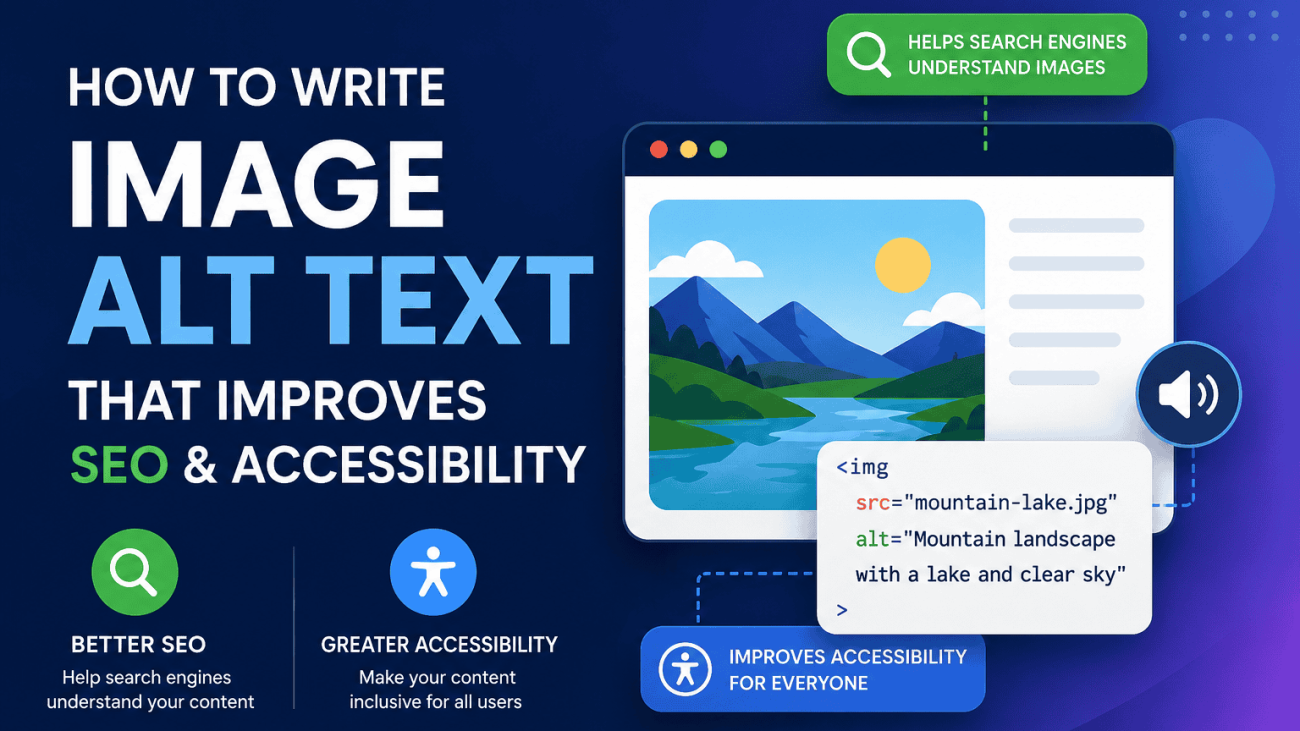
Learn how to write meta descriptions that improve click-through rates, reduce missed opportunities and attract more visitors from Google with practical examples and proven SEO advice.

How to Write Meta Descriptions That Increase Clicks in Google

How To Write Meta Descriptions That Increase Clicks On Google

Table of Contents

Before AI Overviews became a common feature in Google Search, writing a meta description was often treated as a simple SEO task. Many guides focused on fitting within a character limit, adding a primary keyword and hoping Google would display it exactly as written. While those basics still have some value, they no longer reflect how search results work today.

Meta descriptions are not a ranking factor. Adding or rewriting one will not move a page higher in Google’s search results. Instead, their purpose is to encourage users to choose your page over the other options they see. Think of a meta description as your page’s advert within the search results. It explains what visitors can expect and gives them a reason to click.

This is particularly important because Google doesn’t always use the description you provide. Depending on the search query, Google may generate its own snippet by pulling text directly from your page if it believes that better answers the user’s search intent. That doesn’t mean writing meta descriptions is pointless. On the contrary, a well-written description that accurately reflects your content is more likely to be used and, when it is shown, can significantly improve your click-through rate.

For businesses and SEO professionals, this presents an opportunity. You cannot directly control your rankings, but you can influence how appealing your result looks when it appears. A clear, relevant and persuasive meta description can attract more clicks than competing pages in the same position, helping to increase organic traffic without any improvement in rankings.

The focus, therefore, should no longer be on writing for search engines alone. Instead, write for the people reading the search results. Understand what they are looking for, explain how your page answers their question and provide a compelling reason to visit your website. Before exploring how to do that effectively, it helps to understand exactly what a meta description is and how Google uses it today.

Writing a good meta description doesn't guarantee a higher ranking in the Google search results index, but it does push for increased engagement.

What Meta Descriptions Actually Do in 2026

Meta descriptions have evolved from being seen as a simple SEO task to becoming an important part of search marketing. While they no longer influence where a page ranks in Google’s search results, they can have a significant impact on whether someone chooses to click your listing instead of a competitor’s.

Think of a meta description as your page’s sales pitch within the search results. It sits beneath the page title and URL, giving users a brief summary of what they can expect if they visit your website. In many cases, it is the final piece of information a searcher reads before deciding which result to click.

One of the biggest misconceptions in SEO is that adding keywords to a meta description will improve rankings. Google has confirmed that meta descriptions are not a ranking factor. Instead, their purpose is to help users understand the relevance of a page, making them an indirect contributor to SEO success by improving click-through rate (CTR).

This distinction is important. Imagine two websites ranking in the same position for a competitive keyword. One uses a generic description such as:

“We offer professional SEO services for businesses. Contact us today.”

The other says:

“Increase your organic traffic with data-driven SEO strategies, technical audits and content optimisation tailored to your business. Get a free consultation today.”

Both pages may rank equally well, but the second description communicates a clearer benefit, addresses user intent and gives people a stronger reason to click. Even without a change in rankings, it has the potential to attract more visitors simply because it is more compelling.

Modern search behaviour has made persuasive copy even more valuable. Users often scan search results in seconds, comparing multiple listings before making a decision. Your title tag grabs their attention, while your meta description reinforces why your page is worth visiting. Together, these elements act much like the headline and introductory paragraph of an advert.

It’s also worth remembering that Google doesn’t always display the meta description you write. If Google’s systems believe another section of your page better answers a user’s specific query, it may generate a different snippet from your content. This means your description should accurately reflect what the page contains rather than trying to force keywords or marketing language that isn’t supported by the content itself.

The most effective meta descriptions focus on helping users make a decision. They answer the question, “Why should I click this result instead of the others?” That could be by highlighting a solution, explaining a unique benefit, demonstrating expertise or setting clear expectations about the information on the page.

Ultimately, successful meta descriptions should be written with people in mind, not search engines. Instead of worrying about squeezing in every keyword or hitting an exact character count, focus on creating a concise, accurate and persuasive summary that encourages the right users to visit your website. Understanding this also explains why Google sometimes replaces your carefully written description with one of its own—a topic we’ll explore next.

Why Google Rewrites Meta Descriptions

One of the most frustrating aspects of writing meta descriptions is discovering that Google sometimes ignores them completely. You may spend time crafting the perfect summary, only to find that the search results display a completely different piece of text taken from your page.

While this can be disappointing, it’s a deliberate part of how Google generates search snippets.

Google’s goal is to provide the information that is most relevant to the specific search query. If it believes that a sentence, heading or paragraph from your page better answers what the user is searching for, it may use that content instead of the meta description you’ve written.

For example, imagine you have a page about local SEO services with the following meta description:

“Helping businesses improve their online visibility through professional SEO services, technical optimisation and content marketing.”

If someone searches for “SEO services in Leeds”, Google may instead display a sentence from the page that reads:

“Our Leeds SEO specialists help local businesses increase rankings, website traffic and enquiries.”

Although your original description is accurate, the alternative snippet more closely matches the user’s search, making it more relevant in Google’s view.

Google may also rewrite a meta description when:

  • The description is too generic or doesn’t accurately summarise the page.
  • Multiple pages across the website use identical or very similar descriptions.
  • The description is stuffed with keywords or reads unnaturally.
  • The supplied description doesn’t answer the user’s specific search intent.
  • A section of the page provides a clearer, more useful summary.

This doesn’t mean you should stop writing meta descriptions. In fact, the opposite is true. A well-written description that accurately reflects the page content is more likely to be displayed because Google has less reason to generate its own snippet.

The best way to reduce the chances of rewriting is to ensure your meta description genuinely summarises the page. Avoid making promises that aren’t fulfilled in the content, resist the temptation to cram in keywords and write naturally for the reader rather than the algorithm.

A side-by-side comparison showing a website’s original HTML meta description alongside the different snippet displayed by Google in search results. The infographic explains that Google may rewrite meta descriptions to better match the user’s search query, search intent and page content, highlighting why relevant, accurate and user-focused descriptions are more likely to be shown

It’s also important to understand that Google doesn’t rewrite every description. Many pages continue to display the author’s original text, particularly when it clearly matches the page and aligns with the search query. The objective isn’t to prevent rewriting entirely – it’s to give Google a high-quality description that remains relevant across a wide range of searches.

Rather than asking, “How do I stop Google rewriting my meta descriptions?”, a better question is, “Would my meta description still be the best summary of this page for someone searching this keyword?” If the answer is yes, there’s a much greater chance Google will use it.

Understanding why Google rewrites snippets also reveals what makes an effective meta description. By analysing the characteristics of descriptions that consistently attract clicks, you can write snippets that not only satisfy Google’s systems but also persuade more people to visit your website.

Characteristics of High-Performing Meta Descriptions

There is no single formula that guarantees a higher click-through rate, but the best-performing meta descriptions tend to share several common characteristics. Rather than trying to manipulate search engines, they focus on convincing real people that the page offers the most relevant answer to their search.

Match the User’s Search Intent

The first priority is understanding what the searcher wants to achieve. Someone searching for “how to write meta descriptions” is looking for practical guidance, while someone searching for “SEO agency Bradford” is likely comparing service providers.

Your meta description should reflect that intent. Educational content should promise useful information, while commercial pages should clearly communicate the benefit of choosing your business.

A mismatch between the search query and your description often results in lower click-through rates, even if your page ranks well.

Explain the Value of the Page

Users scan search results quickly, so they need an immediate reason to click. Instead of simply describing what the page is about, explain what the visitor will gain.

For example, compare these two descriptions:

Weak

“Learn about meta descriptions and SEO.”

Stronger

“Learn how to write meta descriptions that increase Google clicks with practical examples, proven techniques and common mistakes to avoid.”

The second version clearly explains the benefit of visiting the page and sets realistic expectations about the content.

Use Keywords Naturally

Including the primary keyword remains useful—not because it improves rankings, but because Google often highlights matching words in bold when they appear in the search results. This helps users quickly identify that your page is relevant to their search.

However, keywords should fit naturally into the sentence. Repeating variations purely for SEO creates awkward descriptions that are less persuasive and more likely to be rewritten by Google.

Create Interest Without Using Clickbait

A good meta description should encourage curiosity, but it should never exaggerate or make promises the page cannot fulfil.

Phrases such as “You’ll never believe…” or “The secret Google doesn’t want you to know” may attract attention, but they reduce trust if the content doesn’t deliver on those claims.

Instead, focus on genuine value by highlighting useful information, expert insights or practical outcomes. Credibility is far more effective than sensationalism, particularly for businesses that rely on trust.

Accurately Reflect the Page Content

The most effective meta descriptions are honest summaries of the page. If visitors arrive expecting one thing and find something completely different, they’re likely to leave quickly. Likewise, Google may choose to replace a description that doesn’t accurately represent the content.

Before publishing a description, ask yourself one simple question:

If someone clicked my result after reading this description, would the page fully meet their expectations?

If the answer is yes, you’re far more likely to attract the right visitors and improve engagement after the click.

Think Like a Copywriter, Not Just an SEO

Many SEO professionals concentrate on technical optimisation but overlook the fact that a meta description is also a piece of marketing copy. The best descriptions combine relevance with persuasion. They answer the user’s question, communicate a clear benefit and encourage action without sounding forced or overly promotional.

When reviewing your own website, look beyond rankings. Ask whether each meta description would genuinely persuade someone to choose your page over the other results on the screen. Small improvements in messaging can often lead to meaningful increases in organic traffic, even when rankings remain unchanged.

Now that we’ve covered the principles behind effective meta descriptions, let’s look at real-world examples of good and poor descriptions to see how these techniques work in practice.

An infographic comparing poor and high-performing meta descriptions in Google Search results. It highlights the qualities that increase click-through rates, including matching search intent, explaining the page’s value, using keywords naturally, avoiding clickbait and accurately reflecting the page content. The comparison demonstrates how small improvements in wording can make search snippets more compelling and encourage more users to click.

Good vs Poor Meta Description Examples

Understanding the theory behind effective meta descriptions is one thing, but seeing real examples makes it much easier to apply the principles to your own website. Below are several examples across different page types, showing how small changes in wording can make a search result far more compelling.

Example 1: A Local Business

Poor

Professional plumbing services for homes and businesses. Contact us today.

Better

Need an emergency plumber in Leeds? Fast, reliable plumbing services for repairs, installations and maintenance. Get a free quote today.

Why it works

The improved version targets the user’s likely search intent, includes the location naturally, highlights key services and gives a clear reason to click.

Example 2: A Service Page

Poor

We provide SEO services for businesses of all sizes.

Better

Grow your organic traffic with technical SEO, content optimisation and local search strategies tailored to your business goals.

Why it works

Rather than describing the service, it focuses on the outcome customers want to achieve, making the page more persuasive.

Example 3: A Landing Page

Poor

Download our free marketing guide.

Better

Download our free digital marketing guide packed with practical SEO, PPC and content strategies to help grow your website traffic.

Why it works

The improved version clearly explains what’s included and why it’s valuable, giving visitors a much stronger incentive to click.

What These Examples Have in Common

Although the pages serve different purposes, the strongest meta descriptions consistently follow the same principles:

  • They match the user’s search intent.
  • They explain the value of visiting the page.
  • They include relevant keywords naturally rather than forcing them into every sentence.
  • They accurately reflect the page content.
  • They encourage clicks without resorting to misleading or exaggerated claims.

A useful exercise is to review your own website’s search snippets and ask yourself one simple question:

Would I choose my result over the others on the page?

If the answer is no, there’s usually an opportunity to improve the wording, clarify the benefit or better align the description with what searchers are actually looking for.

Once you’ve mastered the writing itself, the next question is one of the most common in SEO: how long should a meta description actually be?

An infographic comparing multiple Google search results to illustrate how meta descriptions influence click-through rates. It encourages website owners to evaluate their own search snippets from a user’s perspective by asking whether the description matches search intent, clearly communicates the page’s value, builds trust and stands out from competing results.

How Long Should a Meta Description Be?

One of the most common questions in SEO is whether there’s an ideal length for a meta description. For years, the advice was simple: keep it under 155–160 characters. While this guideline is still widely quoted, it no longer reflects how Google displays search snippets today.

The reality is that Google doesn’t enforce a fixed character limit. Instead, snippets are generated dynamically and can vary depending on the user’s device, the width of individual characters, the search query and whether Google decides to use your supplied meta description or generate one from your page content.

For example, a description that appears in full on a desktop search may be shortened on a mobile device. Likewise, Google may display a longer snippet for one search query and a much shorter one for another, even though the underlying page hasn’t changed.

Rather than aiming for an exact number of characters, it’s better to focus on writing a concise description that communicates the page’s main benefit early. If the most important information appears at the beginning, users are far less likely to miss it if the snippet is truncated.

That said, as a practical guideline, most SEO professionals aim for around 140–160 characters. This is usually enough space to summarise the page, include the primary keyword naturally and explain why someone should click, without becoming overly long.

For example:

Too short

Learn about SEO services.

This provides very little information and gives users no compelling reason to choose the page.

A balanced length

Discover expert SEO services that improve rankings, increase organic traffic and help your business generate more enquiries.

This version clearly communicates the page’s value while remaining concise and easy to scan.

Too long

Our award-winning SEO agency offers a complete range of search engine optimisation services, including technical SEO, local SEO, ecommerce SEO, content marketing, digital PR, keyword research, competitor analysis and much more to help businesses grow online.

Although informative, this description is likely to be truncated in many search results, meaning the most important message may never be seen.

Instead of obsessing over character counts, concentrate on three questions:

  • Does the description accurately summarise the page?
  • Does it clearly explain the benefit to the reader?
  • Would it encourage someone to click if they saw it alongside competing results?

If you can answer “yes” to all three, you’ve achieved far more than simply fitting within an arbitrary limit.

To make this process easier, our Meta Description Checker analyses the length of your description and helps identify snippets that may be too short, too long or missing entirely. It’s a quick way to review pages before publishing or as part of a wider SEO audit.

Ultimately, the goal isn’t to write the longest possible meta description or squeeze into an exact character count. The goal is to create a clear, compelling summary that helps users understand why your page is the best result for their search. Once that’s in place, it’s equally important to avoid the common mistakes that can reduce click-through rates or cause Google to rewrite your descriptions.

The Biggest Meta Description Mistakes

Even experienced SEO professionals can make mistakes when writing meta descriptions. While some errors simply reduce click-through rates, others increase the likelihood of Google replacing your description with one generated from the page itself. The good news is that most of these issues are easy to identify and fix.

Using Duplicate Meta Descriptions

One of the most common problems uncovered during SEO audits is duplicate meta descriptions. This often happens on ecommerce websites, where category pages, product pages or location pages are created from the same template.

For example, imagine every service page on a website uses the description:

Professional digital marketing services for businesses. Contact us today.

Although technically correct, it tells users nothing about the specific page they’re viewing. A page about SEO, PPC or web design should each have a unique description that reflects its individual purpose.

Unique meta descriptions help users understand the difference between pages and give Google a stronger signal about the content of each one.

Stuffing Keywords Into Every Sentence

Years ago, many websites tried to improve their SEO by repeating keywords throughout the meta description.

For example:

SEO agency, SEO services, SEO company, SEO experts, affordable SEO agency in Leeds.

Descriptions like this are difficult to read, offer little value to users and can appear spammy. Modern SEO is about relevance and readability, not keyword repetition.

Instead, include your primary keyword naturally where it makes sense and focus on explaining why someone should visit the page.

Writing Descriptions That Are Too Vague

A surprising number of websites still use descriptions that say very little.

For example:

Welcome to our website. Learn more about our services.

This could describe almost any business. It doesn’t explain what the company offers, who it’s for or why someone should click.

A stronger description gives users a clear reason to choose your result by highlighting the problem you solve, the benefit you provide or the information they’ll find on the page.

Making Misleading Promises

Clickbait might increase curiosity, but it rarely improves long-term SEO performance.

Descriptions such as:

The one SEO trick Google doesn’t want you to know!

may attract clicks initially, but if the page fails to deliver what it promises, visitors are likely to leave quickly. This damages trust and creates a poor user experience.

Always ensure your description accurately reflects the page’s content.

Leaving the Meta Description Blank

Some website owners choose not to write meta descriptions at all, assuming Google will generate them automatically.

While Google can create snippets from page content, these aren’t always the most persuasive or relevant summaries. By providing a well-written description, you give Google a strong starting point and increase the chances of presenting users with a compelling search result.

Pages without meta descriptions also miss an opportunity to communicate their unique value before a visitor even reaches the website.

Writing for Search Engines Instead of People

Perhaps the biggest mistake is forgetting who the meta description is actually for.

Search engines don’t click search results – people do.

A description that simply lists keywords or technical terms is unlikely to persuade anyone to visit your website. The best meta descriptions read naturally, answer the user’s intent and clearly explain why your page is worth their time.

Whenever you finish writing a description, read it as though you’re the person searching on Google. Ask yourself:

Would this convince me to click?

If the answer is no, keep refining it until it clearly communicates the page’s value.

A Quick Meta Description Checklist

Before publishing or updating a page, make sure your meta description:

  • Is unique to that page.
  • Matches the user’s search intent.
  • Clearly explains the benefit of visiting the page.
  • Includes the primary keyword naturally.
  • Avoids keyword stuffing and clickbait.
  • Accurately reflects the page content.
  • Encourages clicks without exaggerating.
  • Is concise and easy to read.

Using this checklist as part of your regular SEO process can prevent many of the issues found during technical audits and help improve click-through rates across your website. Once you’ve addressed these common mistakes, the next step is deciding which pages should you optimise first, as not every page deserves the same level of attention.

A practical SEO checklist outlining the essential elements of an effective meta description. The infographic covers creating unique descriptions for every page, matching search intent, explaining the page’s value, using keywords naturally, avoiding keyword stuffing and clickbait, accurately reflecting the content, encouraging clicks and keeping descriptions concise and easy to read. It serves as a quick reference for optimising search snippets to improve click-through rates.

Which Pages Should You Optimise First?

If your website contains dozens or even thousands of pages, rewriting every meta description is rarely the best use of your time. Instead, focus your efforts where they’re most likely to increase organic traffic.

The easiest way to prioritise pages is by using Google Search Console. Its Performance report shows which pages receive the most impressions, clicks and click-through rate (CTR), making it easy to identify opportunities where better meta descriptions could have the greatest impact.

1. Pages with High Impressions but Low CTR

These should almost always be your first priority.

A page that appears in thousands of Google searches each month but attracts relatively few clicks is already earning visibility. Improving the page title and meta description may encourage more people to choose your result without needing to improve rankings.

For example, if a page receives:

  • 25,000 impressions
  • 400 clicks
  • 1.6% CTR

there may be significant room for improvement if competing pages are attracting more attention from similar positions in the search results.

2. Commercial Pages That Generate Revenue

Not every page contributes equally to your business goals.

Prioritise pages that can directly generate enquiries, leads or sales, such as:

  • Service pages
  • Ecommerce category pages
  • Product pages
  • Pricing pages
  • Landing pages
  • Contact-focused pages

Even a small increase in click-through rate on these pages can have a measurable impact on enquiries and revenue.

3. Your Most Important Landing Pages

Many websites receive the majority of their organic traffic from a relatively small number of pages.

These could include:

  • Popular blog posts
  • Evergreen guides
  • Homepage
  • Core service pages
  • High-performing category pages

Because these pages already attract consistent traffic, improving their search snippets can deliver results much faster than optimising pages that receive very little visibility.

4. Pages Targeting Competitive Keywords

When several websites rank closely together for the same search term, users often decide which result to click based on the title and meta description.

If you’re competing for valuable keywords, a clearer and more compelling description may persuade searchers to choose your website over competitors, even if everyone ranks on the same page of results.

5. Pages with Missing or Duplicate Meta Descriptions

Technical SEO audits frequently uncover pages that have:

  • Missing meta descriptions
  • Duplicate descriptions
  • Auto-generated descriptions
  • Generic template descriptions

These pages are often quick wins because replacing poor-quality descriptions with unique, relevant summaries can improve the appearance of your search listings with relatively little effort.

A Simple Prioritisation Workflow

Rather than updating pages at random, work through them in this order:

  1. High impressions and low CTR in Google Search Console.
  2. High-value commercial pages.
  3. Popular landing pages that already attract organic traffic.
  4. Pages targeting competitive search terms.
  5. Pages with missing, duplicate or weak meta descriptions.

Following this approach ensures you’re investing time where it can have the greatest impact, rather than spending hours rewriting pages that receive very little traffic.

The key takeaway is that meta description optimisation should be driven by data, not guesswork. Start with the pages that already have visibility and business value, measure the results and then expand your optimisation efforts over time. Once you’ve made those changes, the next step is to monitor whether they actually improved performance using Google Search Console.

An infographic showing how to prioritise meta description optimisation using Google Search Console data. It highlights the best pages to update first, including those with high impressions but low click-through rates, commercial pages, top landing pages, competitive keyword targets, and pages with missing or duplicate meta descriptions. The graphic also includes a simple workflow for identifying optimisation opportunities and measuring results.

Measuring Whether Meta Description Changes Worked

Writing a better meta description is only half the process. The real question is whether it encourages more people to click your search result. Fortunately, Google Search Console provides all the data you need to measure the impact of your changes.

Rather than relying on assumptions, compare your page’s performance before and after updating its meta description. This allows you to determine whether the new wording has genuinely improved user engagement or whether further refinement is needed.

Monitor Click-Through Rate (CTR)

The most important metric to watch is click-through rate (CTR).

CTR measures the percentage of people who clicked your page after seeing it in Google’s search results. For example, if your page appeared 10,000 times and received 500 clicks, it has a CTR of 5%.

If you’ve only changed the meta description, an increase in CTR is often a strong indication that your search snippet is doing a better job of persuading users to visit your website.

Compare Impressions and Clicks

It’s important to look beyond CTR alone.

Compare the following metrics over a similar time period before and after making changes:

  • Impressions – Has your page continued to appear for a similar number of searches?
  • Clicks – Are more people visiting your page from Google?
  • CTR – Has a greater percentage of users chosen your result?
  • Average Position – Has your ranking remained relatively stable?

If your rankings stay broadly the same but your CTR and clicks increase, it’s a good sign that your updated meta description is making your listing more appealing.

Give Google Time

Meta description changes rarely produce instant results.

After updating a page, allow Google time to recrawl your website and refresh the search snippet. Depending on how frequently the page is crawled, this may take several days or even a few weeks.

For this reason, avoid checking performance every day. Instead, compare meaningful date ranges such as the previous 28 days against the following 28 days or month-on-month performance.

Test One Change at a Time

If you update the page title, meta description, headings and content simultaneously, it becomes difficult to identify which change influenced performance.

Where possible, make one significant change at a time and monitor the results before making further adjustments. This creates a clearer picture of what is actually improving click-through rates.

Don’t Expect Every Page to Improve

Even well-written meta descriptions won’t increase clicks for every page.

Search intent changes, competitors update their snippets and Google may choose to rewrite your description for certain queries. That’s perfectly normal.

Instead of looking for perfection, focus on identifying pages where small improvements produce meaningful gains. Increasing CTR from 2% to 3% on a page with thousands of monthly impressions can generate hundreds of additional visitors each year without any improvement in rankings.

Make Meta Description Optimisation an Ongoing Process

The best-performing websites don’t optimise their meta descriptions once and forget about them. They regularly review Search Console data, identify pages with declining CTR and test new descriptions based on user behaviour.

A simple workflow looks like this:

  1. Review Google Search Console performance data.
  2. Identify pages with high impressions and below-average CTR.
  3. Rewrite the meta description to better match search intent and highlight the page’s value.
  4. Wait for Google to recrawl the page.
  5. Compare impressions, clicks, CTR and average position over the following weeks.
  6. Repeat the process for your next highest-priority pages.

Treat meta description optimisation as an ongoing cycle of testing and refinement rather than a one-off task. Small improvements made consistently across your most important pages can lead to significant increases in organic traffic over time, even if your rankings remain exactly the same.

An infographic illustrating how to measure the success of meta description updates using Google Search Console. It explains how to compare click-through rate (CTR), impressions, clicks and average position before and after making changes, while following a simple optimisation workflow. The graphic demonstrates how ongoing testing and analysis can increase organic traffic without necessarily improving search rankings.

Final Thoughts

Meta descriptions may no longer influence where your pages rank in Google, but they still play an important role in determining how many people choose to visit your website. Every time your page appears in the search results, your title tag and meta description work together to answer a simple question: why should someone click your result instead of the others?

The most effective meta descriptions aren’t written for search engines—they’re written for people. They match search intent, clearly explain the value of the page and accurately reflect the content visitors will find after clicking. While Google may occasionally rewrite your description, providing a well-written, relevant summary gives you the best chance of presenting a compelling search snippet.

Rather than trying to optimise every page at once, start with the areas that are most likely to deliver results. Use Google Search Console to identify pages with high impressions but low click-through rates, improve those descriptions first and monitor the impact over time. Even modest increases in CTR can generate significant additional organic traffic without any improvement in rankings.

Remember that meta description optimisation isn’t a one-off task. Search behaviour changes, competitors update their listings and your own content evolves. Regularly reviewing your search snippets and refining them based on performance data should be part of every ongoing SEO strategy.

To make the process easier, use the Techomatic Meta Description Checker to quickly identify descriptions that are missing, too short, too long or in need of improvement. Combined with Google Search Console, it provides a simple workflow for auditing your website, prioritising the right pages and continuously improving the search snippets that matter most.

By treating every meta description as an opportunity to earn a click rather than simply fill a field, you’ll create stronger search listings, attract more qualified visitors and maximise the value of the rankings you’ve already worked hard to achieve.

Free SEO Tools

Check out the Techomatic SEO Meta Description Length Checker & SERP Preview tool: it’s free!

A modern Google search results page showing a title link highlighted, with annotations pointing to the title, URL and meta description. This should introduce readers to where the title appears in the SERPs

Do Meta Titles Still Matter For SEO?

Do Meta Titles Still Matter For SEO?

Table of Contents

If you’ve spent any time reading SEO forums or following industry discussions over the past few years, you’ve probably come across the claim that meta titles no longer matter because Google rewrites them anyway. It’s easy to see why this misconception has gained traction. Search results frequently display titles that differ from the HTML title tag, leading some website owners to question whether writing a carefully optimised title is still worth the effort.

The short answer is yes.

Meta titles remain one of the most important elements of on-page SEO, but not for the reasons many people assume. While Google may choose to display a different title in its search results, your original HTML title tag still helps search engines understand the purpose and relevance of a page. It also influences how consistently your content is represented across search, browsers and social platforms, making it a valuable optimisation point beyond rankings alone.

The key is understanding how title tags fit into Google’s modern search systems. Rather than treating them as a standalone ranking factor, it’s more accurate to think of them as one of several signals Google uses to interpret content and decide how best to present it to users. When title tags clearly describe a page and align with its content, they are less likely to be rewritten and more likely to attract clicks from the right audience.

In this guide, we’ll examine whether meta titles still matter for SEO in 2026, why Google rewrites some titles but not others, how title tags influence rankings and click-through rates, and the practical steps you can take to write titles that perform well in today’s search results.

A modern Google search results page showing a title link highlighted, with annotations pointing to the title, URL and meta description. This should introduce readers to where the title appears in the SERPs

What Is a Meta Title Today?

A meta title, more accurately known as a title tag, is an HTML element that tells search engines and users what a webpage is about. It appears within the page’s <head> section and is usually displayed as the clickable headline in Google’s search results, as well as in browser tabs and when pages are shared on many social platforms.

A simple title tag looks like this

<title>Do Meta Titles Still Matter for SEO? | Techomatic</title>

For years, title tags were treated as one of the most influential ranking factors in SEO. This led to countless pages being filled with repetitive keywords in an attempt to improve rankings. While title tags remain important today, Google’s search systems have evolved considerably. Rather than relying heavily on a single HTML element, Google analyses many different signals to understand a page’s topic, quality and relevance.

Today, a title tag should be viewed as one important piece of a much larger puzzle. It provides Google with a strong indication of what a page is about, but that information is considered alongside signals such as:

  • The page’s H1 heading
  • The main page content
  • Internal and external links
  • Image alt text
  • Structured data
  • Anchor text pointing to the page
  • The overall topical authority of the website

Google’s own documentation explains that the HTML title is one of several sources it uses when generating the title link shown in search results. If your title accurately represents the page and provides a good experience for users, Google will often display it exactly as written. If it believes another title better reflects the page’s content or a user’s search query, it may instead generate a title using other prominent information found on the page.

This is an important distinction. A rewritten title doesn’t mean Google ignored your title tag completely. In many cases, the original title still contributes to Google’s understanding of the page, even if a different version is ultimately shown in the search results.

For SEO professionals, marketers and business owners, the takeaway is simple. Don’t think of title tags as a standalone ranking factor. Think of them as one of the strongest on-page signals that helps search engines understand your content while encouraging users to choose your page over competing results.

Do Meta Titles Still Influence Rankings?

One of the longest-running debates in SEO is whether title tags still influence rankings. The answer isn’t a simple yes or no.

Google has never described title tags as a powerful standalone ranking factor, but neither has it suggested they can be ignored. Instead, Google’s guidance consistently explains that title tags help search engines understand the content and relevance of a page. In other words, they contribute to Google’s interpretation of what a page is about rather than acting as a direct shortcut to higher rankings.

Modern search algorithms don’t rely heavily on individual optimisation techniques. Instead, Google builds confidence by combining multiple signals, including:

  • The HTML title tag
  • The H1 heading
  • The page’s main content
  • Internal linking
  • External links
  • Structured data
  • Images and their alt text
  • The website’s overall authority and topical expertise

A well-written title reinforces the topic already established by the rest of the page. When these signals consistently point towards the same subject, Google can understand the content with greater confidence, making it easier to determine when the page is relevant for a particular search.

Two sites both selling the same thing: the site with relevant tags and content gets more hits that the one without.

Although the page contains excellent information about office chairs for back pain, the title provides almost no useful context. Google must rely much more heavily on headings, body content and links to determine the page’s subject.

The second page could still rank if the content is exceptional, but it has removed one of the clearest opportunities to reinforce relevance.

This example highlights an important point. A poor title tag rarely prevents a high-quality page from ranking, but a clear, descriptive title helps Google understand the page more quickly and consistently.

Why Keyword Stuffing No Longer Works

Years ago, title tags like “Office Chairs, Cheap Office Chairs, Best Office Chairs, Buy Office Chairs Online” were common. This approach attempted to maximise keyword density within the title.

Today, Google’s algorithms understand natural language far more effectively. Repeating the same keywords no longer provides the benefits it once did and can actually increase the likelihood of Google rewriting your title.

A title such as “Best Office Chairs for Back Pain | Expert Buying Guide” is far more useful because it clearly communicates the page’s purpose to both users and search engines.

The Bigger Picture

Rather than treating title optimisation as a ranking trick, think of it as a way to reinforce the overall message of the page.

A strong title should:

  • Match the user’s search intent.
  • Accurately describe the page.
  • Align with the H1 and body content.
  • Encourage users to click.

When these elements work together, you’re helping both Google and your audience understand exactly what your page offers.

A side-by-side comparison of two search results, one with a well-written descriptive title and one with a vague title such as “Home”. Use annotations explaining why the stronger title provides better relevance signals.

Why Google Rewrites So Many Meta Titles

One of the biggest reasons people believe meta titles no longer matter is because Google doesn’t always display the title you’ve written.

You might spend time crafting the perfect title tag, only to discover that Google has replaced it with something completely different.

This isn’t a bug, and it doesn’t necessarily mean you’ve done anything wrong.

Google’s objective is to show the title that it believes best represents the page for a particular search query. If another version appears more helpful, more accurate or easier for users to understand, Google may generate a different title using information from elsewhere on the page.

It’s also worth remembering that Google doesn’t rewrite every title. Many pages appear exactly as the website owner intended. Rewrites are generally reserved for situations where the original title could provide a poor search experience.

Common Reasons Google Rewrites Titles

Keyword Stuffing
One of the most common causes is excessive keyword repetition. The rewritten version will be easier to read and avoids unnecessary repetition.

Titles That Are Too Long
Very long titles often attempt to cover multiple topics. Google focuses on the main subject rather than displaying an excessively long title that may be truncated.

Missing Context 
Sometimes the title simply doesn’t explain what the page contains.

For example:

  • Products
  • Services
  • Resources

Google may decide that the heading or another part of the page is far more useful to searchers.

Excessive Branding
Some websites place their company name first on every page. Google might replace this or remove some mentions because the service is more important than the brand for most searches.

Generic or Duplicate Titles
Content management systems sometimes generate titles such as:

  • Home
  • Product
  • Category
  • Untitled

If dozens of pages share the same wording, Google may instead use headings or other page content to generate something more descriptive.

Misleading Titles
Google also rewrites titles that don’t accurately reflect the content. A page which only discusses meta descriptions may receive a different title that better matches what users will actually find.

Side-by-side example showing the original HTML title on the left and Google’s rewritten title in the search results on the right, with callouts explaining why Google changed it.

A Rewrite Doesn’t Mean Your Title Failed

One of the biggest misconceptions in SEO is that a rewritten title means Google ignored your optimisation efforts.

In reality, Google’s documentation explains that the HTML title remains one of the primary sources used when generating title links. Even if the displayed title changes, your original title may still have helped Google understand the page before deciding how best to present it.

Think of Google’s displayed title as the final presentation layer rather than the only way your title tag is used.

Should You Try to Stop Google Rewriting Titles?

Not necessarily.

Occasional rewrites are perfectly normal and often improve the search experience.

Instead of trying to prevent every rewrite, aim to write titles that give Google little reason to make changes.

That means:

  • Clearly describing the page’s topic
  • Matching the page content
  • Avoiding keyword stuffing
  • Keeping branding concise
  • Writing naturally for users
  • Matching search intent

The clearer your title is, the more likely Google is to use it unchanged.

Where Google Gets Alternative Titles

Understanding why Google rewrites titles naturally leads to the next question: If Google doesn’t use my title tag, where does the replacement come from?

Google doesn’t invent titles at random. Instead, it looks across your page for other prominent signals that may provide a clearer or more accurate description. According to Google’s Search Central documentation, the HTML title remains one of the primary sources used to generate title links, but it isn’t the only one.

H1 Headings
The H1 is often the clearest summary of a page.

If your HTML title is vague or heavily optimised, Google may decide that the H1 better represents the page.

Maybe the H1 immediately provides more context and is therefore a strong candidate for Google’s displayed title.

Anchor Text
Google also considers how other pages describe yours.

This is one reason why descriptive navigation and sensible internal linking remain valuable SEO practices.

Internal Linking Context
Google doesn’t only analyse the words within links. It also looks at how pages relate to one another across your website.

If every article about technical SEO links to a page using phrases such as:

  • Technical SEO Guide
  • Technical SEO Checklist
  • Technical SEO Services

Google gains additional confidence about that page’s topic.

Visible Page Headings
Prominent headings elsewhere on the page can also influence Google’s choice.

The visible heading gives users much more context and may therefore be chosen instead.

Structured Data
Structured data usually doesn’t become the title itself, but it provides valuable context.

Product names, organisation details and breadcrumb information all help Google understand the page, supporting its decision about the most appropriate title to display.

Google Evaluates the Whole Page

Rather than looking at your title tag in isolation, Google evaluates whether all of your page’s signals tell the same story.

Ask yourself one simple question:

Does my title accurately describe what users will find after they click?

If the answer is yes, Google will often use it.

If the answer is no, Google has several alternative sources it can use instead.

The lesson is straightforward. Successful on-page SEO isn’t about perfecting individual elements independently. Your title tag, H1, headings, internal links and page content should all reinforce the same topic. When those signals align, Google has less reason to rewrite your title, and users gain a clearer understanding of what your page offers before they click.

An annotated webpage showing the HTML title, H1, internal navigation, anchor text and structured data labels, with arrows illustrating how Google can use multiple page elements when generating a title link.

Meta Titles and Click-Through Rate

Ranking on the first page of Google is only half the battle. Once your page appears in the search results, you still need to convince someone to choose your result over every other listing on the page. This is where a well-written meta title can make a significant difference.

A title tag is usually the first thing a potential visitor sees. Alongside the URL and meta description, it forms their first impression of your page. Even if your page ranks third or fourth, a clear and compelling title can often attract more clicks than higher-ranking pages with vague or uninspiring titles.

It’s important to distinguish between two ideas that are often confused:

  • A well-written title doesn’t automatically improve your rankings.
  • A well-written title can increase the number of people who click your result.

That distinction matters because improving your click-through rate (CTR) allows you to generate more traffic without necessarily increasing your rankings.

It’s also worth noting that while Google Search Console reports CTR and it is an excellent metric for measuring how appealing your search listings are, Google has not confirmed CTR as a direct ranking factor. Instead, think of it as a performance metric that helps you identify opportunities to improve your listings.

Google Search results showing several competing pages, with one result visually highlighted because its title clearly matches the search intent.

Why Users Click One Result Over Another

When someone performs a search, they make a decision surprisingly quickly. Before reading an article or viewing a product, they first decide which result looks most likely to answer their question.

A title that immediately matches their intent has a clear advantage.

Matching Search Intent
One of the biggest contributors to a strong click-through rate is matching the user’s intent.

Different searches require different types of content.

For example:

Search

User expects

Buy office chair

Product pages

Best office chairs for back pain

Buying guide or review

How to write meta titles

Educational content

Meta title checker

A free online tool

If your title accurately reflects what the user expects to find, they’re far more likely to choose your result.

This is why understanding search intent should always come before writing the title.

Clarity Beats Cleverness
Some businesses try to make their titles mysterious or overly clever in an attempt to generate curiosity.

For example, “You’ll Never Believe This SEO Trick”.

While that style may perform reasonably well on social media, it generally performs poorly in Google Search because users aren’t looking to be entertained. They’re looking for confidence.

Compare it with, “How to Write SEO Meta Titles That Improve Click-Through Rate”.

The second title immediately tells the user exactly what they’ll learn.

In search, clarity almost always beats curiosity.

Using Numbers, Dates and Specificity
Specific titles often attract more attention because they suggest the content is comprehensive and current.

Examples include:

  • 15 Meta Title Best Practices for 2026
  • Complete Guide to Meta Title Optimisation
  • Meta Title Width Checker and SEO Guide

These titles communicate value before the visitor has even clicked.

However, dates should only be used when the content is genuinely updated. An article labelled “2026” that clearly hasn’t been maintained can reduce trust rather than improve it.

Branding Still Has a Place
Including your company name can improve recognition, particularly if your brand is already known within your industry.

For most businesses, however, branding works best at the end of the title.

For example:

Meta Title Checker | Techomatic

is usually stronger than:

Techomatic | Meta Title Checker

because the primary topic appears first while still reinforcing the brand.

The exception is when users are specifically searching for your brand.

Measuring the Impact
Unlike rankings, improvements in click-through rate can often be measured relatively quickly.

Google Search Console provides valuable data including:

  • Impressions
  • Clicks
  • Average position
  • Click-through rate

If a page receives thousands of impressions but relatively few clicks compared with other pages ranking in similar positions, your title is one of the first things worth reviewing.

For example, imagine two pages both ranking in third position.

Page A receives a CTR of 7%.

Page B receives a CTR of 2%.

Although both occupy a similar position in Google’s results, Page A is attracting significantly more visitors. Reviewing the wording, clarity and search intent behind Page B’s title may reveal simple improvements that generate more traffic without changing its ranking.

Google Search Console Performance report highlighting impressions, clicks, average position and click-through rate before and after a title optimisation.

Practical Tips for Writing Higher-Performing Titles

When writing title tags, aim to:

  • Match the user’s search intent.
  • Clearly explain what the page offers.
  • Place the primary keyword naturally near the beginning.
  • Focus on benefits rather than simply listing keywords.
  • Avoid clickbait or exaggerated claims.
  • Keep branding concise.
  • Optimise for pixel width rather than relying solely on character count.

Ultimately, the best title is one that helps users make an informed decision. If someone can immediately see that your page answers their question better than competing results, you’ve already gained an advantage before they’ve even clicked.

Do Meta Titles Still Matter in the Age of AI Search?

The rise of AI-powered search has led many people to question whether traditional SEO elements, including meta titles, are becoming less important.

With Google’s AI Overviews providing answers directly within the search results, it’s understandable why some website owners wonder whether optimising title tags is still worth the effort.

The reality is that title tags remain just as important, although their role continues to evolve.

Google’s AI-powered search experiences still rely on Google’s understanding of webpages before they can summarise, recommend or reference them. A well-written title tag remains one of several important signals that help establish what a page is about.

AI Still Needs Clear Page Signals

AI systems don’t rely on a single page element.

Instead, Google’s search systems analyse numerous signals to determine:

  • The page’s topic
  • Its relevance
  • Its authority
  • Whether it satisfies the user’s query

Your title tag contributes alongside:

  • H1 headings
  • Main page content
  • Internal links
  • Structured data
  • Image alt text
  • Overall topical authority

When these signals consistently reinforce the same subject, Google gains greater confidence in the page’s purpose.

AI Overviews Don’t Replace Organic Results

Although AI Overviews now occupy valuable space for many searches, they haven’t replaced traditional organic listings.

Users still click through to websites when they want:

  • More detailed explanations
  • Product comparisons
  • Step-by-step tutorials
  • Original research
  • Supporting evidence

For example, someone searching a key phrase may first see an AI Overview summarising the topic.

However, someone looking for practical examples, screenshots and implementation advice will often continue scrolling until they find a trusted article.

Your title remains one of the biggest factors influencing whether they click.

Google search results showing an AI Overview followed by traditional organic listings, with annotations highlighting that title tags remain visible below the AI response.

Building Trust Matters More Than Ever

As AI-generated answers become more common, users are becoming increasingly selective about which websites they visit.

When users have dozens of competing resources available, descriptive titles that immediately communicate expertise and relevance help build trust before the visitor even reaches your website.

Topical Authority Is Becoming Increasingly Important

Modern SEO is less about individual pages and more about demonstrating expertise across an entire subject.

For example, a website containing articles such as:

  • Do Meta Titles Still Matter for SEO?
  • How to Write Better Meta Descriptions
  • Common Technical SEO Mistakes
  • The Complete On-Page SEO Checklist

creates a much stronger topical signal than a website with inconsistent or generic page titles.

Clear title tags help reinforce that broader topical authority by consistently describing what each page contributes.

Focus on Helping Users, Not Chasing Algorithms

Perhaps the biggest lesson from AI search is that Google’s priorities haven’t fundamentally changed.

Whether your content appears in traditional organic listings or contributes to AI-generated experiences, Google’s objective remains the same: Deliver the most useful and trustworthy information to users. The best strategy is therefore also unchanged.

Write titles that:

  • Accurately describe the page.
  • Match search intent.
  • Avoid keyword stuffing.
  • Reflect the actual content.
  • Work alongside your headings and content.

Optimising for people first has never been more important.

Best Practices for Writing Modern Meta Titles

Understanding why title tags matter is one thing. Writing effective ones consistently is another.

Modern title optimisation is no longer about squeezing as many keywords as possible into a small amount of space. Instead, the best-performing titles balance relevance, readability and user intent.

The following best practices will help you write titles that are more likely to be displayed by Google and clicked by users.

Match the User’s Search Intent

Before writing a title, ask yourself one simple question:

What is the searcher actually hoping to find?

For example:

Search

Better title approach

SEO audit checklist

Practical guide

SEO agency Leeds

Service page

What is a meta title?

Educational article

Meta title checker

Free SEO tool

The closer your title aligns with that expectation, the stronger it becomes.

Use Your Primary Keyword Naturally

Including your primary keyword remains good practice, but it should fit naturally within the sentence.

Avoid titles such as “SEO Meta Titles SEO Title Tags Meta Titles SEO”, and instead, write naturally; “How to Write SEO Meta Titles That Improve Click-Through Rate”.

If the title sounds awkward when read aloud, it’s probably over-optimised.

Make Every Title Unique

Every important page deserves its own title.

Instead of repeating:

  • Services
  • Services
  • Services

write titles that clearly distinguish each page.

For example:

  • Technical SEO Services
  • Local SEO Services
  • Ecommerce SEO Services

This improves both search engine understanding and user experience.

Avoid Keyword Stuffing

Repeating keywords rarely improves performance. Instead, focus on communicating value.

The easier the title is to read, more useful, the less likely it is to be rewritten by Google.

Use Branding Sensibly

Your company name can reinforce trust, but it shouldn’t dominate every title. In most cases, placing the brand at the end works best.

Optimise for Pixel Width, Not Character Count

One of the biggest misconceptions in SEO is that titles should always stay below 60 characters.

Google doesn’t measure characters, it measures pixel width.

Letters such as “W” occupy much more space than letters such as “I”, meaning two titles with exactly the same character count may display very differently in Google’s results.

Rather than relying on character limits, use a tool that measures Google’s actual display width.

Screenshot of the Techomatic Meta Title Width Checker showing a title fitting within Google’s recommended pixel width, alongside one that is too wide and becomes truncated.

Clearly Describe the Page

Your title should accurately summarise what users will find after clicking.

Avoid vague titles such as:

  • Home
  • Services
  • Products
  • Welcome

Instead, explain exactly what the page offers and immediately communicate the purpose of the page.

A Simple Framework

If you’re unsure where to begin, this simple formula works well:

Primary Topic + Key Benefit + Brand

It communicates relevance, highlights the benefit and reinforces the brand without becoming overly long.

Ultimately, the goal isn’t to write the cleverest title. The goal is to write the clearest one.

Common Meta Title Mistakes That Still Hurt SEO

Despite advances in search algorithms, many websites continue to repeat the same avoidable mistakes.

Fortunately, these issues are often among the easiest SEO improvements you can make.

Duplicate Titles
Every page should have a unique purpose.

Therefore, every important page should also have a unique title.

If multiple pages share identical titles, Google receives less information about the differences between them, while users struggle to identify the most relevant result.

Generic Homepage Titles
Titles such as “Home” provide almost no context.

Instead, describe your business clearly, and immediately tells both Google and users what the business offers.

Keyword Stuffing
Repeating keywords in every possible variation is an outdated SEO tactic.

If your title sounds unnatural when spoken aloud, simplify it. Natural language nearly always produces a stronger result.

Using the Same Branding Everywhere
Leading every page title with your company name pushes the important information further back.

Unless your brand is the primary search intent, prioritise the page topic instead.

Missing Local Keywords
For businesses serving specific locations, forgetting to include relevant locations can reduce visibility for valuable local searches.

Titles That Don’t Match the Content
One of the fastest ways to lose trust is to promise something your page doesn’t deliver.

If your title advertises a topic and the article does not discuss it, visitors are likely to leave disappointed.

Your title should always reflect the actual content.

Small Improvements Can Produce Big Results
Unlike a website redesign, improving title tags is relatively quick.

Updating vague, duplicated or misleading titles across your site can improve click-through rates, strengthen topical relevance and help users better understand your content before they even visit your website

How to Audit Your Existing Meta Titles

Knowing how to write a strong title is only half the process. The next step is identifying which pages on your website could perform better.

A structured title audit helps uncover issues such as duplicate titles, missing titles, Google rewrites, poor click-through rates and titles that are being truncated in search results. Best of all, most of these problems can be identified in less than an hour using tools you probably already have.

Rather than making random changes across your website, follow a repeatable audit process that prioritises the pages most likely to deliver measurable improvements.

Step 1: Crawl Your Website

The quickest way to identify technical issues is to crawl your website using an SEO crawler.

Most professional SEO tools will highlight pages with:

  • Duplicate title tags
  • Missing title tags
  • Titles that are excessively long
  • Titles that are unusually short
  • Pages with multiple title tag issues

This provides an excellent starting point because technical problems can often affect hundreds of pages without website owners realising.

For larger websites, export the report into a spreadsheet so you can prioritise fixes based on traffic and business importance.

Screenshot of an SEO crawler report showing duplicate titles, missing titles and overly long title tags highlighted.

Step 2: Review Google Search Console

Once you’ve identified technical issues, the next step is understanding how your pages actually perform in Google Search.

Open the Performance report in Google Search Console and look for pages with:

  • High impressions
  • Low click-through rates
  • Stable rankings

These pages represent some of the biggest optimisation opportunities.

For example, imagine a page ranking in position three that has received 15,000 impressions but only a 2% click-through rate.

If competing pages in similar positions are attracting significantly more clicks, your title may not be communicating enough value or matching the user’s search intent.

Remember, Search Console doesn’t tell you whether a title is “good” or “bad”. It tells you how searchers respond to it.

That makes it one of the most valuable tools for prioritising title improvements.

Google Search Console Performance report filtered by impressions, clicks, average position and click-through rate, with an underperforming page highlighted.

Step 3: Compare Your Title with Google’s Displayed Version

Next, search Google for your most important pages.

Compare:

  • The HTML title you’ve written.
  • The title Google actually displays.

If Google consistently rewrites a page’s title, ask yourself why.

Does it:

  • Match the page content?
  • Clearly describe the topic?
  • Contain unnecessary repetition?
  • Begin with excessive branding?
  • Look different from the H1?

Don’t panic if you see occasional rewrites. Google regularly adjusts titles depending on the search query.

Instead, look for patterns. If the same page is consistently being rewritten, there’s usually a reason worth investigating.

Step 4: Check the Display Width

One of the most common mistakes in SEO is relying on character counts.

Google doesn’t decide where to truncate titles based on the number of characters. Instead, it measures the total pixel width.

This means:

WWWWWWWWWW

occupies significantly more space than:

IIIIIIIIIIII

even though both contain the same number of characters.

Rather than counting characters, use a title width checker that measures how your title is likely to appear in Google’s search results.

Our Meta Title Width Checker analyses titles using Google’s display width, helping you identify titles that may be truncated before you publish them.

This small adjustment can often improve how your listings appear without changing their overall message.

Screenshot of the Techomatic Meta Title Width Checker showing one title that fits perfectly and another that exceeds Google’s recommended pixel width.

Step 5: Prioritise High-Value Pages

Not every page deserves the same level of attention.

Start with the pages that have the greatest potential business impact, such as:

  • Homepage
  • Core service pages
  • Category pages
  • Product pages
  • High-traffic blog articles
  • Landing pages used in marketing campaigns

Improving titles on these pages is likely to deliver the biggest return in terms of visibility, click-through rate and conversions.

Once those have been optimised, move on to lower-priority pages.

Repeat the Audit Regularly

SEO isn’t a one-time task.

Search behaviour changes.
Competitors update their pages.
Google continues refining how it generates title links.

A title that performed well two years ago may no longer be the strongest option today.

For most websites, reviewing important page titles every three to six months is a sensible routine.

By combining:

  • An SEO crawler
  • Google Search Console
  • Manual SERP reviews
  • A title width checker

you’ll have a repeatable process for identifying opportunities and maintaining high-quality title tags across your website.

A simple workflow diagram showing: Crawl Website → Review Search Console → Compare Google Titles → Measure Pixel Width → Update Priority Pages → Repeat Every 3–6 Months.

Final Thoughts

So, do meta titles still matter for SEO?

Absolutely.

Despite years of speculation, title tags remain one of the most valuable on-page optimisation opportunities available. They help Google understand what a page is about, improve topical relevance and play a significant role in encouraging users to click your result instead of someone else’s.

What has changed is how they should be optimised.

Modern SEO is no longer about repeating keywords or trying to manipulate rankings through title tags alone. Instead, effective titles are those that accurately describe the page, satisfy the user’s search intent and work alongside the rest of your on-page signals.

It’s also important to remember that Google’s decision to rewrite a title doesn’t mean your optimisation efforts have failed. Your HTML title still contributes to Google’s understanding of the page, even if the search result ultimately displays a different variation.

If there’s one lesson to take away from this guide, it’s this:

  • Write title tags for people first and search engines second.
  • Clear, descriptive and trustworthy titles help everyone.
  • They help users understand what they’ll find after clicking.
  • They help Google interpret your content more accurately.
  • They help your website compete more effectively in increasingly crowded search results.

If you haven’t reviewed your title tags recently, now is an excellent time to start.

Begin with your most important pages, identify titles that are duplicated, vague or consistently rewritten, and update them using the best practices covered in this guide.

If you’re unsure whether your titles are the right length, try our Meta Title Width Checker, which measures Google’s actual display width rather than relying on outdated character limits. You can also explore our other free SEO tools to improve your meta descriptions, analyse title length and strengthen your overall on-page SEO strategy.

Free SEO Tools

Check out the Techomatic SEO Meta Title Width Checker & SERP Preview tool: it’s free!

A before and after of a line graph titled Improved Clicks

How Much Should You Budget for Google Ads in 2026?

How Much Should You Budget for Google Ads in 2026?

Most businesses ask the same question before launching a PPC campaign: how much should we spend on Google Ads?

It sounds like a sensible starting point, but it usually leads to the wrong conversation. A monthly budget on its own does not tell you whether Google Ads is likely to work. £750 may be enough to test demand for a focused local service, while £5,000 may still be too light in a competitive market with expensive clicks, poor conversion rates or a long sales process.

The better question is: how much budget do we need to generate enough relevant traffic, conversions and sales data to make a good decision?

That shift matters. In 2026, Google Ads budgeting is not just about buying clicks. It is about working backwards from a commercial target, understanding your likely cost per click, estimating conversion rates, setting a realistic CPA or ROAS, and making sure your tracking is good enough for the campaign to learn from the right actions.

This article explains how to approach Google Ads budgeting properly, whether you are planning a small local campaign, a lead generation strategy, an ecommerce push or a larger growth campaign. Rather than giving a generic “average spend”, we will look at how to build a practical budget forecast that connects ad spend to leads, sales, margin and return.

Why There Is No Single Google Ads Budget in 2026

There is no universal Google Ads budget because the cost of getting a result is different for every business. Two companies can spend the same amount and get completely different outcomes, even if they are both using the same platform, the same campaign type and the same monthly budget.

The main reason is that Google Ads is an auction. Your budget has to compete against other advertisers targeting similar keywords, locations and audiences. That means a business targeting low-competition local searches may be able to generate useful traffic with a modest budget, while a business in a competitive legal, finance, home improvement or B2B market may need far more spend just to collect enough clicks to make a fair judgement.

Benchmarks can help with context, but they should not be treated as a budget recommendation. LocaliQ’s 2026 search advertising benchmark reports an average search advertising cost per click of $5.42 across industries, but the same report also shows that costs vary heavily by sector. That difference is what makes generic budget advice risky. An “average” CPC does not tell you what your actual clicks will cost, how well your landing page will convert, or whether those enquiries will become profitable customers.

The right budget depends on the commercial model behind the campaign. A local service business might care most about phone calls and form enquiries. An ecommerce store needs to think about product margin, stock availability and ROAS. A B2B company may need to judge success by qualified pipeline, not just the number of leads. Even within the same industry, the answer changes depending on location, search intent, close rate, average order value and the strength of the website.

Campaign type also matters. A tightly controlled Search campaign for one high-intent service will usually need a different budget from a Performance Max campaign covering hundreds of products. A brand campaign may be cheap and efficient, but it does not prove the same thing as a non-brand acquisition campaign. Display, YouTube and Demand Gen may have a role in a wider strategy, but they should not be judged using the same budget logic as bottom-of-funnel Search.

This is why the question should not be “what is the average Google Ads budget?” The better question is: what budget gives this specific campaign enough traffic, conversions and sales data to test whether the target CPA or ROAS is achievable?

For some businesses, that might mean starting small and focused. For others, a small budget may be too thin to prove anything useful. The aim is not to copy another advertiser’s spend. The aim is to build a budget around your own numbers: CPC, conversion rate, sales value, margin, close rate and target return.

Start With the Commercial Target, Not the Media Spend

Before deciding whether to spend £500, £2,000 or £10,000 per month on Google Ads, you need to know what the campaign is meant to achieve.

That sounds obvious, but it is where many budget conversations go wrong. A business chooses a monthly spend first, then tries to make the campaign fit that number. The problem is that the budget might have no real connection to the number of leads, sales or customers the business actually needs.

A better approach is to start with the commercial target and work backwards.

For a lead generation campaign, the target might be a certain number of qualified enquiries per month. For an ecommerce campaign, it might be a revenue target at a specific ROAS. For a new service or location, the target might simply be to test whether there is enough demand to justify more investment.

The goal changes how the budget should be calculated.

A local service business does not just need “more clicks”. It may need 30 good enquiries a month at a cost per lead that still leaves room for profit. An ecommerce business does not just need “more sales”. It needs sales at a return that works after product cost, delivery, fees, returns and overheads. A B2B company may not care about high lead volume if those leads are unqualified or unlikely to become pipeline.

This is why Google Ads budgets should be connected to outcomes, not activity. Clicks, impressions and traffic only matter if they help reach the commercial target.

A simple planning flow looks like this:

Business goal → Target CPA or ROAS → Required conversions → Required clicks → Required budget

For example, if a business wants 20 new leads per month and can afford to pay £50 per lead, the starting budget is £1,000 per month. If that same business actually needs 10 new customers and only closes 20% of leads, it needs 50 leads, not 20. At £50 per lead, the realistic budget becomes £2,500 per month.

That is a very different conversation.

For ecommerce, the same logic applies through ROAS. If the business wants £20,000 in revenue and needs a 400% ROAS to remain profitable, the required ad budget is £5,000. If margins are lower, the target ROAS may need to be higher. If repeat purchase value is strong, the business may be able to accept a lower first-order return.

The point is not to make the forecast perfect. No forecast will be exact before the campaign has live data. The point is to stop treating budget as a guess and start treating it as a commercial model.

Once the target is clear, the next question becomes much easier to answer: how many clicks and conversions are needed to reach that target, and what will those clicks realistically cost?

The 2026 Google Ads Budget Formula

A useful Google Ads budget should be calculated backwards from the result you want, not forwards from the amount you feel comfortable spending.

The basic question is simple: how many leads, sales or customers do you need, and what can you afford to pay for each one?

For lead generation campaigns, the simplest version of the formula is:

Monthly budget = target number of leads × acceptable cost per lead

So, if a business wants 40 leads per month and can afford to pay £50 per lead, the starting monthly budget would be:

40 leads × £50 = £2,000 per month

That gives you a cleaner starting point than choosing a random spend. However, it is still only part of the calculation because not every lead becomes a customer.

A better version includes the sales close rate:

Required budget = target customers ÷ close rate × acceptable cost per lead

For example:

Target customers: 10
Lead-to-sale close rate: 20%
Required leads: 50
Acceptable cost per lead: £40
Required monthly budget: £2,000

This is where many businesses underestimate their budget. They say they want 10 new customers, but they only budget for 10 leads. If the business closes one in five enquiries, it actually needs around 50 leads to reach that customer target.

For ecommerce, the calculation is different because the budget should be tied to revenue, product margin and return on ad spend. A simple ecommerce formula is:

Required budget = target revenue ÷ target ROAS

For example:

Target revenue: £20,000
Target ROAS: 400%
Required monthly budget: £5,000

This means the business is aiming to generate £4 in revenue for every £1 spent on ads. Google’s Target ROAS bidding is built around this idea: it uses conversion value data to help maximise value while working towards the advertiser’s return target. In June 2026, Google also began updating how some Smart Bidding strategy names appear in the interface, with Target ROAS shown as its own bidding option, although Google says the underlying bidding behaviour remains the same.

The important point is that ROAS should not be chosen from vanity revenue goals. It needs to reflect the commercial reality of the business. A store with strong margins, repeat purchases and low fulfilment costs may be able to accept a lower first-order ROAS. A store with tight margins, high return rates or expensive delivery may need a much higher ROAS just to remain profitable.

The formula also needs to be sense-checked against click volume. A £2,000 budget may look reasonable if clicks cost £2 and the site converts well. The same £2,000 may be too light if clicks cost £12 and the landing page converts at 2%.

This is why a forecast should include four numbers before the campaign goes live:

Estimated CPC
Expected conversion rate
Target CPA or ROAS
Required monthly lead, sales or revenue target

These figures will not be perfect at the start. Google Ads data, sales feedback and conversion tracking will refine the numbers over time. But even an imperfect forecast is better than starting with a budget that has no connection to the commercial target.

The formula is not there to predict the future exactly. It is there to stop budget planning from becoming guesswork.

Work Backwards From CPC and Click Volume

Once you know the commercial target, the next step is to work out whether the budget can buy enough traffic to reach it.

This is where cost per click becomes important. A monthly budget does not mean much until you know roughly how many clicks it can generate. A £1,000 budget might buy 400 clicks if the average CPC is £2.50. The same £1,000 only buys 125 clicks if the average CPC is £8.00. If the website conversion rate is the same, the second campaign has far fewer opportunities to generate leads or sales.

That is why budget planning should not start with the amount the business feels comfortable spending. It should start with a realistic view of the market.

Google Keyword Planner is useful at this stage because it can show keyword ideas, search volume estimates and average costs to target those searches. Google also says Keyword Planner can provide suggested bid estimates to help advertisers determine their advertising budget.

The important word is estimate. Keyword Planner will not tell you exactly what every click will cost once the campaign is live. Actual CPC can change depending on competition, location, match type, ad relevance, Quality Score, device, seasonality and the strength of the landing page. But it does give you a much better starting point than guessing.

A simple budget forecast might look like this:

Monthly budgetEstimated CPCEstimated clicksConversion rateEstimated leads
£1,000£2.504003%12
£1,000£8.001253%4
£3,000£8.003755%19

This table shows why the same budget can be either sensible or unrealistic depending on the market. At £2.50 per click, £1,000 may provide enough traffic for an early test. At £8.00 per click, the same budget may only generate a handful of leads, especially if the landing page converts poorly.

The conversion rate matters just as much as CPC. If a landing page converts at 2%, 500 clicks produce around 10 leads. If the same page converts at 6%, those 500 clicks produce around 30 leads. The media budget has not changed, but the commercial result has.

This is why landing page performance should be part of the budget conversation. A business with a weak landing page may think it needs more ad spend, when it actually needs a better page, clearer offer, stronger proof, faster load time or simpler enquiry process. Increasing the budget will not fix a campaign if too many paid visitors are being lost after the click.

For search campaigns, click volume also affects how quickly useful decisions can be made. If the campaign only receives a small number of clicks each week, it will take longer to judge keyword quality, search term relevance, conversion rate and lead quality. A low monthly budget can still work, but the test will usually need to be narrower and slower.

A practical process is:

Estimate CPC → Estimate clicks → Estimate conversion rate → Estimate leads or sales → Compare against target

For example, if a business wants 30 leads per month and expects a 5% conversion rate, it needs around 600 clicks. If the expected CPC is £4, the forecasted monthly budget is £2,400. If the expected CPC is £10, the required budget becomes £6,000.

That does not mean the business must immediately spend £6,000. It may decide to narrow the campaign, improve the landing page, target fewer keywords, reduce location coverage or start with a smaller test. But the forecast makes the trade-off visible.

The practical takeaway is simple: before setting a Google Ads budget, estimate how many clicks the budget can buy and how many conversions those clicks are likely to produce. If the numbers do not support the target, the answer is not always “spend more”. Sometimes it is “focus the campaign better before spending at all”.

The Minimum Budget Problem: When Small Budgets Cannot Prove Anything

A small Google Ads budget is not automatically a bad thing. Many businesses start with a controlled test before committing more spend, and that can be sensible. The problem starts when the budget is too small for the size of the campaign, the cost of the clicks or the number of conversions needed to make a fair decision.

This is one of the most common reasons businesses think Google Ads has failed. The campaign may not have been given enough budget to prove anything useful.

For example, a £500 monthly budget might work as a narrow test for one local service in one town. But if that same £500 is spread across five services, multiple locations, broad keywords and several campaign types, the data becomes too thin. The business may get a few clicks here, a few impressions there and one or two enquiries, but not enough evidence to understand what is working.

The issue is not just spend. It is spread.

A small budget has to be focused. It should usually be aimed at the highest-intent searches, the strongest offer and the most commercially important service or product category. If the campaign tries to test everything at once, it often ends up testing nothing properly.

Google Ads can also flag campaigns as “limited by budget” when the average daily budget is lower than the recommended amount, which may restrict the campaign’s ability to perform. That does not mean every recommendation should be accepted automatically, but it is a useful warning sign that the budget may be limiting reach, click volume or conversion opportunities.

This matters even more when automated bidding is involved. Smart Bidding uses Google AI to optimise for conversions or conversion value in each auction, but it still depends on the quality and volume of conversion data available. If a campaign receives very few clicks and almost no conversions, there may not be enough information to make confident optimisation decisions.

That does not mean small businesses must spend thousands before they can use Google Ads. It means the structure has to match the budget.

A low-budget campaign should usually avoid:

  • targeting too many locations;

  • advertising every service at once;

  • splitting spend across too many campaigns;

  • mixing Search, Display, YouTube and Performance Max too early;

  • using broad targeting without strong conversion tracking;

  • sending traffic to weak or generic landing pages.

A better approach is to narrow the test. For example, instead of running ads for every service a business offers, start with the service that has the clearest buying intent and the strongest profit potential. Instead of targeting a whole region, start with the most valuable towns or postcodes. Instead of testing several landing pages, send traffic to one strong page and measure it properly.

The aim of a small test budget should be to answer a specific question, such as:

Can we generate qualified enquiries for this service at or below £60 per lead?

That is far more useful than asking:

Can Google Ads work for our business?

The first question can be tested with a focused campaign. The second is too broad and often leads to poor budget decisions.

Google’s Performance Planner can also be useful once an account has enough data, because it helps advertisers forecast how budget and campaign changes may affect future results. Google says Performance Planner forecasts are refreshed daily and based on recent performance data, adjusted for seasonality. This reinforces the wider point: budget planning works best when there is enough meaningful data to plan from.

The practical takeaway is simple. A small budget can work, but only if the campaign is narrow enough to generate useful data. If the budget is limited, reduce the scope before increasing the spend. Focus on fewer keywords, fewer locations, fewer products and better conversion tracking.

A campaign with a small but focused budget can teach you something. A campaign with a small and scattered budget usually just spends slowly without proving anything.

Realistic Starting Budget Ranges for 2026

Although there is no single correct Google Ads budget, it is still useful to have sensible starting ranges. Business owners and marketing teams often need a practical number to plan around, even if that number will later be refined by real campaign data.

The key is to treat these figures as planning ranges, not promises.

A starting budget should be enough to generate meaningful traffic, test conversion rates and give the campaign a fair chance to produce useful data. It should not be so low that the campaign is starved of clicks, but it also does not need to be the biggest budget the business can afford from day one.

A useful way to think about starting budgets is by campaign type and business model:

Business typeSensible starting pointWhat the budget is mainly testing
Small local service business£750–£2,000/monthHigh-intent enquiries in a focused local area
Competitive local lead generation£2,000–£5,000/monthLead volume, lead quality and cost per acquisition
Ecommerce test campaign£1,000–£3,000/monthProduct feed quality, conversion rate and early ROAS
Established ecommerce growth£5,000+/monthProfitable scaling, product performance and stock-led growth
B2B or high-value lead generation£3,000–£10,000+/monthQualified leads, sales pipeline and customer acquisition cost

These ranges are not universal averages. They are practical starting points for planning. A local business in a low-competition area may be able to start at the lower end and still collect useful data. A business in a competitive sector may need to start higher simply because each click costs more and the sales journey is longer.

For a small local service business, a budget of £750–£2,000 per month may be enough if the campaign is focused. That usually means targeting one or two core services, a tight geographic area and high-intent keywords. At this level, the campaign should not be spread across too many services, locations or experimental campaign types. The aim is to prove whether a focused search campaign can generate enquiries at a sensible cost.

For competitive lead generation, £2,000–£5,000 per month is often more realistic. This applies to sectors where CPCs are higher, enquiries need more filtering or the business needs a consistent flow of leads to judge quality properly. In these campaigns, the budget is not just paying for clicks. It is paying for enough data to understand which keywords, locations, ads and landing pages produce qualified enquiries.

For ecommerce, the starting point depends heavily on product margin, average order value, conversion rate and the quality of the product feed. A test budget of £1,000–£3,000 per month may be enough to validate a small product range, but it may not be enough for a large catalogue or highly competitive product category. Ecommerce campaigns also need to be judged by profit and ROAS, not just sales volume.

Established ecommerce advertisers usually need larger budgets because scaling requires more than proving that ads can generate orders. The question becomes whether spend can increase while maintaining profitable returns. A £5,000+ monthly budget may allow better testing across product categories, audiences, Shopping placements and Performance Max campaigns, but only if conversion tracking, product margins and stock availability are properly managed.

B2B and high-value lead generation campaigns often require higher starting budgets because the sales cycle is longer and lead quality matters more than lead volume. A £3,000–£10,000+ monthly budget may be needed to generate enough qualified enquiries, especially when the target audience is narrow or the CPC is high. In these campaigns, the budget should be connected to pipeline value and customer acquisition cost, not just the number of form submissions.

Benchmarks can help sanity-check these ranges, but they should not replace your own forecast. LocaliQ’s 2026 search advertising benchmark reports an average search advertising CPC of $5.42 across industries, while also showing significant variation between sectors. That variation is exactly why a business should not build its budget from an industry average alone. The real question is what clicks cost in your market, how well your website converts and how much each customer is worth.

The practical way to use these ranges is to compare them against your own numbers:

Estimated CPC → Estimated clicks → Expected conversion rate → Target leads or sales → Required budget

For example, a £1,500 monthly budget may look reasonable for a local campaign. But if the estimated CPC is £10, that budget buys around 150 clicks. At a 3% conversion rate, that may only produce four or five enquiries. If the business needs 30 enquiries per month, the budget, targeting or landing page performance needs to change.

This is why starting budget ranges should always be followed by a forecast. The range gives you a sensible place to begin. The forecast tells you whether that starting point is actually capable of supporting the commercial target.

The practical takeaway is simple: use budget ranges to guide the first conversation, but use CPC, conversion rate, lead quality, margin and sales value to make the final decision. A realistic Google Ads budget is not the cheapest number the business can tolerate. It is the amount needed to collect enough meaningful data and move towards a profitable result.

How Google Ads Daily Budgets Actually Work

Once you have a monthly budget in mind, you need to translate it into the way Google Ads actually controls spend.

This is where many advertisers get confused. Google Ads does not use your daily budget as a fixed daily cap. It uses an average daily budget, which means actual spend can move above or below that amount depending on search demand, competition and available traffic.

For example, if you want to spend around £1,000 per month, Google’s own calculation uses 30.4 as the average number of days in a month:

£1,000 ÷ 30.4 = £32.89 average daily budget

So, in Google Ads, you would usually set the campaign’s average daily budget at around £32.89 per day.

However, that does not mean Google will spend exactly £32.89 every day. Google explains that, for most campaigns, the daily spending limit can be up to two times the average daily budget. It also states that the monthly spending limit is generally 30.4 times the average daily budget.

Using the same example, the campaign could spend more on a busy day and less on a quieter day:

Average daily budget: £32.89
Possible daily spending limit: up to £65.78
Approximate monthly limit: £1,000

This is called overdelivery. Google uses it because search demand is not perfectly even every day. Some days may have stronger intent, more available searches or better conversion opportunities. Other days may be quieter. The system can spend more on high-opportunity days and less on low-opportunity days while still working towards the monthly budget limit.

For business owners, this is important because the amount spent on a single day may look alarming if they expect the daily budget to behave like a strict cap. A campaign with a £30 average daily budget could spend close to £60 on a particular day, but that does not automatically mean the monthly budget has been ignored.

It also matters when reporting to clients. If an agency tells a client the campaign has a £1,000 monthly budget, the client may still see daily spend fluctuate. That should be explained before the campaign launches, not after the client notices a higher-spend day in the account.

Ad scheduling can also affect how budget feels in practice. If a campaign only runs on certain days or during certain hours, Google can still pace spend towards the monthly limit based on the average daily budget, rather than simply dividing spend evenly across the active days. Google’s guidance says that, with ad scheduling, the monthly spending limit continues to be 30.4 times the average daily budget.

This does not mean advertisers should ignore daily spend. Daily pacing still needs to be watched, especially during the first few weeks of a campaign, after budget changes, or when using automated bidding. If spend is rising but conversions are weak, the issue may be targeting, tracking, landing page quality or bidding strategy rather than the daily budget itself.

A practical way to manage this is to plan from the monthly figure first:

Monthly budget ÷ 30.4 = average daily budget

Then review performance against the monthly goal, not just one or two individual days. Daily movement is normal. A pattern of poor spend, weak conversions or budget being used too quickly needs investigation.

The practical takeaway is simple: Google Ads daily budgets are averages, not hard daily limits. Set the daily budget from the monthly amount you are comfortable spending, expect daily fluctuations, and judge performance against the campaign’s commercial target rather than reacting to one unusually high-spend day.

Budgeting for Lead Generation Campaigns

Lead generation budgets should be built around the cost of acquiring real customers, not just the cost of generating form submissions.

This distinction matters because not every lead has the same value. A quote request from a serious buyer, a short phone call, a newsletter sign-up and a vague “how much?” enquiry can all appear as conversions in Google Ads, but they do not have the same commercial value. If the campaign is optimising towards weak leads, the budget may look efficient in the account while performing poorly for the business.

The starting point is to define what a valuable lead actually means. For some businesses, that might be a completed enquiry form. For others, it might be a phone call over a certain duration, a booked consultation, a qualified quote request or a lead that reaches a specific stage in the CRM.

Google Ads conversion tracking is designed to measure valuable customer actions after someone interacts with an ad, and phone call conversion tracking can also show how ad clicks lead to calls. That matters for service businesses because many high-intent enquiries still happen over the phone, especially for urgent, local or high-value services.

A basic lead generation budget formula is:

Monthly budget = target number of leads × acceptable cost per lead

For example, if a business wants 40 leads per month and can afford to pay £50 per lead, the starting point is:

40 leads × £50 = £2,000 per month

That is useful, but it is still too simple. The better calculation includes the sales close rate, because the business does not need leads for the sake of leads. It needs customers.

A stronger formula is:

Required leads = target customers ÷ lead-to-sale close rate

Then:

Required monthly budget = required leads × acceptable cost per lead

For example:

Target customers: 10
Lead-to-sale close rate: 25%
Required leads: 40
Acceptable cost per lead: £60
Required monthly budget: £2,400

In this example, budgeting for 10 leads would be too low because the business only closes one in four enquiries. To win 10 customers, it needs around 40 leads. That is the difference between a budget based on activity and a budget based on sales reality.

The acceptable cost per lead should also come from customer value. A business with a high average customer value can usually afford to pay more per lead than a business with a low-margin, one-off service.

A practical way to calculate the maximum cost per lead is:

Maximum cost per lead = customer value × close rate × acceptable acquisition percentage

For example:

Average customer value: £1,500
Close rate: 25%
Acceptable acquisition cost: 20%
Maximum cost per customer: £300
Maximum cost per lead: £75

This tells the business that paying up to £75 for a qualified lead may still be commercially acceptable, provided the close rate and customer value assumptions are accurate. If the campaign is generating leads at £40, there may be room to scale. If leads are costing £100, the business may need to improve targeting, ads, landing pages, sales follow-up or the offer before increasing spend.

Lead quality should be reviewed alongside lead cost. A campaign producing £20 leads is not automatically better than a campaign producing £80 leads if the cheaper enquiries rarely convert. This is a common issue when Google Ads accounts optimise for every enquiry equally. The algorithm may find more low-friction conversions, but the sales team may find that those leads are weak.

This is where primary and secondary conversion actions become useful. Google Ads allows advertisers to group customer actions into conversion goals, with primary actions used for bidding and secondary actions used for observation. For lead generation, the most valuable actions should be treated as primary conversions, while softer actions can be tracked without necessarily guiding bidding.

For example, a lead generation account might use:

Conversion actionSuggested role
Qualified enquiry formPrimary conversion
Phone call over a set durationPrimary conversion
Booked consultationPrimary conversion
Newsletter sign-upSecondary conversion
Brochure downloadSecondary conversion
Short or unanswered callSecondary conversion or ignored

The exact setup will depend on the business, but the principle is the same: the campaign budget should be directed towards the actions that are most likely to create revenue.

For local service businesses, call tracking is especially important. A campaign may look weak if only forms are being measured, while actually generating valuable calls. Equally, it may look strong if every call is counted, even when many are short, irrelevant or unanswered. Google’s call conversion options can help advertisers measure calls from ads or from the website after an ad click, making it easier to understand which campaigns are generating phone enquiries.

The sales process should also feed back into budget decisions. If the business knows which leads became customers, which services produced the best margin and which locations generated poor enquiries, that information should influence future spend. Without that feedback, the Google Ads account may optimise towards leads that look good in the platform but do not create profitable work.

A practical lead generation budget forecast should include:

Target customers
Lead-to-sale close rate
Required lead volume
Acceptable cost per lead
Estimated CPC
Expected website conversion rate
Monthly budget needed

For example, a business that needs 30 leads per month, expects a 5% website conversion rate and estimates an average CPC of £4 will need around 600 clicks. That points to a monthly budget of around £2,400. If the same market has an average CPC of £8, the required budget doubles unless the conversion rate improves.

The practical takeaway is simple: lead generation budgets should be based on qualified leads, close rates and customer value. Do not judge success by cheap enquiries alone. A good Google Ads lead budget is one that gives the business enough qualified opportunities to win customers at an acceptable acquisition cost.

Budgeting for Ecommerce Campaigns

Ecommerce Google Ads budgets should be based on profit, not just revenue.

This is where many online retailers make the wrong decision. A campaign can generate sales, show a positive ROAS and still be commercially weak once product cost, delivery, payment fees, returns, discounts and overheads are included. Revenue is useful, but it does not tell the whole story.

For ecommerce, the budget question is not simply:

How much do we need to spend to generate sales?

The better question is:

How much can we spend while still generating profitable revenue?

That means the starting point should be gross margin. If a product has a 40% gross margin, the business keeps 40p from every £1 of revenue before overheads. That margin sets the minimum return the campaign needs before it can be considered profitable.

A simple break-even ROAS formula is:

Break-even ROAS = 1 ÷ gross margin

For example:

Gross margin: 40%
Break-even ROAS: 1 ÷ 0.40 = 2.5
Break-even ROAS: 250%

This means the campaign needs to generate at least £2.50 in revenue for every £1 spent on ads just to cover the product cost. In reality, the target ROAS will usually need to be higher once delivery, returns, transaction fees, agency fees, software costs and operating costs are considered.

So, if the break-even ROAS is 250%, the practical target may need to be 350%, 400% or higher depending on the business model.

This is why a £5,000 ecommerce Google Ads budget cannot be judged in isolation. If that £5,000 produces £20,000 revenue, the campaign has a 400% ROAS. That may be profitable for a high-margin brand, but weak for a retailer with tight margins and high fulfilment costs.

A basic ecommerce budget formula is:

Required budget = target revenue ÷ target ROAS

For example:

Target revenue: £20,000
Target ROAS: 400%
Required budget: £5,000

This is a useful starting point, but the target ROAS has to be commercially realistic. If the store needs a 500% ROAS to remain profitable, the same £5,000 budget would need to generate £25,000 in revenue. If the campaign is only likely to reach 300%, the expected revenue would be £15,000, which may not be enough to justify the spend.

Google Ads supports this type of value-based planning through conversion values and Target ROAS bidding. Google explains that Target ROAS bidding uses Google AI to predict the value of potential conversions and adjust bids to maximise return. Google also states that conversion values can represent sales revenue or profit margins, which is important for advertisers who want to optimise beyond simple purchase volume.

For ecommerce stores, this makes accurate conversion value tracking essential. If Google Ads is only seeing purchase volume, it may treat a £20 order and a £500 order too similarly. If it can see conversion value, it has more useful data to optimise towards revenue or profit-based goals.

The product feed also affects budget performance. Shopping and Performance Max campaigns depend heavily on Merchant Centre product data. Google describes Shopping and Performance Max as campaign types used to organise and promote Merchant Centre product inventory, with Performance Max using inputs such as budget and product feed to optimise performance.

That means ecommerce budget planning should include more than ad spend. It should also consider:

  • product titles;

  • product images;

  • pricing;

  • stock availability;

  • delivery information;

  • product categorisation;

  • margin differences between products;

  • best sellers versus slow movers;

  • return rates;

  • seasonal demand.

A store with a clean product feed, competitive pricing and strong product pages will usually make better use of the same budget than a store with weak product data and poor conversion rates.

Product margins should also influence campaign structure. Not every product deserves the same budget. A retailer may have some products with strong margins and repeat purchase potential, while others have low margins, high return rates or limited stock. If all products are grouped together without thought, the budget may be pulled towards products that generate revenue but not much profit.

A practical ecommerce setup might separate products by:

Product groupBudget logic
High-margin best sellersMore budget because profitable scaling is easier
Low-margin productsTighter ROAS targets or limited spend
New productsTest budget to prove demand
Clearance itemsBudget only if stock movement is the priority
High-return productsReview carefully before scaling
Repeat-purchase productsMay justify a lower first-order ROAS

This is where ecommerce budgeting differs from simple lead generation. A lead generation campaign usually asks, “How much can we pay for an enquiry?” Ecommerce has to ask, “Which products should we spend on, and what return do we need from each product group?”

For example, imagine an ecommerce store with two product categories:

Category A
Average order value: £80
Gross margin: 50%
Break-even ROAS: 200%

Category B
Average order value: £150
Gross margin: 25%
Break-even ROAS: 400%

Category B has a higher order value, but it needs a much stronger ROAS to protect profit. If the store only looks at revenue, Category B may appear more attractive. If it looks at margin, Category A may be the better product group to scale.

This is why ecommerce advertisers should avoid using one blended ROAS target across every product without understanding margin. A blended target may be acceptable for a simple catalogue, but it can hide important differences between products. High-margin products may be underfunded, while low-margin products consume budget because they generate visible revenue.

Budget should also reflect the stage of the campaign. A new ecommerce campaign may start with a test budget to validate the feed, products, conversion tracking and early ROAS. An established campaign with strong data can move into a growth budget. A mature account may use a scale budget, but only where extra spend still produces profitable incremental revenue.

A simple ecommerce budget forecast should include:

Target revenue
Gross margin
Break-even ROAS
Practical target ROAS
Average order value
Website conversion rate
Estimated CPC
Required budget
Product feed quality
Stock and fulfilment limits

For example, if a store wants £30,000 in monthly revenue at a 500% target ROAS, the required monthly ad budget is:

£30,000 ÷ 5 = £6,000

If the average order value is £75, the store needs around 400 orders. If the ecommerce conversion rate is 2%, the campaign needs around 20,000 clicks. If the average CPC is £0.40, that may be possible with an £8,000 spend. If the CPC is £1.20, the traffic required may cost closer to £24,000, which would make the original ROAS target unrealistic unless conversion rate, order value or margin improves.

That is the value of forecasting. It shows whether the target is commercially possible before the business spends heavily.

The practical takeaway is simple: ecommerce Google Ads budgets should be built around margin, ROAS and product performance, not just sales volume. A campaign that generates revenue is not automatically successful. The right budget is the one that supports profitable growth, prioritises the right products and gives Google Ads accurate conversion value data to optimise from.

Tracking Quality Is Now a Budget Issue

A Google Ads budget is only as useful as the data it is optimising towards.

This is why tracking quality has become a budget issue, not just a reporting issue. If the account is measuring the wrong actions, the campaign can spend confidently in the wrong direction. It may generate conversions, reduce the visible cost per lead or appear to improve performance, while still failing to produce the kind of enquiries, sales or customers the business actually needs.

Google Ads conversion measurement is designed to show which ads, keywords, campaigns and customer journeys lead to valuable actions, such as purchases, leads, phone calls or sign-ups. That makes conversion tracking central to budget decisions because it tells the account what success looks like. If that signal is weak, incomplete or misleading, the budget is being managed from poor information.

This matters more in 2026 because many campaigns rely heavily on automated bidding, broader matching and AI-led optimisation. These systems are only useful when the conversion data is meaningful. If every form submission is treated as a good lead, Google Ads may optimise for more form submissions. That does not mean it will automatically optimise for better customers.

For example, a lead generation account might be tracking all of these as conversions:

ActionProblem if treated equally
Contact form submissionCould be valuable, but quality varies
Phone callUseful only if the call is long enough and relevant
Newsletter sign-upUsually softer intent than a sales enquiry
Brochure downloadMay indicate interest, but not necessarily buying intent
Live chat clickCould include support requests or casual questions
Thank-you page visitCan be inflated if forms are spammed or duplicated

If all of these actions are used for bidding in the same way, the campaign may chase the easiest conversions rather than the most valuable ones. A cheap enquiry is not always a good enquiry. A campaign that produces £20 leads can be worse than a campaign that produces £80 leads if the cheaper leads do not turn into sales.

Google Ads allows advertisers to organise conversion actions into conversion goals and distinguish between primary and secondary conversion actions. Primary actions are normally used for bidding, while secondary actions can be kept for observation and reporting. This distinction is important because not every useful action should guide how the campaign spends budget.

A practical lead generation setup might look like this:

Conversion actionSuggested role
Qualified enquiry formPrimary conversion
Phone call over a meaningful durationPrimary conversion
Booked consultationPrimary conversion
Purchase or deposit paymentPrimary conversion
Newsletter sign-upSecondary conversion
Brochure downloadSecondary conversion
Short phone callSecondary conversion or excluded
Generic page viewUsually not a bidding conversion

The same logic applies to ecommerce. If purchase tracking is broken, missing revenue values or duplicating transactions, the campaign budget can be pushed into the wrong products or audiences. An ecommerce campaign should not only track purchases; it should pass accurate conversion value so that budget decisions can be based on revenue, ROAS and, where possible, margin.

Enhanced conversions can also support measurement accuracy by using hashed first-party customer data in a privacy-safe way to improve conversion measurement. Google says enhanced conversions can improve the accuracy of online conversion measurement and support better bidding by supplementing existing conversion tags with hashed customer data.

That does not mean every business needs a complex tracking setup from day one. It does mean the basics need to be right before scaling spend.

Before increasing a Google Ads budget, advertisers should check:

  • Are the main conversion actions actually firing?

  • Are duplicate conversions being counted?

  • Are phone calls tracked properly?

  • Are spam leads being filtered?

  • Are primary and secondary conversions set correctly?

  • Is ecommerce revenue being passed accurately?

  • Are purchases, leads and softer actions separated?

  • Are qualified leads or offline sales being fed back where possible?

  • Is the campaign optimising towards the actions that create revenue?

This is especially important for service businesses where the sale often happens after the form fill or phone call. Google Ads may know that a lead was submitted, but it may not know whether that lead became a customer unless the business feeds that information back. Without that sales feedback, the account can optimise towards lead volume while the business still struggles with poor quality enquiries.

A simple example shows the problem:

Campaign A
Cost per lead: £35
Close rate: 5%
Cost per customer: £700

Campaign B
Cost per lead: £90
Close rate: 25%
Cost per customer: £360

Campaign A looks cheaper inside Google Ads, but Campaign B is much better commercially. If the account only measures cost per lead, the budget may move towards the wrong campaign. If the account measures qualified leads or closed customers, the decision becomes clearer.

This is why tracking quality should be reviewed before major budget increases. More budget will not fix poor measurement. It can make the problem more expensive.

For a useful screenshot in this section, show the Google Ads conversion actions screen with annotations for primary conversions, secondary conversions and any actions that should not be used for bidding. For ecommerce, show a purchase conversion with value tracking enabled. For lead generation, show form submissions and phone calls separated rather than grouped into one vague conversion.

The practical takeaway is simple: do not scale a Google Ads campaign until the account is measuring the right outcomes. Budget should follow commercial value, not just conversion volume. In 2026, good tracking is one of the strongest forms of budget control.

Why Automation and AI Change Budget Planning in 2026

Automation has changed the way Google Ads budgets behave.

In the past, advertisers could often plan spend around tightly controlled keyword lists, manual bidding, exact landing pages and clearly separated campaign types. Those controls still matter, but Google Ads in 2026 is much more automated. Search campaigns can use AI Max, Performance Max can reach across multiple Google channels, and Smart Bidding uses auction-time signals to optimise for conversions or conversion value.

That does not remove the need for budget planning. It makes budget planning more important.

AI-led campaigns can find additional opportunities, match more varied searches, generate or adapt ad assets and send users to different landing pages. That can be useful when the account has strong data, clear conversion goals and well-structured guardrails. It can be risky when the campaign has poor tracking, weak landing pages, unclear conversion values or a budget that is too small to learn from.

Google describes AI Max for Search campaigns as a feature that can improve how ads match search terms, optimise ad content and use Final URL expansion to send users to more relevant landing pages. Turning on AI Max can also enable text customisation and Final URL expansion, although these can be managed in campaign settings.

This changes the budget conversation because the campaign may no longer be limited only to the exact keywords and ads the advertiser originally wrote. If Google can match to broader search behaviour, adapt ad messaging and test different landing pages, then the quality of the inputs becomes critical.

The same principle applies to Performance Max. Google says Performance Max allows advertisers to access Google Ads inventory from a single campaign across channels such as YouTube, Display, Search, Discover, Gmail and Maps. It also says Performance Max uses Google AI across bidding, budget optimisation, audiences, creatives and attribution, informed by the advertiser’s goals, assets, audience signals and feeds.

That wider reach can help a campaign scale, but it also means budget can move through more parts of the Google ecosystem. A Performance Max campaign with weak conversion tracking may still spend the budget, but not necessarily in the places that create profitable customers. A Search campaign using AI Max may uncover new search opportunities, but it still needs exclusions, landing page checks and conversion quality reviews.

Automation should not be treated as a substitute for strategy. It should be treated as a system that needs better inputs.

A useful way to think about it is:

Better inputs → Better automation → Better budget decisions
Poor inputs → Poor automation → Faster budget waste

The most important inputs are:

  • accurate primary conversion actions;

  • reliable ecommerce conversion values;

  • clear CPA or ROAS targets;

  • strong landing pages;

  • good product feeds for ecommerce;

  • useful audience signals where relevant;

  • negative keywords and exclusions;

  • location controls;

  • brand controls where needed;

  • regular search term and placement reviews.

Google’s own lead generation guidance for Performance Max makes the same point clearly: AI can help automate bidding, targeting and creative optimisation, but it is only as good as the inputs it receives to understand what success means for the business and optimise for the right leads.

This is why tracking quality and budget planning are now connected. If the campaign is told that every form fill is valuable, automation may optimise for more form fills. If the campaign is told that qualified leads, booked calls or high-margin purchases are valuable, the budget has a better chance of moving towards actions that matter commercially.

Automation also affects minimum budget expectations. A campaign using automated bidding needs enough relevant data to make useful decisions. Smart Bidding strategies use Google AI to optimise for conversions or conversion value in each auction, including strategies such as Target CPA, Target ROAS, Maximise conversions and Maximise conversion value. If the campaign has too little traffic or too few meaningful conversions, there may not be enough signal to judge what is working.

This does not mean every automated campaign needs a huge budget. It means the campaign scope should match the budget. A small business can still use automation, but it should avoid giving the system too many services, locations, products or conversion goals at once. A smaller budget usually needs a narrower campaign.

For example, a local service business with £1,000 per month may be better starting with a focused Search campaign for one high-intent service than launching a broad Performance Max campaign covering every service area. An ecommerce store with a limited budget may be better separating proven best sellers from low-margin or experimental products, rather than pushing the whole catalogue into one campaign and hoping the algorithm works it out.

AI Max also creates a practical landing page issue. Because Final URL expansion can direct users to landing pages that Google considers more relevant to the query, advertisers need to check which pages are eligible and exclude pages that should not receive paid traffic. Google’s AI Max setup guidance notes that URL exclusions can be used to prevent traffic from going to specific pages advertisers do not want customers directed to.

That matters for budget control. A campaign may waste spend if users are sent to weak blog posts, outdated service pages, poor category pages, unavailable products or pages that do not match the commercial intent of the search. Before enabling broader automation, the website needs to be ready for paid traffic.

There is also a wider 2026 shift to consider. Google announced that Dynamic Search Ads, automatically created assets and broad match campaigns will upgrade to AI Max from September 2026, with automatic upgrades mirroring legacy settings. This shows the direction of travel: automation is becoming more central to Search, not less.

For budget planning, that means advertisers need to move from manual control alone to controlled automation. The goal is not to avoid AI-led features completely. The goal is to use them with enough structure that the budget still follows the commercial objective.

A practical pre-launch checklist for automated campaigns should include:

Budget control areaWhat to check
Conversion goalsAre only valuable actions used as primary conversions?
CPA or ROAS targetsAre targets realistic based on margin and close rate?
Landing pagesAre weak or irrelevant pages excluded where needed?
Product feedAre titles, images, prices and availability accurate?
Search termsAre irrelevant themes being excluded?
LocationsIs spend limited to areas the business can serve?
Brand trafficIs brand and non-brand performance being reviewed separately?
Budget pacingIs daily spend being monitored against the monthly target?

For a useful screenshot in this section, show an AI Max or Performance Max settings screen with annotations around Final URL expansion, text customisation, conversion goals and URL exclusions. For ecommerce, show Merchant Centre or product feed health. For lead generation, show primary conversion actions and call tracking.

The practical takeaway is simple: automation can help Google Ads campaigns find more opportunities, but it does not make budget planning optional. In 2026, advertisers need to budget with stronger tracking, cleaner inputs and clearer guardrails. The more freedom the system has to spend, the more important it becomes to define what a valuable result actually is.

How to Build a Google Ads Budget Forecast

A Google Ads budget forecast does not need to be complicated, but it does need to be connected to the right numbers.

The purpose of a forecast is not to predict the exact result before the campaign goes live. No forecast can do that perfectly. The purpose is to check whether the planned budget, expected CPC, conversion rate and target CPA or ROAS are commercially realistic before money is spent.

A useful forecast should answer one simple question:

If we spend this amount, are we likely to generate enough clicks, conversions and sales value to make the campaign worth testing?

The first step is to define the campaign goal. This should be more specific than “get more traffic” or “increase enquiries”. For lead generation, the goal may be 30 qualified leads per month at a maximum cost per lead of £60. For ecommerce, it may be £25,000 in monthly revenue at a 400% ROAS. For a new service, it may be to test whether there is enough search demand to generate enquiries below a target CPA.

Once the goal is clear, define the conversion that matters. This is where many forecasts become unreliable. If the business says it wants leads, does that mean every form submission, only qualified enquiries, calls over a certain duration, booked consultations or leads that reach a specific CRM stage? If the business sells online, does the forecast use purchase volume, revenue, gross profit or repeat customer value?

Google Ads conversion data is used to show how often ads lead to actions the business defines as valuable, and those conversion actions can influence bidding optimisation. That means the forecast should be based on the same conversion actions the campaign will actually use. If the campaign is optimising for weak or poorly defined conversions, the forecast will look more useful than the real commercial outcome.

The next step is to estimate CPC. Google Keyword Planner is the best starting point because it can provide keyword ideas, search demand and suggested bid estimates to help determine an advertising budget. These numbers should still be treated as estimates, not fixed prices, because actual CPC will depend on competition, ad quality, location, match type, device and auction conditions.

A basic lead generation forecast can be built like this:

Target leads: 40
Estimated website conversion rate: 5%
Clicks required: 40 ÷ 0.05 = 800 clicks
Estimated CPC: £3.50
Forecast monthly budget: 800 × £3.50 = £2,800

This tells the business that if it wants 40 leads per month, expects a 5% conversion rate and expects to pay around £3.50 per click, the campaign may need around £2,800 per month to support that target.

If the available budget is only £1,000, the forecast shows the gap clearly. The business then has several options. It can reduce the lead target, narrow the campaign, improve the landing page conversion rate, target cheaper but still relevant keywords, or accept that the test will take longer to produce enough data.

An ecommerce forecast works slightly differently because the budget should be tied to revenue and ROAS:

Target revenue: £30,000
Target ROAS: 500%
Required ad budget: £30,000 ÷ 5 = £6,000

That gives the top-level media budget, but it should still be checked against traffic and conversion assumptions:

Average order value: £75
Orders required: £30,000 ÷ £75 = 400 orders
Estimated ecommerce conversion rate: 2%
Clicks required: 400 ÷ 0.02 = 20,000 clicks
Forecast CPC needed: £6,000 ÷ 20,000 = £0.30

This forecast shows whether the target is realistic. If the expected CPC is closer to £1.20, the campaign is unlikely to hit £30,000 revenue at a 500% ROAS unless the conversion rate, average order value or product margin improves. The budget may not be the only issue; the commercial model may need adjusting.

A practical budget forecast should include:

Campaign goal
Target CPA or ROAS
Estimated CPC
Expected conversion rate
Required clicks
Required conversions
Required monthly budget
Margin or customer value
Tracking requirements
Review point

For lead generation, close rate should also be included. A forecast based on leads alone can be misleading if the business does not know how many leads become customers.

For example:

Target customers: 12
Close rate: 25%
Required leads: 48
Acceptable cost per lead: £70
Required monthly budget: £3,360

This is more useful than simply saying the business wants 48 leads. It connects the Google Ads budget to the number of customers the business actually wants to win.

For ecommerce, the forecast should include gross margin and break-even ROAS. A campaign that looks strong on revenue may still be weak on profit if the target ROAS is too low for the product margin.

Google’s Performance Planner can also support budget forecasting once the account has enough data. Google says Performance Planner simulates relevant ad auctions from the last 7–10 days and considers variables such as seasonality, competitor activity and landing page. It can also help estimate the effect of budget and bid changes on traffic, conversions and ROAS.

This is useful because budget planning should not stop once the campaign launches. The first forecast is a starting model. Live data should then be used to update the assumptions:

Forecast assumptionWhat to compare after launch
Estimated CPCActual average CPC
Expected conversion rateReal campaign conversion rate
Target cost per leadActual cost per qualified lead
Target ROASActual ROAS and profit margin
Required lead volumeActual lead volume and lead quality
Expected product performanceActual revenue, stock and margin data

A good forecast should also include a review point. The campaign should not be judged after a few clicks or one bad day. The review should happen after enough traffic and conversion data has been collected to make a fair decision. For smaller budgets, that may take longer. For higher budgets, useful patterns may appear faster, but the data still needs context.

For this section, a useful screenshot would be a simple worked example using the Techomatic PPC Budget Calculator. Show fields such as estimated CPC, conversion rate, target leads and monthly budget, then annotate the result to explain what the numbers mean. This gives the reader a practical way to apply the method rather than leaving the calculation as theory.

The practical takeaway is simple: do not launch Google Ads with a guessed budget. Build a forecast first. Estimate the clicks required, the conversions needed, the CPC you are likely to pay and the CPA or ROAS the business can afford. If the numbers do not work on paper, they are unlikely to work just because the campaign goes live.

Test Budget, Growth Budget and Scale Budget

A Google Ads budget should change as the campaign matures.

One of the biggest mistakes businesses make is treating every budget as if it has the same job. A small test budget, a consistent growth budget and a larger scale budget should not be judged in exactly the same way because each one answers a different question.

A test budget is there to prove whether the opportunity exists. A growth budget is there to generate consistent leads or sales. A scale budget is there to increase volume without damaging profitability.

Those stages need different expectations.

Budget stageMain purposeWhat to measure
Test budgetProve demand, tracking and early conversion potentialCPC, CTR, conversion rate, search terms, lead quality
Growth budgetGenerate consistent results at a target CPA or ROASCost per qualified lead, ROAS, conversion volume, impression share
Scale budgetIncrease profitable volumeMarginal CPA, marginal ROAS, profit, budget lost to rank or budget

A test budget should be narrow and focused. Its job is not to prove every possible campaign idea at once. It should answer a specific question, such as:

Can we generate qualified enquiries for this service at or below £75 per lead?

or:

Can this product category generate sales at or above a 400% ROAS?

That is much more useful than asking whether “Google Ads works”. Google Ads is too broad for that question. Search, Shopping, Performance Max, remarketing, YouTube and Demand Gen all behave differently. A test budget needs a clear scope so the results can be understood properly.

For a lead generation campaign, a test budget might focus on one service, one location and one landing page. The aim is to understand click costs, search intent, conversion rate and lead quality. If the test produces some qualified leads but not enough volume, the next step may be to increase budget or expand targeting. If the clicks are expensive and the leads are weak, the issue may be targeting, offer, landing page or sales fit.

For ecommerce, a test budget might focus on a small group of products rather than the whole catalogue. This is especially important when margins vary. Testing best sellers, high-margin products or a specific category gives the campaign a clearer commercial purpose. Testing every product at once with a limited budget can make it difficult to see what is actually working.

A growth budget is different. At this stage, the campaign has enough evidence to suggest that Google Ads can produce valuable results. The goal is no longer just to learn. The goal is to generate consistent leads, sales or revenue at a controlled cost.

For lead generation, a growth budget might be built around a monthly target such as:

50 qualified leads per month at a cost per lead below £60

For ecommerce, it might be:

£40,000 monthly revenue at a minimum 450% ROAS

At this stage, the business should pay closer attention to consistency. Are the best-performing keywords receiving enough budget? Are valuable campaigns being limited by budget? Are leads still converting into customers? Are profitable product categories being supported properly? A growth budget should be reviewed against commercial outcomes, not just Google Ads metrics.

This is also where budget reallocation becomes important. If one campaign is producing qualified leads at £50 and another is producing weak leads at £120, budget should not be spread evenly just to keep every service visible. The spend should follow the areas with the strongest commercial return.

A scale budget is different again. Scaling is not simply spending more. It is increasing spend while protecting profitability.

A campaign can look excellent at £2,000 per month and become much less efficient at £8,000 per month. The first budget may capture the easiest, highest-intent demand. The larger budget may need to reach broader searches, colder audiences or more competitive auctions. As spend increases, the cost of each extra lead or sale can rise.

This is why scale budgets should be judged by marginal performance, not just average performance.

For example:

Current spend: £3,000
Current leads: 60
Average CPL: £50

Increased spend: £6,000
New leads: 95
Average CPL: £63
Additional leads gained: 35
Marginal CPL on extra spend: £85.71

The account average still looks acceptable at £63 per lead, but the extra £3,000 is buying additional leads at a much higher cost. That does not automatically mean scaling is wrong, but the business needs to know whether those extra leads are still profitable.

The same applies to ecommerce. If a campaign spends £5,000 and produces £25,000 revenue, the ROAS is 500%. If spend increases to £10,000 and revenue rises to £38,000, the overall ROAS becomes 380%. The campaign is still generating revenue, but the additional spend is less efficient. Whether that is acceptable depends on margin, profit, stock availability and growth goals.

This is where many businesses confuse growth with volume. More leads are not always better. More sales are not always better. More revenue is not always better if the extra spend reduces profit too far.

A useful way to think about the three stages is:

Test budget: Is there a viable opportunity?
Growth budget: Can we generate consistent results?
Scale budget: Can we increase volume profitably?

Each stage should also have a different review process.

A test budget should be reviewed for learning. Did the campaign generate relevant search terms? Did the landing page convert? Were the leads qualified? Were the CPCs close to the forecast? Did tracking work properly?

A growth budget should be reviewed for performance. Are we hitting the target CPA or ROAS? Are we producing enough volume? Which campaigns, keywords, locations or products deserve more budget? Which areas should be reduced or paused?

A scale budget should be reviewed for profitability. What happens when spend increases? Does the CPA rise? Does ROAS fall? Are we still acquiring customers at an acceptable cost? Is the extra revenue worth the extra spend?

This distinction is important for agencies as well as business owners. A client may say they want to “start small”, but they still need to understand what a small test can and cannot prove. Equally, a client may want to scale quickly, but the account may not yet have the tracking quality, conversion volume or landing page performance needed to support more spend.

The practical takeaway is simple: decide what stage the budget is for before judging whether it is enough. A test budget should answer a clear question. A growth budget should produce consistent commercial results. A scale budget should increase profitable volume, not just increase spend.

Common Google Ads Budgeting Mistakes

Most Google Ads budgeting problems do not come from choosing the wrong number. They come from choosing a number without understanding what that budget is supposed to achieve.

A business may say it has £1,000 per month to spend, but that figure is only useful if it connects to likely CPC, expected conversion rate, target CPA, lead quality, sales value or ROAS. Without those numbers, the budget is just a spending limit. It is not a plan.

One of the most common mistakes is setting the budget before checking keyword costs. A business might assume that £500 or £1,000 per month is enough because it sounds like a reasonable test. In some markets, it might be. In others, that amount may only buy a small number of clicks. If clicks cost £10–£20 each, the campaign may not generate enough traffic or conversions to judge performance fairly.

The second mistake is treating industry averages as if they apply directly to the account. Benchmarks are useful for context, but they are not a forecast. LocaliQ’s 2026 search advertising benchmark reports an average search advertising CPC of $5.42, but averages hide large differences between sectors, locations and levels of buyer intent. A business should use benchmark data to sanity-check assumptions, not to replace its own CPC research and campaign forecast. (localiq.com)

Another common mistake is spreading the budget too thin. A limited budget can still work if it is focused, but it usually fails when it is split across too many campaigns, services, products or locations. For example, £1,000 per month focused on one high-intent service in one local area may produce useful data. The same £1,000 spread across Search, Display, Performance Max, five services and ten locations may not prove anything.

This is especially important for small businesses. The answer is not always to spend more. Sometimes the better answer is to narrow the campaign. Fewer keywords, fewer locations, stronger landing pages and clearer conversion tracking can make a modest budget much more useful.

A related mistake is launching too many campaign types too early. Search, Shopping, Performance Max, Display, YouTube and Demand Gen all have different roles. If the budget is small, trying to use all of them at once can dilute the data. A new advertiser with limited spend will often learn more from a focused Search or Shopping test than from a broad multi-channel setup that does not generate enough conversions to optimise properly.

Poor conversion tracking is another major budgeting mistake. If the account is tracking the wrong actions, the campaign can look successful while producing poor commercial results. A newsletter sign-up, short phone call, low-quality form submission and qualified sales enquiry should not all be treated as equally valuable conversions. Google Ads can only optimise towards the signals it is given, so weak tracking can push budget towards weak outcomes.

This often leads to another problem: optimising for cheap leads instead of profitable customers. A campaign producing £25 leads is not automatically better than a campaign producing £90 leads. If the cheaper leads rarely convert, they may be more expensive in reality.

For example:

Campaign A
Cost per lead: £25
Close rate: 4%
Cost per customer: £625

Campaign B
Cost per lead: £90
Close rate: 25%
Cost per customer: £360

Campaign A looks better inside Google Ads if the only metric being reviewed is cost per lead. Campaign B is better for the business because it acquires customers at a lower real cost. This is why lead quality, close rate and sales feedback need to be part of the budget conversation.

For ecommerce, the equivalent mistake is focusing on revenue without checking margin. A campaign can generate sales and still be unprofitable. If the product margin is low, the business may need a much higher ROAS than expected. Returns, delivery costs, discounts, payment fees and fulfilment costs should all influence the target. A budget that works for a 60% margin product may not work for a 20% margin product.

Another mistake is ignoring the landing page. Advertisers often assume that if a campaign is not producing enough leads or sales, the answer is more budget. Sometimes the issue is that the landing page is not converting the traffic already being paid for. A slow page, weak offer, poor mobile layout, unclear call to action or generic service page can make every click more expensive.

For example, if a business doubles its conversion rate from 3% to 6%, the same ad budget can produce twice as many leads without increasing spend. In that situation, landing page improvement may be more valuable than simply raising the monthly budget.

Automation can also create budgeting mistakes when advertisers give Google too much freedom without enough control. AI-led features, broad matching, Smart Bidding and Performance Max can all be useful, but they need strong inputs. If conversion actions are poor, landing pages are weak or product feeds are messy, automation can spend the budget in ways that look efficient in the account but do not support the business goal.

This does not mean advertisers should avoid automation. It means they should use it with clear guardrails. Budgets should be supported by accurate conversion goals, negative keywords, location controls, product exclusions, landing page exclusions and regular search term or placement reviews where available.

Judging campaigns too quickly is another common issue. A campaign can have a poor first few days and still become profitable once search terms, bids, ads and landing pages are refined. Equally, a campaign can have a strong first week because of brand traffic or early low-cost opportunities, then weaken as spend expands. Budget decisions should be based on enough data to make a fair judgement, not on one good day or one bad day.

Lead generation campaigns should not be judged only by the first form submissions. Ecommerce campaigns should not be judged only by early revenue. Both need enough data to understand quality, repeatability and profitability.

A final mistake is failing to separate test budgets from scale budgets. A test budget should answer a question. A scale budget should increase profitable volume. If a business uses a small test budget and expects immediate, stable sales volume, expectations will be wrong from the start. If a business increases spend without checking marginal CPA or marginal ROAS, it may scale into weaker traffic and reduce profitability.

A simple way to avoid most budgeting mistakes is to ask these questions before launching or increasing spend:

Do we know the target CPA or ROAS?
Do we know likely CPC?
Do we know the expected conversion rate?
Are we tracking the right conversion actions?
Do we know the sales close rate or product margin?
Is the budget focused enough to produce useful data?
Is the landing page ready for paid traffic?
Are we testing, growing or scaling?

The practical takeaway is simple: a Google Ads budget should not be judged by whether it feels affordable. It should be judged by whether it is focused, measurable and commercially realistic. Most wasted spend comes from poor assumptions before the campaign starts, not just poor optimisation after it goes live.

So, How Much Should You Budget for Google Ads in 2026?

A sensible Google Ads budget in 2026 is the amount required to buy enough relevant clicks and conversions to test whether your target CPA or ROAS is achievable.

For some small local campaigns, that may mean starting around £750–£2,000 per month. For more competitive lead generation, ecommerce or B2B campaigns, a more realistic starting point may be £3,000–£10,000+ per month. But those figures should be treated as planning ranges, not fixed recommendations.

The right budget depends on the numbers behind the campaign:

Estimated CPC
Expected conversion rate
Target cost per lead or target ROAS
Sales close rate
Customer value
Product margin
Campaign type
Tracking quality

This is why a business should be cautious with any answer that says every company should spend a certain amount. A £1,000 monthly budget could be useful for a focused local service campaign where clicks cost £2–£4 and the landing page converts well. The same £1,000 could be too small in a market where clicks cost £10–£20 and the website only converts a small percentage of visitors.

Benchmark data can help with context, but it should not replace forecasting. LocaliQ’s 2026 search advertising benchmark reports an average search advertising CPC of $5.42 across industries, but the same kind of benchmark should be used as a broad market reference, not as the number your campaign will definitely pay. Costs vary by sector, keyword intent, location, competition and account quality.

A better way to answer the budget question is to work backwards.

For lead generation, start with the number of customers or qualified leads the business needs. If the business wants 50 leads per month and can afford to pay £60 per lead, the starting budget is:

50 leads × £60 = £3,000 per month

If the business actually wants 10 new customers and only closes 20% of leads, it needs around 50 leads to reach that target. In that case, the £3,000 budget is not random. It is connected to the sales reality of the business.

For ecommerce, start with revenue, margin and ROAS. If the business wants £30,000 in revenue and needs a 500% ROAS, the required ad budget is:

£30,000 ÷ 5 = £6,000 per month

Again, this does not guarantee the campaign will hit the target. It simply shows what the budget needs to support. If the estimated CPC, conversion rate or average order value makes that target unrealistic, the business needs to adjust the forecast before increasing spend.

For many small businesses, the first Google Ads budget should be a focused test budget. That may sit at the lower end of the range if the campaign is narrow, high-intent and local. The goal is not to test every service, location or campaign type. The goal is to answer a specific commercial question, such as:

Can we generate qualified enquiries for this service at or below £75 per lead?

For larger or more competitive campaigns, the budget needs to support enough click and conversion volume to make decisions properly. A £500 test may feel safer, but if it only buys a handful of clicks, it may not prove anything useful. In that case, the business is not reducing risk; it is just spending too little to learn.

The monthly budget also needs to be translated properly into Google Ads. Google uses average daily budgets, and explains that for most campaigns the monthly spending limit is 30.4 times the average daily budget. Google also says the daily spending limit can be up to two times the average daily budget for most campaigns, so daily spend can fluctuate even when the monthly budget is controlled.

For example:

Monthly budget: £3,000
Average daily budget: £3,000 ÷ 30.4 = £98.68 per day

That daily figure should then be reviewed against the campaign’s actual results. If the campaign is spending but not converting, increasing the budget is not the first answer. The issue may be search intent, conversion tracking, landing page quality, lead quality, pricing, offer strength or sales follow-up.

Google’s Performance Planner can also help advertisers model budget changes once the account has enough data. Google describes it as a tool for creating plans to determine the right advertising budget and forecast performance against business goals.

So, the clearest answer is this:

A good Google Ads budget in 2026 is not the cheapest amount you are willing to test. It is the amount needed to generate enough relevant traffic and conversion data to judge whether your target CPA or ROAS is achievable.

For a small local campaign, that may start from £750–£2,000 per month. For competitive lead generation, ecommerce growth or B2B campaigns, £3,000–£10,000+ per month is often a more realistic planning range. But the final number should always come from the forecast, not from a generic average.

The practical takeaway is simple: if the budget cannot buy enough clicks, conversions or sales data to support the target, it is probably too small. If the budget is not tied to customer value, margin, CPA or ROAS, it is probably too vague. The right Google Ads budget is the one that gives the campaign enough room to prove or disprove the commercial opportunity.

Final Checklist Before Setting Your Google Ads Budget

Before you commit to a Google Ads budget, it is worth checking whether the campaign is actually ready to spend that money well.

This checklist is not just about avoiding waste. It is about making sure the budget has a clear job. If the campaign goal, tracking, landing page and commercial targets are unclear, even a generous budget can produce poor results. If those foundations are in place, the same budget is much more likely to generate useful data and better decisions.

Start with the commercial target:

What are we trying to achieve?
How many leads, sales, bookings or customers do we need?
What CPA or ROAS would make the campaign commercially viable?

If the answer is only “we want more traffic” or “we want more enquiries”, the budget is not ready yet. Google Ads spend should be connected to a measurable outcome. For lead generation, that might be a target cost per qualified lead. For ecommerce, it might be a target ROAS based on margin. For a test campaign, it might be a clear question the budget is supposed to answer.

Next, check the numbers behind the budget:

Do we know the estimated CPC?
Do we know how many clicks the budget can buy?
Do we know the expected conversion rate?
Do we know how many conversions are needed?
Do we know the sales close rate or average order value?

This is where the budget becomes a forecast rather than a guess. A business may feel comfortable spending £1,000 per month, but if that only buys 100 clicks and the website converts at 3%, the likely outcome is around three leads. If the business needs 30 leads, the forecast does not support the target.

The next check is conversion tracking. Before increasing spend, make sure the account is measuring the right actions:

Are form submissions tracked?
Are phone calls tracked?
Are purchases tracked with accurate values?
Are duplicate conversions being avoided?
Are primary and secondary conversions set correctly?
Are weak actions being kept out of bidding decisions?

This is especially important in 2026 because automated bidding and AI-led campaign features rely heavily on conversion data. If the campaign is told that every form fill, short call or soft action is valuable, the budget may move towards volume rather than quality. The account should optimise towards the actions that are most likely to create revenue.

For lead generation, check lead quality before scaling:

What counts as a qualified lead?
How many leads usually become customers?
Are spam enquiries being filtered?
Are sales outcomes being reviewed?
Are offline conversions or CRM updates being fed back where possible?

A campaign with a low cost per lead is not automatically good. If those leads do not close, the real cost per customer may be too high. Budget decisions should be based on qualified enquiries and customer acquisition cost, not just the cheapest visible conversion.

For ecommerce, check the commercial reality behind ROAS:

What is the gross margin?
What is the break-even ROAS?
What ROAS is needed after delivery, fees, discounts and returns?
Are conversion values passing correctly?
Are low-margin and high-margin products separated?
Is stock availability reliable?

A campaign can generate revenue and still be unprofitable. Before setting or increasing an ecommerce budget, the business needs to know which products deserve spend and what return is needed for profit, not just sales volume.

The landing page also needs to be ready for paid traffic:

Is the page relevant to the keyword or product?
Is the offer clear?
Is the page fast on mobile?
Is the enquiry or checkout process simple?
Is there enough trust, proof or product information?
Is the call to action obvious?

Increasing the ad budget will not fix a poor landing page. If the website is losing too many paid visitors after the click, improving conversion rate may be more valuable than increasing spend.

Campaign focus is another important check:

Is the budget focused on the highest-value services, products or locations?
Are we trying to test too many things at once?
Is the campaign structure suitable for the available budget?
Are brand and non-brand campaigns being reviewed separately?
Are low-priority areas excluded or limited?

A limited budget needs a narrow campaign. If the spend is spread across too many services, locations, product groups or campaign types, the data may become too thin to support good decisions.

Automation settings should also be reviewed before launch:

Are conversion goals correct?
Are CPA or ROAS targets realistic?
Are locations controlled?
Are negative keywords or exclusions in place where needed?
Are landing page exclusions set if using URL expansion?
Are product feeds clean for Shopping or Performance Max?

Automation can help a campaign find more opportunities, but it needs strong boundaries. The more freedom the system has to spend, the more important it is to control the inputs.

Finally, agree how the budget will be reviewed:

When will performance be reviewed?
What data is needed before making a decision?
Which metrics matter most?
What would justify increasing spend?
What would trigger reducing or pausing spend?

This avoids judging the campaign too quickly or reacting to one good day or one poor week. A test budget should be reviewed for learning. A growth budget should be reviewed against CPA, ROAS and conversion volume. A scale budget should be reviewed against marginal profitability.

A simple pre-launch budget checklist should look like this:

Area to checkWhat needs to be clear
Commercial targetLeads, sales, revenue, customers, CPA or ROAS
CPC estimateWhat clicks are likely to cost
Click volumeHow many visits the budget can realistically buy
Conversion rateHow many leads or sales those visits may produce
TrackingWhether valuable actions are measured correctly
Lead qualityWhether leads are likely to become customers
MarginWhether ecommerce sales are profitable
Landing pageWhether paid traffic has a strong chance of converting
Campaign focusWhether the budget is concentrated enough
Automation controlsWhether Google has the right inputs and limits
Review pointWhen and how performance will be judged

If several of these areas are unclear, the answer is not always to delay Google Ads completely. It may simply mean starting with a narrower test, improving tracking, refining the landing page or reducing the campaign scope before committing a larger budget.

The practical takeaway is simple: do not set a Google Ads budget until you know what the budget is supposed to prove. A good budget is focused, measurable and connected to a commercial target. If the checklist exposes gaps, fix those gaps before increasing spend.

Conclusion: Budget for Learning, Not Just Clicks

The best Google Ads budget is not always the biggest budget. It is the budget that gives the campaign enough room to learn, enough data to make decisions and enough commercial structure to judge whether the spend is worthwhile.

In 2026, that distinction matters. Google Ads is more automated, search behaviour is more complex and advertisers have more ways to spend money across Search, Shopping, Performance Max, YouTube and other campaign types. But the fundamentals have not changed: a campaign still needs relevant traffic, strong conversion tracking, good landing pages and a clear target CPA or ROAS.

A budget chosen without those foundations is just a spending limit. A budget built from CPC, conversion rate, customer value, margin and sales targets is a forecast.

The aim is not to guess the perfect number before the campaign starts. No forecast will be completely accurate. The aim is to begin with a realistic model, launch with a focused plan and then use live data to improve the campaign over time.

A useful way to think about the process is:

Target → CPC → Clicks → Conversions → CPA or ROAS → Budget

If the numbers do not work on paper, they are unlikely to work just because the campaign goes live. If the budget cannot buy enough meaningful clicks, the campaign may not collect enough data to prove anything. If conversion tracking is poor, the budget may be optimised towards the wrong actions. If the landing page is weak, increasing spend may simply increase waste.

That is why the question should not be, “What is the cheapest amount we can try?” or “What does the average business spend?” The better question is:

What budget do we need to properly test whether Google Ads can generate profitable leads, sales or revenue for this business?

For some businesses, that will mean starting with a tight local campaign and a modest test budget. For others, especially in competitive lead generation, ecommerce or B2B markets, it may require a larger monthly budget to collect enough useful data. In both cases, the principle is the same: the budget should be connected to the commercial opportunity.

Google Ads can be a strong growth channel, but only when spend is planned properly. Budget for learning first, then budget for growth. Once the campaign proves that it can generate the right results at an acceptable cost, scaling becomes a much better decision.

If you are unsure where to start, build a simple PPC forecast before launching. Estimate your CPC, expected conversion rate, target leads or revenue, and the CPA or ROAS you need to make the campaign profitable. That forecast will not remove all risk, but it will help you avoid guessing your way into wasted spend.

A before and after of a line graph titled Improved Clicks

Content Refresh Strategy: Turn Old Pages Into New Leads In 2026

Content Refresh Strategy: Turn Old Pages Into New Leads In 2026

Why refreshing content beats starting from scratch

Most websites already have enough content to rank better and convert more—what they lack is a consistent refresh routine. Search behaviour shifts, competitors publish new guides, and your services evolve. A structured content refresh strategy brings older pages up to today’s standards, preserves any authority they have earned, and turns them into reliable lead generators. For Bradford businesses competing across West Yorkshire, updating what you already own is often faster, cheaper and lower risk than writing everything from the ground up.

How to pick the right pages to refresh

Start with data, not hunches. Open Google Search Console and export the last 6–12 months of queries and pages. Flag pages that used to rank but have slipped, pages with high impressions but low click-through rate, and pages that bring traffic but few enquiries. In GA4, look at organic landing pages with strong sessions but weak engagement or conversions. Prioritise service pages, top blog guides and local pages (for example, web design Bradford or SEO services West Yorkshire) because improvements here pay off fastest.

Reconfirm search intent before you edit

A page that tries to serve multiple intents rarely wins. Check the current results for your main query and note the pattern: definitions, how-to steps, service pages, comparisons or pricing. If intent has shifted since you wrote the piece, reshape the page rather than simply expanding it. A guide that now needs steps should present clean, ordered instructions; a service page should lead with outcomes, proof and next steps. Aim to answer the core question above the fold in two or three sentences, then go deeper.

Refresh structure and on-page elements first

Tidy structure makes the whole page easier to understand for humans and search engines. Use one clear H1 that matches the primary intent, then short H2s and H3s to break the journey into logical steps. Rewrite your opening to summarise the value in plain English. Tighten sub-headings so they read like signposts rather than slogans. Replace jargon with clear verbs and real examples from Bradford and nearby towns where relevant. Keep paragraphs short; dense walls of text drive people away on mobile.

Update titles and meta descriptions to better match how people search today. Avoid chasing every variation; pick a single focus and write for clarity. If the page targets local intent, use natural references like “Bradford” or “West Yorkshire” where they help context, not as keyword stuffing.

Content refresh strategy illustration showing a website content audit and optimisation process with page structure improvements, heading hierarchy, on-page SEO elements, content organisation, internal linking and performance tracking in a clean flat vector style.

Upgrade evidence and examples to show experience

E-E-A-T matters more each year. Strengthen your page with new proof: before-and-after Core Web Vitals, Search Console trends, conversion rate changes, short client quotes, or mini case studies from Bradford or Leeds. Attribute articles to real authors with a brief bio and update stamps so readers and algorithms know the content is current. Replace generic screenshots with simple charts that illustrate results at a glance.

Consolidate overlapping pages and fix cannibalisation

Many sites suffer from multiple posts trying to rank for the same idea. Choose the strongest URL as the canonical page, fold the best paragraphs from weaker articles into it, and 301-redirect duplicates to the winner. Update internal links to point at the consolidated page. This tidies your topical map, concentrates authority, and helps Google decide which URL deserves to rank.

Modernise media and accessibility while you are there

Refresh images with smaller, sharper WebP files and add descriptive alt text that explains purpose, not just appearance. Replace heavy sliders with a single relevant image. Caption key visuals so context is clear when scanned. Check colour contrast, heading order, focus states and target sizes. These small improvements help real visitors complete tasks and typically reduce bounce, improving engagement signals that support SEO.

Strengthen internal linking like a librarian

Your refreshed page should sit inside a clear topic cluster. Link from related blogs and service pages using natural anchors—for example, internal linking strategy or WordPress maintenance—instead of vague “read more”. Add breadcrumb navigation if you do not have it already. On the refreshed page, include two or three contextual links to useful next steps to guide readers deeper: service pages, pricing, relevant case studies, or an enquiry page.

Internal linking strategy illustration showing a librarian organising website content into connected topic clusters, pillar pages and supporting articles, with structured content relationships, navigation pathways and SEO-focused content architecture in a clean flat vector style.

Update schema and local signals

Check structured data while you edit. For service pages, use Service schema. For guides, use Article or BlogPosting; add FAQPage markup only if the Q&A is visible on the page. Maintain BreadcrumbList across the site. Keep LocalBusiness or Organization details consistent with your contact page and Google Business Profile. If the refreshed page serves a Bradford audience, link from your GBP posts to it and keep name, address and phone number exactly consistent.

Improve Core Web Vitals without a rebuild

Refreshing content is the best time to trim technical bloat. Preload the hero image and primary font, inline critical CSS, and defer non-essential scripts. Remove old tracking tags you no longer need. Reserve space for banners and embeds to prevent layout shift. A fast, stable page keeps people reading—especially on 4G—so they actually reach your improved calls to action.

Calls to action that respect the reader

Outdated CTAs often ask for too much, too soon. On informational pages, offer a next helpful step before a hard sell: download a checklist, book a 15-minute call, or request a quick site review. On service pages, keep one primary CTA and one soft alternative. Make contact routes obvious—phone, form, and calendar booking—so different preferences are catered for. If you are happy to meet near Leeds Bradford Airport or on site in West Yorkshire, say so; local availability is a genuine differentiator.


Calls to action illustration showing a website reader engaging with helpful content, user-friendly navigation options, clear content recommendations and respectful conversion prompts designed to encourage action without pressure in a clean flat vector style.

Measure what changes after the refresh

Give Google time to recrawl, then compare. In Search Console, look for improvements in average position, CTR and total clicks for your target queries. In GA4, track engaged sessions, scroll depth and enquiry events. Use annotations to record refresh dates so you can attribute gains accurately. If impressions rise but clicks do not, refine titles and meta descriptions. If visits rise but enquiries lag, move proof higher and clarify the CTA.

A 30-day plan to refresh high-impact pages

Week 1: Identify candidates from Search Console and GA4. Choose one service page, one guide and one local page. Draft improved titles, metas and openings.
Week 2: Rewrite sections to match intent, add fresh proof and consolidate duplicates. Compress images and add alt text.
Week 3: Strengthen internal links, apply schema updates, and improve Core Web Vitals by preloading the hero image and deferring non-essential scripts.
Week 4: Publish, request indexing in Search Console, post a short update on Google Business Profile, and review early behaviour after two weeks to refine CTAs and headings.

Why work with a Bradford-based team

Refreshing content is faster when your partner understands local markets and can access real examples. Because we are based in Bradford, we can sit down with your team, pull the right data, and rewrite pages to match how customers here actually search and buy. We combine content strategy, technical SEO and WordPress performance so each refresh delivers measurable gains—not just more words on a page.

Hanging signs that write SEO

SEO Migration Guide: Moving from Magento or Shopify to WooCommerce

SEO Migration Guide: Moving from Magento or Shopify to WooCommerce

Why This Guide Matters

If you are planning to move your online shop from Magento or Shopify to WooCommerce, the design and development work is only half the story. A careful SEO migration plan is the difference between a smooth transition and a sudden drop in organic traffic. This guide walks through a practical, human-first approach to protecting rankings, improving site performance and setting up your WooCommerce store for long-term growth. It is written for UK businesses and e-commerce managers who need clear steps, not jargon.

Why Move To WooCommerce

WooCommerce gives you full control, native WordPress flexibility and a huge plugin ecosystem. For many UK retailers, that means faster iteration, lower platform fees and tighter integration with content marketing and SEO. If your team already uses WordPress for landing pages or blog content, migrating your shop to WooCommerce often simplifies workflows and improves time to publish. From an SEO perspective, WooCommerce makes it easier to tune site architecture, internal linking, schema markup and Core Web Vitals.

The SEO Risks You Need To Manage

Every platform change introduces risk. The biggest SEO pitfalls are broken URLs, missing redirects, changed content without equivalent relevance, thin or duplicate category pages, index bloat from faceted navigation, and lost tracking or structured data. If you plan ahead, you can avoid almost all of these. Your goal is simple: preserve what already ranks, improve what underperforms and launch with technical foundations that search engines love.

Step 1: Baseline Audit On Your Current Platform

Before touching WooCommerce, capture a complete snapshot of how your site performs today. Export top landing pages and queries from Google Search Console, crawl the entire site to collect URLs, titles, meta descriptions, canonicals and status codes, and record internal link counts for your most important product and category pages. Note which pages earn links and which terms drive sales. This is your safety net and your priority list during migration.

Step 2: Define Your Future Site Architecture

WooCommerce defaults are decent, but your architecture should be designed around real search demand and customer journeys. Group products into logical, well-named categories with clear parent and child relationships. Avoid over-fragmenting by colour or size at category level; keep variants as product attributes. Plan a clean URL structure that mirrors your categories and remove unnecessary parameters. A flatter architecture with fewer clicks from the homepage to key products will improve crawl efficiency and internal PageRank flow.

Step 3: Build A URL Mapping Document

Create a one-to-one mapping from every old URL to the most relevant new URL. Include products, categories, collections, blog posts, brand pages and any seasonal landing pages that still receive traffic or links. For Shopify to WooCommerce, watch for differences like slash placement, case sensitivity and automatic handles. For Magento to WooCommerce, account for legacy category paths and any custom rewrites. The mapping should specify the redirect type (301), the destination, and any notes where consolidation is happening. This document drives your redirect rules and lets you test coverage before launch.

Step 4: Migrate Content And Metadata With Care

Copying content is not enough. Review each product and category to make sure the new page matches or exceeds the original relevance. Refresh titles and meta descriptions to current best practice in UK English, making them natural, persuasive and aligned to search intent. Keep headings consistent with your keyword strategy and avoid stuffing. Preserve on-page FAQs, comparison tables, size guides and downloadable assets. If you are consolidating thin pages, move the best content to the surviving URL so customers and search engines still find what they need.

Step 5: Implement Structured Data And Reviews

Add Product, Offer, AggregateRating and Breadcrumb schema across WooCommerce templates. Ensure price, availability, brand and SKU are accurate and that review markup follows platform guidelines. For category pages, use BreadcrumbList and consider ItemList to help search engines understand pagination. If you previously used third-party review apps on Shopify or custom review modules on Magento, migrate those review counts and star ratings to WooCommerce so you do not lose rich result eligibility.

Step 6: Handle Faceted Navigation And Index Bloat

Layered filters are great for users but can create thousands of low-value URLs. Decide which facets deserve their own indexable pages and which should be noindexed or blocked from crawling. Keep canonical tags pointing to the clean category URL unless a filtered view has genuine search demand and unique value. Use consistent parameter naming, avoid duplicate paths to the same content, and prevent infinite crawl loops.

Step 7: Performance, Core Web Vitals And Hosting

Choose high-quality UK hosting, configure server-level caching and use a CDN. Optimise LCP by prioritising the hero image and critical CSS. Improve INP by reducing JavaScript bloat from sliders, chat widgets and heavy tracking tags. Stabilise CLS by reserving space for dynamic elements and self-hosting fonts. WooCommerce sites that pass Core Web Vitals on mobile typically see better engagement and more sales, which in turn support stronger SEO signals.

Step 8: Analytics, Consent And Tagging

Set up GA4, Google Ads conversion tracking and Google Search Console on the staging site first. If you operate in the UK and EEA, implement a certified CMP and configure Consent Mode so analytics and advertising tags respect user choices. Migrate server-side or enhanced conversions if you used them previously. Document all tags in a tracking plan so nothing is missed at launch.

Step 9: Redirection And Technical SEO Checklist

Deploy your 301 redirects based on the URL mapping document. Test a representative sample, then test all critical pages programmatically. Verify canonical tags, hreflang if used, robots.txt rules and XML sitemaps. Switch internal links to the new URLs and remove temporary navigation that exposes duplicate paths. Create custom 404 pages with search and links to top categories to recover users who arrive on retired URLs.

Step 10: Pre-Launch Staging Checks

Crawl the staging site to check status codes, canonicals, titles, metas and duplicate pages. Validate structured data with testing tools. Check pagination, breadcrumb links, filters and variant handling. Test key user journeys including add to basket, checkout and guest checkout. Confirm that non-indexable pages like cart and account are not in the sitemap and that preview or query-parameter URLs are excluded.

Step 11: Launch Day Plan

Schedule deployment during a quiet trading window. Put the site live, verify SSL and redirect chains, and submit the new XML sitemaps in Search Console. Monitor server logs and analytics in real time to catch spikes in 404s or unexpected 500s. Keep your development team and hosting support on hand for immediate fixes. Announce the new site to customers and partners to encourage early visits and natural links.

Step 12: Post-Launch Monitoring And Recovery

For the first four weeks, check Search Console daily for coverage issues, redirect errors and structured data warnings. Track rankings for your money terms, but focus on landing page traffic and revenue. If a previously strong page dips, compare old and new content, internal links and Core Web Vitals. Sometimes a minor tweak to headings, image compression or above-the-fold content restores performance quickly. Keep refining category copy, FAQs and filters as real user behaviour becomes clear.

Content And Merchandising That Supports SEO

A migration is the ideal time to improve category narratives, add comparison content and build internal links from buying guides and blog posts. Create evergreen advice for shoppers, such as size charts, material guides or care instructions. Link these resources to products and categories to strengthen topical relevance and help customers make decisions. This combination of useful content and tidy architecture is a proven way to lift both rankings and conversion.

When You Should Consolidate Or Prune

If your old catalogue contains discontinued products that still receive traffic, redirect them to the best in-stock alternative or to the category with a helpful message. Prune orphaned content that cannot be improved, but always consider whether a consolidated guide or updated replacement page would serve users better. Less index bloat means stronger signals for the pages that matter.

How Techomatic Web Services Can Help

We plan and deliver end-to-end SEO migrations for UK retailers. Our team maps every URL, preserves rankings with accurate 301 redirects, ports your structured data, and optimises Core Web Vitals. Because we are based in Bradford, we can meet across West Yorkshire for planning workshops, content sprints and go-live support. If you want a safe migration that protects revenue and sets you up for growth, we can help.

A man with a laptop, sat on a the word SEO leaning on a magnifying glass. The letter O is a target with an arrow in it
The word SEO with other words across its letter

Google Business Profile Optimisation For Local Leads In 2026

Google Business Profile Optimisation For Local Leads In 2026

Why Google Business Profile still matters

When someone searches for a service in their area, Google Business Profile is usually the first thing they see. The map pack, reviews and photos shape first impressions before a visitor even reaches your website. For Bradford businesses competing across West Yorkshire, an optimised profile can be the difference between a warm enquiry and being ignored. In 2026, Google continues to prioritise accurate, active and helpful profiles that demonstrate real-world presence and good customer experience. Treat your profile as a living storefront, not a one-time listing.

Set up the foundations properly

Start with complete, consistent information. Use your legal business name without keyword stuffing, and ensure your address and phone number match your website and trusted directories. Choose the most accurate primary category, then add secondary categories that reflect your services without diluting relevance. Add opening hours, holiday hours and a short, human description that explains who you help and what problems you solve in plain English.

Upload a clean logo and a set of high-quality images that show your team, your work and your location. If you meet clients near Leeds Bradford Airport or around City Park, add a couple of friendly shots that reflect your local presence. Geographical authenticity helps customers trust you and reduces friction when they decide to call or visit.

Use products and services to clarify what you do

The Products and Services sections are underused sales tools. Add your core services as individual entries with a concise description and a clear call to action. For example, Website Design in Bradford, SEO Services in West Yorkshire or WooCommerce Development. Avoid generic text; explain outcomes, typical timeframes and who each service suits. Link each item to a relevant landing page so customers can learn more without hunting around your site.

If you sell support packages or audits, list them as products with transparent starting prices. People appreciate clarity, and transparent pricing increases enquiry quality because prospects self-qualify before contacting you.

Posts keep your profile fresh and visible

Regular posts signal that your business is active and attentive. Share short updates about recent projects, local case studies, new blog articles and limited-time offers. Keep the copy conversational and specific: what you did, where you did it and what changed for the client. Use a simple image, add a button such as Learn more or Call now and link to a page that matches the post. Weekly activity is ideal, but even twice a month is better than silence.

Event posts are useful for webinars, workshops or community initiatives in Bradford. Add dates, venue details and a sign-up link. These posts appear more prominently and create natural opportunities to earn local mentions and links from partner organisations.

Reviews are a growth engine if you manage them well

Authentic, recent reviews carry enormous weight. Ask for feedback shortly after a project goes live or an order completes. Make it easy for clients by sharing your short review link and suggesting themes to cover, such as speed, communication or results. Never script reviews; genuine stories resonate more and are safer for compliance.

Reply to every review in a friendly, human tone. Thank happy clients and reference specifics from their feedback. For critical reviews, acknowledge the issue directly and offer a practical way forward. Professional, timely responses show future customers how you handle problems and can turn a shaky first impression into a positive one.

Messaging and call management that respects your time

If you enable messaging, set clear expectations in the welcome text and nominate team members to respond during UK business hours. Use saved replies for FAQs such as pricing ranges or availability, but always personalise before sending. For phone calls, ensure your tracking setup does not confuse customers with unfamiliar numbers and that call routing is fast. Missed calls and slow replies are an avoidable source of lost revenue.

Local SEO signals that support your profile

Your Google Business Profile does not work in isolation. Consistent citations across trustworthy directories reinforce your legitimacy. Prioritise accuracy over volume; a handful of high-quality listings beats dozens of low-quality entries. On your website, maintain a clear contact page with embedded map, structured data and the same NAP details found on your profile. Build local landing pages for Bradford and nearby towns with unique content, real examples and FAQs so visitors who click through find exactly what they expect.

Local links remain valuable. Sponsor a Bradford community event, publish a useful guide for Yorkshire businesses, or collaborate with local organisations where both sides benefit. When local media or partners mention you, ask them to link to your most relevant page. These signals help you appear more often and higher in local pack results.

The word SEO with an analytics diagram in the letter O

Photos and videos that tell your story

People buy from people. Refresh your photo set quarterly with images that show your team at work, your office environment and recent projects. Avoid stock photos on your profile; authenticity performs better. Short videos can showcase a website launch, a behind-the-scenes look at your process or a quick tip on improving page speed. Keep clips concise, add captions for sound-off viewing and include a clear next step in the description.

If you operate from a studio or office in Bradford, upload a brief walkthrough so visitors know what to expect when they arrive. Clear wayfinding and accessible entrances build confidence and reduce no-shows for consultations.

Q&A is a public knowledge base—use it

Many profiles have unanswered questions from potential customers. Seed your Q&A with real, common questions and answer them from your official account. Cover topics like project timelines, typical budgets, support hours, accessibility commitments and how you handle urgent fixes. Keep answers honest and to the point. This section often appears directly in search results, which means a well-written answer can save your team time and improve conversion.

Performance, tracking and what to measure

Google’s built-in insights offer a starting point, but pair them with your own analytics for a clearer view. Track phone calls, website clicks and message starts as conversions. In GA4, tag visits from your profile using UTM parameters on the website link and in post buttons so you can see which updates drive engagement. Watch changes in direction requests if you have a physical office that welcomes visitors.

Measure what leads to business outcomes, not just visibility. Track the number of enquiries attributed to the profile, the quality of those leads and the time from first contact to closed deal. If you post regularly but conversions are low, refine the offer and point posts to stronger landing pages. If impressions dip, review categories, check for duplicates and ensure your listing is not being filtered by proximity or suspected spam signals.

Keep it compliant and human

Follow Google’s content policies and avoid aggressive tactics. Do not add fake locations or pretend to serve areas you cannot realistically cover. If you work by appointment only, state this clearly in your hours and description. Maintain consistency with your privacy policy and ensure any data gathered through messaging is handled responsibly. Most importantly, write like a person. Bradford audiences appreciate plain English and straightforward promises that you can deliver.

A 30-day action plan for Bradford businesses

Week 1: Fix the basics. Confirm NAP consistency, categories, hours and description. Upload fresh photos and set up UTM tracking on links.
Week 2: Add Products and Services with clear outcomes and links. Seed the Q&A with five real questions and answers.
Week 3: Launch two posts—one case study from Bradford or West Yorkshire and one practical tip. Ask three recent clients for reviews using your short link.
Week 4: Review insights and GA4, reply to all reviews, and schedule the next month’s posts. Identify one local partnership or community piece that could earn a relevant link to your site.

Why work with a Bradford-based team

Local insight speeds up everything. Because we are based in Bradford, we understand how people here search, the questions they ask and the proof they expect before calling. We can meet near Leeds Bradford Airport or on site, shape your positioning, organise assets and manage weekly updates so your profile becomes a dependable source of leads rather than a static listing. When your Google Business Profile and website work together, you build the kind of visibility that turns searches into conversations and conversations into customers.