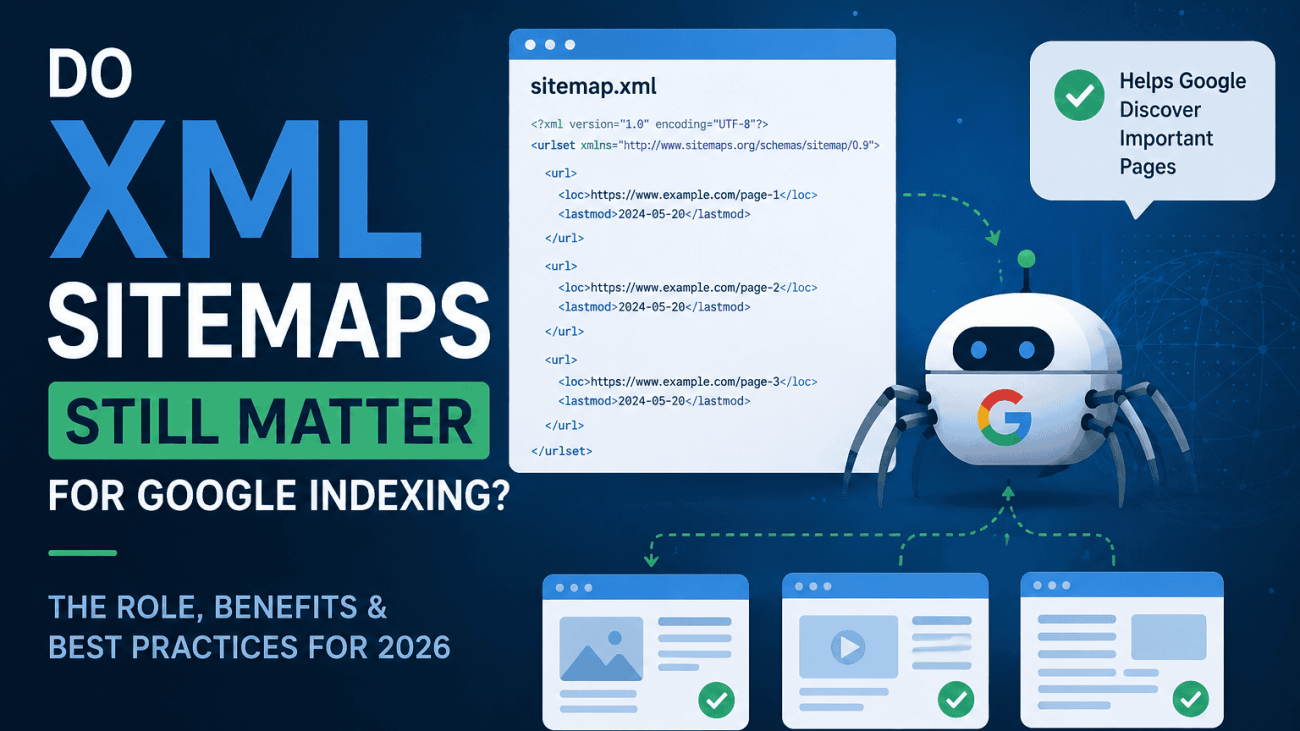
Do XML Sitemaps Still Matter for Google Indexing?
Table of Contents
For years, XML sitemaps have been considered a standard part of technical SEO. Almost every content management system generates one automatically, and most SEO checklists recommend submitting it to Google Search Console. Yet Google’s search systems have become far more sophisticated, leading many website owners to question whether XML sitemaps still have any real value.
The short answer is yes—but probably not for the reasons you think.
Google is capable of discovering pages through internal links, external backlinks and previous crawls, meaning many well-structured websites could still be indexed without ever submitting a sitemap. However, that doesn’t make XML sitemaps obsolete. Instead, their role has evolved from being a simple list of URLs into a valuable signal that helps Google understand which pages are important, canonical and worth prioritising during crawling.
Rather than improving rankings directly or guaranteeing that every page will be indexed, a well-maintained XML sitemap supports efficient crawling and page discovery, particularly for large websites, ecommerce stores, frequently updated content and sites with complex architectures. An inaccurate or poorly maintained sitemap, on the other hand, can send mixed signals that reduce its usefulness.
In this article, we’ll examine how Google uses XML sitemaps in 2026, when they genuinely improve indexing, where they have little impact, and the best practices that help ensure your sitemap supports—not hinders—your overall technical SEO strategy.

What an XML Sitemap Actually Does
An XML sitemap is a structured file that lists the URLs you want search engines to crawl and consider for indexing. While it doesn’t determine how Google ranks pages, it provides useful information that helps Google’s crawling systems discover and prioritise content more efficiently.
At its most basic, an XML sitemap tells Google which URLs exist on your website. This is particularly valuable for pages that may not be easily reached through internal links, such as newly published content, large product catalogues or archived pages. Rather than relying solely on link discovery, Google can use the sitemap as an additional source of URL discovery.
A well-maintained sitemap should only include your preferred, or canonical, URLs. Canonical URLs represent the version of a page you want search engines to index when multiple versions exist. Including duplicate, redirected or non-canonical pages can reduce the quality of the signals your sitemap provides and make it harder for Google to understand which URLs matter most.
Each URL can also include a lastmod (last modified) date. When kept accurate, this helps Google understand when a page has genuinely changed and may need to be crawled again. While Google does not guarantee it will recrawl a page simply because the date has changed, an accurate lastmod value can help its systems prioritise fresh or updated content. Artificially updating these dates without making meaningful changes provides little value and may reduce trust in the sitemap over time.
Beyond standard web pages, XML sitemaps can also be tailored for specific types of content. Dedicated image, video and news sitemaps provide additional metadata that helps Google discover media assets more effectively and, where appropriate, surface them in specialised search features such as Google Images, Google Videos and Google News.
Perhaps the most important point to understand is that an XML sitemap provides hints rather than instructions. Submitting a URL does not guarantee that Google will crawl it immediately or index it at all. Google’s systems still evaluate factors such as page quality, duplicate content, internal linking, canonical signals and overall value before deciding whether a page should appear in search results.
For that reason, think of your XML sitemap as a recommendation rather than a command. It tells Google, “These are the pages I believe are important,” but Google’s indexing systems make the final decision based on many other signals across your website.
Google Can Discover Pages Without a Sitemap
One of the biggest misconceptions in technical SEO is that Google needs an XML sitemap to find your website’s pages. In reality, Google is designed to discover content naturally, and many websites are indexed successfully without ever submitting a sitemap.
The primary way Google discovers new pages is by following links. When Google’s crawler visits a page, it analyses the links on that page and follows them to other URLs across your website. This is why a logical internal linking structure remains one of the most important aspects of technical SEO. Pages that are well connected through navigation menus, category pages and contextual links are generally much easier for Google to find and understand.
Google also discovers pages through external backlinks. If another website links to one of your pages, Google’s crawler may follow that link and add the page to its crawl queue. This is one reason why newly published content can sometimes appear in search results even before it has been included in a sitemap.
Previous crawls also play an important role. Once Google has visited your website, it builds an understanding of your site’s structure and regularly returns to check for changes. If your navigation is consistent and new content is linked from existing pages, Google’s crawler can often discover it without any additional signals.
For smaller websites with a clear hierarchy and strong internal linking, this discovery process usually works extremely well. A local business website with a handful of service pages, an about page and a regularly updated blog is unlikely to experience indexing issues simply because it doesn’t have an XML sitemap. Google can efficiently navigate between pages using the site’s existing links.
However, natural discovery becomes less reliable as websites grow in size and complexity. Large ecommerce stores, websites with thousands of products, extensive archives or pages that receive few internal links can make it more difficult for Google to find every important URL quickly. In these situations, an XML sitemap acts as a supplementary source of discovery, helping Google identify valuable pages that might otherwise take longer to crawl.
Rather than replacing good website architecture, XML sitemaps work alongside it. Strong internal linking remains the primary way to communicate the relationships and importance of your content, while a sitemap provides Google with an additional reference point to ensure important, indexable pages are not overlooked.

When XML Sitemaps Become Extremely Valuable
Although every website can benefit from having an accurate XML sitemap, some websites rely on them far more than others. As a website grows in size, complexity or publishing frequency, Google’s natural discovery process becomes less efficient, making a sitemap an increasingly valuable source of crawl information.
Ecommerce Stores
Ecommerce websites often contain thousands—or even millions—of URLs across product pages, category pages, filtered collections and seasonal content. New products are added regularly, older products are discontinued, and inventory changes constantly. An XML sitemap helps Google discover newly published products more quickly and understand which product and category pages are currently available for indexing.
For online retailers, keeping the sitemap up to date is just as important as having one. Including deleted products, redirected URLs or pages marked as noindex can reduce the quality of the signals sent to Google.
Very Large Websites
Large corporate websites, marketplaces and directories frequently contain tens of thousands of pages. Even with strong internal linking, Google may take time to revisit every section of the site. A well-structured sitemap helps surface important URLs and provides Google with a clearer picture of which pages should be considered for crawling.
This is particularly useful when launching new sections of a website or migrating large numbers of pages.
Websites With Thousands of Products
Product-heavy websites face a unique challenge because many products receive very few internal links. Some items may only be accessible through search or deep category structures, making them harder for Google to discover naturally.
An XML sitemap provides an additional route to these URLs, helping ensure that valuable product pages are not overlooked simply because they sit several clicks away from the homepage.
New Websites
A brand-new website often has very few backlinks and limited authority. Without external signals pointing to it, Google may take longer to discover every page through normal crawling.
Submitting an XML sitemap through Google Search Console gives Google’s crawlers an immediate list of the site’s important URLs, helping establish an initial understanding of the website’s structure while organic discovery builds over time.
News Websites and Frequently Updated Blogs
Publishers that release content multiple times a day benefit significantly from accurate XML sitemaps. Fresh content often has the greatest value shortly after publication, so helping Google discover new articles quickly can improve how efficiently they are crawled and considered for indexing.
For publishers participating in Google News, dedicated News Sitemaps can provide additional metadata to support faster content discovery.
Websites With Orphan Pages
An orphan page is a page that exists on a website but has no internal links pointing to it. Since Google primarily discovers content by following links, orphan pages can easily remain undiscovered or be crawled infrequently.
While the best solution is to improve the website’s internal linking, including legitimate orphan pages within an XML sitemap provides Google with another opportunity to find them until the site’s architecture is improved.
Frequently Updated Content
Some pages change regularly even though their URLs remain the same. Examples include pricing pages, product availability, documentation, event listings and service information.
When the lastmod value is updated accurately after meaningful changes, Google can use this information as one of several signals that the page may be worth revisiting. Although it does not guarantee an immediate recrawl, it helps Google’s systems identify content that has genuinely been refreshed.
The Common Theme
The websites that benefit most from XML sitemaps are those where Google could realistically miss, delay or deprioritise important URLs during normal crawling. For a small brochure website with excellent internal linking, the impact of a sitemap may be minimal. For a large ecommerce business with thousands of changing pages, however, an accurate XML sitemap becomes an essential part of maintaining efficient crawling and healthy indexation.
Rather than replacing strong site architecture, XML sitemaps provide an additional layer of communication that helps Google understand which pages deserve attention as your website continues to grow.

XML Sitemaps and Crawl Budget
One of the most common reasons XML sitemaps are discussed in technical SEO is their relationship with crawl budget. While the term is frequently mentioned, it’s also one of the most misunderstood concepts in search engine optimisation.
The good news for most businesses is that crawl budget is unlikely to be something you need to worry about.
What Is Crawl Budget?
Crawl budget refers to the number of URLs Google is willing and able to crawl on your website within a given period. It exists because Google’s crawling resources are finite. With billions of pages across the web changing every day, Google has to decide how best to allocate its crawlers rather than attempting to crawl every page on every website continuously.
Google determines crawl budget using two primary factors:
- Crawl capacity, which reflects how much crawling your server can comfortably handle without affecting performance.
- Crawl demand, which reflects how valuable or likely a page is to have changed since Google’s last visit.
Together, these factors determine how frequently Google revisits different areas of your website.
Understanding Crawl Demand
Not every page deserves to be crawled with the same frequency. Google’s systems naturally prioritise pages that are more likely to provide new or updated information.
For example, a major news website publishing hundreds of articles every day will typically receive far more frequent crawls than a small business website whose service pages change only a few times a year. Likewise, a bestselling product that regularly changes price or stock status may be crawled more often than a discontinued product that has remained unchanged for months.
Google continuously evaluates which URLs appear most valuable based on signals such as previous crawl history, internal linking, content freshness and overall importance within the site.
How XML Sitemaps Improve Crawl Efficiency
An XML sitemap cannot increase your crawl budget or force Google to crawl more pages. However, it can help Google spend its existing crawl resources more efficiently.
A clean sitemap that contains only high-quality, canonical, indexable URLs provides Google with a reliable list of pages worth revisiting. Accurate lastmod dates also help Google’s systems identify pages that have genuinely changed, reducing the need to repeatedly crawl content that remains unchanged.
By contrast, a sitemap filled with redirects, duplicate URLs, deleted pages or URLs marked as noindex wastes valuable crawl signals. Google still has to process those entries before determining they are unsuitable, making the sitemap less useful as a guide to your most important content.
Why Crawl Budget Rarely Matters for Smaller Websites
Many website owners worry about crawl budget when their site only contains a few hundred pages. In reality, Google has repeatedly stated that crawl budget is generally not a concern for most websites.
If your website has a few dozen, a few hundred or even a few thousand well-structured pages, Google can usually crawl them efficiently without reaching any practical resource limits. Improving internal linking, fixing technical issues and publishing helpful content will almost always have a greater impact than trying to optimise crawl budget.
This is why many small business websites, local service providers and company brochure sites can achieve excellent indexation with relatively little attention paid to crawl management.
Where Crawl Budget Really Matters
Crawl budget becomes increasingly important on websites containing tens or hundreds of thousands of URLs, particularly when content changes frequently.
Examples include:
- Large ecommerce stores with extensive product catalogues.
- Marketplace websites with constantly changing listings.
- News publishers releasing articles throughout the day.
- Job boards with expiring vacancies.
- Property portals with regularly updated listings.
- Large documentation or knowledge base websites.
For these websites, ensuring Google spends its crawl resources on valuable pages rather than redirects, duplicates or outdated URLs can significantly improve how quickly new and updated content is discovered.
The Bottom Line
XML sitemaps do not give your website a larger crawl budget, but they can help Google use its existing crawl resources more effectively. By maintaining a clean, accurate sitemap that includes only canonical, indexable pages, you make it easier for Google’s crawlers to prioritise the content that matters most.
For smaller websites, this benefit is often modest. For large, fast-moving websites with thousands of changing URLs, however, accurate sitemap management becomes an important part of maintaining healthy crawling and efficient indexation.
The Biggest Sitemap Mistakes
An XML sitemap is only as useful as the quality of the URLs it contains. While many websites generate sitemaps automatically, it’s surprisingly common to find files filled with pages that Google has little interest in crawling or indexing. Instead of helping search engines, these sitemaps create unnecessary noise and reduce the value of one of your most important technical SEO signals.
The goal of an XML sitemap is simple: present Google with a clean list of your best, canonical, indexable pages. Anything that doesn’t meet those criteria probably shouldn’t be included.
Including 404 Pages
A 404 page tells Google that the URL no longer exists. If that same URL still appears in your XML sitemap, you’re sending conflicting signals. On one hand, you’re asking Google to crawl the page, while on the other, your server is telling Google the page has been removed.
This often happens when products are deleted or pages are removed but the sitemap hasn’t been regenerated. Regularly checking for 404 errors and removing obsolete URLs from your sitemap helps keep Google’s crawl efforts focused on live content.
Listing Redirected URLs
Redirects are useful for users and search engines, but the destination URL—not the old redirected URL—belongs in your sitemap.
Including redirected pages forces Google to process the redirect before reaching the actual content. While this isn’t usually a major issue on its own, hundreds or thousands of redirected URLs can make your sitemap less efficient and indicate poor ongoing maintenance.
Including Noindex Pages
Pages marked with a noindex directive explicitly tell Google not to include them in search results. Including those same pages in your XML sitemap sends contradictory instructions.
Examples include:
- Internal search results
- Thank-you pages
- Private account areas
- Filtered landing pages you don’t want indexed
If a page is intentionally excluded from Google’s index, it should normally be excluded from your sitemap as well.
Duplicate URLs
Duplicate content creates uncertainty about which version of a page Google should index. If multiple versions of the same content appear in your sitemap, Google’s systems must spend additional time determining which URL is canonical.
Common examples include:
- HTTP and HTTPS versions
- URLs with and without trailing slashes
- Uppercase and lowercase URL variations
- Duplicate product URLs across categories
A sitemap should only include the single preferred version of every page.
Parameter URLs
Many websites automatically generate URLs containing parameters for sorting, filtering, tracking campaigns or internal searches.
Examples include:
- ?sort=price
- ?colour=blue
- ?utm_source=email
- ?sessionid=12345
These URLs rarely provide unique value in Google’s search results and can quickly inflate the number of pages within a sitemap. Unless parameter pages are intentionally designed as indexable landing pages, they should generally be excluded.
Incorrect Canonical URLs
Canonical tags tell Google which version of a page should be treated as the primary URL.
Problems arise when:
- The sitemap lists one URL.
- The canonical tag points somewhere else.
Google must then decide which signal to trust. While it often resolves these conflicts correctly, avoiding them altogether provides much clearer guidance.
Your sitemap and canonical tags should always agree on which URL represents the preferred version of each page.
Old Deleted Pages
Large websites, particularly ecommerce stores, regularly remove products, categories and promotional pages. If these deleted URLs continue appearing in the sitemap long after they’ve been removed, Google’s crawler repeatedly wastes resources checking pages that no longer exist.
Automatically regenerating your sitemap whenever significant content changes helps prevent outdated URLs remaining in the file.
Thin or Low-Value Content
An XML sitemap should showcase the pages you most want Google to index—not every page that exists on your website.
Pages with little original content, duplicate descriptions, placeholder copy or extremely limited value don’t strengthen your sitemap simply because they’re included. In fact, consistently highlighting weak pages may reduce the overall usefulness of the sitemap as a signal of your site’s highest-quality content.
Before including a page, ask a simple question:
If this page appeared in Google’s search results tomorrow, would I actually want someone to land on it?
If the answer is no, it probably doesn’t belong in your sitemap.
Good Sitemap vs Poor Sitemap
A well-maintained sitemap typically contains:
- Only canonical URLs.
- Pages returning a 200 OK status.
- Indexable content.
- Accurate lastmod dates.
- Recently updated pages.
- URLs that provide genuine value to users.
By contrast, a poorly maintained sitemap often includes:
- Redirects.
- 404 pages.
- Duplicate URLs.
- Noindex pages.
- Expired product pages.
- Tracking parameter URLs.
- Thin or outdated content.
The difference may seem subtle, but it has a significant impact on how effectively Google can use your sitemap. Rather than acting as a complete inventory of every URL your website has ever created, your XML sitemap should function as a carefully curated list of the pages that genuinely deserve Google’s attention.

Does Submitting a Sitemap Guarantee Indexing?
Submitting an XML sitemap to Google Search Console is an important part of technical SEO, but it does not guarantee that every URL listed will be crawled, indexed or appear in search results.
This is one of the most common misunderstandings surrounding XML sitemaps. A sitemap tells Google that a page exists and that you believe it is important, but Google’s indexing systems still decide whether that page is worthy of inclusion in its search index.
Google’s Indexing Systems Make the Final Decision
After Google discovers a URL—whether through your sitemap, internal links or external backlinks—it doesn’t immediately add that page to its index.
Instead, the page goes through a series of evaluation processes. Google analyses the content, technical setup and relationship to the rest of your website before deciding whether the page offers enough value to appear in search results.
This is why you may see a page listed in your XML sitemap but still find it marked as “Discovered – currently not indexed” or “Crawled – currently not indexed” in Google Search Console.
The sitemap has successfully helped Google discover the page, but indexing is a separate decision.
Content Quality Still Matters
Google aims to index pages that provide genuine value to users. If a page contains little original information, duplicates content found elsewhere or offers a poor user experience, Google may decide not to include it in its index.
Examples include:
- Thin product pages with only manufacturer descriptions.
- Doorway or location pages with almost identical content.
- Placeholder pages with very little useful information.
- Automatically generated pages that add minimal value.
Adding these pages to your sitemap will not improve their chances of being indexed if Google considers them low quality.
Duplicate Content Can Prevent Indexing
When Google finds multiple pages covering substantially the same content, it usually selects one version as the canonical page and ignores the others.
For example, the same product may be accessible through multiple category paths or URLs with tracking parameters. Even if every version appears in your sitemap, Google is unlikely to index them all.
Instead, its canonicalisation systems choose the version that best represents the content, while the remaining duplicates may be excluded from the index.
This is another reason why your sitemap should only include canonical URLs.
Soft 404 Pages
A soft 404 occurs when a page technically returns a 200 OK status but provides little or no meaningful content.
Examples include:
- Empty category pages.
- Product pages where the item has permanently disappeared but no proper 404 status is returned.
- Search results with no products.
- Pages displaying only “No content found.”
Google may recognise these pages as offering no real value and choose not to index them, regardless of whether they appear in your sitemap.
Canonical Selection Overrides Sitemap Entries
Many website owners assume that the sitemap determines which URL Google will index.
In reality, the sitemap is only one canonical signal among many.
Google also considers:
- Canonical tags.
- Internal linking.
- Redirects.
- Duplicate content.
- External links.
- Overall site structure.
If these signals conflict, Google may ignore the URL you’ve included in the sitemap and instead index a different version of the page.
Keeping your sitemap, canonical tags and internal linking aligned makes Google’s job much easier.
Helpful Content Remains the Strongest Signal
Google’s ranking and indexing systems are designed to surface content that demonstrates originality, expertise and usefulness.
A technically perfect sitemap cannot compensate for:
- Poor-quality content.
- Weak user experience.
- Duplicate information.
- Pages with little search demand.
- Thin affiliate or autogenerated pages.
Technical SEO helps Google discover your content, but the content itself must still earn its place in Google’s index.
What to Do If Sitemap URLs Aren’t Being Indexed
If you notice that pages included in your sitemap aren’t appearing in Google’s index, investigate beyond the sitemap itself.
Check whether:
- The page returns a 200 OK status.
- It isn’t blocked by robots.txt or a noindex directive.
- The canonical tag points to itself.
- The page is internally linked from relevant sections of the site.
- The content provides unique value compared with similar pages.
- Google Search Console reports any indexing or quality issues.
In many cases, improving the page itself has a far greater impact than making changes to the sitemap.
The Bottom Line
An XML sitemap helps Google discover your pages, but discovery is only the first stage of the indexing process. Google still evaluates content quality, technical signals, canonicalisation and overall usefulness before deciding whether a page deserves a place in its search index.
A well-maintained sitemap supports efficient crawling, but it cannot compensate for weak content, duplicate pages or technical SEO problems elsewhere on your website.
XML Sitemap Best Practices for 2026
Having an XML sitemap is only the first step. To provide genuine value, it needs to be accurate, well maintained and aligned with the rest of your technical SEO strategy. A sitemap that contains outdated or conflicting information can be less useful than no sitemap at all.
Use the following best practices to ensure your XML sitemap continues to support efficient crawling and indexing.
Include Only Canonical URLs
Your sitemap should list only the preferred version of every page on your website.
If multiple versions of the same content exist, whether through URL parameters, duplicate paths or protocol variations, only the canonical URL should be included. This provides Google with a clear, consistent signal about which version you want indexed.
As a rule, the URL in your sitemap should always match the page’s canonical tag.
Include Only Pages Returning a 200 Status
Every URL in your sitemap should return a successful 200 OK response.
Remove any pages that:
- Return a 404 or 410 status.
- Redirect to another URL.
- Produce server errors.
- Have been permanently removed.
A clean sitemap should direct Google only to pages that are live and ready to be indexed.
Include Only Indexable Pages
If a page is intentionally excluded from Google’s index, it should not appear in your sitemap.
This means excluding pages with:
- noindex directives.
- Password protection.
- Login requirements.
- Internal search results.
- Duplicate or filtered pages that shouldn’t rank.
Your sitemap should represent the pages you actively want Google to include in its search results.
Keep Last Modified Dates Accurate
The lastmod field tells Google when a page was last meaningfully updated.
Only change this date when the content has genuinely been modified. Updating the timestamp every time the sitemap is regenerated—even when the page hasn’t changed—reduces its usefulness as a crawling signal.
Accurate lastmod dates help Google identify which pages may deserve another visit.
Segment Large Websites into Multiple Sitemaps
Large websites are often easier to manage when their content is divided across multiple sitemap files.
For example, you might create separate sitemaps for:
- Products.
- Categories.
- Blog posts.
- Help centre articles.
- Images.
- Videos.
Google can process these individually, making it easier to identify errors and monitor indexation within specific sections of your website.
Most content management systems and SEO plugins automatically generate a sitemap index that links all of these individual sitemap files together.
Automate Sitemap Generation
Unless your website is completely static, your sitemap should update automatically whenever content changes.
Modern CMS platforms and SEO plugins can automatically:
- Add new pages.
- Remove deleted pages.
- Update lastmod dates.
- Rebuild sitemap indexes.
Automation reduces the risk of outdated URLs remaining in your sitemap and ensures Google always receives the most up-to-date version.
Validate Your Sitemap Regularly
Even automatically generated sitemaps should be checked periodically.
Review them to ensure they don’t contain:
- Redirects.
- Broken pages.
- Duplicate URLs.
- Non-canonical pages.
- URLs blocked from indexing.
Google Search Console’s Sitemap report can highlight processing issues, while website crawlers can help identify inconsistencies between your sitemap and the rest of your site.
Consider Specialist Sitemap Types
Standard XML sitemaps are suitable for most websites, but some content benefits from dedicated sitemap formats.
These include:
- Image sitemaps, which help Google discover important images that may not be easily found through normal crawling.
- Video sitemaps, which provide additional metadata about hosted video content.
- News sitemaps, designed for publishers producing timely news content that may appear in Google News.
These specialist sitemaps aren’t necessary for every website, but they can improve content discovery for sites where images, videos or news articles form a significant part of the overall content strategy.
A Simple XML Sitemap Checklist
Before submitting or reviewing your sitemap, ask yourself:
- Are all URLs canonical?
- Does every page return a 200 OK status?
- Are all pages indexable?
- Are lastmod dates accurate?
- Have deleted or redirected pages been removed?
- Is the sitemap generated automatically?
- Has it been validated recently?
- Do specialist image, video or news sitemaps make sense for this website?
If you can answer “yes” to each of these questions, your XML sitemap is likely providing Google with clear, reliable signals that support efficient crawling and healthy indexation.

How to Check Whether Your Sitemap Is Working
Creating and submitting an XML sitemap isn’t a one-off task. As your website grows, pages are added, removed and updated, making it important to regularly check that your sitemap still reflects your site’s most valuable content.
Fortunately, several tools make it easy to monitor sitemap health and identify issues before they affect your visibility in Google Search.
Review Your Sitemap in Google Search Console
The first place to check is the Sitemaps report in Google Search Console.
After submitting your sitemap, Google will process the file and report whether it has been read successfully. If there are formatting errors or inaccessible URLs, they’ll usually appear here.
More importantly, Search Console shows how Google is interacting with the URLs you’ve submitted, helping you understand whether your sitemap is supporting healthy indexation.
Compare Submitted and Indexed Pages
One of the most useful metrics is the relationship between the number of URLs submitted in your sitemap and the number that Google has actually indexed.
It’s perfectly normal for these numbers to differ slightly. Google doesn’t index every page simply because it appears in a sitemap.
However, if a large percentage of submitted URLs remain unindexed, it’s worth investigating why.
Common reasons include:
- Thin or low-value content.
- Duplicate pages.
- Canonicalisation issues.
- Soft 404 pages.
- Technical errors preventing indexing.
A growing gap between submitted and indexed pages often indicates a quality or technical issue rather than a problem with the sitemap itself.
Investigate Excluded Pages
The Pages report in Google Search Console provides valuable insight into why certain URLs haven’t been indexed.
Common exclusion reasons include:
- Crawled – currently not indexed.
- Discovered – currently not indexed.
- Duplicate without user-selected canonical.
- Alternate page with proper canonical tag.
- Excluded by noindex.
- Soft 404.
- Page with redirect.
Reviewing these reports helps you distinguish between pages that Google has intentionally excluded and genuine indexing problems that require attention.
Monitor Crawl Errors
Your sitemap should contain only pages that Google can successfully crawl.
Regularly check for issues such as:
- 404 Not Found errors.
- Server (5xx) errors.
- Redirect loops.
- Blocked resources.
- URLs returning unexpected status codes.
If Google repeatedly encounters errors while processing sitemap URLs, it reduces the effectiveness of the sitemap as a reliable source of crawl information.
Validate the Sitemap Itself
Even if your sitemap appears to be working, it’s worth validating it occasionally.
A sitemap validator can identify issues such as:
- Invalid XML formatting.
- Missing required tags.
- Incorrect URL encoding.
- Broken sitemap references.
- URLs that no longer exist.
Many content management systems generate valid XML automatically, but changes to plugins, website migrations or custom development can occasionally introduce errors.
Use an XML Sitemap Generator
If your website doesn’t already generate an XML sitemap automatically, an XML Sitemap Generator can create one that follows Google’s recommended format.
Many modern tools also regenerate the sitemap whenever content changes, helping ensure that:
- New pages are added automatically.
- Deleted pages are removed.
- lastmod dates remain accurate.
- Sitemap indexes stay up to date.
Automation greatly reduces the risk of outdated or incomplete sitemaps.
Crawl Your Website
Website crawling software provides another valuable way to assess sitemap quality.
By comparing your sitemap with an actual crawl of your website, you can quickly identify inconsistencies such as:
- Pages missing from the sitemap.
- Redirects included in the sitemap.
- Non-indexable pages listed.
- Orphan pages that appear only in the sitemap.
- Duplicate URLs.
- Broken internal links.
This comparison often highlights issues that aren’t immediately obvious when viewing the XML file alone.
Make Sitemap Reviews Part of Your Technical SEO Routine
Your sitemap should evolve alongside your website.
Whenever you:
- Launch a new section.
- Remove content.
- Complete a website migration.
- Update your CMS or SEO plugin.
- Make large structural changes.
…it’s worth checking that your sitemap still accurately reflects your indexable content.
A quick review every few months can prevent outdated URLs, technical errors and conflicting signals from accumulating over time.
The Bottom Line
A healthy XML sitemap isn’t measured simply by whether Google accepts it. The real measure of success is whether it accurately represents your website’s best content and supports efficient crawling and indexation.
By regularly reviewing Google Search Console, validating your sitemap and comparing it against your site’s actual structure, you can ensure it continues to provide Google with clear, reliable signals as your website grows.

XML Sitemap vs Internal Linking
If you could only improve one aspect of your technical SEO, should you focus on your XML sitemap or your internal linking?
For most websites, the answer is internal linking.
While XML sitemaps and internal links both help Google discover content, they perform very different roles. Understanding that distinction helps explain why one has a much greater influence on how Google understands your website.
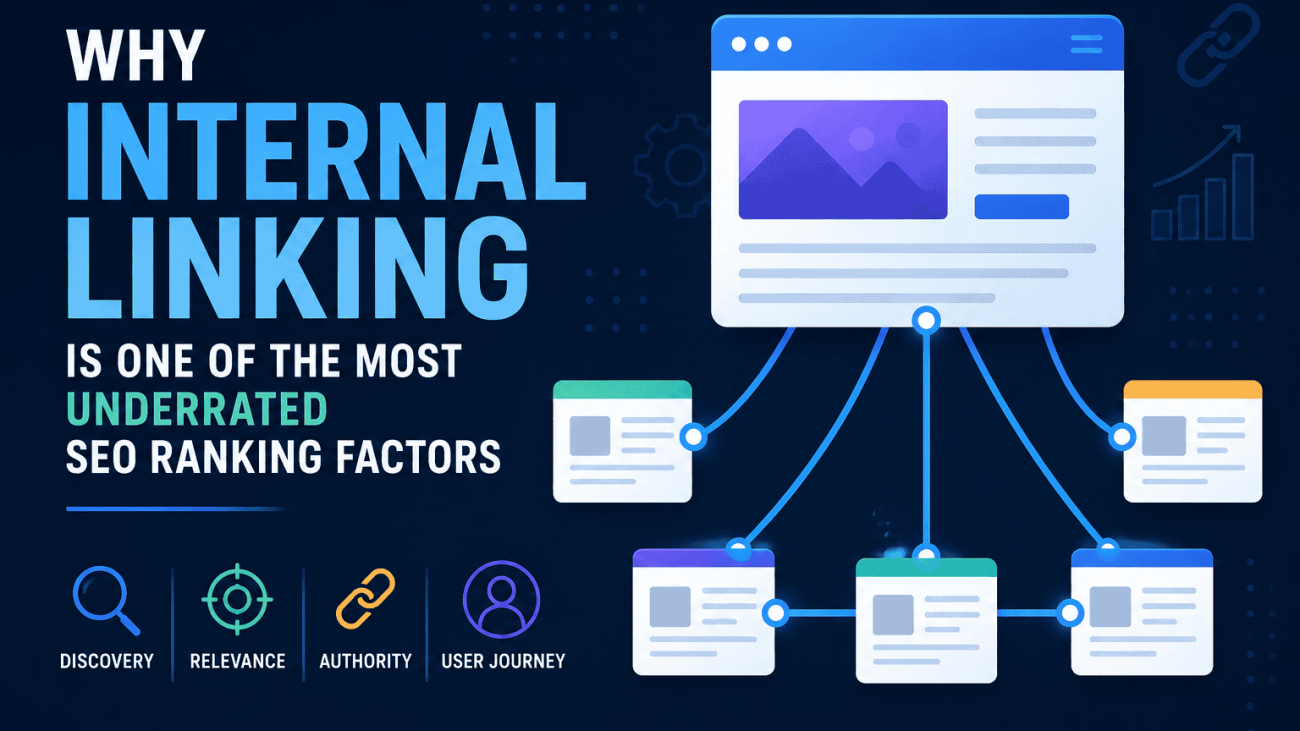
Internal Links Communicate Importance
Every internal link acts as a signal that tells Google how your content is connected.
When a page is linked from your main navigation, category pages or relevant articles, Google can see that the page forms part of your site’s structure. The more prominent and contextually relevant those links are, the easier it becomes for Google’s crawlers to discover the page and understand its relationship to the rest of your content.
Internal links also help Google determine which pages are most important. A page linked from multiple high-value pages is generally seen as more significant than one buried several clicks deep with very few internal references.
This is why improving internal linking often leads to better crawling, stronger topical relationships and, ultimately, improved search visibility.
XML Sitemaps Communicate Existence
An XML sitemap serves a different purpose.
Rather than showing how pages relate to one another, it simply tells Google that those pages exist and that you consider them suitable for indexing.
A sitemap doesn’t indicate which pages are your most important, which topics are closely related or how users should navigate your website. It provides a list of URLs—not context.
Think of it as the difference between a guest list and a seating plan. The guest list tells you who is attending, while the seating plan explains how everyone is organised and connected. Your XML sitemap is the guest list. Your internal linking is the seating plan.
Why Strong SEO Requires Both
The most effective websites combine a clean XML sitemap with a logical internal linking structure.
Internal links help Google:
- Discover pages naturally.
- Understand topical relationships.
- Pass authority throughout the website.
- Prioritise important content.
- Navigate efficiently between related pages.
Meanwhile, an XML sitemap helps Google:
- Discover newly published URLs.
- Find pages with few internal links.
- Identify canonical URLs.
- Detect recently updated content through accurate lastmod dates.
- Crawl large or complex websites more efficiently.
Together, these signals provide Google with both the roadmap and the inventory needed to crawl your website effectively.
A Practical Example
Imagine an ecommerce website that has generated a technically perfect XML sitemap.
Every product page is included.
Every URL is canonical.
Every page returns a 200 OK status.
Every lastmod date is accurate.
Despite this, most products receive no links from category pages, related products or navigation menus. They are effectively isolated from the rest of the website.
Google may still discover these pages through the sitemap, but it has very little context to understand their importance or how they relate to other products. Crawling may occur, but those pages are unlikely to perform as well as they would within a strong internal linking structure.
Now consider the opposite scenario.
A website has excellent navigation, logical category structures, contextual links between related articles and well-connected product pages, but no XML sitemap at all.
In many cases, Google can still discover and crawl almost every page because the site’s architecture naturally guides its crawlers through the content.
While adding a sitemap would still be beneficial, the strong internal linking already provides Google with many of the signals it needs.
Which Should You Prioritise?
If your website already has a functioning XML sitemap, improving internal linking will often deliver a greater return than spending time making minor sitemap refinements.
That doesn’t mean XML sitemaps are unimportant. Rather, it highlights their role within the wider technical SEO picture.
A sitemap tells Google what exists.
Internal links tell Google what matters.
The strongest websites use both together, ensuring every important page can not only be found but also understood within the broader structure of the site. A perfectly optimised XML sitemap can support efficient crawling, but it can never compensate for poor website architecture or weak internal linking.
Common XML Sitemap Myths
XML sitemaps have been part of SEO for many years, but they’re also surrounded by misconceptions. Believing these myths can lead website owners to spend time on tasks that have little impact while overlooking the technical improvements that genuinely influence crawling and indexing.
Myth 1: XML Sitemaps Improve Rankings
Reality: XML sitemaps are not a ranking factor.
Submitting a sitemap doesn’t make your pages rank higher, nor does it give your website any advantage over competitors simply because you have one. Their primary purpose is to help Google discover URLs and understand which pages you consider important.
If a page performs well in search results, it’s because of factors such as content quality, relevance, backlinks, user experience and technical health—not because it appears in an XML sitemap.
Myth 2: Every Website Must Have an XML Sitemap
Reality: Many websites can be crawled perfectly well without one.
Google is capable of discovering pages through internal links, external backlinks and previous crawls. A small website with excellent navigation and a logical structure may experience very little difference after submitting a sitemap.
However, as websites become larger, more complex or update more frequently, XML sitemaps become increasingly valuable. They’re considered a best practice, but they’re not a strict requirement for Google to crawl or index a website.
Myth 3: Google Indexes Every URL in a Sitemap
Reality: A sitemap is a suggestion, not a guarantee.
Google decides independently whether each page deserves to be indexed.
If a page contains duplicate content, offers little value, conflicts with canonical signals or has technical issues, Google may choose not to include it in its index—even if it’s listed in your sitemap.
The sitemap helps Google discover the page, but it doesn’t make the indexing decision.
Myth 4: More URLs Means Better SEO
Reality: Quality matters far more than quantity.
Some website owners assume that adding every possible URL to a sitemap increases their chances of ranking.
In practice, the opposite is often true.
A sitemap containing thousands of redirects, parameter URLs, deleted pages or thin content creates unnecessary noise and reduces the clarity of your crawl signals.
A smaller sitemap containing only your highest-quality, canonical and indexable pages is far more useful than an oversized sitemap filled with low-value URLs.
Myth 5: HTML Sitemaps and XML Sitemaps Are the Same Thing
Reality: They serve completely different audiences.
An XML sitemap is designed primarily for search engines. It provides a structured list of URLs and metadata that helps Google discover and crawl content more efficiently.
An HTML sitemap, on the other hand, is a webpage created for visitors. It helps users navigate a website by listing important pages in a readable format, particularly on larger sites.
While both can contribute to a better-organised website, they perform different functions and one does not replace the other.
The Bottom Line
The biggest misconception about XML sitemaps is that they somehow force Google to crawl, index or rank pages. They don’t.
Instead, think of an XML sitemap as a communication tool. It helps Google discover your most important pages and supports efficient crawling, but it works alongside strong internal linking, high-quality content and a technically sound website. When used correctly, it’s an important part of a modern SEO strategy—but it’s only one piece of the wider indexing puzzle.

Final Thoughts
XML sitemaps still matter for Google indexing—but not because they guarantee rankings or force Google to index every page you submit.
Their role has evolved alongside Google’s increasingly sophisticated crawling and indexing systems. Today, an XML sitemap is best viewed as a communication tool that helps search engines discover your most valuable pages, understand which URLs are canonical and crawl large or frequently changing websites more efficiently. It supports Google’s processes, but it doesn’t replace the fundamentals of good SEO.
The strongest websites combine a clean, well-maintained XML sitemap with logical site architecture, strong internal linking and genuinely helpful content. When these elements work together, Google can discover, understand and prioritise your pages far more effectively than relying on any single technical optimisation.
If there’s one takeaway from this article, it’s this: treat your XML sitemap as a curated list of the pages you genuinely want Google to find and index. Keep it accurate, remove outdated or low-value URLs, monitor it regularly in Google Search Console and ensure it stays aligned with your canonical tags and internal linking.
For most websites, creating an XML sitemap is straightforward. Maintaining a high-quality one is where the real value lies. As your website grows and evolves, a clean sitemap becomes an important part of a wider technical SEO strategy focused on crawl efficiency, healthy indexation and making it as easy as possible for Google to surface your best content.
Free SEO Tools
Check out the Techomatic SEO XML Sitemap Generator tool: it’s free!